Go4database vs Wiza: Which B2B Email Data Wins in 2026?
Go4database sells you a static B2B list. Wiza pulls contacts out of LinkedIn. We compare sourcing, accuracy, and real cost per usable contact — and name the setup that quietly beats both.
Go4database vs Wiza comes down to one choice: buy a static file, or pull fresh contacts from LinkedIn.
TL;DR
- Go4database sells ready-made B2B lists. You buy a file and you own it. It is fast to start. But the data is a snapshot of the day it was built.
- Wiza pulls contacts out of LinkedIn and Sales Navigator. It then finds and checks each email on the spot. The data is fresher. You pay per credit, and you only get what LinkedIn shows you.
- Go4database vs Wiza is not a fair fight. One is a list vendor. The other is a live export tool. You are picking between buy volume now and build lists that match your buyers.
- Static lists look cheap. Then you subtract bounces, role accounts, and job changers. LinkedIn tools look precise. Then half your market turns out not to be on LinkedIn.
- Do you just need verified work emails at a flat price? An API-first email finder covers the gap both leave open. Tomba starts at $49/mo, and there is a free tier.
What is Go4database?#
Go4database (go4database.com) sells B2B contact lists. You pick a segment: industry, job title, country, company size. They send back a file of contacts that match. Prices are quoted per record or per package. Large orders get a lower price per row. There is no public monthly plan.
The pitch is simple, and it works for some buyers. You get thousands of rows today. No credits. No metering. No setup work. Drop the CSV into your CRM and start sending.
The catch is built into the model. Every pre-built list is a snapshot. B2B data goes stale fast. The usual industry figure is 20% to 30% a year. People switch jobs. Firms merge, rebrand, or change their email format. So a file built 14 months ago is not mostly fine. A large slice of it now points at someone who left.
List sellers also differ a lot. The good ones re-check records all year. Others resell files they bought, with no clear source. BookYourData is a useful yardstick. It publishes an accuracy promise and checks the data on download. Ask any vendor two things. When was this record last checked? And what do you get back if too many rows bounce?
What is Wiza?#
Wiza (wiza.co) is a LinkedIn-first prospecting tool. Run a search in LinkedIn or Sales Navigator. Hand the search or the profile list to Wiza. You get a clean export with work emails, personal emails, and phone numbers on higher plans. Wiza finds and checks each email as it exports. It does not read them from an old store.
That last part is the whole value. The profile is kept current by the person who owns it. The email is checked in the moment. So the output tends to be fresh. Title, company, and seniority match what the prospect posted, not what a crawler saved two years ago.
The limits are just as real. You can only reach what LinkedIn search can reach. You also pay for a Sales Navigator seat on top of Wiza. Many buyers keep no LinkedIn profile at all. Think ops, finance, plants, and small firms outside the US. Those people stay invisible. Credits burn per result, so a wide, curious search costs real money.

Go4database vs Wiza: where does the data come from?#
Sourcing explains almost every other gap: price, freshness, and reach. Here is the plain version.
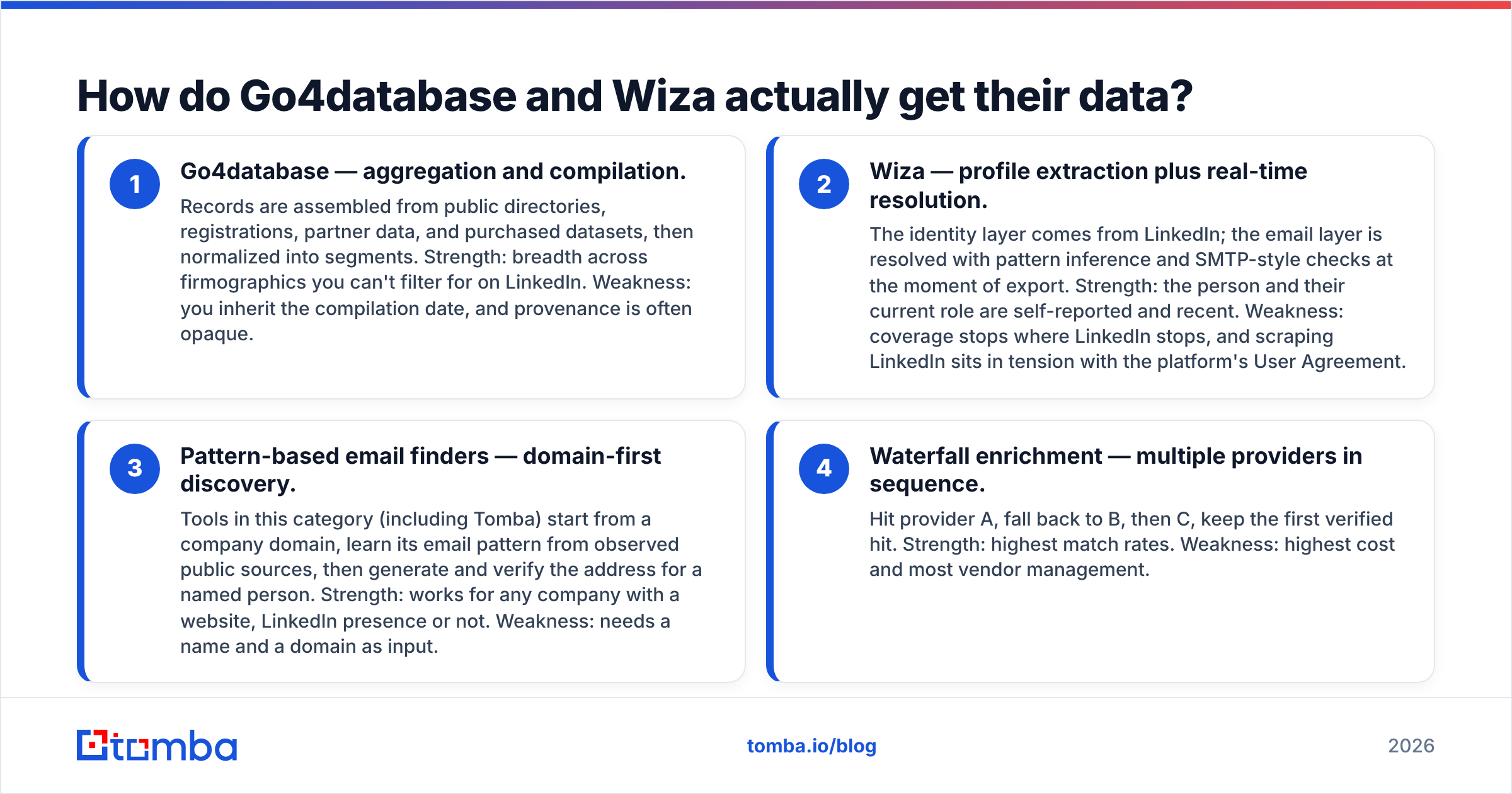
- Go4database, compiled data. Records come from public directories, sign-ups, partner feeds, and bought datasets. They are then sorted into segments. Strength: reach across company traits you cannot filter for on LinkedIn. Weakness: you inherit the build date, and the source is often unclear.
- Wiza, profile export plus live lookup. LinkedIn supplies the person. The email is worked out from patterns and checked at export. Strength: the role is self-reported and recent. Weakness: reach stops where LinkedIn stops. Scraping also sits at odds with the platform User Agreement.
- Pattern-based finders, domain first. Tools here, Tomba included, learn a company email pattern from public sources. Then they build and check the address for a named person. Strength: it works for any firm with a website. Weakness: you need a name and a domain first.
- Waterfall enrichment, vendors in a row. Try vendor A. Fall back to B, then C. Keep the first verified hit. Strength: the best match rate. Weakness: the highest cost and the most vendors to manage.
Most happy teams run a mix of 2, 3, and 4. Few bet the whole quarter on 1.
Go4database vs Wiza: which one is more accurate?#
Accuracy is where Go4database vs Wiza gets decided. But the answer depends on what you mean by the word.
Will the email land? Wiza usually wins. It checks each address at export. A static list only wins if the vendor re-checks the file on download. Many do not. If the list was built in Q1 and you mail it in Q4, expect bounces.
Is the job title still right? Wiza wins again. People keep their own profiles current. Nothing rots faster in a bought file than seniority and department.
Does the data hold your buyers at all? Here a good list vendor can win outright. Say you sell to local pharmacies, regional trucking firms, or European plants. LinkedIn coverage thins out fast. Compiled databases keep going.

Whichever tool you pick, treat every new record as unverified. Run the file through an independent email verifier first. Do it before the file touches your sending domain. It costs a fraction of a cent per row.
That one step guards the asset that matters most: your sender reputation. Catch-all domains need extra care. A plain SMTP check just returns accept all, which tells you nothing. So a catch-all verifier belongs in the flow for big accounts.
Go4database vs Wiza: how do they compare feature by feature?#
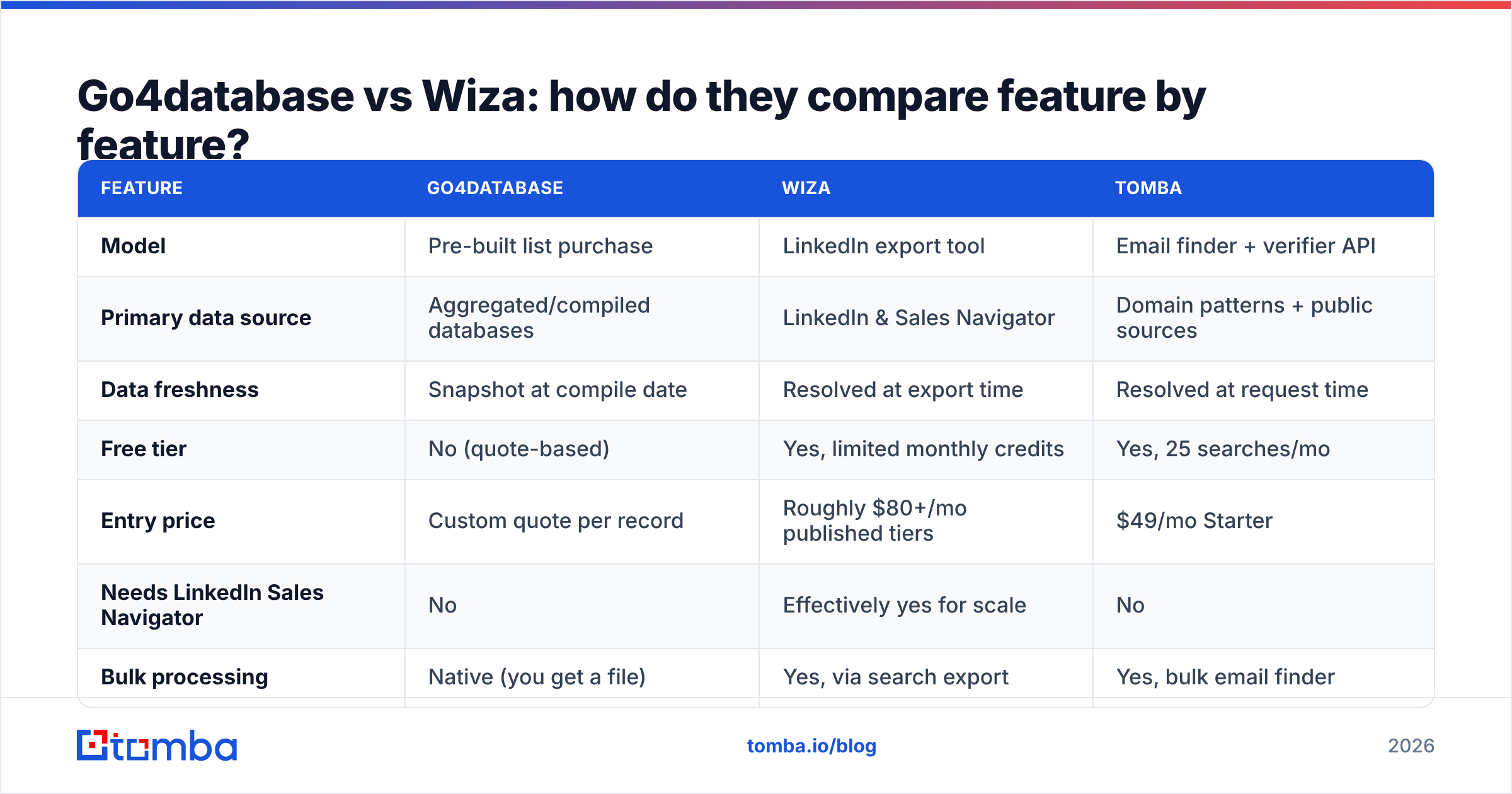
| Feature | Go4database | Wiza | Tomba |
|---|---|---|---|
| Model | Pre-built list purchase | LinkedIn export tool | Email finder + verifier API |
| Primary data source | Aggregated/compiled databases | LinkedIn & Sales Navigator | Domain patterns + public sources |
| Data freshness | Snapshot at compile date | Resolved at export time | Resolved at request time |
| Free tier | No (quote-based) | Yes, limited monthly credits | Yes, 25 searches/mo |
| Entry price | Custom quote per record | Roughly $80+/mo published tiers | $49/mo Starter |
| Needs LinkedIn Sales Navigator | No | Effectively yes for scale | No |
| Bulk processing | Native (you get a file) | Yes, via search export | Yes, bulk email finder |
| Built-in verification | Varies by order | Yes, at export | Yes, plus catch-all handling |
| API access | Rarely | Yes | Yes, full REST API |
| Works for non-LinkedIn buyers | Yes | Poorly | Yes |
| Best for | One-time volume campaigns | ICP-driven outbound on LinkedIn | Continuous, automated enrichment |

Prices move on both sides. Treat the table as a guide, then check each vendor page before you buy. Wiza posts tiered plans plus pay-as-you-go credits. Go4database quotes per order. Tomba pricing is public and flat: Free, Starter $49/mo, Growth $99/mo, Pro $249/mo, and Enterprise on request.
Go4database vs Wiza: what does each cost per usable contact?#
The Go4database vs Wiza price gap looks huge at first glance. But headline price is the wrong number. What counts is the cost per contact that exists, accepts mail, and still holds the role you targeted.
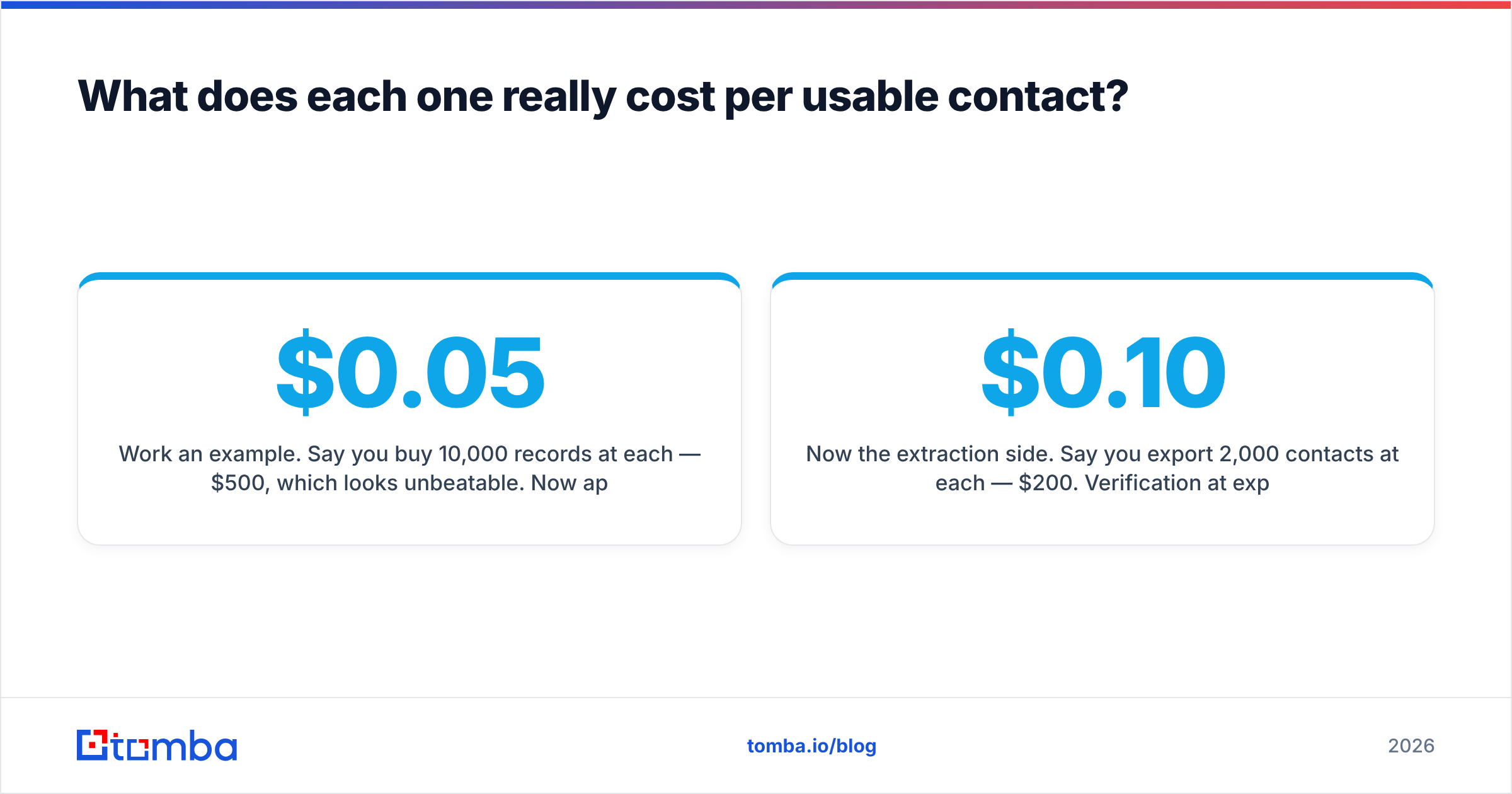
Work an example. You buy 10,000 records at $0.05 each. That is $500, which looks great. Now cut it down. A year-old file might bounce 18%. Another 12% have changed jobs. Another 8% are role accounts like info@ or sales@. You would never sequence those. You are left with about 6,200 usable rows. So the true price is near $0.08 each. And that is before cleanup costs and bounce damage.
Now the export side. You pull 2,000 contacts at $0.10 each, or $200. Checks at export drop hard bounces to a few percent, and titles are current. So about 1,820 rows are usable. That works out near $0.11 each. You pay a little more per row. The rows are far better.
The list wins on raw volume. The export tool wins on quality per dollar. So which one is cheaper? It depends on your bottleneck. Is it volume, or is it reply rate? In 2026, inbox providers police bulk senders hard. For most teams, that makes reply rate the real limit.

When should you choose Go4database?#
Buy a compiled list when all of these hold true:
- Your buyers are defined by company traits. Restaurants in Texas with 10 to 50 staff is a list vendor query. VP of Ops who started six months ago is not.
- Your buyers are not on LinkedIn. Trades, local services, regional distributors, and many non-English markets. A compiled file may be the only place to find them at scale.
- You need volume today and will check it yourself. A raw file plus your own checking pass is fine. The checking step is not optional.
- You want to own the data, not rent it. No credits. No seat math. Some teams just prefer a file.
Ask for a sample of 100 rows in your exact segment first. Run it through a free email checker. If the sample bounces above 5%, the full file will be worse.
When should you choose Wiza?#
Pick Wiza when:
- Sales Navigator is already where you prospect. Reps who build saved lead lists can add Wiza with almost no change.
- Title precision beats volume. Head of RevOps at a Series B SaaS firm is a LinkedIn-shaped target.
- You send small, sharp sequences. 200 well-researched contacts beat 10,000 cold rows in most mature outbound.
- You want phone numbers too, and you will pay for the higher tier.
The caveats are real. You pay for LinkedIn on top of Wiza. Credits meter your curiosity. And scraping tools carry account risk on the platform. Read current reviews on G2 before you sign an annual deal. This category moves fast.
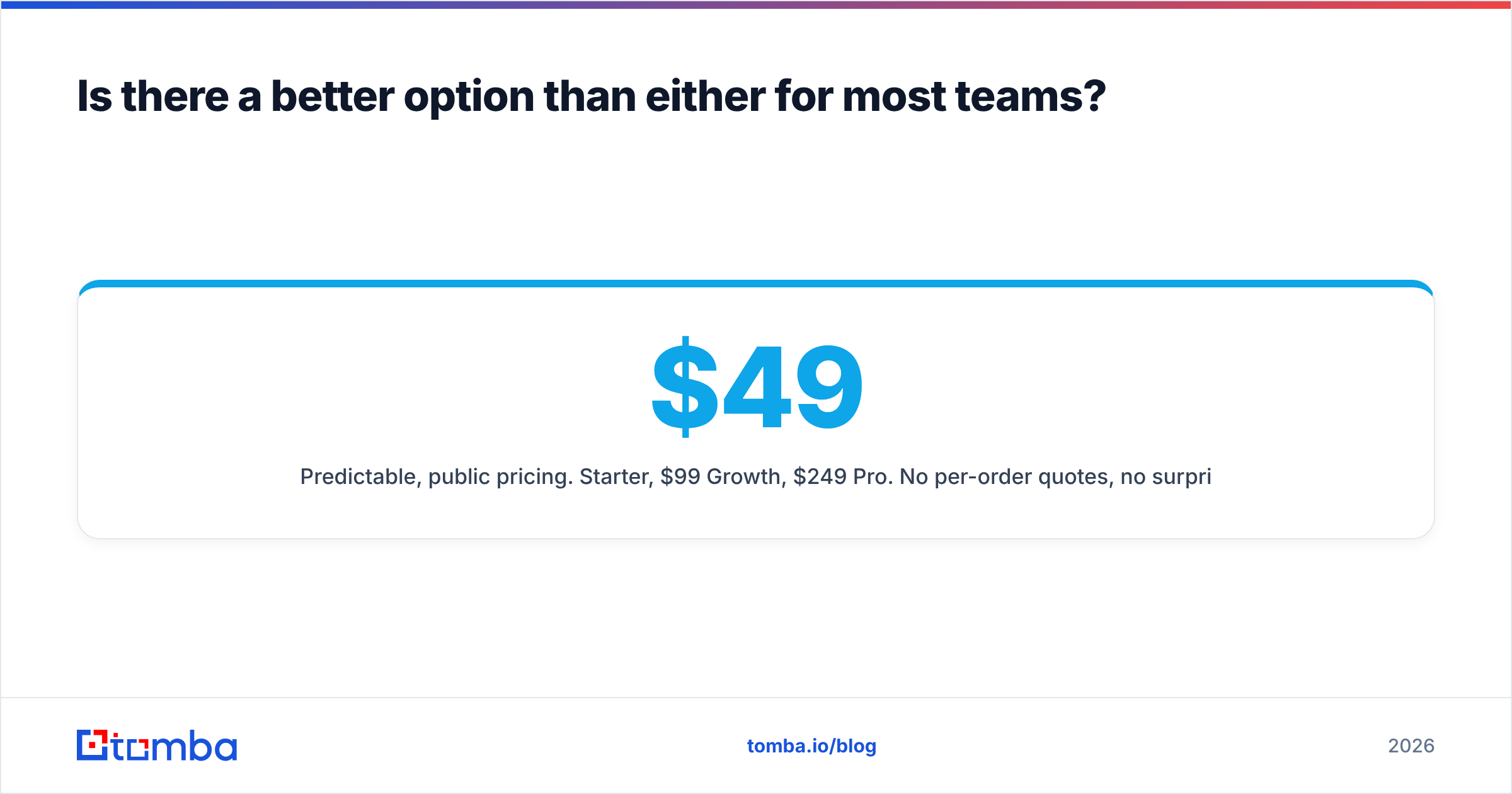
Beyond Go4database vs Wiza: is there a better option?#
Many teams have a simpler problem. They hold a list of firms and people. They need verified work emails for them. Neither model fits that well. One hands you contacts you did not choose. The other ties you to one social network.
The third path is an API-first email finder. Keep the source you already trust. That could be your CRM, a scraped list, an event roster, a Sales Navigator export, or a partner file. Then resolve the emails on demand. Tomba email finder takes a name and a domain. It returns a checked address, a confidence score, and the sources it was seen at. Domain search flips the input. Give it a domain and get the people and the pattern back. A LinkedIn finder covers the profile-URL flow that Wiza owns.
What that changes in practice:
- Prices are public and flat. $49/mo Starter, $99/mo Growth, $249/mo Pro. No per-order quotes. No surprise credit math.
- Checking is built in. That includes catch-all logic, where cheap tools quietly fail.
- It runs on its own. A full REST API, plus Sheets, Excel, HubSpot, and Zapier. Enrichment becomes constant, not a quarterly list buy.
- Sources are shown. You can see where an address was seen. That helps with triage and with compliance talks.
None of this makes list vendors or LinkedIn tools wrong. It makes them narrow. A strong 2026 stack often runs all three. Use a compiled list for market coverage. Use LinkedIn export for named accounts. Keep a finder API under both as the always-on layer.
Go4database vs Wiza: which should you pick?#
Need volume in a segment LinkedIn misses? Go4database, or a similar list vendor, is a fair buy. Just verify before you send. Does your outbound live inside Sales Navigator? Then Wiza is the cleaner tool. Current titles beat raw row count. Are you building a system, not a one-off push? Then buy neither first. Build the enrichment layer, then decide what to feed it.
Start with the layer that makes every other source better. Run your next 25 target contacts through the Tomba Email Finder on the free tier. Compare the verified hit rate against the list you were about to buy. Let the bounce rate settle the argument.
Related guides#
Ready to find emails that actually work?
Join 150,000+ professionals who stopped guessing and started sending. Free credits on signup — no credit card required.
Get the Tomba newsletter
Practical outbound tactics and product updates — once every two weeks.
About the author