GoCustomer vs Warpleads: Which B2B Lead Tool Wins in 2026?
GoCustomer sells AI-personalized outbound. Warpleads sells unlimited export volume. They solve opposite problems — and picking the wrong one wastes your whole quarter.
TL;DR
- GoCustomer is an AI-first outbound platform: it enriches contacts, writes personalized sequences, and sends them. You buy workflow automation, not raw data volume.
- Warpleads is a volume play: unlimited-export B2B lead lists at a flat monthly rate, aimed at teams that burn through thousands of contacts a month.
- They are not really substitutes. GoCustomer replaces your sequencer; Warpleads replaces your list-buying line item.
- Both share the same weak spot: verification depth. Neither is a dedicated email-validation engine, so you should pipe exports through a verifier before sending.
- If your real problem is "I need accurate addresses for specific companies," a focused email finder plus your existing sequencer usually beats either one on cost per landed reply.
What are GoCustomer and Warpleads, exactly?#
Start with the honest framing: these two tools get compared constantly because they both show up in "B2B lead generation software" listicles, but they sit at opposite ends of the outbound stack.
GoCustomer positions itself as an AI sales agent. You give it an ideal customer profile, it pulls matching contacts, generates per-prospect messaging using scraped signals (website copy, funding news, job titles), and runs multichannel sequences. The pitch is headcount replacement — one operator doing what an SDR pod used to do.
Warpleads is blunter. It is a lead database with an unlimited-export model. You filter by industry, geography, headcount, and technology, then export as many rows as your plan allows — which, on the unlimited tiers, is genuinely a lot. It does not send email. It does not write copy. It hands you a CSV.
So the question "GoCustomer vs Warpleads" is really two questions:
- Is AI-generated personalization worth paying a platform premium for?
- Is unlimited raw volume worth more to you than per-record accuracy?
Your answer depends almost entirely on whether your bottleneck is writing or sourcing.
How do GoCustomer and Warpleads compare head to head?#
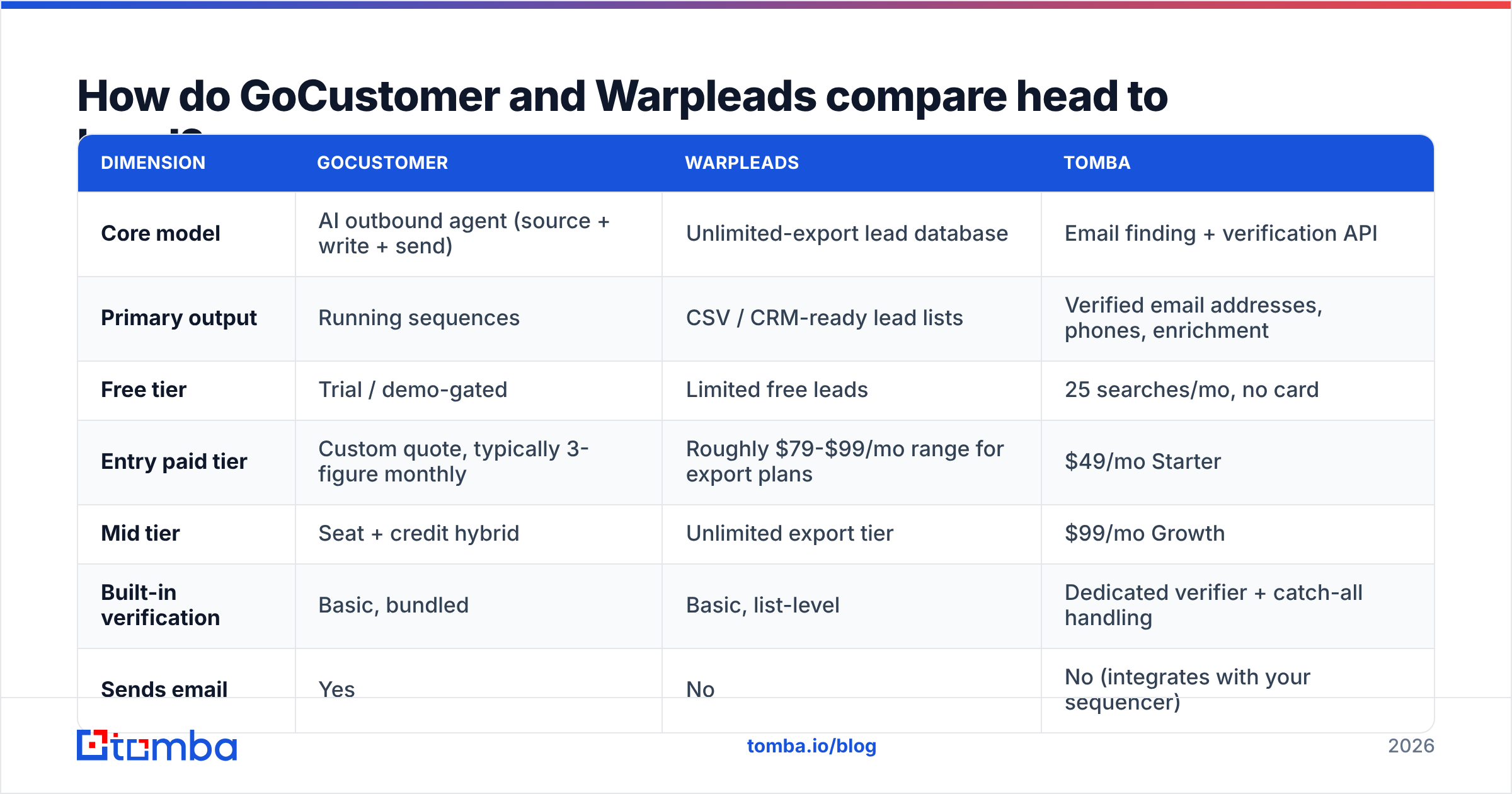
Here is the practical breakdown. Pricing on both platforms shifts with promotions and annual commitments, so treat these as directional and confirm on the vendor's own page before you buy.
| Dimension | GoCustomer | Warpleads | Tomba |
|---|---|---|---|
| Core model | AI outbound agent (source + write + send) | Unlimited-export lead database | Email finding + verification API |
| Primary output | Running sequences | CSV / CRM-ready lead lists | Verified email addresses, phones, enrichment |
| Free tier | Trial / demo-gated | Limited free leads | 25 searches/mo, no card |
| Entry paid tier | Custom quote, typically 3-figure monthly | Roughly $79-$99/mo range for export plans | $49/mo Starter |
| Mid tier | Seat + credit hybrid | Unlimited export tier | $99/mo Growth |
| Built-in verification | Basic, bundled | Basic, list-level | Dedicated verifier + catch-all handling |
| Sends email | Yes | No | No (integrates with your sequencer) |
| API access | Limited | Limited | Full REST API, CLI, MCP server |
| Best for | Small teams with no copywriter | High-volume spray-and-refine outbound | Teams that need accuracy per contact |
The table exposes the real trade. GoCustomer bundles the whole motion, which is convenient and expensive. Warpleads unbundles at the data layer and competes on price-per-thousand. Neither one is optimizing for the thing that actually determines whether your campaign lands: address-level accuracy.
Is unlimited lead export actually a good deal?#
Unlimited sounds like the obvious win until you price the downstream cost.
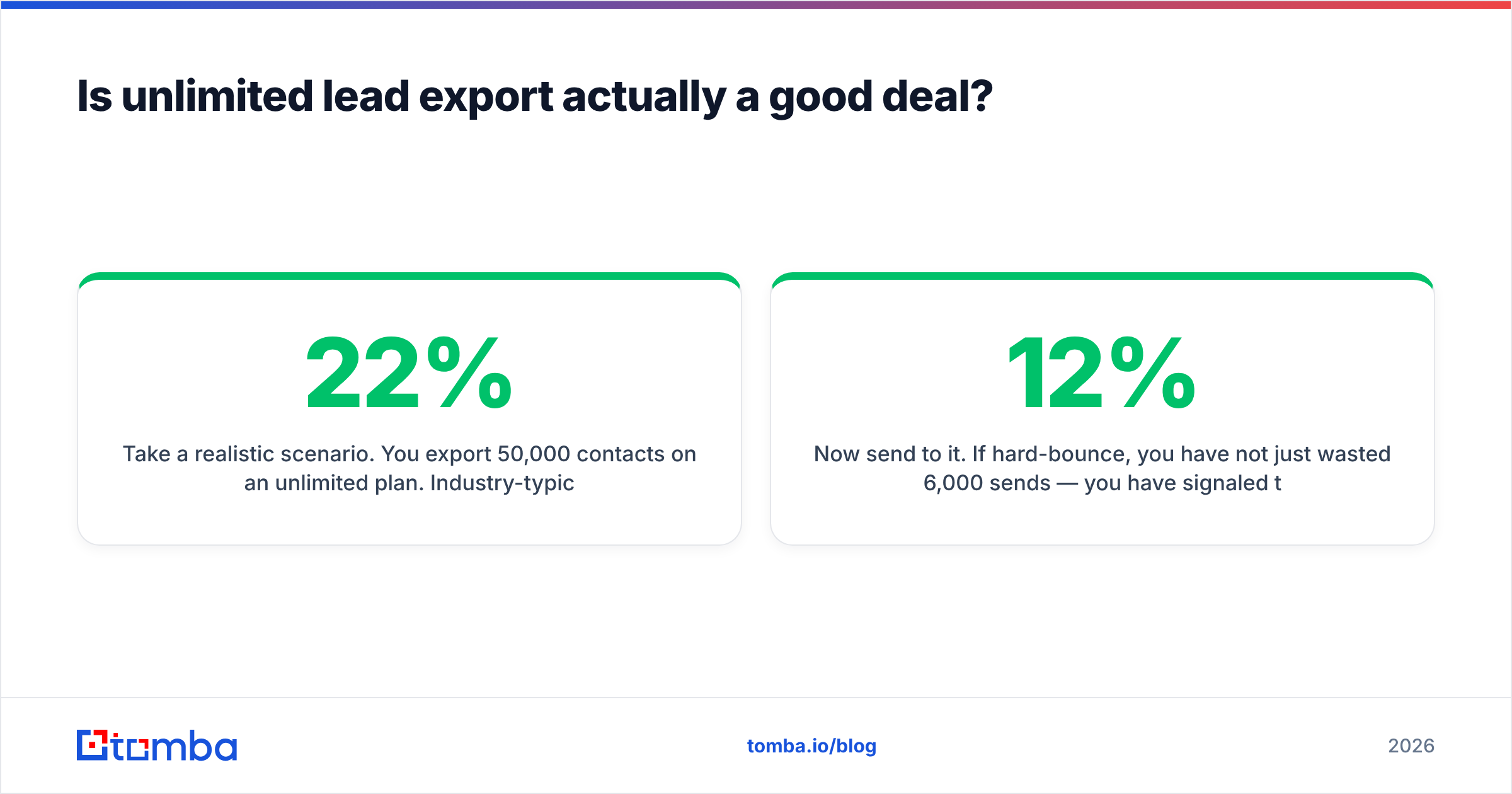
Take a realistic scenario. You export 50,000 contacts on an unlimited plan. Industry-typical database decay runs somewhere between 22% and 30% per year — people change jobs, companies rebrand, domains get retired. Gartner and most RevOps practitioners plan around roughly 2-3% monthly contact churn. On a list assembled over 18 months, a meaningful slice is already dead on arrival.
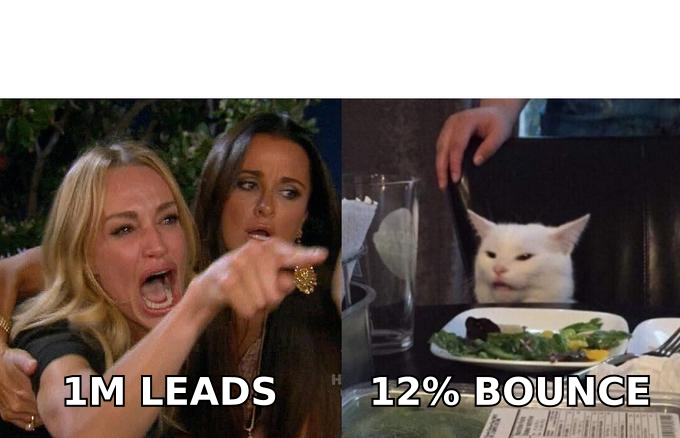
Now send to it. If 12% hard-bounce, you have not just wasted 6,000 sends — you have signaled to inbox providers that you are mailing a stale list. Google and Microsoft both tightened bulk-sender enforcement in 2024 and have not loosened since; sustained bounce rates above roughly 2% put your sender reputation at real risk. The cost of the bad list is not the export fee. It is the domain you have to warm up again from scratch.
This is the structural argument against buying on volume alone:
- Volume is cheap, deliverability is not. A million rows behind a paywall costs the vendor almost nothing to serve. Repairing a burned sending domain costs you weeks.
- Decay is invisible at export time. A CSV looks identical whether it was verified yesterday or scraped in 2023.
- Catch-all domains inflate apparent quality. Many providers mark catch-all addresses as "valid" because the server accepts everything. They are not valid — they are unknown until you test them properly with a catch-all verifier.
- Spam traps ride along in bulk lists. Recycled traps sit in aged data specifically to catch senders who never clean.
- Reply rate scales with relevance, not row count. 500 well-targeted contacts routinely out-perform 15,000 scraped ones.
None of that makes Warpleads a bad product. If you already run a rigorous cleaning step, cheap volume is a legitimate strategy — and it is a strategy plenty of agencies run profitably. It just means the export price is not the whole price.
Is GoCustomer's AI personalization worth the premium?#
Partly. The honest answer is that AI personalization has a ceiling, and most teams hit it faster than vendors admit.
What AI-generated first lines do well: they eliminate the blank page. If you have no copywriter and your reps are sending three-line templates with a merge tag, a system that pulls a prospect's recent funding round or tech stack into the opener will beat what you had. That is a real lift.
What it does poorly: it converges. When every vendor scrapes the same LinkedIn headline and About page, every "personalized" opener starts with the same structural tic — "Saw you're scaling the engineering team at [Company]..." Buyers pattern-match on it within about two exposures. HubSpot's sales research has been flagging response-rate decay on templated outbound for years, and generative openers accelerated it rather than fixing it.
The other consideration is control. When the platform sources, writes, and sends, you inherit its data quality and its sending infrastructure. If its enrichment is wrong about someone's title, the AI confidently personalizes around the wrong fact — which reads worse than no personalization at all. That failure mode is specific to bundled AI tools and it is not hypothetical.
So: worth it if you have zero copy capability and value speed over control. Skip it if you have a decent message already and just need better addresses to send it to.
Which one fits your outbound motion?#
Match the tool to the constraint you actually have.
Choose GoCustomer if:
- You have no dedicated copywriter and no sequencer yet.
- Your team is under five people and you want one bill instead of four.
- Your ICP is broad enough that generated personalization is directionally right.
- You are comfortable being locked into one vendor's data and sending stack.
Choose Warpleads if:
- You run high-volume outbound and your cost per exported record matters more than per-record precision.
- You already own a verification step and a warmed sending infrastructure.
- You are an agency serving many clients across many verticals and need breadth.
- You have the ops discipline to clean every list before it touches a mailbox.
Choose a dedicated finder-plus-verifier stack if:
- You sell to a defined account list rather than a broad filter.
- Deliverability is a board-level metric, not an afterthought.
- You want programmatic access — an email finder API your engineers can call inside your own workflow.
- You would rather pay for 5,000 correct addresses than 500,000 maybes.
That third path is where most mid-market teams land after a year of experimentation. You keep your sequencer (Instantly, Smartlead, Outreach — whatever you already trust), and you replace the data layer with something that reports confidence honestly.
What does the data-accuracy layer actually cost?#
Cheaper than people assume, because you are buying fewer records.
Run the math on a targeted motion. Say you work 400 named accounts a quarter and need three contacts at each — 1,200 lookups. On Tomba pricing, the $49/mo Starter plan covers a meaningful share of that, and the $99/mo Growth tier handles it comfortably with room for verification passes. Compare that to an unlimited plan you are paying for monthly while using a fraction of the volume, or an AI platform quoting four figures a month for a bundled workflow you have already half-built.
The relevant capabilities for that motion:
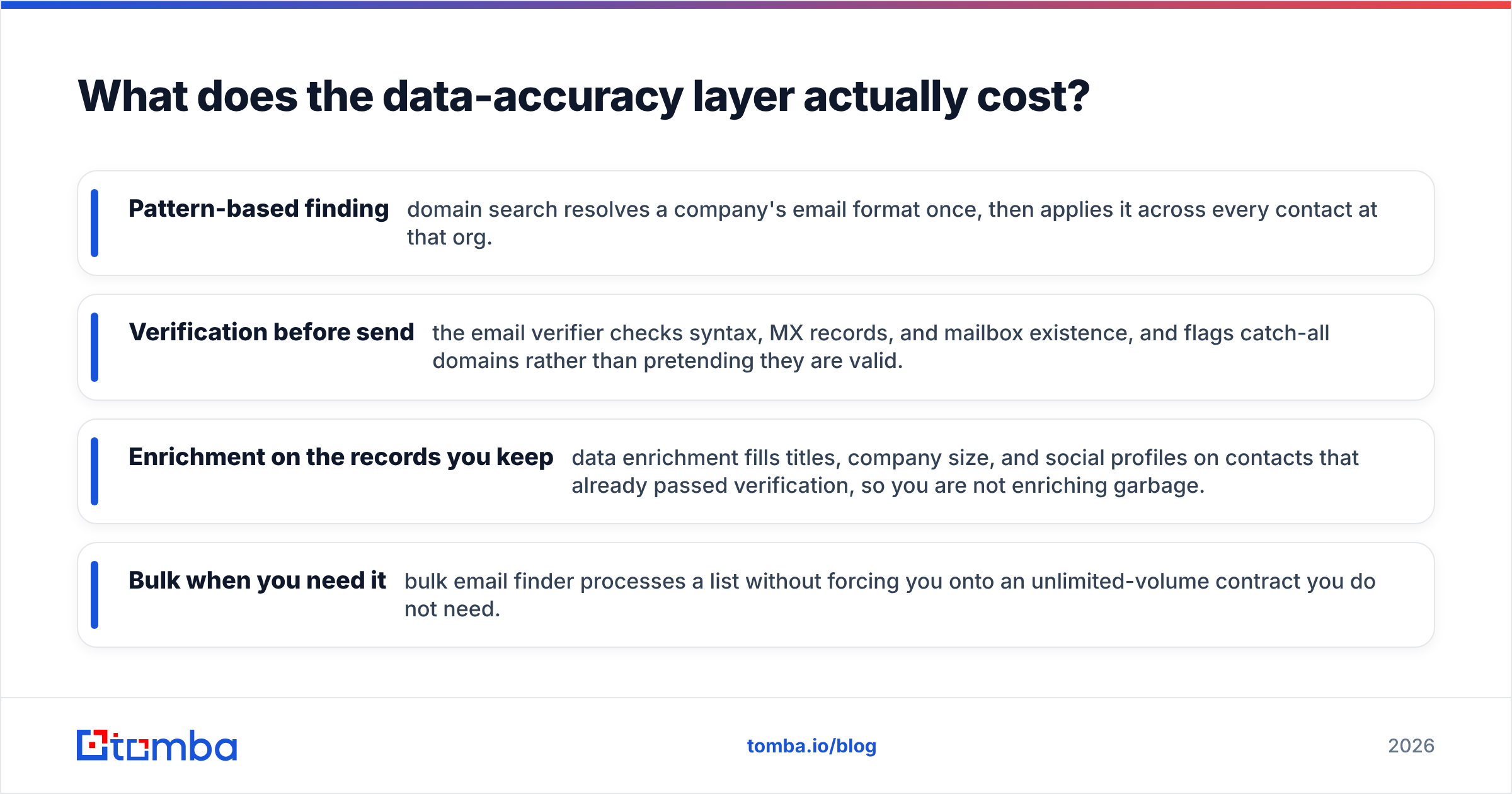
- Pattern-based finding — domain search resolves a company's email format once, then applies it across every contact at that org.
- Verification before send — the email verifier checks syntax, MX records, and mailbox existence, and flags catch-all domains rather than pretending they are valid.
- Enrichment on the records you keep — data enrichment fills titles, company size, and social profiles on contacts that already passed verification, so you are not enriching garbage.
- Bulk when you need it — bulk email finder processes a list without forcing you onto an unlimited-volume contract you do not need.
The point is not that one vendor wins on every axis. It is that accuracy is the layer where errors compound. A wrong first line costs you a reply. A wrong address costs you the domain.
How should you evaluate any of these tools before buying?#
Run the same test on all three. Vendors will show you their best-case demo; you need your worst case.
Build a 100-contact control list from your actual ICP where you already know the correct email — past customers, current pipeline, people you have met. Then:
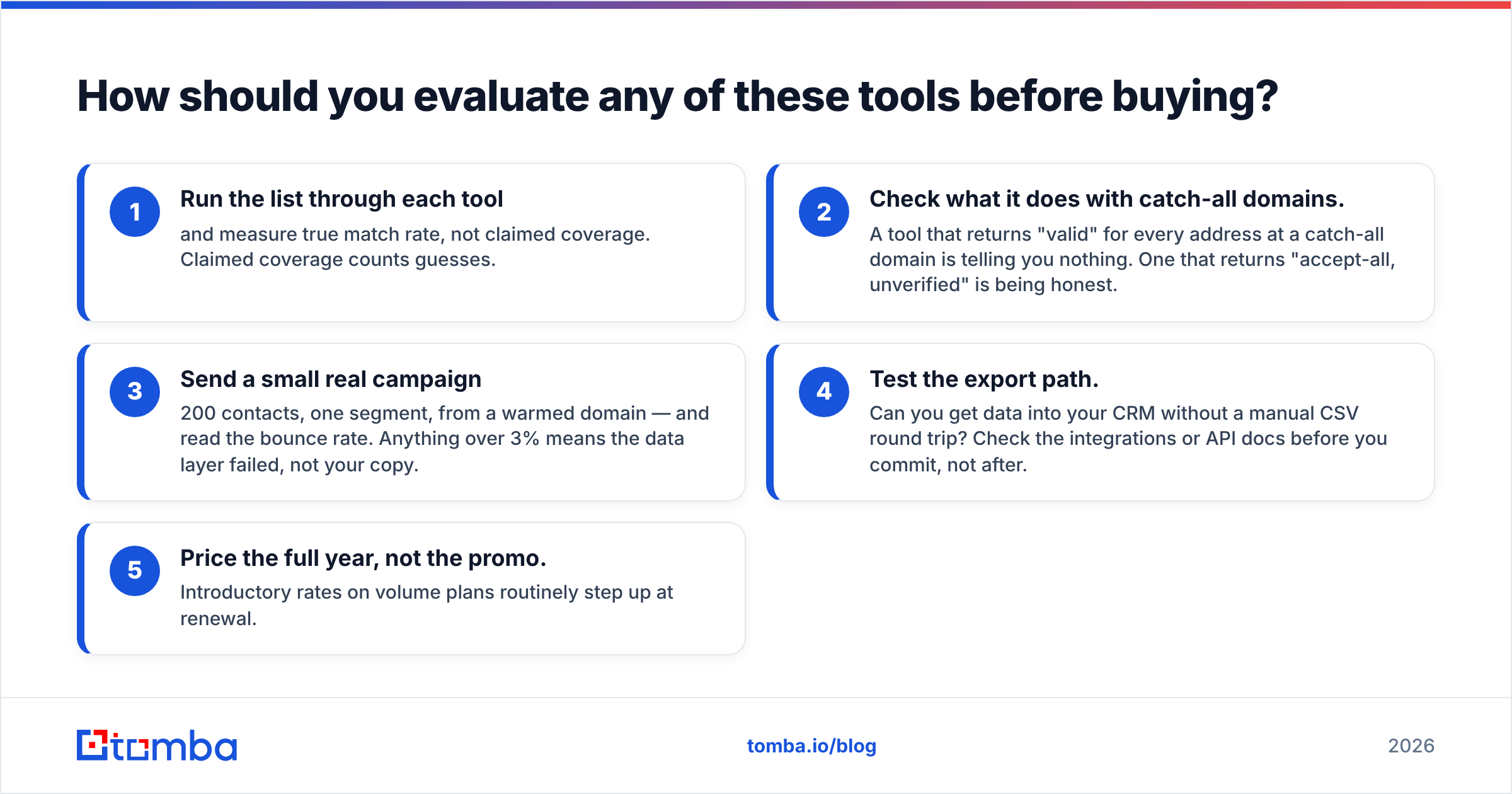
- Run the list through each tool and measure true match rate, not claimed coverage. Claimed coverage counts guesses.
- Check what it does with catch-all domains. A tool that returns "valid" for every address at a catch-all domain is telling you nothing. One that returns "accept-all, unverified" is being honest.
- Send a small real campaign — 200 contacts, one segment, from a warmed domain — and read the bounce rate. Anything over 3% means the data layer failed, not your copy.
- Test the export path. Can you get data into your CRM without a manual CSV round trip? Check the integrations or API docs before you commit, not after.
- Price the full year, not the promo. Introductory rates on volume plans routinely step up at renewal.
Check independent review volume too. G2 is useful less for the star rating than for the complaint patterns — read the 3-star reviews, where people describe what actually broke.
Do you need both?#
Rarely, but there is a coherent combination.
If you run genuinely high-volume outbound — an agency, a PLG motion with thousands of low-ACV targets — a volume database for sourcing plus a precision verifier before send is a defensible stack. You pay for breadth at the top of the funnel and accuracy at the point of contact. That is a reasonable architecture, and it is roughly what BookYourData customers do when they pair a bulk list purchase with an independent validation pass.
What does not work is stacking two bundled platforms. If GoCustomer sources, writes, and sends, adding Warpleads underneath creates two sources of truth and no clear owner of data quality. Pick one system of record.
For most teams reading this, the sequence is: fix the data layer first, then decide whether you need AI to write for you. Bad copy sent to good addresses gets replies at a low rate. Good copy sent to bad addresses gets nothing at all, and costs you the ability to try again.
The bottom line#
GoCustomer and Warpleads answer different questions. GoCustomer answers "how do I run outbound with a tiny team?" Warpleads answers "how do I get a lot of contacts cheaply?" Both are legitimate. Neither answers "how do I make sure the addresses I send to are real," which is the question that determines whether the other two matter.
If you want to test the accuracy layer before rearranging your whole stack, start with the Tomba Email Finder. The free tier gives you 25 searches a month with no card, which is enough to run a 25-contact spot check against contacts you already know. If the match rate holds up on your own control list, the $49/mo Starter plan will cover most focused outbound motions — and you can keep whatever sequencer you already like.
Related guides#
Ready to find emails that actually work?
Join 150,000+ professionals who stopped guessing and started sending. Free credits on signup — no credit card required.
Get the Tomba newsletter
Practical outbound tactics and product updates — once every two weeks.
About the author