GoHighLevel vs Keap: Which CRM Wins for Your Team in 2026?
GoHighLevel and Keap both promise to replace your whole stack, but they are built for different buyers. Here is an honest breakdown of pricing, automation depth, agency features, and which one you should actually pay for.
TL;DR
- GoHighLevel is an agency operating system. Unlimited sub-accounts, white-label, and SaaS resale are the whole point. If you are not managing multiple client brands, you are paying for machinery you will never turn on.
- Keap is a small-business CRM with automation bolted on properly. One business, one pipeline, deep e-commerce and invoicing, and the best "set it and forget it" follow-up sequences in this price band.
- Price is not the deciding factor. GoHighLevel starts around $97/mo and Keap around $299/mo, but GoHighLevel's cheap tier hides usage-based charges for SMS, calls, email, and AI.
- Both are terrible at sourcing contacts. Neither platform finds new prospects for you. You still need a separate data layer before automation has anything to automate.
- Quick verdict: agency or multi-brand operator → GoHighLevel. Single business selling services, courses, or products with invoicing → Keap.
What are GoHighLevel and Keap, actually?#
Start with who built each one and why, because that explains nearly every design decision downstream.
GoHighLevel launched in 2018 aimed squarely at marketing agencies. The pitch: stop reselling six different SaaS subscriptions to your clients and resell one white-labeled platform instead, with your logo on it. Everything in the product — sub-accounts, snapshots, agency dashboards, rebilling — exists to serve an agency that runs campaigns for 10, 50, or 300 local businesses.
Keap (formerly Infusionsoft, founded 2001) was built for the small business owner directly. The pitch: you are a chiropractor, consultant, or contractor, you are drowning in follow-up, and you need one system that captures a lead, nurtures it, books it, invoices it, and reminds you when someone goes quiet. There is no white-label mode because the audience does not want one.
That difference is not cosmetic. It changes how you think about the whole CRM evaluation:
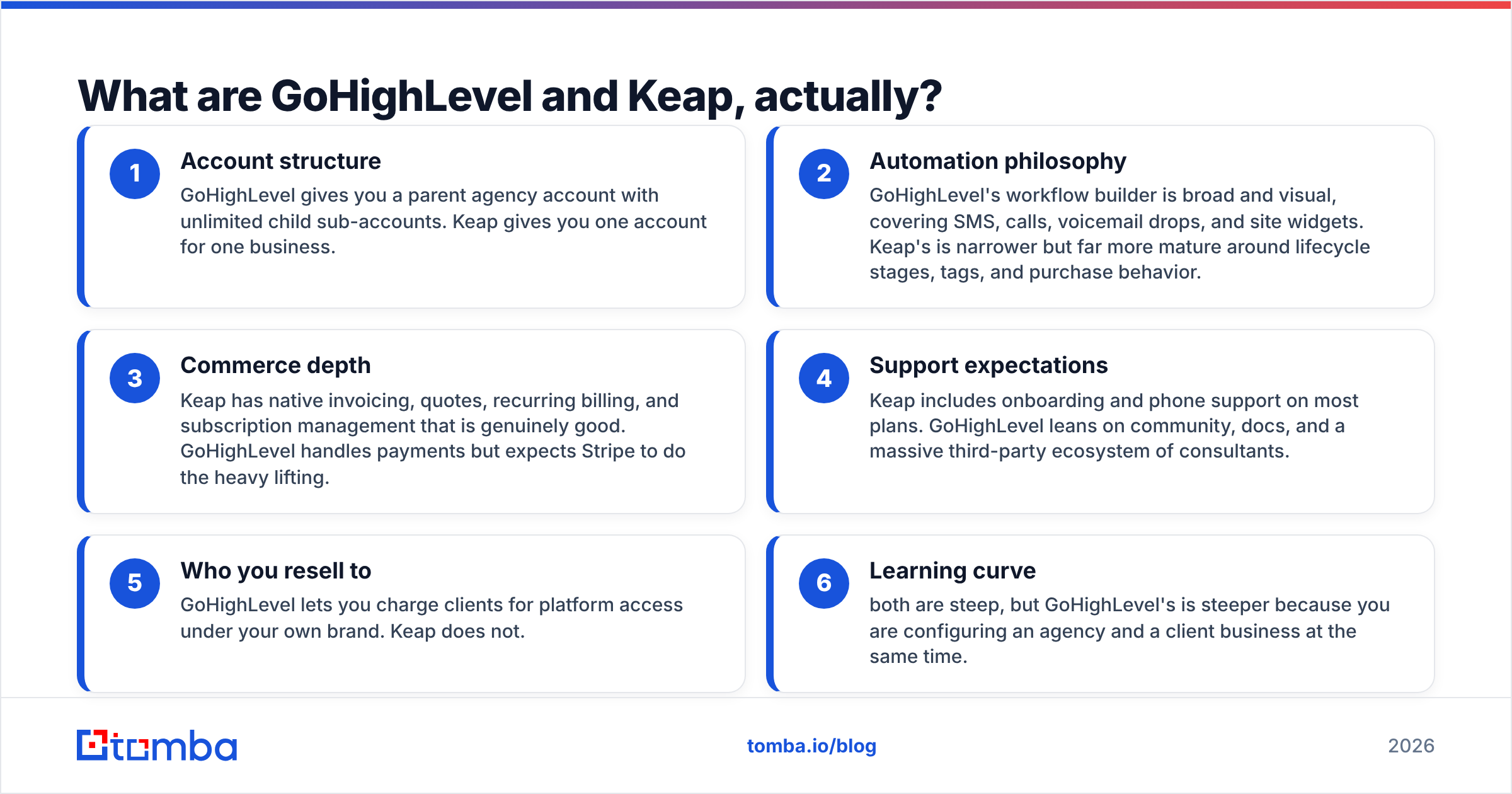
- Account structure — GoHighLevel gives you a parent agency account with unlimited child sub-accounts. Keap gives you one account for one business.
- Automation philosophy — GoHighLevel's workflow builder is broad and visual, covering SMS, calls, voicemail drops, and site widgets. Keap's is narrower but far more mature around lifecycle stages, tags, and purchase behavior.
- Commerce depth — Keap has native invoicing, quotes, recurring billing, and subscription management that is genuinely good. GoHighLevel handles payments but expects Stripe to do the heavy lifting.
- Support expectations — Keap includes onboarding and phone support on most plans. GoHighLevel leans on community, docs, and a massive third-party ecosystem of consultants.
- Who you resell to — GoHighLevel lets you charge clients for platform access under your own brand. Keap does not.
- Learning curve — both are steep, but GoHighLevel's is steeper because you are configuring an agency and a client business at the same time.
How do GoHighLevel and Keap compare feature by feature?#
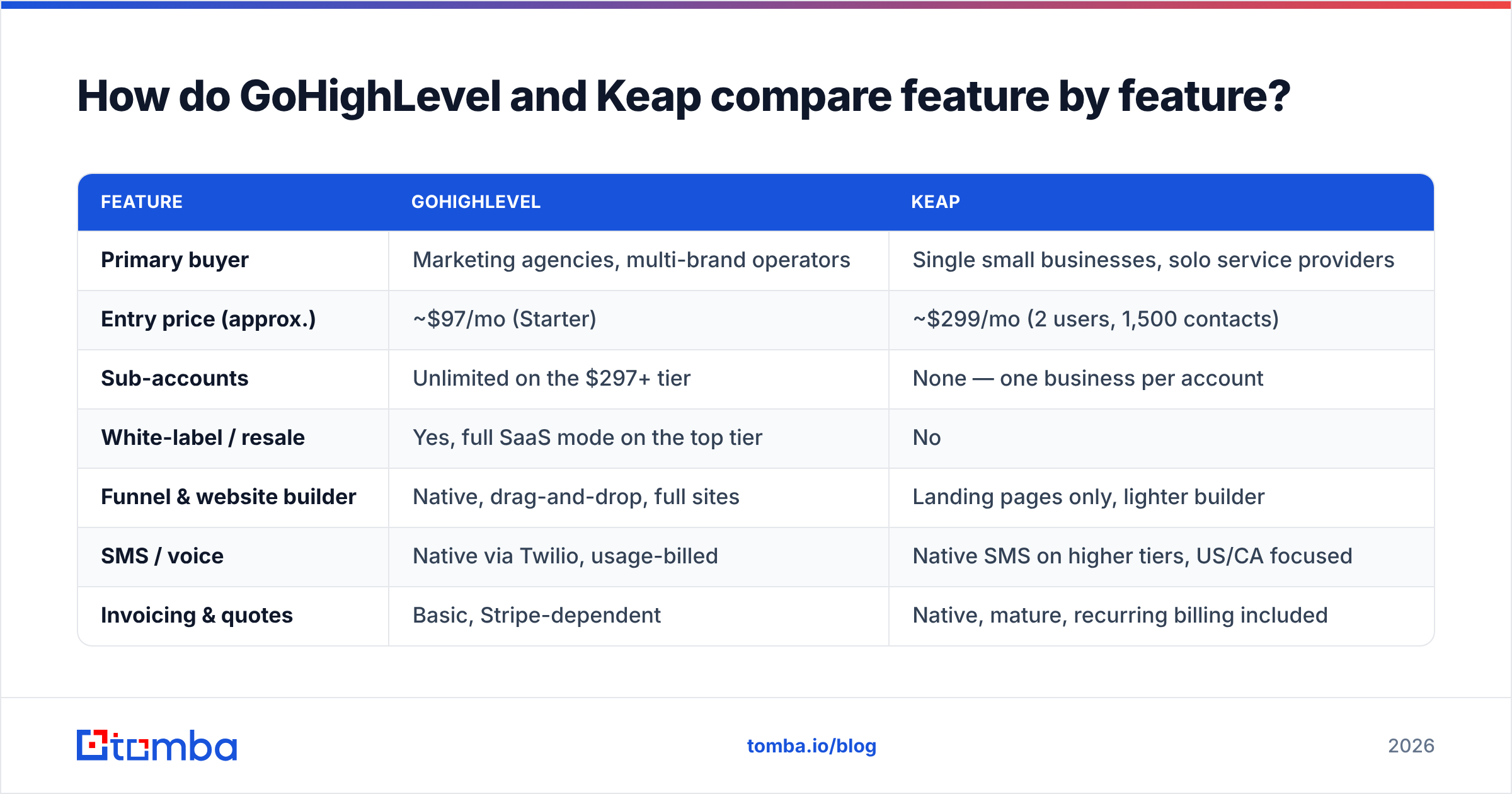
| Feature | GoHighLevel | Keap |
|---|---|---|
| Primary buyer | Marketing agencies, multi-brand operators | Single small businesses, solo service providers |
| Entry price (approx.) | ~$97/mo (Starter) | ~$299/mo (2 users, 1,500 contacts) |
| Sub-accounts | Unlimited on the $297+ tier | None — one business per account |
| White-label / resale | Yes, full SaaS mode on the top tier | No |
| Funnel & website builder | Native, drag-and-drop, full sites | Landing pages only, lighter builder |
| SMS / voice | Native via Twilio, usage-billed | Native SMS on higher tiers, US/CA focused |
| Invoicing & quotes | Basic, Stripe-dependent | Native, mature, recurring billing included |
| Automation builder | Visual workflows, very broad | Campaign builder, deep lifecycle logic |
| Native calendar/booking | Yes, strong | Yes, appointments included |
| Email deliverability tooling | Via LeadConnector/Mailgun, DIY setup | Managed sending, stricter compliance review |
| Contact enrichment | None built in | None built in |
| Support | Chat, community, huge partner network | Phone, chat, guided onboarding |
| Best-fit team size | 1-50 clients, agency staff | 1-15 employees, one business |
Read that table twice before you look at price. If the "sub-accounts" and "white-label" rows do not matter to you, half of GoHighLevel's value proposition just evaporated — and you should be comparing it to Keap on automation quality alone, which is a much closer fight.
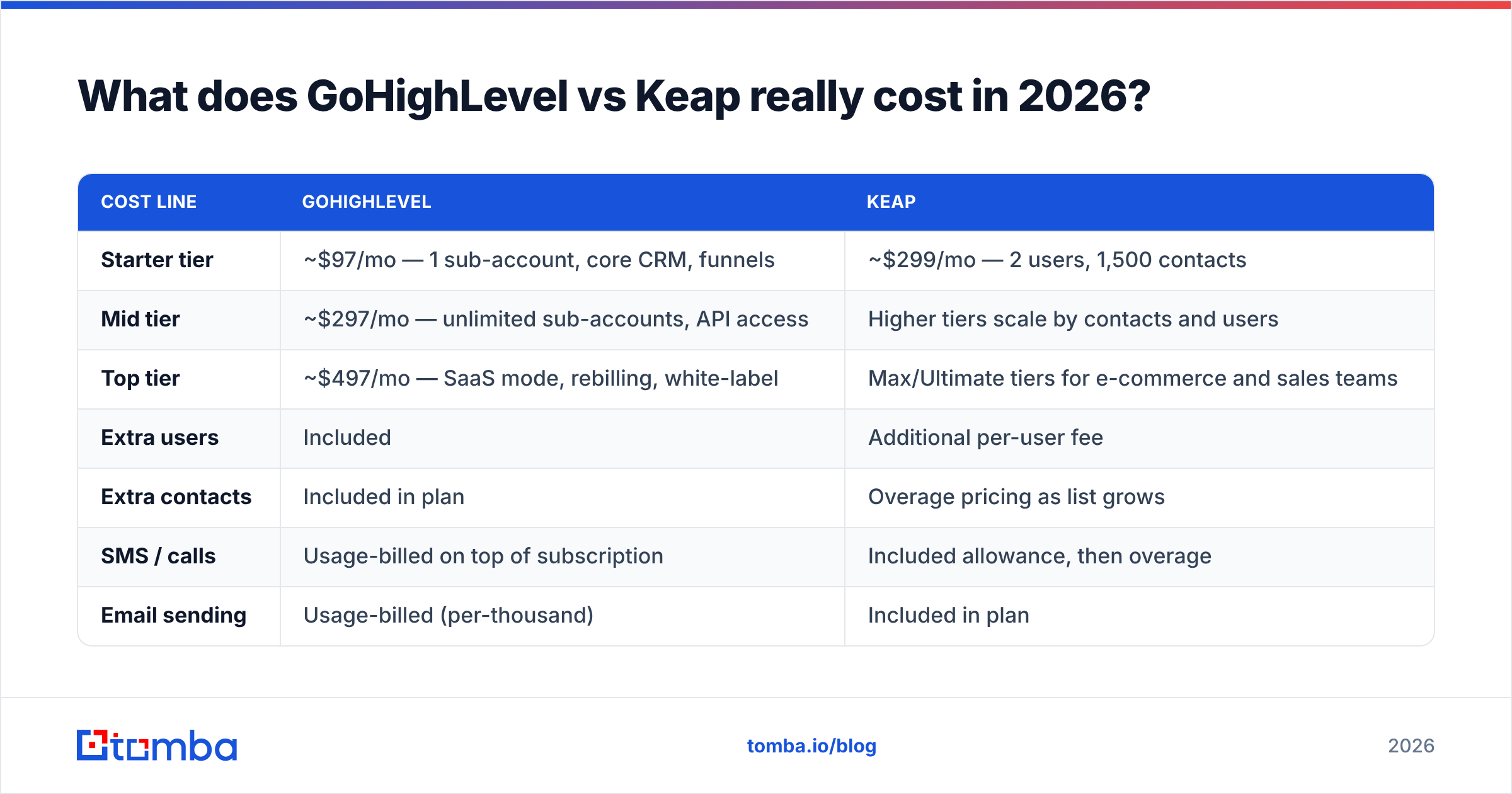
What does GoHighLevel vs Keap really cost in 2026?#
Published prices are the start of the conversation, not the end. Both vendors adjust pricing and packaging regularly, so treat these as directional and confirm on the vendor pages before you sign.
| Cost line | GoHighLevel | Keap |
|---|---|---|
| Starter tier | ~$97/mo — 1 sub-account, core CRM, funnels | ~$299/mo — 2 users, 1,500 contacts |
| Mid tier | ~$297/mo — unlimited sub-accounts, API access | Higher tiers scale by contacts and users |
| Top tier | ~$497/mo — SaaS mode, rebilling, white-label | Max/Ultimate tiers for e-commerce and sales teams |
| Extra users | Included | Additional per-user fee |
| Extra contacts | Included in plan | Overage pricing as list grows |
| SMS / calls | Usage-billed on top of subscription | Included allowance, then overage |
| Email sending | Usage-billed (per-thousand) | Included in plan |
| AI features | Add-on / usage-billed | Included in higher tiers |
| Onboarding | Self-serve or paid partner | Often included / guided |
| Annual discount | Yes, roughly 2 months free | Yes |
The trap in GoHighLevel's pricing is the usage line. A $97/mo subscription running 40,000 emails and 8,000 SMS a month is not a $97/mo subscription. Agencies handle this by rebilling clients at a markup — that is literally the business model — but a single business owner who did the math on the sticker price alone will get an unpleasant invoice in month two.
Keap's trap is the opposite: everything is bundled, which feels safe, until your contact list crosses a threshold and the plan price steps up. Keap also charges per additional user, so a five-person sales team costs meaningfully more than the headline.
Rough rule of thumb: if you send high message volume to a small list, Keap's bundling wins. If you have huge lists but light per-contact messaging, GoHighLevel's structure wins.
Is GoHighLevel better than Keap for agencies?#
Yes, and it is not close.
If you run a marketing agency, GoHighLevel does three things Keap cannot do at any price:
Snapshots. You build a complete funnel, pipeline, calendar, and automation set once, save it as a snapshot, and deploy it into a new client sub-account in minutes. For an agency onboarding two clients a month, this turns a two-week setup into an afternoon.
Rebilling. You buy Twilio and email credits at wholesale through the agency account and resell them to clients with a markup. That margin, compounded across 40 sub-accounts, often covers your entire platform cost.
White-label SaaS mode. Your clients log into app.youragency.com, see your logo, and pay you a monthly subscription. You are no longer an agency with a retainer risk — you have recurring software revenue with software-style retention.
Keap has a partner program, but it is a referral and services model, not a resale platform. You cannot put your brand on the login screen. For a services business trying to build recurring revenue, that gap is decisive.
The honest counterweight: GoHighLevel's breadth comes with rough edges. Support is community-heavy, occasional platform-wide incidents affect every sub-account at once, and the email deliverability setup is genuinely your problem — you configure SPF, DKIM, DMARC, dedicated sending domains, and warmup yourself. Check current sentiment on G2 before committing; the reviews shift as the platform ships.
Is Keap better than GoHighLevel for a single business?#
Usually, yes — if that business sells something with a transaction attached.
Keap's strength is the connection between the CRM record and the money. A lead fills a form, gets tagged, enters a nurture sequence, books a call, receives a quote, accepts it, gets invoiced, pays, and drops into a post-purchase sequence — all inside one system, with no Zapier duct tape in the middle. GoHighLevel can approximate this, but you will be wiring Stripe webhooks and custom fields to get there.
Keap also wins on:
- Data hygiene at the record level. Notes, tasks, appointments, and purchase history live on the contact in a way that a non-technical owner can read at a glance.
- Support that answers the phone. For a business owner without an ops person, this is worth more than a dozen extra features.
- Compliance posture. Keap reviews sending practices and enforces list standards. Annoying during onboarding, protective afterwards.
Where Keap loses to GoHighLevel for single businesses: the website and funnel builder is weaker, SMS and voice are less flexible, and the entry price is roughly 3x. A solopreneur who mostly needs landing pages and text-message follow-up will find GoHighLevel's Starter tier a better value.
What do both platforms fail at — and how do you fix it?#
Both platforms automate contacts you already have. Neither one finds contacts. This is the single biggest reason "all-in-one" implementations stall: a beautifully configured workflow engine with 300 stale records in it produces nothing.
The gap breaks into four concrete problems:
- No sourcing. There is no way inside GoHighLevel or Keap to say "give me the marketing directors at 200 dental practices in Ohio." You import that list or you have nothing.
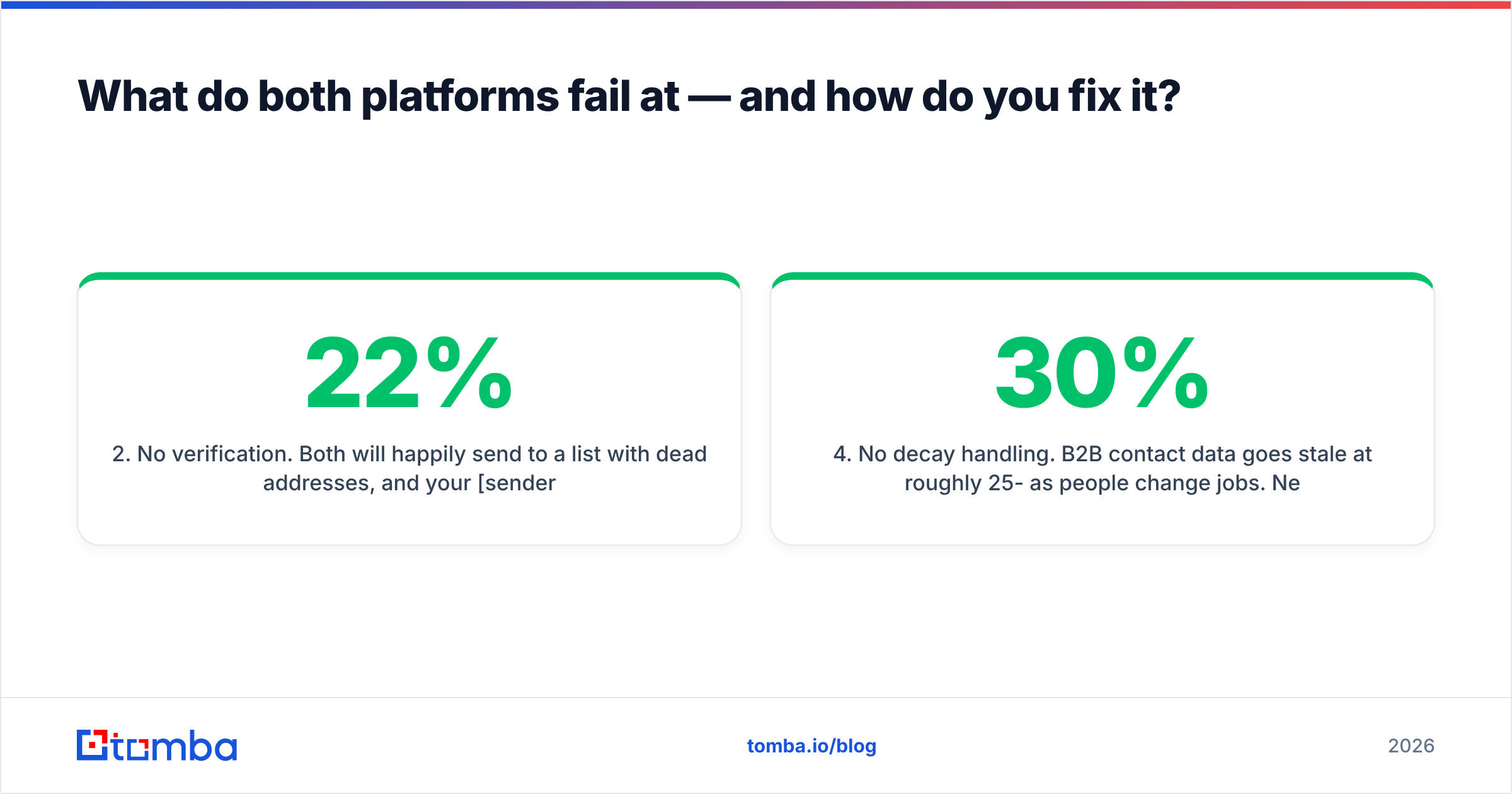
- No verification. Both will happily send to a list with 22% dead addresses, and your sender reputation pays the bill. Bounce rates above 3% get you throttled fast.
- No enrichment. A record with just an email is a bad record. Job title, company size, LinkedIn URL, and phone number are what make segmentation and personalization possible.
- No decay handling. B2B contact data goes stale at roughly 25-30% per year as people change jobs. Neither platform re-checks records you imported 18 months ago.
Fix it with a data layer that sits in front of the CRM. Use an email finder to source addresses from company domains and names, run everything through an email verifier before import, and enrich the records with firmographic and contact data so your segments are worth building. For teams importing in volume, a bulk email finder handles list-level jobs, and the Tomba API lets you verify at the point of form submission so bad addresses never enter the CRM in the first place.

That sequencing matters more than the GoHighLevel vs Keap decision itself. A clean, enriched, verified list inside the cheaper platform will outperform a dirty list inside the more expensive one, every time.
How do you choose between GoHighLevel and Keap?#
Answer these in order and stop at the first clear yes:
- Do you manage marketing for other businesses under your own brand? → GoHighLevel. Nothing else in this price range does white-label SaaS.
- Do you need native quoting, invoicing, and recurring billing tied to the CRM record? → Keap.
- Is your sending volume high relative to your list size? → Keap's bundled pricing protects you from usage bills.
- Do you need many websites, funnels, and landing pages? → GoHighLevel's builder is materially better.
- Do you have zero in-house technical help? → Keap, for the phone support and guided onboarding.
- Are you optimizing for the lowest possible monthly floor? → GoHighLevel Starter, with your eyes open about usage charges.
If two or more answers pull in opposite directions, run both trials in parallel against the same 100 contacts and the same three automations. The build experience will separate them within a week, and you will learn more from that than from any feature matrix — including this one.
One more practical note: whichever you pick, plan the migration around the data, not the features. Export, dedupe, verify, enrich, then import. Importing first and cleaning later means you spend the first month of a new subscription damaging the sender reputation you just paid to protect.
Where should you start?#
Pick the platform that matches your business model — GoHighLevel if you resell, Keap if you sell — then fix the input problem before you build a single workflow.
That is where Tomba Email Finder fits. Source verified professional email addresses by domain, name, or company, confirm they are deliverable, and push clean records straight into whichever CRM you chose. The free tier gives you 25 searches a month to test the accuracy on your own target accounts, and paid plans start at $49/mo — a fraction of either platform's subscription, and the difference between automation that converts and automation that bounces. Compare Tomba pricing against what you are already spending on bad data.
Related guides#
Ready to find emails that actually work?
Join 150,000+ professionals who stopped guessing and started sending. Free credits on signup — no credit card required.
Get the Tomba newsletter
Practical outbound tactics and product updates — once every two weeks.
About the author