GoldMine Alternatives in 2026: 8 CRMs Worth Switching To
GoldMine has kept SMB sales teams organized since 1989. But on-prem SQL, a Windows desktop client and reseller-quoted licenses stopped being a feature. Here are eight alternatives, priced and ranked by migration pain.
TL;DR
- GoldMine's problem in 2026 is not features, it is architecture: a Windows desktop client, a SQL Server box someone has to patch, and reseller-quoted licenses instead of a public price page.
- The closest philosophical replacements are Act! and Nimble. The closest practical replacements for most SMB sales teams are Zoho CRM, Pipedrive and HubSpot.
- If you must stay self-hosted for compliance reasons, EspoCRM and SuiteCRM are the two credible open-source exits.
- Budget the migration, not just the subscription. Custom fields, 20 years of linked documents and email history are where GoldMine exports go sideways.
- A CRM migration is also a data audit. Roughly a third of a decade-old contact database is dead on arrival, so plan to verify and re-enrich before you import, not after.
Why are teams looking for GoldMine alternatives in 2026?#
GoldMine is one of the oldest names in contact management. It shipped in 1989, it predates the term "CRM" as most people use it, and it is still sold and supported today under Ivanti at goldmine.com. Plenty of dealerships, insurance agencies and manufacturers still run it, and it still works.
The friction is structural. GoldMine Premium Edition is an on-premise product: you run a Windows server, you run SQL Server, you keep a desktop client updated on every machine, and you either employ an IT person or you rent a reseller to keep it healthy. Licensing is perpetual-plus-maintenance and quoted through partners rather than published, which makes budget comparisons awkward the moment a CFO asks "what does this cost per seat per month?"
Three specific complaints show up over and over in G2 reviews and in migration threads:
- The interface is dense and dated, which makes onboarding new reps slow.
- Native integrations with modern outbound tooling, sequencers and data providers are thin, so teams end up moving CSVs by hand.
- Remote and mobile access requires additional GoldMine components and configuration rather than just a browser login.
None of that makes GoldMine a bad CRM. It makes it a CRM built for a world where your sales team sat in one building.
What should a GoldMine replacement actually cover?#
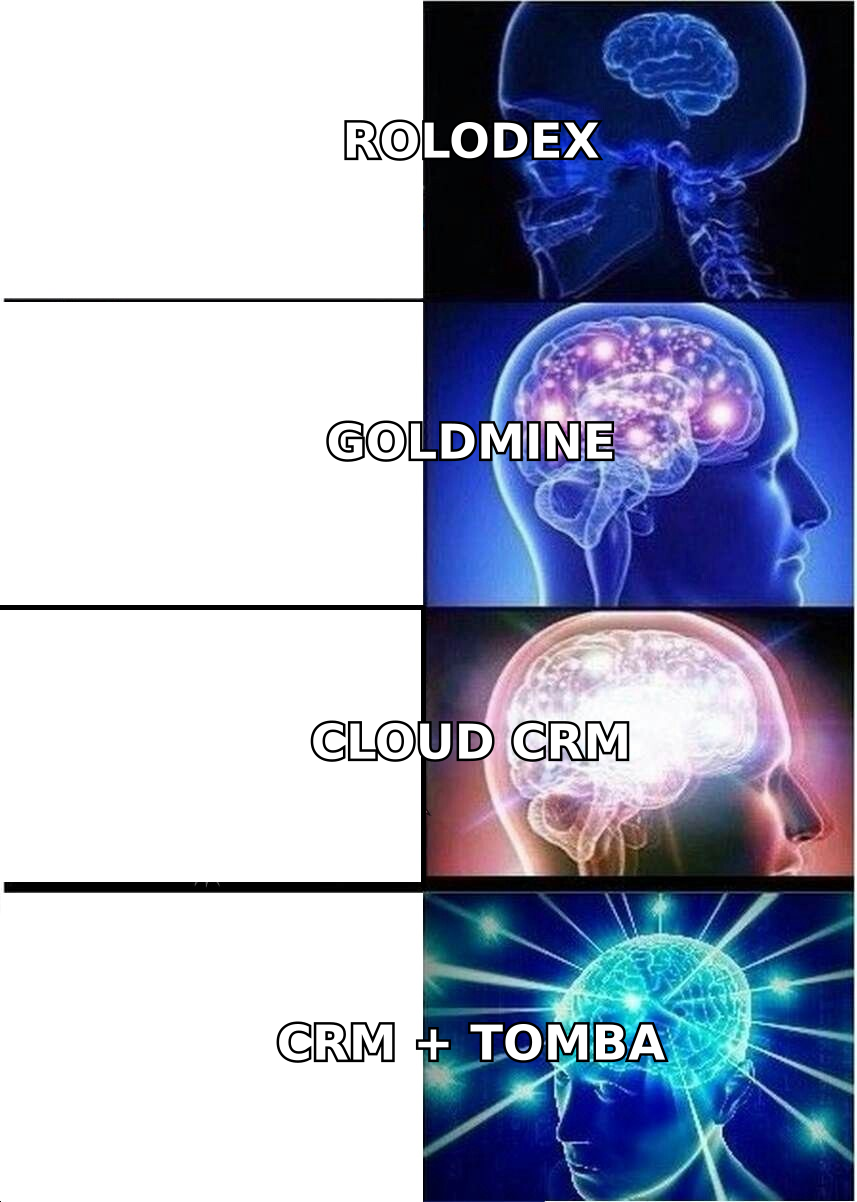
Before you look at logos, write down what your GoldMine install is actually doing. In most shops it is doing more than "storing contacts," and the second-order jobs are the ones that break during migration.
- Contact and company records with your custom fields. GoldMine users typically have 20 to 60 custom fields accumulated over a decade. Any replacement must support them without a per-field upcharge.
- Full activity history. Calls, notes, completed activities and linked documents are the institutional memory. If a tool can only import contacts, it is not a replacement.
- Email sync in both directions. GoldMine's email linking is one of the features long-time users miss most. Look for native Gmail and Microsoft 365 sync, not a POP relay.
- Automated processes. GoldMine's Automated Processes engine has quietly been running your follow-up cadences. The new tool needs workflow automation at a tier you can afford.
- Reporting you do not need a consultant for. Crystal Reports dependencies are a common reason teams stay stuck. Modern CRMs ship drag-and-drop dashboards.
- An open API and a real integration marketplace. This is the actual upgrade. It is what lets your CRM talk to enrichment, dialers and sequencers without CSV surgery.
Score each candidate against those six before you look at price. A cheap CRM that loses your activity history is not cheap.
What are the best GoldMine alternatives in 2026?#
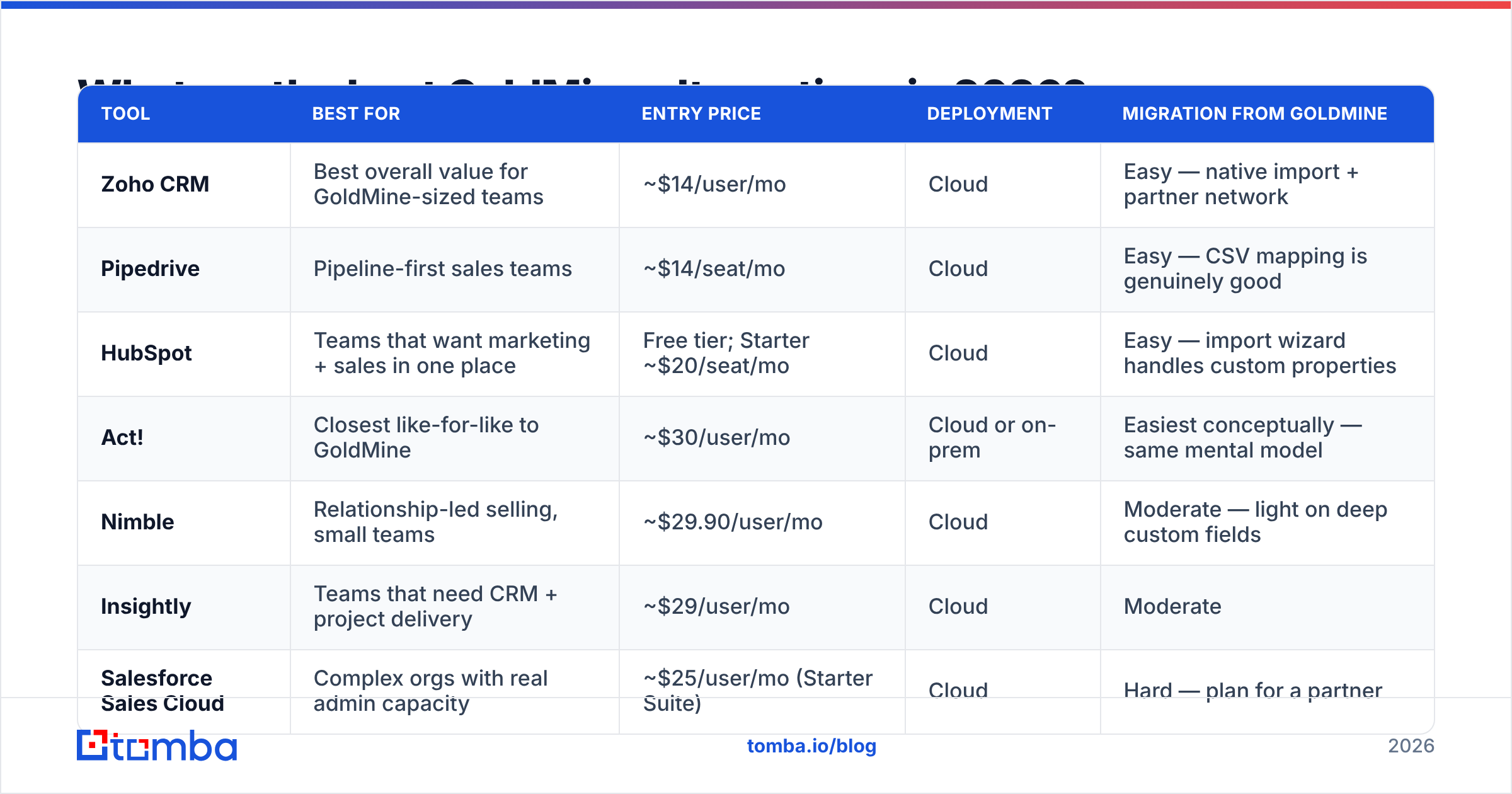
Here is the shortlist, with entry pricing and the honest migration story for each. Prices are published list prices at annual billing as of early 2026 and change often — confirm on the vendor's own page before you sign anything.
| Tool | Best for | Entry price | Deployment | Migration from GoldMine |
|---|---|---|---|---|
| Zoho CRM | Best overall value for GoldMine-sized teams | ~$14/user/mo | Cloud | Easy — native import + partner network |
| Pipedrive | Pipeline-first sales teams | ~$14/seat/mo | Cloud | Easy — CSV mapping is genuinely good |
| HubSpot | Teams that want marketing + sales in one place | Free tier; Starter ~$20/seat/mo | Cloud | Easy — import wizard handles custom properties |
| Act! | Closest like-for-like to GoldMine | ~$30/user/mo | Cloud or on-prem | Easiest conceptually — same mental model |
| Nimble | Relationship-led selling, small teams | ~$29.90/user/mo | Cloud | Moderate — light on deep custom fields |
| Insightly | Teams that need CRM + project delivery | ~$29/user/mo | Cloud | Moderate |
| Salesforce Sales Cloud | Complex orgs with real admin capacity | ~$25/user/mo (Starter Suite) | Cloud | Hard — plan for a partner |
| EspoCRM | Staying self-hosted, open source | Free self-hosted | On-prem or cloud | Moderate — SQL-to-SQL is achievable |
| SuiteCRM | Self-hosted with heavier customization | Free self-hosted | On-prem or cloud | Moderate |
| Microsoft Dynamics 365 Sales | Shops already deep in Microsoft licensing | ~$65/user/mo | Cloud | Hard |
Zoho CRM — the default answer for most GoldMine shops#
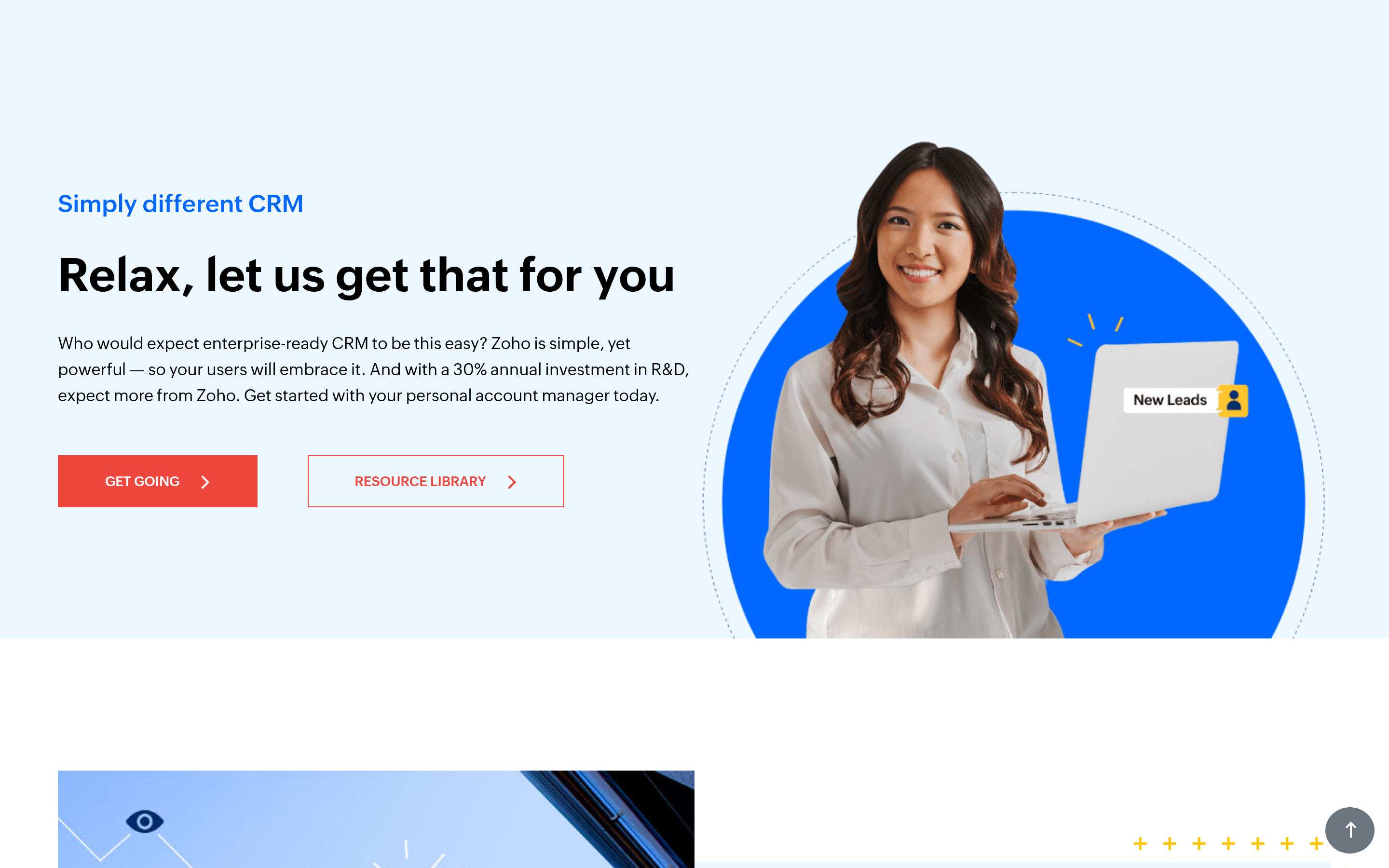
Zoho CRM is the closest thing to a drop-in replacement at SMB pricing. You get custom modules, workflow rules, a blueprint engine that maps neatly onto GoldMine's Automated Processes, and email sync that does not require a specialist. Standard runs about $14/user/month annually and Professional about $23. The catch is the usual Zoho catch: the ecosystem is enormous, and it is easy to end up buying Zoho One and inheriting 40 apps nobody asked for.
Pipedrive — if GoldMine was mostly a pipeline for you#
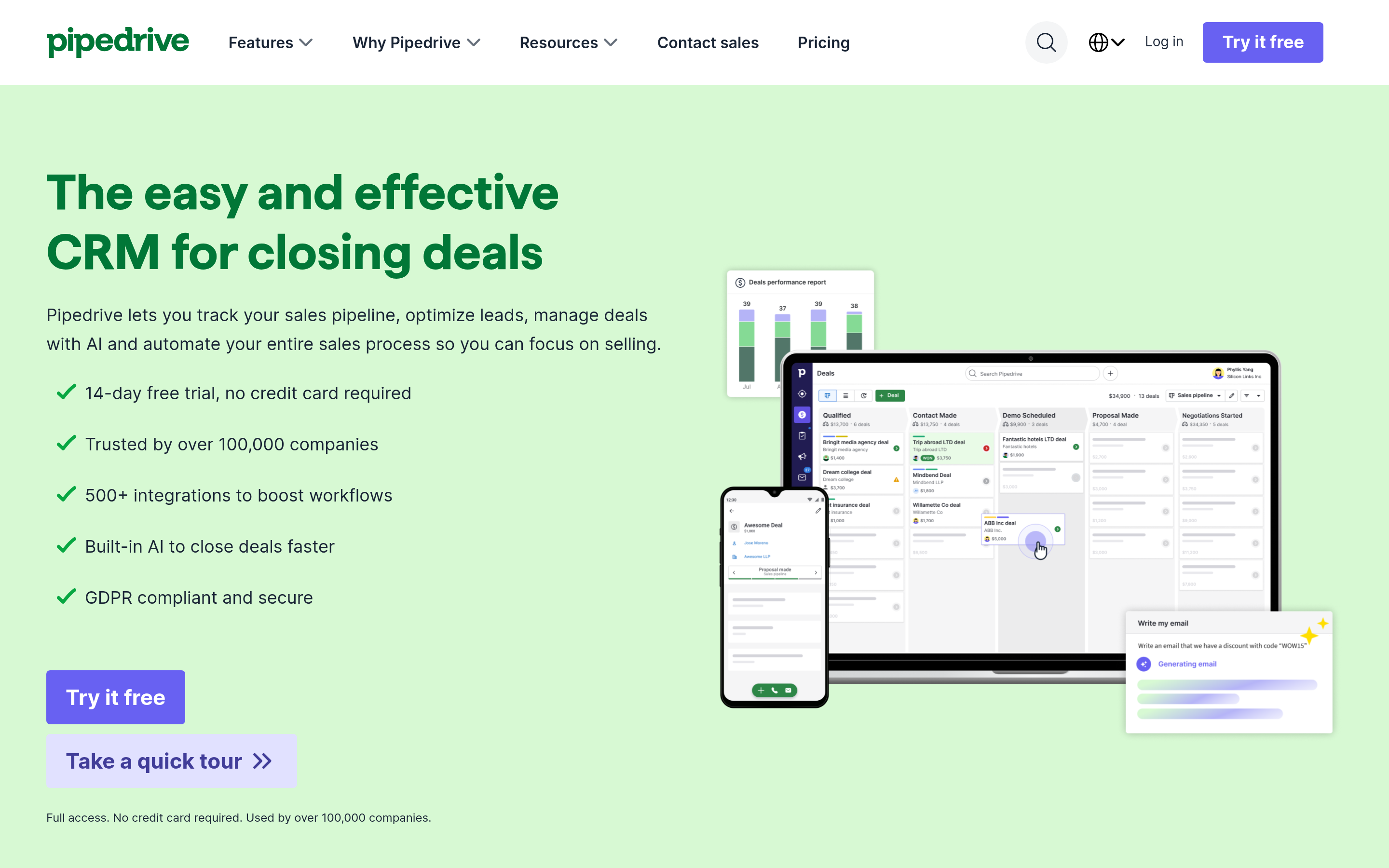
Pipedrive is opinionated. It thinks in deals moving through stages, and everything else is subordinate to that. If your GoldMine usage is really "track opportunities and remind me to follow up," Pipedrive will feel like removing a backpack. If your usage is service history, contract records and document linking, it will feel too thin. Entry tier is roughly $14/seat/month, with automation arriving at the ~$34 Advanced tier.
HubSpot — the strongest free tier, with a ceiling you will eventually hit#
HubSpot gives you a genuinely usable free CRM and a Starter Sales Hub around $20/seat/month. For teams that also send marketing email, the consolidation argument is real. Watch the marketing contact billing model and the jump from Starter to Professional — that is where the bill stops being an SMB bill.
Act! — the like-for-like exit#
Act! shares GoldMine's DNA: a contact-centric database, an activity-first daily view, and an on-premise option for teams that cannot go cloud. If your objection to GoldMine is "the vendor relationship" rather than "the model," Act! is the lowest-retraining-cost move on this list at roughly $30/user/month for the cloud edition.
EspoCRM and SuiteCRM — the self-hosted exits#
If a regulator, a parent company or a genuine air-gap requirement keeps you on-prem, these are the two open-source options worth your time. Both are free to self-host, both use MySQL or MariaDB, and both let a competent contractor script a migration from GoldMine's SQL tables directly. You are trading a license fee for maintenance labour — that is a real cost, not a free lunch, but it is a cost you control.
Salesforce and Dynamics — only if you have an admin#
Both are excellent and both will punish a five-person team with no dedicated administrator. Salesforce Starter Suite at ~$25/user/month looks approachable, but the version of Salesforce people actually mean starts at Enterprise. Choose these when your process complexity genuinely exceeds what Zoho or HubSpot can model, not because the logo looks safer.
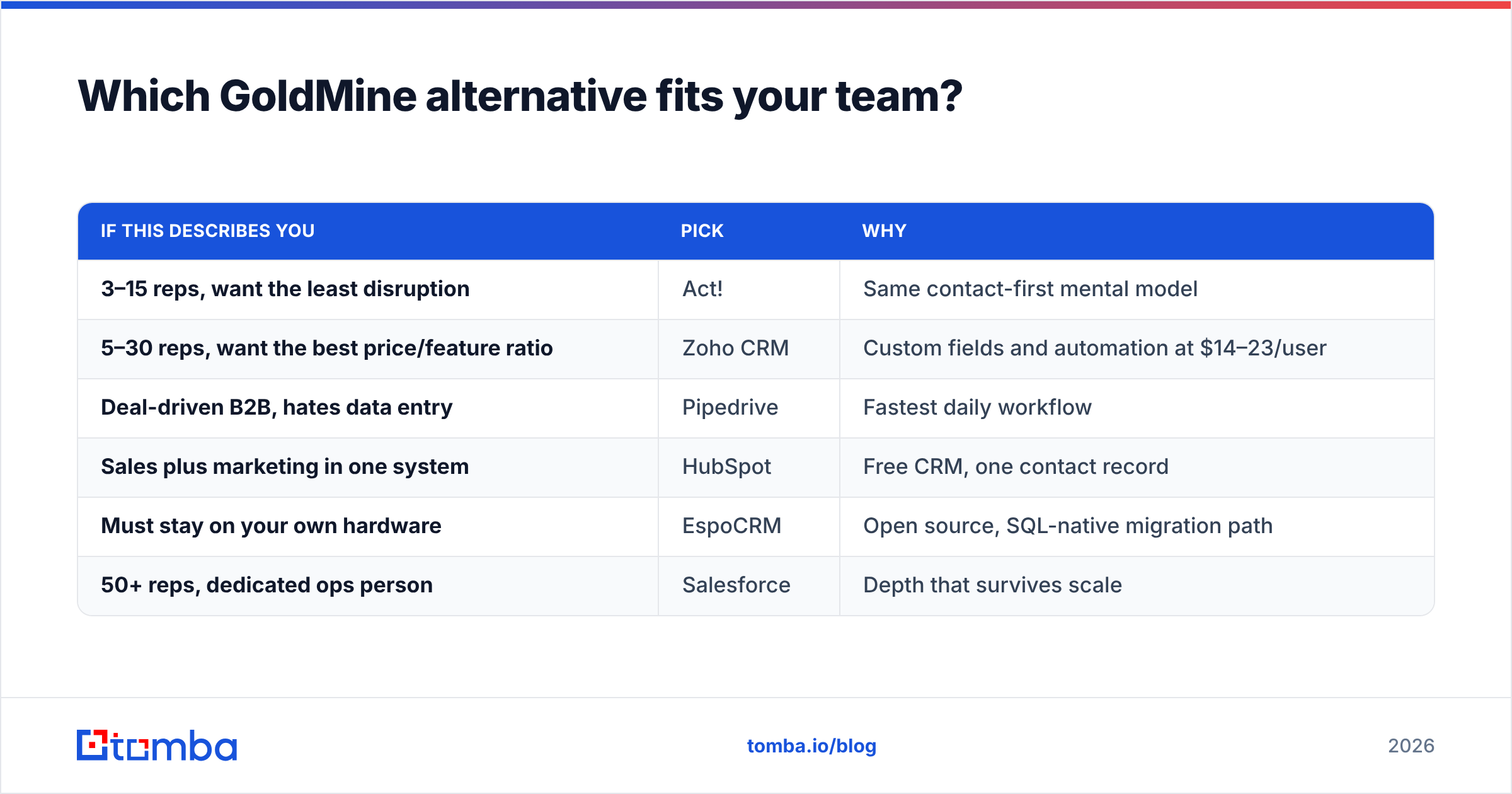
Which GoldMine alternative fits your team?#
| If this describes you | Pick | Why |
|---|---|---|
| 3–15 reps, want the least disruption | Act! | Same contact-first mental model |
| 5–30 reps, want the best price/feature ratio | Zoho CRM | Custom fields and automation at $14–23/user |
| Deal-driven B2B, hates data entry | Pipedrive | Fastest daily workflow |
| Sales plus marketing in one system | HubSpot | Free CRM, one contact record |
| Must stay on your own hardware | EspoCRM | Open source, SQL-native migration path |
| 50+ reps, dedicated ops person | Salesforce | Depth that survives scale |
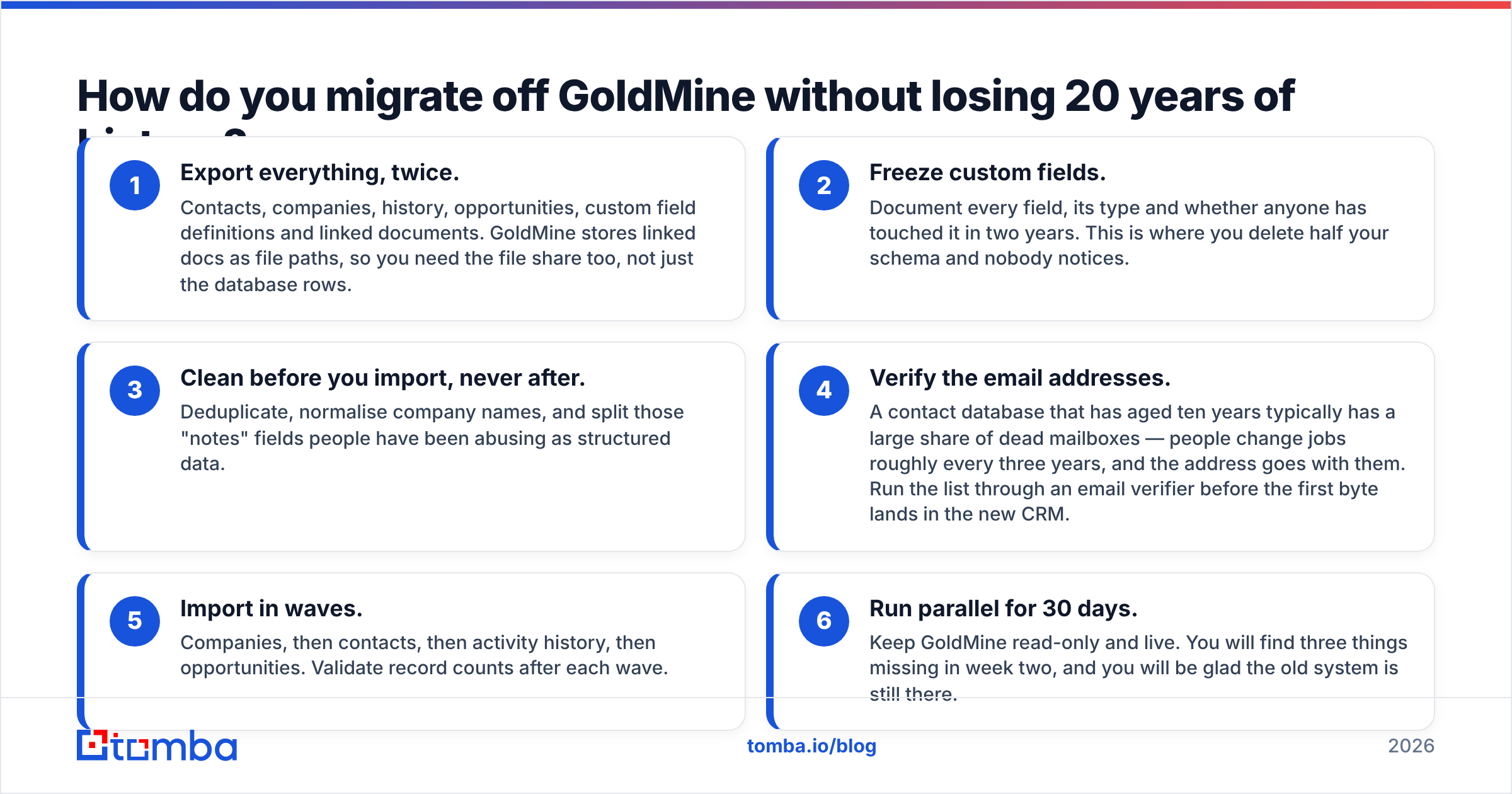
How do you migrate off GoldMine without losing 20 years of history?#
The migration is the project. The subscription is a rounding error next to it. Run it in this order:
- Export everything, twice. Contacts, companies, history, opportunities, custom field definitions and linked documents. GoldMine stores linked docs as file paths, so you need the file share too, not just the database rows.
- Freeze custom fields. Document every field, its type and whether anyone has touched it in two years. This is where you delete half your schema and nobody notices.
- Clean before you import, never after. Deduplicate, normalise company names, and split those "notes" fields people have been abusing as structured data.
- Verify the email addresses. A contact database that has aged ten years typically has a large share of dead mailboxes — people change jobs roughly every three years, and the address goes with them. Run the list through an email verifier before the first byte lands in the new CRM.
- Import in waves. Companies, then contacts, then activity history, then opportunities. Validate record counts after each wave.
- Run parallel for 30 days. Keep GoldMine read-only and live. You will find three things missing in week two, and you will be glad the old system is still there.

What does switching actually cost?#
The sticker price is the smallest line. Budget for four things: the subscription, the data migration (either contractor hours or your ops person's month), the retraining, and the productivity dip in weeks two through five. A ten-seat team moving to Zoho at $23/user is spending $2,760 a year on software and, realistically, a comparable one-time amount on getting the data across correctly.
The offset is that you stop paying for a Windows server, SQL Server licensing, backups and the reseller call every time something breaks. For most teams that math clears within eighteen months. For teams with a genuinely heavy customisation, it does not — which is a legitimate reason to stay put, and you should say so out loud rather than migrating on vibes.
Where does your contact data come from after the migration?#
This is the part most CRM comparison posts skip. A new CRM does not create contacts. It stores them. GoldMine's database grew organically over years of trade shows, referrals and manual entry — and once you migrate, that inflow has to be replaced with something deliberate.
You have three sensible options, and most teams use two of them:
- Find contacts on demand. When a rep identifies a target account, resolve the specific decision-maker's address rather than buying a list around them. That is what an email finder does — domain in, verified work addresses out — and it keeps your CRM from filling up with people nobody has any intention of contacting.
- Buy a targeted list when you need volume fast. BookYourData is a solid choice here: pay-as-you-go credits, filterable by role and geography, and no annual seat commitment, which suits teams testing a new segment before they build a repeatable motion.
- Enrich what you already have. Your migrated records are half-empty. Job titles, company size and phone numbers can be backfilled through data enrichment so segmentation actually works on day one instead of month six.
Whichever route you pick, wire it to the CRM through the API or a native integration. The whole point of leaving GoldMine was to stop moving CSVs by hand.
Is GoldMine still worth keeping?#
Sometimes, yes. If you have a heavily customised install, a stable team who knows it, a compliance requirement that favours on-prem, and no appetite for a migration project this year — staying is a defensible decision. GoldMine has not been discontinued, and "old" is not the same as "broken."
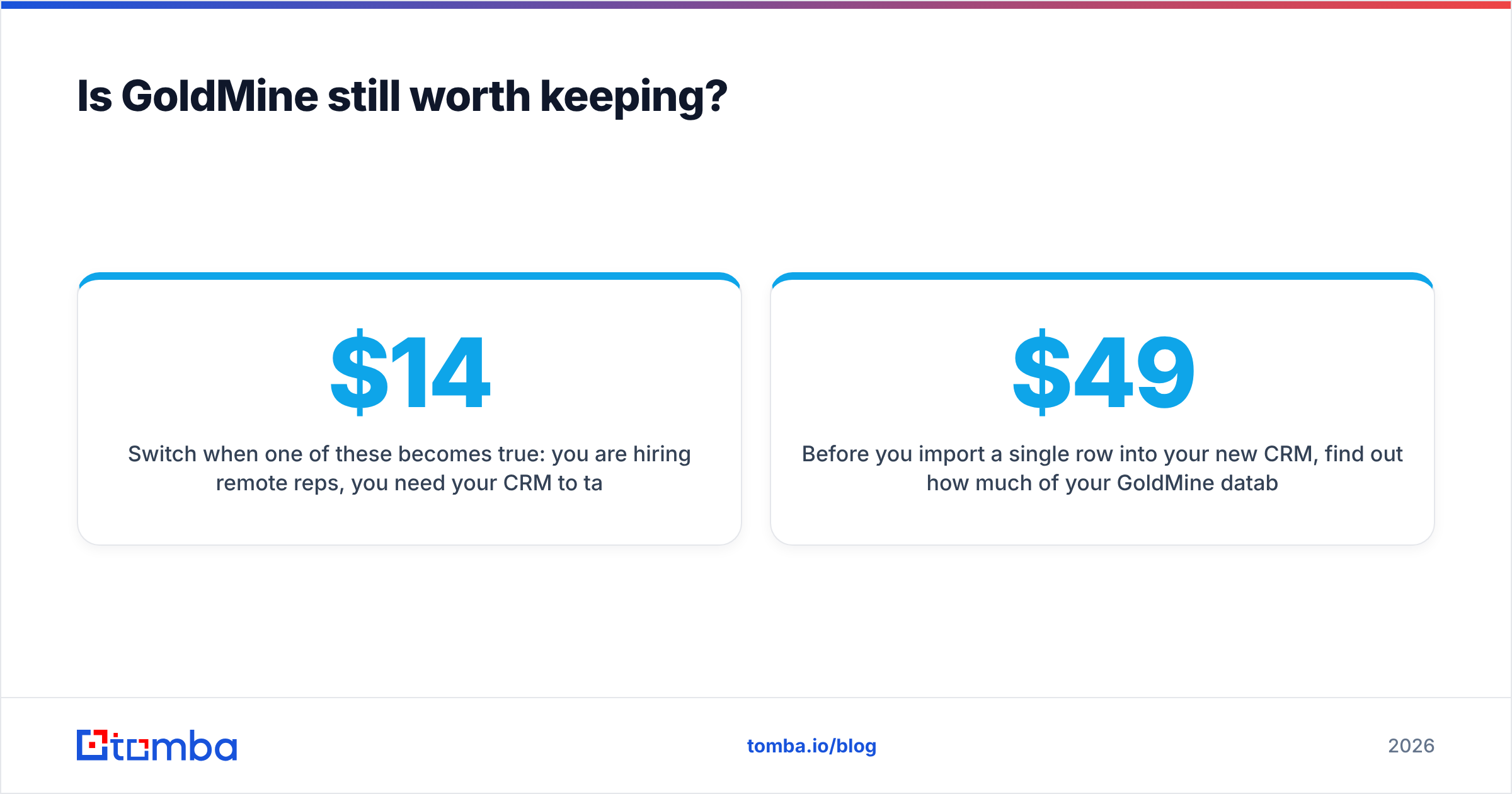
Switch when one of these becomes true: you are hiring remote reps, you need your CRM to talk to modern outbound tooling, your IT dependency has become a single point of failure, or your reseller quote has stopped looking like a bargain against $14 a seat.
Before you import a single row into your new CRM, find out how much of your GoldMine database is still real. Run your domains and contacts through the Tomba Email Finder to resolve current work addresses and fill the gaps your ten-year-old records left behind. The free tier covers 25 searches a month so you can sanity-check a sample first, and paid plans start at $49/month on Starter with Growth at $99/month — see Tomba pricing for the full breakdown. Migrate clean data, not archaeology.
Related guides#
Ready to find emails that actually work?
Join 150,000+ professionals who stopped guessing and started sending. Free credits on signup — no credit card required.
Get the Tomba newsletter
Practical outbound tactics and product updates — once every two weeks.
About the author