GoldMine vs Pipedrive: Which CRM Wins for B2B Sales in 2026?
GoldMine gives you perpetual licenses and on-premise data ownership. Pipedrive gives you a cloud pipeline your reps will actually update. Here is the honest side-by-side, including cost, migration pain, and the data problem neither one solves.
GoldMine vs Pipedrive comes down to one question. Do you want to own your data, or move your deals faster?
TL;DR
- GoldMine is a 30-year-old contact manager. You can still buy it as a perpetual, on-premise license. Few tools still offer that.
- Pipedrive is a cloud sales CRM built on a drag-and-drop pipeline, with 500+ integrations. Reps adopt it fast.
- Cost flips over time. GoldMine wins on a five-year view with flat headcount. Pipedrive wins in year one.
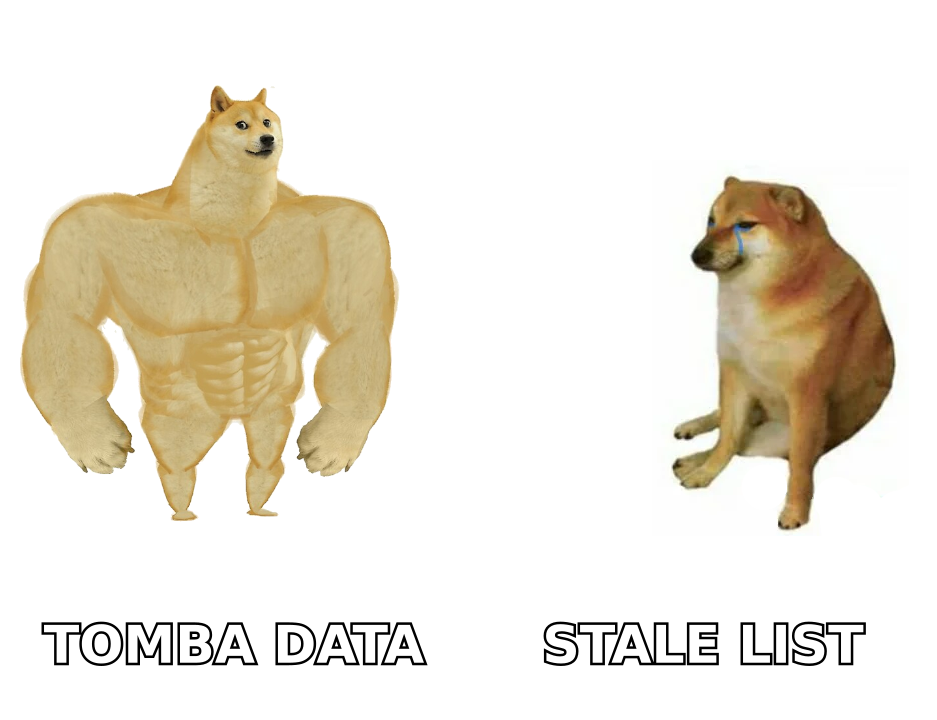
- Neither tool fixes your contact data. Both trust whatever you import. That gap sinks most CRM projects.
- Rough rule: under 25 reps and growing? Pipedrive. On-prem rules or deep legacy setup? GoldMine.
What are GoldMine and Pipedrive, really?#
They are not the same kind of product. Both get filed under "CRM," and that label hides a lot.
GoldMine launched in 1989 as a Windows contact manager. It never left that DNA behind. It is a history database first. Every call, email, letter, and note sticks to a contact record. You can run the whole thing on your own SQL Server, inside your own network. It sells through resellers. You can buy it outright or rent a hosted version. It bends a long way, if you have someone who knows it.
Pipedrive launched in 2010 with a simpler idea. Reps do not want a database. They want to know what to do next. So everything sits on a visual pipeline. Deals are cards. Stages are columns. Every open deal carries an activity. It is cloud only, and you pay per user per month.
Here is the plain translation of GoldMine vs Pipedrive. One is built for memory. The other is built for habits. Cannot find the history on a 2014 account? GoldMine was made for that. Nobody logs a thing and deals go dark? Pipedrive was made for that.
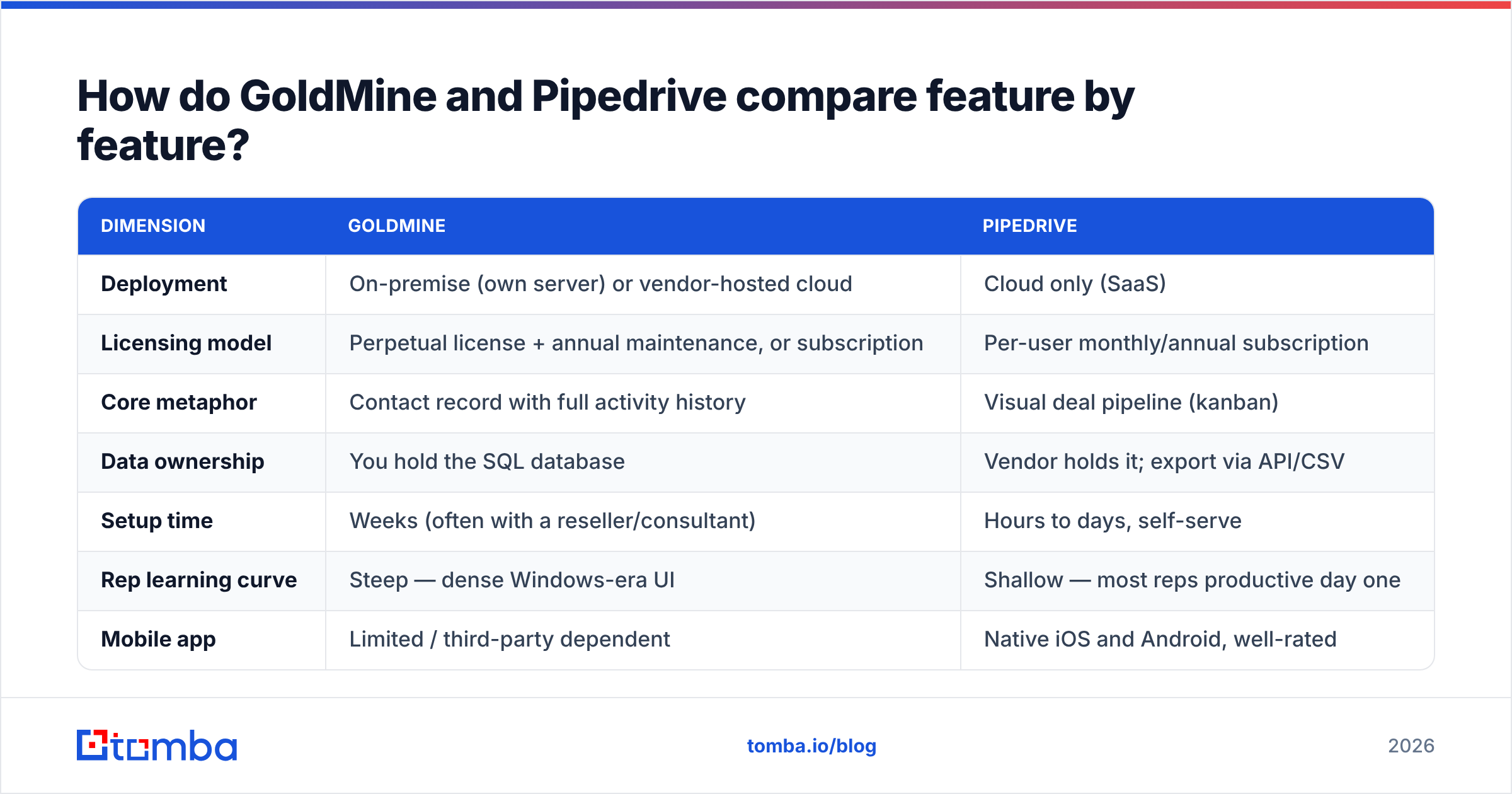
GoldMine vs Pipedrive, feature by feature#
| Dimension | GoldMine | Pipedrive |
|---|---|---|
| Deployment | On-premise (own server) or vendor-hosted cloud | Cloud only (SaaS) |
| Licensing model | Buy the license outright, plus yearly support. Or subscribe | Per-user monthly or yearly plan |
| Core metaphor | Contact record with full activity history | Visual deal pipeline (kanban) |
| Data ownership | You hold the SQL database | Vendor holds it; export via API/CSV |
| Setup time | Weeks, often with a reseller | Hours to days, self-serve |
| Rep learning curve | Steep — dense Windows-era UI | Shallow — most reps are working on day one |
| Mobile app | Limited, often third-party | Native iOS and Android, well rated |
| Native integrations | Modest; more custom work | 500+ marketplace apps, open REST API |
| Email sequencing | Basic; often bolted on | Built into higher tiers (Campaigns add-on) |
| AI features | Minimal | AI sales assistant, deal scoring, email drafts |
| Reporting | Strong, but technical | Visual dashboards, goal tracking |
| Best-fit team size | 5-100 seats, flat headcount | 1-500 seats, changing headcount |
The biggest gap in 2026 is not features. It is the ecosystem. Pipedrive has a marketplace, so your dialer, sequencer, and enrichment tool likely plug in with one click. With GoldMine, the same link is usually a project.
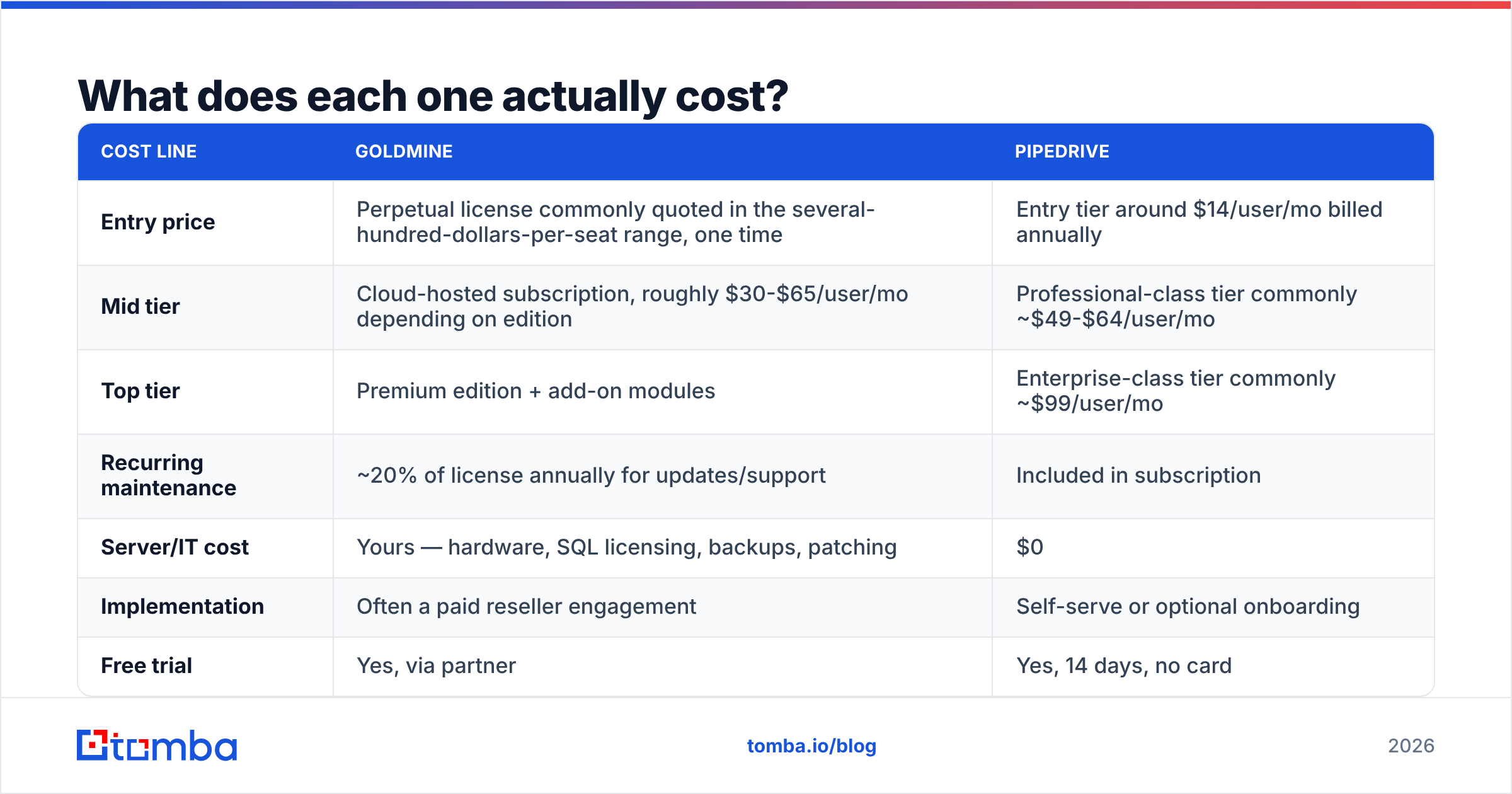
What does each one actually cost?#
Prices move. Treat these as rough numbers, and check the vendor pages before you sign.
| Cost line | GoldMine | Pipedrive |
|---|---|---|
| Entry price | A few hundred dollars per seat, paid once | About $14/user/mo, billed yearly |
| Mid tier | Hosted plans, roughly $30-$65/user/mo by edition | Pro tier, often ~$49-$64/user/mo |
| Top tier | Premium edition plus add-on modules | Enterprise tier, often ~$99/user/mo |
| Recurring maintenance | ~20% of the license each year for updates and support | Included in the plan |
| Server/IT cost | Yours — hardware, SQL licenses, backups, patching | $0 |
| Implementation | Often a paid reseller project | Self-serve, or paid onboarding |
| Free trial | Yes, through a partner | Yes, 14 days, no card |
Run the five-year math first. Ten Pipedrive seats at about $50 per user per month cost roughly $30,000 over five years. No servers, no patching.
Now price ten GoldMine seats. Add support, a server, and admin time. The license line is often lower. The full bill is often higher. Break-even usually lands between year three and year five. It moves against GoldMine the moment your headcount grows or shrinks.
Which one should you choose, and on what basis?#
Five things decide GoldMine vs Pipedrive. They are listed in the order that matters.
- Data residency. Some contracts and regulators say data cannot leave your network. Then GoldMine's on-premise option ends the debate. Pipedrive cannot meet a hard on-prem rule.
- Adoption risk. A CRM nobody updates is a $30,000 spreadsheet. Has your team already dropped one CRM? Weight the interface heavily. Pipedrive wins that test almost every time.
- Integrations. Count the tools that must talk to your CRM. Dialer, sequencer, marketing, billing, enrichment. Each one without a native GoldMine connector becomes a cost line.
- Headcount swings. Bought licenses punish a shrinking team. Plans flex every month. Hiring or cutting more than 20% a year? Take the plan.
- Custom work you already own. Twenty years of GoldMine fields, screens, and macros hold real value. Moving them is not a weekend job. Budget for it, or stay put.
Is Pipedrive better than GoldMine for outbound sales teams?#
For pure outbound, yes. There is one caveat.
Outbound runs on volume. Hundreds of touches per rep each week, sequences, call blocks, a pipeline that shifts daily. Pipedrive's activity engine, email sync, and workflow rules are built for that. Its Pipedrive integration list also lets fresh contacts flow into deals on their own. No weekly CSV ritual.
GoldMine can run outbound too. Its automated processes are capable. But you will spend setup time where Pipedrive gives you a toggle. And the numbers your VP wants — stage conversion, velocity, meetings per call — are a dashboard in one tool and a query in the other.
Now the caveat. Long, relationship-led deals are a different sport. If a deal runs 18 months across nine people, GoldMine's deep history holds up better than a card with a notes field. Teams selling machinery, services, or renewals often prefer it. They are not wrong.
What do real users say in reviews?#
Review sites like G2 tell a steady GoldMine vs Pipedrive story, year after year.
- Pipedrive praise: easy to use, fast to set up, clean mobile app, fair entry price.
- Pipedrive gripes: good features locked in higher tiers, add-on fees for Campaigns and LeadBooster, thin reporting.
- GoldMine praise: you own your data, no forced upgrades, very fast local search, stable for decades.
- GoldMine gripes: dated look, support depends on your reseller, weak mobile and integrations.
That last one deserves weight. Hiring is a real switching cost. Job posts for GoldMine admins are rare. Almost every sales-ops hire has touched Pipedrive.
Why does neither CRM solve your biggest problem?#
A CRM is a container, not a source. Both tools store whatever you put in. That includes the 25-30% of B2B contact records that go stale each year. People change jobs. Domains rebrand. Titles shift.
Moving from GoldMine to Pipedrive without cleaning first is the classic way to fail. You import 40,000 rows. Half of them bounce. Your new CRM inherits a decade of rot on day one. Then your sender reputation takes the hit, and someone blames the CRM.

A clean data layer belongs in front of the CRM you pick:
- Find the contact. An email finder turns a name and a company domain into a working address. No pattern guessing.
- Verify before import. An email verifier keeps bad and risky addresses out of the CRM.
- Enrich the record. Data enrichment adds title, company size, and social profiles, so your filters and groups mean something.
- Dedupe on the way in. Old GoldMine databases carry duplicates from years of manual entry. Merge them before you migrate.
Do this once, and the choice gets easier. Both tools work better on clean input.
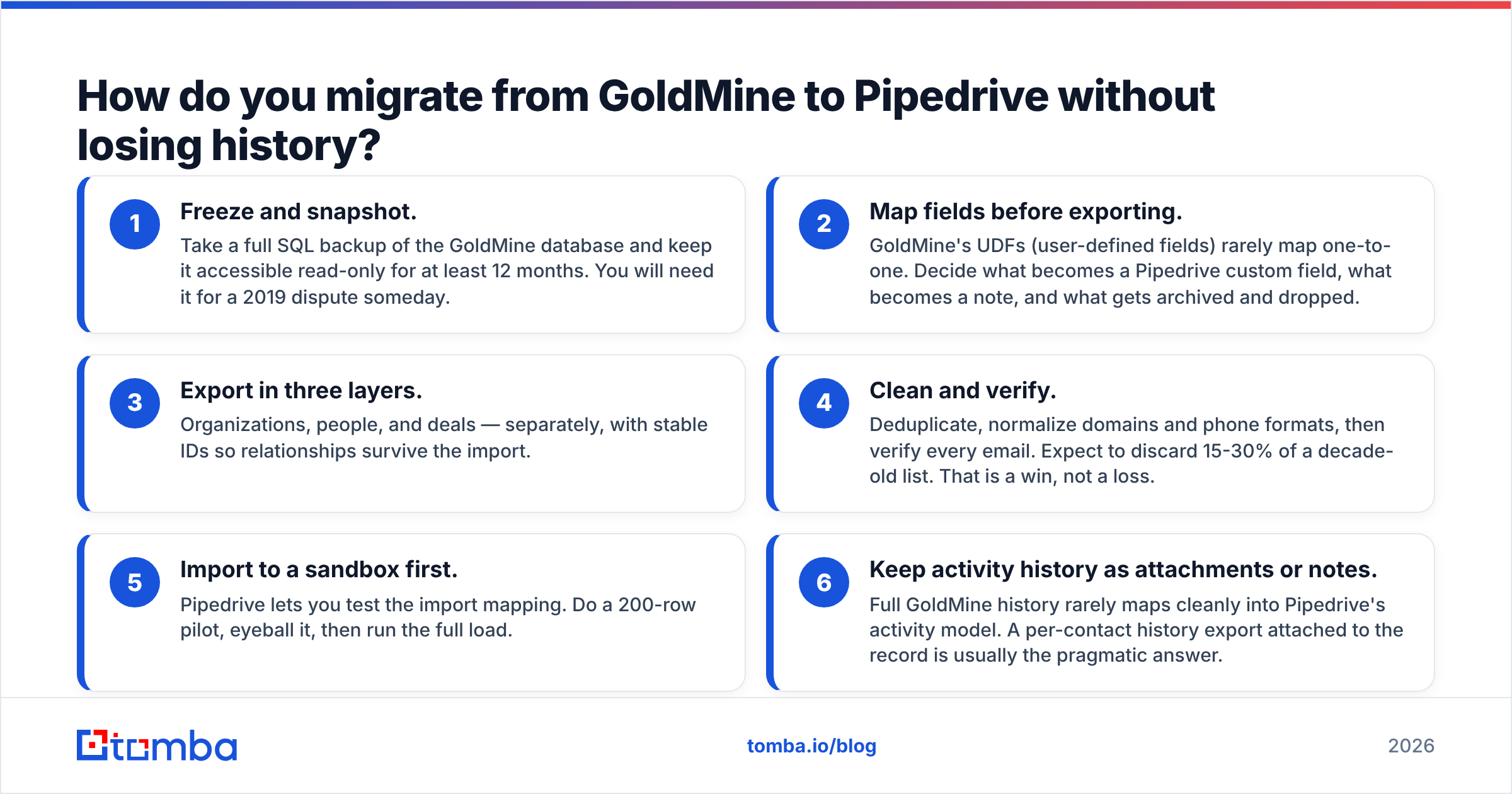
How do you migrate from GoldMine to Pipedrive without losing history?#
Made the call? Run it in this order.
- Freeze and snapshot. Back up the GoldMine database. Keep it read-only for a year.
- Map fields first. GoldMine's user-defined fields rarely map one to one. Decide what becomes a custom field, a note, or an archive.
- Export in three layers. Organizations, people, and deals. Keep stable IDs so links survive.
- Clean and verify. Dedupe, fix domains and phone formats, then verify every email. Expect to drop 15-30% of an old list. That is a win.
- Test in a sandbox. Pipedrive lets you trial the import mapping. Run 200 rows, check them, then load the rest.
- Keep history as notes or files. Full GoldMine history rarely maps into Pipedrive activities. A per-contact export on the record is the practical answer.
Budget two to six weeks for a database with real history. A weekend quote means nobody looked at your custom fields.
What is the verdict on GoldMine vs Pipedrive in 2026?#
Pick Pipedrive if you are a growing B2B team under 200 seats. You run outbound or demos. You need integrations that just work. You want reps to update records without being nagged. That is most companies reading this.
Pick GoldMine if on-premise control is non-negotiable. Your headcount is flat. You already own deep custom work, and someone maintains it. You would rather buy a license than carry a plan forever. That is a smaller group. For them, the other option is not better.
Pick neither yet if your contact data is the real problem. A new CRM does not fix bounces, missing emails, or duplicate accounts. Fix the input first. The container choice gets cheaper after that.
Where should you start?#
Before you migrate or sign anything, find out how much of your database is still real. Pull 500 contacts out of GoldMine. Run them through verification. See what survives. That number tells you more than any feature matrix.
Then rebuild the pipeline on contacts that exist. Tomba Email Finder turns names and company domains into verified work email addresses. The free tier covers 25 searches a month. Paid plans start at $49/mo, with Growth at $99/mo and Pro at $249/mo — see Tomba pricing for details.
The GoldMine vs Pipedrive choice matters less than the data you feed the winner.
Related guides#
Ready to find emails that actually work?
Join 150,000+ professionals who stopped guessing and started sending. Free credits on signup — no credit card required.
Get the Tomba newsletter
Practical outbound tactics and product updates — once every two weeks.
About the author