Grasshopper vs Ooma (2026): Which Business Phone Wins?
Grasshopper forwards calls to phones you already own. Ooma runs a full cloud PBX with desk phones and call recording. Here is how the two actually differ on price, features, and sales workflows in 2026.
Grasshopper vs Ooma comes down to one question: do you want a business number, or a real phone system? Grasshopper forwards calls to phones you already own. Ooma runs a cloud PBX with desk phones, queues, and call recording. Here is how the two compare on price, features, and fit in 2026.
TL;DR
- Grasshopper is a virtual phone number layered on top of phones you already own. It forwards calls, splits extensions, and gives you a business identity. It is not a PBX.
- Ooma Office is a real cloud phone system. Desk phones, ring groups, call recording, call queues, and on higher tiers, CRM integration.
- Pricing models are not comparable line-for-line. Grasshopper charges per account with extension limits; Ooma charges roughly $19.95–$29.95 per user per month.
- Solo founders and 2–3 person shops usually save money with Grasshopper. Teams of 5+ who actually live on the phone outgrow it fast.
- Neither tool finds you anyone to call. Dial data quality is a separate problem, and it is the one that decides whether your phone system is worth paying for.
What is Grasshopper and who is it actually for?#
Grasshopper, owned by GoTo, is a virtual phone system. You buy a business number (local, toll-free, or vanity), then Grasshopper routes calls from that number to devices you already have — your cell phone, a landline, or the Grasshopper mobile and desktop apps.
That is the whole architecture, and it explains every strength and every limitation. There is no hardware to provision. There is no admin console full of SIP settings. You sign up, pick a number, add extensions for your team, and calls start landing on the phones in everyone's pocket.
What you get in the box: business number with call forwarding, extensions, custom greetings, voicemail with transcription, business texting, simultaneous call handling, and a shared inbox view of calls and messages. What you do not get: desk phone support, call recording, call queues with wait-time announcements, or native CRM logging.
Grasshopper fits three buyers. The founder who does not want customers calling a personal cell. The two-person agency that wants a "press 1 for sales" menu. The field service crew that already works from mobile. Check the current plan structure on the official Grasshopper site before you buy, since GoTo has reshuffled tiers more than once.
What is Ooma Office and how is it different?#
Ooma Office is a full cloud PBX. It replaces your phone system rather than sitting on top of it. You can plug in Ooma's base station and analog adapters, run IP desk phones, use the mobile and desktop apps, or mix all three across one account.
The feature set reads like a traditional business phone system because that is what it is replacing:
- Virtual receptionist with multi-level menus — route callers by department, time of day, or holiday schedule without paying for a receptionist.
- Ring groups and call queues — distribute inbound volume across a team instead of hoping one person picks up.
- Call recording — available on Ooma Office Pro and above, on demand or always-on per extension.
- Video meetings and desktop app — included from the Pro tier, which keeps you from bolting on a separate conferencing subscription.
- CRM integration — Salesforce, HubSpot, and Zoho hooks live on Office Pro Plus, so calls log against records automatically.
- Hardware ownership — Ooma sells its own IP phones and base stations, and supports BYO analog gear through adapters.
Ooma also targets a broader hardware reality than Grasshopper does: warehouses with a phone on the wall, dental offices with a front desk, retail counters. Details and current tier contents are on Ooma's business page.
Grasshopper vs Ooma: how do the prices compare?#
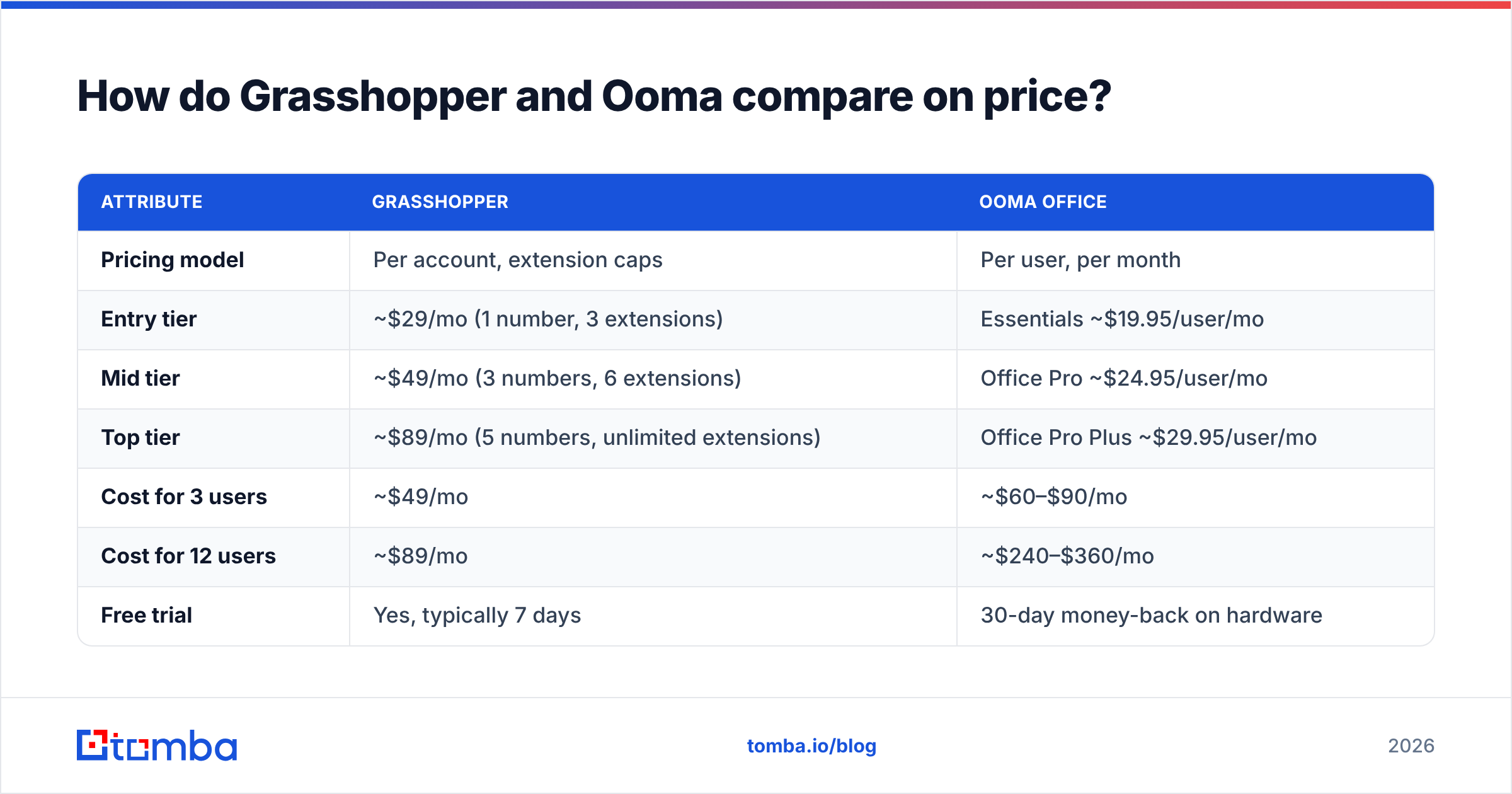
This is where most comparison posts go wrong. Grasshopper prices per account with hard caps on numbers and extensions. Ooma prices per user. A three-person team and a fifteen-person team get wildly different answers.
| Attribute | Grasshopper | Ooma Office |
|---|---|---|
| Pricing model | Per account, extension caps | Per user, per month |
| Entry tier | ~$29/mo (1 number, 3 extensions) | Essentials ~$19.95/user/mo |
| Mid tier | ~$49/mo (3 numbers, 6 extensions) | Office Pro ~$24.95/user/mo |
| Top tier | ~$89/mo (5 numbers, unlimited extensions) | Office Pro Plus ~$29.95/user/mo |
| Cost for 3 users | ~$49/mo | ~$60–$90/mo |
| Cost for 12 users | ~$89/mo | ~$240–$360/mo |
| Free trial | Yes, typically 7 days | 30-day money-back on hardware |
| Contract | Month-to-month | Month-to-month |
| Hardware cost | None (BYO phone) | $0 with apps, $70–$200+ per IP phone |
List prices move. Treat the table as a shape, not a quote, and confirm on each vendor's page before you commit budget.
The math is blunt. At twelve users, Grasshopper's top plan costs roughly a third of Ooma's mid tier. But at twelve users you probably need call queues, recording, and CRM logging — none of which Grasshopper has at any price. You are not comparing two prices for the same thing. You are comparing a cheap identity layer against a real phone system.
Grasshopper vs Ooma: which features actually differ?#
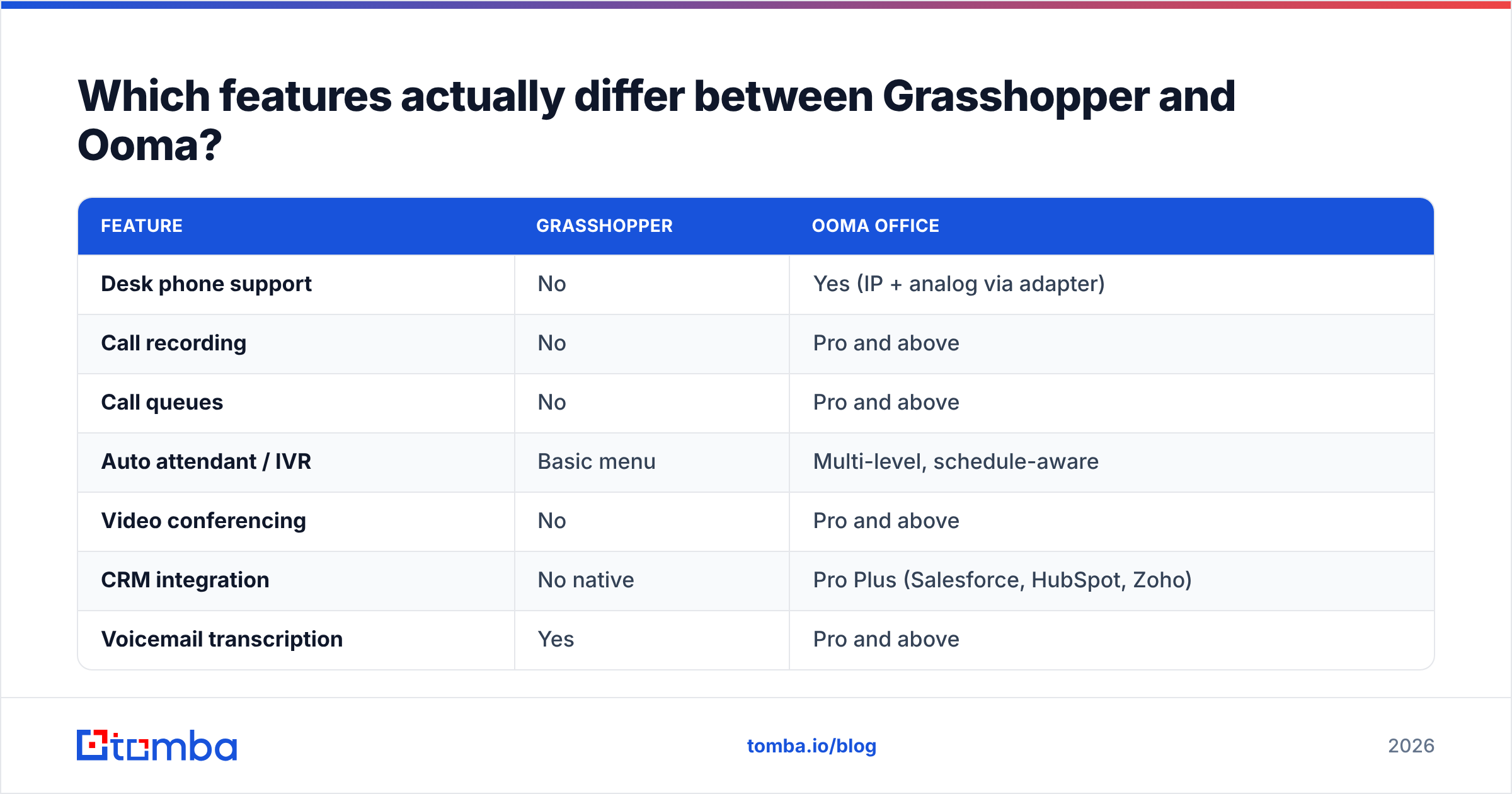
| Feature | Grasshopper | Ooma Office |
|---|---|---|
| Desk phone support | No | Yes (IP + analog via adapter) |
| Call recording | No | Pro and above |
| Call queues | No | Pro and above |
| Auto attendant / IVR | Basic menu | Multi-level, schedule-aware |
| Video conferencing | No | Pro and above |
| CRM integration | No native | Pro Plus (Salesforce, HubSpot, Zoho) |
| Voicemail transcription | Yes | Pro and above |
| Business SMS | Yes | Yes |
| Toll-free & vanity numbers | Yes | Yes |
| Analytics / call reporting | Minimal | Call logs + reporting on higher tiers |
| E911 | Yes | Yes |
| International calling | Add-on rates | Add-on rates |
Two rows decide most purchases. Call recording matters as soon as someone other than the founder is on the phone. You cannot coach what you cannot hear. CRM integration matters when call activity has to reach a deal record on its own, with no rep typing it in. If both of those are "someday" problems, Grasshopper is fine. If either is a this-quarter problem, Grasshopper will not stretch.
Call handling differs in a subtler way too. Grasshopper forwards to whatever device you point it at. Call quality then inherits that device's connection. Ooma controls the path end to end when you use its hardware, and it publishes QoS guidance for routers. For a team sitting in one office on one network, that control is worth something. For a distributed team on five different carriers, it matters less than you would think.
Is Grasshopper better than Ooma for solo founders?#
Yes, in most cases, and the reason is not price alone.
Grasshopper's setup cost is near zero in time. You are live in under an hour with a business number, a greeting, and calls hitting your existing phone. There is no hardware shipment, no network configuration, no porting drama unless you choose to port. For a consultant, a solo attorney, a freelance designer, or a one-person agency, that is exactly the right amount of system.
Ooma at one user is over-engineered. You are paying for ring groups you will never build and a virtual receptionist that routes callers to yourself. The apps work fine, but you are buying a PBX to solve a "stop giving out my cell number" problem.
The switching point is roughly five people who are all on the phone daily, or the first time someone asks "can we listen back to that call?" Below that line, Grasshopper wins on simplicity. Above it, Grasshopper starts costing you in workarounds — spreadsheets of who called whom, manual CRM notes, no way to see queue depth.
Is Ooma Office better than Grasshopper for growing sales teams?#
For a team running real outbound or high inbound volume, yes.
Sales teams need three things a virtual number cannot provide: distribution, evidence, and logging. Distribution means inbound calls land on whoever is free instead of ringing one person's cell. Evidence means recordings you can review in a coaching session. Logging means the CRM shows the call without a rep remembering to add it.
Ooma Office Pro Plus covers all three. It is not the most sophisticated sales phone system on the market. Dedicated power dialers and conversation-intelligence platforms do more. But it covers the fundamentals at a price a ten-person team can absorb. Buyer reviews on G2 consistently praise Ooma's setup experience and flag international calling costs and app polish as the weak spots. That matches what you would expect from a hardware-first company that added software later.
One caveat worth pricing in: Ooma's per-user model punishes seat sprawl. If you have part-timers, contractors, or a shared front-desk phone, count real seats carefully. Ten "users" on paper often means six people who actually need a licensed extension.

What neither Grasshopper nor Ooma solves for you#
Both tools assume you already know who to call. Neither ships contact data, and that is the part that quietly decides whether your phone system pays for itself.
A dialer with bad numbers produces the same result as no dialer. Reps burn hours on disconnected lines, gatekeeper switchboards, and wrong-department transfers, then the phone system takes the blame for low connect rates. Fixing the number list moves connect rate far more than switching vendors does.
Three concrete gaps to close before you evaluate either platform:
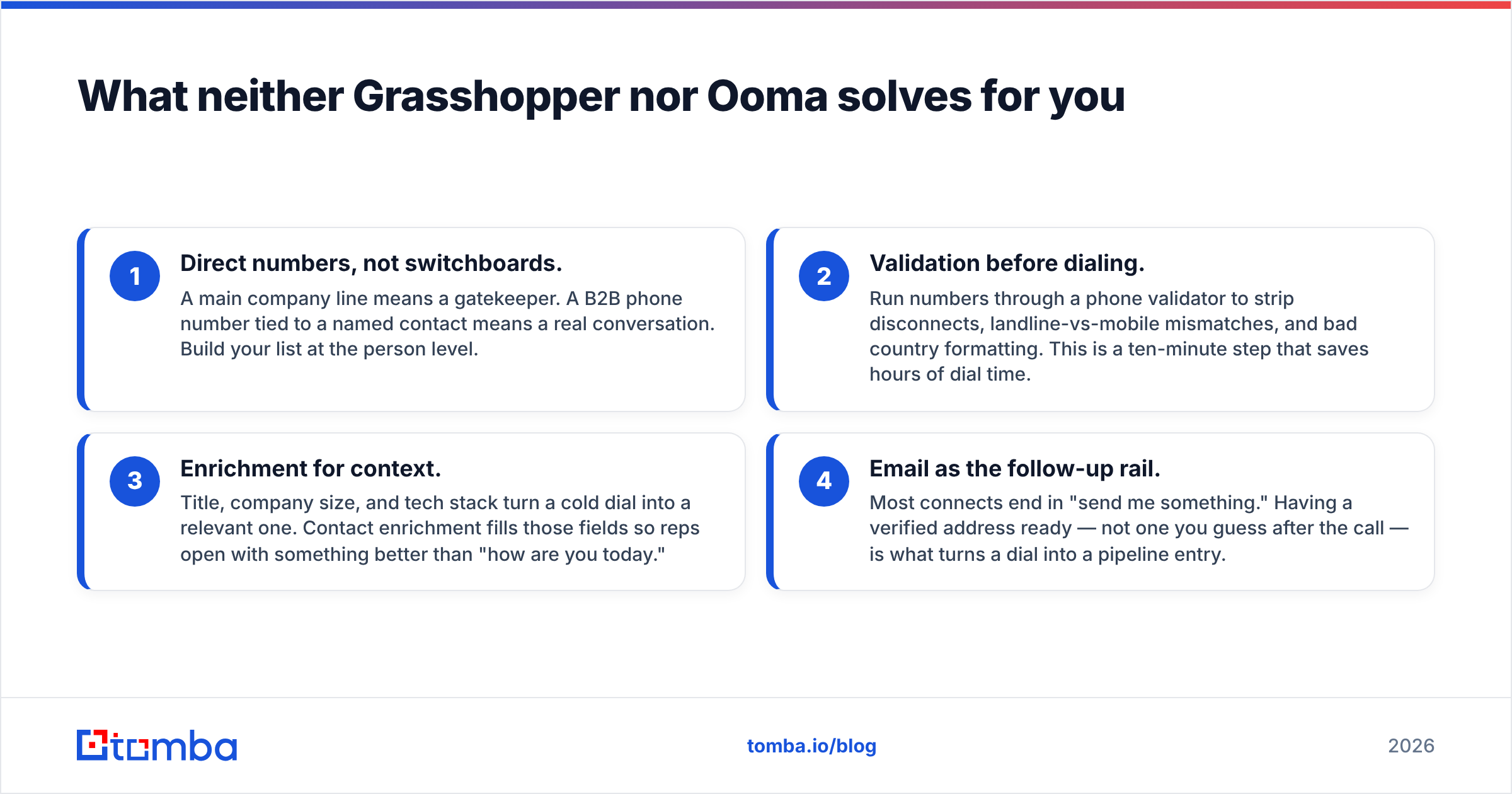
- Direct numbers, not switchboards. A main company line means a gatekeeper. A B2B phone number tied to a named contact means a real conversation. Build your list at the person level.
- Validation before dialing. Run numbers through a phone validator to strip disconnects, landline-vs-mobile mismatches, and bad country formatting. This is a ten-minute step that saves hours of dial time.
- Enrichment for context. Title, company size, and tech stack turn a cold dial into a relevant one. Contact enrichment fills those fields so reps open with something better than "how are you today."
- Email as the follow-up rail. Most connects end in "send me something." Having a verified address ready — not one you guess after the call — is what turns a dial into a pipeline entry.
Get those four right and the phone system becomes a genuinely secondary decision. Get them wrong and no amount of call queueing will save the quarter.
How should you choose between Grasshopper and Ooma?#
Work through these in order:
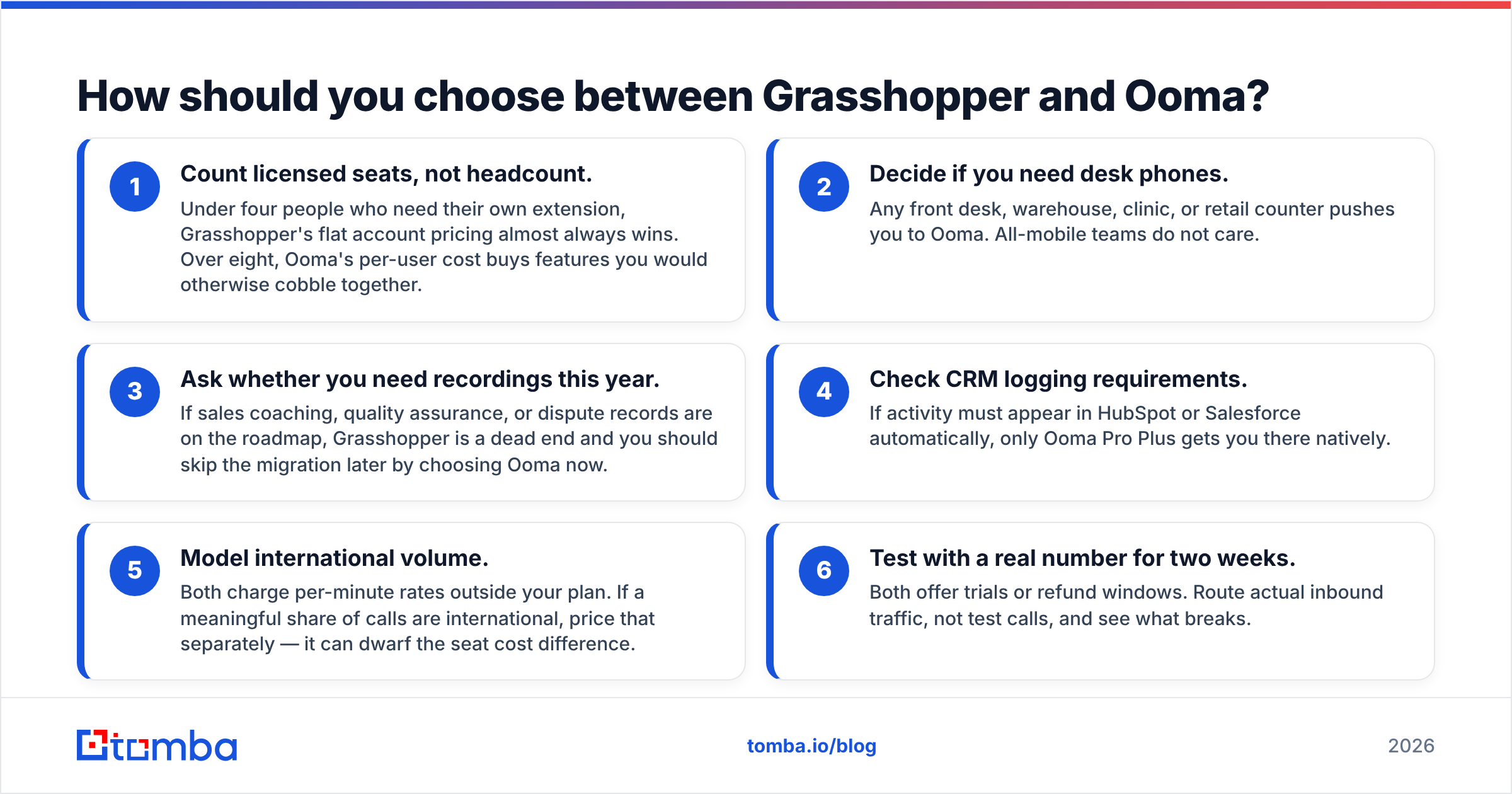
- Count licensed seats, not headcount. Under four seats, Grasshopper's flat account pricing wins. Over eight, Ooma's per-user cost buys features you would otherwise cobble together.
- Decide if you need desk phones. A front desk, warehouse, clinic, or retail counter points to Ooma. All-mobile teams do not care.
- Ask whether you need recordings this year. If coaching, QA, or dispute records are on the roadmap, Grasshopper is a dead end. Choose Ooma now and skip a later migration.
- Check CRM logging. If calls must appear in HubSpot or Salesforce automatically, only Ooma Pro Plus does it natively.
- Model international volume. Both charge per-minute rates outside your plan. Heavy international calling can dwarf the seat cost gap.
- Test with a real number for two weeks. Both offer trials or refund windows. Route real inbound traffic, not test calls, and see what breaks.
A reasonable default: Grasshopper if you are under five people and mobile-first. Ooma Office if you have a physical location, a growing team, or any coaching and compliance requirement. Neither choice is hard to reverse, since both are month-to-month and numbers are portable.
Do you need both a phone system and a data source?#
Yes, and the split is cleaner than most teams expect.
The phone system is plumbing. It routes, records, and reports. Grasshopper vs Ooma is the easy half of the decision: pick the model that matches your headcount and hardware, then stop thinking about it.
The data layer is where outcomes actually move. Connect rates, conversation quality, and follow-through trace back to one question. Are you calling the right person at the right company? You also need a working number and a verified email to send afterward. That is a sourcing problem, not a telephony problem, and no phone vendor will solve it for you.
Build the list first. Validate it. Enrich it. Then let whichever phone system you chose do the boring part.
Ready to fix the input side of your calling program? Most reps lose more hours to bad contact data than to bad software. Tomba Email Finder gives you verified professional addresses by name, company, or domain, so every dial has a real follow-up waiting behind it — and every voicemail has somewhere to land. Start on the free tier with 25 searches a month, or move to Starter at $49/mo when your list outgrows it. Full details on Tomba pricing.
Related guides#
Ready to find emails that actually work?
Join 150,000+ professionals who stopped guessing and started sending. Free credits on signup — no credit card required.
Get the Tomba newsletter
Practical outbound tactics and product updates — once every two weeks.
About the author