Grasshopper vs Vonage 2026: Which Business Phone Wins?
Grasshopper is a virtual phone number bolted onto your cell. Vonage is a full cloud PBX with an API layer. Here is the honest breakdown of pricing, features, and which one your sales team should actually buy in 2026.
TL;DR
- Grasshopper is a virtual phone number service, not a phone system. Flat pricing, unlimited users, no per-seat cost — but no real call center features, no advanced routing, and thin CRM integration.
- Vonage Business Communications is a full cloud PBX with per-seat pricing (roughly $15–$40/user/month depending on tier and headcount), 20+ integrations, and a developer API most competitors can't match.
- Pick Grasshopper if you're a solo founder, consultant, or 1–5 person shop that just wants a business number that rings your cell.
- Pick Vonage if you have 5+ people making calls, need CRM logging, call queues, analytics, or programmable voice.
- Neither tool finds you numbers to call. That's a separate problem — and the one that actually caps your pipeline.
What is Grasshopper, exactly?#
Grasshopper sells you a business phone number and a lightweight app to manage it. That's the whole product. You get a local, toll-free, or vanity number, a basic auto-attendant ("press 1 for sales"), voicemail transcription, business texting, and simple call forwarding to existing phones.
What you do not get: desk phones provisioned by Grasshopper, call recording on lower tiers, call queues, skills-based routing, real-time supervisor dashboards, or deep CRM sync. Grasshopper doesn't route calls through a PBX you control — it forwards them to devices you already own.
That constraint is the product's honesty. Grasshopper markets to solopreneurs and micro-businesses, and the pricing reflects it: flat monthly rates with unlimited users, not per-seat billing. A 4-person agency pays the same as a 1-person consultancy on the same plan. Once you're past ~10 people, that math stops being a bargain and starts being a ceiling.
What is Vonage Business Communications?#
Vonage Business Communications (VBC) is a UCaaS platform — unified communications as a service. Voice, video, SMS, team messaging, and a genuinely deep integration layer, all per-seat.
The differentiator is programmability. Vonage owns the Nexmo API stack, so a developer can build custom voice flows, IVRs, SMS verification, and click-to-call directly against Vonage's APIs. Almost no SMB phone provider offers that. If your RevOps team wants to trigger a call from a workflow, or log every outbound dial into a custom object, Vonage can do it.
The tradeoff is complexity and cost structure. Per-seat pricing means every new rep adds line-item cost. Vonage also charges à la carte for several features that competitors bundle — call recording, call groups, visual voicemail, and the CRM integrations themselves often sit behind add-on fees or higher tiers.
How do Grasshopper and Vonage compare on price and features?#
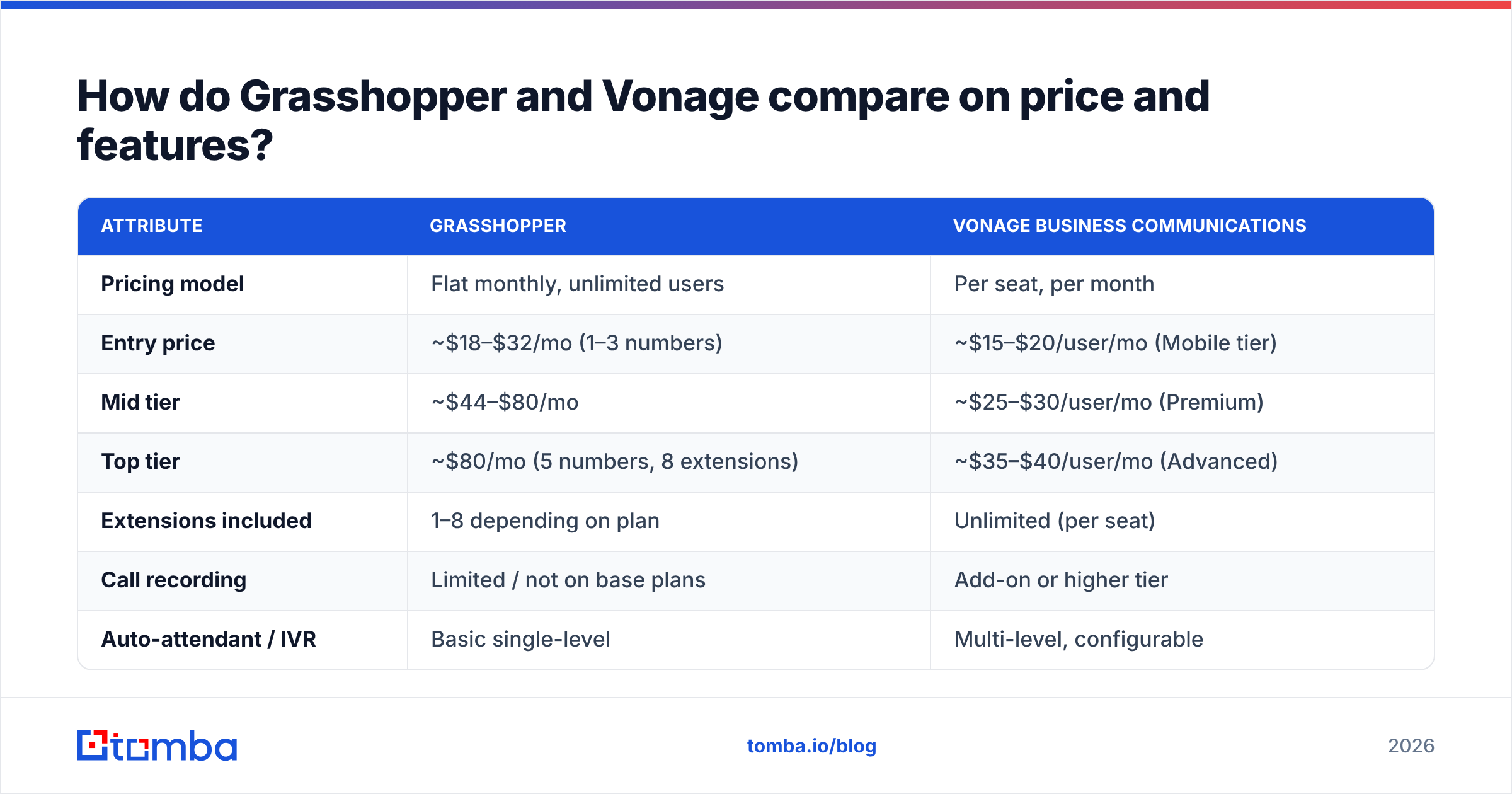
| Attribute | Grasshopper | Vonage Business Communications |
|---|---|---|
| Pricing model | Flat monthly, unlimited users | Per seat, per month |
| Entry price | ~$18–$32/mo (1–3 numbers) | ~$15–$20/user/mo (Mobile tier) |
| Mid tier | ~$44–$80/mo | ~$25–$30/user/mo (Premium) |
| Top tier | ~$80/mo (5 numbers, 8 extensions) | ~$35–$40/user/mo (Advanced) |
| Extensions included | 1–8 depending on plan | Unlimited (per seat) |
| Call recording | Limited / not on base plans | Add-on or higher tier |
| Auto-attendant / IVR | Basic single-level | Multi-level, configurable |
| Call queues | No | Yes |
| Video meetings | No | Yes (Vonage Meetings) |
| CRM integrations | Very limited | 20+ (Salesforce, HubSpot, Zoho, more) |
| Developer API | No | Yes — full programmable voice/SMS |
| Desk phone support | Bring your own / softphone only | Provisioned VoIP hardware |
| Analytics | Basic call logs | Call dashboards, wallboards (higher tiers) |
| Best for | 1–5 person teams, solo operators | 5–500 seat teams, dev-heavy orgs |
Prices move; check both vendors before you commit. But the shape holds: Grasshopper's total cost is flat and low until you hit its feature ceiling, and Vonage's total cost scales linearly with headcount while the ceiling is much higher.
Which one is cheaper at your team size?#
Run the arithmetic before you get emotional about features.
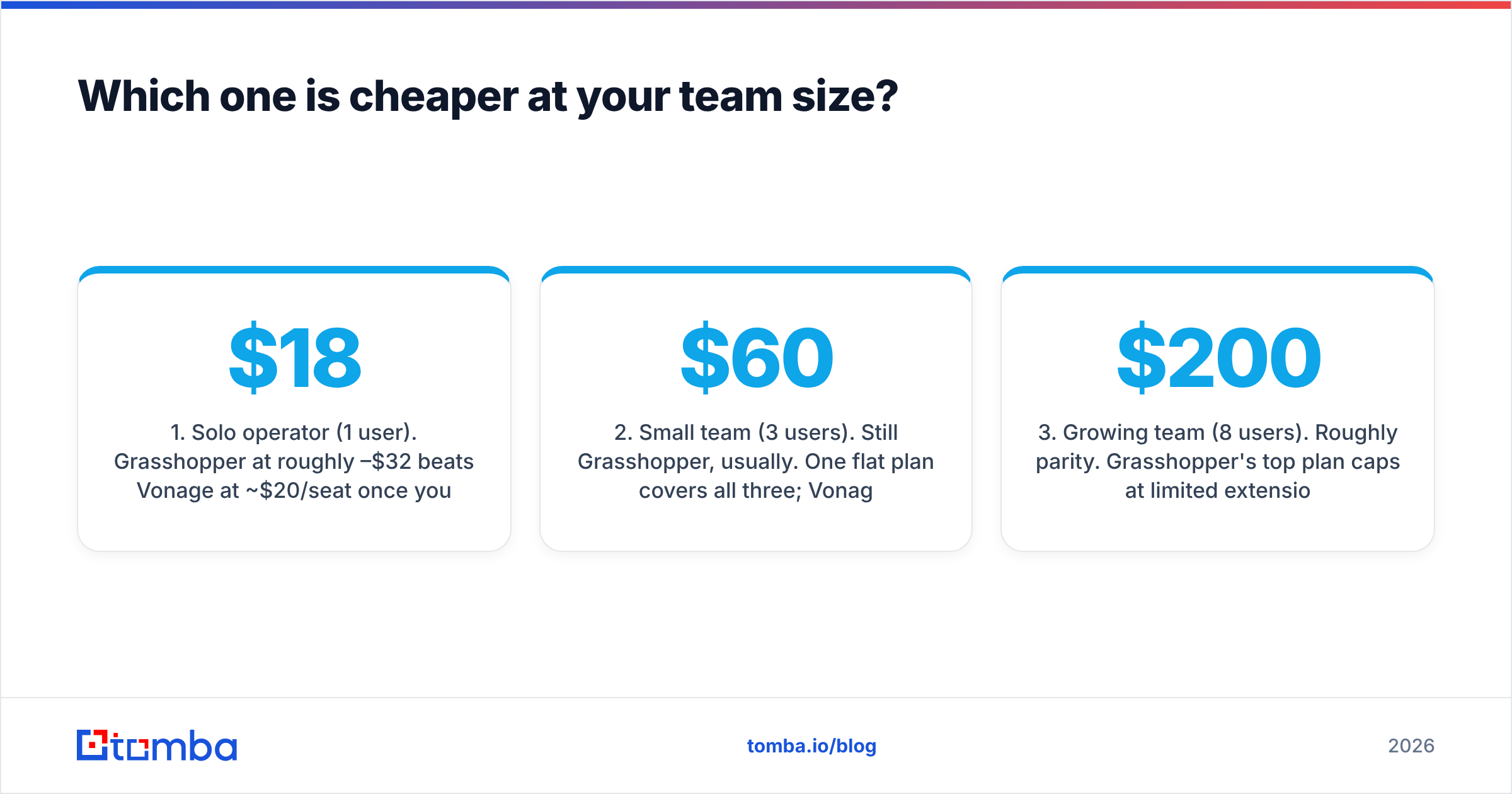
- Solo operator (1 user). Grasshopper at roughly $18–$32/mo beats Vonage at ~$20/seat once you factor in Vonage add-ons. Grasshopper wins.
- Small team (3 users). Still Grasshopper, usually. One flat plan covers all three; Vonage would be ~$60–$90/mo plus add-ons.
- Growing team (8 users). Roughly parity. Grasshopper's top plan caps at limited extensions, so you may be forced to stack plans or stop growing. Vonage at ~$200–$240/mo buys real routing.
- Sales team (15+ users). Vonage, unambiguously. Grasshopper structurally cannot run a call queue, and a 15-rep team without queues loses inbound leads to voicemail.
- Developer-led org (any size). Vonage, because the API isn't optional — it's the reason you'd choose them over cheaper UCaaS rivals.
- Nonprofit / low call volume. Grasshopper, and spend the savings on data.
The break-even is somewhere around 6–8 users, but volume matters more than seat count. A 3-person team fielding 200 inbound calls a day needs queues and will outgrow Grasshopper immediately. A 12-person team where only two people take calls can happily stay on a flat plan.
Is Vonage better than Grasshopper for outbound sales?#
Yes — but that's a low bar, because Grasshopper isn't competing for that job.
Outbound sales teams need four things from a phone system: local presence dialing so your area code matches the prospect's, automatic activity logging into the CRM so reps don't hand-type call notes, call recording for coaching, and analytics that show connect rate per rep per list.
Vonage delivers all four, though recording and the better analytics live on upper tiers. Grasshopper delivers none of them in a meaningful way. If you're building a cold calling motion, Grasshopper is the wrong tool — not a worse tool, a different category.
That said, Vonage is not the best outbound tool either. Dedicated sales dialers (Aircall, JustCall, Kixie, Orum) beat it on power dialing, parallel dialing, and native sequence integration. Vonage's strength is being a competent company-wide phone system that also handles sales calls, not a specialized outbound weapon. If sales calling is 90% of your telephony, evaluate a dialer alongside these two. Independent review data on G2 is a reasonable second opinion here — filter to your company size, because SMB and mid-market reviewers rate these platforms very differently.
What do the reliability and support tradeoffs look like?#
Grasshopper's simplicity is its uptime story. Because calls forward to carrier networks you already trust, there's less to break. Support is US-based, 24/7, and generally well-reviewed — the surface area is small enough that agents actually know the product.
Vonage runs a real cloud PBX, which means real PBX failure modes: registration issues, codec mismatches, jitter on bad networks, and configuration errors that take a support ticket to unwind. Vonage's support reputation is mixed — enterprise accounts get responsive handling, SMB accounts frequently report slow resolution and upsell-flavored conversations. Budget for someone internal owning the phone system if you go Vonage. On Grasshopper, nobody needs to own it.
One more practical note: Vonage requires decent network conditions. If your team is remote on inconsistent home connections, quality varies. Grasshopper forwarding to a cell phone uses the cellular network, which is often more forgiving.
What neither Grasshopper nor Vonage solves?#
Numbers to dial.
This is the part teams underestimate. You can buy the best cloud PBX on the market and it will sit idle if your list is stale. Direct-dial mobile numbers decay fast — people change roles, companies restructure, and switchboard numbers route you to a receptionist who has been trained to block you.
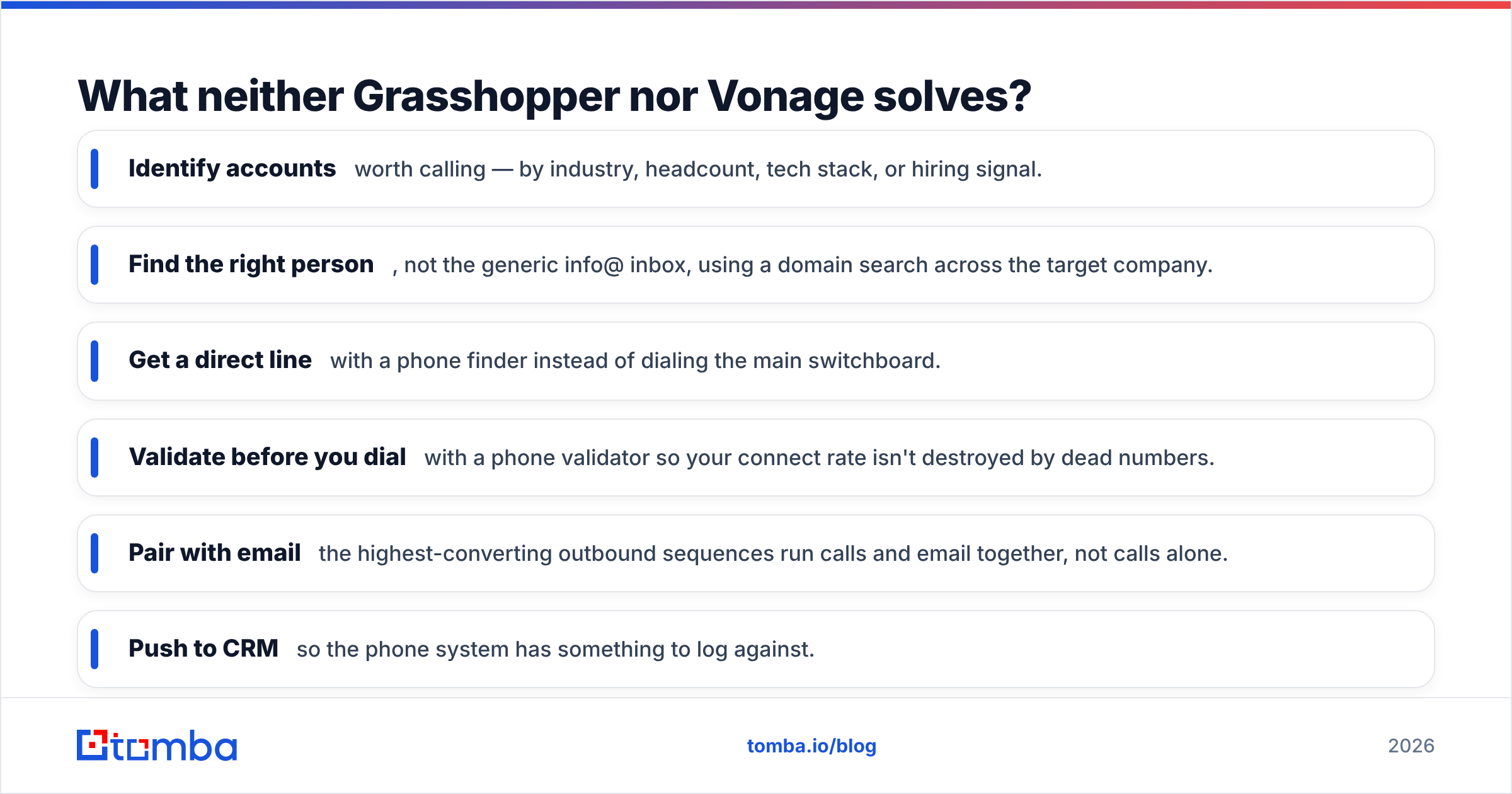
The workflow that actually produces conversations looks like this:
- Identify accounts worth calling — by industry, headcount, tech stack, or hiring signal.
- Find the right person, not the generic info@ inbox, using a domain search across the target company.
- Get a direct line with a phone finder instead of dialing the main switchboard.
- Validate before you dial with a phone validator so your connect rate isn't destroyed by dead numbers.
- Pair with email — the highest-converting outbound sequences run calls and email together, not calls alone.
- Push to CRM so the phone system has something to log against.
Steps 1 through 5 happen entirely outside Grasshopper and Vonage. That's the point. Your phone bill is a rounding error compared to what bad contact data costs you in wasted dials.
Which should you choose in 2026?#
Here's the decision in plain terms.
Choose Grasshopper if: you're 1–5 people, you want a business number separate from your personal cell, you don't need call recording or queues, and you'd rather spend zero hours administering a phone system. The flat pricing is genuinely good value at that size, and the product does what it says.
Choose Vonage if: you have 5 or more people who take or make calls, you need CRM logging and call queues, you have (or can rent) someone technical to configure it, and you want the option to build custom voice flows later. Budget for add-ons — the sticker price is not the final price.
Choose neither if: calling is your primary outbound channel and you need power dialing, local presence at scale, and native sequence integration. Look at a dedicated sales dialer instead, and treat the phone system question as separate.
And regardless of which you pick: solve the data problem first. A $20/month phone plan with accurate direct dials outperforms a $40/seat platform pointed at a scraped list from 2023. Check where the data comes from before you trust any provider — sourcing methodology predicts accuracy better than any marketing claim about "billions of contacts."
How do you build the list that feeds either system?#
Start with the accounts, not the contacts. Pull a target list — from your CRM, a B2B database, or your website visitor logs — then enrich it.
For each account, run a domain search to see who works there and what the company's email pattern looks like. Isolate the two or three people who could actually sign off on your product. Find their direct email and, where available, their direct phone. Verify both. Then load the verified set into whichever phone system you chose and start dialing.
Doing this at volume by hand is unbearable, which is why teams use a bulk email finder or hit an API from their enrichment pipeline. If you're already in HubSpot or Salesforce, wire it up so enrichment happens on record creation instead of as a weekly cleanup chore — the HubSpot integration pattern works the same way across most CRMs.
One caution: no provider hits 100% on direct dials. Mobile number coverage in B2B is genuinely hard, coverage varies wildly by region and seniority, and anyone claiming 95%+ accuracy on mobile numbers is measuring something other than what you care about. Verify, expect some decay, and refresh quarterly.
Ready to fill either phone system with contacts worth dialing?#
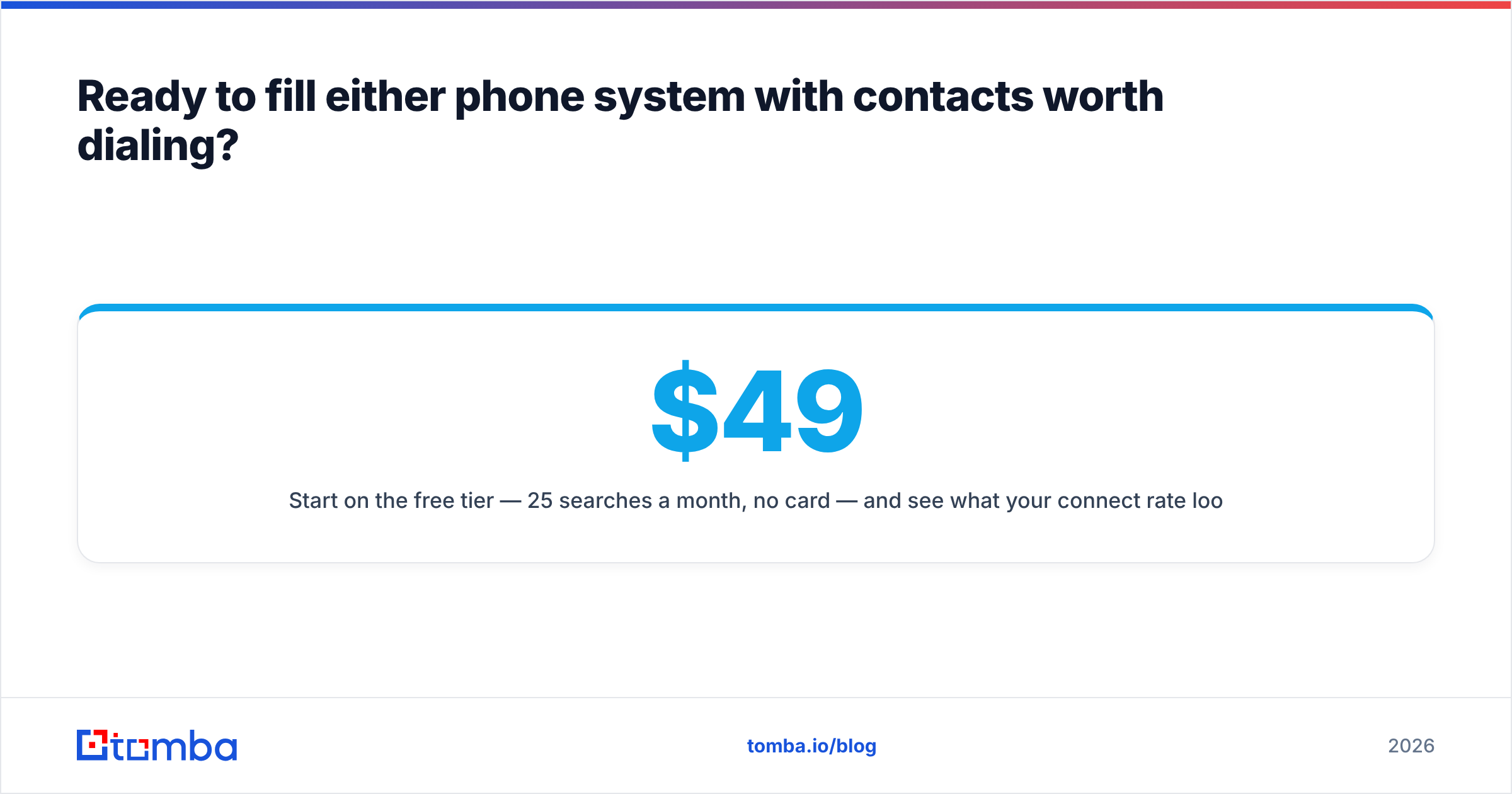
Grasshopper and Vonage both solve the "how do I make the call" problem. Neither solves "who do I call and how do I reach them." That's where Tomba Email Finder fits: search by domain, name, or company, get verified professional email addresses, and pair them with direct phone numbers so every dial has a matching follow-up email queued behind it.
Start on the free tier — 25 searches a month, no card — and see what your connect rate looks like on verified data. Paid plans start at $49/month for Starter, $99/month for Growth, and $249/month for Pro; full details are on the Tomba pricing page. Whichever phone system wins your evaluation, the list you point it at is what decides the outcome.
Related guides#
Ready to find emails that actually work?
Join 150,000+ professionals who stopped guessing and started sending. Free credits on signup — no credit card required.
Get the Tomba newsletter
Practical outbound tactics and product updates — once every two weeks.
About the author