GrowMeOrganic vs LeadLeaper: Which Wins for Outbound in 2026?
One is an all-in-one prospecting suite with campaigns built in. The other is a lightweight LinkedIn email extension. Here is how GrowMeOrganic and LeadLeaper actually compare on price, accuracy, and export limits in 2026.
TL;DR
- GrowMeOrganic is an all-in-one prospecting suite: LinkedIn scraping, a B2B database, an email finder, and drip campaigns under one lifetime-deal-friendly login. Best if you want one bill instead of four.
- LeadLeaper is a narrow Chrome extension that pulls emails off LinkedIn profiles and search results. Fast, cheap, and deliberately limited.
- On coverage, GrowMeOrganic wins because it searches beyond LinkedIn. On speed inside LinkedIn, LeadLeaper is hard to beat.
- Neither tool ships a serious verification layer, which is where most bounce problems start. Budget for a separate verifier either way.
- If your bottleneck is clean, verified emails rather than campaign tooling, a dedicated finder like Tomba (free tier, then $49/mo) plugs into both workflows instead of replacing them.
What are GrowMeOrganic and LeadLeaper?#
They solve overlapping problems from opposite ends.
GrowMeOrganic launched as a LinkedIn automation tool and grew into a full outbound platform. Today it bundles a LinkedIn and Sales Navigator extractor, a claimed multi-hundred-million-record B2B database, an email finder, an email verifier, unlimited email sending on higher tiers, and a drip-campaign builder. It is popular with agencies and solo founders in the lifetime-deal ecosystem because the entry price undercuts the Apollo/ZoomInfo tier by a wide margin.
LeadLeaper took the opposite path. It is a browser extension that sits on top of LinkedIn, captures a profile or an entire search page, and returns work emails plus a basic sending feature. There is no separate database to query, no ABM filters, no intent data. You go where the people are, click, and export.
That difference — platform versus plugin — drives almost everything else in this comparison.
How do GrowMeOrganic and LeadLeaper compare head-to-head?#
Here is the practical breakdown. Feature sets and prices change, so treat this as a starting point and confirm on each vendor's page before you buy.
| Capability | GrowMeOrganic | LeadLeaper |
|---|---|---|
| Core model | All-in-one prospecting suite | LinkedIn Chrome extension |
| LinkedIn / Sales Navigator extraction | Yes, bulk list export | Yes, page-by-page capture |
| Standalone B2B database | Yes (search by industry, title, geography) | No |
| Email finder outside LinkedIn | Yes (domain and company search) | Limited |
| Built-in email verification | Basic | Basic |
| Drip / sequence sending | Yes, native | Yes, lightweight |
| CRM features | Light CRM included | None |
| Phone numbers | Limited | No |
| API access | Limited | No public API |
| Free tier | Trial-style credits | Free monthly credit block |
| Typical entry price | ~$49–$79/mo (annual) | Free tier, then low-cost paid tiers |
| Best fit | Agencies running full campaigns | Individual reps living in LinkedIn |
Two things stand out. First, LeadLeaper is not trying to be GrowMeOrganic — the absence of an API and a searchable database is a design decision, not an oversight. Second, GrowMeOrganic's breadth means you are paying for modules you may never open. If you already run Instantly, Smartlead, or Lemlist for sending, half the GrowMeOrganic value proposition is redundant.

The five questions that actually decide this#
- Where do your leads come from? If 90% originate from LinkedIn search, the extension model is enough. If you build lists from conference pages, funding announcements, or customer lookalikes, you need a database and a domain search.
- Who sends the email? If your sequencer is already chosen and warmed, you are buying a finder, not a platform. Stop paying for a second sender.
- What is your bounce tolerance? Under 3% is the working threshold for most inbox providers. Neither tool's built-in checks are designed to hit that unaided.
- How many seats? Extension pricing scales linearly per user. Platform pricing usually includes team seats, so the crossover point tends to arrive around three to five reps.
- Do you need this in code? Enriching a signup form or a CRM record on write requires an API. That rules LeadLeaper out entirely and makes GrowMeOrganic a partial fit at best.
What does each tool actually cost in 2026?#
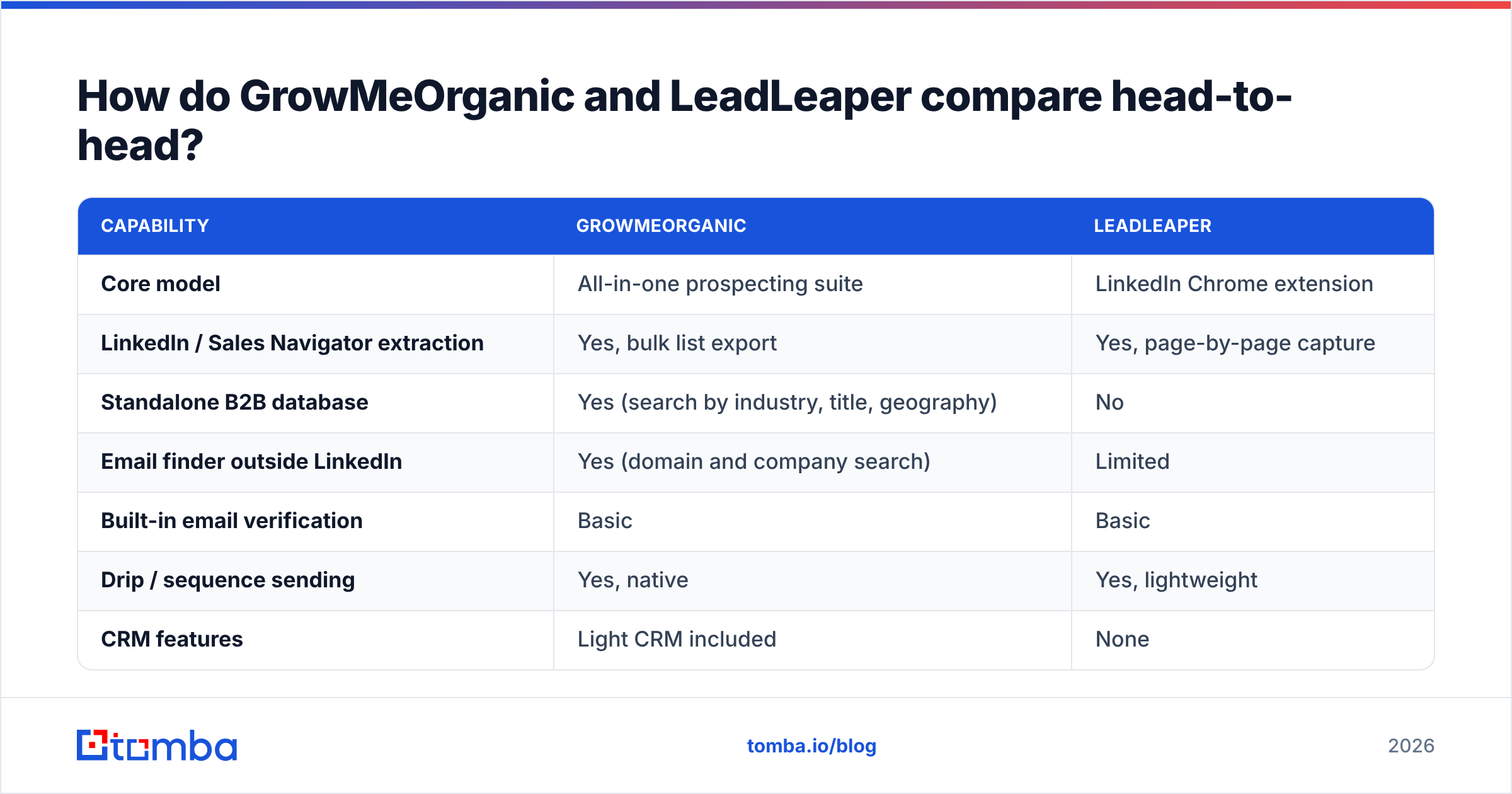
Pricing on both products moves, and GrowMeOrganic in particular runs frequent annual and lifetime promotions. The shape of the pricing is more stable than the numbers.
| Plan tier | GrowMeOrganic | LeadLeaper | Tomba |
|---|---|---|---|
| Free | Trial credits only | Free monthly lookup block | 25 searches/mo, no card |
| Entry paid | ~$49/mo billed annually | Low double-digit monthly | $49/mo (Starter) |
| Mid | ~$79–$99/mo | Per-seat scaling | $99/mo (Growth) |
| High | ~$199+/mo unlimited-style | Not really offered | $249/mo (Pro) |
| Enterprise | Custom | Not offered | Custom |
| API included | Limited | No | Yes, all paid tiers |
The honest read: LeadLeaper is the cheapest way to get a handful of LinkedIn emails per week. GrowMeOrganic is the cheapest way to get a whole outbound stack under one invoice. Neither is the cheapest way to get verified email at volume, because both treat verification as a feature rather than a product.
Check Tomba pricing side by side with whichever you shortlist — the comparison that matters is cost per deliverable contact, not cost per credit. A $0.02 credit that bounces costs more than a $0.05 credit that lands, once you price in sender reputation damage.

Which tool finds more valid emails?#
GrowMeOrganic, on raw coverage. LeadLeaper, on LinkedIn-specific hit rate for mid-market profiles.
That is the pattern most teams report, and the mechanism is easy to explain. LeadLeaper is optimised for one input type: a LinkedIn profile. It knows the shape of that data and its pattern-matching is tuned for it. GrowMeOrganic casts a wider net — database records, domain crawls, pattern inference — so it returns something for more queries, but a portion of those results are pattern guesses rather than observed addresses.
That distinction matters more than any headline accuracy percentage. A pattern guess like first.last@company.com is right often enough to feel useful and wrong often enough to cost you a domain. The only way to tell the two apart is verification: SMTP handshake, MX validation, catch-all detection, and role-address flagging.

Three failure modes neither tool handles well:
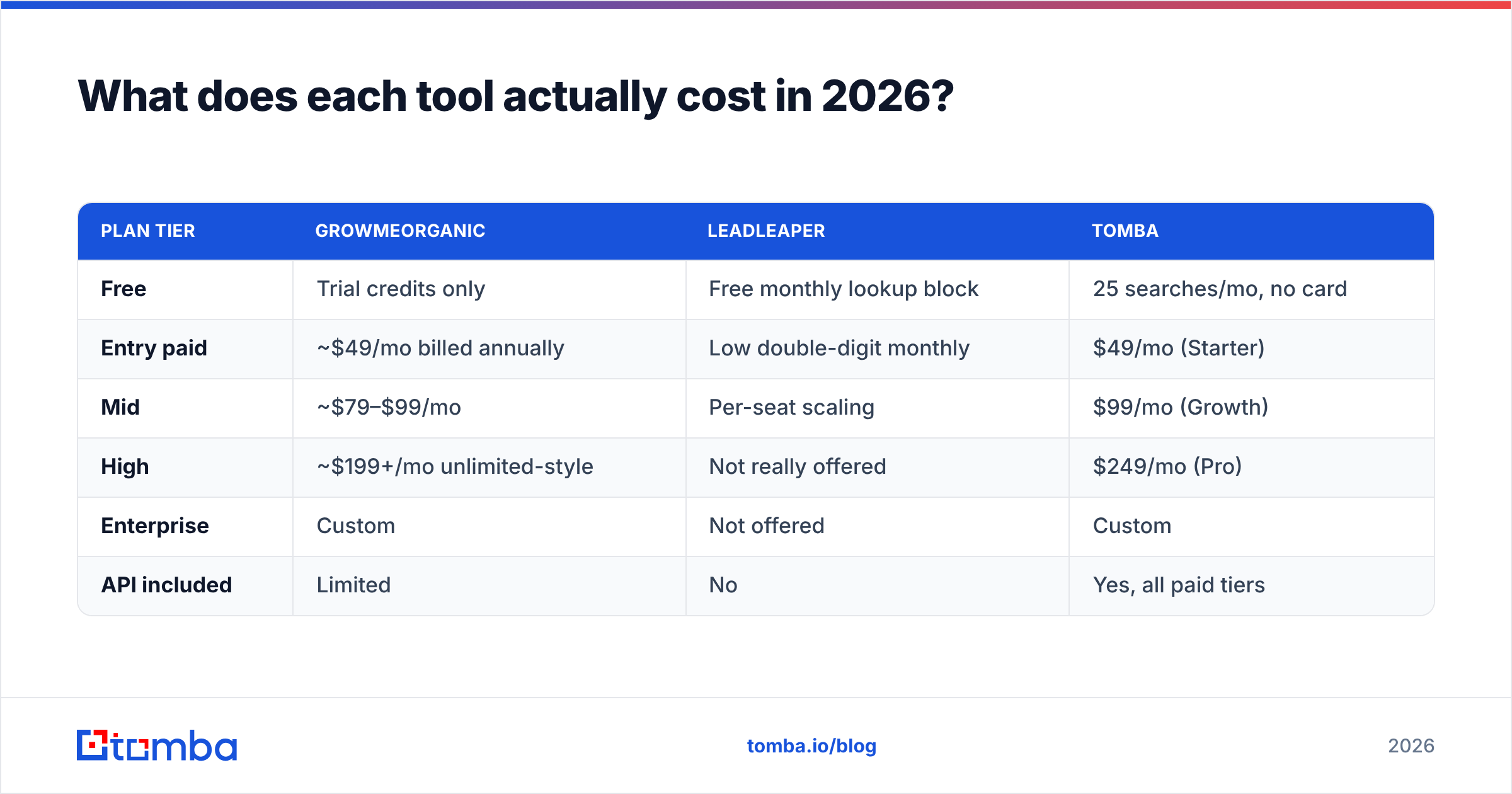
- Catch-all domains. Roughly a fifth of B2B domains accept everything at the server level, so a "valid" verdict means nothing. You need a dedicated catch-all verifier to score these probabilistically instead of shipping them blind.
- Stale records. Database entries age. Someone who left in 2024 is still in plenty of B2B datasets in 2026. Re-verify anything older than 90 days.
- Role addresses.
info@,sales@, andsupport@inflate found-rate stats and tank reply rates. Filter them before import.
Run every list through an email verifier regardless of which tool sourced it. This is not a Tomba-specific recommendation — it is standard practice, and both Google and Microsoft have tightened bulk-sender requirements enough that a sloppy list is a genuine deliverability risk, not just a wasted send.

Who should choose GrowMeOrganic?#
Pick GrowMeOrganic if you check three or more of these boxes:
- You are an agency or consultancy running outbound for multiple clients and want one tool with client-separable lists.
- You have no existing sequencer and do not want to buy one.
- You prospect outside LinkedIn — company lists, industry directories, geographic targeting.
- You value predictable annual pricing over best-in-class accuracy in any single module.
- Your team is 1-3 people and the admin overhead of stitching four tools together is worse than the accuracy tax of one generalist.
The trade-off you are accepting: no module is category-leading. The database is smaller than Apollo's, the sequencer is thinner than Instantly's, and the finder is less accurate than a specialist. You are buying convenience, and for a lot of teams that is the correct purchase.
If you have outgrown it, the Apollo alternative landscape is worth a scan before you commit to another annual contract.
Who should choose LeadLeaper?#
Pick LeadLeaper if:
- You are a single rep or founder doing manual, high-intent prospecting.
- Your entire workflow already lives inside LinkedIn or Sales Navigator.
- You need fewer than a few hundred emails a month and cost per lookup dominates your decision.
- You have no need for automation — you write each email yourself.
- You want something you can install in two minutes and abandon without a contract.
The trade-off: you will hit the ceiling. The free tier's monthly cap and the absence of an API mean LeadLeaper cannot grow with you. When your process moves from "I find ten people a day" to "we enrich a thousand rows a week," you will be shopping again. Plan for that rather than discovering it mid-quarter.
For teams at that inflection point, a bulk email finder that takes a CSV of names and domains and returns verified addresses is usually the next step — not another extension.
Where do both tools fall short?#
Four gaps show up consistently in reviews on G2 and in practice:
1. Verification depth. Both label results as valid or risky without exposing the reasoning. You cannot see whether a "valid" came from an SMTP response, a catch-all guess, or a pattern match. That opacity is fine at 50 emails and dangerous at 5,000.
2. Developer access. LeadLeaper has no public API. GrowMeOrganic's is limited. If you want enrichment to fire on a form submission or a CRM record creation, you need a proper email finder API sitting underneath.
3. Compliance posture. GDPR and CCPA handling in the LinkedIn-scraping category is uneven across every vendor, this pair included. Ask for the data-processing agreement and the sourcing documentation before you run EU prospects through either. Reputable providers publish data sources rather than describing them vaguely.
4. Phone data. Neither is a serious option if your motion is call-first. If you need mobile numbers alongside email, you are looking at a separate phone finder regardless of which of these two you pick.
Is there a better third option?#
It depends on what is actually broken.
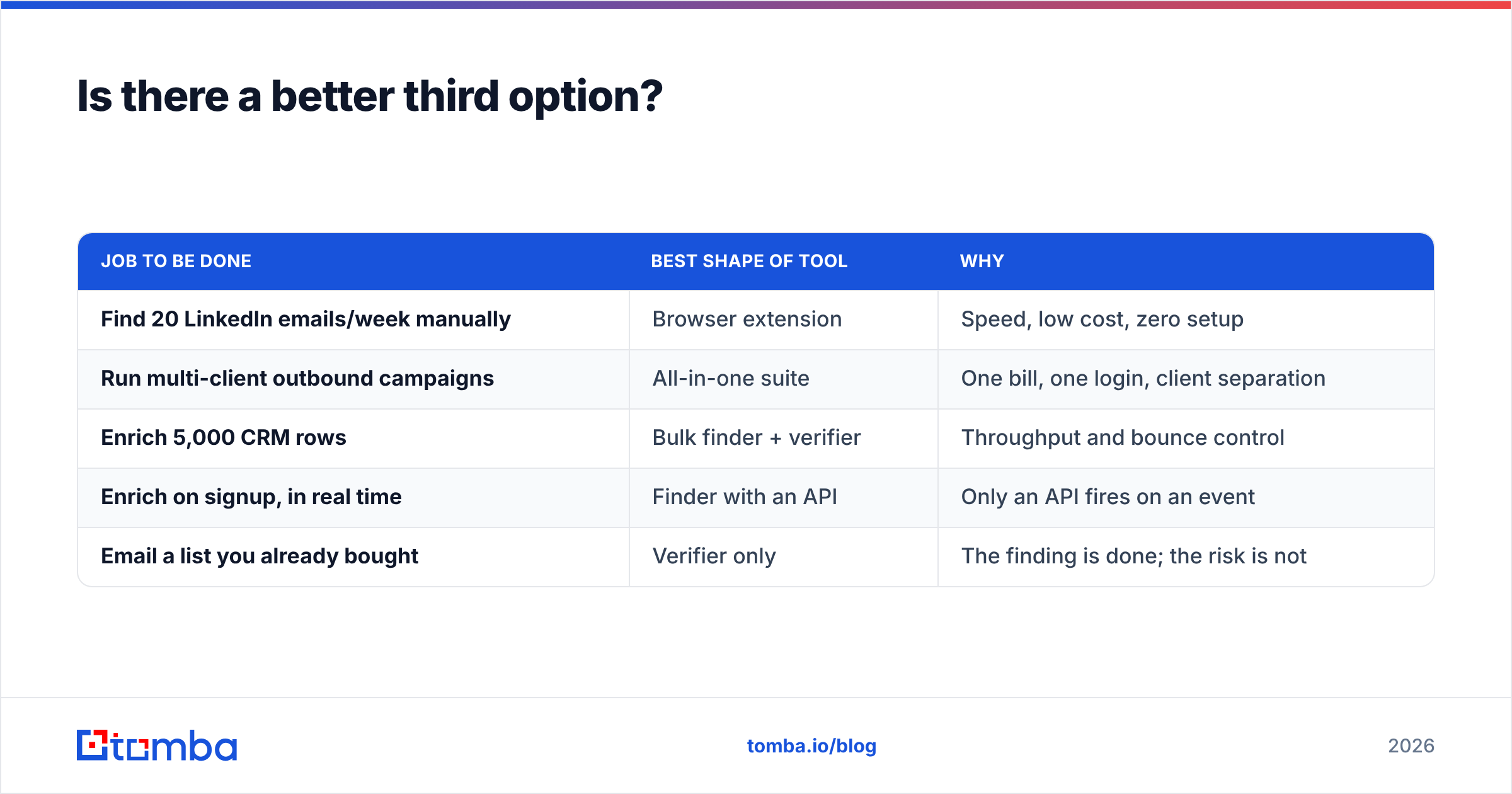
If your problem is campaign tooling, neither GrowMeOrganic nor LeadLeaper is your answer — a dedicated sequencer is. If your problem is list building at scale, a database platform is. But if your problem is what it is for most teams — you have names and companies, and you need email addresses that land — then the honest answer is that you want a specialist finder, not a suite.
| Job to be done | Best shape of tool | Why |
|---|---|---|
| Find 20 LinkedIn emails/week manually | Browser extension | Speed, low cost, zero setup |
| Run multi-client outbound campaigns | All-in-one suite | One bill, one login, client separation |
| Enrich 5,000 CRM rows | Bulk finder + verifier | Throughput and bounce control |
| Enrich on signup, in real time | Finder with an API | Only an API fires on an event |
| Email a list you already bought | Verifier only | The finding is done; the risk is not |
Tomba fits the bottom three rows. It is a Tomba Email Finder first, with verification, domain search, catch-all handling, and enrichment built around it — and it coexists with GrowMeOrganic or LeadLeaper rather than replacing them. A common setup: source from LinkedIn with your extension, then run the export through a finder and verifier before it touches your sequencer.
What is the verdict?#
Choose GrowMeOrganic if you are an agency or small team that wants one platform covering sourcing through sending, and you can accept that each module is good rather than great.
Choose LeadLeaper if you are one person, you live inside LinkedIn, and your volume is genuinely low. It does one job well and does not pretend otherwise.
Choose neither as your accuracy layer. Whichever you pick, the verification step belongs to a tool built for it. That is the single change most teams make that visibly moves reply rates — not a better subject line, not a new sequencer, but a list that does not bounce.
Start with the Tomba Email Finder free tier — 25 searches a month, no card required — and run it against the same 25 contacts your current tool already returned. Compare found-rate, compare bounce-rate after a real send, and let the numbers decide. If it wins, Starter is $49/mo with full API access; if it does not, you have lost nothing but ten minutes.
Related guides#
Ready to find emails that actually work?
Join 150,000+ professionals who stopped guessing and started sending. Free credits on signup — no credit card required.
Get the Tomba newsletter
Practical outbound tactics and product updates — once every two weeks.
About the author