GrowMeOrganic vs Mailsai: Which B2B Data Tool Wins in 2026?
GrowMeOrganic bundles scraping, email finding, and LinkedIn automation. Mailsai leans on AI-assisted email discovery and sending. Here's how the two actually compare on accuracy, pricing, and where a dedicated finder beats both.
GrowMeOrganic vs Mailsai comes down to one question: do you want a full outbound suite, or a cheap find-and-send tool? Both promise clean B2B emails. Neither one proves it. Here is what the difference actually costs you.
TL;DR
- GrowMeOrganic is an all-in-one bundle. You get LinkedIn scraping, an email finder, a B2B database, and a cold-email sender in one subscription. Breadth is the selling point. Depth in each module is the trade-off.
- Mailsai is the lighter, AI-flavoured option. It finds emails and sends them. There is less LinkedIn automation and a smaller published data footprint.
- Neither vendor publishes independently audited accuracy numbers. If your bounce rate matters more than your feature count, that gap is the whole story.
Who should buy what:
- Pick GrowMeOrganic if you want one login for scraping and sending, and you can live with mid-tier match rates.
- Pick Mailsai if you only need find-and-send and want a smaller bill.
- Pick neither if deliverability, API access, or verified catch-all handling is your real constraint. Pair a dedicated email finder with the sequencer you already run.
GrowMeOrganic vs Mailsai: what are these tools?#
GrowMeOrganic started as a LinkedIn and Google Maps scraper. It grew into a bundled outbound suite. The pitch is simple. Instead of paying for Sales Navigator extraction, an email finder, a verifier, and a sending platform separately, you pay one flat fee and get a workable version of each. For a two-person agency sending 500 emails a week, that is a fair deal.
Mailsai belongs to the newer wave of AI-branded email tools. The loop is short. Give it a person or a company, it returns a likely work email, then it sends the sequence for you. Less scraping. Fewer LinkedIn settings. A cheaper entry price.
These are not really the same kind of product. GrowMeOrganic competes with Apollo and Lusha on breadth. Mailsai competes with the small find-and-send tools. So a fair GrowMeOrganic vs Mailsai comparison starts with what you need, not with a feature count.

How do GrowMeOrganic and Mailsai compare feature by feature?#
Here is the practical breakdown. Prices move, so check each vendor's own pricing page before you commit. This reflects publicly listed tiers as of early 2026.
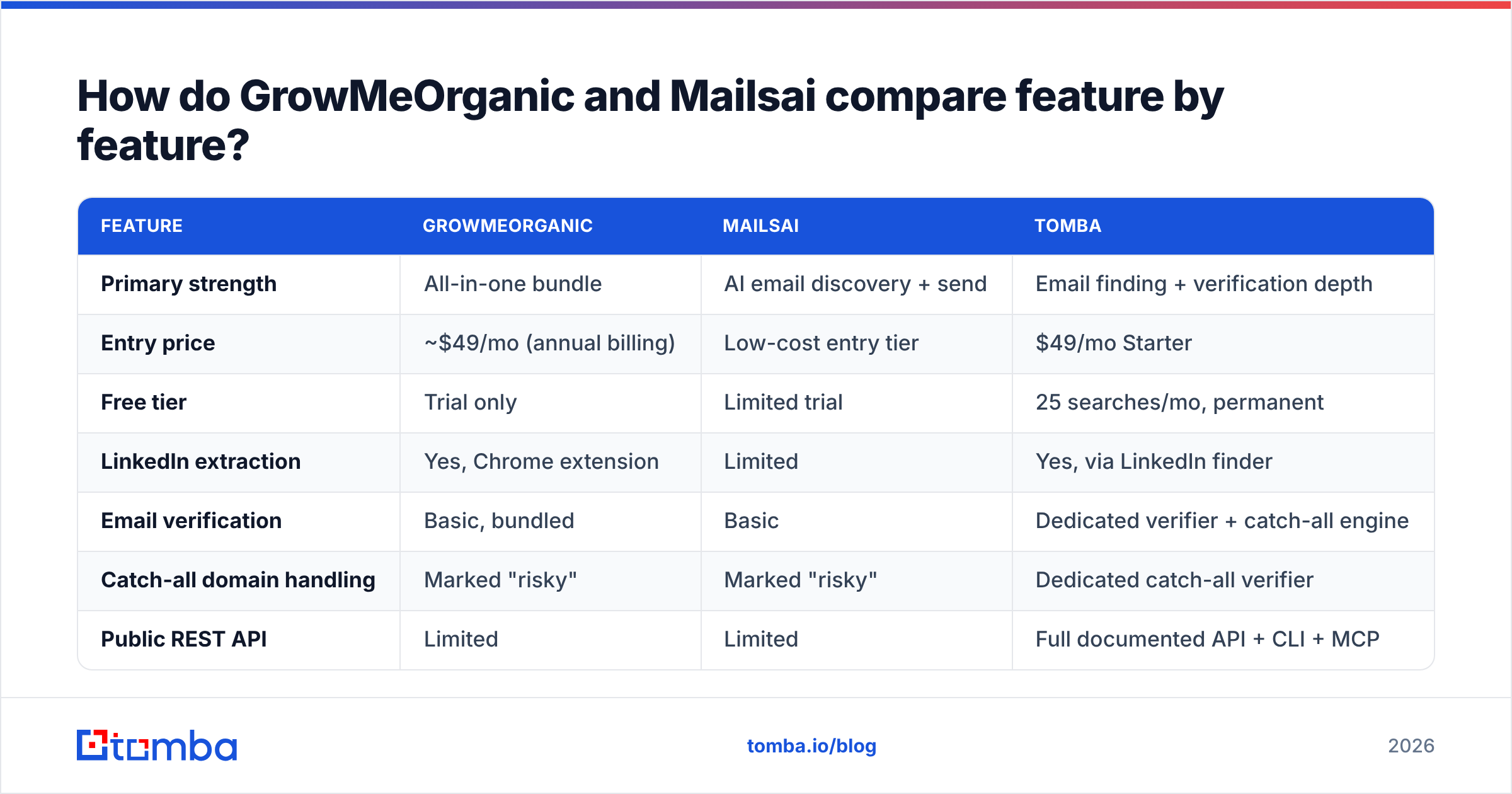
| Feature | GrowMeOrganic | Mailsai | Tomba |
|---|---|---|---|
| Primary strength | All-in-one bundle | AI email discovery + send | Email finding + verification depth |
| Entry price | ~$49/mo (annual billing) | Low-cost entry tier | $49/mo Starter |
| Free tier | Trial only | Limited trial | 25 searches/mo, permanent |
| LinkedIn extraction | Yes, Chrome extension | Limited | Yes, via LinkedIn finder |
| Email verification | Basic, bundled | Basic | Dedicated verifier + catch-all engine |
| Catch-all domain handling | Marked "risky" | Marked "risky" | Dedicated catch-all verifier |
| Public REST API | Limited | Limited | Full documented API + CLI + MCP |
| Bulk enrichment | Yes, credit-capped | Yes, smaller caps | Bulk finder + enrichment |
| Sending / sequencing | Built in | Built in | Not included (by design) |
| Spreadsheet add-ins | No | No | Excel + Google Sheets |
| Best for | Solo agencies wanting one bill | Cheap find-and-send | Data quality + API workflows |
The table shows the real fork in the road. GrowMeOrganic and Mailsai both bundle sending. Tomba does not, on purpose. It feeds clean contacts into whatever sequencer you already trust. If you already pay for Instantly, Smartlead, or HubSpot sequences, the built-in sender is a feature you will pay for and never open.
Which one finds more valid emails?#
This is where marketing copy gets slippery. So let's be exact about what "accuracy" means.
Vendors quote three different numbers. They rarely tell you which one you are looking at:
- Match rate — the share of input rows that return any email. Easy to inflate. Guess a pattern, return it, count it.
- Deliverability rate — the share of returned emails that do not hard bounce. This is the number that costs you money when it is wrong.
- Verified rate — the share that passed independent SMTP and catch-all checks before being returned.
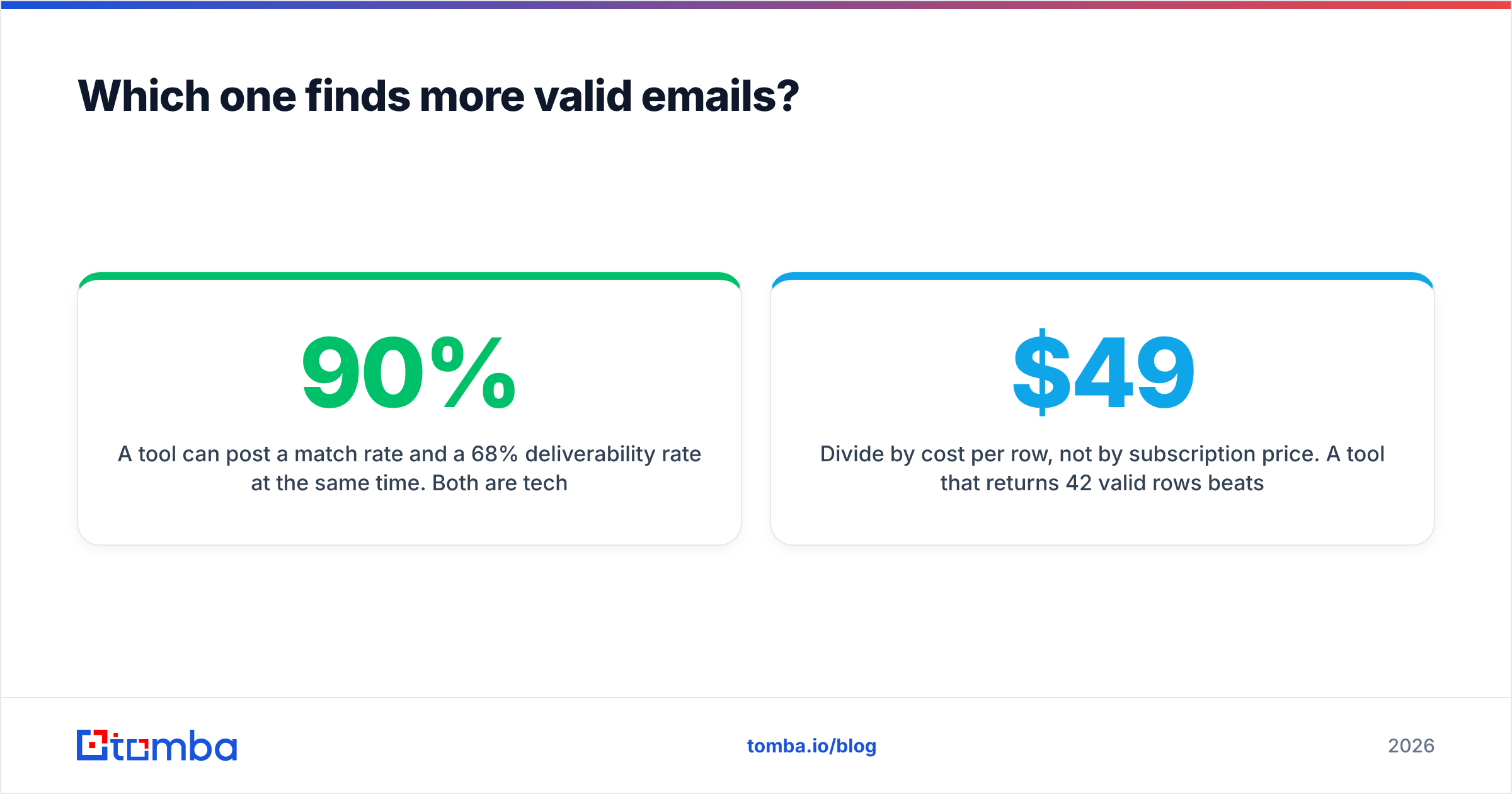
A tool can post a 90% match rate and a 68% deliverability rate at the same time. Both numbers are true. Only one of them decides whether your domain survives the quarter.
Neither GrowMeOrganic nor Mailsai publishes a third-party audit of these numbers. User reviews on G2 mention guessed addresses turning up in exports. That is the fingerprint of a permutation-first engine that skips the SMTP step. It is not a deal-breaker on its own. A guessed address on a large, well-known domain is often right. But it does mean you should verify before you send, not after.

Here is a test protocol that takes about twenty minutes:
- Build a 100-row control list. Mix 40 enterprise domains, 40 SMBs, and 20 companies under 30 people. Small companies are where cheap tools fall apart.
- Run the same list through each tool. Export the raw result. No manual cleanup.
- Verify every result with a neutral third party. Do not let the tool that found the email also grade it. Use a standalone email verifier.
- Score deliverable rows only. Ignore "accept-all" and "unknown" rows, or count them at half weight.
- Divide by cost per row, not by subscription price. A $49 tool that returns 42 valid rows beats a $29 tool that returns 20.
Run that once and the marketing pages stop mattering.
Is GrowMeOrganic's all-in-one bundle actually cheaper?#
Sometimes. The bundle math works when you use every module. It breaks in three predictable ways.
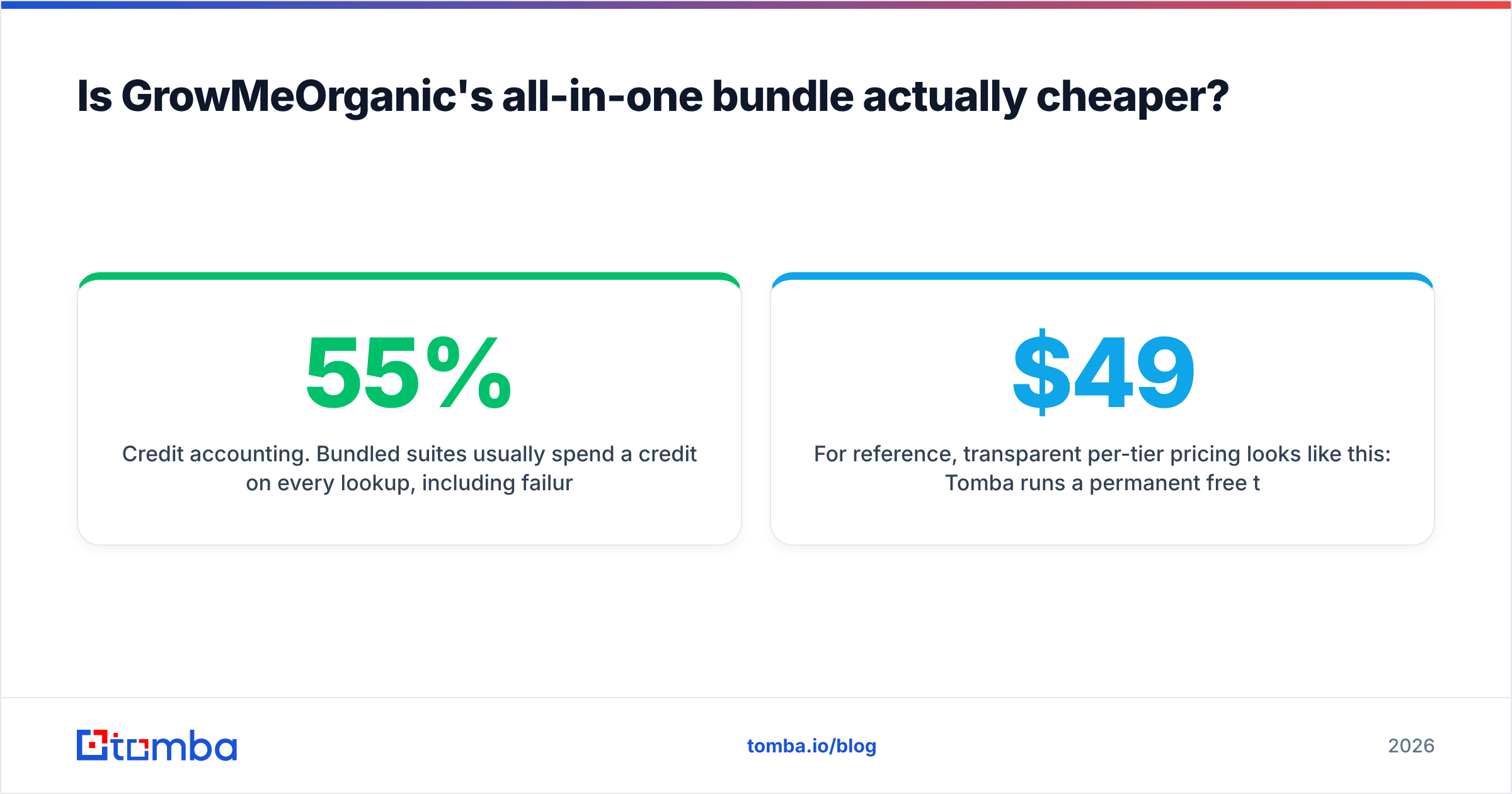
Credit accounting. Bundled suites usually spend a credit on every lookup, including the ones that fail. If the match rate is 55%, your real cost per usable contact is nearly double the sticker price. Dedicated finders more often charge only for a successful, verified result. Read the fine print on both.
The sender you already have. If your sequences live in Instantly or Smartlead, GrowMeOrganic's sending module is dead weight. You pay a bundle premium for a feature you already own. That is the strongest case for unbundling. Buy data from a data company. Buy sending from a sending company. Our Instantly alternative breakdown walks through the same logic from the sending side.
LinkedIn risk. Scraping-heavy tools automate connection requests and profile visits. That runs against LinkedIn's User Agreement, which bans automated data collection. Account restrictions are a real cost, and no pricing page lists them. If your reps' LinkedIn accounts carry your pipeline, weigh that carefully. A compliant LinkedIn finder resolves emails without driving automated profile activity, so the risk profile is very different.
For reference, here is what transparent per-tier pricing looks like. Tomba runs a permanent free tier at 25 searches a month, Starter at $49/mo, Growth at $99/mo, Pro at $249/mo, and custom Enterprise. Full Tomba pricing is public, with no sales call. That is a useful baseline when a competitor hides its tiers behind a demo form.
What about catch-all domains?#
This is the most under-discussed difference between tools. It is also where both GrowMeOrganic and Mailsai are thin.
A catch-all domain accepts mail sent to any address at that domain, real or not. An SMTP check returns "yes" for definitely-not-real@company.com. Somewhere between a fifth and a third of B2B domains are set up this way. Most of them sit in mid-market and enterprise — the exact accounts you want to reach.
Most tools handle this by tagging the row "accept-all / risky" and handing you the decision. That leaves two bad options. Send and risk bounces, or drop the row and lose your best accounts.
A dedicated catch-all verifier attacks the problem differently. It cross-checks pattern confidence, past engagement signals, and several sources at once. Then it returns a graded confidence score instead of a shrug. It will not be perfect, because the protocol does not expose the answer. But a graded score lets you mail the 85%-confidence rows and hold the 40% ones. That beats treating them the same.

Which tool should you actually pick?#
Match the tool to the constraint that is actually binding on your team.
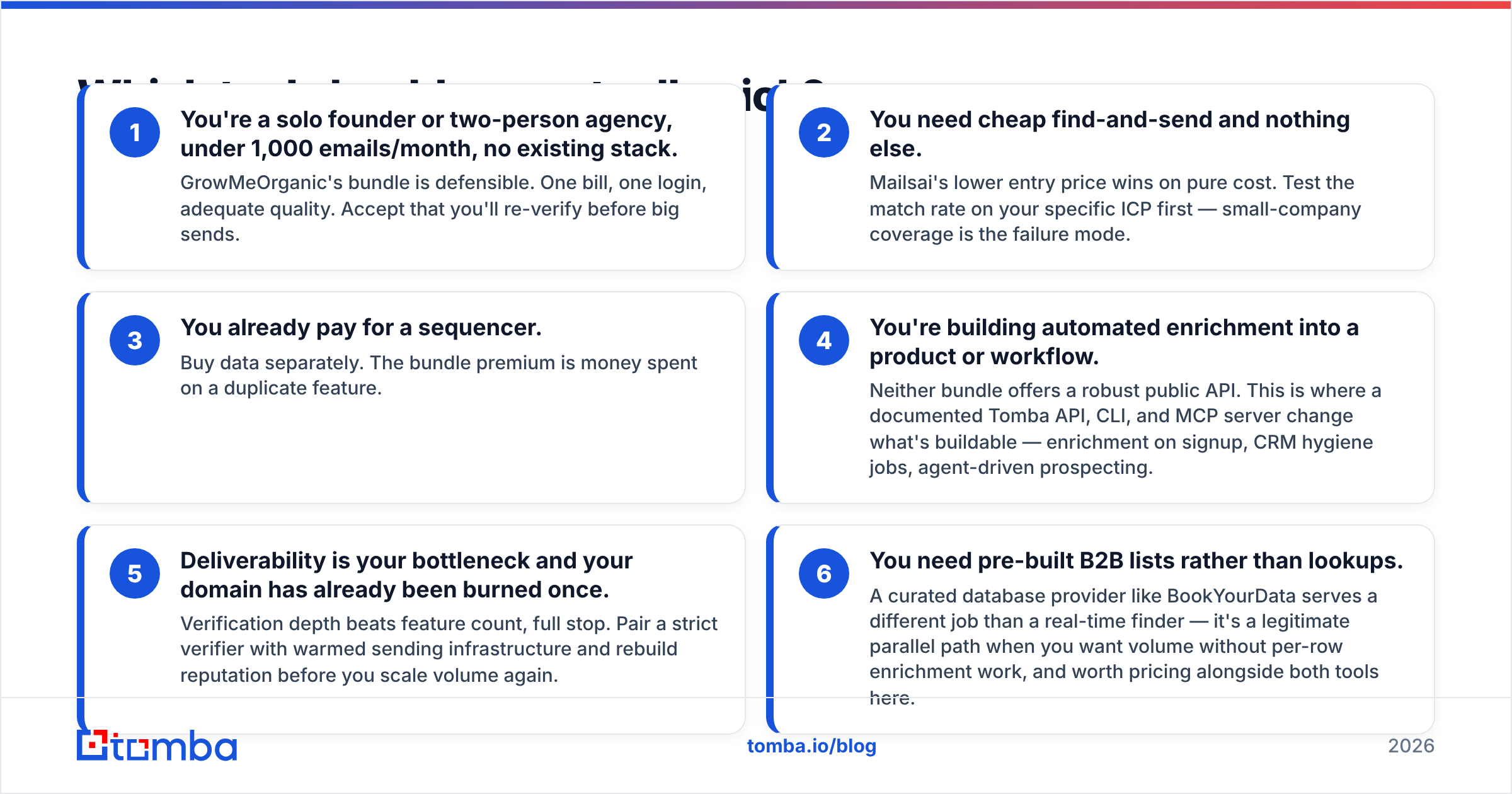
- You are a solo founder or a two-person agency, under 1,000 emails a month, with no existing stack. GrowMeOrganic's bundle is defensible. One bill, one login, decent quality. Expect to re-verify before big sends.
- You need cheap find-and-send and nothing else. Mailsai's lower entry price wins on cost alone. Test the match rate on your own target list first. Small-company coverage is the usual failure mode.
- You already pay for a sequencer. Buy data on its own. The bundle premium buys you a duplicate feature.
The next three cases point away from both tools:
- You are building enrichment into a product or workflow. Neither bundle offers a solid public API. A documented Tomba API, CLI, and MCP server change what you can build — enrichment on signup, CRM hygiene jobs, agent-driven prospecting.
- Deliverability is your bottleneck and your domain has been burned once. Verification depth beats feature count. Pair a strict verifier with warmed sending infrastructure. Rebuild reputation before you scale volume again.
- You need pre-built B2B lists instead of lookups. A curated database provider like BookYourData does a different job than a real-time finder. It is a fair parallel path when you want volume without per-row work, and it is worth pricing next to both tools here.
What does a better outbound stack look like?#
Unbundle on purpose. The best outbound teams we see run roughly this shape.
- Data layer — a dedicated finder plus verifier, called by API or spreadsheet add-in, feeding everything downstream. Accuracy compounds here. A 10-point gain in deliverability shows up in every campaign you ever run.
- Enrichment layer — company details, tech stack, and phone numbers added once the email resolves. Data enrichment and a phone finder let you work multichannel without a second vendor.
- Sending layer — whichever sequencer your team already knows. Switching sequencers is expensive and rarely lifts reply rate. Switching data sources is cheap and often does.
The last two layers are the ones teams skip:
- CRM layer — HubSpot, Salesforce, or Pipedrive as the source of truth. Enrichment writes back on a schedule so records do not rot. HubSpot's own data quality guidance is a decent starting checklist.
- Hygiene layer — scheduled re-verification of the database you already have. Contact data decays about 2–3% per month as people change jobs. A list you verified in January is measurably worse by August.
That structure costs a little more in line items. It costs far less in wasted sends, burned domains, and rep time spent chasing bounces.
How do you migrate without losing momentum?#
Run the new source in parallel for one full cycle before you cancel anything.
Week one: export your last 500 prospected contacts from your current tool. Re-verify them with an independent verifier and record the real bounce-risk spread. That is your baseline. It is usually worse than people expect.
Week two: run the same input list, names plus domains, through the candidate tool. Compare deliverable-row counts, not match rates. Then work out the cost per deliverable row for each.
Week three: split-test live. Same sequence, same sending domain, same time window, two data sources. Measure bounce rate and reply rate separately. A clean list improves both, but bounce rate moves first and tells you faster.
Week four: cancel the loser. Keep the export in cold storage for 90 days in case something surfaces.
If you are doing this at volume, the bulk email finder handles the whole list in one pass instead of row by row. The Google Sheets add-on lets you run the comparison without writing any code.
The bottom line#
GrowMeOrganic vs Mailsai is not really a head-to-head fight. Both are reasonable buys for the buyer they were built for. GrowMeOrganic gives you breadth and a single invoice. You pay for that with thinner modules and some LinkedIn risk. Mailsai gives you a low entry price for a narrow job. Neither one publishes the verification depth that high-volume senders need. Neither one offers the API surface that product teams need.
If your bottleneck is finding correct email addresses and keeping them correct, start with the data layer. Let it feed whatever you already run. The Tomba Email Finder resolves emails by domain, name, or company. Every result is backed by SMTP and catch-all verification. The same engine is exposed through a documented API, a CLI, a Chrome extension, and a Sheets add-on. The free tier gives you 25 searches a month with no card. That is enough to run the 100-row control test above and decide with data instead of marketing copy.
Related guides#
Ready to find emails that actually work?
Join 150,000+ professionals who stopped guessing and started sending. Free credits on signup — no credit card required.
Get the Tomba newsletter
Practical outbound tactics and product updates — once every two weeks.
About the author