GrowMeOrganic vs Salesbot: Which Outbound Stack Wins in 2026
GrowMeOrganic finds and emails prospects. Salesbot automates the conversations that follow. They solve different halves of the same pipeline problem — here is how the two actually compare on data, pricing, and fit.
TL;DR — What is the short answer?#
- They are not direct competitors. GrowMeOrganic is a prospecting-data-plus-outreach platform: it finds contacts, builds lists, and sends cold email sequences. Salesbot (the automation builder inside the Kommo CRM) is a conversation robot: it replies, qualifies, and routes leads who have already raised a hand.
- Buy GrowMeOrganic if your bottleneck is not enough conversations — you need contact data and a sending engine in one seat-priced tool.
- Buy Salesbot if your bottleneck is response handling — inbound messages from WhatsApp, Instagram, web chat, or email pile up and nobody answers them in under an hour.
- Most teams that pick one end up needing both halves. The cheapest version of that stack is usually a dedicated data provider feeding a sequencer, plus a CRM bot for inbound.
- The weak link in either setup is data quality. Neither tool is primarily a verification engine, so bounce control has to come from somewhere else — that is where a purpose-built email verifier earns its keep.
What is GrowMeOrganic?#
GrowMeOrganic is an all-in-one B2B prospecting suite built around unlimited-usage pricing. You get a contact database, a LinkedIn/Sales Navigator scraper via Chrome extension, an email finder, a drip-campaign sender, and basic CRM-ish tracking — all under one login, typically priced per user rather than per credit.
The pitch is simple: instead of paying a data vendor, a verification vendor, and a sequencer separately, you pay one subscription and run the whole motion inside it. For a two-person agency or a founder doing their own outbound, that consolidation is genuinely appealing.
The trade-off is depth. Each module is "good enough" rather than best-in-class. The scraper works but breaks when LinkedIn ships UI changes. The email finder returns patterns confidently, including ones that were never validated against a live mail server. The sender does sequences, but not the deliverability instrumentation a serious sending operation needs.
What is Salesbot?#
Salesbot is the no-code automation builder inside Kommo (formerly amoCRM). You draw a flow — trigger, condition, message, action — and the bot executes it across whatever channel the lead came in on: WhatsApp, Instagram DM, Telegram, Facebook Messenger, live chat, or email.
Its job starts after a lead exists. Typical uses:
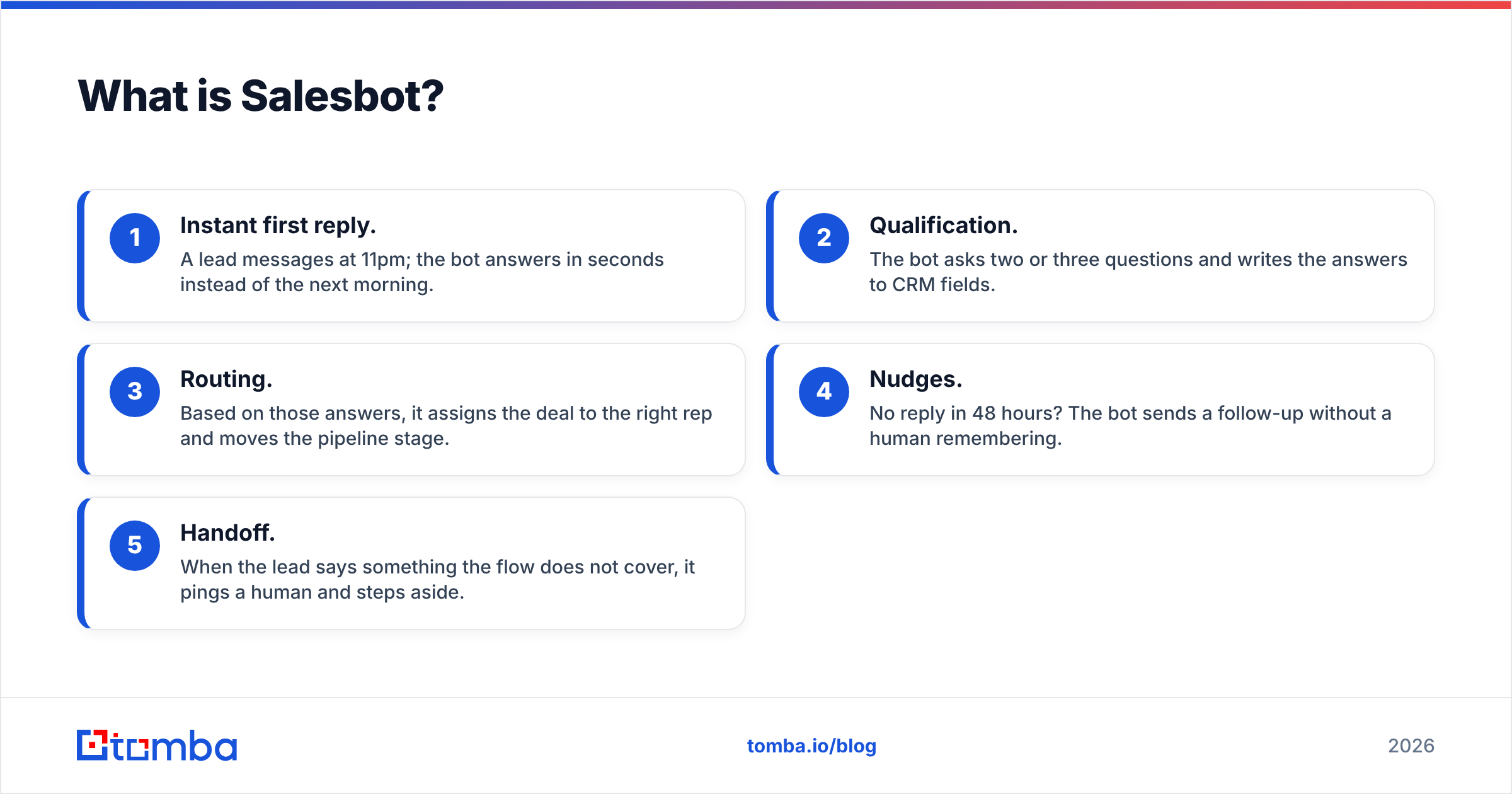
- Instant first reply. A lead messages at 11pm; the bot answers in seconds instead of the next morning.
- Qualification. The bot asks two or three questions and writes the answers to CRM fields.
- Routing. Based on those answers, it assigns the deal to the right rep and moves the pipeline stage.
- Nudges. No reply in 48 hours? The bot sends a follow-up without a human remembering.
- Handoff. When the lead says something the flow does not cover, it pings a human and steps aside.
That is a different job than "find me 500 ecommerce ops managers in Germany." Confusing the two is the single most common mistake in this comparison.

GrowMeOrganic vs Salesbot: how do they compare head to head?#
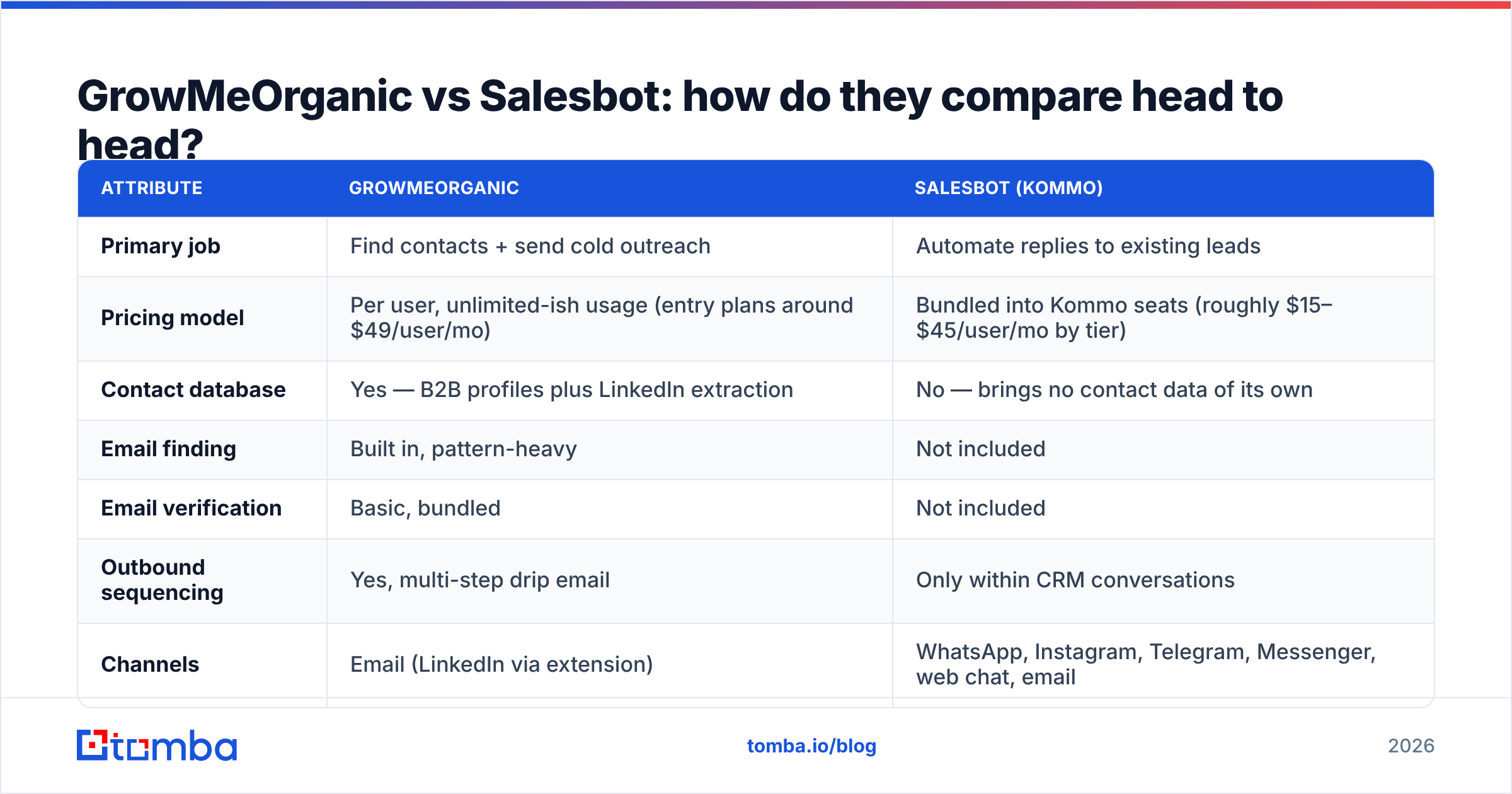
Pricing below reflects publicly listed plans at the time of writing; both vendors change tiers regularly, so treat these as directional and confirm on their own pricing pages before you buy.
| Attribute | GrowMeOrganic | Salesbot (Kommo) |
|---|---|---|
| Primary job | Find contacts + send cold outreach | Automate replies to existing leads |
| Pricing model | Per user, unlimited-ish usage (entry plans around $49/user/mo) | Bundled into Kommo seats (roughly $15–$45/user/mo by tier) |
| Contact database | Yes — B2B profiles plus LinkedIn extraction | No — brings no contact data of its own |
| Email finding | Built in, pattern-heavy | Not included |
| Email verification | Basic, bundled | Not included |
| Outbound sequencing | Yes, multi-step drip email | Only within CRM conversations |
| Channels | Email (LinkedIn via extension) | WhatsApp, Instagram, Telegram, Messenger, web chat, email |
| Conversation logic | Minimal branching | Full visual flow builder with conditions |
| CRM depth | Light tracking | Full CRM (that is the parent product) |
| Best for | Cold pipeline creation | Inbound speed-to-lead and qualification |
| Main weakness | Data accuracy and deliverability tooling | Useless without a lead source |
The table makes the real decision obvious. If your calendar is empty because nobody knows you exist, a chatbot has nothing to talk to. If your calendar is empty because 60% of inbound messages get answered a day late, a bigger prospect list makes the problem worse.
Which one should you actually pick?#
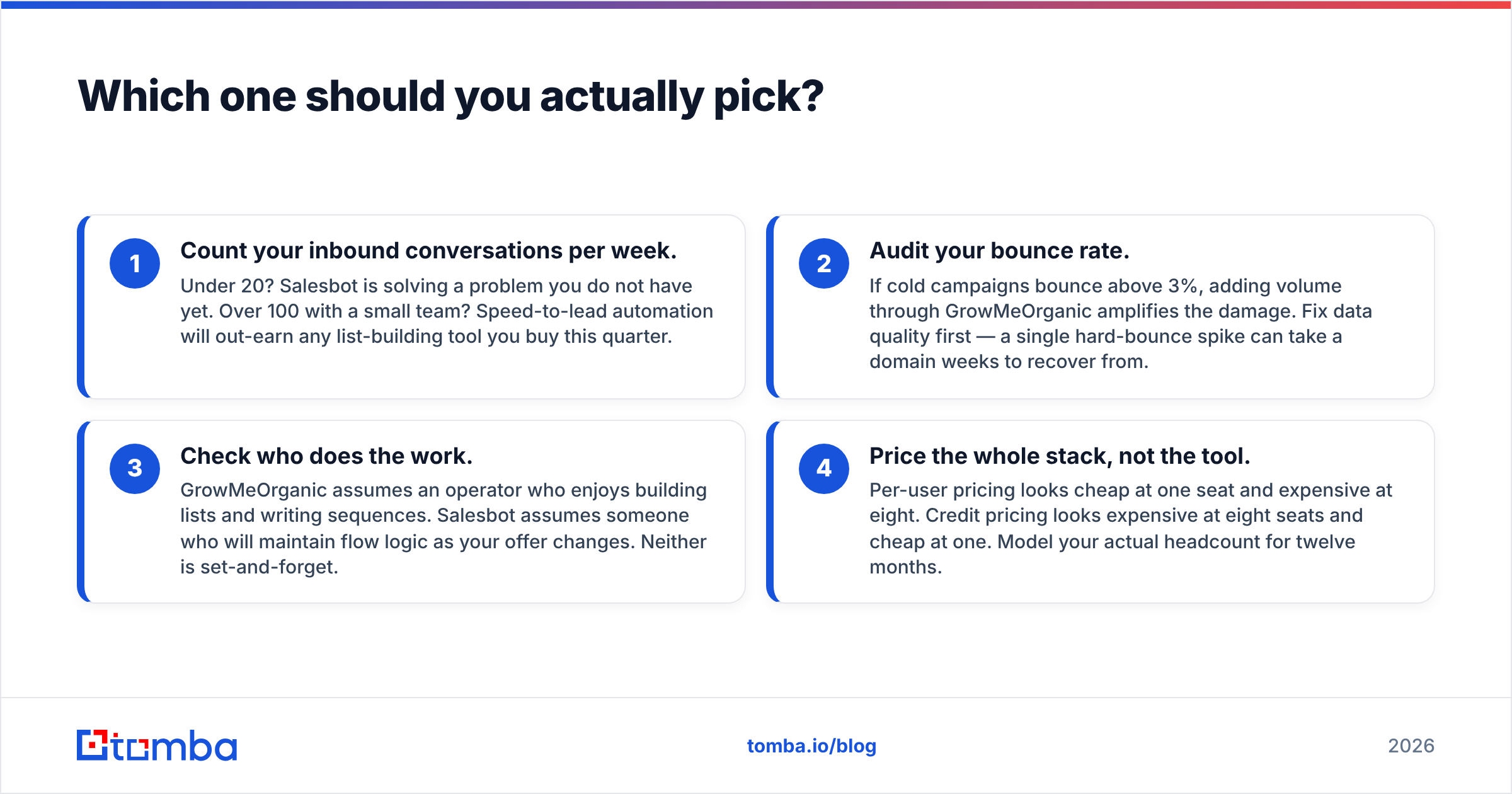
Run this decision in four steps rather than comparing feature lists.
- Count your inbound conversations per week. Under 20? Salesbot is solving a problem you do not have yet. Over 100 with a small team? Speed-to-lead automation will out-earn any list-building tool you buy this quarter.
- Audit your bounce rate. If cold campaigns bounce above 3%, adding volume through GrowMeOrganic amplifies the damage. Fix data quality first — a single hard-bounce spike can take a domain weeks to recover from.
- Check who does the work. GrowMeOrganic assumes an operator who enjoys building lists and writing sequences. Salesbot assumes someone who will maintain flow logic as your offer changes. Neither is set-and-forget.
- Price the whole stack, not the tool. Per-user pricing looks cheap at one seat and expensive at eight. Credit pricing looks expensive at eight seats and cheap at one. Model your actual headcount for twelve months.
Is GrowMeOrganic's data good enough for cold email?#
This is where the comparison gets uncomfortable, and it deserves a straight answer: bundled email finders inside all-in-one suites are usually the weakest module in the box.
The reason is structural, not malicious. An all-in-one vendor spreads engineering across scraping, sending, CRM, and UI. A dedicated data provider spends all of it on one question — is this mailbox real and reachable right now? Pattern generation (first.last@company.com) produces an address that looks correct for almost any name and domain. Whether it accepts mail is a separate question that only an SMTP-level check answers.
What that costs you in practice:
- Bounce rate creep. Pattern guesses that never got validated bounce at 8–15% in our experience with unverified lists. Google and Microsoft both treat sustained bounces as a spam signal, and Google's bulk sender guidelines are explicit that list hygiene affects placement.
- Catch-all confusion. A catch-all domain accepts everything, so a naive checker marks every guess "valid." You need a catch-all verifier that scores the likelihood a specific mailbox exists rather than shrugging at the domain.
- Silent reputation decay. Bounces do not just fail — they reduce inbox placement for the mail that did deliver. You lose replies you never knew were possible.
The fix is not to abandon your sequencer. It is to stop treating list-building and verification as the same step. Export from whatever source you like, run the list through a dedicated email verifier or bulk verify job, and only then load it into the sender. That one insertion typically pulls bounce rates under 2% without changing anything else about the campaign.

Can you use both together?#
Yes, and for most teams past ten employees this is the honest recommendation — with one adjustment.
The natural architecture is a three-layer stack:
- Layer 1 — Data. A dedicated finder and verifier produces clean, deduplicated contacts. This is where accuracy is either won or lost, and it should not be an afterthought bundled into a sender.
- Layer 2 — Outbound. A sequencer sends cold email and tracks replies. GrowMeOrganic can play here, as can any dedicated sending tool.
- Layer 3 — Conversation. Salesbot catches everyone who replies, qualifies them across channels, and hands warm ones to a human inside the CRM.
The adjustment: do not let Layer 2 also be Layer 1. When your data source and your sending tool are the same vendor, nobody in the stack is incentivised to tell you the list is bad. A separate data layer gives you an independent quality signal — verification results you can audit before a single email leaves your domain.
If you run this stack, the connective tissue matters. Pushing verified contacts straight into your CRM through a HubSpot integration, Pipedrive, or a Zapier integration keeps the whole thing from turning into a CSV relay race.
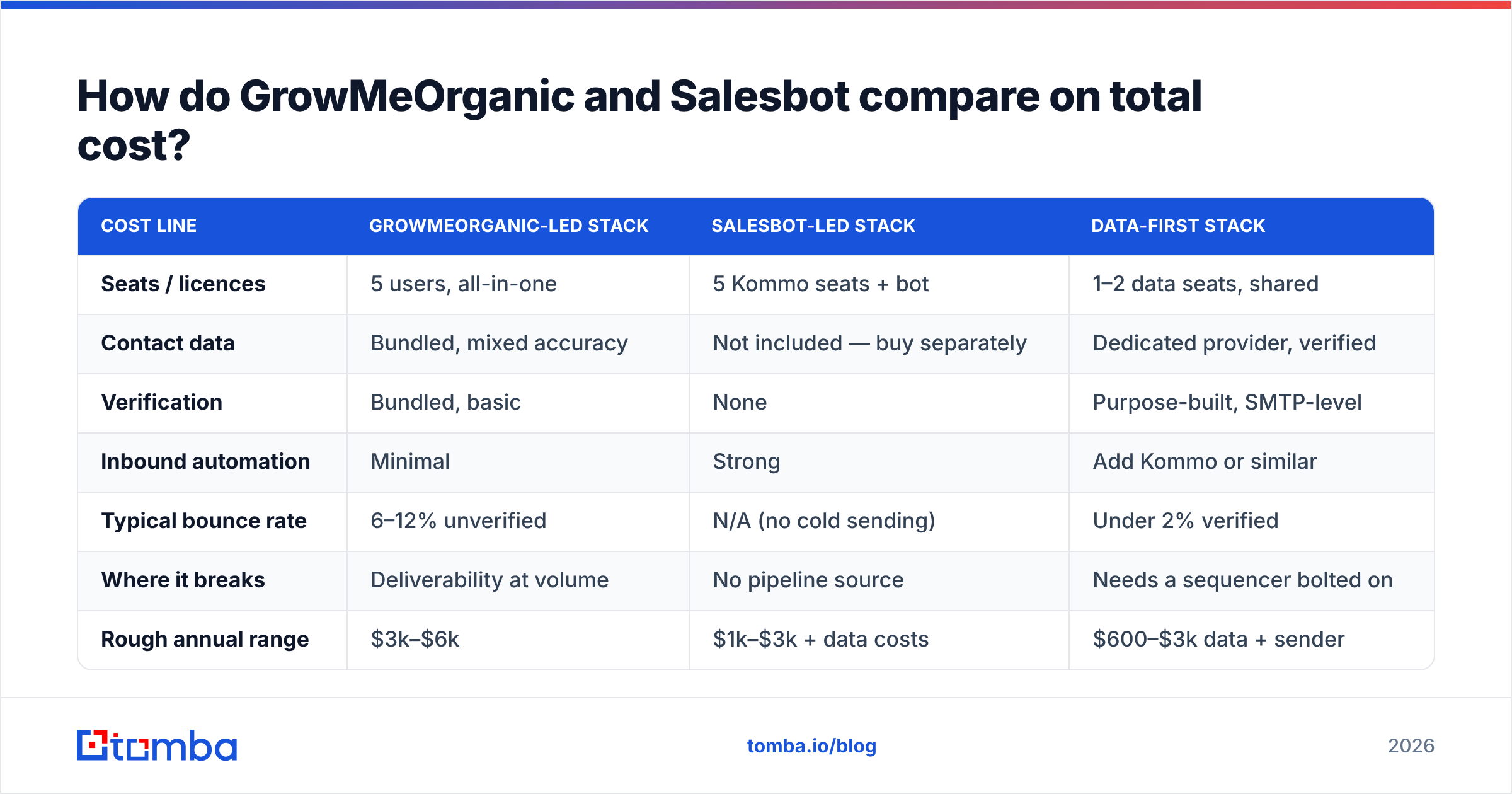
How do GrowMeOrganic and Salesbot compare on total cost?#
Sticker price is the least interesting number. Here is a more useful frame for a five-person sales team over twelve months.
| Cost line | GrowMeOrganic-led stack | Salesbot-led stack | Data-first stack |
|---|---|---|---|
| Seats / licences | 5 users, all-in-one | 5 Kommo seats + bot | 1–2 data seats, shared |
| Contact data | Bundled, mixed accuracy | Not included — buy separately | Dedicated provider, verified |
| Verification | Bundled, basic | None | Purpose-built, SMTP-level |
| Inbound automation | Minimal | Strong | Add Kommo or similar |
| Typical bounce rate | 6–12% unverified | N/A (no cold sending) | Under 2% verified |
| Where it breaks | Deliverability at volume | No pipeline source | Needs a sequencer bolted on |
| Rough annual range | $3k–$6k | $1k–$3k + data costs | $600–$3k data + sender |
Notice the third column. Splitting data out is frequently cheaper than the bundle, because you stop paying per-seat for a database that only one or two people actually query. Tomba's own pricing follows that shape — a free tier at 25 searches a month, Starter at $49/mo, Growth at $99/mo, and Pro at $249/mo — with credits shared across the team rather than multiplied by headcount.
What do reviewers say about each tool?#
Independent review sites are worth ten minutes before you commit. On G2, the recurring themes are consistent enough to be useful signal:
- GrowMeOrganic scores well on value-for-money and breadth. The consistent criticism is data freshness and email accuracy — reviewers like the price and wish the contacts were more reliable.
- Kommo/Salesbot scores well on multichannel messaging and flow building. The criticisms cluster around setup complexity and the learning curve of the flow editor, not the output quality.
Both patterns match the structural argument above. Breadth costs depth; depth costs setup time. Neither vendor is doing anything wrong — they are just optimising for different buyers.
What is the verdict?#
Pick GrowMeOrganic if you are a solo founder, agency, or small team that needs one tool to build lists and send campaigns, and you can live with running a separate verification pass before every send. The consolidation is real and the per-user pricing is friendly at low headcount.
Pick Salesbot if leads already come to you and the failure mode is slow, inconsistent replies. It will not fill your pipeline, but it will stop you leaking the pipeline you have.
Pick neither as your data layer. Whichever direction you go, the contact records underneath deserve their own tool. Accuracy compounds: clean data means fewer bounces, better sender reputation, higher inbox placement, and more replies from the same list size. Bad data does the reverse, quietly, for months.
Start with the layer everything else depends on. Run a domain through Tomba's Email Finder alongside whatever list you have now, compare the verification results side by side, and see how much of your current file would have bounced. The free tier covers 25 searches a month — enough to answer the question before you sign a twelve-month contract with anyone.
Related guides#
Ready to find emails that actually work?
Join 150,000+ professionals who stopped guessing and started sending. Free credits on signup — no credit card required.
Get the Tomba newsletter
Practical outbound tactics and product updates — once every two weeks.
About the author