GTM AI Tools in 2026: What Actually Works for Revenue Teams
A neutral breakdown of the GTM AI tool stack in 2026 — which categories deliver measurable pipeline, which are expensive demos, and how to sequence your buying.
GTM AI tools promise autonomous revenue. Most of them ship a dashboard instead. This guide maps the six kinds of GTM AI tools, what each one costs, and the order you should buy them in.
TL;DR
- GTM AI tools are not one category. They are six: data and enrichment, signals, scoring and routing, content generation, call analysis, and agents. Each one fails in its own way.
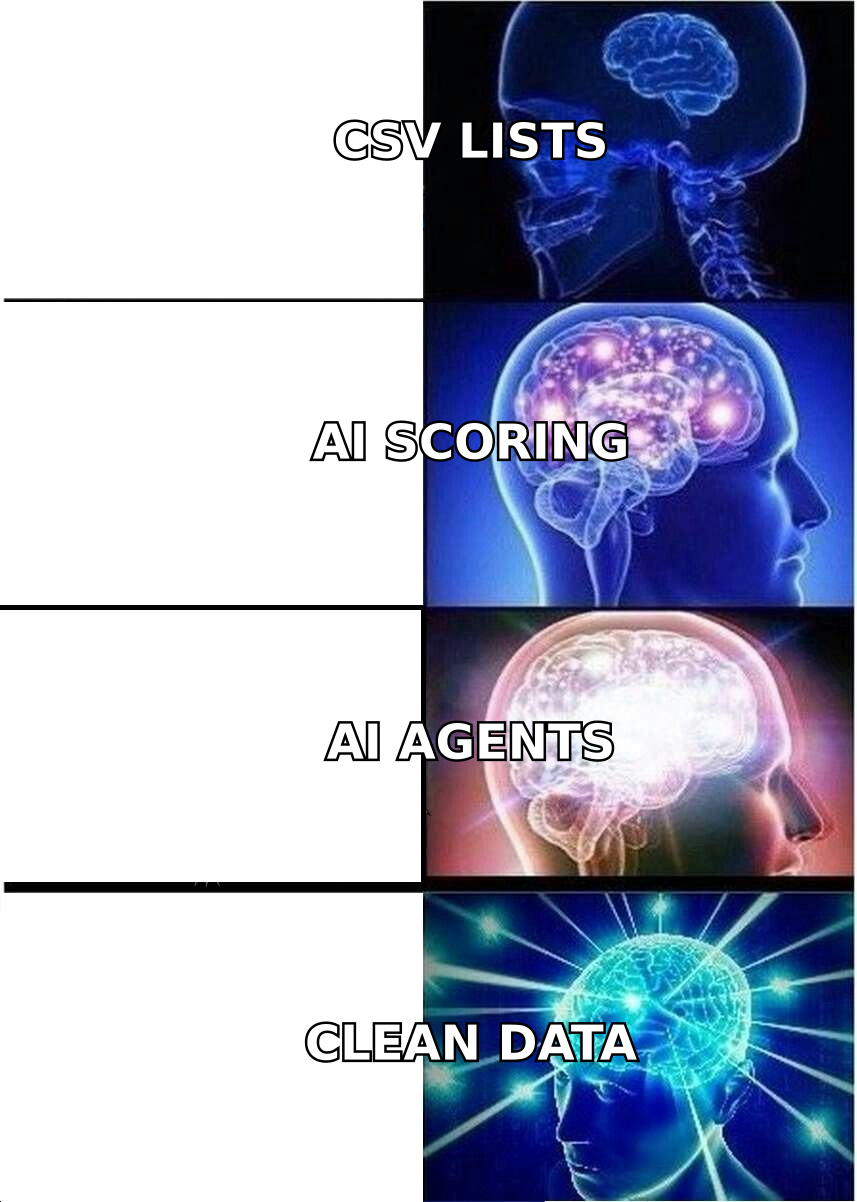
- The GTM AI tools that create pipeline in 2026 are the dull ones. Clean data, de-duping, checks, and routing. AI SDRs are still the biggest gamble on the market.
- Every AI layer inherits the data under it. A weak contact list plus a strong model gives you polished emails to people who do not exist.
- Budget shape beats tool count. Most teams under 50 reps spend too much on writing and too little on clean data.
- Start with one bottleneck you can measure. If you cannot name the metric a tool moves in 60 days, wait.
What are GTM AI tools, exactly?#
GTM AI tools are software that adds AI to one step of your go-to-market motion. That step might be finding accounts or cleaning up the records. It might be picking which accounts to work, writing the email, running the call, or logging the result.
Think of your revenue motion as a factory line. Raw material comes in: a list of companies. It gets cleaned, sorted, and packaged. Then it ships as emails and calls. At the end, someone inspects the work.
AI has been bolted onto every station. But a line only runs as fast as its slowest station. Speed at station five will not fix bad material at station one.
Vendors skip that framing. "We make station three 30% faster" sells worse than "autonomous revenue."
Here is the honest map of the six categories:
- Data and enrichment — finds and fills in contacts, company details, and tech stacks. This is the base layer. Examples: Tomba, Clearbit, Apollo, BookYourData, ZoomInfo.
- Signal and intent — watches for hiring, funding, tech changes, and site visits. Examples: 6sense, Common Room, Demandbase.
- Scoring and routing — ranks leads and hands them to the right rep. Examples: MadKudu, HubSpot native scoring, Salesforce Einstein.
- Content and messaging — writes sequences and follow-ups at scale. The most crowded group, and the easiest to copy.
- Conversation intelligence — records and reads calls for coaching and deal risk. Examples: Gong, Chorus, Clari.
- Agentic execution — "AI SDRs" that research, write, send, and reply on their own. The newest and the most volatile.
Which GTM AI tools actually move revenue?#
Short answer: clean data and fast routing. The rest depends on your motion.
The reason is dull. Your reply rate rests on three things. Does the email reach a real inbox? Is the person a plausible buyer? Is the message relevant?
AI is good at the third one. It does almost nothing for the first. And the first is where most programs bleed. A 22% bounce rate hurts a domain far more than a weak opening line. Bounces feed straight into sender reputation, and that damage carries into every later campaign.
Routing pays off for a different reason. Speed-to-lead has a clear link to conversion. HubSpot's work on lead response time has said the same thing for a decade. Cut routing lag from four hours to four minutes and you make real money. The model behind it barely matters.
Content generation is the murky one. It cuts sequence writing from three hours to twenty minutes. But time saved is not pipeline earned. Buyers now spot templated AI copy fast. The category is real. The edge is smaller than the ads suggest.
Agents are the honest wildcard. Some teams book real meetings from long-tail accounts nobody would touch by hand. Others burn a domain and spend a quarter cleaning up. The gap is not luck. It tracks the quality of the data and the tightness of the guardrails.
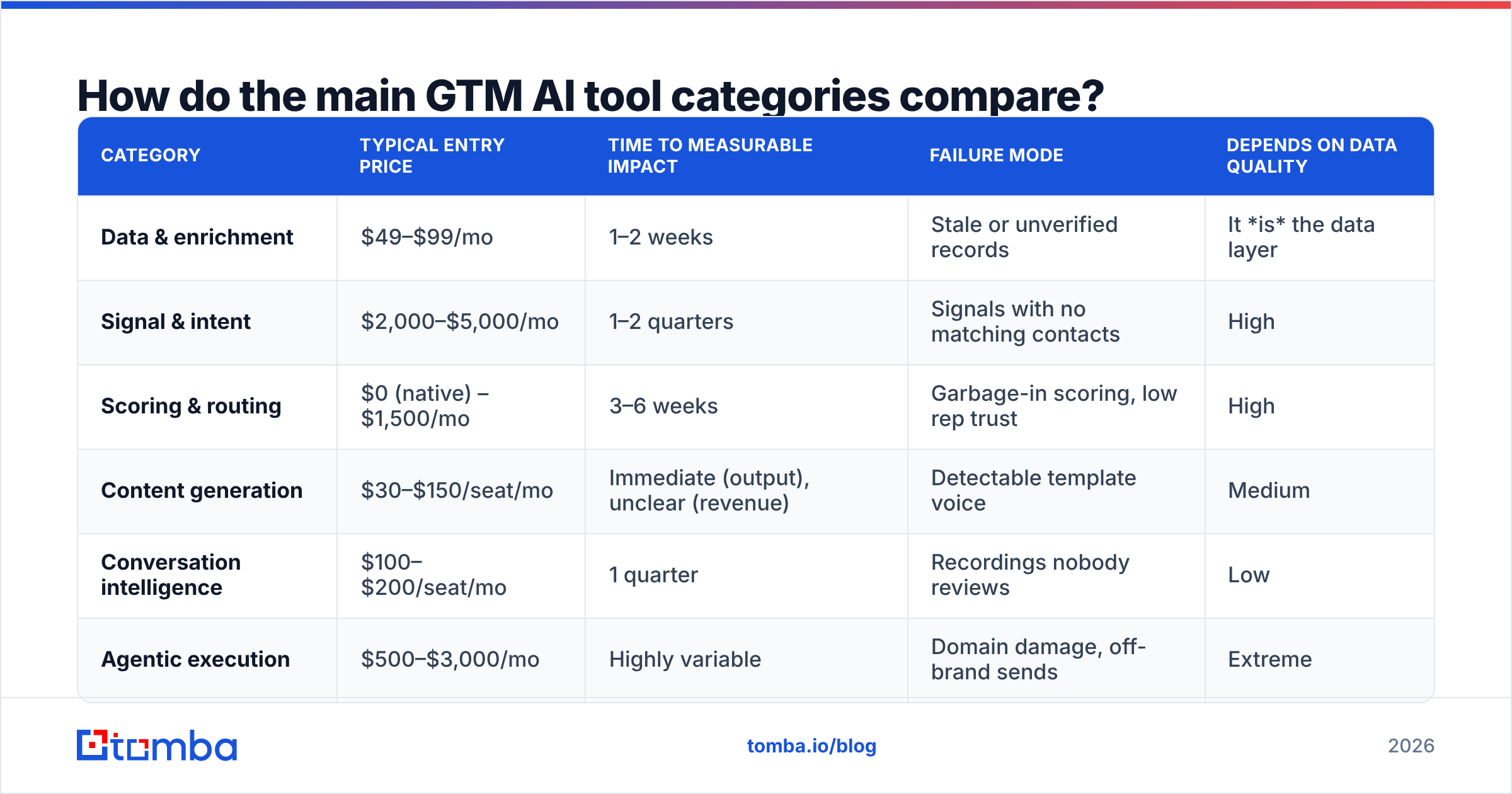
How do GTM AI tools compare by category?#
| Category | Typical entry price | Time to measurable impact | Failure mode | Depends on data quality |
|---|---|---|---|---|
| Data & enrichment | $49–$99/mo | 1–2 weeks | Stale or unverified records | It is the data layer |
| Signal & intent | $2,000–$5,000/mo | 1–2 quarters | Signals with no matching contacts | High |
| Scoring & routing | $0 (native) – $1,500/mo | 3–6 weeks | Garbage-in scoring, low rep trust | High |
| Content generation | $30–$150/seat/mo | Immediate (output), unclear (revenue) | Detectable template voice | Medium |
| Conversation intelligence | $100–$200/seat/mo | 1 quarter | Recordings nobody reviews | Low |
| Agentic execution | $500–$3,000/mo | Highly variable | Domain damage, off-brand sends | Extreme |
Read that last column as your buying order. Anything marked "extreme" or "high" should not be your first buy. Those tools amplify what is already in your CRM, errors included.
Why does data quality decide whether GTM AI tools work?#
Because every model treats your records as truth. And none of them can tell a correct record from a confident guess.
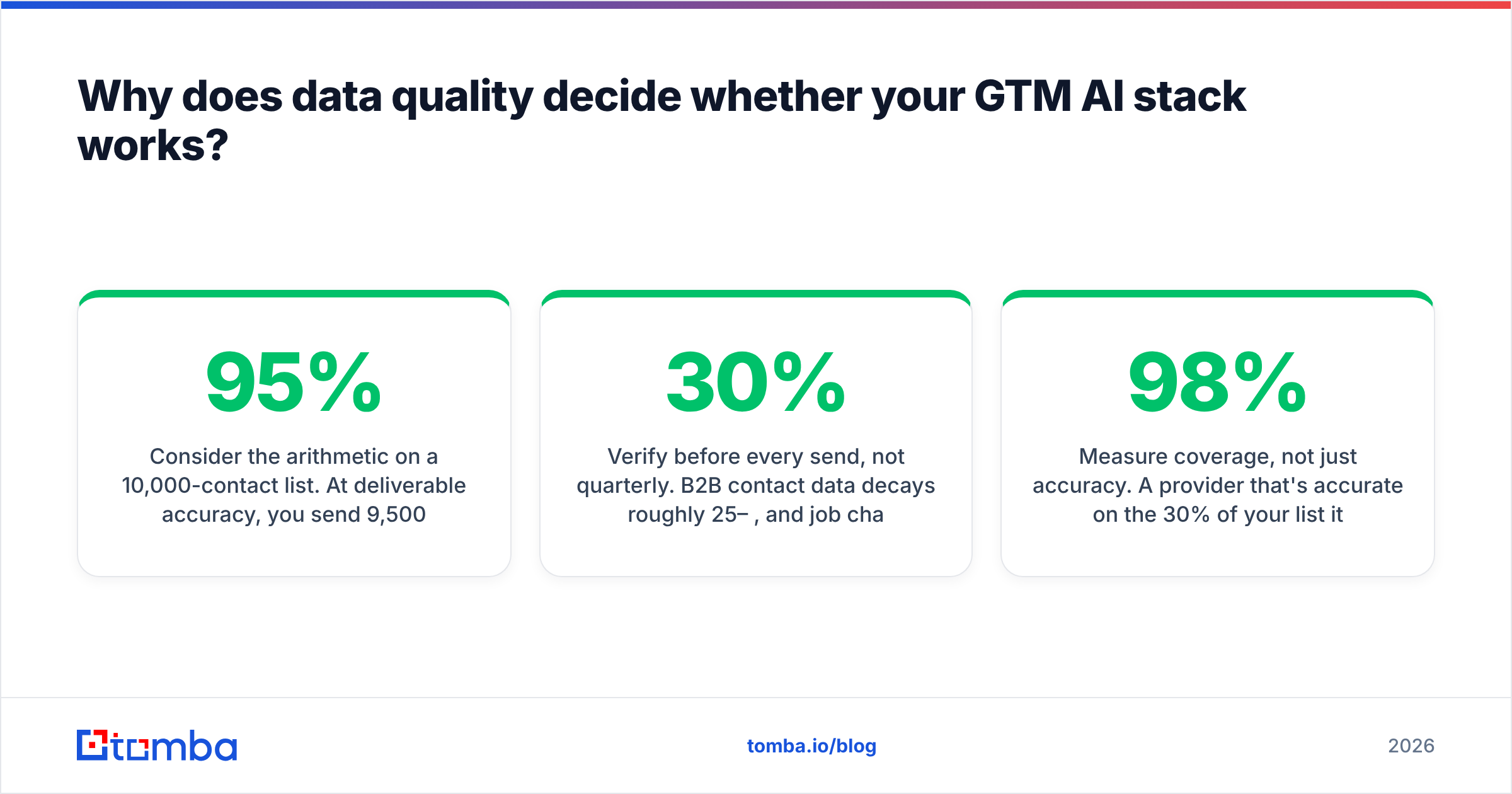
Do the math on a 10,000-contact list. At 95% accuracy, 9,500 emails land and 500 bounce. That 5% rate is fine with most providers. At 80% accuracy, 8,000 land and 2,000 bounce. A 20% bounce rate gets your domain throttled or blocked within a campaign or two. No amount of AI copy on the surviving 8,000 wins that back. The difference is not the AI. It is the email verifier you ran, or skipped.
Intent data works the same way. A platform tells you a company is shopping in your category. Useful. But you still need a named person with a live inbox there. Intent vendors are usually weak at contact coverage. Buy intent before you fix contacts and you get a lovely dashboard of accounts you cannot reach.
Run this hygiene checklist before you add any AI layer:
- Verify before every send, not once a quarter. B2B data decays 25–30% a year, and job changes bunch up at quarter ends.
- Handle catch-all domains on purpose. A catch-all accepts every address and tells you nothing. A catch-all verifier is the only way to sort real mailboxes from noise.
- De-duplicate on the way in. Duplicates skew your scores and get one buyer emailed twice.
- Track the source of each field. When two tools disagree, you need to know who to trust. Vendors that publish their data sources make that easy.
- Measure coverage, not just accuracy. 98% accuracy on 30% of your list is worse than 94% on 75%.
How should you sequence your GTM AI tools purchases?#
Buy in the order the factory runs. Fix the input before you automate the output.
Stage one — foundation (months 1–2). Get contact data right. Use an email finder to build lists. Verify every address before each campaign. Add enrichment to fill the gaps. This stage is cheap. A $49/mo starter plan covers a lot of small-team volume. It also makes every later purchase work better.
Stage two — routing and speed (months 2–3). Use the scoring your CRM already ships. HubSpot and Salesforce both do this well enough now. The win here is response time, not model depth.
Stage three — messaging (months 3–4). Add writing tools once your data is clean and routing is fast. Order matters. AI copy on a clean list lifts reply rates. AI copy on a dirty list writes polished bounces.
Stage four — signals and call analysis (quarter 2+). These pay off once you have volume. Below 200 calls or 5,000 sends a quarter, you are paying enterprise prices for anecdotes.
Stage five — agents (guardrails only). Limit agents to a segment you can afford to lose. Cap daily sends. Require human sign-off on first-touch copy for 30 days. Watch email deliverability daily, not weekly.
What do the major GTM AI platforms offer?#
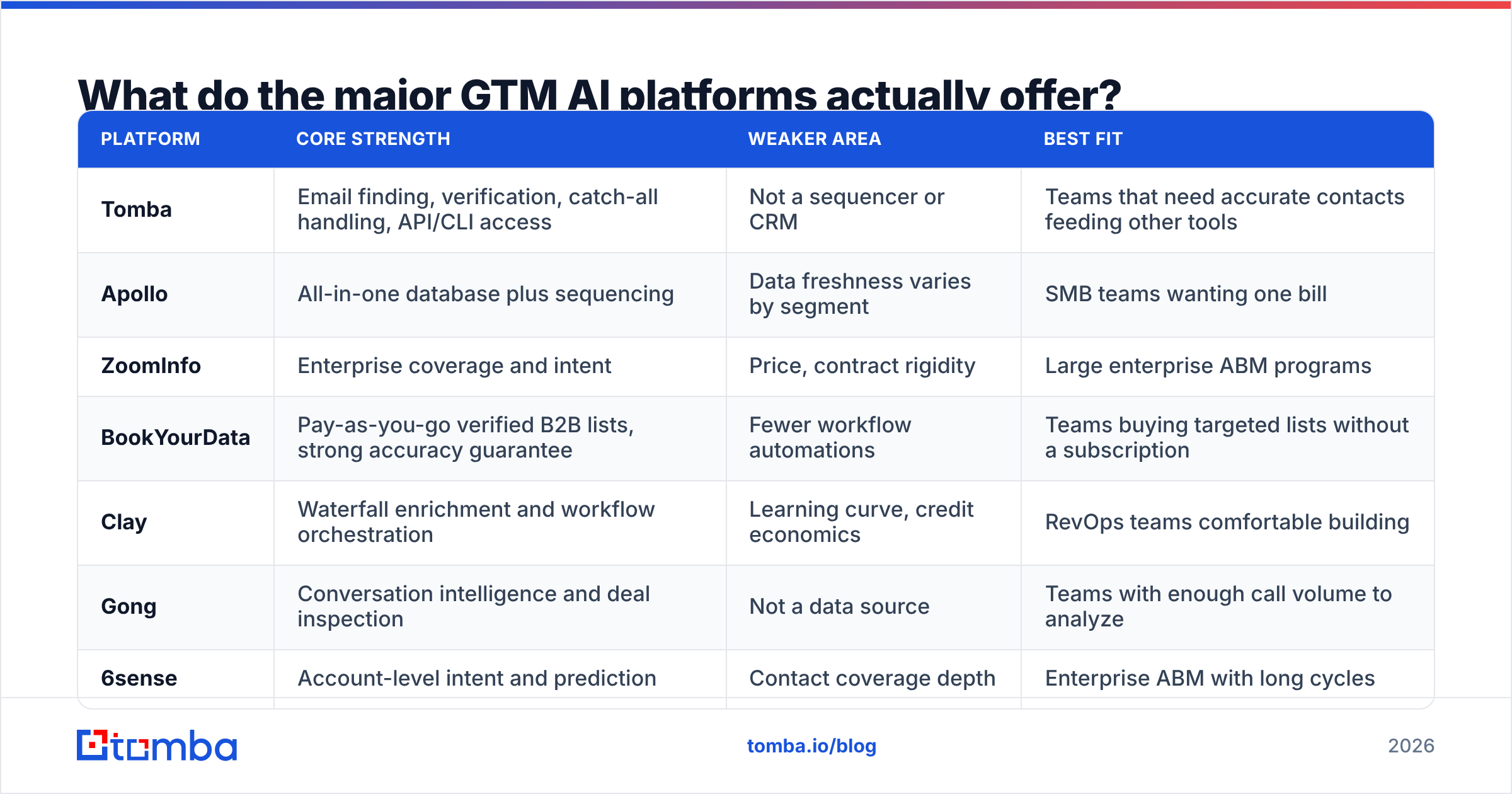
Most vendors now claim all six categories. Most are strong in one or two. Here is a neutral read on where the known names focus:
| Platform | Core strength | Weaker area | Best fit |
|---|---|---|---|
| Tomba | Email finding, verification, catch-all handling, API/CLI access | Not a sequencer or CRM | Teams that need accurate contacts feeding other tools |
| Apollo | All-in-one database plus sequencing | Data freshness varies by segment | SMB teams wanting one bill |
| ZoomInfo | Enterprise coverage and intent | Price, contract rigidity | Large enterprise ABM programs |
| BookYourData | Pay-as-you-go verified B2B lists, strong accuracy guarantee | Fewer workflow automations | Teams buying targeted lists without a subscription |
| Clay | Waterfall enrichment and workflow orchestration | Learning curve, credit economics | RevOps teams comfortable building |
| Gong | Conversation intelligence and deal inspection | Not a data source | Teams with enough call volume to analyze |
| 6sense | Account-level intent and prediction | Contact coverage depth | Enterprise ABM with long cycles |
Two notes. First, the all-in-one versus best-of-breed debate is settled in practice. Most teams run a hybrid. They feed one specialist data source into a broader platform, because native platform data is often the weakest part. Second, credit pricing makes comparison hard. A "credit" can mean a search, a result, or an enrichment. Normalize to cost per verified contact before you compare. Tomba pricing shows one clear tier ladder: free at 25 searches/mo, Starter at $49/mo, Growth at $99/mo, Pro at $249/mo.
What are the honest limits of GTM AI tools right now?#
Personalization has a ceiling buyers can see. An AI first line about a prospect's LinkedIn post was new in 2023. By 2026, buyers know the pattern. The lift has shrunk. In some markets a short, plain, human note now wins.
Models do not know what they do not know. Ask a model for a CFO's email and it will produce a likely one, evidence or not. That is why checks are not optional. Pattern-guessing tools that infer first.last@domain.com need SMTP validation behind them.
Attribution is genuinely hard. Few teams can split "the AI wrote this email" from "we changed our ICP that quarter." Treat precise lift numbers with care, even the flattering ones.
Compliance load is rising. GDPR, CCPA, and new state rules cover AI-enriched data too. A vendor that cannot explain its sourcing is a risk, not a bargain. G2's sales intelligence category reviews are a fair place to check vendor claims.
Agents magnify process gaps. If your ICP is fuzzy, an agent will email the wrong people faster than any human could. Automation multiplies process quality in both directions.
How do you measure whether GTM AI tools are working?#
Pick the metric before you buy. Pick one the tool can move in a quarter.
- Data tools: bounce rate, match rate, cost per verified contact. You can read all three in week one.
- Routing tools: median time to first touch, and lead-to-meeting rate by speed cohort.
- Writing tools: reply rate and positive reply rate, held against the same list. Run it as an A/B, not a before-and-after.
- Call analysis: ramp time for new reps, and forecast accuracy. Both take a quarter to read.
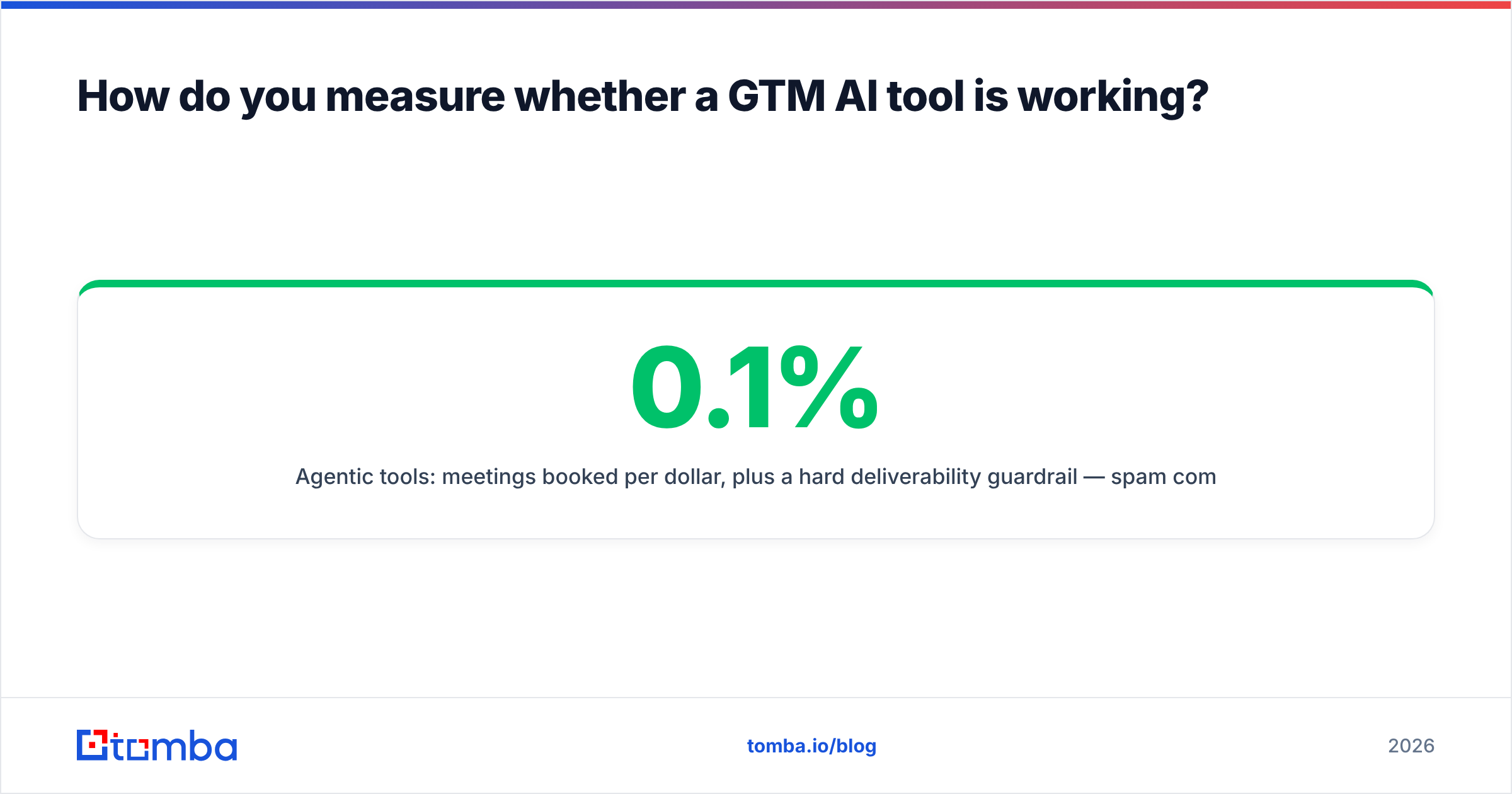
- Agents: meetings per dollar, plus a hard guardrail. Spam complaints under 0.1% and bounces under 3%.
The common failure is counting activity instead of outcomes. "We sent 4x more emails" is not a result. If sends rose 4x, meetings rose 1.1x, and bounces tripled, the tool made things worse. The dashboard will hide that.
One more habit: set a 60-day kill rule for every new tool. Write down the number that has to move, and by how much, before the contract starts. Stacks bloat because nobody revisits the choice. Renewal becomes the default.
Where should a small team start?#
Fewer than ten people in revenue roles? Ignore most of this market. Your bottleneck is reachable contacts, not insight about them.
Here is the plan. Build a list of 200–500 accounts you can name a reason to call. Find the right people with a domain search. Verify every address. Send fewer, better emails. That workflow costs under $100/mo. It beats a $30,000 stack running on dirty data. The platforms are not bad. You just lack the volume for their edge to compound.
Add AI layers when you have a measured bottleneck. "We cannot write enough sequences" is a real reason to buy. "Everyone is talking about AI SDRs" is not.
Ready to fix the foundation layer first?#
The best move in a 2026 stack is not a new agent. It is contacts that are actually correct. The Tomba Email Finder finds verified work addresses by domain, name, or company. It includes SMTP checks and catch-all handling. Every layer of GTM AI tools you add then works from real records, not confident guesses. Start free with 25 searches a month. Move to Starter at $49/mo when volume earns it. Connect it to the rest of your stack with the Tomba API. Clean data first. The rest compounds.
Related guides#
Ready to find emails that actually work?
Join 150,000+ professionals who stopped guessing and started sending. Free credits on signup — no credit card required.
Get the Tomba newsletter
Practical outbound tactics and product updates — once every two weeks.
About the author