HiHello Pricing, Reviews, Pros and Cons: A 2026 Breakdown
HiHello turns your contact details into a shareable digital card — but what do the paid tiers actually cost, and where does the value stop? A neutral 2026 look at pricing, real user reviews, and the trade-offs nobody puts on the feature page.
TL;DR — Is HiHello worth paying for?#
- HiHello's free tier is genuinely usable. Most individuals never need to upgrade. If you just want a shareable digital business card with a QR code, stop at $0.
- Paid value starts at team scale, not individual scale. Custom branding, card templates, and admin controls are the real reason companies pay — not extra card slots.
- Per-seat pricing compounds fast. A 40-person sales team on a business tier runs into four figures a year for what is, functionally, contact distribution.
- HiHello is an inbound tool, not a prospecting tool. It helps people you already met save your details. It does not find anyone new. That is the single biggest misread in the reviews.
- The honest stack: HiHello (or a free alternative) for how you're shared, plus a real data source like a email finder for how you find others.
What is HiHello, exactly?#
HiHello is a digital business card platform. You build a card with your name, title, company, phone, email, social profiles, and a photo or video, then share it via QR code, link, text, email signature, or NFC-enabled physical card. The recipient taps once and your details land in their phone's contacts.
It also ships a business card scanner (photograph a paper card, get a structured contact) and an address book that syncs with your device.
That's the whole product surface. It is a well-built, narrow tool — and the narrowness is the thing most pricing reviews skip past. HiHello solves distribution of your own identity. It does not solve acquisition of someone else's.
Here's the split in plain terms, because it drives every recommendation later in this post:
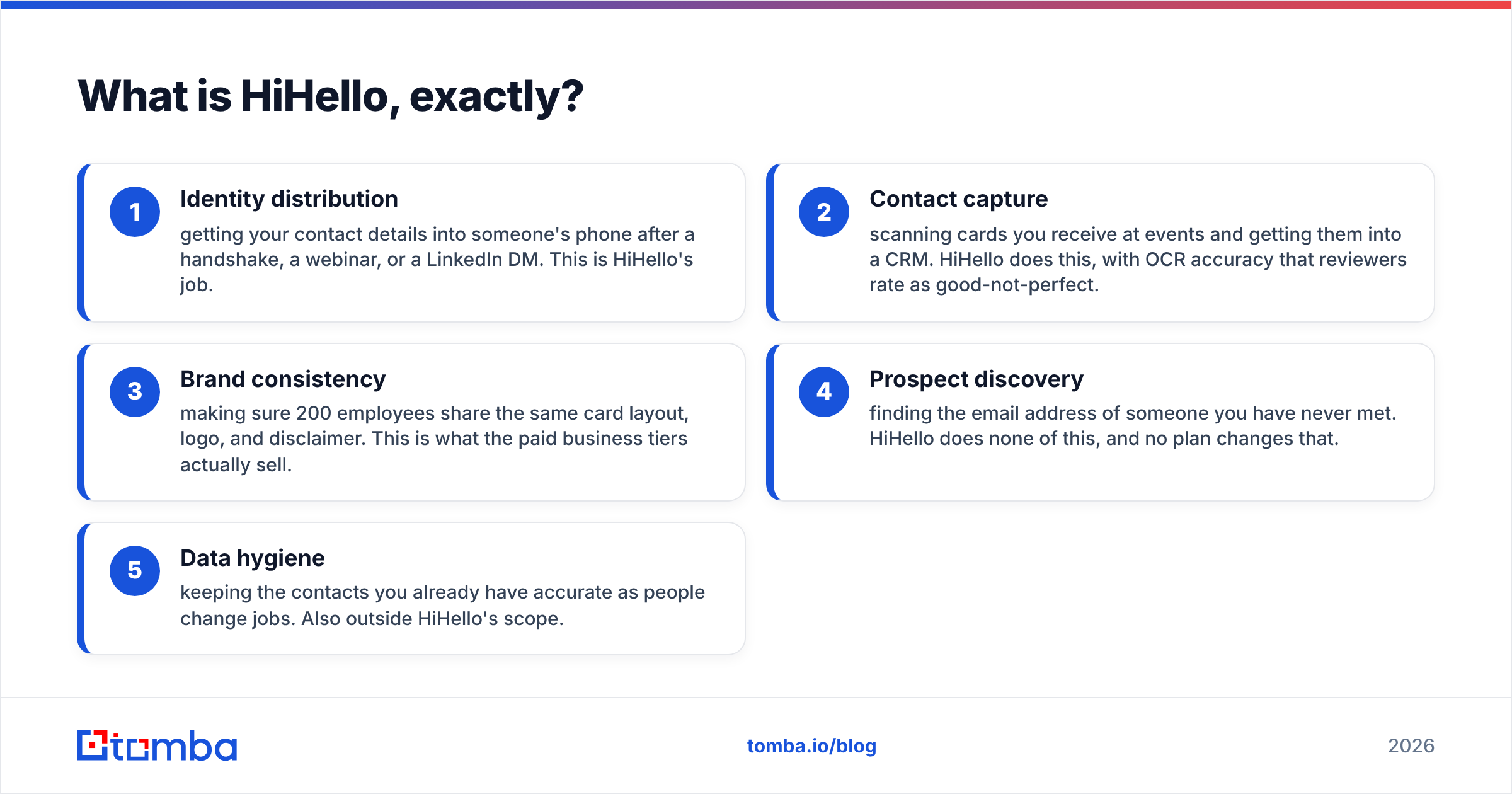
- Identity distribution — getting your contact details into someone's phone after a handshake, a webinar, or a LinkedIn DM. This is HiHello's job.
- Contact capture — scanning cards you receive at events and getting them into a CRM. HiHello does this, with OCR accuracy that reviewers rate as good-not-perfect.
- Brand consistency — making sure 200 employees share the same card layout, logo, and disclaimer. This is what the paid business tiers actually sell.
- Prospect discovery — finding the email address of someone you have never met. HiHello does none of this, and no plan changes that.
- Data hygiene — keeping the contacts you already have accurate as people change jobs. Also outside HiHello's scope.
If your problem is #1, #2, or #3, HiHello is a strong candidate. If your problem is #4 or #5, no HiHello plan will fix it and you're shopping in the wrong category.
How much does HiHello cost in 2026?#
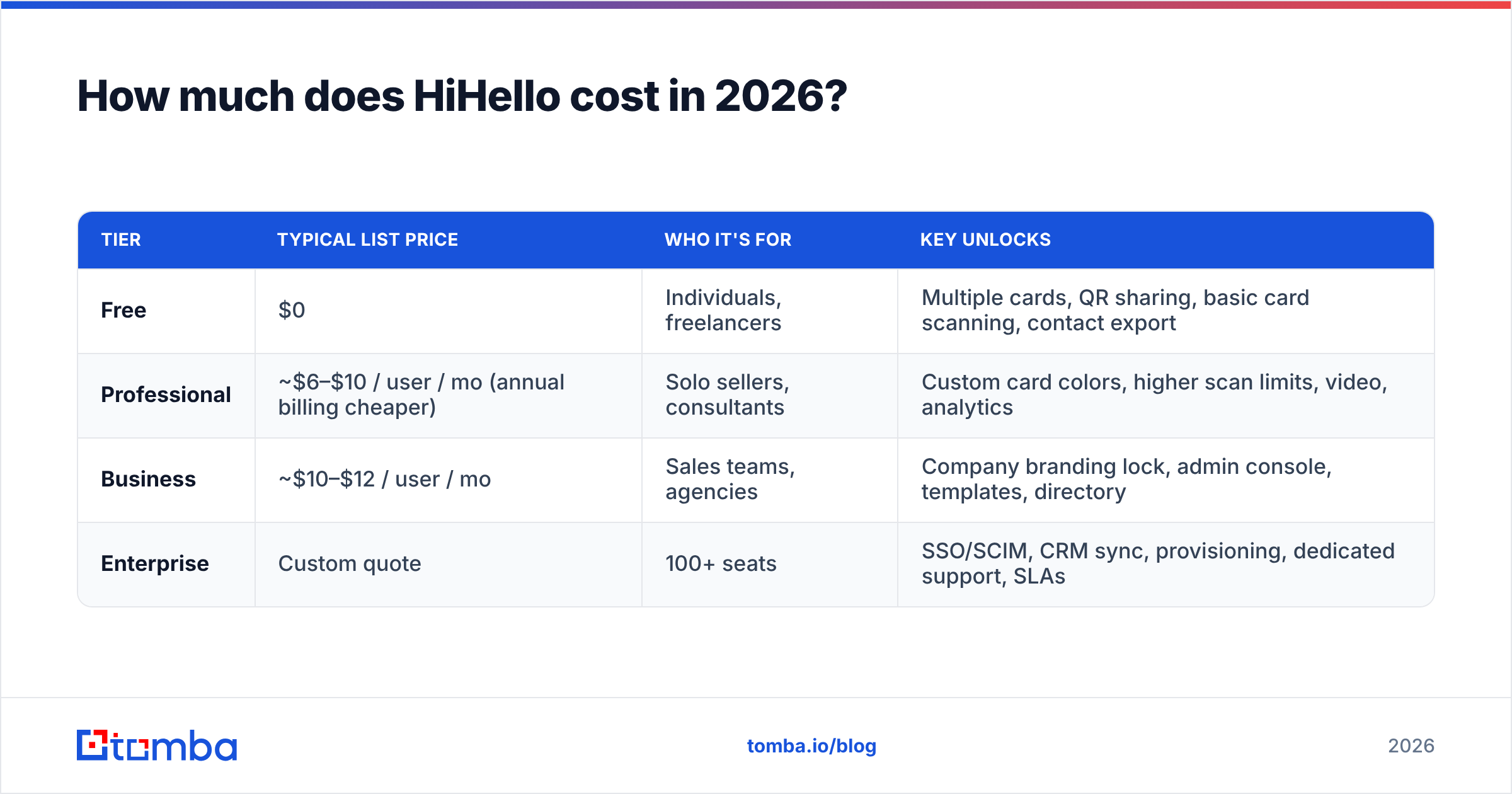
HiHello runs a four-tier model: a free plan, an individual paid plan, a team plan billed per seat, and a custom enterprise tier. Prices below reflect list pricing at the time of writing — always confirm on hihello.com before you budget, because digital-card vendors reprice frequently and annual-vs-monthly gaps are wide.
| Tier | Typical list price | Who it's for | Key unlocks |
|---|---|---|---|
| Free | $0 | Individuals, freelancers | Multiple cards, QR sharing, basic card scanning, contact export |
| Professional | ~$6–$10 / user / mo (annual billing cheaper) | Solo sellers, consultants | Custom card colors, higher scan limits, video, analytics |
| Business | ~$10–$12 / user / mo | Sales teams, agencies | Company branding lock, admin console, templates, directory |
| Enterprise | Custom quote | 100+ seats | SSO/SCIM, CRM sync, provisioning, dedicated support, SLAs |
Three things about that table matter more than the headline numbers.
The annual/monthly gap is steep. Like most SaaS in this category, the advertised low price assumes a 12-month prepay. Month-to-month can run 40–60% higher. If you're testing HiHello for a single event season, you will not pay the number on the pricing page.

It's per seat, with no meaningful volume break until enterprise. Digital business cards feel cheap at one seat and stop feeling cheap at forty. A 40-person team at $10/seat/month is $4,800/year for contact distribution. That's not outrageous — it's just a number worth saying out loud before you approve it, because it competes directly with budget for data, sequencing, or a CRM add-on.
NFC cards are a separate hardware line item. The plastic or metal NFC cards that make the demo look magical are bought per unit, on top of the subscription. Reviewers consistently flag this as the surprise cost.
What do HiHello reviews actually say?#
Aggregate sentiment on G2 and Capterra is genuinely positive — HiHello is one of the better-reviewed products in the digital business card category. But the pattern inside the reviews is more useful than the star average.
What reviewers consistently praise:
- Setup speed. Most users report a working card in under ten minutes, including photo and social links.
- The free tier's generosity. A recurring theme: "I never needed to upgrade." Rare in SaaS reviews, and a real signal.
- Sharing flexibility. QR, link, email signature, Apple/Google Wallet, and NFC all work without friction.
- Design quality. Cards look professional out of the box, which matters for client-facing roles.
What reviewers consistently complain about:
- Card scanner accuracy on dense or stylized cards. OCR handles clean layouts well and struggles with unusual typography, requiring manual cleanup.
- Analytics depth. You can see that a card was viewed. Turning that into anything a sales manager acts on is another matter.
- CRM integration gaps below enterprise. Native two-way sync is largely gated to the top tier; everyone else exports CSVs or wires up Zapier.
- Per-seat cost at scale. The most common downgrade reason cited by team admins.
- Dependence on the other person's behavior. A digital card only works if the recipient scans it. Reviewers who work trade shows note that paper still gets handed to them constantly.
That last point is the honest ceiling on the whole category. HiHello is excellent at making your details easy to save. It has zero influence on whether the other party reciprocates with usable data.
Is HiHello better than the alternatives?#
Depends entirely on which problem you're buying against. Here's how HiHello sits next to the tools it actually competes with — and next to the tools people mistakenly compare it to.
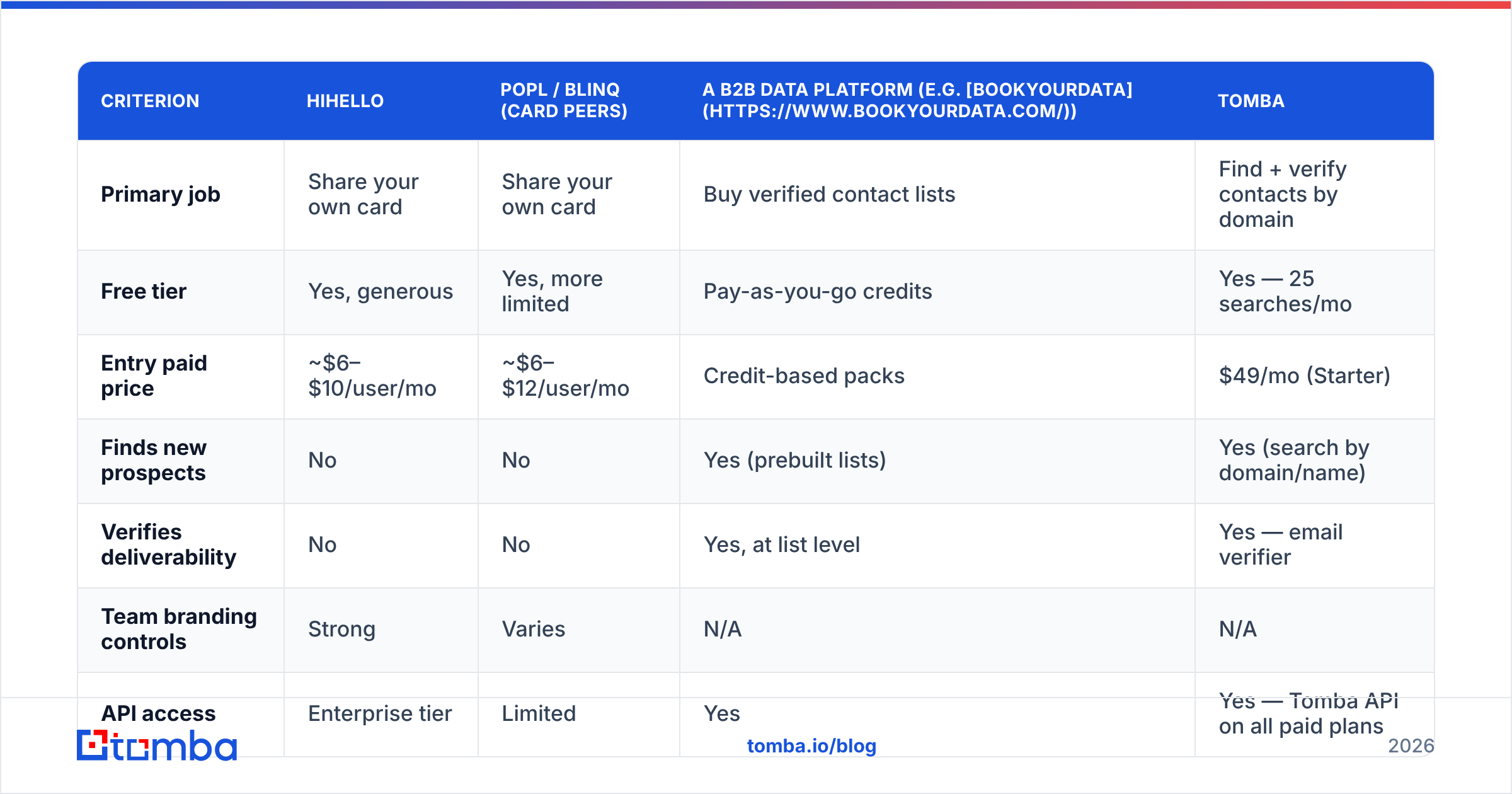
| Criterion | HiHello | Popl / Blinq (card peers) | A B2B data platform (e.g. BookYourData) | Tomba |
|---|---|---|---|---|
| Primary job | Share your own card | Share your own card | Buy verified contact lists | Find + verify contacts by domain |
| Free tier | Yes, generous | Yes, more limited | Pay-as-you-go credits | Yes — 25 searches/mo |
| Entry paid price | ~$6–$10/user/mo | ~$6–$12/user/mo | Credit-based packs | $49/mo (Starter) |
| Finds new prospects | No | No | Yes (prebuilt lists) | Yes (search by domain/name) |
| Verifies deliverability | No | No | Yes, at list level | Yes — email verifier |
| Team branding controls | Strong | Varies | N/A | N/A |
| API access | Enterprise tier | Limited | Yes | Yes — Tomba API on all paid plans |
| Best fit | Field teams, events, client-facing roles | Same, price-shoppers | Buyers who want lists delivered | Teams building targeted lists in-house |
Read that table honestly and the conclusion is not "HiHello loses." It's that HiHello and a data tool are not substitutes — they sit on opposite ends of the same funnel. Against its actual peers (Popl, Blinq, Mobilo, Dot), HiHello wins on design polish and free-tier depth, and roughly ties on price. Against a contact database, the comparison is a category error.

What are HiHello's real pros and cons?#
Pros
- Best-in-class free plan. Genuinely no-strings, and enough for most individuals permanently.
- Fast, low-friction sharing. QR, link, wallet, NFC, and email signature all covered.
- Clean brand control at team tiers. Admins can lock layout, logo, and disclaimers — the actual reason enterprises buy.
- Card scanner included. Not perfect, but it removes the shoebox-of-paper-cards problem.
- Low training overhead. Nobody needs onboarding to hand over a QR code.
Cons
- Per-seat economics punish scale. The cost curve is linear with headcount and the value curve is not.
- NFC hardware is a hidden line item. Budget separately.
- Analytics are shallow. Views and taps, not attribution.
- CRM sync is tier-gated. Below enterprise, expect exports and middleware.
- Zero prospecting value. It cannot tell you who to contact, only how they reach you.
- Recipient-dependent. If they don't scan, nothing happened.
Who should pay for HiHello — and who shouldn't?#
Pay for it if: you run a client-facing team where brand consistency is a compliance or marketing requirement, you attend enough in-person events that card exchange is a weekly habit, or you need centralized admin control over how 20+ people present themselves.
Stay on free if: you're a solo operator, a freelancer, or a founder who needs one clean card. The upgrade buys polish, not capability.
Skip the category entirely if: your bottleneck is finding people, not being found. This is the most common misdiagnosis in outbound teams. A rep with a beautiful digital card and no target list is still a rep with no pipeline. If your weekly problem is "I have 200 target companies and no contact data," a digital card platform is not the purchase — a domain search tool is.
How should HiHello fit into a real outbound stack?#
Think of it like a restaurant. HiHello is the menu design and the signage out front — it makes you look credible and easy to remember once someone walks in. It does not bring anyone through the door.
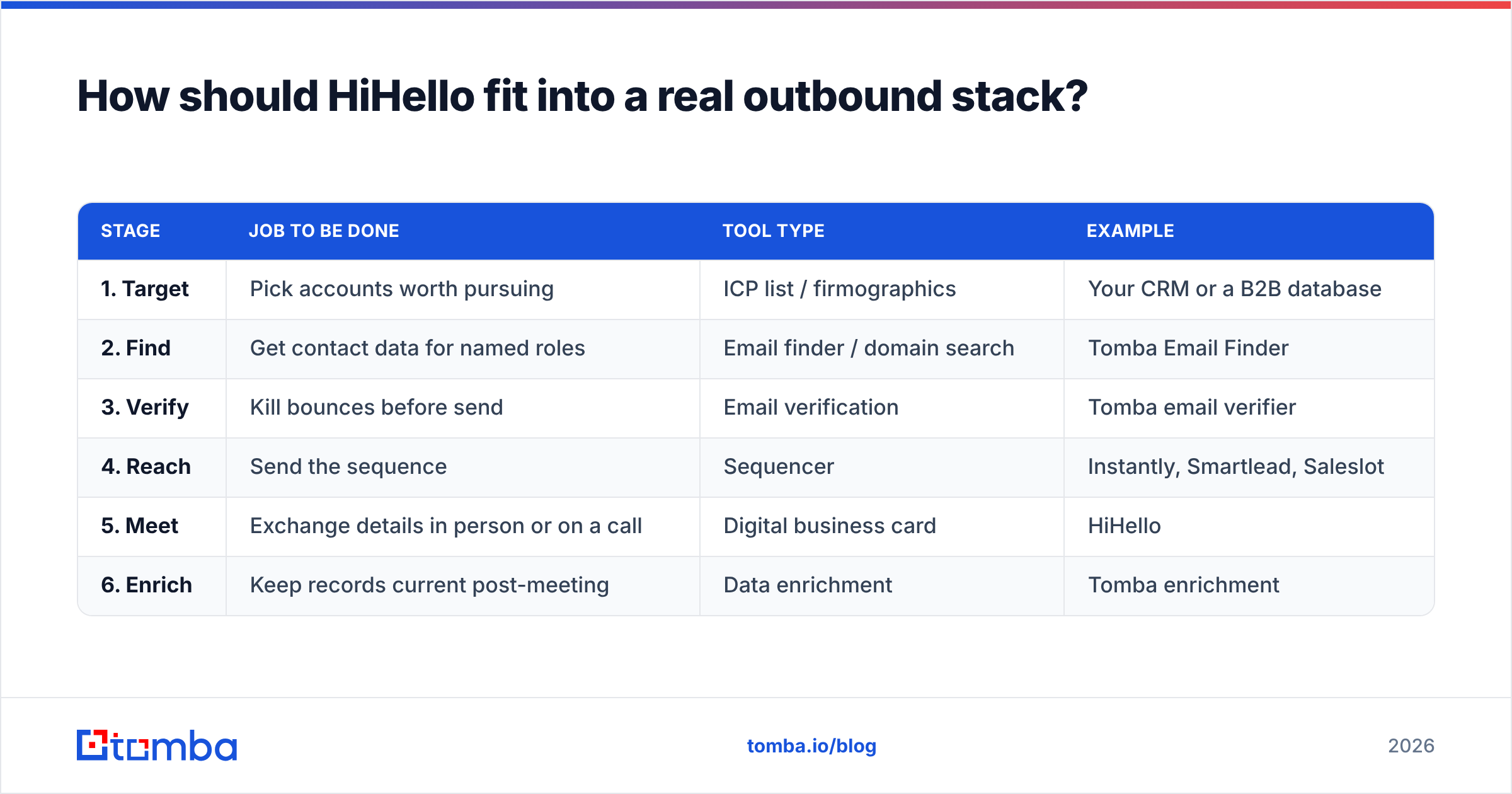
The complete stack looks like this:
| Stage | Job to be done | Tool type | Example |
|---|---|---|---|
| 1. Target | Pick accounts worth pursuing | ICP list / firmographics | Your CRM or a B2B database |
| 2. Find | Get contact data for named roles | Email finder / domain search | Tomba Email Finder |
| 3. Verify | Kill bounces before send | Email verification | Tomba email verifier |
| 4. Reach | Send the sequence | Sequencer | Instantly, Smartlead, Saleslot |
| 5. Meet | Exchange details in person or on a call | Digital business card | HiHello |
| 6. Enrich | Keep records current post-meeting | Data enrichment | Tomba enrichment |
HiHello owns exactly one row. That's fine — good tools are narrow. The mistake is buying row 5 and expecting rows 2 and 3 to come with it.
For step 2 and 3, Tomba pricing starts free at 25 searches per month, then $49/mo on Starter, $99/mo on Growth, and $249/mo on Pro, with Enterprise quoted. Because it's search-credit based rather than per-seat, the cost doesn't scale with headcount the way digital-card licensing does — a five-person team and a twenty-person team can share the same plan if their search volume is similar.
What's the verdict on HiHello pricing?#
HiHello is fairly priced for what it does, and what it does is smaller than most buyers assume at signup.
If you're an individual: use the free tier and don't think about it again. If you're a team lead who needs brand control across a field sales org: the business tier is defensible, but run the per-seat math against your actual event calendar first — if your reps attend two conferences a year, you're paying twelve months for two weeks of use.
If you're evaluating HiHello because someone in a pipeline review said "we need better contact data," redirect the budget. The gap in most outbound teams isn't how they hand over their details. It's that they don't have the other person's details in the first place, and half the addresses they do have will bounce.
That's a data problem, and it has a data answer.
Fill the gap HiHello can't. Before you spend on per-seat card licensing, make sure your reps have someone to hand a card to. Tomba Email Finder turns a company domain or a name into a verified, deliverable business email — free for your first 25 searches a month, $49/mo when you're ready to scale. Pair it with the email verifier and your bounce rate stops being the reason your sequences underperform. Start with the free tier, run it against one target account list, and compare the pipeline it produces against what your digital cards brought in last quarter.
Related guides#
Ready to find emails that actually work?
Join 150,000+ professionals who stopped guessing and started sending. Free credits on signup — no credit card required.
Get the Tomba newsletter
Practical outbound tactics and product updates — once every two weeks.
About the author