HitHorizons vs LeadIQ (2026): Which B2B Data Tool Wins?
One tool maps 100M+ company registry records across Europe. The other grabs verified emails and mobiles off LinkedIn. Here is which one actually fits your outbound motion in 2026 — and when neither is the right buy.
HitHorizons vs LeadIQ is a choice between two different jobs. HitHorizons maps registered companies. LeadIQ finds the people who work inside them. Here is which one fits your outbound in 2026.
TL;DR
- These two tools do not compete. HitHorizons is a company database built from European business registers. LeadIQ is a contact tool built on top of LinkedIn. Comparing them is like comparing a map to a phone book.
- Pick HitHorizons to size a market, check that a legal entity is real, pull registry IDs, or build an EU account list where LinkedIn runs thin.
- Pick LeadIQ if you already know your accounts. You get names, emails, mobiles, and a one-click push into Salesforce, Outreach, or Salesloft.
- The cost models differ. HitHorizons sells credits against company records. LeadIQ sells seats, so the bill grows with headcount, not with data.
- Most teams need a third piece. Neither tool is a true email finder or verifier. That is where a credit-based tool like Tomba (free tier, then $49/mo) slots in.
HitHorizons vs LeadIQ: what does each tool do?#
Start with the honest framing. These products were built for different jobs. Half the HitHorizons vs LeadIQ confusion comes from dropping both into one "B2B data" bucket.
HitHorizons is a company search engine. It pulls national business registers across Europe into one clean format. You get legal name, registration number, address, industry code (NACE), size band, group structure, and filed financials. Every company also gets a stable HitHorizons ID. That ID matters when you clean up account lists. In many markets, "GmbH", "Gmbh" and "G.m.b.H." are three spellings of one firm.
What HitHorizons does not give you: a named buyer with a work email and a mobile number. That is not the product.
LeadIQ is the mirror image. It runs as a Chrome extension over LinkedIn and Sales Navigator. You open a profile or a list and click capture. LeadIQ returns a work email, sometimes a personal email, sometimes a mobile. It then pushes the record into your CRM or sequencer with the fields already mapped. Its Scribe feature drafts an opening line from the profile.
What LeadIQ does not give you: registry-grade company truth. It will not tell you a Czech branch's filing number or its last reported turnover.
So the real question is not "which tool is better". It is "which layer of my data stack is broken".
HitHorizons vs LeadIQ head-to-head#
First, the data itself.
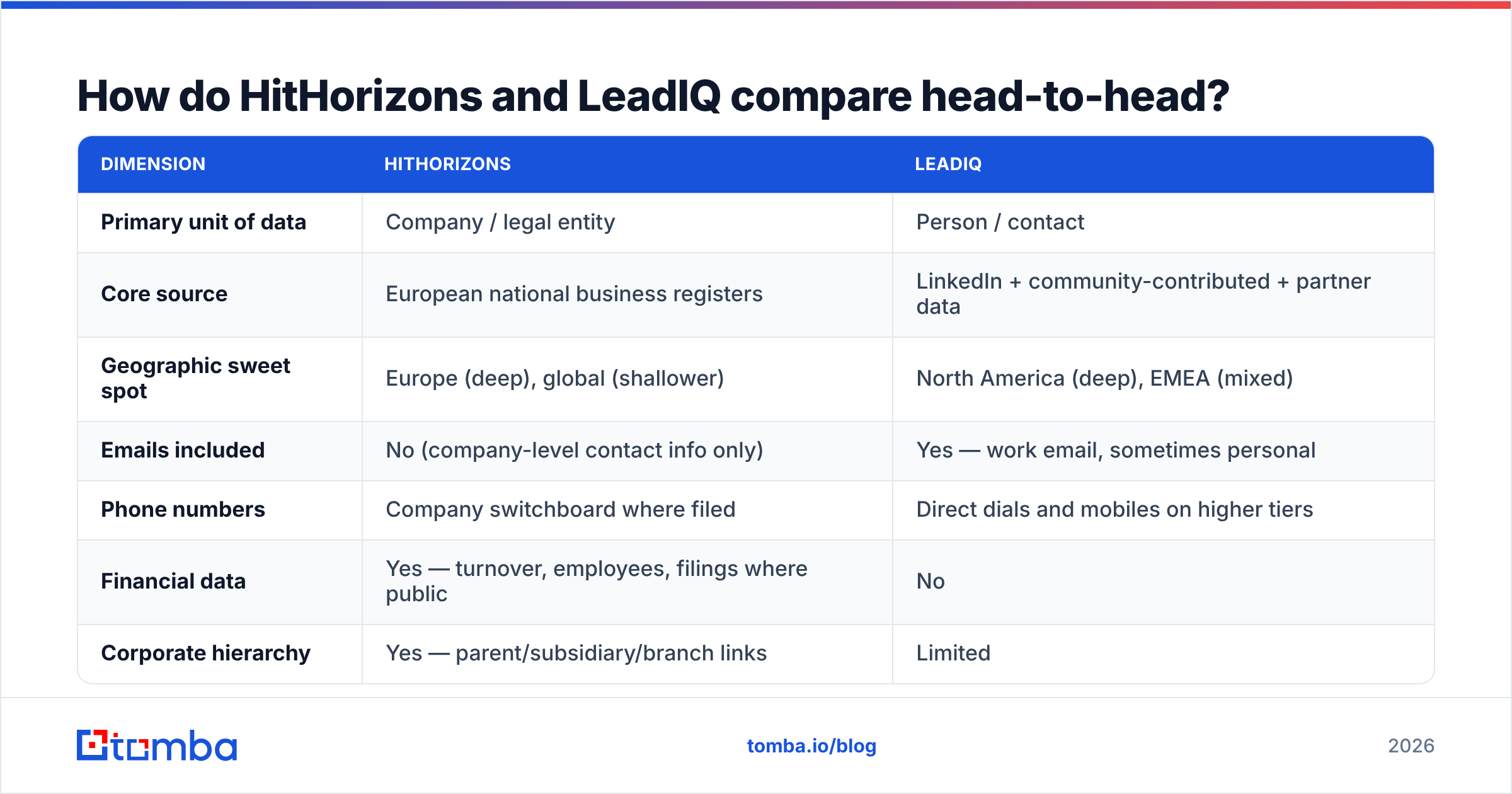
| Dimension | HitHorizons | LeadIQ |
|---|---|---|
| Primary unit of data | Company / legal entity | Person / contact |
| Core source | European business registers | LinkedIn, community and partner data |
| Geographic sweet spot | Europe (deep), global (thin) | North America (deep), EMEA (mixed) |
| Emails included | No — company contact info only | Yes — work email, sometimes personal |
| Phone numbers | Switchboard where filed | Direct dials and mobiles on higher tiers |
| Financial data | Yes — turnover, staff, filings | No |
| Corporate hierarchy | Yes — parent, branch, subsidiary | Limited |
Then, how you buy it and where it fits.
| Dimension | HitHorizons | LeadIQ |
|---|---|---|
| Pricing model | Credits against records | Per user, per month |
| Free access | Free company search, limited detail | Free tier with a small credit pool |
| CRM push | Via API or export | Native to Salesforce, HubSpot, Outreach, Salesloft |
| Best for | Market sizing, entity matching, research | Daily SDR prospecting |
| Weakest at | Reaching a human | Proving a company exists as described |
Read both tables as a split of duties, not a scoreboard. A RevOps lead mapping European accounts and an SDR chasing eight meetings this week need very different things.
What data does each tool actually give you?#
Here is the field-by-field breakdown of what lands in your spreadsheet.
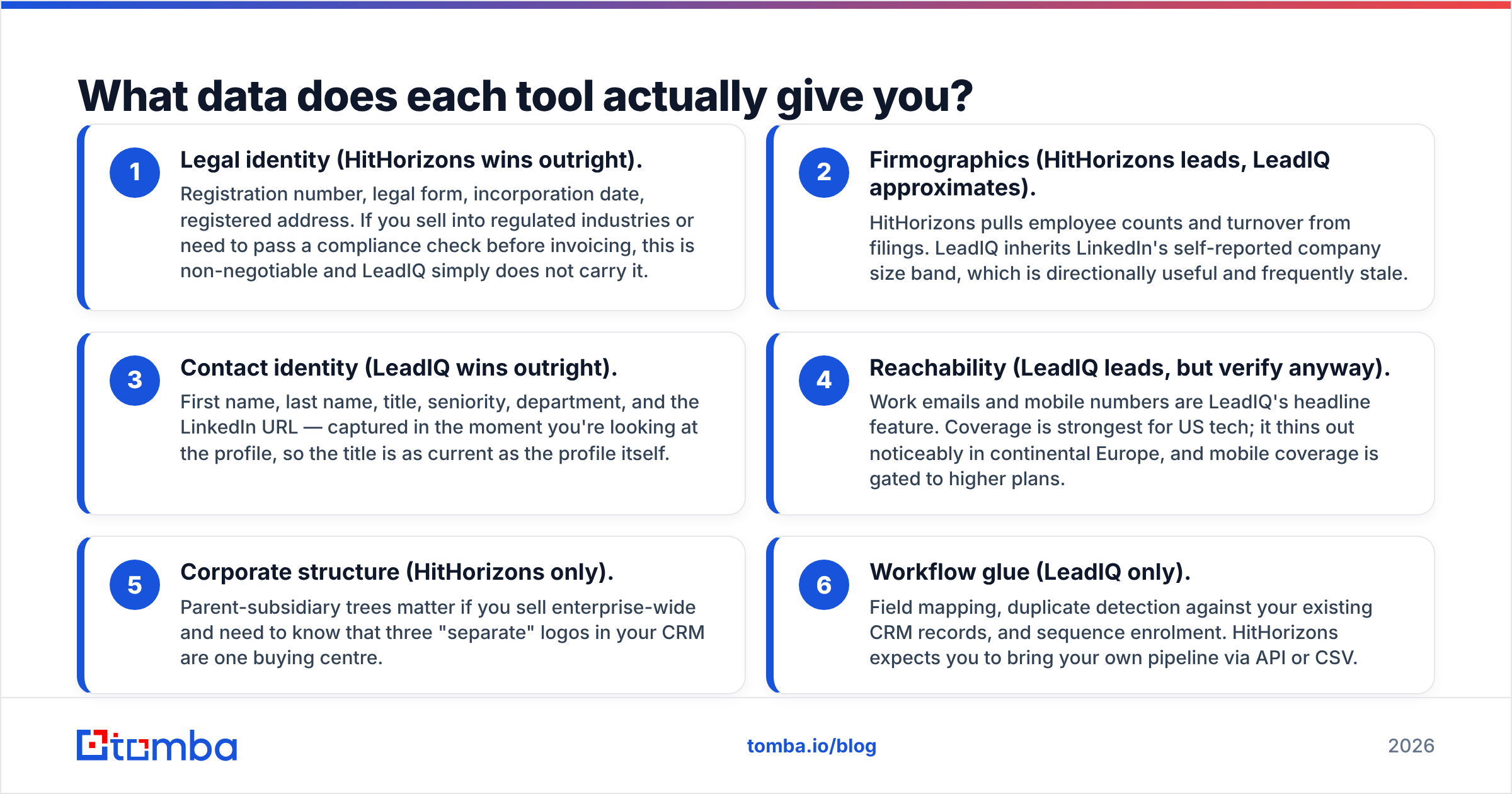
- Legal identity — HitHorizons wins. Registration number, legal form, incorporation date, registered address. If a compliance check gates your invoices, you need this. LeadIQ does not carry it.
- Firmographics — HitHorizons leads. It pulls staff counts and turnover from filings. LeadIQ inherits the size band that LinkedIn users type in themselves, and that band is often stale.
- Contact identity — LeadIQ wins. Name, title, seniority, team, and the LinkedIn URL. You capture it while you look at the profile, so the title is as fresh as the profile.
- Reachability — LeadIQ leads, but verify anyway. Work emails and mobiles are its headline feature. Coverage is best in US tech and thinner in Europe. Mobiles sit on the higher plans.
- Group structure — HitHorizons only. Parent and subsidiary trees show you when three logos in your CRM are really one buyer.
- Workflow glue — LeadIQ only. Field mapping, duplicate checks, and sequence enrolment. HitHorizons expects you to bring your own pipeline through the API or a CSV.
Run your own HitHorizons vs LeadIQ test on 50 target accounts. The gaps show up fast.
HitHorizons vs LeadIQ pricing in 2026#
Pricing is where the two models split hardest. It is also where teams get burned.
LeadIQ charges per seat. Its published tiers start with a free plan and a small monthly credit pool. The mid-tier sits around $45–$90 per user per month, depending on annual or monthly billing. Enterprise pricing is negotiated on volume. Mobile numbers, heavy Scribe use, and bigger credit ceilings sit on the upper tiers.
The result: a ten-person SDR team pays ten times what a solo user pays for the same database. If half your reps prospect only now and then, you are paying full price for idle seats.
HitHorizons charges against records and API calls. Free search gets you basic identification. Detailed profiles, financials, and bulk export sit behind credits or a subscription. The result is inverted. One analyst can burn a big budget in an afternoon of bulk exports, while ten casual users cost almost nothing.
Neither vendor publishes every enterprise number, so check both pricing pages before you model anything. Here is what matters for the decision.
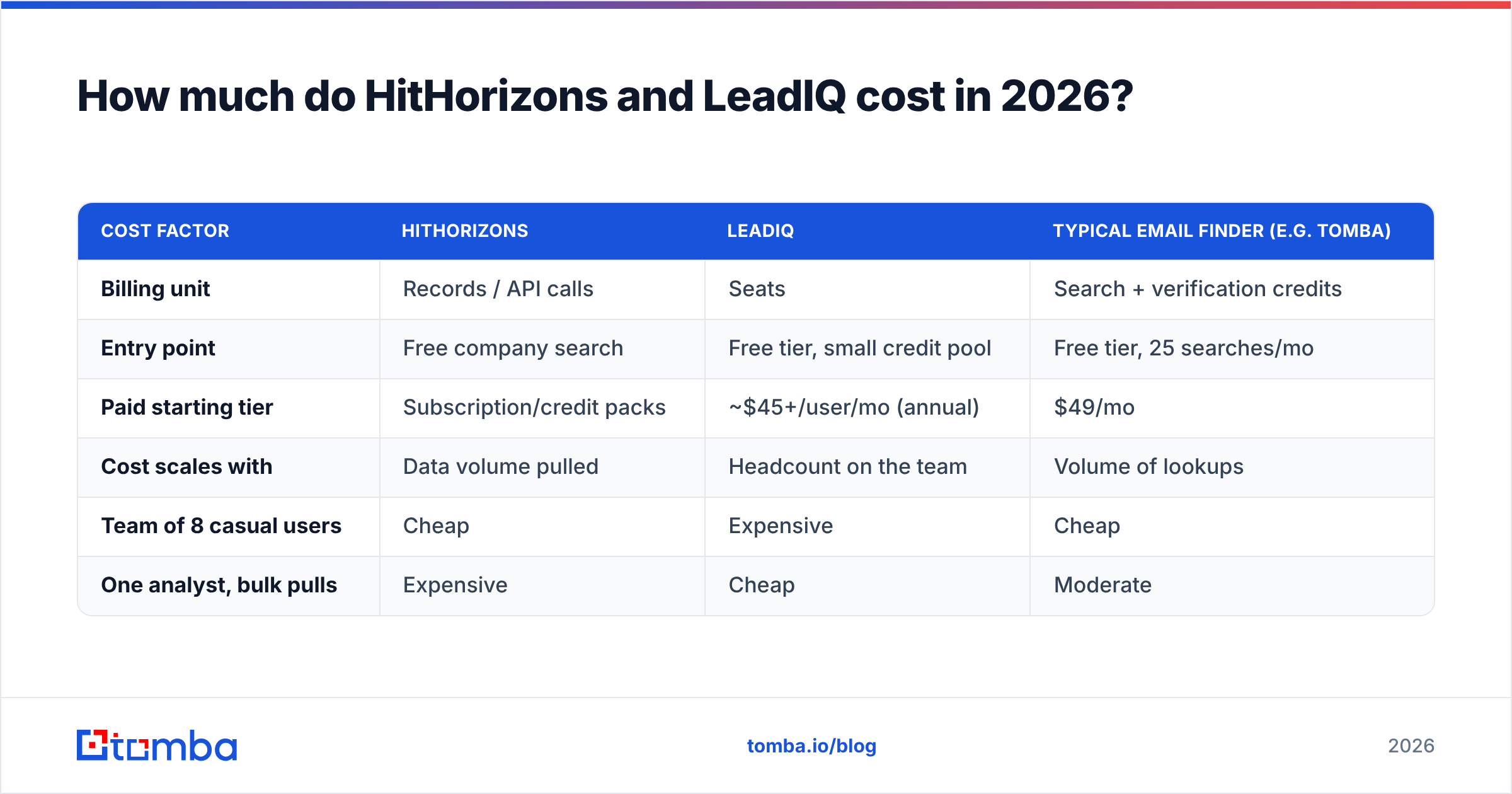
| Cost factor | HitHorizons | LeadIQ | Typical email finder (e.g. Tomba) |
|---|---|---|---|
| Billing unit | Records / API calls | Seats | Search + verification credits |
| Entry point | Free company search | Free tier, small credit pool | Free tier, 25 searches/mo |
| Paid starting tier | Subscription or credit packs | ~$45+/user/mo (annual) | $49/mo |
| Cost scales with | Data volume pulled | Headcount on the team | Volume of lookups |
| Team of 8 casual users | Cheap | Expensive | Cheap |
| One analyst, bulk pulls | Expensive | Cheap | Moderate |
That last table is the real buying decision. Map your usage pattern first. Then pick the billing model that matches it, not the other way round. You can check the third column against Tomba pricing.
HitHorizons vs LeadIQ: which one is more accurate?#
Wrong question, and it trips up a lot of buyers. "Accuracy" means something different at each layer.
For HitHorizons, accuracy means does it match the register. Say the Slovak register lists a firm as incorporated in 2019 under a given ID. HitHorizons should show exactly that. The failure mode is lag. Registers update on their own clock, so a company that moved in March may still show the old address in June. That is a source problem, not a guessing problem.
For LeadIQ, accuracy means does this email bounce. Contact data decays fast. People change jobs, and every B2B contact database loses a chunk of its validity each year. LeadIQ checks the address at capture time, which helps. But no check survives a prospect resigning three weeks later.
The practical lesson is one every outbound team learns in the end. Whatever tool found the address, run it through a dedicated email verifier right before you send. Verification is cheap. Bounces are not. Your sender reputation does not care whose logo was on the CSV. This matters even more for catch-all domains. Most capture tools mark them "valid" because the receiving server accepts everything.
Who should pick HitHorizons?#
Choose HitHorizons if most of these sound like you.
- You sell into Europe. Your buyers include mid-market firms that never show up cleanly in LinkedIn data: manufacturers, logistics firms, regional distributors, family industrials.
- You need to match entities. You have 40,000 messy account rows and need a stable ID to dedupe them before they hit your CRM.
- You do market sizing. Counting NACE-coded firms of a certain size in Bavaria is exactly what registry data is for.
- Compliance touches your sales cycle. Finance, insurance, and public tenders often demand verified legal entity data before a deal closes.
- You have an engineer. HitHorizons rewards teams that can call an API and join the result to their own systems.
If you are an SDR who wants a mobile number for a VP of Engineering in Austin, this is the wrong tool. You will feel it on day one.
Who should pick LeadIQ?#
Choose LeadIQ if:
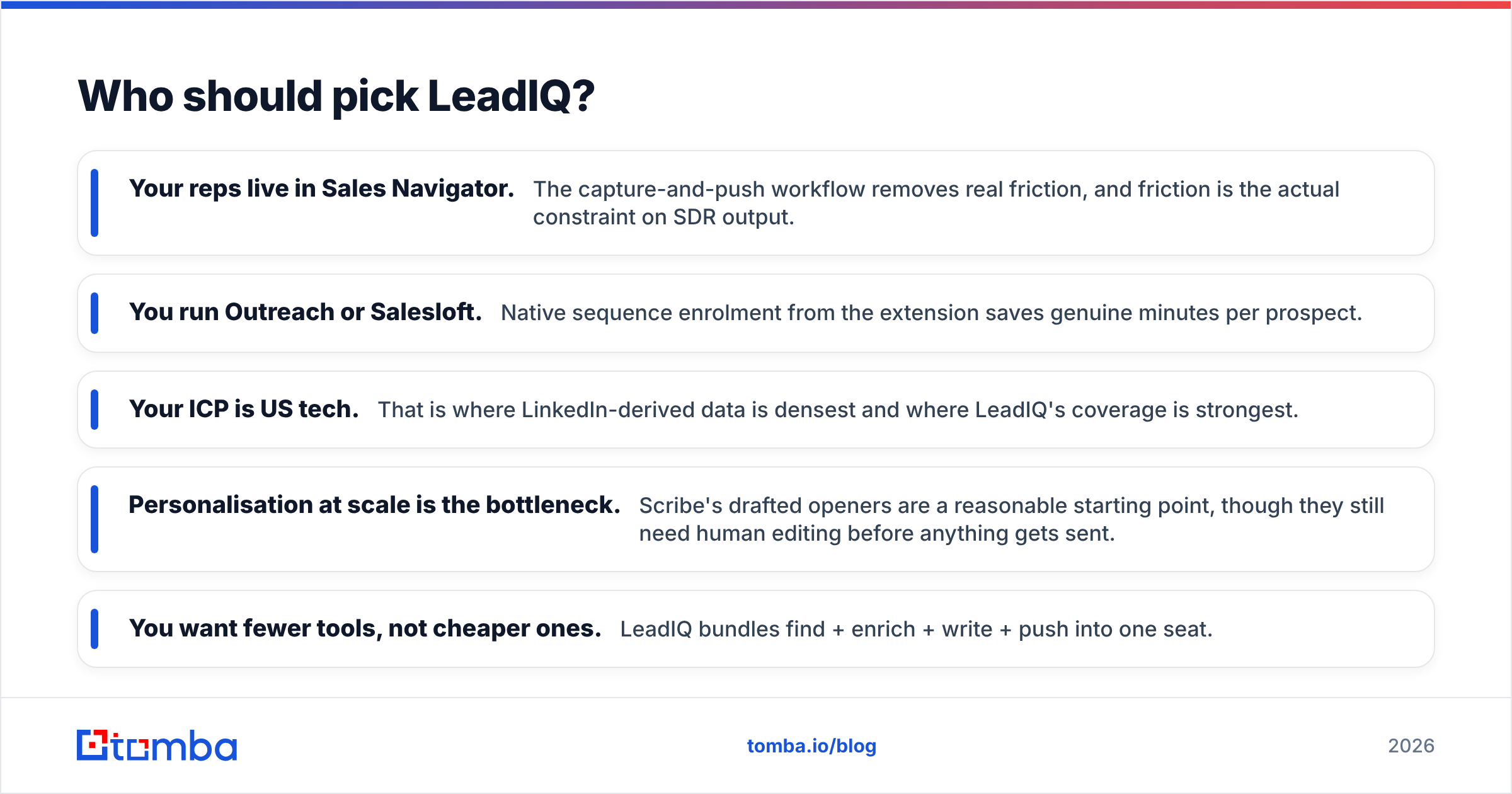
- Your reps live in Sales Navigator. Capture and push removes real friction, and friction is what caps SDR output.
- You run Outreach or Salesloft. Sequence enrolment straight from the extension saves minutes per prospect.
- Your buyers are US tech. That is where LinkedIn data is densest and LeadIQ coverage is strongest.
- Personalisation is your bottleneck. Scribe's drafted openers are a fair starting point, though a human still needs to edit them.
- You want fewer tools, not cheaper ones. One seat covers find, enrich, write and push.
User reviews on G2 flag the same three things every time: seat cost as the team grows, credit limits that bite mid-quarter, and European coverage that trails North America. None of that is disqualifying. It is the trade-off of the model. If it does bite, the usual next step is a LeadIQ alternative with credit-based pricing.

Can you use both — and where does an email finder fit?#
Yes. The strongest stacks we see run all three layers, and that beats any HitHorizons vs LeadIQ either/or.
Layer 1 — define the universe. HitHorizons answers one question: which companies exist, legally, in my market, at my target size? Output: a clean account list with stable IDs, domains and firmographics.
Layer 2 — find the humans. Now you need names and addresses for each account. LeadIQ does that profile by profile in the browser. A domain search does it in bulk. Feed it a domain and get back the people plus the company's email pattern. Bulk is far cheaper per contact. Manual is better when you want to eyeball the person first.
Layer 3 — verify before send. Every address passes through verification, whatever its source. Catch-all domains get their own treatment. Hard bounces get suppressed for good, never retried.
A worked example. You pull 900 German SaaS companies with 50–200 staff from a registry source. You match domains and run bulk data enrichment to find the heads of engineering. You verify the 700 addresses that come back and load the surviving 640 into your sequencer. The spend is capped by volume, not by how many reps hold licences.
Compare that with the seat model. If only two of your six reps run that play, you pay for four idle licences all quarter.
The verdict on HitHorizons vs LeadIQ#
HitHorizons wins on company truth. LeadIQ wins on contact reach. Neither wins the other's category. And the loudest complaint about each one comes straight from its billing model.
- Selling into Europe, sizing a market, or needing legal entity data? HitHorizons, with a contact tool bolted on.
- Running a US SDR team inside Sales Navigator with Outreach downstream? LeadIQ, and budget for the seats.
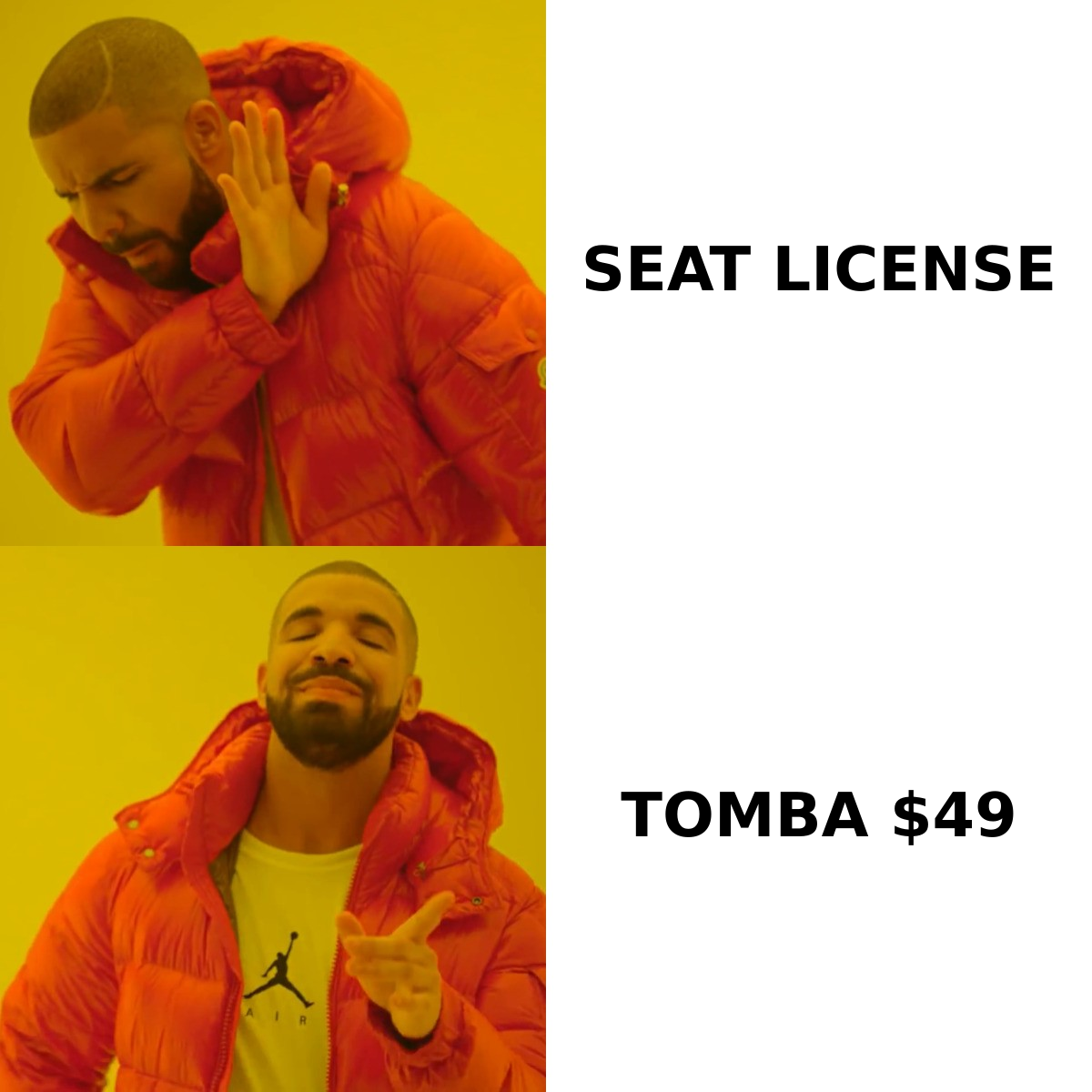
- Small team, or one that prospects in bursts? Skip the seat licence. Use a credit-based finder plus a verifier. It is the cheapest path to the same inbox.
One last piece of advice. Whichever way the HitHorizons vs LeadIQ call goes, run the trial on your own ICP list, not the vendor's demo accounts. Coverage claims are averages across a whole database. What counts is coverage on your 200 target accounts. A two-hour test tells you more than any comparison article, this one included.
Ready to fill the gap both tools leave? You have the account list. You still need verified addresses for the people inside those companies. Start with the Tomba Email Finder. The free tier gives you 25 searches a month, so you can test coverage on your own list. Paid plans start at $49/mo with no per-seat penalty. Every result is verified before it reaches you. Bring your domains, get back addresses that land.
Related guides#
Ready to find emails that actually work?
Join 150,000+ professionals who stopped guessing and started sending. Free credits on signup — no credit card required.
Get the Tomba newsletter
Practical outbound tactics and product updates — once every two weeks.
About the author