How Can I Find Employees in 2026? 9 Hiring Channels
Job boards are getting slower and pricier while the best candidates never apply. Here are nine channels for finding employees in 2026, ranked by cost per hire, speed, and quality.
TL;DR
- Posting a job and waiting is the slowest channel there is. Roughly 70% of the workforce isn't actively applying anywhere, so a job board only ever reaches the ~30% who are.
- The cheapest reliable channel is your own network plus employee referrals — referred hires cost the least and stay the longest.
- The highest-leverage channel most small teams skip is outbound recruiting: build a list of people who already do the job, find their work email, and message them directly.
- A recruiting agency charges 15–25% of first-year salary. A sourcing stack — LinkedIn Recruiter Lite plus an email finder plus a simple ATS — runs a few hundred dollars a month total.
- Match the channel to the role: hourly and volume roles go to job boards, specialist and senior roles go to outbound and referrals.
Why is hiring harder than it looks?#
Because the people you actually want are already employed.
Think of hiring like fishing. A job post is a baited line dropped in a public pond — you catch whatever happens to be hungry and nearby. Outbound recruiting is spearfishing: you pick the fish, then go get it. Both work, but they catch completely different things, and most small teams only ever own a fishing rod.
The numbers back this up. LinkedIn's own talent research has long put the "open to opportunities but not actively looking" segment at the large majority of professionals. Meanwhile the U.S. Bureau of Labor Statistics JOLTS data shows millions of open roles at any given moment, all competing for that same small pool of active applicants.
So when you ask "how can I find employees," the honest answer is: not with one channel. You need two or three running at once, and you need to know which one fits the role you're filling.

What are the nine channels for finding employees?#
Here's the full landscape, from cheapest to most expensive per hire.
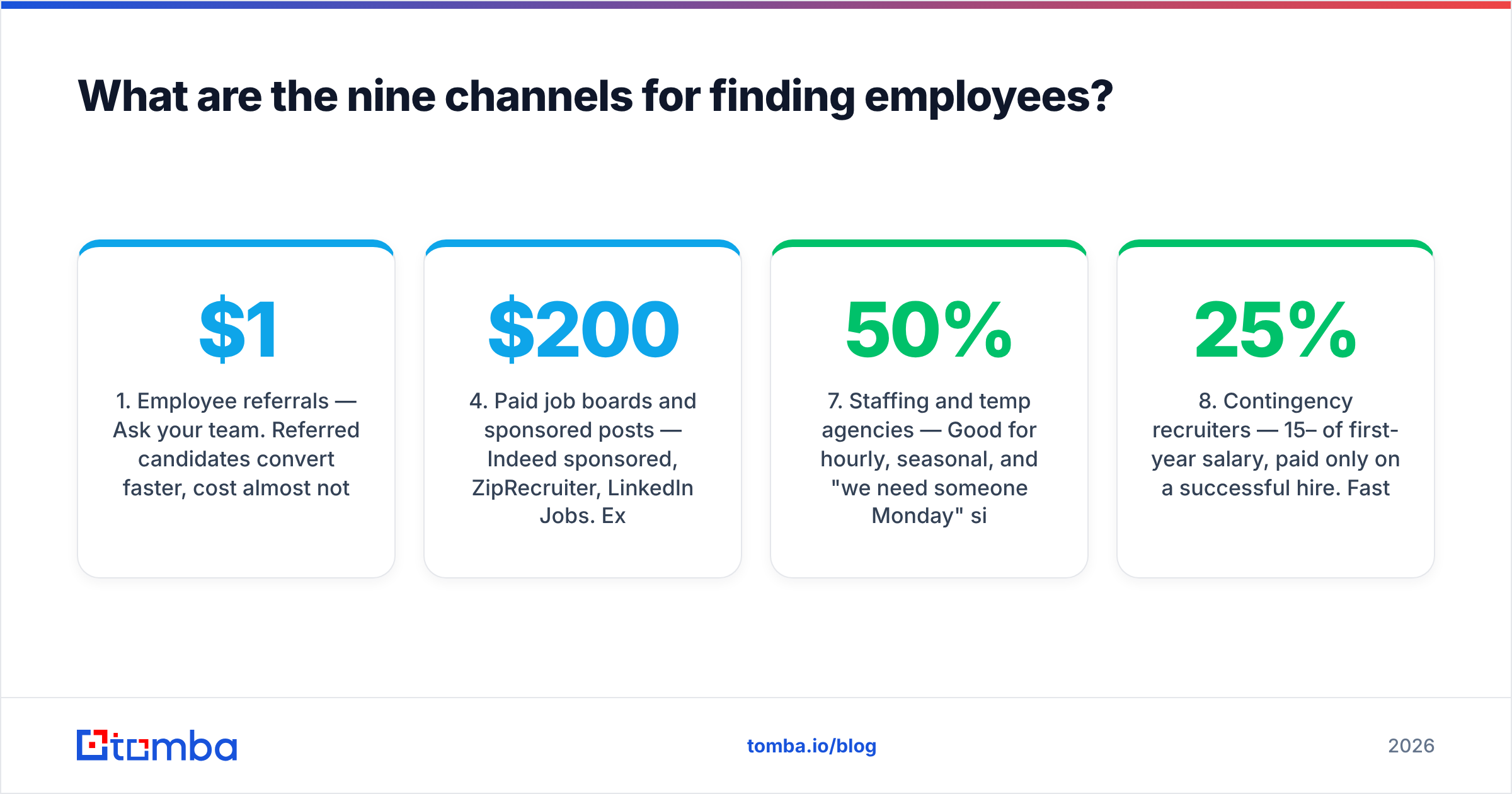
- Employee referrals — Ask your team. Referred candidates convert faster, cost almost nothing, and have the strongest retention numbers of any source. Pay a real bonus ($1,000–$5,000 depending on role) and make the ask specific: "who's the best ops person you've worked with?" beats "know anyone?"
- Your own network — Past colleagues, former contractors, people who applied for a different role six months ago and were good but not right. Keep a "silver medalist" list. This is free and criminally underused.
- Free and low-cost job boards — Indeed's free tier, Google for Jobs, your own careers page, local Facebook groups, university boards. Volume is high, signal is low, but the cost is near zero.
- Paid job boards and sponsored posts — Indeed sponsored, ZipRecruiter, LinkedIn Jobs. Expect $200–$800 per hire in ad spend for standard roles, far more for niche ones.
- Niche and community boards — Where specialists actually hang out: industry Slack groups, Discord servers, subreddits, professional association boards, GitHub for engineers. Low volume, very high signal.
- Outbound sourcing — Build a target list, find contact details, reach out directly. Slowest to set up, best long-term ROI, and the only channel that reaches passive candidates reliably.
- Staffing and temp agencies — Good for hourly, seasonal, and "we need someone Monday" situations. You pay a markup on hourly rate, typically 25–50%.
- Contingency recruiters — 15–25% of first-year salary, paid only on a successful hire. Fast, expensive, and the recruiter's incentive is speed, not fit.
- Retained executive search — 25–35% of first-year comp, paid in installments regardless of outcome. Only worth it for VP-and-above roles where a bad hire costs six figures.
Which hiring channel is right for which role?#
The mistake almost everyone makes is running one channel for every role. A warehouse associate and a senior data engineer do not live in the same place.
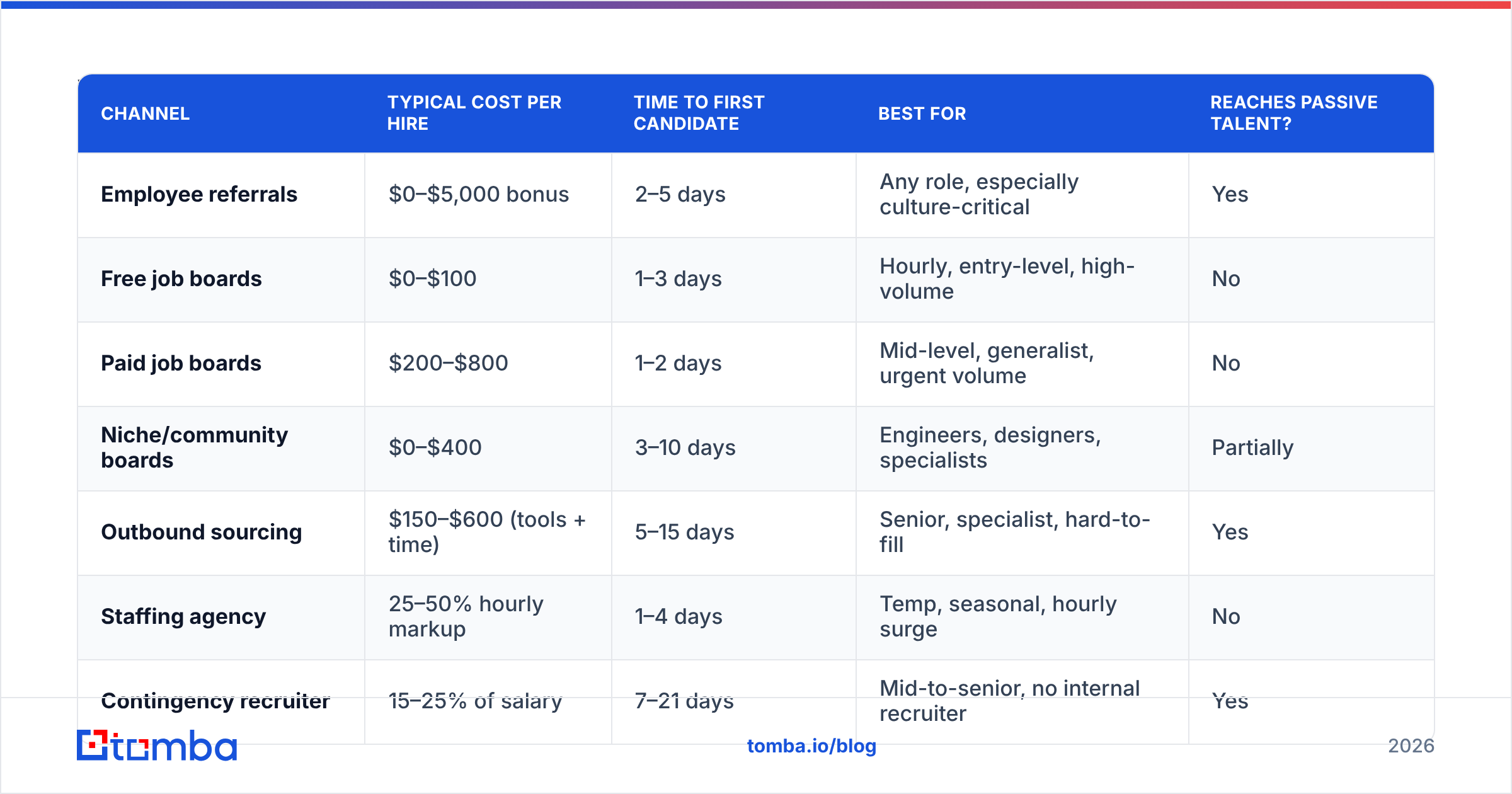
| Channel | Typical cost per hire | Time to first candidate | Best for | Reaches passive talent? |
|---|---|---|---|---|
| Employee referrals | $0–$5,000 bonus | 2–5 days | Any role, especially culture-critical | Yes |
| Free job boards | $0–$100 | 1–3 days | Hourly, entry-level, high-volume | No |
| Paid job boards | $200–$800 | 1–2 days | Mid-level, generalist, urgent volume | No |
| Niche/community boards | $0–$400 | 3–10 days | Engineers, designers, specialists | Partially |
| Outbound sourcing | $150–$600 (tools + time) | 5–15 days | Senior, specialist, hard-to-fill | Yes |
| Staffing agency | 25–50% hourly markup | 1–4 days | Temp, seasonal, hourly surge | No |
| Contingency recruiter | 15–25% of salary | 7–21 days | Mid-to-senior, no internal recruiter | Yes |
| Retained search | 25–35% of comp | 30–90 days | VP and C-level | Yes |
Read the last column carefully. Only four of the eight paid channels actually reach people who aren't currently job hunting — and three of those four cost you a percentage of salary. Outbound sourcing is the one that reaches passive talent at a flat tooling cost.
How do you actually run outbound recruiting?#
Five steps. None of them are complicated; they're just unfamiliar if you've only ever posted jobs.
Step 1 — Define the target profile, not the job description. Skip the wish list. Write down: what title do people with this skill hold today, at what size of company, in what industry, in what location? "Senior RevOps manager, 50–500 person B2B SaaS, US remote" is a target profile. A 14-bullet job description is not.
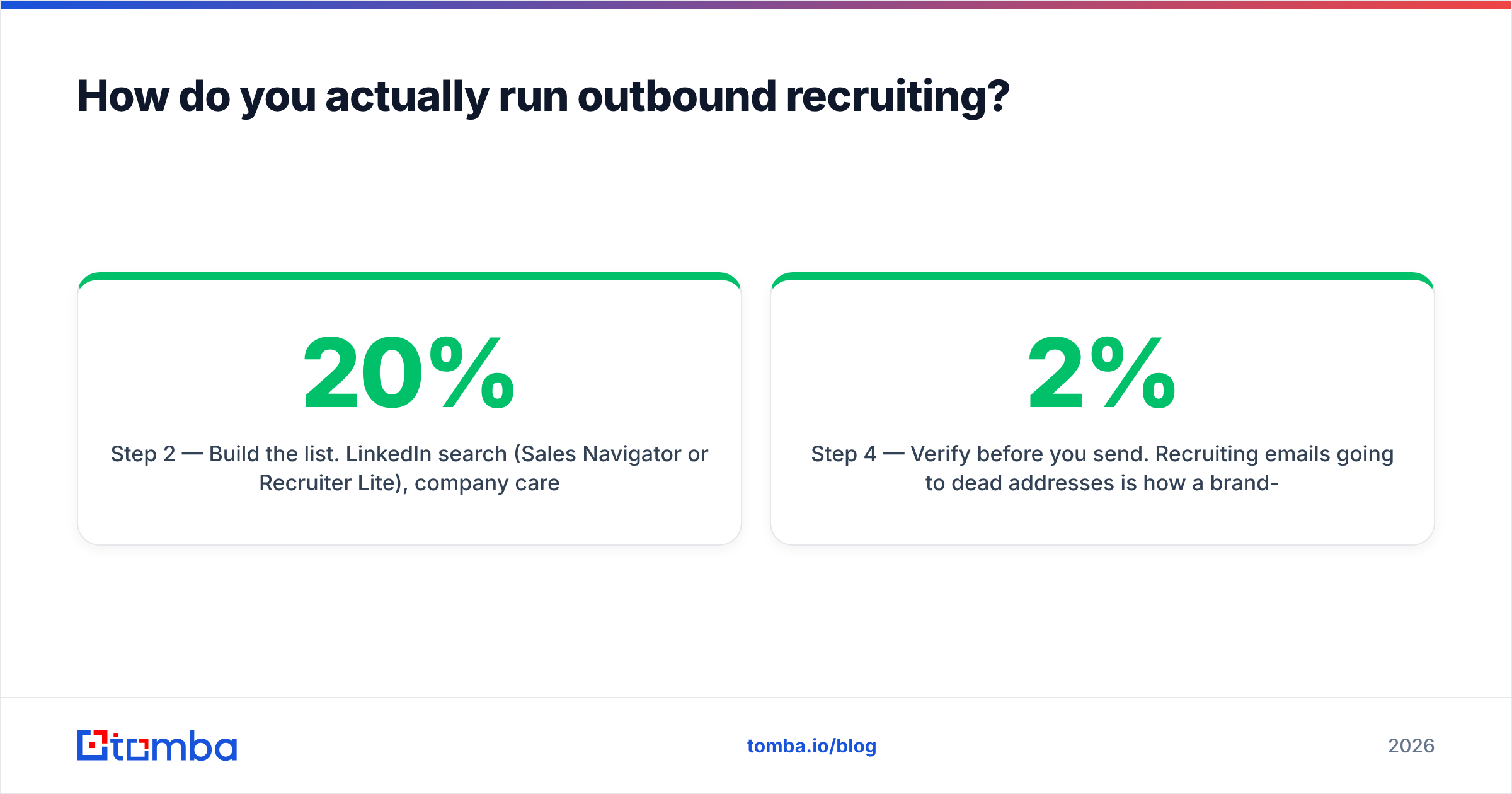
Step 2 — Build the list. LinkedIn search (Sales Navigator or Recruiter Lite), company career pages of competitors, conference speaker lists, GitHub contributors, industry award lists, podcast guest rosters. Aim for 100–200 names for a single senior role. Yes, that many — outbound reply rates are 8–20%, and not everyone who replies is interested.
Step 3 — Get contact details. LinkedIn InMail works but is rate-limited and gets ignored; work email lands in an inbox they actually read. This is where a LinkedIn finder or a domain search across the target company saves hours of guessing. If you already have a list of names and companies, a bulk email finder will process the whole sheet at once instead of one lookup at a time.
Step 4 — Verify before you send. Recruiting emails going to dead addresses is how a brand-new sending domain gets flagged. Run every address through an email verifier first and drop anything that bounces. A bounce rate under 2% keeps your sender reputation intact; over 5% and your outreach stops landing entirely.
Step 5 — Write like a human, follow up three times. One short paragraph on why them specifically, one on what the role is, one question. No compensation ranges in email one, no five-paragraph company history. Then follow up on day 4, day 10, and day 20. Most positive replies to recruiting outreach come on the second or third touch, not the first.
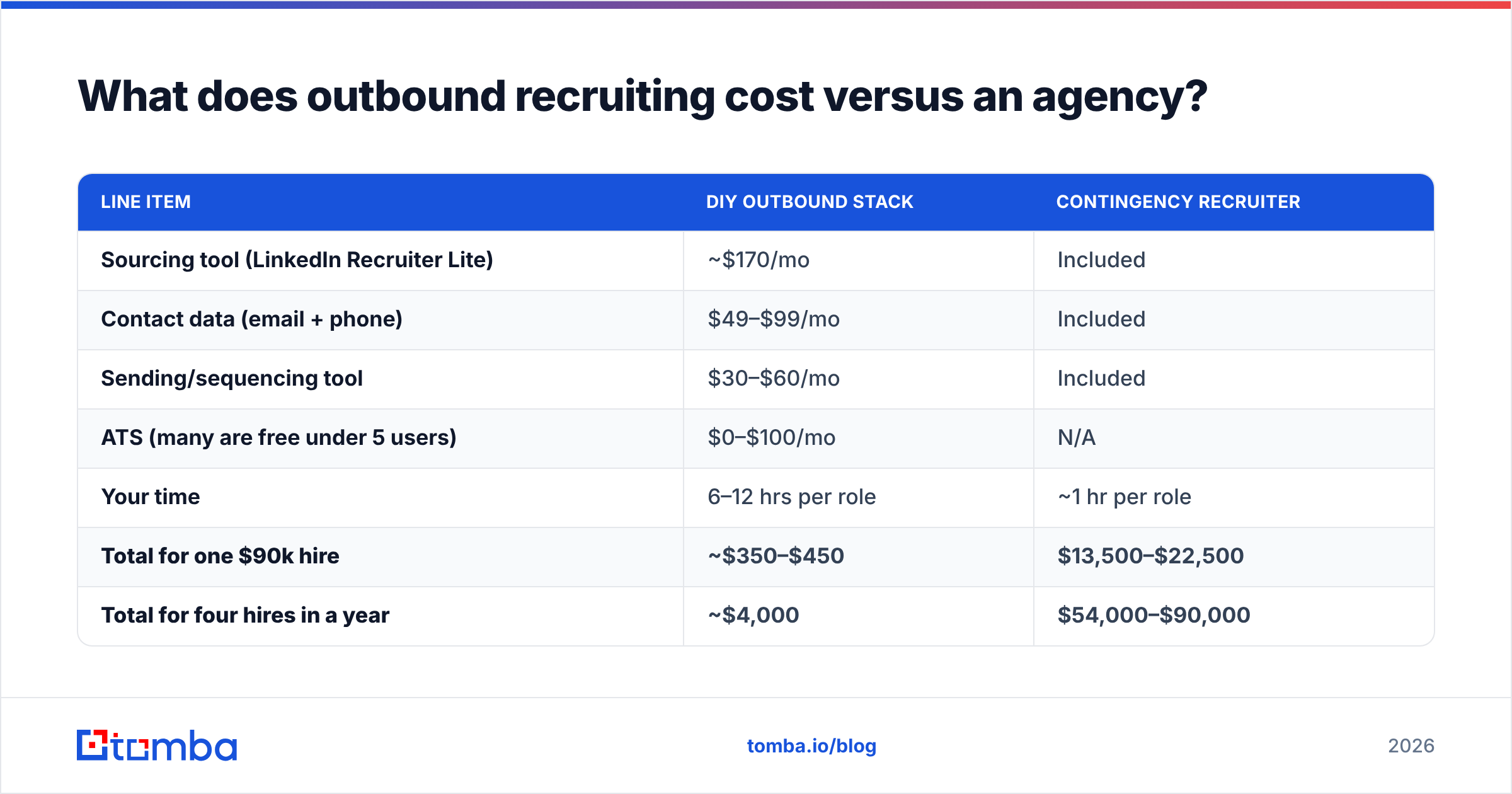
What does outbound recruiting cost versus an agency?#
This is the comparison that usually decides it for a founder or an office manager wearing the hiring hat.
| Line item | DIY outbound stack | Contingency recruiter |
|---|---|---|
| Sourcing tool (LinkedIn Recruiter Lite) | ~$170/mo | Included |
| Contact data (email + phone) | $49–$99/mo | Included |
| Sending/sequencing tool | $30–$60/mo | Included |
| ATS (many are free under 5 users) | $0–$100/mo | N/A |
| Your time | 6–12 hrs per role | ~1 hr per role |
| Total for one $90k hire | ~$350–$450 | $13,500–$22,500 |
| Total for four hires in a year | ~$4,000 | $54,000–$90,000 |
The agency isn't a rip-off — you're buying speed and an existing network, and for a single urgent senior hire that math can genuinely work. But if you're hiring more than two or three people a year, the tooling pays for itself before the first offer letter.
On the data side, Tomba pricing starts with a free tier at 25 searches a month, then Starter at $49/mo, Growth at $99/mo, and Pro at $249/mo. For a small team filling a handful of roles, the free tier plus Starter covers most of a year. If you also need direct dials for hard-to-reach candidates, a phone finder sits on the same stack rather than being a second vendor.

How do you find employees for hourly and local roles?#
Different game entirely. Passive sourcing is close to useless for a barista, a delivery driver, or a warehouse picker — those candidates are actively looking and they decide fast.
What works:
- Speed over polish. Reply within an hour. The employer who calls first usually wins; there is strong evidence that time-to-first-contact predicts hourly hire rates better than pay does within a normal range.
- Text, don't email. Response rates on SMS for hourly roles are multiples of email.
- Post where they are. Indeed and Facebook Marketplace/local groups dominate hourly. Craigslist still works in some metros. Your own storefront window still works.
- Referral bonuses paid fast. Not "after 90 days" — split it, half at start date.
- Simplify the application. Every extra field costs you applicants. Name, phone, availability. That's it for a first pass.
- Rehire your alumni. Former employees who left on good terms are the single highest-conversion pool for hourly roles, and most employers never call them.
What should you do before you spend a dollar?#
Fix the three things that quietly kill every channel at once.
Your job title. "Growth Ninja" gets no search traffic. "Marketing Manager" gets found. Title for search volume, not for personality.
Your careers page. If it's a Google Form, candidates assume the company is chaotic. A single page with the role, the range, the process, and a two-field form outperforms most ATS-hosted defaults.
Your posted salary range. Pay transparency laws now cover a large share of the US workforce, and posts with ranges get materially more qualified applicants regardless. Hiding the range doesn't save you money; it just filters out people who won't waste time.
Your response time. The average time-to-first-response in small-business hiring is measured in days. Candidates who wait a week assume they've been rejected and take another offer. Set an internal 48-hour rule for every applicant, even rejections.
How do you keep your candidate pipeline warm?#
Treat recruiting like sales, because structurally it is: a list, outreach, a pipeline, a close.
Keep a simple database of everyone you've talked to — silver medalists, people who said "not right now," strong referrals you couldn't place. Tag them by role type and revisit every quarter. When a role opens, you're not starting from zero; you're calling ten warm people on day one.
If you're already running outbound for sales, you can reuse the exact same infrastructure for recruiting. The data enrichment step that fills in a prospect's title and company works identically on a candidate record, and the same Google Sheets workflow your SDRs use to enrich a lead list will enrich a sourcing list without a single change. Most teams discover they already own half the recruiting stack.
One more habit worth building: track source of hire. For every person you hire, log which channel produced them. After six or eight hires you'll have your own data — which beats any generic benchmark, including this article's — and you can kill the channels that never produced anyone.
What's the fastest path from zero to a shortlist?#
If you need a plan you can start today:
- Day 1 — Post the role on your careers page and one free board. Email your team asking for referrals with a named bonus.
- Day 1–2 — Build a 100-name target list from LinkedIn search plus two competitor career pages.
- Day 3 — Find and verify work emails for the list. Drop anything unverified.
- Day 3–4 — Send outreach in batches of 25/day from a warmed inbox. Personalize the first line per person; template the rest.
- Day 4–20 — Two follow-ups per contact. Book calls same-week.
- Day 10 — Review job board applicants. Reject or advance everyone within 48 hours.
Run all three channels — referrals, inbound post, outbound list — in parallel. The referral might land first, but if it doesn't, you haven't lost two weeks waiting to find out.
Where should you start?#
Start with the channel that reaches the people who aren't looking, because that's the pool your competitors aren't touching. Build the target list, get accurate work emails, verify them, and send a short, specific message.
The Tomba Email Finder is built for exactly that step — give it a name and a company domain and it returns the verified work email, with a free tier at 25 searches a month so you can source your first shortlist before paying anything. Pair it with the email verifier to keep your bounce rate near zero, and your outbound recruiting costs less per month than a single day of agency fees.
Related guides#
Ready to find emails that actually work?
Join 150,000+ professionals who stopped guessing and started sending. Free credits on signup — no credit card required.
Get the Tomba newsletter
Practical outbound tactics and product updates — once every two weeks.
About the author