How to Check Email Address Valid or Not: 7 Methods (2026)
Seven ways to check whether an email address is valid or not — from a 10-second free lookup to SMTP-level verification and catch-all handling — with accuracy trade-offs for each.
Not sure how to check email address valid or not? Run it through a verifier that does syntax, MX, and SMTP checks in one pass. It takes about ten seconds. Below are all seven methods, ranked by how well each one works.
TL;DR
- The fastest reliable answer: run the address through a verification tool that does syntax, MX, and SMTP checks in one pass. It takes under 10 seconds and costs nothing for a single lookup.
- Sending a test email is the worst method. It burns your sender reputation on exactly the addresses most likely to bounce.
- Catch-all domains (roughly 15-20% of B2B domains) will accept anything at the SMTP layer. Any tool that returns a confident "valid" on a catch-all is guessing.
- For lists over ~50 addresses, bulk verification is the only sane option. Manual checking does not scale, and neither does your bounce budget.
- Target under 2% bounce rate. Gmail and Yahoo's bulk-sender rules make anything above 3% a deliverability problem, not a data hygiene problem.
You have an email address. Maybe it came from a conference badge scan, a scraped list, a form fill, or a colleague's spreadsheet. Before you send anything to it, you need to know whether the mailbox exists.
This guide covers every practical method, ranked by how accurate each one is. It also shows where each one quietly lies to you.
What Does "Valid Email Address" Actually Mean?#
"Valid" is really four questions stacked on top of each other. Most people check only the first one.
- Syntax validity — Does the string follow RFC 5322 format?
john@@example.comfails.john.smith+tag@example.co.ukpasses. This catches typos but nothing else. - Domain existence — Does
example.comresolve, and does it have MX records pointing at a mail server? A domain with no MX record cannot receive email, period. - Mailbox existence — Does
john.smith@exist on that server? That takes an SMTP handshake. You ask the receiving server about one recipient without sending anything. - Deliverability quality — Even if the mailbox exists, is it a spam trap, a role account (
info@,sales@), a disposable address, or a mailbox abandoned for three years?
A tool that only checks step 1 will happily tell you jsmith@microsofy.com is valid. It is syntactically perfect and completely useless.
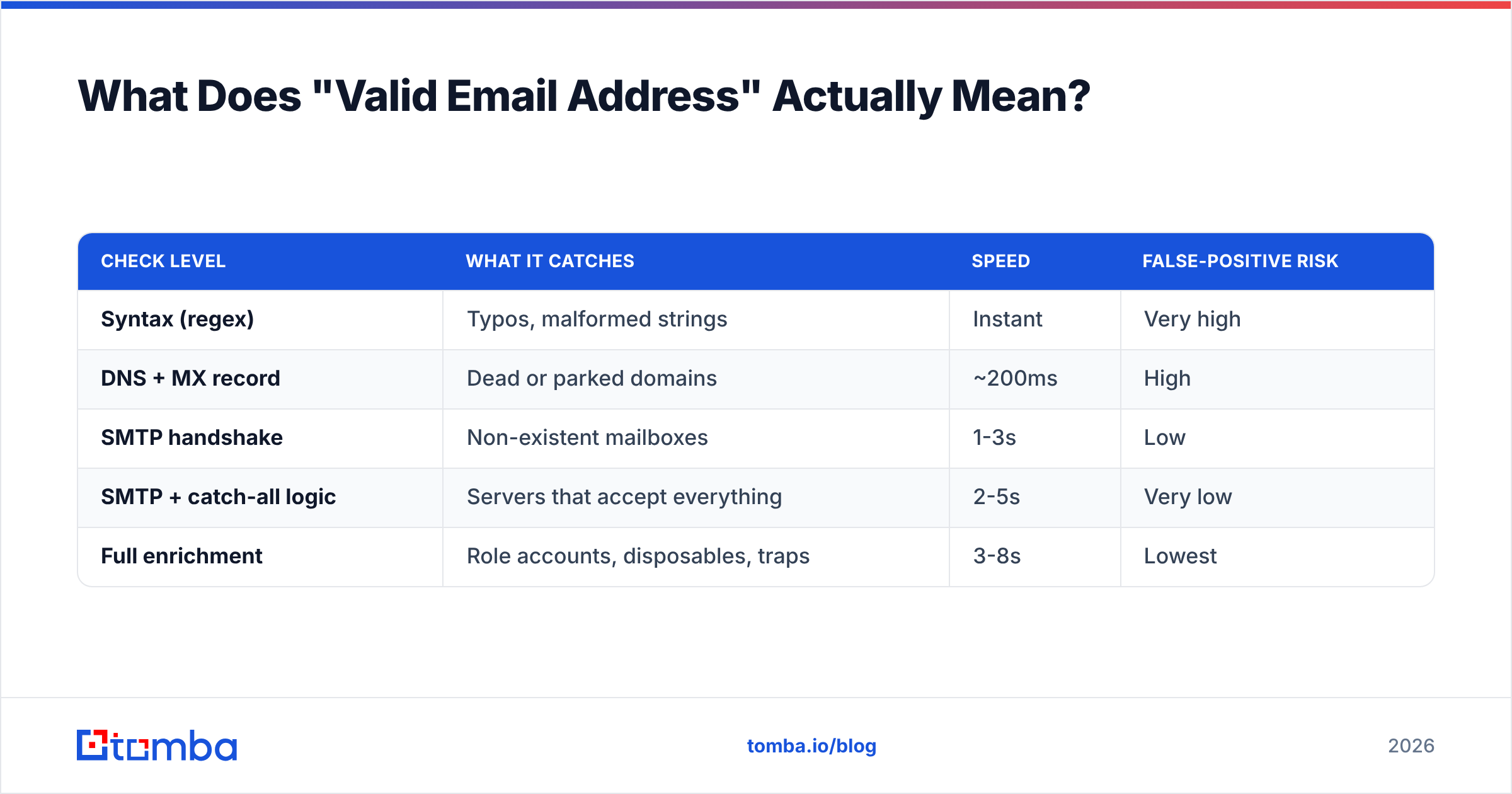
| Check level | What it catches | Speed | False-positive risk |
|---|---|---|---|
| Syntax (regex) | Typos, malformed strings | Instant | Very high |
| DNS + MX record | Dead or parked domains | ~200ms | High |
| SMTP handshake | Non-existent mailboxes | 1-3s | Low |
| SMTP + catch-all logic | Servers that accept everything | 2-5s | Very low |
| Full enrichment | Role accounts, disposables, traps | 3-8s | Lowest |
The gap between level 1 and level 5 is the difference between a 12% bounce rate and a 1% bounce rate.

How Do You Check A Single Email Address For Free?#
Fastest path: paste it into a browser-based checker.
For one-off checks, a free email checker runs syntax, DNS, MX, and SMTP checks in one request. You get a status in a few seconds. No signup, no credit card. This is the right tool when a sales rep hands you one address and asks "is this real?"
What you get back should look something like:
- Deliverable — mailbox confirmed to exist. Send with confidence.
- Undeliverable — mailbox rejected at SMTP. Do not send.
- Risky / Accept-all — the server accepts every address, so existence is unconfirmed.
- Unknown — the server timed out, greylisted the check, or blocked the probe.
That fourth bucket matters. Some providers break SMTP probing on purpose to stop this kind of lookup. Certain Microsoft 365 tenants are the usual example. An honest tool says "unknown." A dishonest one says "valid" and lets you find out the hard way.
How to Check Email Address Valid or Not: 7 Methods#
Here is the full menu, from best to worst.
The three that scale:
- Dedicated verification tool — Runs the full stack: syntax, MX, SMTP, catch-all detection, role-account flagging, disposable-domain matching. Accuracy runs 95-99% on non-catch-all domains. Default to this one.
- Bulk verification upload — Same engine, CSV in, annotated CSV out. Use a bulk verify flow for anything over 50 rows. It handles thousands of addresses in minutes, not hours.
- Verification API — For product-side checks: block bad signups at the form, clean records on CRM write, verify before a sequence fires. An email verification API call adds a few hundred milliseconds and saves you a bounce.
The three that only diagnose:
- Manual SMTP handshake via telnet — Connect to the MX host on port 25 and issue
HELO,MAIL FROM, andRCPT TO. A 250 means the mailbox exists. A 550 means it does not. The method is accurate but useless at scale, since most home and cloud IPs are blocked on port 25. - MX record lookup — Run
dig MX example.comor use an online DNS tool. It tells you whether the domain can receive mail at all. Free and instant, but it only rules out dead domains. - Search the address — Paste it into Google in quotes, or run a reverse email lookup. This shows whether the address maps to a real person with a real job. Good supporting evidence, not proof.
The one to avoid:
- Send a test email — Everyone reaches for this first. It should be last. A hard bounce does confirm the address is dead, but it also logs a bounce against your sending domain. Do that ten times and your sender reputation takes real damage.
In short: automate the first three, use the middle three to diagnose, and skip the last one.
Why Do Catch-All Domains Break Email Verification?#
Because a catch-all server says yes to everything, including addresses that do not exist.
Configure a mail server as accept-all and ceo@company.com, nobody@company.com, and asdfgh@company.com all return SMTP 250. Companies do this so they do not lose mail to typos. The handshake then means nothing. About one in five B2B domains works this way, and the share climbs at larger firms.
Three ways to handle them:
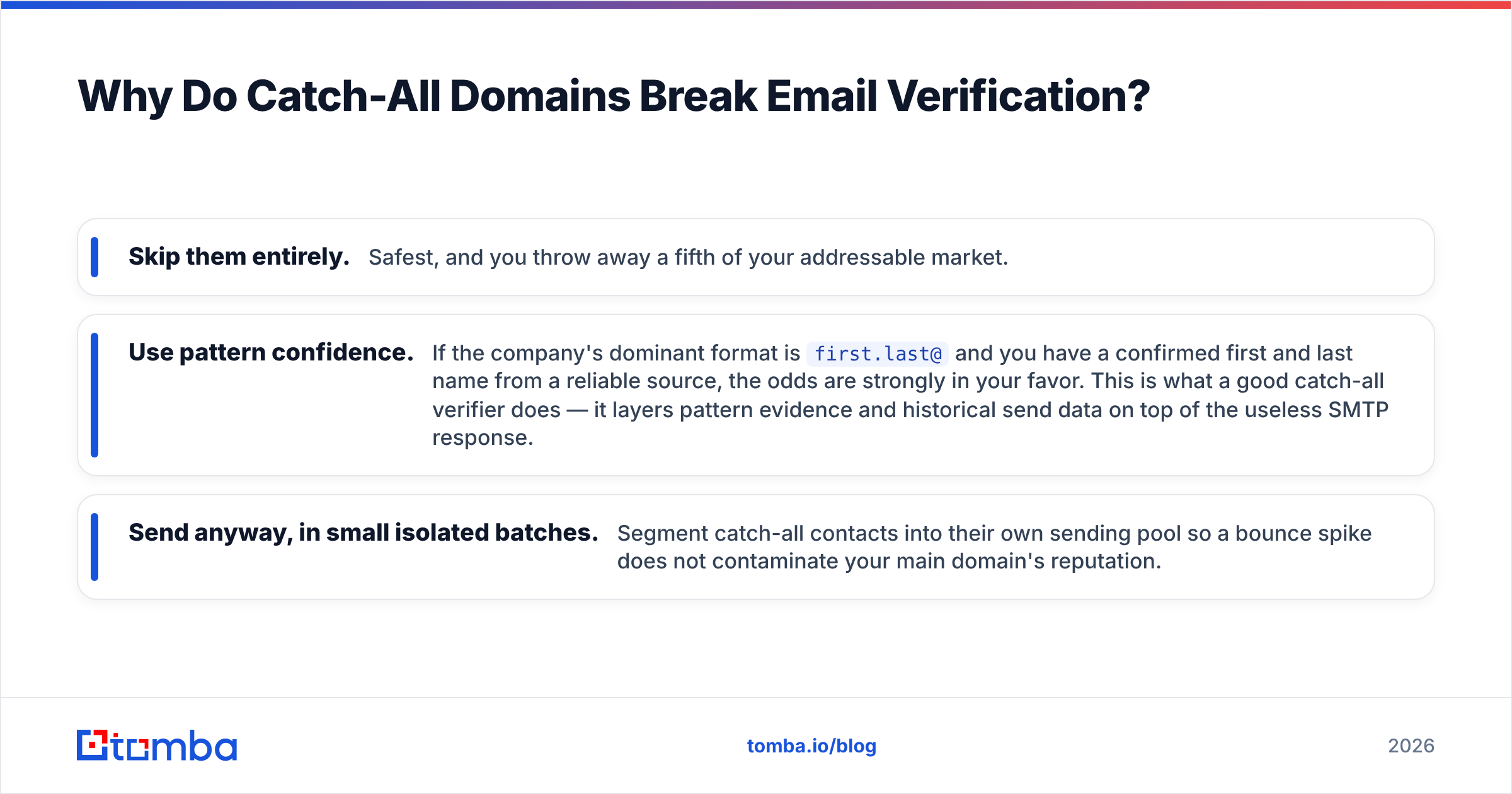
- Skip them entirely. Safest, and you throw away a fifth of your addressable market.
- Use pattern confidence. If the company's dominant format is
first.last@and you have a confirmed first and last name from a reliable source, the odds are strongly in your favor. This is what a good catch-all verifier does — it layers pattern evidence and historical send data on top of the useless SMTP response. - Send anyway, in small isolated batches. Segment catch-all contacts into their own sending pool so a bounce spike does not contaminate your main domain's reputation.
Any vendor that claims 99% accuracy without mentioning catch-alls is quoting the easy subset. Ask what happens on accept-all domains.

How Do The Main Verification Tools Compare?#
Pricing and behavior differ more than the marketing pages suggest. Here is the shape of the market as of 2026.
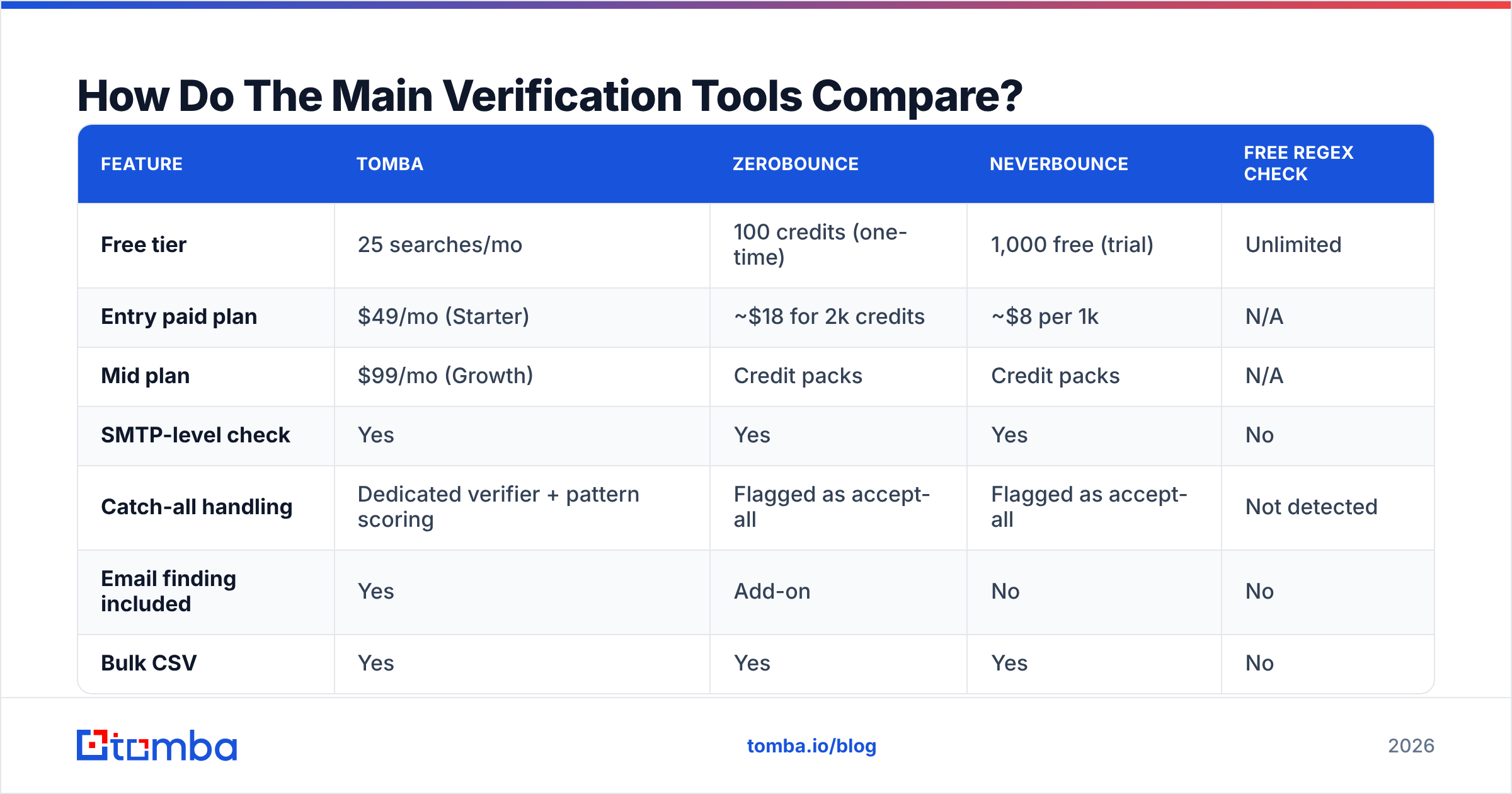
| Feature | Tomba | ZeroBounce | NeverBounce | Free regex check |
|---|---|---|---|---|
| Free tier | 25 searches/mo | 100 credits (one-time) | 1,000 free (trial) | Unlimited |
| Entry paid plan | $49/mo (Starter) | ~$18 for 2k credits | ~$8 per 1k | N/A |
| Mid plan | $99/mo (Growth) | Credit packs | Credit packs | N/A |
| SMTP-level check | Yes | Yes | Yes | No |
| Catch-all handling | Dedicated verifier + pattern scoring | Flagged as accept-all | Flagged as accept-all | Not detected |
| Email finding included | Yes | Add-on | No | No |
| Bulk CSV | Yes | Yes | Yes | No |
| API | Yes | Yes | Yes | No |
| Best for | Find + verify in one workflow | Pure list cleaning | High-volume one-off cleans | Form-side typo catching |
Two structural differences are worth naming. First, credit-pack vendors are cheaper for a single annual list clean. They cost more if you verify all year. A subscription with a set monthly allowance wins on ongoing outbound. Check current Tomba pricing against your real monthly volume, not your peak month.
Second, finding and verifying are different jobs. If you have a name and a company and need an address, a pure verifier does not help. You need a finder that verifies as it goes. If you have 40,000 rows from an acquisition and need to know what is alive, a list-cleaning vendor is the better buy.

For a broader vendor landscape, G2's email verification category carries enough reviews to spot patterns that vendor sites will not tell you.
What Bounce Rate Should You Actually Target?#
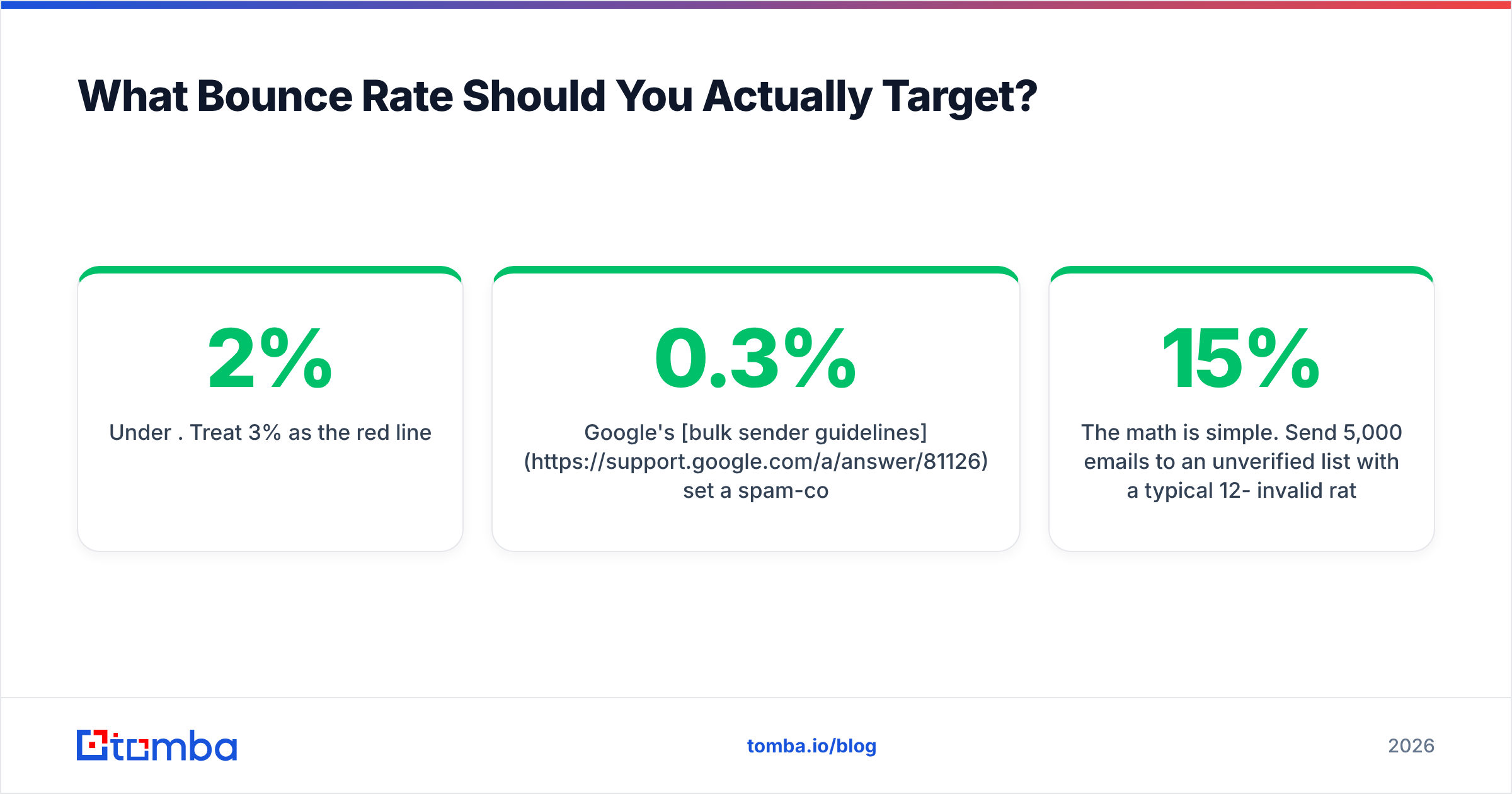
Under 2%. Treat 3% as the red line.
Google's bulk sender guidelines set a spam-complaint threshold of 0.3% and expect low invalid-recipient rates. Yahoo asks for nearly the same. Cross those lines and you do not get a warning email. You get routed to spam for the whole domain, including your legitimate replies.
The math is simple. Send 5,000 emails to an unverified list with a typical 12-15% invalid rate. That is 600-750 hard bounces in one afternoon. One send like that can cost you weeks of reputation repair, and no amount of clever copy fixes it.

Verification is cheap insurance. Cleaning that same 5,000-row list costs a few dollars. The alternative is a burned domain and a warmup cycle you restart from zero.
How Do You Check Email Validity At Scale?#
Match the method to the volume.
- 1-10 addresses — Free browser checker. Done in a minute.
- 10-500 addresses — CSV upload to a bulk verifier. Coffee-break turnaround.
- 500-50,000 addresses — Bulk verifier with a segmented output. Split results into deliverable, catch-all, and rejected, then route each to a different sending strategy.
- Continuous / in-product — API integration. Verify at the point of capture so bad data never enters your CRM in the first place.
- Inside a spreadsheet workflow — A Sheets email finder add-on or Excel add-in keeps verification where your team already works, which matters more for adoption than raw feature count.
One operational note that saves real money: deduplicate before you verify. Lists built from several sources often carry 10-20% duplicates, and every duplicate is a credit you pay twice. Run the file through a dedupe pass first.
Also re-verify on a schedule. B2B email data decays at roughly 22-30% a year as people change jobs. A list verified in January is measurably worse by July. Quarterly re-verification on active segments is a good default. Annual is the bare minimum.
What Does A Verification Result Actually Tell You?#
More than a binary, if you read it properly.
- Deliverable + personal mailbox — Green light. Highest-value segment.
- Deliverable + role account (
info@,support@,hello@) — Valid, but role accounts draw more spam complaints and rarely convert in outbound. Exclude from cold sequences; keep for support workflows. - Deliverable + free provider (gmail.com, outlook.com) — Valid, but a signal about buyer seriousness in B2B. Worth segmenting.
- Accept-all — Unconfirmed. Route to a separate sending pool.
- Disposable — Mailbox from a 10-minute-mail service. Never send; often a sign of a fraudulent signup.
- Undeliverable — Remove. Do not "try once to be sure."
A verifier that returns only "valid/invalid" throws away most of the signal it collected. Look for tools that expose the sub-status, because your segmentation depends on it.
When Should You Verify — Before Or After Finding?#
Both. They are different failure modes.
Verify at capture to keep garbage out of your systems: form submissions, imported lists, manually keyed records. Verify again at send time if more than 60-90 days have passed, because the mailbox may be gone by then.
The cleanest setup collapses the two steps. Use a tool that verifies while it finds email addresses, and you never hold an unverified address at all. The pipeline hands you confirmed-deliverable contacts and flags the ambiguous ones. That removes a whole class of "we forgot to clean this list" incidents, which is where most bounce disasters start.
If your data comes from LinkedIn prospecting, apply the same rule at the extraction step.
The Bottom Line#
How to check email address valid or not is a solved problem, as long as your method touches the mail server. Regex tells you almost nothing. A test send tells you the truth at a price you should not pay. Everything useful sits in between: SMTP-level verification with honest catch-all handling and readable sub-statuses.
Pick your method by volume. Respect the 2% bounce ceiling. Re-verify quarterly, and segment on sub-status rather than a binary flag. That is the whole discipline.
Ready to stop guessing? The Tomba Email Finder finds professional addresses by domain, name, or company. It verifies each one before it reaches your list, so what lands in your CRM is already confirmed deliverable. Start on the free tier with 25 searches a month, or move to the $49/mo Starter plan when your outbound volume outgrows it.
Related guides#
// get started
Find, verify and enrich your first contacts today
Start on the free plan with 25 searches a month, then scale when your team is ready.
Free plan · No credit card required · GDPR & CCPA
// about the author