How To Check If My Domain Is Blacklisted (Free 2026 Guide)
Your open rates collapsed overnight. Before you blame the copy, check the blocklists. Here are five free ways to test your domain and IP, read the results correctly, and file a delisting request that actually works.
Your reply rate didn't drop because your subject lines got worse. If deliverability fell off a cliff in a single week — opens down 70%, bounces up, Gmail suddenly quiet — a blocklist is one of the first three things you should rule out.
Here's the working answer to "how to check if my domain is blacklisted": query the major DNS blocklists directly for both your sending domain and your sending IP, then cross-check with the mailbox providers' own reputation dashboards. It takes about ten minutes and costs nothing.
TL;DR#
- Check the domain AND the IP. They are listed separately. Spamhaus DBL lists domains; Spamhaus SBL/ZEN lists IPs. A clean domain on a filthy shared IP still gets filtered.
- Five free checks cover ~95% of real cases: a multi-blocklist lookup tool, a direct DNS query, Google Postmaster Tools, Microsoft SNDS, and the bounce message itself.
- Read the bounce. Hard bounces usually name the exact blocklist and give you a delisting URL. That beats guessing.
- Most listings are earned, not random — bad list hygiene, a spike in unknown-user bounces, spam-trap hits, or a compromised form.
- Delisting without fixing the cause is a loop. Clean the list, fix authentication, then request removal.
What Does It Mean When Your Domain Is Blacklisted?#
A blacklist — the current, more accurate term is blocklist or DNSBL (DNS-based blackhole list) — is a published list of domains, IP addresses, or URLs associated with spam or abuse. Receiving mail servers query these lists in real time during the SMTP conversation and decide whether to reject, quarantine, or score your message down. The mechanism is old, boring, and enormously consequential; Wikipedia's DNSBL entry covers the protocol history if you want the plumbing.
Three different things can be listed, and confusing them wastes days:
- Your sending IP — the machine that opened the SMTP connection. On Google Workspace or Microsoft 365, that IP is shared with millions of other senders and you cannot get it delisted. On a dedicated SMTP relay or self-hosted server, it's yours to fix.
- Your sending domain — the domain in your From address or Return-Path. This is the one that follows you everywhere, including to a brand-new IP.
- Your links and tracking domain — URI blocklists like SURBL and Spamhaus DBL list domains found inside message bodies. A listed link shortener or click-tracking subdomain will sink mail sent from a perfectly clean domain.
There is also a fourth, invisible category: the mailbox providers' internal reputation systems. Gmail, Outlook, and Yahoo do not publish blocklists. They score you privately, and no third-party lookup tool can see that score. That's why Postmaster Tools and SNDS belong in this checklist.

How Do You Check If Your Domain Is Blacklisted?#
Run these in order. Stop as soon as one gives you a definitive answer, but do run at least the first three — a single tool's coverage is never complete.
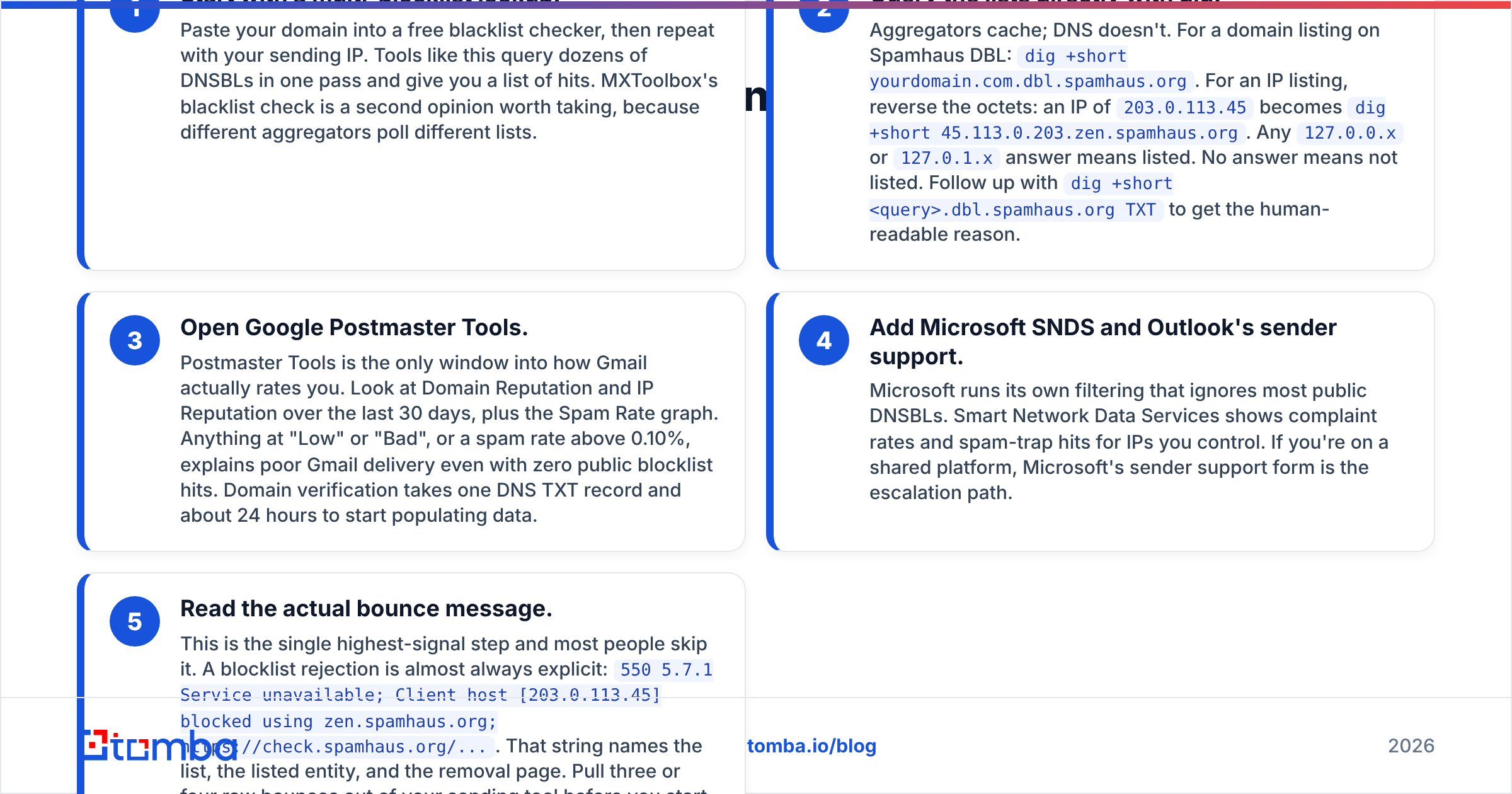
- Start with a multi-blocklist lookup. Paste your domain into a free blacklist checker, then repeat with your sending IP. Tools like this query dozens of DNSBLs in one pass and give you a list of hits. MXToolbox's blacklist check is a second opinion worth taking, because different aggregators poll different lists.
- Query the lists directly with dig. Aggregators cache; DNS doesn't. For a domain listing on Spamhaus DBL:
dig +short yourdomain.com.dbl.spamhaus.org. For an IP listing, reverse the octets: an IP of203.0.113.45becomesdig +short 45.113.0.203.zen.spamhaus.org. Any127.0.0.xor127.0.1.xanswer means listed. No answer means not listed. Follow up withdig +short <query>.dbl.spamhaus.org TXTto get the human-readable reason. - Open Google Postmaster Tools. Postmaster Tools is the only window into how Gmail actually rates you. Look at Domain Reputation and IP Reputation over the last 30 days, plus the Spam Rate graph. Anything at "Low" or "Bad", or a spam rate above 0.10%, explains poor Gmail delivery even with zero public blocklist hits. Domain verification takes one DNS TXT record and about 24 hours to start populating data.
- Add Microsoft SNDS and Outlook's sender support. Microsoft runs its own filtering that ignores most public DNSBLs. Smart Network Data Services shows complaint rates and spam-trap hits for IPs you control. If you're on a shared platform, Microsoft's sender support form is the escalation path.
- Read the actual bounce message. This is the single highest-signal step and most people skip it. A blocklist rejection is almost always explicit:
550 5.7.1 Service unavailable; Client host [203.0.113.45] blocked using zen.spamhaus.org; https://check.spamhaus.org/.... That string names the list, the listed entity, and the removal page. Pull three or four raw bounces out of your sending tool before you start guessing.
If all five come back clean and delivery is still bad, you don't have a blocklist problem — you have an authentication or content problem. Verify your SPF record, confirm DKIM signs with your own domain, and make sure DMARC isn't published at p=reject with a broken alignment.
Which Blacklists Actually Matter?#
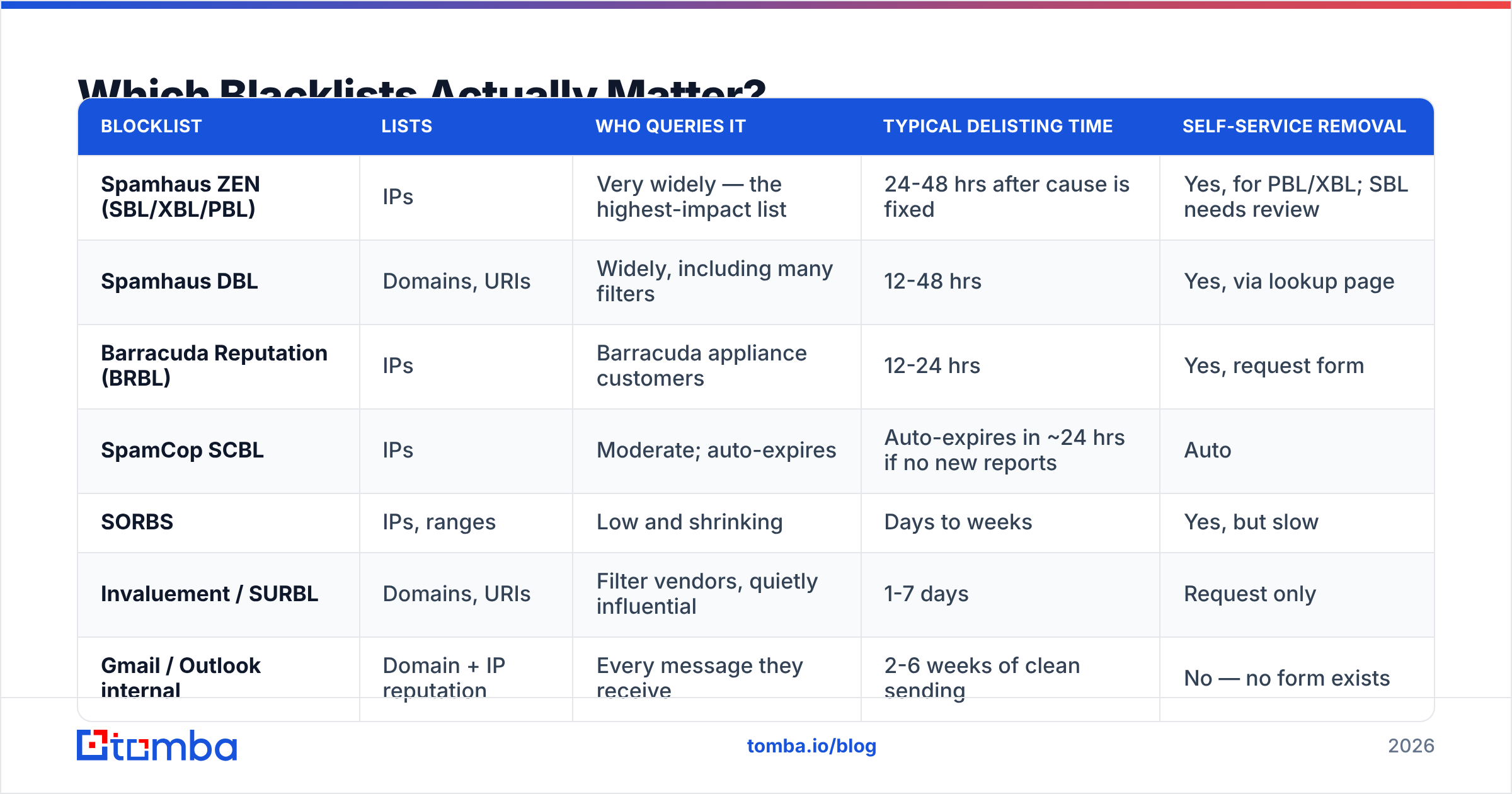
There are hundreds of DNSBLs. Roughly six affect real B2B email volume. The rest are either defunct, run by one person with a grudge, or used by nobody. Don't panic over a hit on a list no receiver queries.
| Blocklist | Lists | Who queries it | Typical delisting time | Self-service removal |
|---|---|---|---|---|
| Spamhaus ZEN (SBL/XBL/PBL) | IPs | Very widely — the highest-impact list | 24-48 hrs after cause is fixed | Yes, for PBL/XBL; SBL needs review |
| Spamhaus DBL | Domains, URIs | Widely, including many filters | 12-48 hrs | Yes, via lookup page |
| Barracuda Reputation (BRBL) | IPs | Barracuda appliance customers | 12-24 hrs | Yes, request form |
| SpamCop SCBL | IPs | Moderate; auto-expires | Auto-expires in ~24 hrs if no new reports | Auto |
| SORBS | IPs, ranges | Low and shrinking | Days to weeks | Yes, but slow |
| Invaluement / SURBL | Domains, URIs | Filter vendors, quietly influential | 1-7 days | Request only |
| Gmail / Outlook internal | Domain + IP reputation | Every message they receive | 2-6 weeks of clean sending | No — no form exists |
Two practical implications. First, a hit on Spamhaus is an emergency; a hit on an obscure list nobody queries is noise. Second, the listings you cannot appeal — the mailbox providers' private reputation scores — are the ones that take longest to repair. There is no form for Gmail. You rebuild by sending less, to better addresses, and getting engagement.
Why Did Your Domain Get Blacklisted?#
Listings are causal, not random. In descending order of how often they're the culprit for outbound B2B teams:
- Unverified lists. Scraped or bought data carries dead addresses and spam traps. A 6% hard-bounce rate is a screaming signal to every receiver that you didn't verify anything. Run every import through an email verifier before it touches a sequence — bounce prevention is the cheapest deliverability work that exists.
- Spam-trap hits. Traps are addresses that exist only to catch senders who don't get permission. One pristine-trap hit can trigger a DBL listing on its own. Traps are heavily concentrated in old, resold, and scraped data.
- Volume spikes on a cold domain. Going from 0 to 800 sends/day on a two-week-old domain looks exactly like a spammer's ramp, because it is one.
- Complaints. A 0.3% "report spam" rate is enough to tank Gmail reputation. Irrelevant targeting produces complaints faster than bad copy does.
- A compromised account or form. A leaked SMTP credential or an unprotected contact form used as a relay will get an IP listed within hours. If a listing appears with no change in your own sending, check this first.
- A listed link in the body. Free URL shorteners are constantly listed. Use your own tracking subdomain and check it separately.
- Shared IP neighbours. On a cheap shared relay, someone else's behaviour becomes your reputation. This is the argument for a dedicated IP once you're past roughly 50k sends/month — and against one below that, where you can't generate enough volume to build reputation.

How Do You Get Your Domain Delisted?#
Fix, then file. Filing first gets you relisted within a week and, on some lists, flagged as a repeat offender — which makes the second removal much harder.
Step 1 — Stop sending from the affected domain. All campaigns, immediately. Transactional mail can keep flowing on a separate subdomain if you have one.
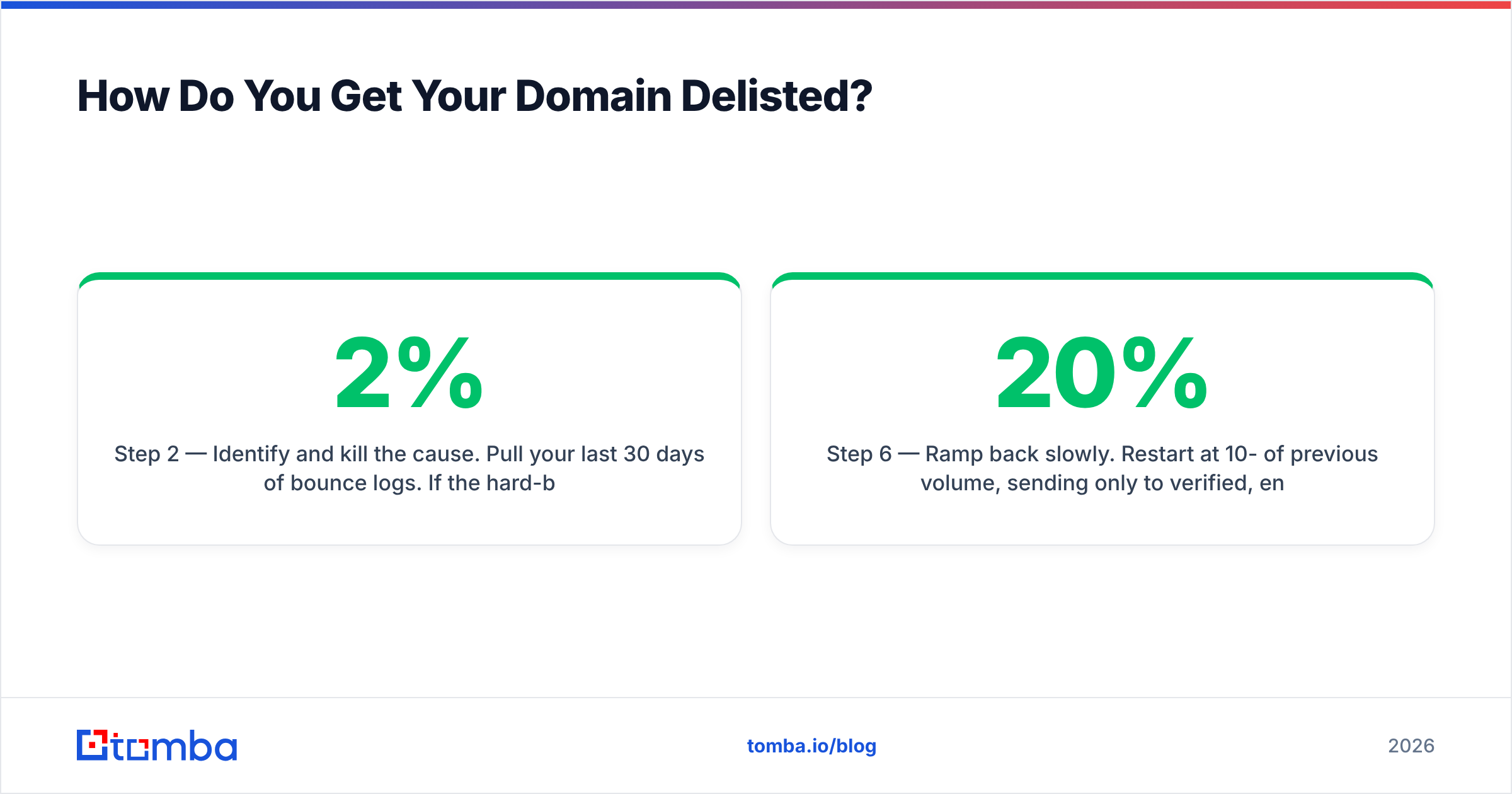
Step 2 — Identify and kill the cause. Pull your last 30 days of bounce logs. If the hard-bounce rate is above 2%, list quality is your problem. If it's low but complaints are high, targeting is your problem. If neither, check for a compromised account: rotate SMTP credentials, review app passwords, and confirm no form or script can relay mail.
Step 3 — Clean the list properly. Remove every hard bounce, every role address you don't need, and every unverified record. Then re-verify what's left. Catch-all domains deserve special handling — a plain "accept-all" verdict tells you nothing, so run them through a catch-all verifier instead of treating them as valid.
Step 4 — Fix authentication before you ask. SPF that resolves, DKIM signed with your domain, DMARC published at least at p=none with a reporting address. Reviewers check. A listing request from a domain with no DKIM gets deprioritised.
Step 5 — Submit the removal request. Use the URL from the bounce or the list's own lookup page. Spamhaus has the best-documented process. Be specific and short: what happened, what you changed, what you'll do differently. Do not argue, do not claim it must be a mistake, and never submit twice in one day.
Step 6 — Ramp back slowly. Restart at 10-20% of previous volume, sending only to verified, engaged, recently active contacts for two weeks. Watch your sender reputation in Postmaster Tools daily and increase volume only while spam rate stays under 0.10%.
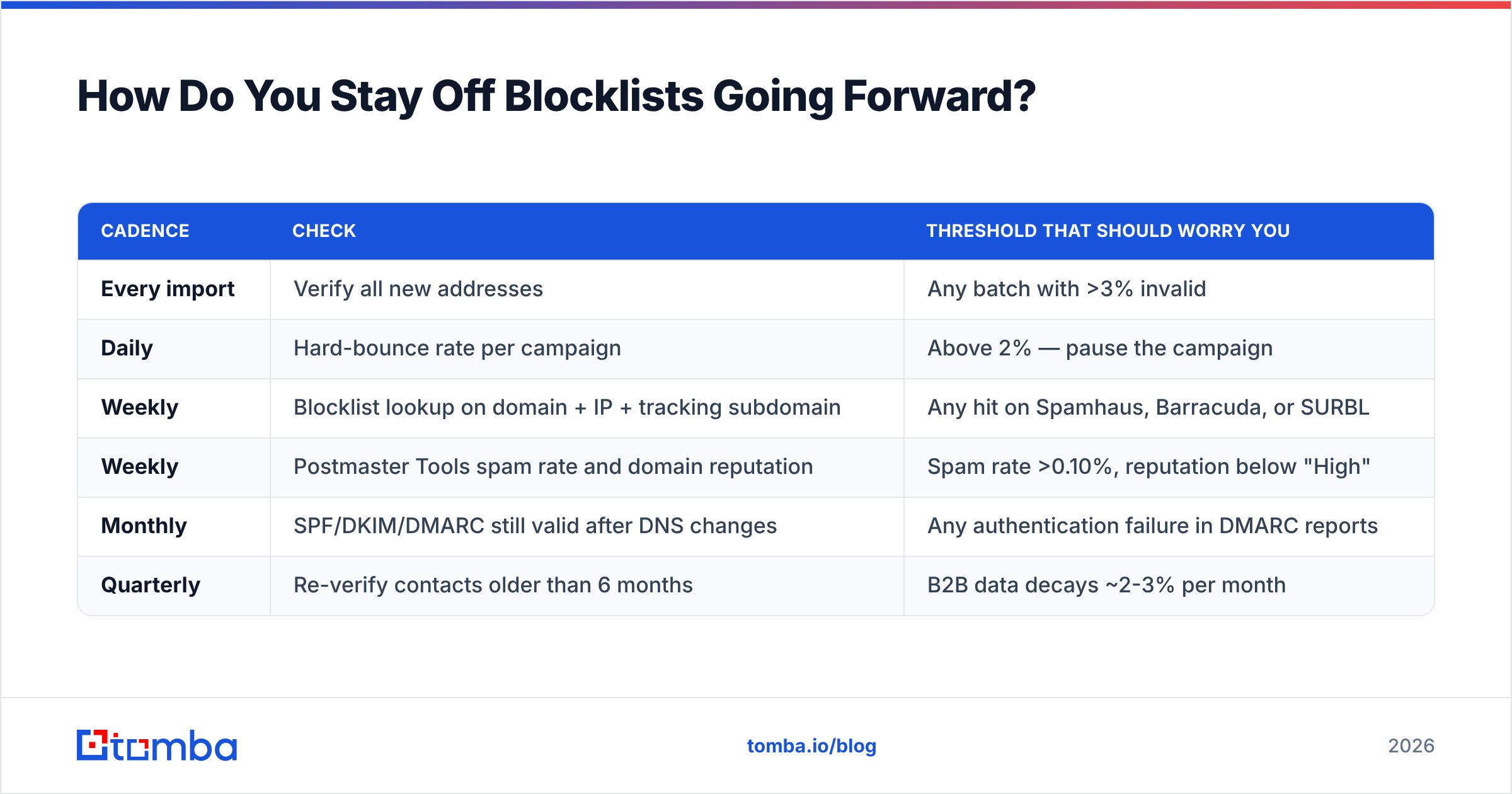
How Do You Stay Off Blocklists Going Forward?#
The monitoring loop that actually prevents repeat listings has four moving parts, and none of them takes more than a few minutes a week.
| Cadence | Check | Threshold that should worry you |
|---|---|---|
| Every import | Verify all new addresses | Any batch with >3% invalid |
| Daily | Hard-bounce rate per campaign | Above 2% — pause the campaign |
| Weekly | Blocklist lookup on domain + IP + tracking subdomain | Any hit on Spamhaus, Barracuda, or SURBL |
| Weekly | Postmaster Tools spam rate and domain reputation | Spam rate >0.10%, reputation below "High" |
| Monthly | SPF/DKIM/DMARC still valid after DNS changes | Any authentication failure in DMARC reports |
| Quarterly | Re-verify contacts older than 6 months | B2B data decays ~2-3% per month |
Two habits do most of the work. First, never send to an address you haven't verified — bounces are the input to nearly every reputation system that matters. Second, keep marketing sends, cold outreach, and transactional mail on separate subdomains, so a problem in one lane can't take down invoices or password resets.
Is a Free Blacklist Check Enough?#
For diagnosis, yes. Free DNSBL lookups and Postmaster Tools will tell you whether you're listed and usually why, and neither requires a credit card. Where free tools stop is prevention: they tell you after receivers have already judged you.
The paid layer worth buying is not another monitoring dashboard — it's data quality at the point of entry. Verification and enrichment before the send is what keeps bounce rates low enough that blocklists never notice you. Tomba pricing starts with a free tier at 25 searches/month, with Starter at $49/mo and Growth at $99/mo if you're running steady prospecting volume.
If your bounces are coming from guessed or scraped addresses, fix the source. Use the Tomba Email Finder to build verified contact data from a domain or a name instead of permutating patterns and hoping — clean input is the only durable deliverability strategy, and it's a lot cheaper than a Spamhaus delisting request at 3am.
Related guides#
// get started
Find, verify and enrich your first contacts today
Start on the free plan with 25 searches a month, then scale when your team is ready.
Free plan · No credit card required · GDPR & CCPA
// about the author