How To Check Whether An Email Address Exists (2026 Guide)
Bounces cost you more than a wasted send — they cost sender reputation. Here are seven ways to check if an email exists before you hit send, ranked by accuracy, speed, and how likely they are to get you blocked.
TL;DR
- There is no single check that proves an address exists. You stack four signals — syntax, domain/MX records, mailbox-level SMTP response, and historical activity data — and act on the combined verdict.
- Manual SMTP handshakes still work on some domains, but Google, Microsoft, and most enterprise gateways now answer "maybe" to everything, so DIY telnet testing is largely dead for the addresses you care about.
- Free browser tools are fine for one-off checks. Anything past ~50 addresses needs a bulk verifier with catch-all handling.
- A catch-all domain (accepts every address) is the single biggest source of false "valid" results. Treat catch-all and valid as different statuses.
- Keep your bounce rate under 2%. Above 3%, Gmail and Outlook start throttling you regardless of how good your copy is.
What does it actually mean for an email address to "exist"?#
"Exists" is four separate questions wearing a trench coat, and most tools only answer two of them.
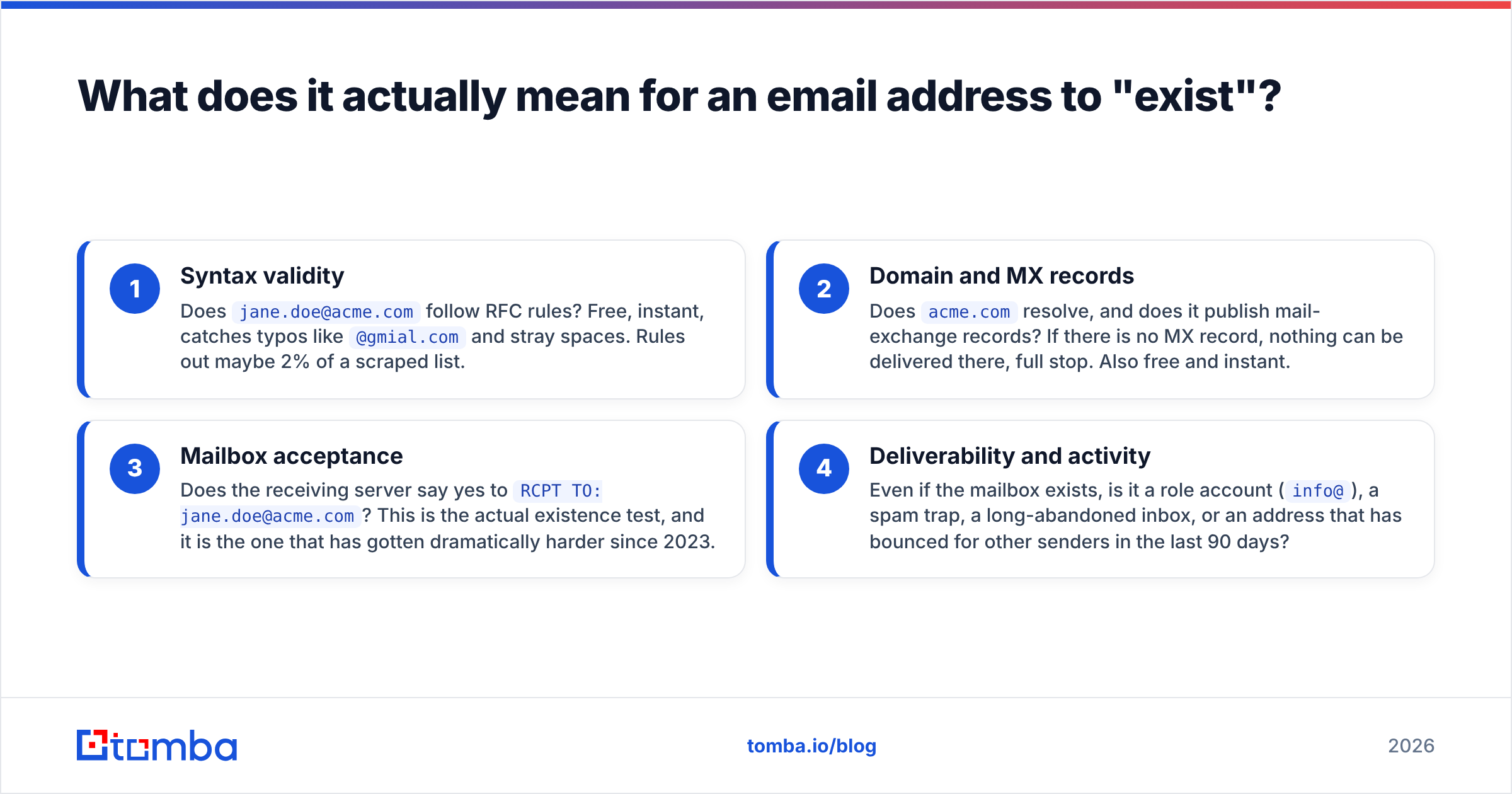
An address can be perfectly well-formed, on a live domain, accepted by the receiving server, and still land nowhere useful. Here is the ladder, from cheapest check to most expensive:
- Syntax validity — Does
jane.doe@acme.comfollow RFC rules? Free, instant, catches typos like@gmial.comand stray spaces. Rules out maybe 2% of a scraped list. - Domain and MX records — Does
acme.comresolve, and does it publish mail-exchange records? If there is no MX record, nothing can be delivered there, full stop. Also free and instant. - Mailbox acceptance — Does the receiving server say yes to
RCPT TO: jane.doe@acme.com? This is the actual existence test, and it is the one that has gotten dramatically harder since 2023. - Deliverability and activity — Even if the mailbox exists, is it a role account (
info@), a spam trap, a long-abandoned inbox, or an address that has bounced for other senders in the last 90 days?
A tool that reports "valid" after step 2 is telling you the building exists. It says nothing about whether anyone lives in the apartment.
Sorry — the image above should read as: verified data beats pattern-guessing, every time.

How do you check if an email exists for free, right now?#
If you have one address and thirty seconds, use one of these. All are genuinely free and require no card.
Method 1 — Paste it into a free checker. A free email checker runs syntax, MX, and a mailbox probe in one shot and returns a status in about two seconds. This is the right default for a single address.
Method 2 — Look for an MX record. On macOS or Linux, dig acme.com MX +short returns the mail servers. Empty output means the domain cannot receive mail at all — you can stop there. On Windows, nslookup -type=mx acme.com does the same job.
Method 3 — Try the manual SMTP handshake. Connect to the MX host on port 25, then issue HELO, MAIL FROM, and RCPT TO. A 250 response historically meant the mailbox exists; 550 meant it does not. The SMTP specification defines these codes. In practice, most residential ISPs block outbound port 25 and most large providers now return 250 for everything, so treat this as a diagnostic, not a verdict.
Method 4 — Use the provider's own signals. Some platforms leak existence during password reset or sign-up flows ("an account with this email already exists"). This works, but it is slow, it is one address at a time, and it may trip abuse detection. Use it sparingly.
Method 5 — Send a plain-text test from a burner domain. If everything else is ambiguous, send one short, non-commercial message from a domain you do not care about and watch for the bounce. Never do this from your primary sending domain — a hard bounce on your main domain is exactly the outcome you are trying to avoid.
Why does the SMTP check fail so often now?#
Because the receiving side stopped answering honestly, and it did so on purpose.
Three changes, all rolled out between 2021 and 2025, broke naive verification:
- Catch-all configuration went mainstream. A catch-all domain accepts mail for every possible local part, so
RCPT TO: asdkjh@acme.comgets the same250 OKas the CEO's real address. Roughly a fifth of business domains are configured this way, and the share is higher among enterprises using a mail gateway. - Greylisting and tarpitting. Servers deliberately return a soft
4xxon first contact to see whether you retry like a real mail server. A verifier that gives up after one attempt reports "unknown" on a perfectly good address. - Provider-level opacity. Microsoft 365 in particular returns non-committal responses to unauthenticated probes. Google Workspace behaves similarly under load. Neither wants to hand attackers a free user-directory oracle.
The practical consequence: any verifier that relies on a single SMTP round trip will produce a lot of "unknown" and a fair number of confidently wrong "valid" results. The tools worth paying for combine SMTP with historical bounce data, pattern intelligence across millions of domains, and per-provider heuristics.

Which tools check email existence best in 2026?#
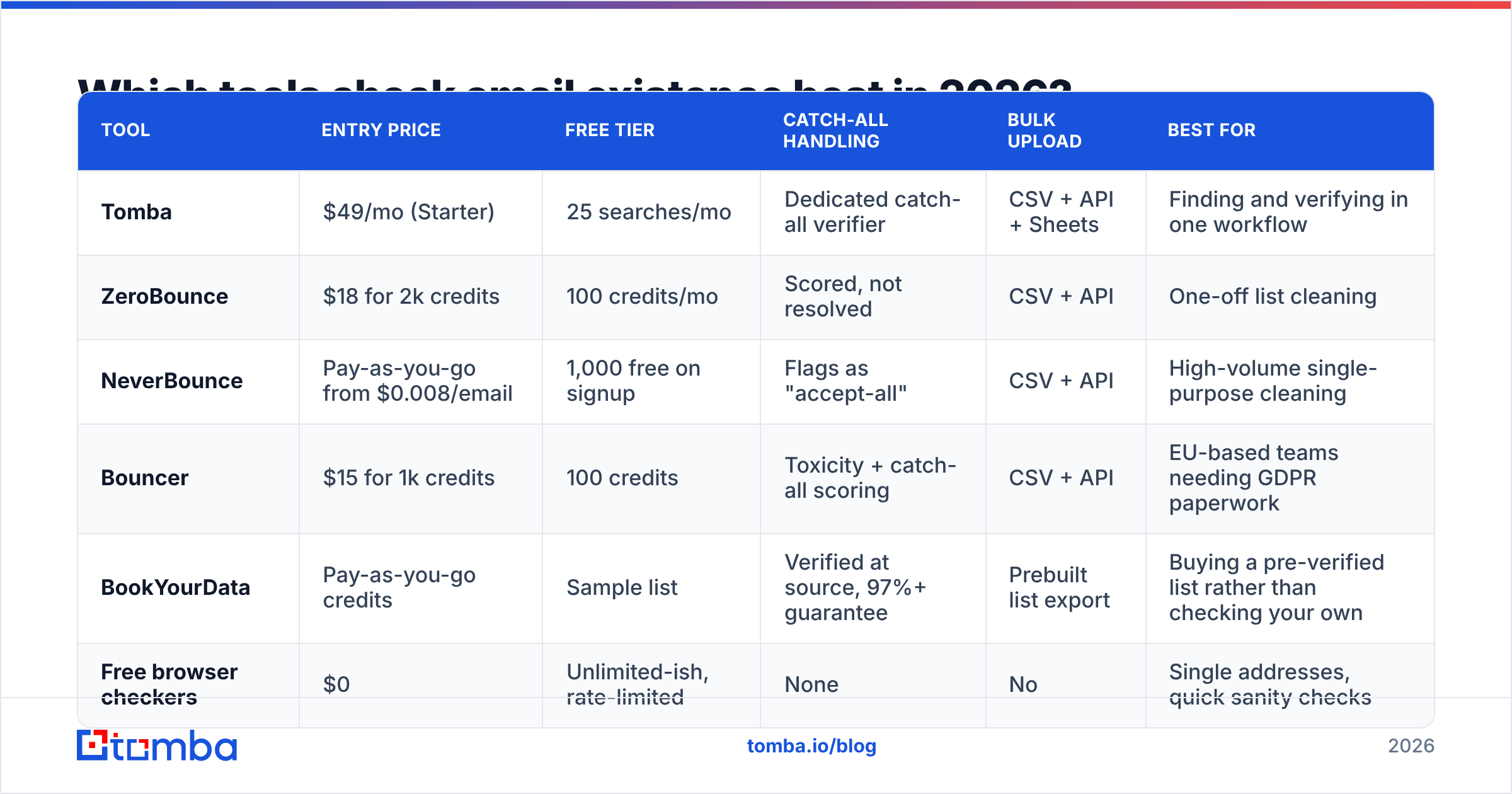
Here is how the main categories stack up. Prices are the entry paid tier as published by each vendor at time of writing; check the vendor page before you buy, since credit definitions differ.
| Tool | Entry price | Free tier | Catch-all handling | Bulk upload | Best for |
|---|---|---|---|---|---|
| Tomba | $49/mo (Starter) | 25 searches/mo | Dedicated catch-all verifier | CSV + API + Sheets | Finding and verifying in one workflow |
| ZeroBounce | $18 for 2k credits | 100 credits/mo | Scored, not resolved | CSV + API | One-off list cleaning |
| NeverBounce | Pay-as-you-go from $0.008/email | 1,000 free on signup | Flags as "accept-all" | CSV + API | High-volume single-purpose cleaning |
| Bouncer | $15 for 1k credits | 100 credits | Toxicity + catch-all scoring | CSV + API | EU-based teams needing GDPR paperwork |
| BookYourData | Pay-as-you-go credits | Sample list | Verified at source, 97%+ guarantee | Prebuilt list export | Buying a pre-verified list rather than checking your own |
| Free browser checkers | $0 | Unlimited-ish, rate-limited | None | No | Single addresses, quick sanity checks |
Two things to notice in that table. First, price per address converges fast at volume — the real differentiator is what happens to the ambiguous 15-20% of your list, not the happy path. Second, list vendors and verifiers solve adjacent problems: BookYourData sells contacts that are already checked, while a verifier cleans a list you brought yourself. If you are starting from zero contacts, buying pre-verified data can be cheaper than sourcing then verifying.

If you want to compare more of the category, the email verification listings on G2 are a reasonable neutral starting point — though be aware that review recency varies wildly between vendors.
How do you handle catch-all domains without guessing?#
Treat catch-all as its own status and route it differently. Do not merge it into "valid."
A catch-all verifier works by attacking the problem sideways rather than trusting the SMTP response:
- Control-address probing. Test a deliberately absurd local part (
zzq7x-notreal@domain.com). If that gets accepted, the domain is catch-all and every250from it is meaningless. - Pattern matching against known-good data. If 400 confirmed addresses at that domain follow
first.last@, thenj.doe@is likely a miss andjane.doe@is likely a hit — even though the server accepts both. - Engagement history. Aggregated bounce and open data across many senders is the strongest signal available on catch-all domains, and it is the one you cannot reproduce yourself.
- Role-account filtering.
sales@,info@, andadmin@almost always resolve on catch-all domains and almost never belong to the person you want.
Practical rule: send to catch-all addresses only when the domain is high-value, keep them in a separate sending segment, and cap them at 10-15% of any given day's volume so a bad batch cannot wreck your sender reputation.

How do you check thousands of addresses at once?#
Manual checking stops being viable somewhere around fifty addresses. Past that, you have three routes.
Route 1 — CSV upload. Export your list, upload it to a bulk email finder, download the annotated file. Simple, no engineering time, usually processes a few thousand rows in minutes. Best when verification is a periodic chore rather than a continuous process.
Route 2 — API integration. Call an email verification API at the moment an address enters your system: form submission, CRM import, scraper output. This is the correct architecture if you are collecting addresses continuously, because it prevents bad data from ever landing in your database. Budget a day of engineering, then forget about it.
Route 3 — Spreadsheet formulas. For teams living in Google Sheets or Excel, an add-in that exposes verification as a cell function lets non-technical people check a column without leaving the sheet. Slower per row than the API, but zero onboarding.
Whichever route you take, the sequence matters more than the tool. Deduplicate first, drop obvious syntax failures second, run domain checks third, and only then spend credits on mailbox-level checks. Deduplication alone typically removes 8-12% of a scraped list, and you should not pay to verify the same address twice.
What does "accurate" actually mean for a verifier?#
Ask two questions of any accuracy claim, because vendors quote whichever number flatters them.
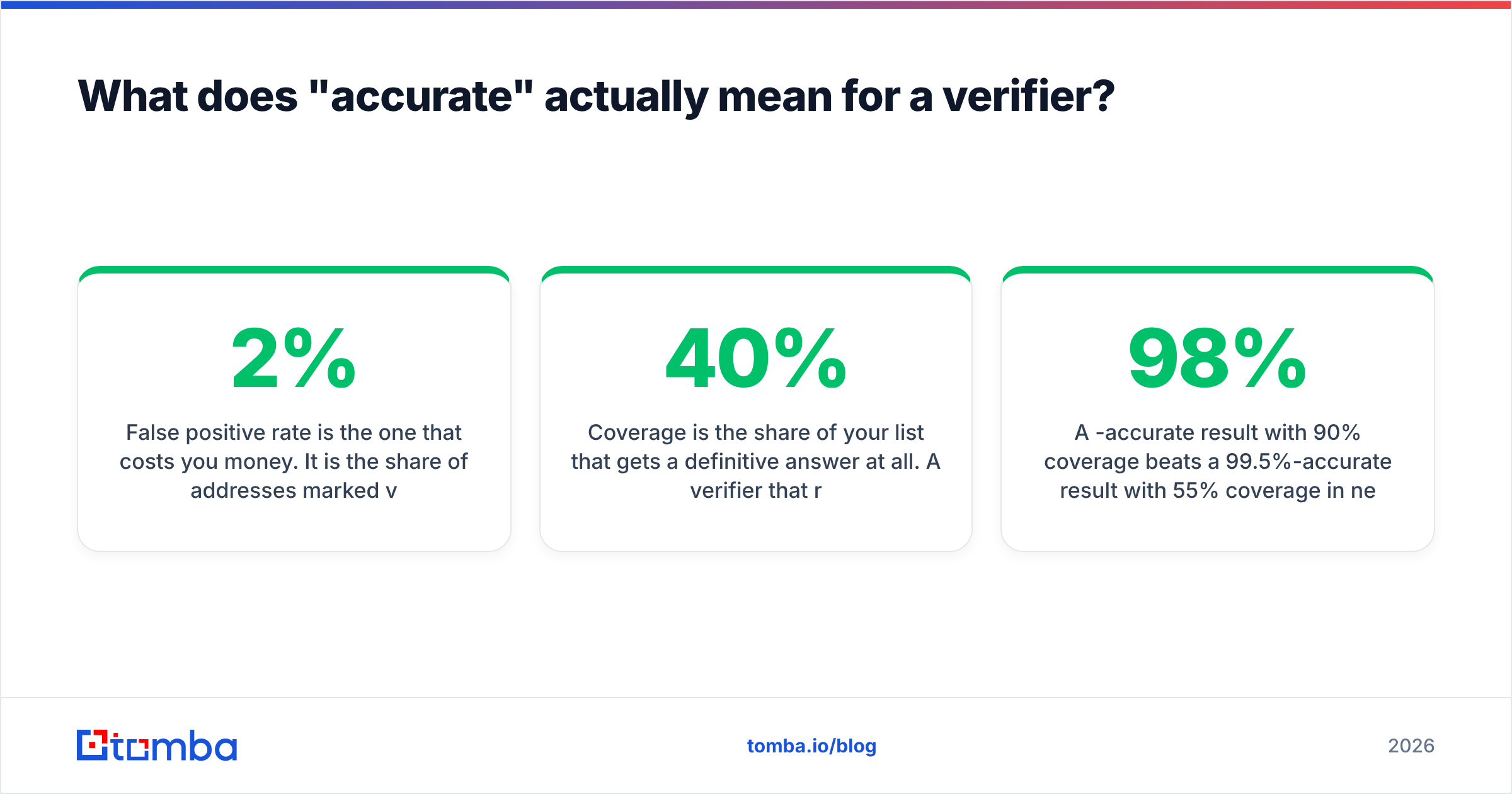
False positive rate is the one that costs you money. It is the share of addresses marked valid that actually bounce. Under 2% is good; under 1% is excellent. This directly sets your bounce rate.
Coverage is the share of your list that gets a definitive answer at all. A verifier that returns "unknown" for 40% of your list can honestly claim a 99% accuracy rate on the 60% it answered — while leaving you with the hard part unsolved. Always ask for both numbers together.
A 98%-accurate result with 90% coverage beats a 99.5%-accurate result with 55% coverage in nearly every real campaign. Run a paid test on a few hundred of your own addresses before committing to an annual plan; every vendor's performance varies by geography and by how much of your list sits on Microsoft 365 versus Google Workspace versus self-hosted mail. Vendor benchmarks are run on vendor-friendly lists.
For context on how bounce rates translate into inbox placement, the sending guidelines maintained by major providers spell out the thresholds explicitly — and they are stricter than most senders assume.
What should your verification workflow look like?#
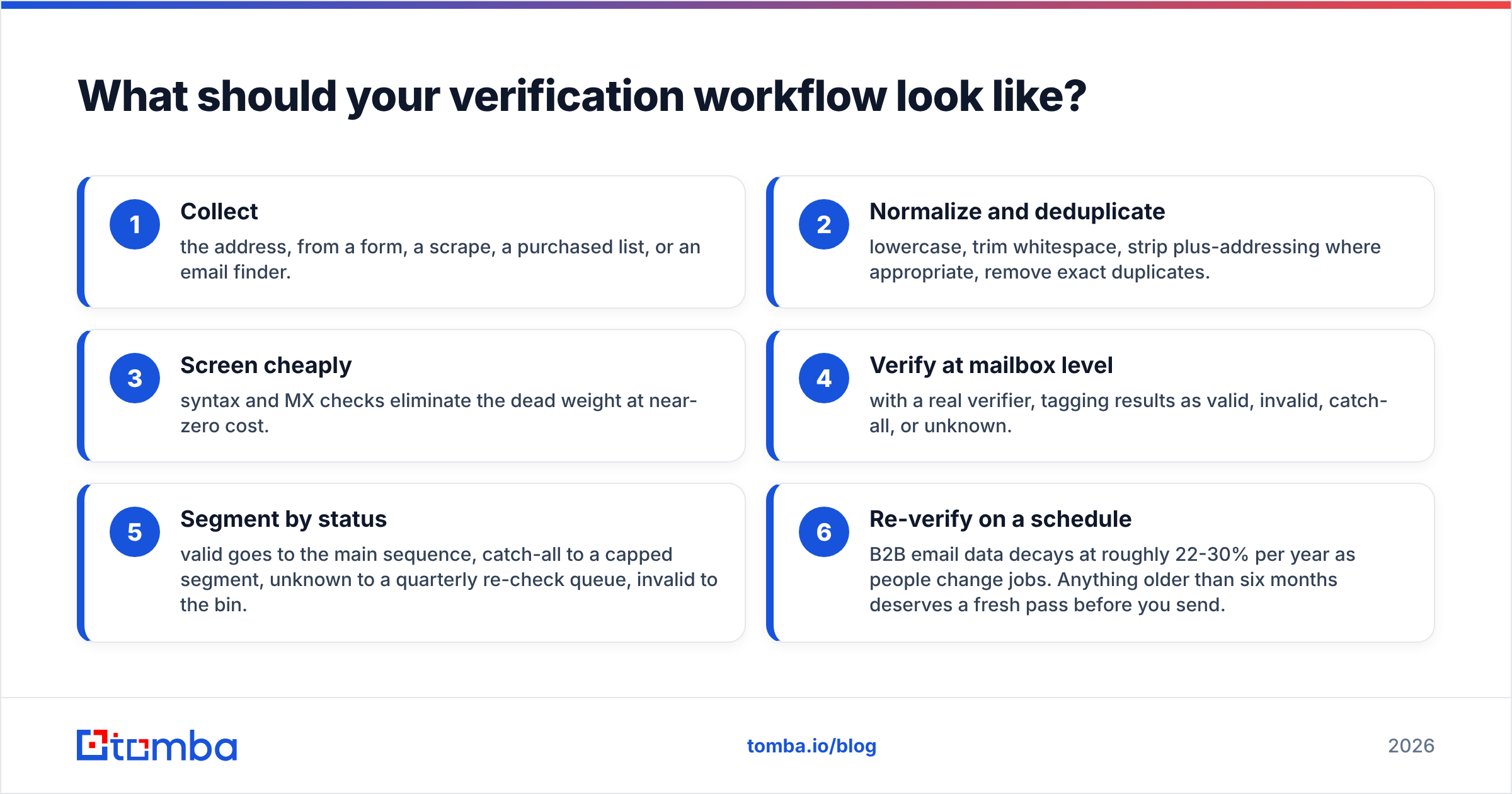
Here is the sequence that holds up in production:
- Collect the address, from a form, a scrape, a purchased list, or an email finder.
- Normalize and deduplicate — lowercase, trim whitespace, strip plus-addressing where appropriate, remove exact duplicates.
- Screen cheaply — syntax and MX checks eliminate the dead weight at near-zero cost.
- Verify at mailbox level with a real verifier, tagging results as valid, invalid, catch-all, or unknown.
- Segment by status — valid goes to the main sequence, catch-all to a capped segment, unknown to a quarterly re-check queue, invalid to the bin.
- Re-verify on a schedule — B2B email data decays at roughly 22-30% per year as people change jobs. Anything older than six months deserves a fresh pass before you send.
Skipping step 5 is the most common mistake. Teams verify diligently, then dump every non-invalid address into one campaign and wonder why their bounce rate sits at 4%.
Ready to stop guessing?#
Checking whether an email address exists is only half the job — you also need addresses worth checking in the first place. Tomba Email Finder does both: it finds professional addresses by domain, name, or company, then runs verification on the result before it ever reaches your sequence, so what lands in your CRM is already clean. The free tier gives you 25 searches a month to test it against contacts you can independently confirm, and paid plans start at $49/mo — see Tomba pricing for credit details. Start with fifty addresses you already know the answer to. Trust the tool that gets those right.
Related guides#
// get started
Find, verify and enrich your first contacts today
Start on the free plan with 25 searches a month, then scale when your team is ready.
Free plan · No credit card required · GDPR & CCPA
// about the author