How to Choose a CRM in 2026: A Practical Buyer's Guide
Most CRM buying decisions go wrong before the first demo. Here's a 7-step framework for picking a CRM that your reps will actually use — plus a side-by-side comparison of the four platforms teams shortlist most.
TL;DR
- Pick the CRM that matches your sales motion, not the one with the longest feature list. Transactional inbound teams and 9-month enterprise cycles need opposite things.
- Budget for the real number: license + implementation + integrations + admin time. The sticker price is usually 40-60% of year-one spend.
- Data quality beats features. A CRM full of bounced emails and blank phone fields is a very expensive spreadsheet.
- Run a 2-week pilot with three real reps and five real deals before you sign anything. Demos are theater.
- Check the API and native integration list before you fall in love with the UI — you will be pushing enriched contact data into this thing every day.
Choosing a CRM is like choosing a kitchen. Everyone gets seduced by the marble island and the six-burner range, then discovers the drawers don't open all the way and there's nowhere to put the trash. The specs looked great. The daily workflow is miserable.
Most CRM purchases fail the same way. Teams evaluate on feature checklists, sign a two-year contract, spend three months on implementation, and then watch adoption crater because the thing takes eleven clicks to log a call. Gartner has repeatedly flagged low user adoption as the top reason CRM projects underdeliver — the software works fine, the humans just stop using it.
This guide gives you a repeatable process for how to choose a CRM: define the motion, size the real cost, shortlist three, pilot two, buy one.
What does a CRM actually need to do for your team?#
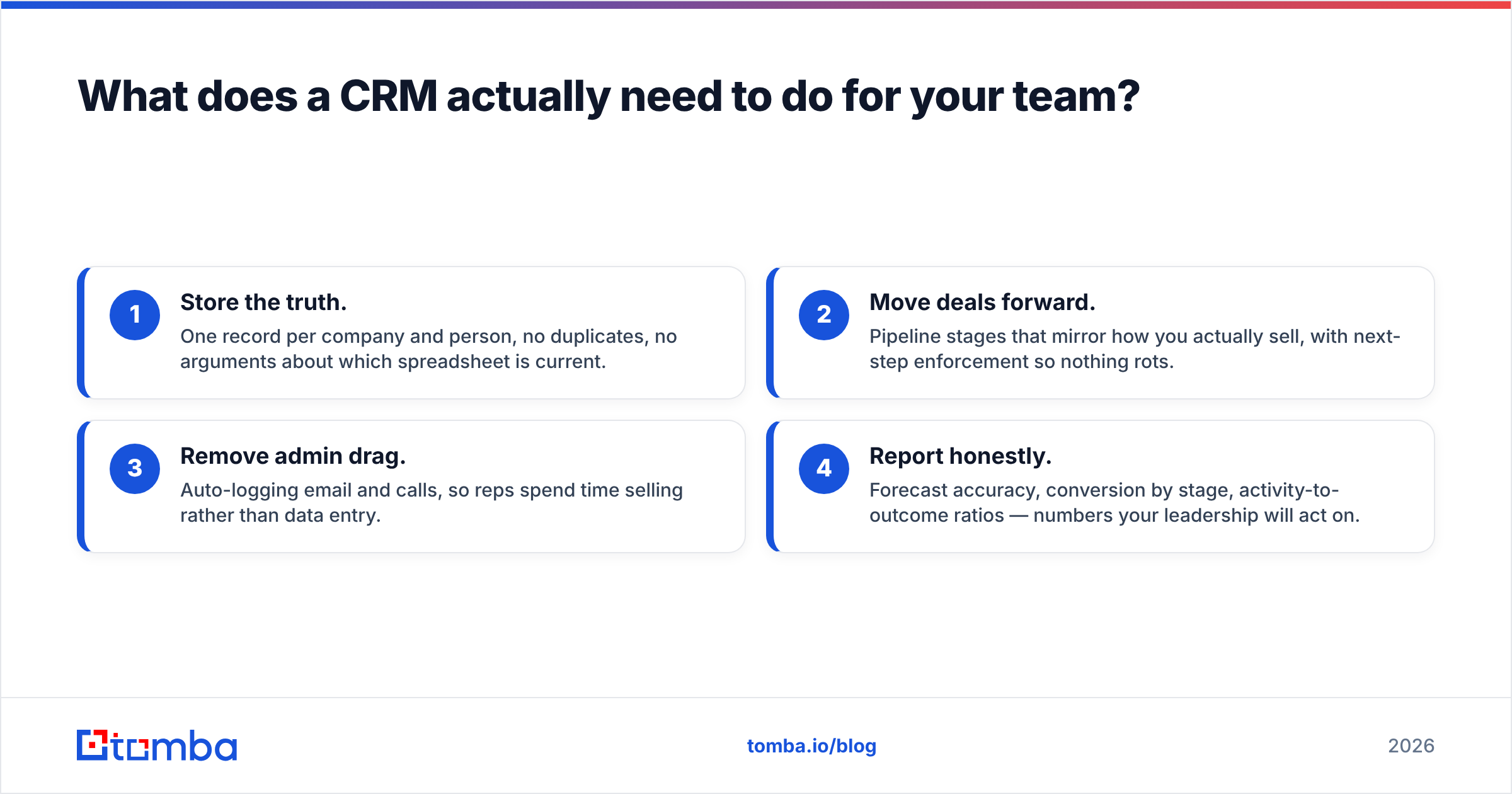
Before you look at a single vendor, write down what "working" means. Not features — outcomes. A CRM has four jobs, and different teams weight them very differently:
- Store the truth. One record per company and person, no duplicates, no arguments about which spreadsheet is current.
- Move deals forward. Pipeline stages that mirror how you actually sell, with next-step enforcement so nothing rots.
- Remove admin drag. Auto-logging email and calls, so reps spend time selling rather than data entry.
- Report honestly. Forecast accuracy, conversion by stage, activity-to-outcome ratios — numbers your leadership will act on.
Now weight them. A 4-person startup selling a $200/mo product needs #3 above all else. A 40-person team selling six-figure contracts across a buying committee needs #1 and #4. If you can't rank these four before demos start, every vendor will convince you their strength is the one that matters.
Write the ranking down. Share it with everyone in the evaluation. It becomes your tiebreaker when two tools look equally good.

How do you match a CRM to your sales motion?#
Your sales motion is the single biggest filter, and it eliminates most of the market in about ten minutes.
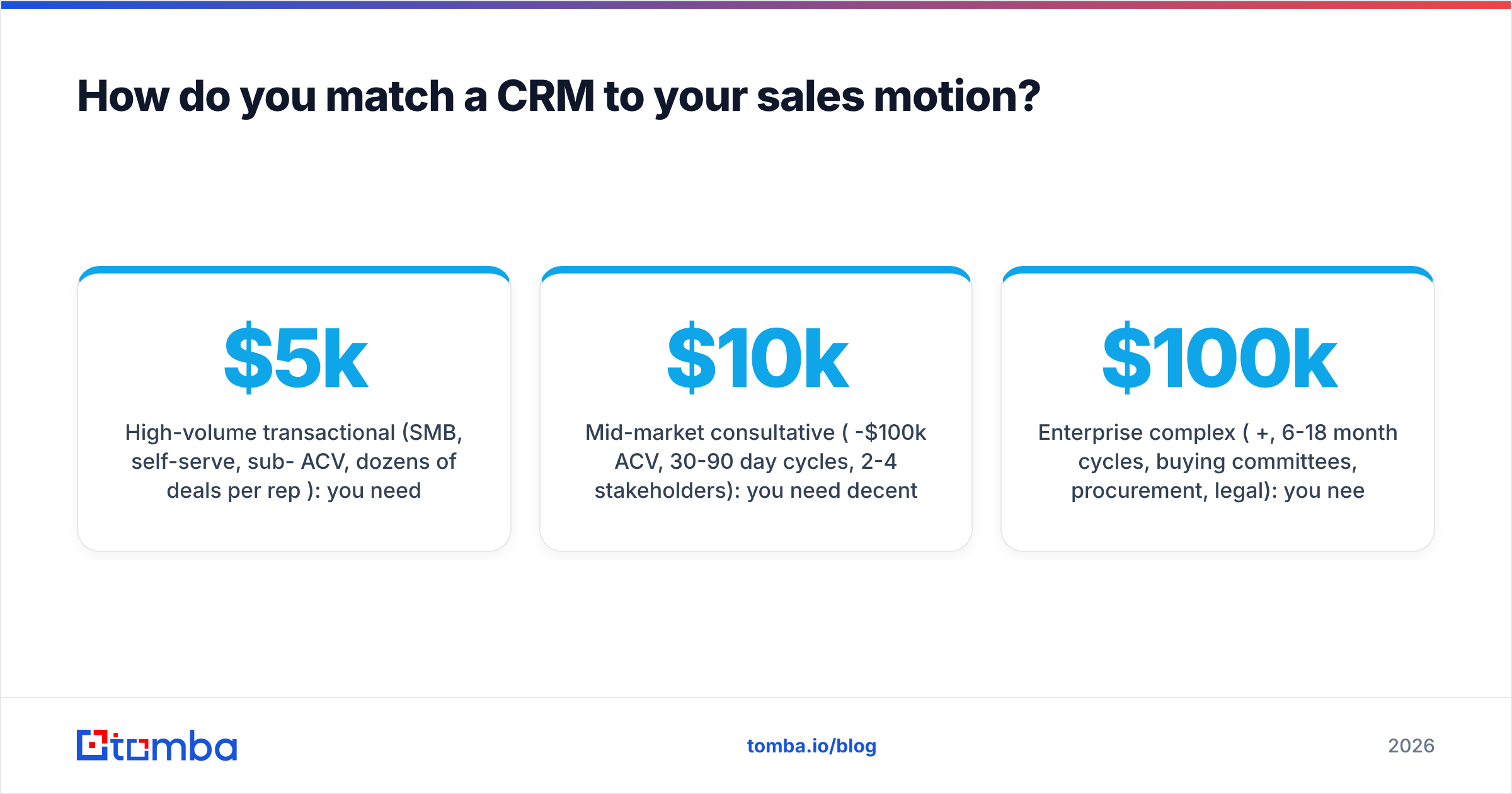
High-volume transactional (SMB, self-serve, sub-$5k ACV, dozens of deals per rep per month): you need speed, bulk actions, and tight email integration. Deal records should be lightweight. Heavy enterprise CRMs will slow you to a crawl.
Mid-market consultative ($10k-$100k ACV, 30-90 day cycles, 2-4 stakeholders): you need decent customization, sequences, and multi-contact deal records. This is the widest and most competitive segment.
Enterprise complex ($100k+, 6-18 month cycles, buying committees, procurement, legal): you need territory management, quote/CPQ, granular permissions, and a real admin. Lightweight CRMs will break under this.
Partner or channel-led: you need account hierarchies and deal registration. This is a genuinely narrow requirement — check it explicitly, because most tools handle it badly.
Be honest about which one you are today, not which one you hope to be in three years. Migrating a CRM later is annoying but survivable. Making 12 reps fight enterprise software for 18 months is not.
Which CRM platforms should be on your shortlist?#
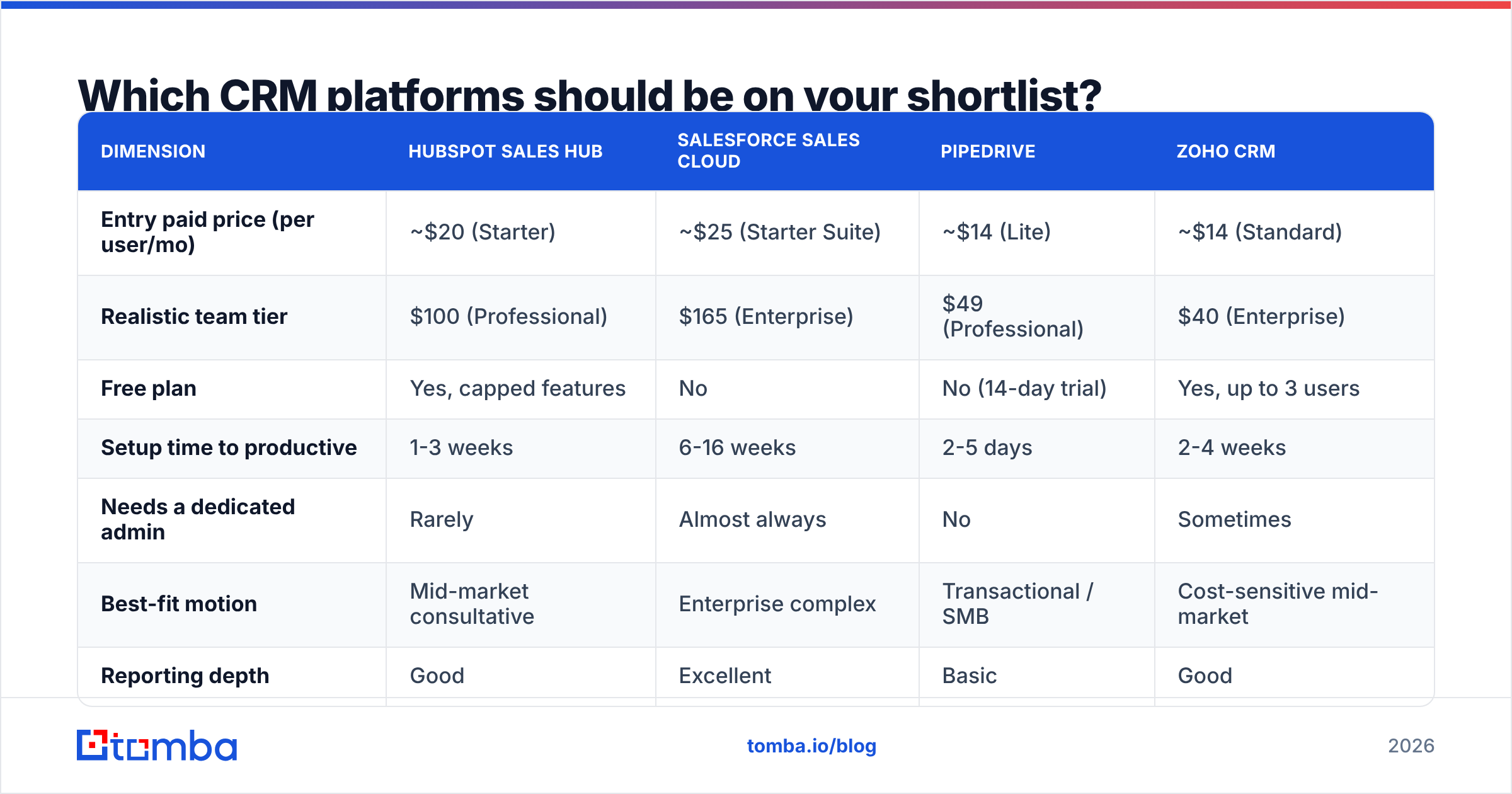
Four platforms cover the overwhelming majority of B2B shortlists. Here's how they actually differ on the dimensions that drive the decision:
| Dimension | HubSpot Sales Hub | Salesforce Sales Cloud | Pipedrive | Zoho CRM |
|---|---|---|---|---|
| Entry paid price (per user/mo) | ~$20 (Starter) | ~$25 (Starter Suite) | ~$14 (Lite) | ~$14 (Standard) |
| Realistic team tier | $100 (Professional) | $165 (Enterprise) | $49 (Professional) | $40 (Enterprise) |
| Free plan | Yes, capped features | No | No (14-day trial) | Yes, up to 3 users |
| Setup time to productive | 1-3 weeks | 6-16 weeks | 2-5 days | 2-4 weeks |
| Needs a dedicated admin | Rarely | Almost always | No | Sometimes |
| Best-fit motion | Mid-market consultative | Enterprise complex | Transactional / SMB | Cost-sensitive mid-market |
| Reporting depth | Good | Excellent | Basic | Good |
| Customization ceiling | Medium-high | Effectively unlimited | Low | High |
| Biggest complaint | Price escalation at scale | Complexity and admin cost | Outgrows fast | UI inconsistency |
Two notes on reading this table. First, "realistic team tier" matters far more than entry price — almost nobody stays on Starter past month four, because the features that make the CRM worth having (sequences, custom reporting, workflow automation) sit one or two tiers up. Second, "setup time to productive" is where budgets actually die. A Salesforce implementation quoted at 8 weeks routinely lands at 16 with a partner invoice attached.
Cross-check any shortlist against real review volume on G2 and Capterra — filter to your company size, because a 5,000-employee reviewer's experience tells you nothing about yours. And read the vendor's own pricing page, not a comparison blog's cached numbers: HubSpot and Salesforce both update tiers more often than third-party roundups do.
What does a CRM really cost?#
The license fee is the part of the iceberg above water. Build your year-one number like this:
- Licenses. Seats × tier × 12. Include the sales ops person and any manager who needs read access — many vendors charge full price for view-only.
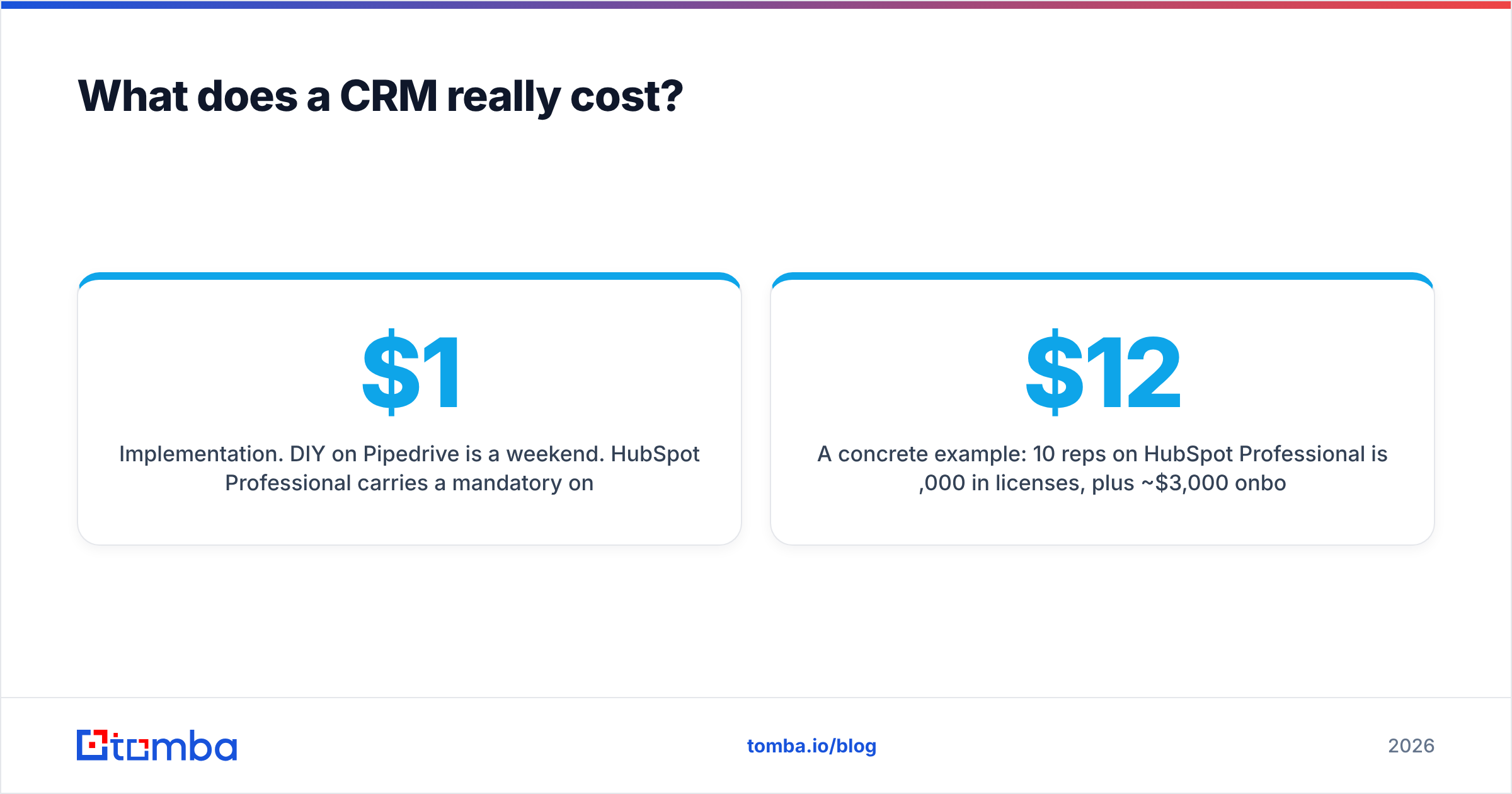
- Implementation. DIY on Pipedrive is a weekend. HubSpot Professional carries a mandatory onboarding fee (typically $1,500-$3,000). Salesforce Enterprise with a partner runs $15,000-$60,000+ depending on scope.
- Data migration. Exporting is easy. Cleaning, deduping, and mapping fields is not. Budget 20-40 hours minimum, or a contractor.
- Integrations. Some connectors are native and free. Others need a middleware layer, and per-connection costs stack quietly.
- Enrichment and data. Your CRM does not find email addresses or phone numbers. That's a separate line item — and one worth getting right, since it feeds everything else.
- Ongoing admin. Salesforce Enterprise realistically needs 0.5-1 FTE. Pipedrive needs approximately zero. That salary difference dwarfs the license gap.
A concrete example: 10 reps on HubSpot Professional is $12,000/year in licenses, plus ~$3,000 onboarding, plus maybe $2,000 in integrations — about $17,000 year one. The same 10 reps on Salesforce Enterprise is $19,800 in licenses plus a $25,000 implementation plus half an admin's salary. Same headcount, roughly triple the cost. Sometimes that's justified. Often it isn't.
Why does data quality matter more than features?#
Because a CRM is a container, and a container is only as good as what you put in it.
The most common post-purchase disappointment isn't "the software can't do X." It's "our pipeline reports are garbage because half the contact records are incomplete or wrong." Bounced emails inflate your outreach numbers, missing phone fields kill your call blocks, and duplicate company records make territory assignment a running argument.
This is the part of the CRM decision teams consistently skip, and it's the part that determines whether the reports you build in month six mean anything. Before you migrate, run your existing list through an email verifier and drop anything that doesn't come back valid — importing a dirty list into a clean CRM just relocates the problem. Then decide how new records get created. Manual entry from LinkedIn produces typos and inconsistent formatting at a rate that will surprise you.
The better pattern is enrichment at the point of entry: rep identifies a target account, a domain search pulls the verified contacts at that company, and the record lands in the CRM already complete. No copy-paste, no guessed email formats, no "info@" placeholders.
Whichever CRM you pick, confirm two things about its data layer:
- Deduplication rules you control. Can you define a match on domain, not just exact email? Most bad duplicates come from
jane@acme.comvsj.smith@acme.com. - A usable API. You will want to push enriched contacts in programmatically. A CRM with a rate-limited, poorly documented API becomes a data island. Check whether it plays with the tools you already run — Tomba, for instance, has native HubSpot and Salesforce connections plus a general-purpose Tomba API, which removes a chunk of the integration line item above.
How should you run the evaluation?#
Seven steps. Don't skip four and five — they're the ones that catch the expensive mistakes.
- Write the requirements doc (half a day). Rank the four jobs from section one. List must-haves vs nice-to-haves. Cap must-haves at eight items — longer lists are wish lists, not requirements.
- Shortlist three vendors (one day). Use the motion filter. Three is the right number: two is not enough contrast, five wastes six weeks.
- Take demos with a script (one week). Send the same five scenarios to every vendor in advance: "show me how a rep logs a call and books a follow-up," "show me the forecast a VP sees on Monday." Do not let them drive.
- Pilot with real reps and real deals (two weeks). Two vendors, three reps each, five live opportunities. This is where the eleven-click call logging reveals itself. A demo will never show you that.
- Test the integrations you actually need (during the pilot). Email client, calendar, dialer, enrichment, billing. If a connector is "on the roadmap," treat it as nonexistent.
- Price the full year, not the license (half a day). Use the six-line cost model above. Get implementation quotes in writing.
- Negotiate, then sign (one week). Annual prepay usually buys 10-20%. Multi-year buys more but locks you in — worth it only if the pilot was unambiguous. Always ask for the data export terms in writing before signing.
Total: about five weeks. Teams that take five months don't make better decisions; they just make later ones.
What are the mistakes that sink CRM rollouts?#
Buying for the org you want in 2029. You will not scale into enterprise features. You'll pay for them, ignore them, and resent the interface.
Making 30 fields required. Every mandatory field is a tax on rep time and an invitation to type garbage. Start with five. Add only when a report genuinely breaks without one.
Letting IT or finance pick alone. The people who use it daily should have veto power. A CRM the reps hate has a functional value of zero regardless of what the contract says.
Skipping the migration cleanup. Importing 40,000 unverified contacts because "we might need them" guarantees your first year of reports is noise. Verify, dedupe, then import. A bulk email finder pass on your existing account list before migration costs a few hours and saves a year of bad data.
No adoption plan. Budget two hours of training per rep, name an internal owner, and check field-completion rates weekly for the first month. Adoption is a management problem, not a software problem — HubSpot's own research on CRM adoption makes the same point.
Ignoring the exit. Ask, in writing, how you get your data out: format, fields included, cost, notice period. Vendors who get vague here are telling you something.
Which CRM should you actually pick?#
Short version, based on the motion filter:
- Under 10 reps, transactional, want it running Monday: Pipedrive. Low ceiling, but you'll feel the ceiling long before it hurts you.
- 10-50 reps, consultative, marketing and sales share pipeline: HubSpot. Watch the tier escalation clause in year two.
- 50+ reps, complex deals, real procurement: Salesforce. Budget for the admin. It is not optional.
- Cost-sensitive, comfortable configuring software yourself: Zoho. More capable than its price suggests, less polished than its competitors.
- Already deep in Microsoft: evaluate Dynamics before defaulting elsewhere — the license bundling can change the math substantially.
Whatever lands in the box, the deciding factor for whether it earns its cost is what you feed it. A CRM with verified emails, real direct-dial numbers, and complete company records makes your forecast trustworthy. One built from manual LinkedIn copy-paste makes it fiction.
That's the piece worth solving before migration day, not after. Tomba's Email Finder finds and verifies professional email addresses by name, domain, or company, and pushes them into HubSpot, Salesforce, Pipedrive, and 20+ other destinations — so records land complete instead of half-empty. The free tier gives you 25 searches a month to test it against your own target list; paid plans start at $49/mo, with full Tomba pricing published up front. Clean the data first, then pick the container.
Related guides#
// get started
Find, verify and enrich your first contacts today
Start on the free plan with 25 searches a month, then scale when your team is ready.
Free plan · No credit card required · GDPR & CCPA
// about the author