How to Contact Large Companies for Business in 2026
Enterprise switchboards, gatekeepers, and generic info@ inboxes kill most outreach before it starts. Here are seven routes into large companies that still work in 2026, ranked by reply rate and effort.
Learning how to contact large companies for business comes down to one thing: reach a named person, not a shared inbox. Generic inboxes are a dead end. Named contacts reply. This guide ranks seven routes by reply rate, effort, and speed.
TL;DR
- The
info@inbox at a Fortune 500 is a compliance archive, not a sales channel. Reply rates on generic company inboxes sit near zero. Direct named contacts routinely clear 5-12%. - Large companies buy through a buying committee, not a person. Gartner puts the average B2B group at 6-10 stakeholders. You need 3-4 named contacts inside the same account, not one.
- The fastest reliable route: find the function that owns your problem, name three people in it, verify their emails, then send one short message about something they published.
- Procurement portals and RFP registrations are real but slow. Run them as a parallel track, not your first move.
- Budget 20-40 minutes of research per enterprise account. Go faster and you send the message that gets deleted.
Why is contacting a large company harder than contacting a small one?#
Because the person who feels your problem and the person who can pay you are rarely the same human. Neither of them answers the main phone line.
At a 40-person company, the founder reads their own inbox. At a 40,000-person company, four layers sit between you and a signature: an executive assistant, a shared team inbox, a procurement gate, and a security review. Each layer exists to cut noise. By default, your outreach counts as noise.
Three structural realities drive this:
- Distributed ownership. The VP of Customer Experience wants what you sell. The budget sits with Marketing Ops. The contract goes through Legal. IT Security can reject the tool. Miss one of them and the deal dies quietly.
- Vendor saturation. A mid-size enterprise runs 200-400 SaaS tools. Every one of those vendors emails the same people you are about to email.
- Formal procurement. Above a spend threshold — often $25K-$50K a year — the company cannot just buy from you. There is a process, and knowing it early beats any clever subject line.
None of this makes enterprises unreachable. It means the approach that works on a 20-person startup is the exact approach that fails here.
How to contact large companies for business: 7 routes that work#
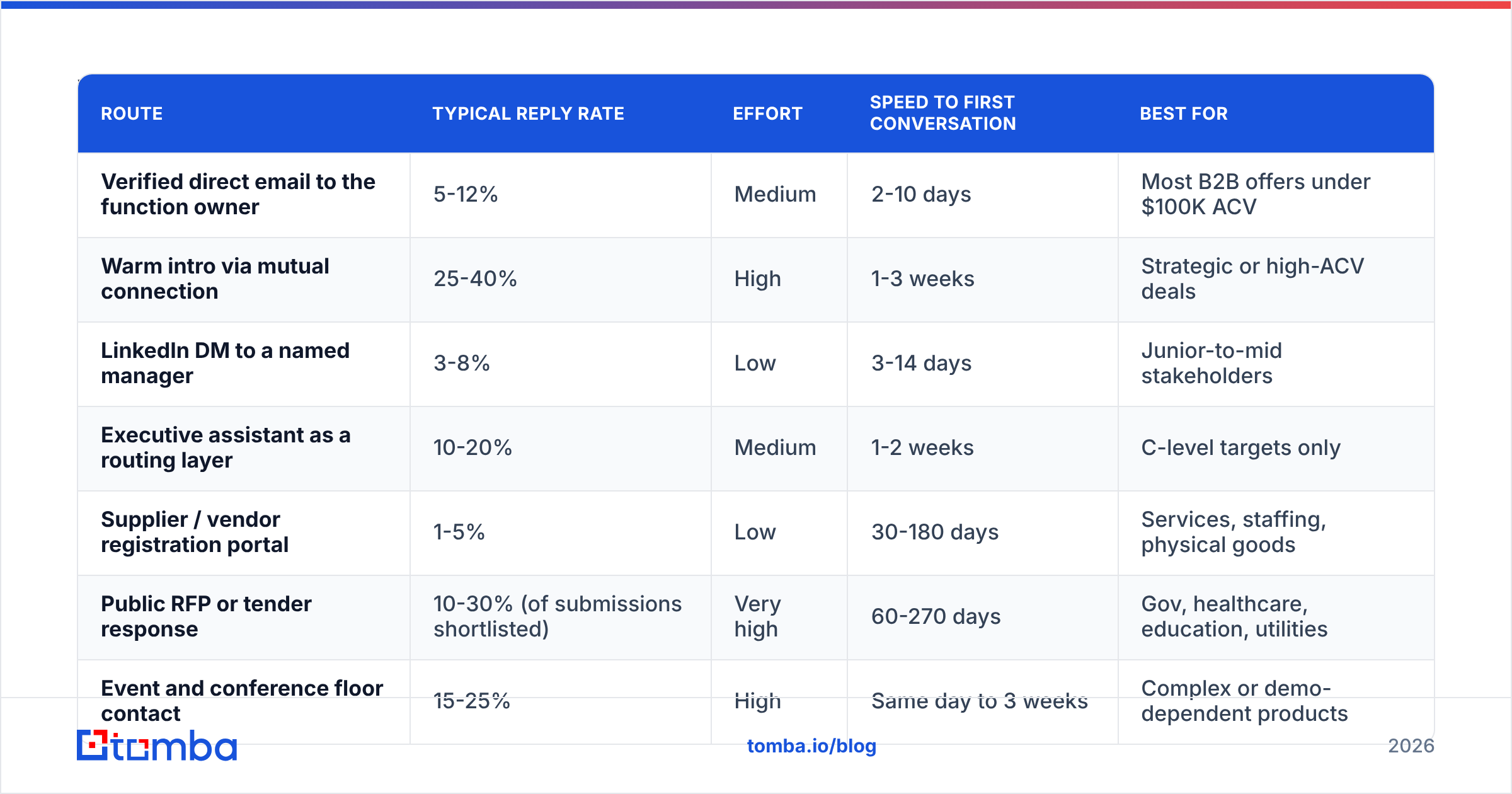
Seven routes produce replies in 2026. They differ a lot in effort, speed, and hit rate.
| Route | Typical reply rate | Effort | Speed to first conversation | Best for |
|---|---|---|---|---|
| Verified direct email to the function owner | 5-12% | Medium | 2-10 days | Most B2B offers under $100K ACV |
| Warm intro via mutual connection | 25-40% | High | 1-3 weeks | Strategic or high-ACV deals |
| LinkedIn DM to a named manager | 3-8% | Low | 3-14 days | Junior-to-mid stakeholders |
| Executive assistant as a routing layer | 10-20% | Medium | 1-2 weeks | C-level targets only |
| Supplier / vendor registration portal | 1-5% | Low | 30-180 days | Services, staffing, physical goods |
| Public RFP or tender response | 10-30% (of submissions shortlisted) | Very high | 60-270 days | Gov, healthcare, education, utilities |
| Event and conference floor contact | 15-25% | High | Same day to 3 weeks | Complex or demo-dependent products |
Read that table as a portfolio, not a ranking. A working enterprise pipeline runs two or three of these at once. What you should not do is run only the bottom two and call it prospecting. Supplier portals are where outreach goes to sit for six months.
How do you find the right person inside a 10,000-person company?#
Work backwards from the problem you solve, not forward from the org chart.
Step 1 — Name the function, not the title. If you sell warehouse routing software, the function is "fulfillment operations." Titles vary wildly (Director of Fulfillment, Head of Supply Chain Excellence, VP Logistics Ops). The function stays stable across companies. Search by function, then filter by title.
Step 2 — Find three people at three levels. Enterprise deals need a champion (a manager who feels the pain daily), an economic buyer (a director or VP with budget), and a technical validator (IT, security, or ops). Contacting only the VP is the most common mistake. VPs delegate the evaluation downward, so warm up the person they will delegate to.
Step 3 — Pull the email pattern before you guess. Large companies use consistent formats: first.last@, flast@, first_last@. Confirm the pattern for one employee and you can build and verify the rest. A company email pattern check on the target domain takes seconds and removes 90% of the guesswork.
Step 4 — Run a domain-level sweep. Instead of hunting one name at a time, a domain search returns the known contacts at a company, with department and seniority attached. For a 10,000-person enterprise, that is the difference between an afternoon and four minutes.
Step 5 — Verify before you send. Enterprises churn fast. Reorgs, acquisitions, and layoffs decay a contact list by 2-3% a month. Sending to a dead mailbox at a large domain is worse than sending nothing. Bounces from a corporate domain hit your sender reputation hard, and enterprise mail filters are unforgiving. Run every address through an email verifier first.
Step 6 — Enrich for context. Knowing a title is table stakes. Knowing they joined eight months ago, worked at a company you already serve, and spoke at a conference last quarter is what makes your first line land. Contact enrichment fills that gap at scale.
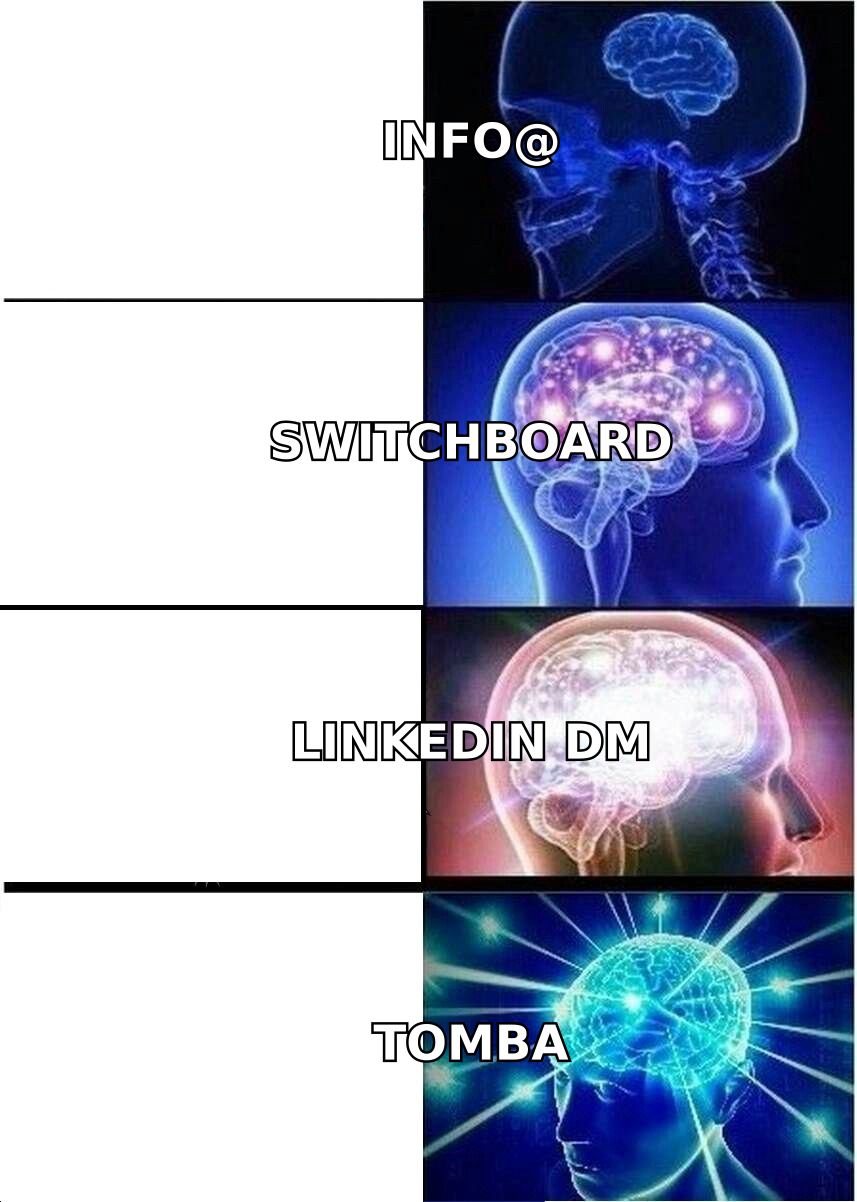
Does the corporate switchboard or info@ inbox ever work?#
Rarely, and almost never for a first touch. Two narrow exceptions are worth knowing.
The switchboard as a routing tool, not a pitch target. Calling reception and pitching is dead on arrival. Calling reception with one logistics question works more often than people expect: "Who owns vendor relationships for facilities management? I just need the name so I address my message correctly." You are not asking for a sale. Ask for a name only. Never ask to be transferred on the first call.
The info@ inbox for regulated or public entities. Government agencies, universities, and utilities often route info@ to a real person who is measured on response time. At a Fortune 500, info@ is a legal archive nobody reads.
Everything else — sales@, contact@, hello@ — is a form-fill graveyard. If you cannot find a named human, that is a signal to buy better data, not a signal to fire into a shared inbox and hope.
What should the first message actually say?#
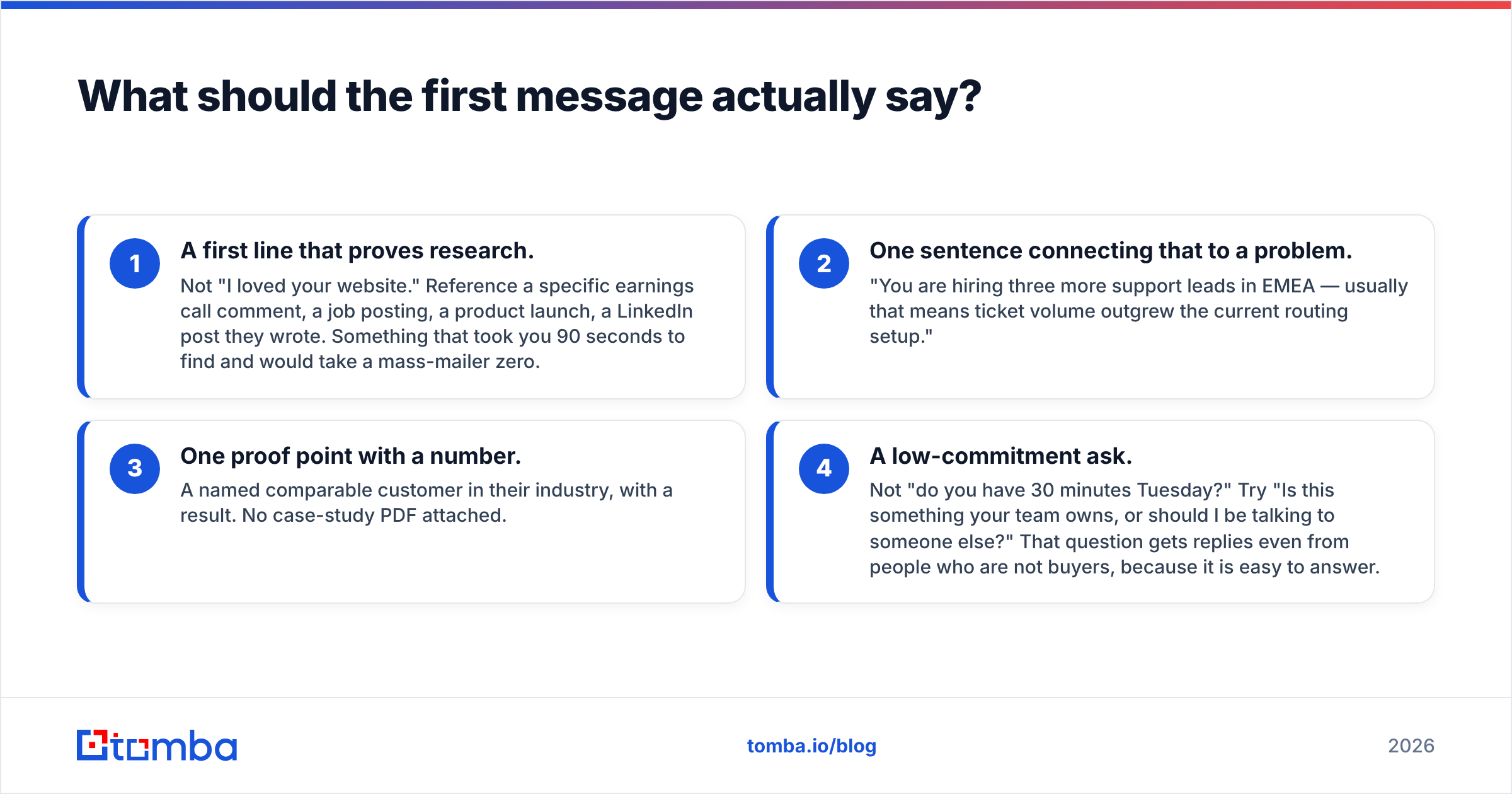
Short, specific, and about them. Four elements, in order:
- A first line that proves research. Not "I loved your website." Point to an earnings call comment, a job posting, a product launch, or a LinkedIn post they wrote. Something that took you 90 seconds to find and a mass-mailer zero.
- One sentence connecting that to a problem. "You are hiring three more support leads in EMEA — usually that means ticket volume outgrew the current routing setup."
- One proof point with a number. A named comparable customer in their industry, with a result. No case-study PDF attached.
- A low-commitment ask. Not "do you have 30 minutes Tuesday?" Try "Is this something your team owns, or should I talk to someone else?" That question gets replies even from people who are not buyers, because it is easy to answer.
Keep it under 120 words. Enterprise stakeholders read on mobile between meetings. If your email needs scrolling, it gets archived.
What to avoid: attachments on a cold email, tracking pixels on the first touch, and any subject line that reads like a newsletter. Corporate gateways strip or quarantine attachments. Enterprise security tools flag pixels. If you need a starting structure, the cold email templates library is a reasonable base to adapt. Just do not send any of them unmodified.
How do you handle procurement, vendor portals, and RFPs?#
Treat procurement as a parallel track. Start it early and never rely on it alone.
Most large organizations publish a supplier page, usually at /suppliers, /procurement, or /vendors. Registering there does three things. It puts you in the system, so a champion can actually buy from you later. It surfaces payment terms and compliance requirements before you waste weeks. And it sometimes brings inbound RFP invitations.
What registering does not do is create demand. Buyers who find you through a supplier portal were already looking. The sequence that works is:
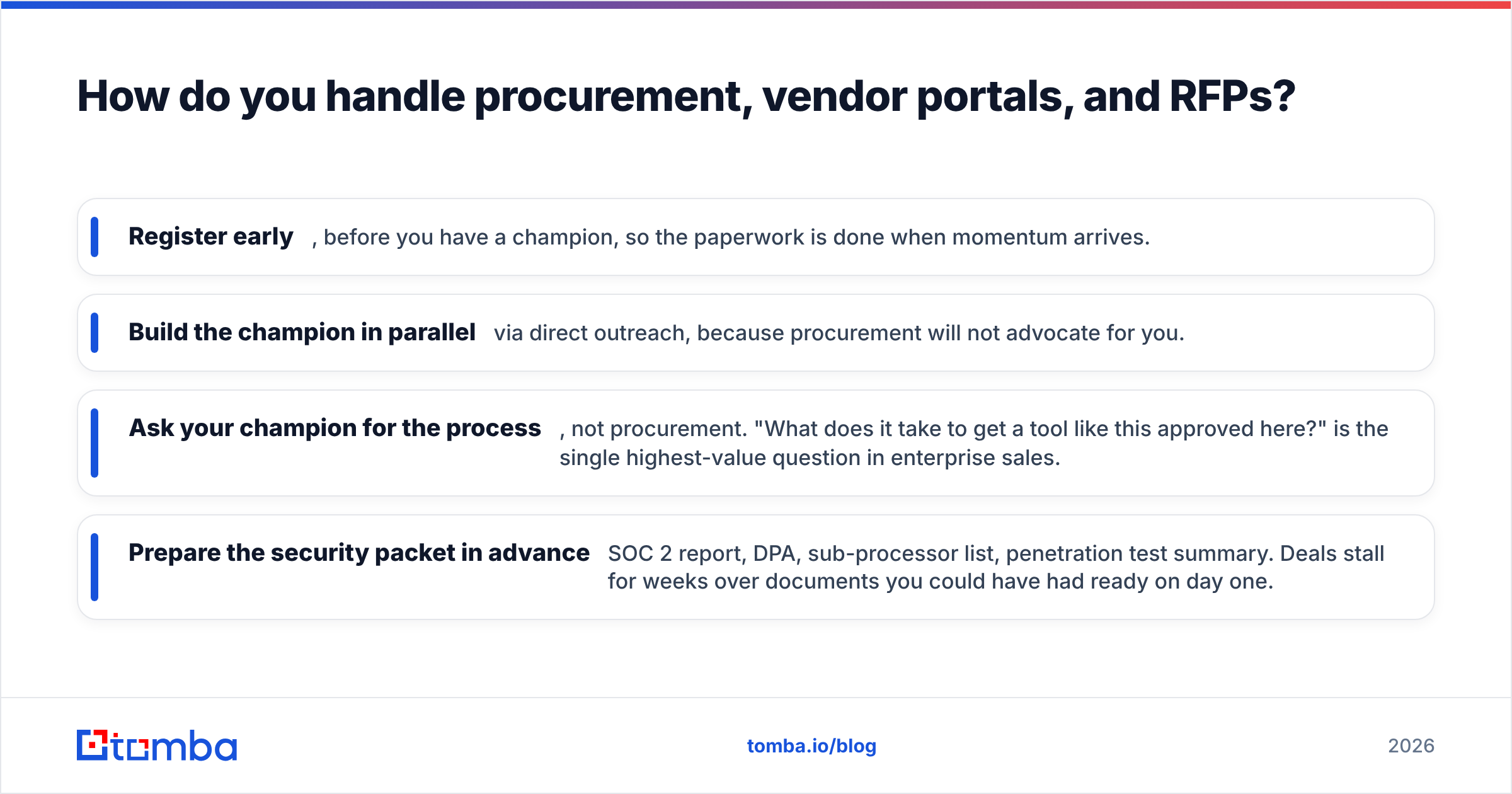
- Register early, before you have a champion, so the paperwork is done when momentum arrives.
- Build the champion in parallel via direct outreach, because procurement will not advocate for you.
- Ask your champion for the process, not procurement. "What does it take to get a tool like this approved here?" is the highest-value question in enterprise sales.
- Prepare the security packet in advance — SOC 2 report, DPA, sub-processor list, penetration test summary. Deals stall for weeks over documents you could have had ready on day one.
For public-sector targets, RFP portals are the real front door. SAM.gov covers US federal work, and state and municipal portals cover the rest. The tradeoff is honest: high effort and long cycles, but a clear published process instead of a guessing game.

Which tools help you find enterprise contacts?#
Data quality matters more here than anywhere else, because enterprise domains punish bad sends. A few honest distinctions:
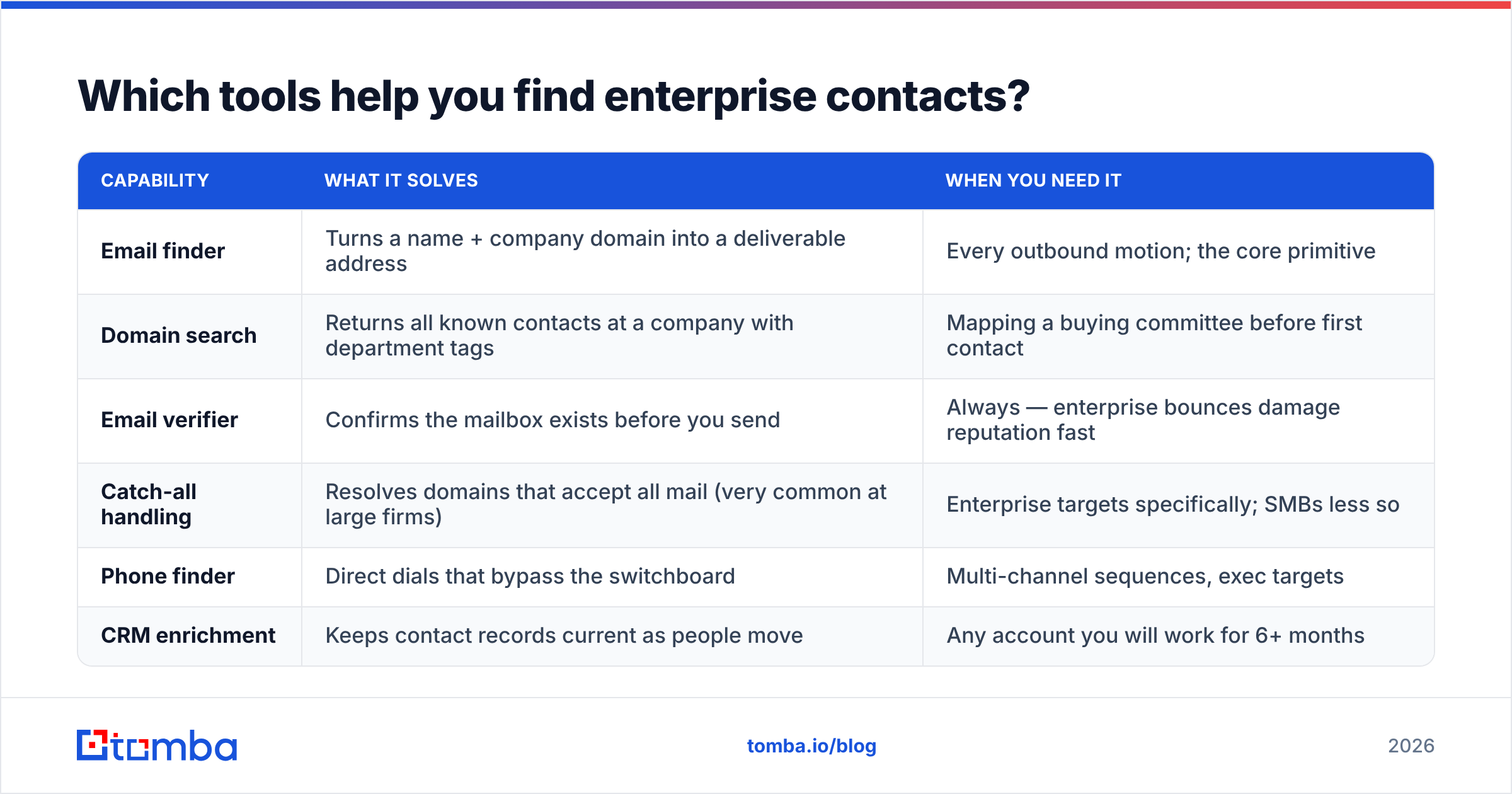
| Capability | What it solves | When you need it |
|---|---|---|
| Email finder | Turns a name + company domain into a deliverable address | Every outbound motion; the core primitive |
| Domain search | Returns all known contacts at a company with department tags | Mapping a buying committee before first contact |
| Email verifier | Confirms the mailbox exists before you send | Always — enterprise bounces damage reputation fast |
| Catch-all handling | Resolves domains that accept all mail (very common at large firms) | Enterprise targets specifically; SMBs less so |
| Phone finder | Direct dials that bypass the switchboard | Multi-channel sequences, exec targets |
| CRM enrichment | Keeps contact records current as people move | Any account you will work for 6+ months |
Catch-all domains deserve a callout. Large companies often set their mail servers to accept every address at the domain. Standard verification then returns "unknown" instead of valid or invalid. That is why a dedicated catch-all verifier matters for enterprise lists in a way it does not for small-business prospecting. Without it, you either discard good contacts or send blind.
On the vendor landscape, three options cover most needs. Apollo bundles data with a sequencer and suits teams that want one system. BookYourData fits pay-as-you-go, pre-built lists with a verification guarantee rather than a subscription.
Tomba pricing starts free at 25 searches per month, then $49/mo Starter, $99/mo Growth, and $249/mo Pro. It leans toward accuracy and API access over bundled sending.
Compare them on your actual target accounts. Pick ten enterprise domains you care about and run the same ten searches through each. Category-level accuracy claims on G2 are directionally useful, but your ICP decides it.
How long should an enterprise outreach sequence run?#
Longer than you think, with fewer touches than you fear.
A workable cadence across a single account:
- Day 1 — Email the champion-level contact (senior manager or director).
- Day 3 — LinkedIn connection request, no pitch, no note beyond a single line.
- Day 6 — Email a second stakeholder in a different function. Mention that you also reached out to the first person. Transparency reads as competence here, not as spam.
- Day 11 — Short follow-up on the original thread with one new piece of value: a benchmark, a relevant article, a customer result.
- Day 18 — Phone attempt on a direct dial, mid-morning local time.
- Day 25 — Breakup email. "Assuming this isn't a priority this quarter — should I check back in Q3?" This gets replies at roughly double the rate of a standard follow-up.
- Day 90 — Re-enter the account with a new trigger event, not a new pitch.
Seven touches over roughly three months. Most teams compress this into ten days, which reads as desperation. Others fire once and move on, which ignores that your first email probably landed during a quarter-close.
Trigger events restart the clock: a new executive hire in your target function, an acquisition, an earnings call that mentions your problem area, a relevant job posting, or a funding round. Watching for these beats any response rate tweak you can make to copy alone.
What mistakes kill enterprise outreach most often?#
- Targeting only the top. Emailing the CEO of a 30,000-person company about a $12K tool signals that you do not understand how they buy. Start one or two levels below the economic buyer.
- Sending unverified lists to corporate domains. A 12% bounce rate on
@fortune500.comaddresses gets your domain filtered across the entire company, permanently. - Attachments and heavy formatting. Corporate gateways quarantine them. Plain text, one link maximum on the first touch.
- Ignoring the champion's internal politics. Ask what they need to sell it internally — a business case template, a security summary, a reference call — and give it to them unprompted.
- Treating procurement as an obstacle. Procurement's job is risk reduction. Hand them a clean security packet and standard terms and they turn neutral instead of hostile.
- No multithreading. If your only contact leaves — and in a large company, someone leaves every quarter — the deal goes with them. Three contacts minimum, always.
Start with the data, not the pitch#
Every route in this post depends on one thing: knowing exactly who to reach and having an address that actually delivers. That is the real answer to how to contact large companies for business. Guessing formats and firing at info@ is not a strategy. It is a way to burn your domain.
Use the Tomba Email Finder to turn a target company and a function into verified, named contacts. Catch-all handling is built in for the enterprise domains that break ordinary verification. The free tier gives you 25 searches a month to test on your own accounts. Map the buying committee first. Write the email second.
Related guides#
// get started
Find, verify and enrich your first contacts today
Start on the free plan with 25 searches a month, then scale when your team is ready.
Free plan · No credit card required · GDPR & CCPA
// about the author