How To Find Decision Makers In A Company: 2026 Playbook
Stop pitching gatekeepers. Here are seven repeatable methods to identify the real decision maker, map the buying committee, and get a verified email in under five minutes per account.
TL;DR
- The "decision maker" is almost never one person. In B2B deals above roughly $20k, you are selling to a committee of 6-10 people, and your job is to find the economic buyer, the champion, and the blocker.
- Start from the org's public signals — job postings, press releases, earnings calls, conference speaker lists — before you touch LinkedIn. Signals tell you who owns the budget; LinkedIn only tells you titles.
- Title alone is a weak proxy. Use the "who gets fired if this fails?" test to separate the person who signs from the person who evaluates.
- A repeatable workflow: identify the account → map 3-5 committee roles → resolve names → find and verify emails → sequence champion-first, economic-buyer-second.
- Budget roughly five minutes per account once the workflow is set up. Anything slower means you are researching instead of prospecting.
What does "decision maker" actually mean in B2B?#
The word is doing too much work. In practice, a purchase above a few thousand dollars a year runs through at least three distinct roles, and treating them as one person is why most cold outreach dies.
Gartner's research on the B2B buying process puts the typical enterprise buying group at six to ten people, each arriving with four or five independently gathered pieces of information. You are not finding "the decision maker." You are assembling a map.
Here is the practical breakdown of who you are looking for:
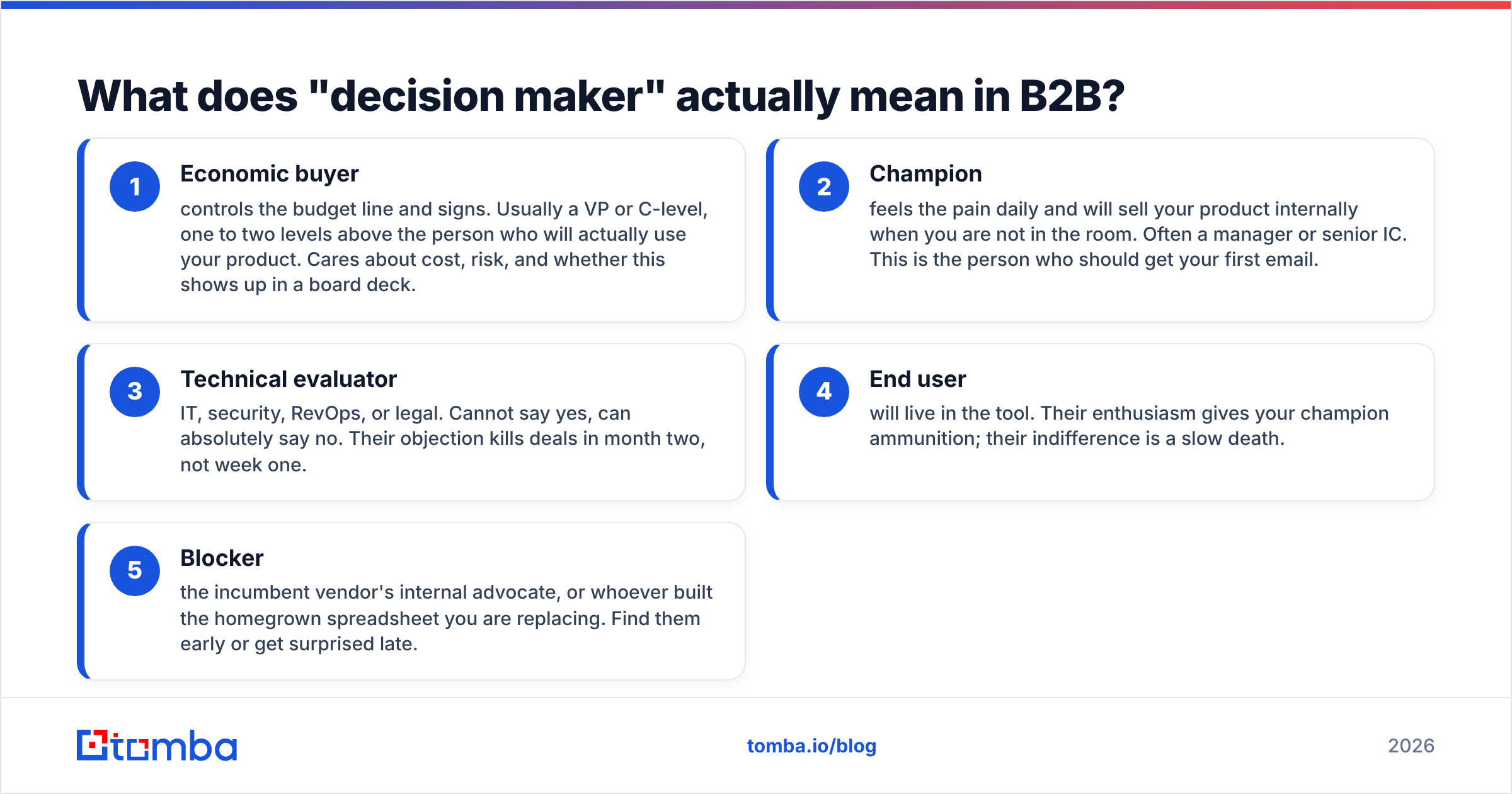
- Economic buyer — controls the budget line and signs. Usually a VP or C-level, one to two levels above the person who will actually use your product. Cares about cost, risk, and whether this shows up in a board deck.
- Champion — feels the pain daily and will sell your product internally when you are not in the room. Often a manager or senior IC. This is the person who should get your first email.
- Technical evaluator — IT, security, RevOps, or legal. Cannot say yes, can absolutely say no. Their objection kills deals in month two, not week one.
- End user — will live in the tool. Their enthusiasm gives your champion ammunition; their indifference is a slow death.
- Blocker — the incumbent vendor's internal advocate, or whoever built the homegrown spreadsheet you are replacing. Find them early or get surprised late.
The test that cuts through titles: who gets fired if this project fails? That person is your economic buyer, regardless of what their LinkedIn headline says.

Where do you actually find decision makers?#
Seven sources, ordered by signal quality rather than by how easy they are. The first three are underused precisely because they take a little thought.
1. Job postings. The single highest-signal free source. A company hiring a "Senior Manager, Demand Generation, reporting to the VP of Marketing" has just told you the org chart, the budget owner, and — via the requirements list — the tools they use. Postings on their careers page, LinkedIn Jobs, or Indeed all work. If a company is hiring three RevOps people, they have a data problem and a budget.
2. Press releases and funding announcements. Series A and B announcements name the executives who will spend the money. "We're using this funding to double our go-to-market team" is a purchase intent signal with a named owner attached.
3. Earnings calls and investor decks (public companies). Transcripts name the executives who own each initiative and describe priorities in their own words. It is the closest thing to reading a buyer's internal roadmap.
4. LinkedIn Sales Navigator. Still the most complete title-and-tenure database. Filter by company, seniority, and function, then sort by "changed jobs in the last 90 days" — new executives buy tools in their first two quarters far more often than settled ones.
5. Conference speaker lists and webinars. People who speak publicly about a problem own that problem. A "Director of Sales Ops" presenting on CRM hygiene is a champion waiting to be contacted.
6. Company about/team pages and blog bylines. Smaller companies list the whole team. For content-heavy companies, the byline on a technical blog post tells you who owns that function — an author finder turns a post URL into a name and email directly.
7. Podcast appearances and industry publications. Same logic as speaker lists, with the bonus of a personalization hook you can reference in line one of your email.
Which method is fastest for your situation?#
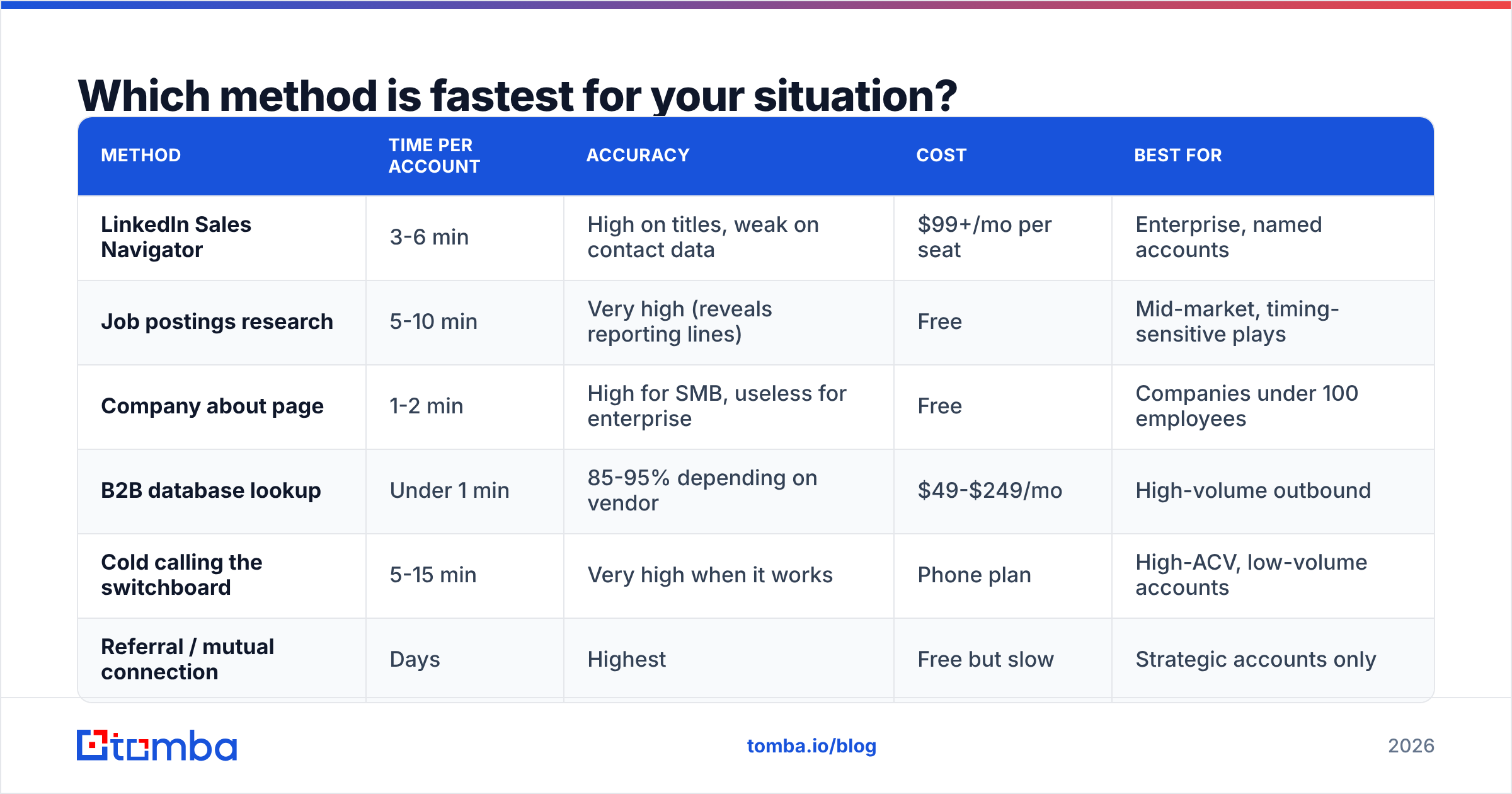
Depends on deal size and volume. Here is how the main approaches compare on the dimensions that matter when you are working a list of 200 accounts.
| Method | Time per account | Accuracy | Cost | Best for |
|---|---|---|---|---|
| LinkedIn Sales Navigator | 3-6 min | High on titles, weak on contact data | $99+/mo per seat | Enterprise, named accounts |
| Job postings research | 5-10 min | Very high (reveals reporting lines) | Free | Mid-market, timing-sensitive plays |
| Company about page | 1-2 min | High for SMB, useless for enterprise | Free | Companies under 100 employees |
| B2B database lookup | Under 1 min | 85-95% depending on vendor | $49-$249/mo | High-volume outbound |
| Cold calling the switchboard | 5-15 min | Very high when it works | Phone plan | High-ACV, low-volume accounts |
| Referral / mutual connection | Days | Highest | Free but slow | Strategic accounts only |
The honest answer for most teams: combine two. Use a database to get 80% coverage in seconds, then hand-research the top 20 accounts where the deal size justifies ten minutes of reading job postings.
How do you go from a name to a working email address?#
You have a name, a company, and a title. The remaining gap is contact data, and this is where most prospecting workflows leak.
Three approaches, in ascending order of reliability:
Pattern guessing. Most companies use one of about eight formats: first.last@, flast@, first@, firstl@, and so on. If you know one confirmed email at a domain, you can extrapolate the rest. A company email pattern checker will surface the dominant format for a domain in a second. The catch: large companies run multiple formats simultaneously after acquisitions, and guessing produces bounces.
Domain search. Instead of guessing one person, pull every public email associated with a domain and filter by department. Domain search is the right first move when you know the company but not yet the person — you often discover the org structure from the email list itself.
Direct lookup with verification. Supply first name, last name, and domain; get back a single address with a confidence score. This is the fastest path when you already know exactly who you want. Tomba's email finder works this way and returns the sources it used, which matters when you need to justify data provenance to a compliance team.
Whichever route you take, verify before you send. A bounce rate above 3% starts damaging your sender reputation, and once that slips, even your correctly targeted emails land in spam. Running your list through an email verifier before the first send is the cheapest insurance in outbound.
Suggested visual: screenshot of a domain search result showing department-filtered contacts for a single company domain.
What does a repeatable workflow look like?#
Here is the five-step loop. Once configured, it runs in roughly five minutes per account and can be split between a researcher and a rep.
Step 1 — Qualify the account before you research the people. Check headcount, funding stage, tech stack, and hiring signals. If the account fails your ICP filter, you have saved yourself four minutes. Tools that detect a website's tech stack tell you whether they already run a competing product.
Step 2 — Map the committee, not the individual. Write down three to five target roles for this specific deal: champion, economic buyer, technical evaluator. For a $2k/mo sales tool at a 200-person company, that is typically Head of Sales (economic), Sales Ops Manager (champion), and IT/Security (evaluator).
Step 3 — Resolve roles to names. LinkedIn for titles, job postings for reporting lines, the company blog for functional owners. Note tenure — someone in role less than six months is more likely to change vendors.
Step 4 — Find and verify contact data. Run the names through an email finder, verify the results, and add phone numbers for the economic buyer only. Multi-threading over email plus a phone finder number for the senior contact roughly doubles connect rates on higher-ACV deals.
Step 5 — Sequence in the right order. Champion first, with a problem-focused message. Economic buyer second, seven to ten days later, referencing the champion by name if you got a reply. Never open with the C-level on a mid-market deal — you get forwarded down and lose the ability to build the champion relationship yourself.
How do you find decision makers at large enterprises?#
Enterprises break the simple playbook. A 20,000-person company has six people with "Director of Marketing Operations" in their title, sitting in different business units with different budgets.
Three adjustments:
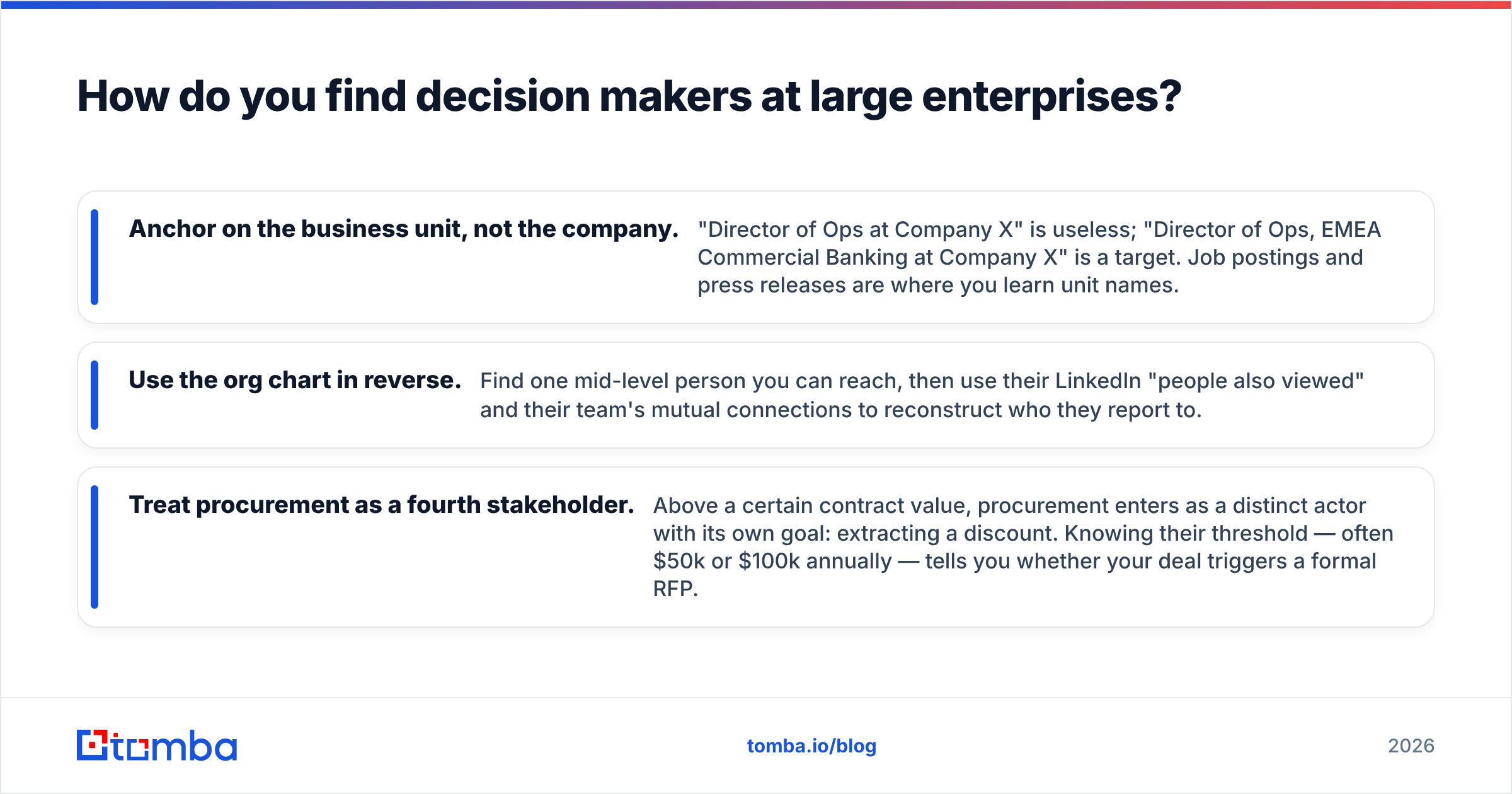
- Anchor on the business unit, not the company. "Director of Ops at Company X" is useless; "Director of Ops, EMEA Commercial Banking at Company X" is a target. Job postings and press releases are where you learn unit names.
- Use the org chart in reverse. Find one mid-level person you can reach, then use their LinkedIn "people also viewed" and their team's mutual connections to reconstruct who they report to.
- Treat procurement as a fourth stakeholder. Above a certain contract value, procurement enters as a distinct actor with its own goal: extracting a discount. Knowing their threshold — often $50k or $100k annually — tells you whether your deal triggers a formal RFP.
For very large accounts, the referral path is worth the delay. A warm introduction from a current customer converts several times better than any cold sequence, according to consistently reported figures across HubSpot's sales research. The tradeoff is throughput: you cannot build a pipeline of 300 accounts on referrals alone.
What mistakes make this take longer than it should?#
Contacting the CEO of a 5,000-person company. They will not read it, and if an assistant forwards it down, the recipient now knows you tried to go over their head. Reserve C-level outreach for companies under roughly 200 employees, where the CEO genuinely is the buyer.
Trusting a title without checking tenure. A VP who started three weeks ago has no budget yet. A VP with eight years in the role has an incumbent vendor relationship. The sweet spot is three to eighteen months.
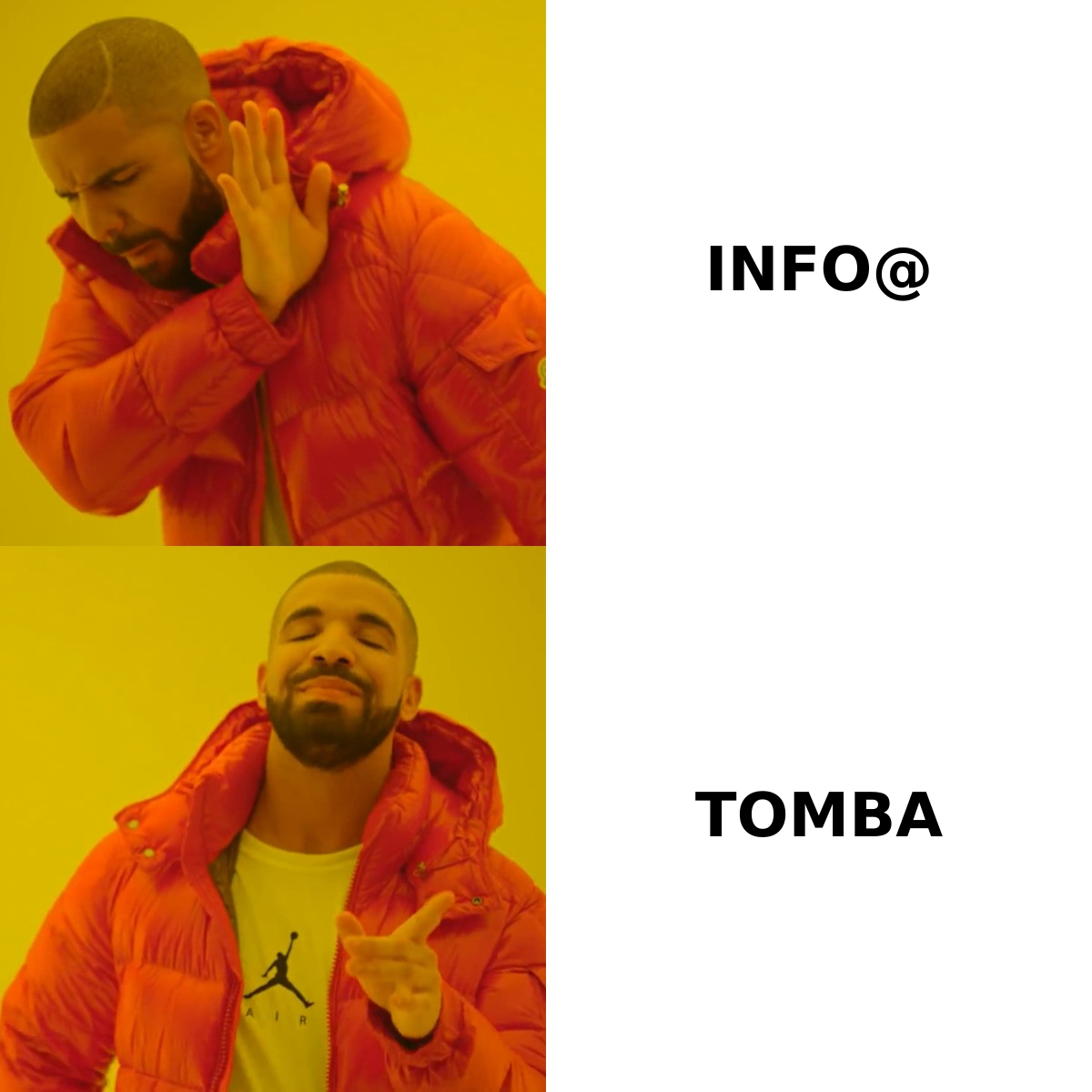
Using info@ or contact@ addresses. Generic inboxes route to whoever is least busy. They also drag down deliverability metrics because they are frequently role accounts with aggressive filtering. Find the individual.
Stopping at one contact per account. Single-threaded deals die when your one contact changes jobs — which, in sales and marketing roles, happens roughly every two years. Three verified contacts per target account is the minimum for anything above a few thousand dollars ACV.
Researching instead of selling. If you are spending twenty minutes per account, the workflow is broken. Buy the data for the bulk of the list, hand-research only the top decile.
Which tools cover which part of the job?#
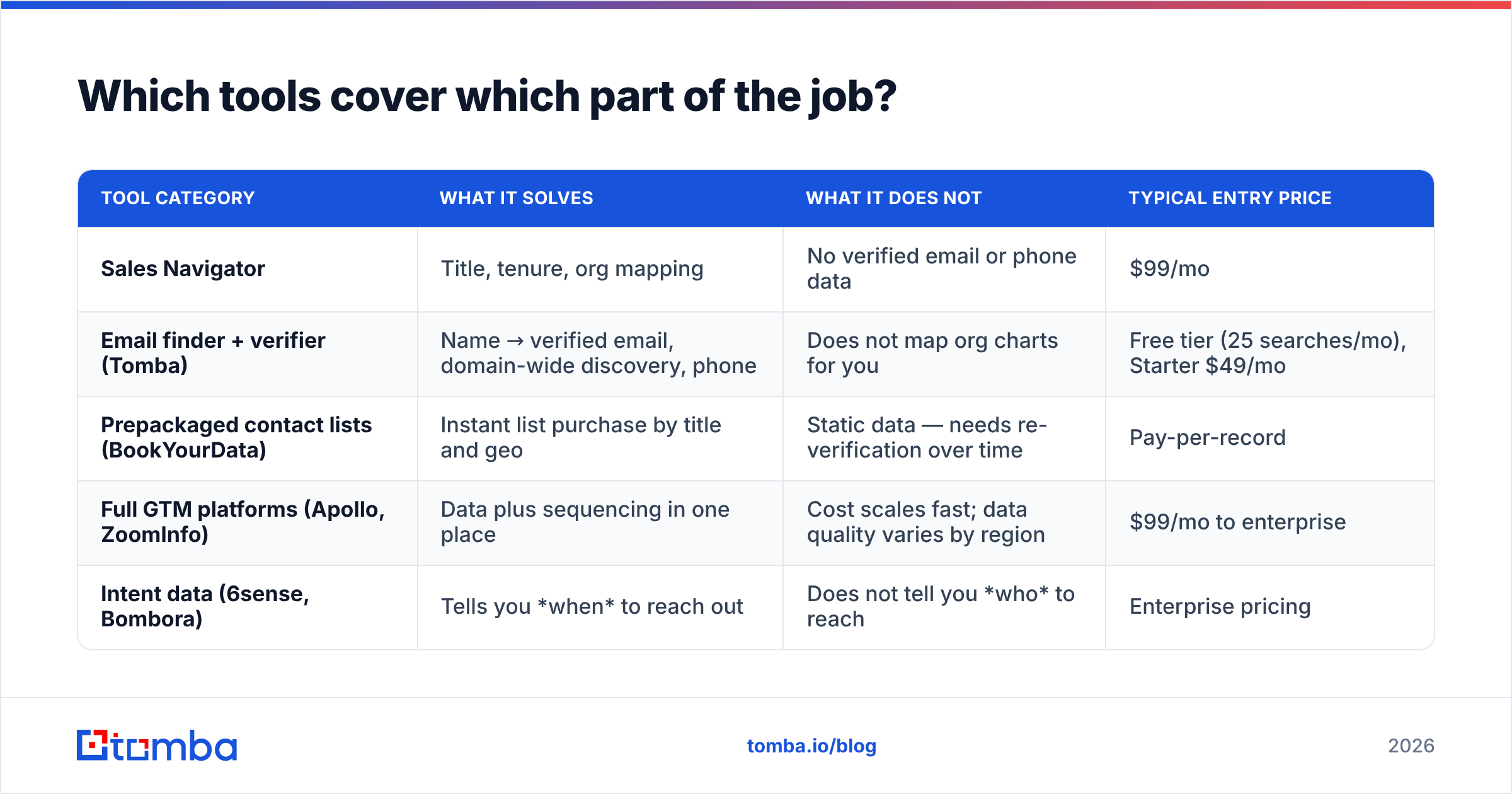
No single product does all of it well. Here is where the main categories actually sit, including honest notes on where each falls short.
| Tool category | What it solves | What it does not | Typical entry price |
|---|---|---|---|
| Sales Navigator | Title, tenure, org mapping | No verified email or phone data | $99/mo |
| Email finder + verifier (Tomba) | Name → verified email, domain-wide discovery, phone | Does not map org charts for you | Free tier (25 searches/mo), Starter $49/mo |
| Prepackaged contact lists (BookYourData) | Instant list purchase by title and geo | Static data — needs re-verification over time | Pay-per-record |
| Full GTM platforms (Apollo, ZoomInfo) | Data plus sequencing in one place | Cost scales fast; data quality varies by region | $99/mo to enterprise |
| Intent data (6sense, Bombora) | Tells you when to reach out | Does not tell you who to reach | Enterprise pricing |
For most teams under 50 reps, the practical stack is: Sales Navigator for org mapping, an email finder with built-in verification for contact data, and a sequencer. If you want the contact-data layer to sit inside your existing tooling, Tomba runs as a Chrome extension, a Google Sheets add-on, and an API — so the resolution step happens where your list already lives rather than in a separate tab. Full Tomba pricing runs Free (25 searches/mo), Starter $49/mo, Growth $99/mo, and Pro $249/mo.
Cross-check whichever vendor you pick against independent reviews on G2 rather than the vendor's own accuracy claims — coverage varies dramatically by geography and company size, and the only number that matters is your bounce rate on your list.
How do you know it is working?#
Track three metrics, weekly:
- Bounce rate — under 3%. Above that, your verification step is broken, not your targeting.
- Contacts per account — target 3+. If it is 1.2, you are single-threading and your forecast is fragile.
- Reply rate from the champion tier vs. the executive tier — if executives reply more than managers, you are targeting too low; if neither replies, your role mapping is wrong, not your copy.
Most teams blame their response rate on messaging when the real problem is that they emailed the wrong three people. Fix the map before you rewrite the subject line.
Start with the contact layer#
The org-mapping work is judgment; the contact-resolution work is not. Once you know the name, the company, and the domain, getting a deliverable email address should take under a second and never bounce.
That is the part to automate first. Tomba's Email Finder resolves name plus domain into a verified, source-attributed email address, with domain search for discovering a whole team at once and built-in verification so nothing goes out to a dead inbox. The free tier gives you 25 searches a month to test it against accounts you already know — run it on ten contacts you have already confirmed and see how the accuracy holds up before you commit to a plan.
Related guides#
// get started
Find, verify and enrich your first contacts today
Start on the free plan with 25 searches a month, then scale when your team is ready.
Free plan · No credit card required · GDPR & CCPA
// about the author