How To Find Your Target Market: A 7-Step B2B Playbook
Most B2B teams guess their target market from a slide deck. Here's the 7-step method that uses closed-won data, firmographic filters, and real contact records to find yours.
TL;DR
- Your target market is not a persona slide. It is a countable list of companies that match the accounts you already close fastest and churn least.
- Start with closed-won data, not brainstorming. Pull your last 30–50 wins, tag them on 6 firmographic and behavioural attributes, and look for the clusters.
- Convert clusters into hard filters (industry, headcount band, tech stack, geography, trigger event) so the market becomes a searchable query, not an adjective.
- Validate with contactability. A segment you cannot reach with verified emails and phone numbers is a fantasy market, not a target market.
- Re-score quarterly. Target markets drift as pricing, product, and competitors change.
What is a target market, really?#
A target market is the finite set of organisations that get outsized value from what you sell, can afford it, and can be reached at reasonable cost. Three conditions — value, budget, reachability. Drop any one and the segment stops being a market and becomes a wish.
Most B2B teams get the first condition roughly right and ignore the other two. They will tell you "mid-market SaaS companies in North America" and then discover that half of them buy through procurement cycles longer than their runway, or that the decision-maker title they need does not exist at companies under 200 employees.
The practical test: can you write your target market as a database query? If you can say "US and Canada, SaaS or fintech, 50–500 employees, uses Salesforce, hired a RevOps lead in the last 9 months," you have a target market. If you can only say "companies that value efficiency," you have marketing copy.
Two related terms get confused constantly:
- Total addressable market (TAM) — every company that could theoretically buy. Useful for investors, useless for a rep on Monday morning.
- Serviceable obtainable market (SOM) — the slice you can actually win given your pricing, geography, and sales capacity.
- Ideal customer profile (ICP) — the firmographic definition of the best-fit account. This is what you build filters from.
- Buyer persona — the human inside that account. Titles, pain points, and the language they use. You need both; they are not interchangeable.
- Target account list — the named, deduplicated output. Names, domains, contacts. This is the artifact your sales team actually uses.
How do you find your target market from data you already have?#
Start with your closed-won records. This is the single highest-leverage step and most teams skip it because brainstorming feels faster.
Export your last 30–50 won deals. If you have fewer than 15, include qualified opportunities that reached a demo. For each one, record:
- Industry / vertical — use a consistent taxonomy, not free text. NAICS or LinkedIn industry categories both work.
- Headcount band — 1–10, 11–50, 51–200, 201–500, 501–1000, 1000+.
- Revenue band — where known. Estimate from headcount if not.
- Buying trigger — funding round, new hire in a relevant role, tooling migration, compliance deadline, expansion into a new market.
- Champion title — who actually pushed it internally, not who signed.
- Sales cycle length and ACV — the two numbers that separate a good segment from a flattering one.
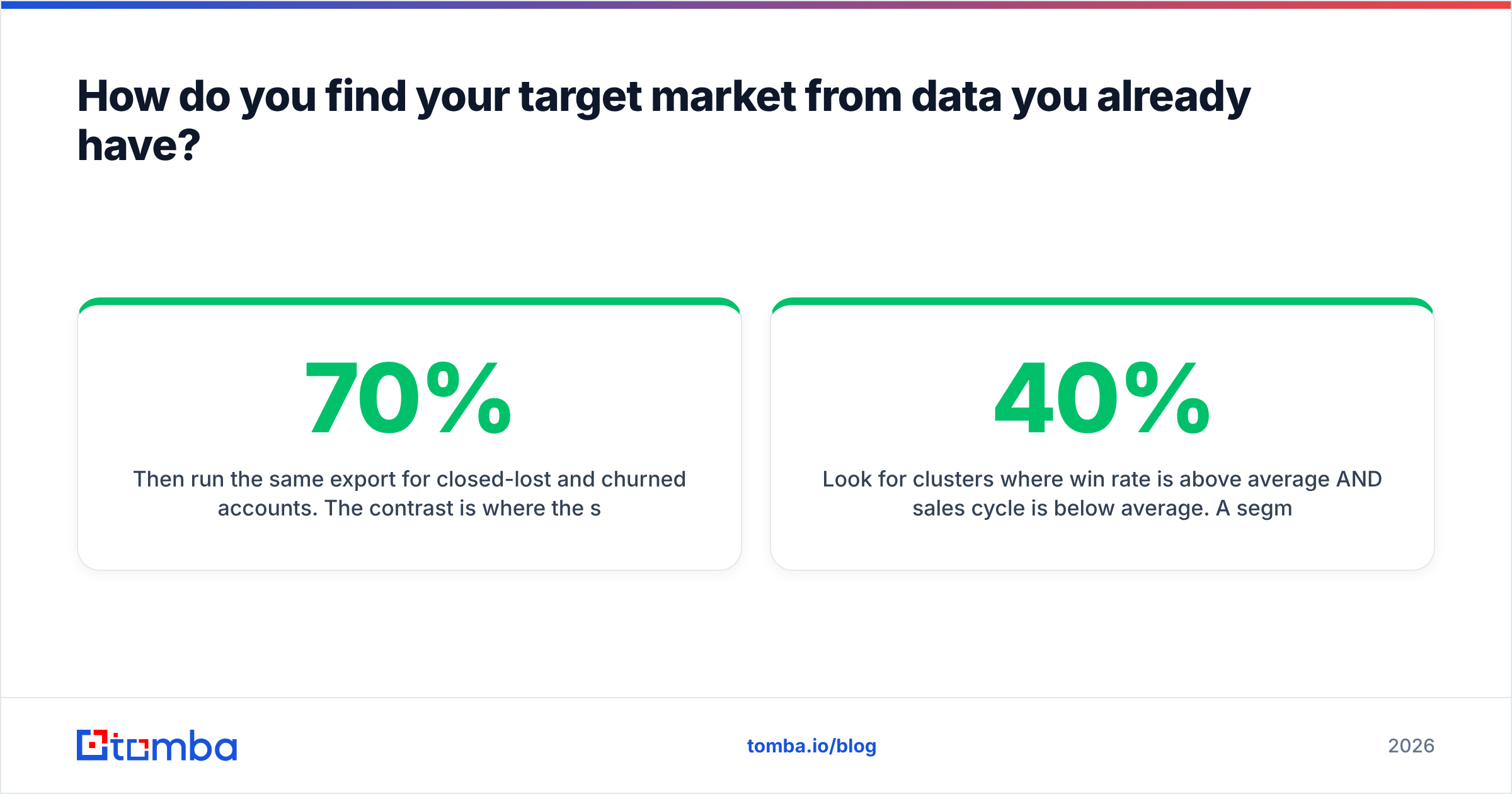
Then run the same export for closed-lost and churned accounts. The contrast is where the signal lives. If 70% of your wins are 51–200 headcount and 65% of your churn is under 25 headcount, you have just learned more about your target market than any survey would tell you.
Look for clusters where win rate is above average AND sales cycle is below average. A segment with a 40% win rate and a 120-day cycle is worse than one with a 30% win rate and a 35-day cycle, because the second one lets you run three times the volume.
What attributes actually define a good segment?#
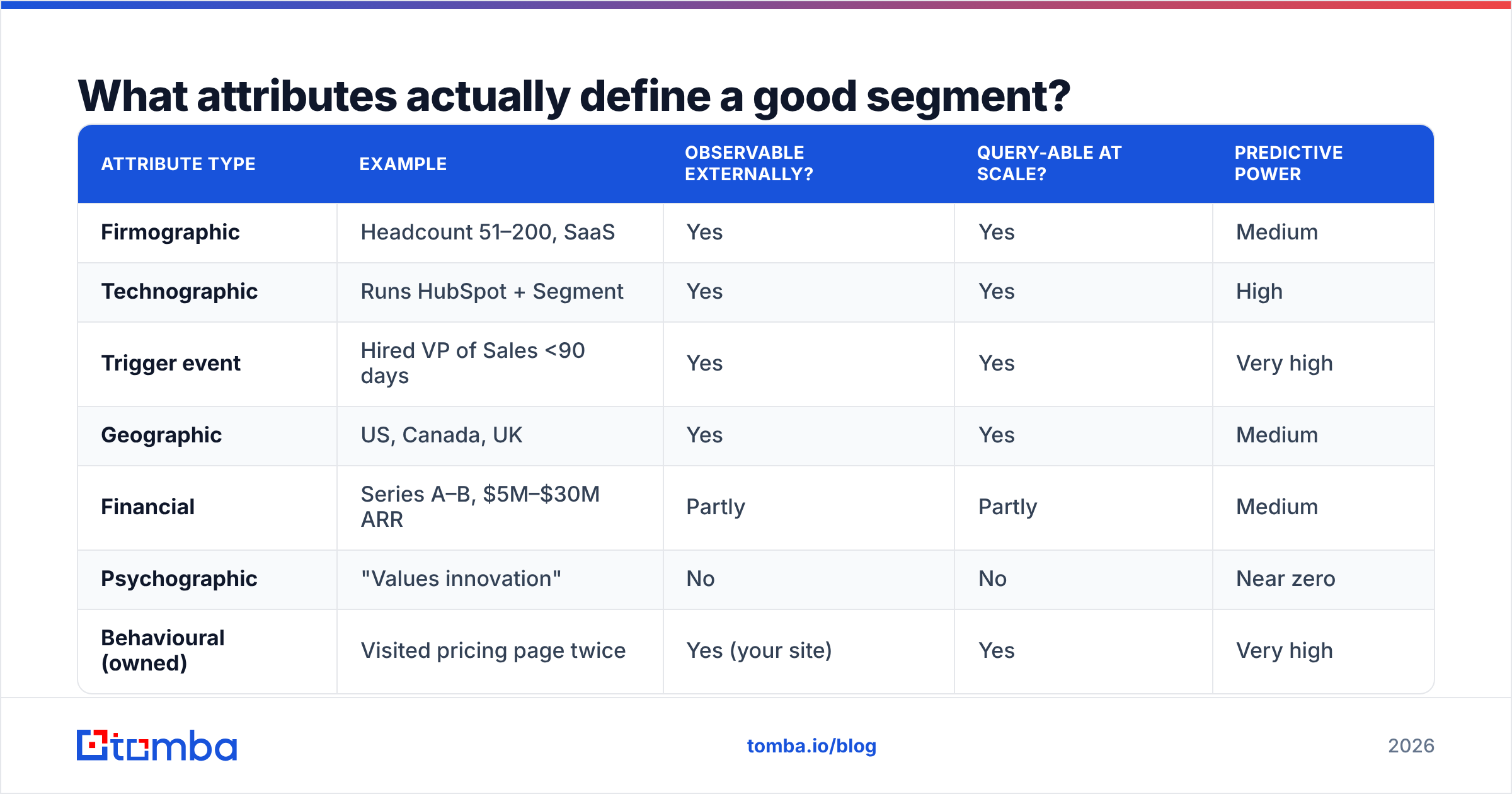
Not all attributes are equally useful. The good ones are observable from outside the company, stable for at least a quarter, and available in a database you can query.
| Attribute type | Example | Observable externally? | Query-able at scale? | Predictive power |
|---|---|---|---|---|
| Firmographic | Headcount 51–200, SaaS | Yes | Yes | Medium |
| Technographic | Runs HubSpot + Segment | Yes | Yes | High |
| Trigger event | Hired VP of Sales <90 days | Yes | Yes | Very high |
| Geographic | US, Canada, UK | Yes | Yes | Medium |
| Financial | Series A–B, $5M–$30M ARR | Partly | Partly | Medium |
| Psychographic | "Values innovation" | No | No | Near zero |
| Behavioural (owned) | Visited pricing page twice | Yes (your site) | Yes | Very high |
The pattern is obvious once you see it: the attributes that predict best are the ones tied to a change in the account's situation. A company that just hired its first RevOps lead is buying tooling in the next two quarters. A company that "values efficiency" is doing nothing in particular.
Technographic filters deserve special attention. If your product integrates with Salesforce, companies running Salesforce convert at multiples of companies that do not. You can check a prospect's stack directly with a website tech stack lookup before you ever add them to a list.
How do you size the market once you have the filters?#
Size it bottom-up, from countable companies — not top-down from an analyst's TAM number.
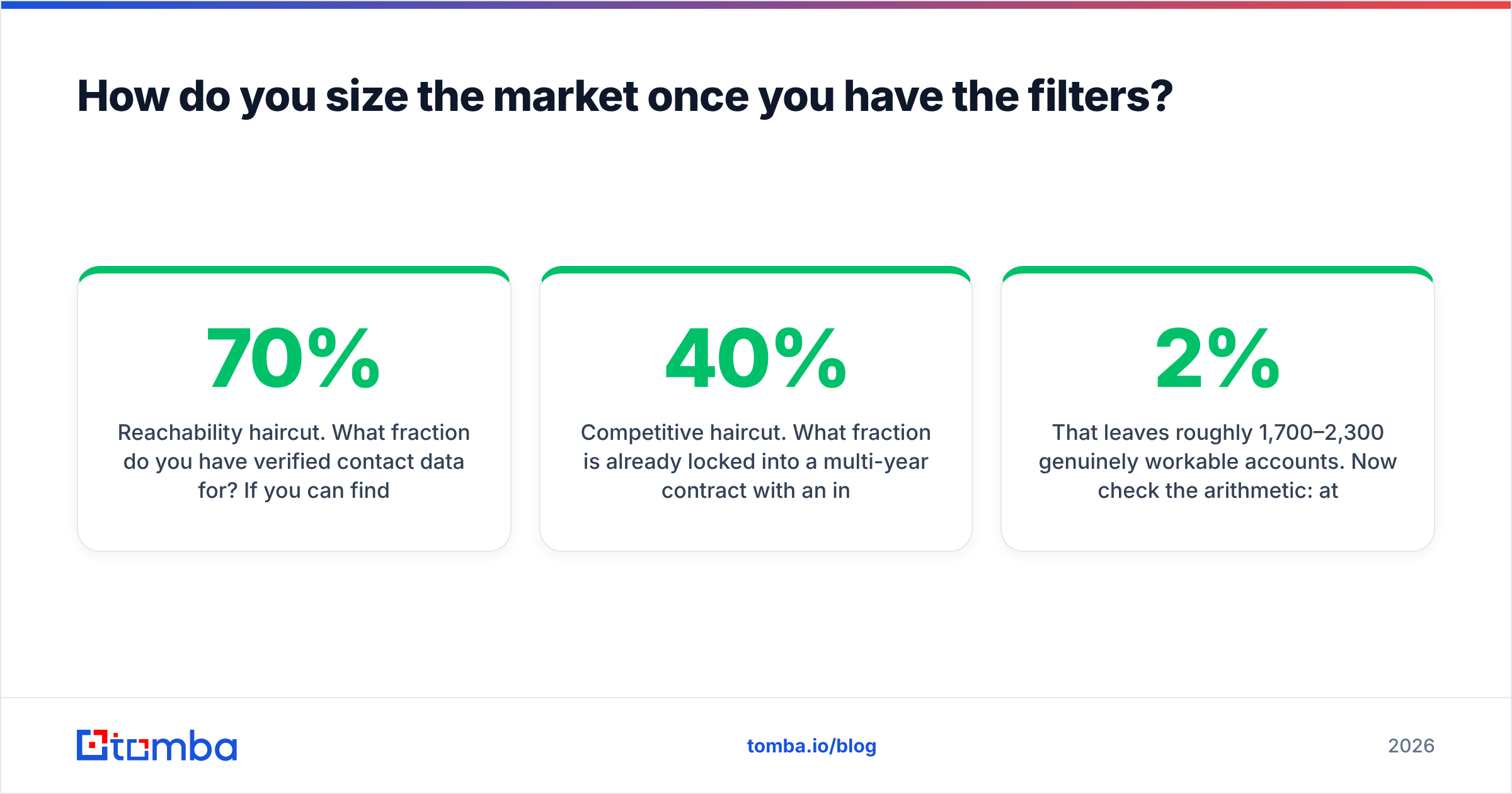
Take your filter set and count matching companies in a real database. If your filters are "US, SaaS, 51–200 employees, uses Salesforce," you might find 4,200 companies. That is your addressable count. Then apply two haircuts:
- Reachability haircut. What fraction do you have verified contact data for? If you can find decision-maker emails at 70% of them, your working list is ~2,900.
- Competitive haircut. What fraction is already locked into a multi-year contract with an incumbent? Often 20–40% in mature categories.
That leaves roughly 1,700–2,300 genuinely workable accounts. Now check the arithmetic: at a 2% meeting rate from cold outbound and a 25% close rate from meeting to deal, that segment yields around 10 new customers. Is 10 customers enough to hit the number? If not, the segment is too small and you need to widen a filter or add a second segment — better to learn that now than after two quarters of outbound.
Cross-check your count against public sources. G2's category pages tell you roughly how many vendors and reviewers exist in a space, and Gartner's market research publishes segment sizing for established categories. Neither replaces your bottom-up count; both catch order-of-magnitude errors.
How do you validate a target market before committing budget?#
Run a 40-account pilot before you build a 4,000-account list. The pilot answers three questions your spreadsheet cannot.
Question 1: Can you actually reach these people? Pull 40 accounts matching your filters and try to find the decision-maker at each. Use domain search to pull the contact pattern for each company, then verify. If you can only find valid contacts at 45% of accounts, your cost per conversation just doubled and the segment economics change.
Question 2: Do they respond differently than your general list? Send the same message to 40 target-segment accounts and 40 off-segment accounts. A real segment shows a materially higher response rate — typically 2x or better. If the difference is noise, your filters are not capturing what makes the good accounts good.
Question 3: Do they say the same things? Read the replies. Segment-fit prospects use consistent language about their problem. If ten replies describe ten unrelated problems, you have grouped companies that happen to share a headcount band, not a market.
What tools do you need for each step?#
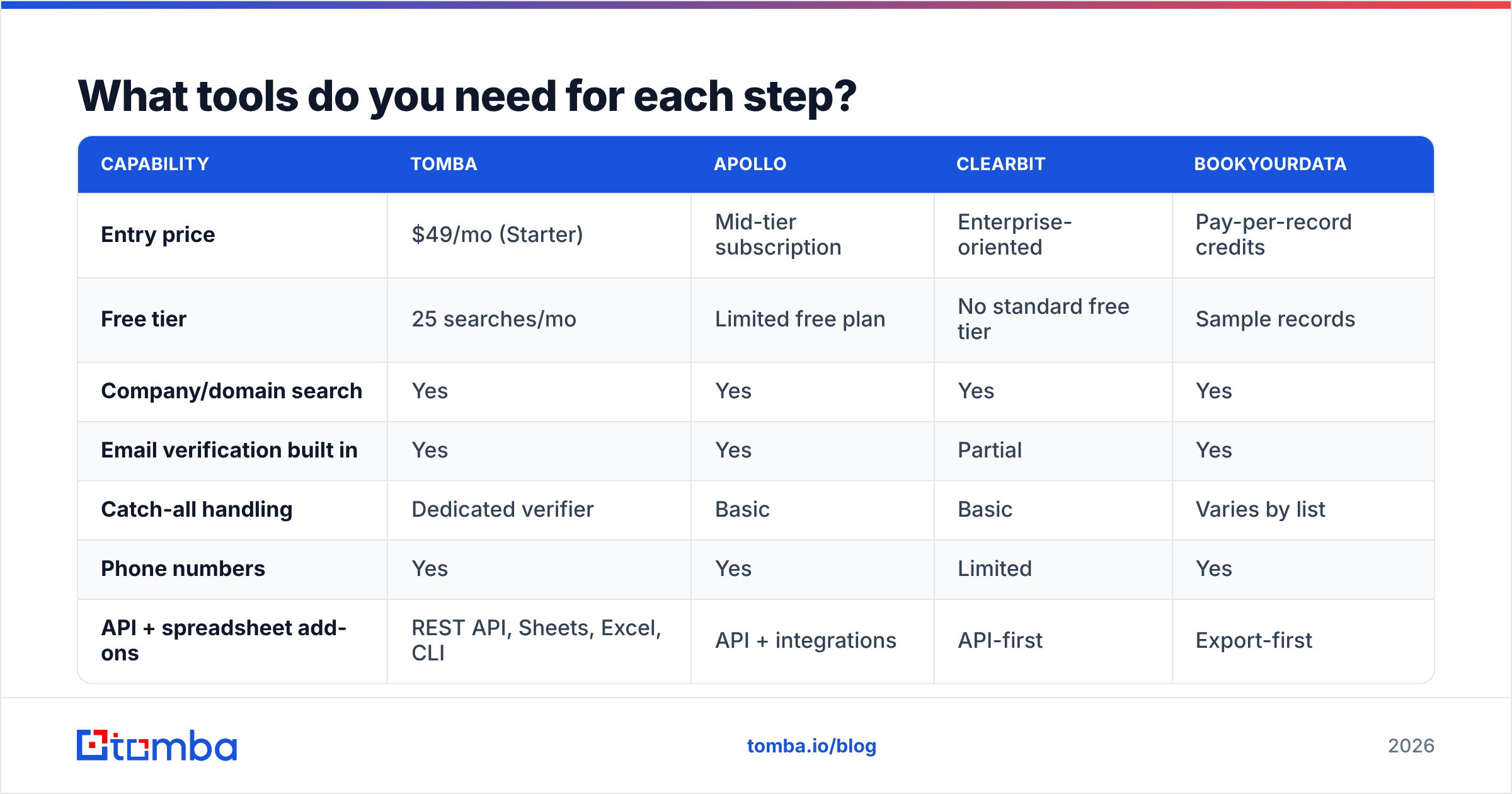
You need three capabilities: a company database to build the list, a contact finder to make it actionable, and a verification layer so you do not burn your domain on stale addresses. Here is how the common options compare on those jobs.
| Capability | Tomba | Apollo | Clearbit | BookYourData |
|---|---|---|---|---|
| Entry price | $49/mo (Starter) | Mid-tier subscription | Enterprise-oriented | Pay-per-record credits |
| Free tier | 25 searches/mo | Limited free plan | No standard free tier | Sample records |
| Company/domain search | Yes | Yes | Yes | Yes |
| Email verification built in | Yes | Yes | Partial | Yes |
| Catch-all handling | Dedicated verifier | Basic | Basic | Varies by list |
| Phone numbers | Yes | Yes | Limited | Yes |
| API + spreadsheet add-ons | REST API, Sheets, Excel, CLI | API + integrations | API-first | Export-first |
| Best fit | Teams building and verifying lists themselves | All-in-one sequencing + data | Enrichment inside a product | Buying pre-built targeted lists |
Match the tool to the step, not the other way round:
- Building the account list — a firmographic database with filters you can save and re-run. Check the Tomba database or a purpose-built list vendor like BookYourData if you would rather buy a ready segment than assemble one.
- Finding the humans — once you have domains, an email finder turns a company list into a contact list. Feed a CSV through a bulk email finder rather than looking up 400 records by hand.
- Keeping the list clean — run every address through an email verifier before the first send. Bounce rates above 3% start damaging sender reputation, which quietly kills the whole campaign.
- Enriching for scoring — pull headcount, funding, and tech stack onto each record with data enrichment so your scoring model has inputs.
How do you turn a target market into a working account list?#
The gap between "we've defined our ICP" and "reps are calling the right accounts on Monday" is where most target-market projects die. Close it with a repeatable build:
- Write the filter set as a saved query. Industry, headcount band, geography, tech signal, trigger. Save it. Version it. Date it.
- Export the matching domains. Aim for 3–5x your quarterly capacity so reps never run dry mid-quarter.
- Deduplicate against existing pipeline and customers. Nothing damages credibility faster than a rep cold-emailing an existing customer.
- Find and verify contacts. Two to three contacts per account: economic buyer, champion, and one adjacent influencer. Verify all of them.
- Score and tier. Tier 1 gets research-heavy 1:1 outreach. Tier 2 gets templated sequences with light personalisation. Tier 3 gets marketing nurture only.
- Instrument the feedback loop. Tag every opportunity with the segment it came from so next quarter's analysis writes itself.
Step 6 is the one that compounds. Without segment tagging in your CRM, you repeat this exercise from scratch every year. With it, each quarter sharpens the filters using real outcomes. HubSpot's research on buyer behaviour consistently shows that teams reviewing segment performance quarterly outperform teams that set an ICP once and forget it.
How often should you re-check your target market?#
Quarterly for the scoring, annually for the definition.
Four things force a redefinition sooner:
- You changed pricing. A price increase moves your viable segment upmarket, usually by one headcount band.
- You shipped a major feature. New capability often unlocks an adjacent vertical, and the old filters will not find it.
- A competitor repositioned. If a larger player moved down into your band, your win rate in that band drops before your dashboards show it.
- Your best segment saturated. When penetration in a segment passes roughly 20–30%, incremental accounts get harder and cheaper growth sits elsewhere.
Watch three metrics as the early warning system: win rate by segment, sales cycle length by segment, and net revenue retention by segment. When any one deteriorates for two consecutive quarters in a segment that used to be strong, re-run the closed-won analysis. Do not wait for the annual planning cycle.
What are the most common mistakes?#
Defining the market by who is easiest to reach. Small companies answer email more often. That does not make them your market — it makes them your cheapest distraction. Check ACV and retention before you fall in love with a response rate.
Confusing the persona with the market. "VPs of Marketing" is not a target market. VPs of Marketing at 100–500 person B2B SaaS companies in North America that recently adopted a CDP — that is a target market.
Building the list once and never refreshing it. B2B contact data decays at roughly 25–30% per year as people change jobs. A list built in January is meaningfully wrong by autumn. Re-verify before every major campaign.
Chasing the biggest logo in the segment. Enterprise accounts inside a mid-market segment look attractive and behave completely differently: longer cycles, security reviews, procurement. They belong in a separate motion with separate expectations.
Skipping the contactability test. This is the one that wastes entire quarters. A segment where you can only find verified contacts for 40% of accounts costs 2.5x per conversation compared to one at 100% coverage. Test it on 40 accounts before you commit the quarter.
Where do you start this week?#
Block three hours. Export your closed-won and closed-lost deals, tag them on the six attributes above, and find the two or three clusters where win rate beats average and cycle length beats average. Write those clusters as filter sets. Pull 40 matching accounts. Try to find and verify a decision-maker contact at each one. Send them a message and read the replies carefully.
That single sequence tells you more about your target market than a quarter of positioning workshops. Everything after it — the 4,000-account list, the tiering, the scoring model — is mechanical.
When you get to the contact-building stage, start with the Tomba Email Finder. It turns a list of target domains into verified, reachable decision-makers, with a free tier of 25 searches to test your first segment and plans from $49/mo when you are ready to build the full list. See Tomba pricing for the tier that matches your account volume.
Related guides#
// get started
Find, verify and enrich your first contacts today
Start on the free plan with 25 searches a month, then scale when your team is ready.
Free plan · No credit card required · GDPR & CCPA
// about the author