How to Follow Up on an Email: Timing, Templates and Tools
Most replies come from follow-ups, not first sends. Here is the timing, sequence length, and copy structure that actually gets responses in 2026 — plus what to stop doing.
TL;DR
- Send follow-up one 3 business days after the original email, then space the rest out: day 3, day 7, day 14, day 30. Same thread for the first two, new thread after that.
- 4 to 5 touches total is the sweet spot. Reply rates keep climbing through touch four and flatten hard after touch six.
- Never write "just following up" or "bumping this to the top of your inbox." Every follow-up must add a new reason to reply — a resource, a different angle, or a smaller ask.
- Your follow-ups are worthless if the address is wrong. Verify before you sequence, or you are just building a bounce log.
- The best-performing follow-ups are 35 to 80 words, contain one question, and never re-pitch the original offer verbatim.
Why does the follow-up matter more than the first email?#
Because the first email is a coin flip on timing, and follow-ups are how you buy more flips.
Think of it like knocking on a door. The person inside might be in the shower, on a call, or halfway out the back. One knock tells you almost nothing. Three knocks spread over two weeks tells you whether anyone is home.
The data across most cold outreach tooling lands in the same place: roughly half of all replies to a sequence arrive after the initial message. Some teams see follow-up touches out-produce the first send outright. That is not because follow-ups are magically more persuasive — it is because a busy buyer's inbox is a lottery, and your first email arrived on a Tuesday when they had 340 unread messages and a board deck due.
The mistake is treating a follow-up as a nag. A good follow-up is a second, third, and fourth attempt to be relevant at a moment when your prospect actually has attention available.
When should you send a follow-up email?#
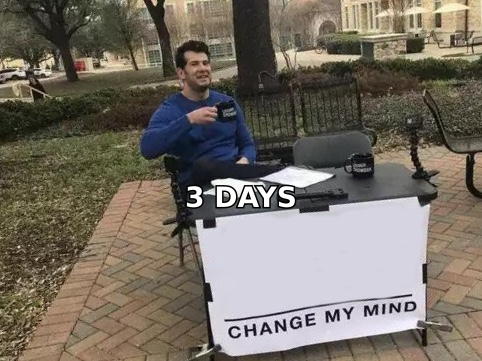
Three business days after the original. Then widen the gaps.
The reason is behavioral, not superstitious. If someone was going to reply immediately, they did. If they meant to reply and got pulled away, three days is long enough that your first email has slid off screen one but short enough that they still recognize your name. Sending after 24 hours reads as impatient. Sending after ten days means you are re-introducing yourself from scratch.
Here is a cadence that holds up across most B2B contexts:
| Touch | Timing | Thread | Angle | Length target |
|---|---|---|---|---|
| 1 — Initial | Day 0 | New | Core value prop, one specific trigger | 60–110 words |
| 2 — Nudge | Day 3 | Reply to touch 1 | Reframe the problem, softer ask | 35–50 words |
| 3 — Value add | Day 7 | Reply to touch 1 | Share a resource, case study, or benchmark | 50–80 words |
| 4 — New angle | Day 14 | New thread | Different pain point or different stakeholder | 60–90 words |
| 5 — Breakup | Day 30 | New thread | Permission to close the loop | 25–40 words |
Two things to notice. First, touches 2 and 3 stay in the original thread so the prospect has context one scroll away. Touch 4 starts fresh because by then the old thread reads as stale to them. Second, the gaps expand — 3, 4, 7, 16 days. Tightening the gaps late in a sequence is how you get marked as spam.
Adjust for context:
- Post-meeting follow-up — send within 24 hours, while the conversation is still live. Waiting three days here signals you do not care.
- Post-demo or post-proposal — 2 days, then 5, then 10. The deal is warm; the cadence should be tighter.
- Inbound lead who filled a form — follow up within one hour, then day 1, day 3. Speed-to-lead decays brutally after the first hour.
- Cold outbound to a senior title — widen everything. VP and C-level inboxes reward patience: day 0, day 5, day 12, day 25.
- Job application or networking ask — one follow-up at day 7, one at day 21, then stop. Two is the ceiling before it becomes uncomfortable.
How many follow-ups should you send?#
Four to five total touches, including the original.
Reply rate climbs meaningfully through touch three and four, then hits diminishing returns. Touch five usually adds a small but real bump because breakup emails have an outsized response rate — people who would never have replied to a pitch will reply to "should I close your file?" Touch six and beyond mostly generates spam complaints, which damage your sender reputation and hurt every campaign you run afterward.
The exception is high-ACV enterprise outbound, where 7 to 9 touches across email, phone, and LinkedIn is normal — but those are multi-channel touches, not seven emails to the same address. Stacking seven emails on one inbox is how domains get burned.
What should a follow-up email actually say?#
It must give a reason to reply that did not exist in the previous email.
That is the whole rule. "Just checking in" fails it. "Bumping this up" fails it. "Did you see my last email?" fails it and is mildly insulting — of course they saw it, they chose not to reply.
Working structures, in rough order of how often they land:
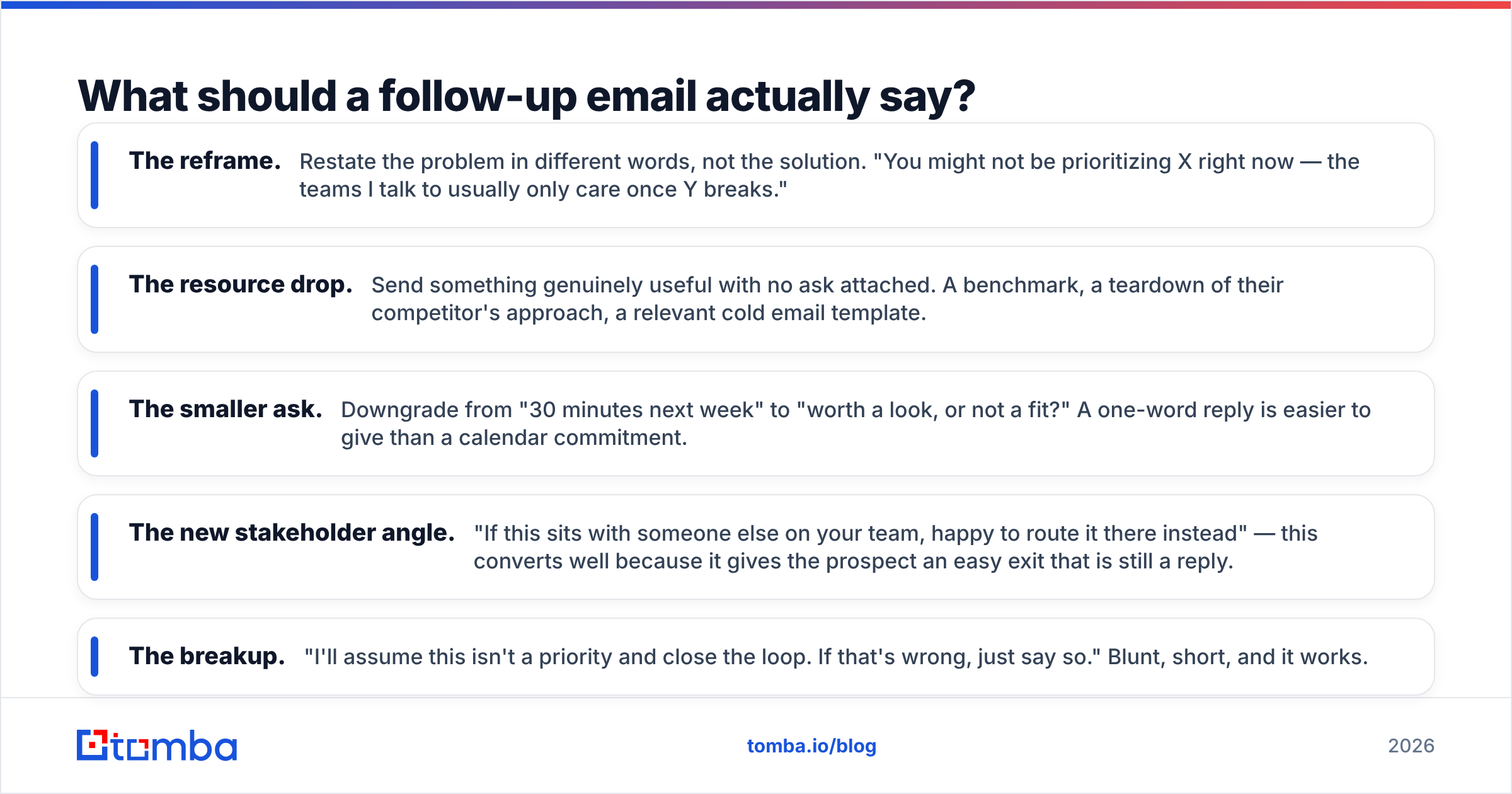
- The reframe. Restate the problem in different words, not the solution. "You might not be prioritizing X right now — the teams I talk to usually only care once Y breaks."
- The resource drop. Send something genuinely useful with no ask attached. A benchmark, a teardown of their competitor's approach, a relevant cold email template.
- The smaller ask. Downgrade from "30 minutes next week" to "worth a look, or not a fit?" A one-word reply is easier to give than a calendar commitment.
- The new stakeholder angle. "If this sits with someone else on your team, happy to route it there instead" — this converts well because it gives the prospect an easy exit that is still a reply.
- The breakup. "I'll assume this isn't a priority and close the loop. If that's wrong, just say so." Blunt, short, and it works.
Three copy constraints worth enforcing across every touch:
Keep it under 80 words. Follow-ups are read on phones between meetings. If it requires scrolling, it gets archived.
One question, at the end. Multiple questions create decision paralysis. Pick the single lowest-friction one.
Never re-attach the original pitch. Quoting your own email back at someone reads as pressure. If they need context, the thread has it.
What kills a follow-up sequence?#
Four things, roughly in order of damage.
Bad email addresses. This is the silent killer. If 15% of your list bounces, your domain reputation drops, and your follow-ups to the good addresses start landing in spam. You cannot out-copy a deliverability problem. Run every list through an email verifier before the first send, and re-verify anything older than 90 days — B2B data decays at roughly 2 to 2.5% per month as people change jobs.
Automation that looks automated. Merge-field failures ("Hi {{first_name}}"), sequences that fire on Saturday at 3am, follow-ups that arrive after the prospect already replied. Every sequencing tool has reply detection; make sure it is actually on.
Ignoring the channel mix. Five emails to a cold prospect is aggressive. Two emails, one LinkedIn touch, and one call is the same number of touches and feels like a human trying to reach you. If you are adding a call step, you need real numbers — a phone finder is the cheapest way to make a sequence multi-channel without buying a second data platform.
No exit criteria. Sequences that keep firing after someone says "not now" are how brands get blacklisted internally. Build an explicit stop: any reply, any unsubscribe, any out-of-office naming a departure.
How do the follow-up tools compare?#
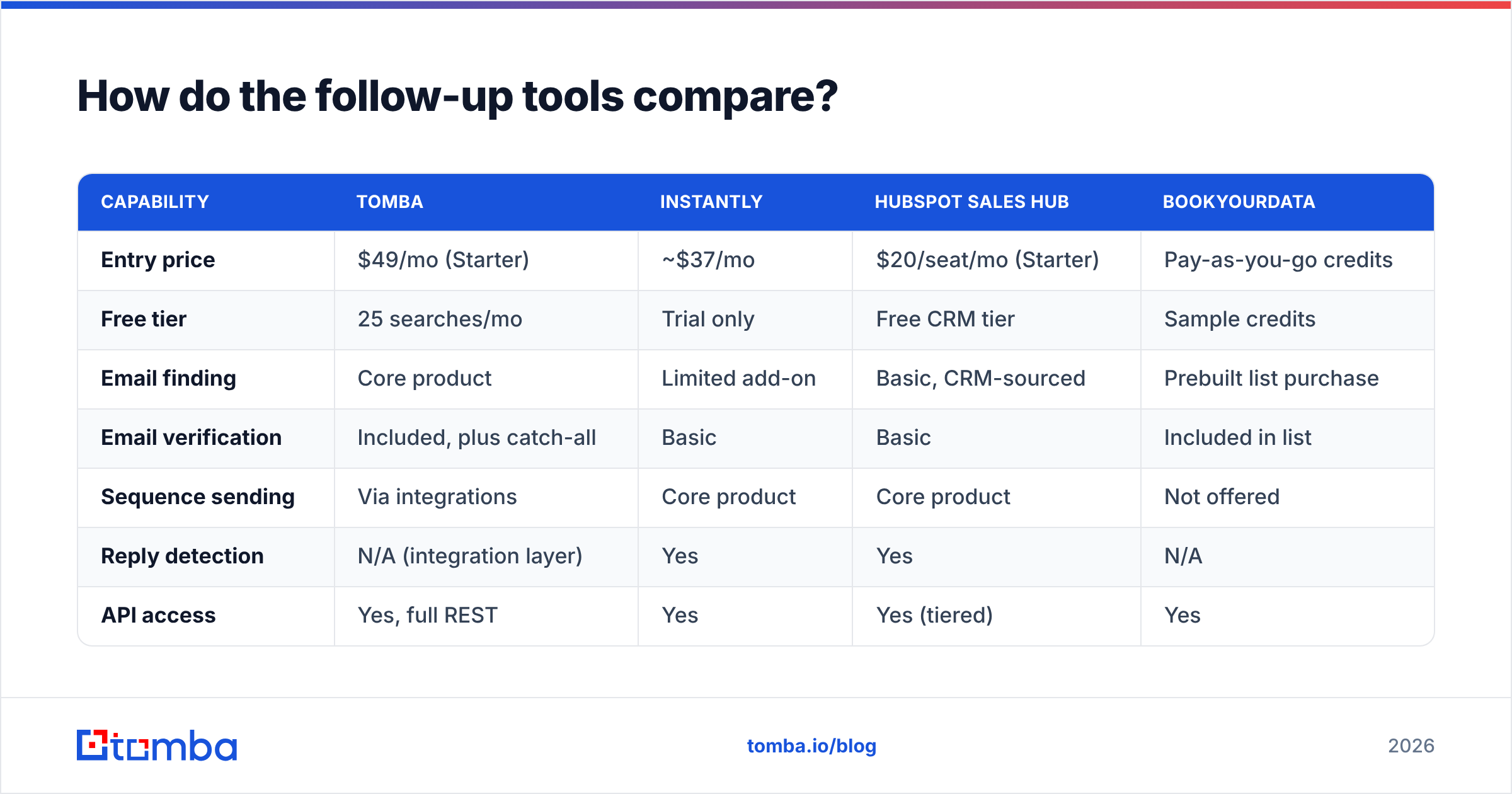
Most teams end up stitching together three layers: a data layer that finds and verifies contacts, a sending layer that runs the cadence, and a tracking layer. Some tools cover two; almost none cover all three well.
| Capability | Tomba | Instantly | HubSpot Sales Hub | BookYourData |
|---|---|---|---|---|
| Entry price | $49/mo (Starter) | ~$37/mo | $20/seat/mo (Starter) | Pay-as-you-go credits |
| Free tier | 25 searches/mo | Trial only | Free CRM tier | Sample credits |
| Email finding | Core product | Limited add-on | Basic, CRM-sourced | Prebuilt list purchase |
| Email verification | Included, plus catch-all | Basic | Basic | Included in list |
| Sequence sending | Via integrations | Core product | Core product | Not offered |
| Reply detection | N/A (integration layer) | Yes | Yes | N/A |
| API access | Yes, full REST | Yes | Yes (tiered) | Yes |
| Best for | Sourcing + verifying the list | High-volume cold send | Sequences tied to CRM | Buying a targeted list fast |
The honest read: pick your sender based on volume and CRM needs, then pick your data layer separately. Instantly and HubSpot are both strong at running the cadence itself, and BookYourData is a solid option when you want a ready-built list rather than sourcing contact by contact. Where Tomba fits is upstream — finding and verifying the addresses that everything else depends on, then pushing them into whichever sender you already run through the HubSpot integration or Zapier.
If you are evaluating sending platforms head-to-head, G2's sales engagement category is a reasonable neutral starting point.
How do you measure whether your follow-ups are working?#
Track per-touch, not per-campaign.
Campaign-level reply rate hides everything. You need to know that touch 1 pulled 3%, touch 2 pulled 4%, touch 3 pulled 1%, and touch 4 pulled 5% — because that tells you touch 3 is broken and touch 4 is your best email. Most teams find their winner is not the one they spent the most time writing.
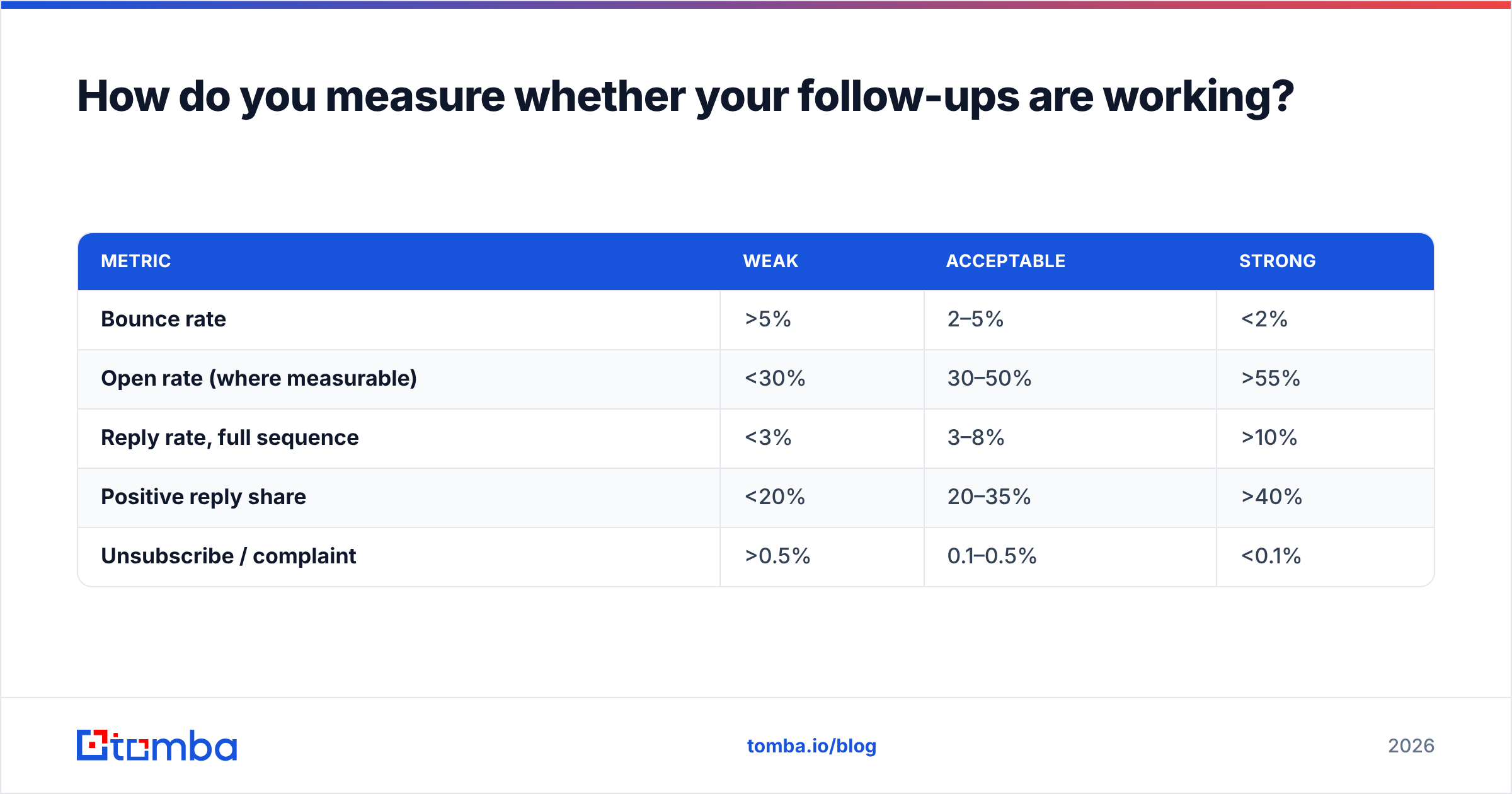
Benchmarks worth holding yourself to on cold outbound in 2026:
| Metric | Weak | Acceptable | Strong |
|---|---|---|---|
| Bounce rate | >5% | 2–5% | <2% |
| Open rate (where measurable) | <30% | 30–50% | >55% |
| Reply rate, full sequence | <3% | 3–8% | >10% |
| Positive reply share | <20% | 20–35% | >40% |
| Unsubscribe / complaint | >0.5% | 0.1–0.5% | <0.1% |
Two caveats. Open rate is increasingly unreliable thanks to privacy proxies pre-fetching images — treat it as directional only. And response rate alone is a vanity metric if half those replies are "unsubscribe." Split positive from negative before you celebrate.
If bounce rate is your problem — and for most teams running follow-up sequences, it is — fix that before touching copy. A 6% bounce rate on a 2,000-contact list is 120 hard bounces, which is enough to get throttled by Google and Microsoft for weeks. Everything downstream of that is wasted effort.
What does a good follow-up sequence look like end to end?#
Here is a concrete five-touch sequence for a B2B SaaS seller reaching a Head of RevOps.
Touch 1 (Day 0), new thread. Trigger-based opener referencing something specific — a hiring post, a funding round, a tool in their stack. One line on the problem, one line on the outcome, one soft ask.
Touch 2 (Day 3), reply in thread. 40 words. "Figured this landed at a bad time. The specific thing I'd flag: [one-sentence problem]. Worth 10 minutes, or not on your radar this quarter?"
Touch 3 (Day 7), reply in thread. Resource. Attach or link one genuinely useful thing. No ask, or a very light one. This touch builds credibility even when it does not get a reply.
Touch 4 (Day 14), new thread, new subject line. Different angle entirely. If touch 1 was about pipeline efficiency, this one is about data decay or forecast accuracy. Treat it as a fresh first email.
Touch 5 (Day 30), new thread. Breakup. 30 words max. "Closing the loop on this — I'll stop reaching out. If the timing changes, my door's open."
Then stop. Re-enter the same contact in a new campaign no sooner than 90 days later, with a genuinely different premise.
Ready to make your follow-ups land?#
Every rule above assumes one thing: the address is real and the inbox is monitored. Sequence timing, copy angles, and channel mix are all downstream of data quality — the best-written five-touch cadence sent to a stale list produces bounces, not meetings.
Start with the Tomba Email Finder. Find verified professional addresses by name and domain, check them against the catch-all verifier before you sequence, and push clean contacts straight into whatever sending tool you already use. The free tier gives you 25 searches a month to test the accuracy on your own target accounts before you commit; paid plans start at $49/mo. Full Tomba pricing is public, no sales call required.
Fix the list first. Then the follow-up sequence has a chance.
Related guides#
// get started
Find, verify and enrich your first contacts today
Start on the free plan with 25 searches a month, then scale when your team is ready.
Free plan · No credit card required · GDPR & CCPA
// about the author