How to Generate Clients in 2026: A 7-Step B2B Playbook
Most client-generation advice stops at "post more content." This is the actual pipeline: define the buyer, build the list, verify contacts, run outreach, and measure what closes.
TL;DR
- Client generation is a pipeline, not a tactic. The five stages are: define the buyer, build the list, verify the contacts, run multi-channel outreach, and convert on a call.
- Most agencies and consultants fail at stage 2 and 3 — they have a decent offer but a list full of guessed emails and stale titles.
- Outbound works when volume is low and precision is high. 300 verified, well-researched contacts beat 5,000 scraped ones every time.
- Referrals and inbound compound but are slow to start; outbound is the only channel you can turn on in a week. Run both.
- Budget roughly $150–$400/month for the data + sending stack when you're starting. That's it.
What does "generate clients" actually mean?#
It means building a repeatable system that turns strangers into people who pay you. That's different from "getting a client," which is what happens when a friend refers someone and you get lucky.
Think of it like a restaurant. Getting one customer is someone wandering in off the street. Generating customers is having a sign, a location on the main road, a menu people can find online, and a reason for them to come back. The first is luck. The second is architecture.
The architecture has five stages, and each one has a measurable output:
- Define the buyer — output: a written ICP with 5–8 filter criteria you can actually query a database with.
- Build the list — output: a spreadsheet of named companies and named humans at those companies.
- Verify the contacts — output: the same list with deliverable email addresses and a bounce rate under 3%.
- Run outreach — output: sends across email, LinkedIn, and phone with tracked replies.
- Convert — output: booked calls, proposals sent, deals closed.
Skip any stage and the whole thing leaks. Most people skip 1 and 3 because they're boring, then blame stage 4 when nothing works.
Which client-generation channel should you start with?#
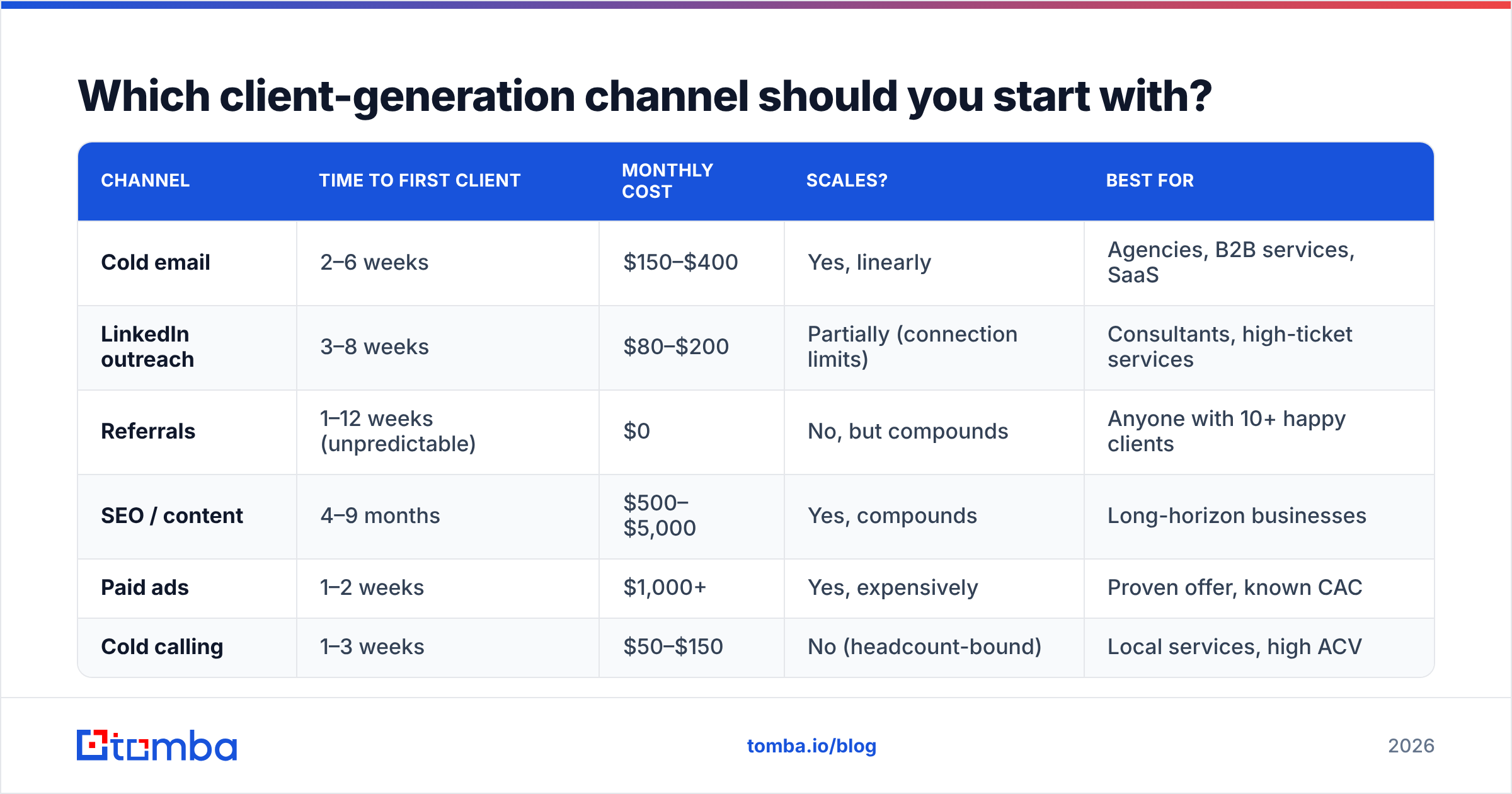
Depends on how fast you need revenue and how much you already have. Here's the honest comparison.
| Channel | Time to first client | Monthly cost | Scales? | Best for |
|---|---|---|---|---|
| Cold email | 2–6 weeks | $150–$400 | Yes, linearly | Agencies, B2B services, SaaS |
| LinkedIn outreach | 3–8 weeks | $80–$200 | Partially (connection limits) | Consultants, high-ticket services |
| Referrals | 1–12 weeks (unpredictable) | $0 | No, but compounds | Anyone with 10+ happy clients |
| SEO / content | 4–9 months | $500–$5,000 | Yes, compounds | Long-horizon businesses |
| Paid ads | 1–2 weeks | $1,000+ | Yes, expensively | Proven offer, known CAC |
| Cold calling | 1–3 weeks | $50–$150 | No (headcount-bound) | Local services, high ACV |
If you need clients this quarter, the answer is cold email plus LinkedIn, with cold calling on your top 50 accounts. If you need clients in 2027 and can afford to wait, start content now and run outbound alongside it.
The mistake is treating these as either/or. Outbound funds the business while content and referrals build the moat.

How do you define your ideal client profile?#
Write it as filters, not adjectives. "Growing companies that value quality" is not an ICP — you can't put it into a search box.
A usable ICP looks like this:
- Industry: B2B SaaS, Series A–B
- Headcount: 25–200
- Geography: US, UK, Canada
- Tech signal: uses HubSpot or Salesforce
- Trigger: hired a Head of Demand Gen in the last 90 days
- Buyer title: VP Marketing, Head of Growth, CMO
- Disqualifier: already has an in-house agency of record
Every one of those is queryable. That's the test. If you can't type it into a filter, it's a vibe, not a criterion.
To pressure-test it, list your last ten clients. Which three were the most profitable and least painful? What did they have in common that your worst three didn't? That commonality is your real ICP, regardless of what you'd like it to be.
G2's category pages are useful here — they show you which companies review which tools, which is a free tech-stack signal you can filter on.
How do you build the actual list?#
Three approaches, and you'll probably use all three.
1. Domain-first. You know the companies you want. Start with a domain search to pull every public contact at a company, then filter down to the departments and seniorities you care about. This is fastest when you have a target account list already — from a conference attendee list, a funding announcement, a directory.
2. Person-first. You know the human. You found them on LinkedIn, on a podcast, on a conference speaker page. Use an email finder with their name and company domain to get the address. This is how you build a list of 200 people you've actually researched, which converts far better than 2,000 you haven't.
3. Database-first. You describe the profile and pull matching contacts from a prebuilt B2B database. Fastest for volume, weakest for precision — the filters are only as good as the vendor's data freshness.
For volume work, run the whole thing through a bulk email finder rather than one at a time. A 500-row list should take minutes, not an afternoon.
One warning on scraped lists bought off a marketplace: the good ones are fine and the bad ones will burn your domain in a week. If you go that route, treat every purchased list as unverified until you've run it through verification yourself. Providers like BookYourData sell contact lists with stated accuracy guarantees, which is a reasonable middle ground if you'd rather buy than build — just verify on arrival either way.
Why does contact verification decide whether any of this works?#
Because your sending domain has a reputation score, and bounces destroy it faster than anything else you can do.
Here's the chain: you send to a dead address → the receiving server bounces it → mailbox providers log that you sent to a nonexistent user → they downgrade your sender reputation → your good emails start landing in spam → your reply rate collapses → you conclude "cold email doesn't work."
The failure happened at stage 3, not stage 4.
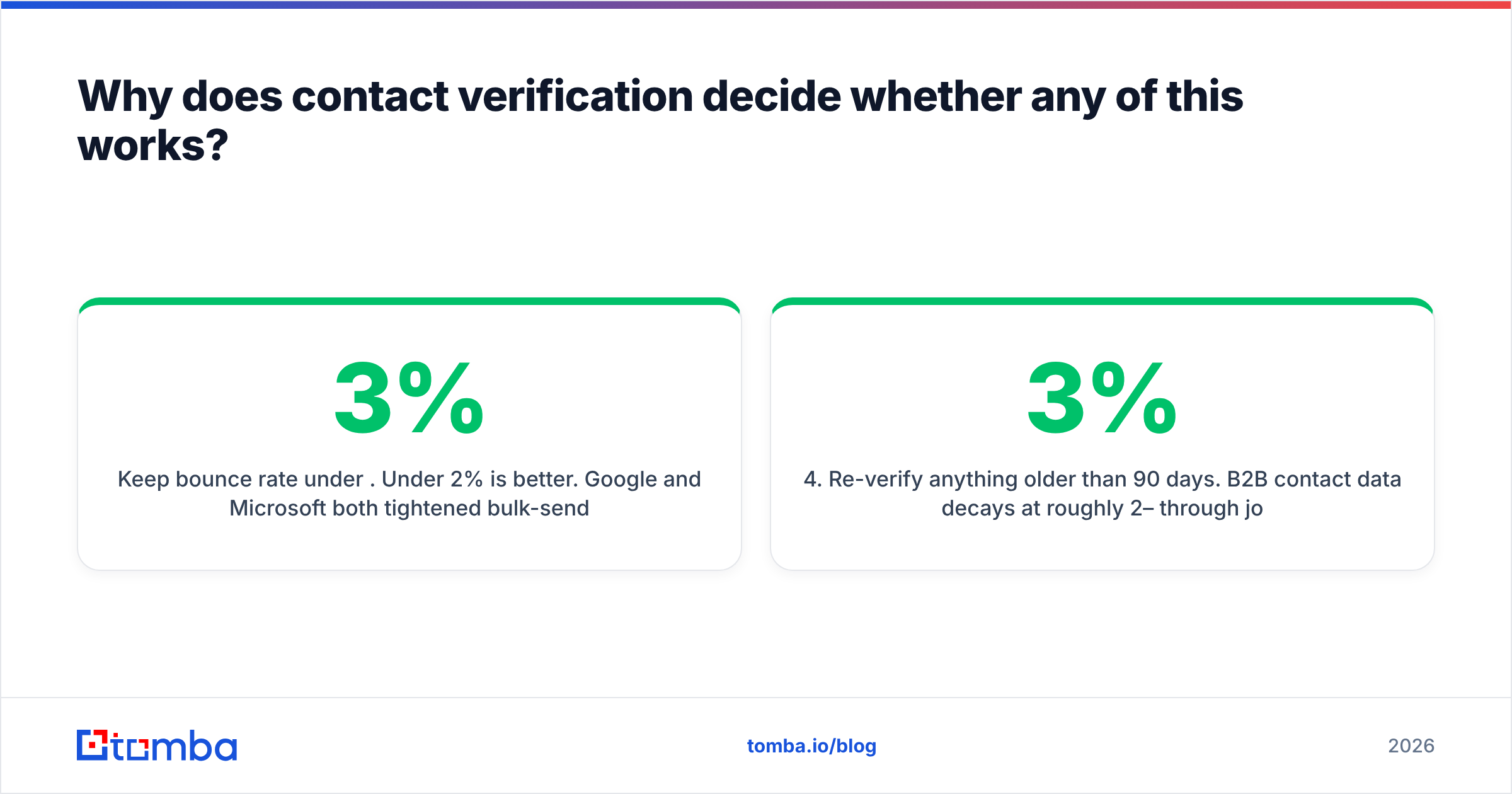
Keep bounce rate under 3%. Under 2% is better. Google and Microsoft both tightened bulk-sender requirements over the past two years, and Google's own sender guidelines are explicit about keeping spam complaint rates below 0.3%. Bounces and complaints travel together — a list full of dead addresses is usually also a list full of wrong people.
Practical verification workflow:
- Run the full list through an email verifier before the first send.
- Segment out catch-all domains — they accept everything at the server level, so a standard SMTP check can't tell you anything. Use a catch-all verifier to score them separately, and send to them in smaller batches.
- Delete anything marked invalid. Don't "risk it" on 200 addresses to save 20 minutes.
- Re-verify anything older than 90 days. B2B contact data decays at roughly 2–3% per month through job changes alone.
Skipping step 4 is the quiet killer. A list you built in January is measurably worse by April, and you won't notice until your metrics dip.
What does a realistic outreach sequence look like?#
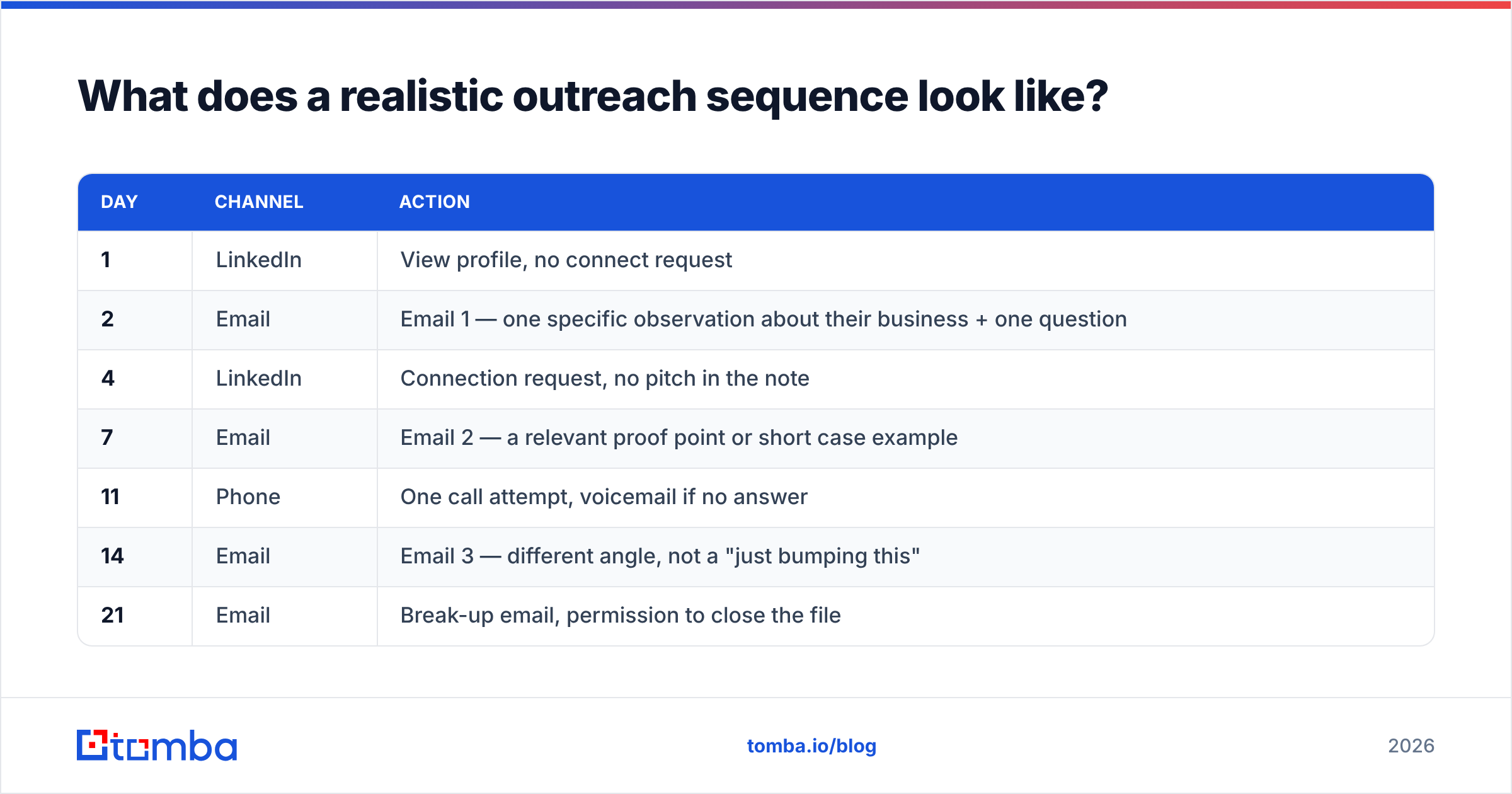
Multi-channel, low volume, high relevance. Something like:
| Day | Channel | Action |
|---|---|---|
| 1 | View profile, no connect request | |
| 2 | Email 1 — one specific observation about their business + one question | |
| 4 | Connection request, no pitch in the note | |
| 7 | Email 2 — a relevant proof point or short case example | |
| 11 | Phone | One call attempt, voicemail if no answer |
| 14 | Email 3 — different angle, not a "just bumping this" | |
| 21 | Break-up email, permission to close the file |
Six touches over three weeks. Not thirteen touches over three months.
On volume: start at 20–30 emails per mailbox per day and hold there for two weeks before increasing. If you need more, add mailboxes rather than pushing one harder. Two mailboxes at 30/day is safer than one at 60/day, and the incremental cost is a few dollars.
For the phone step, pull direct dials with a phone finder rather than dialing switchboards. A gatekeeper transfer converts far worse than a direct line, and the whole point of the call step is to be the one touch that isn't in an inbox.
Write the first email in under 90 words. Reference something specific — a hiring post, a product launch, a pricing page change. Generic personalization tokens ("I saw you work at {{company}}") read as automation, because they are.
How much should the stack cost you?#
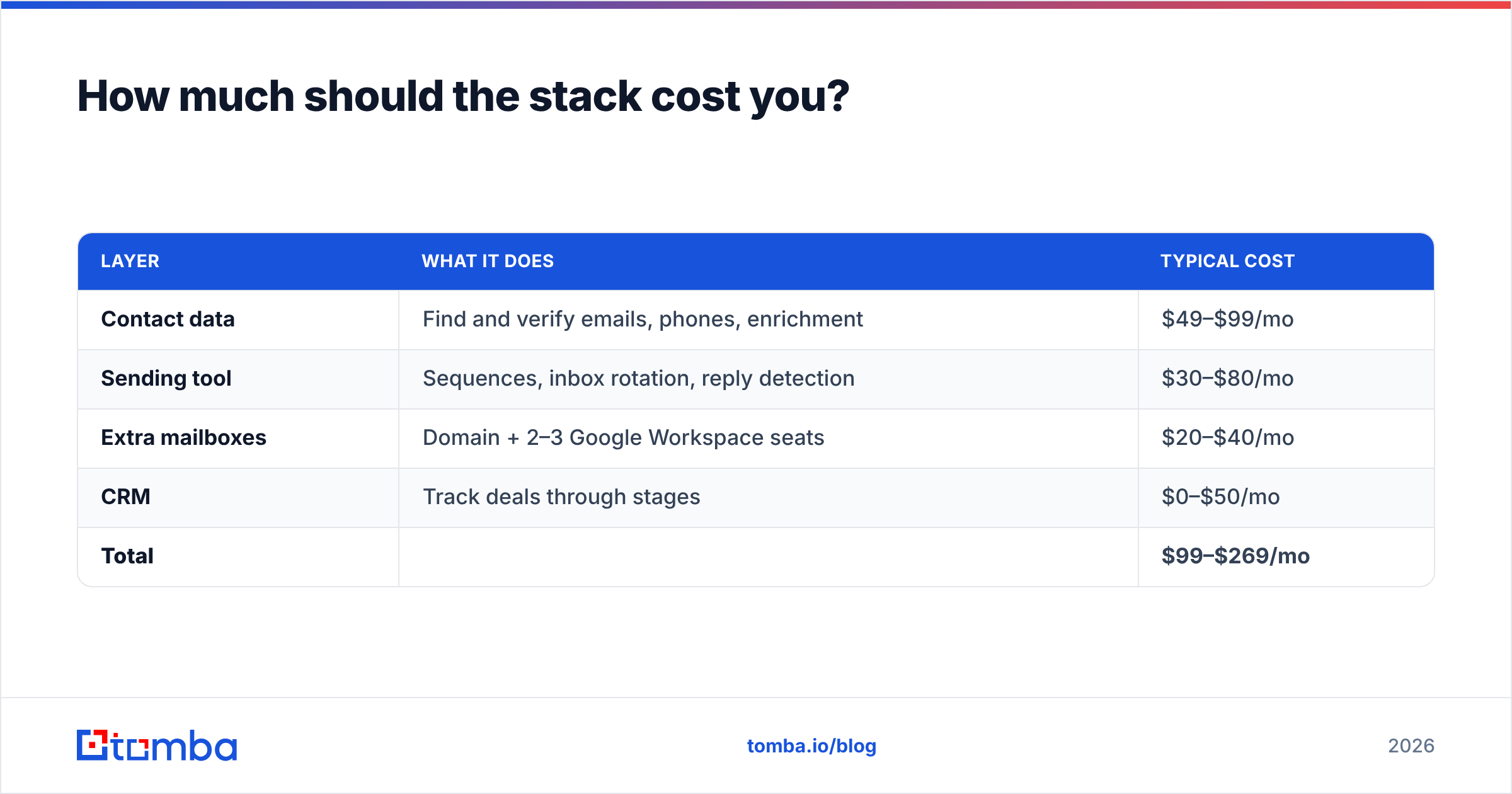
Less than most people spend. Here's a working setup for a solo consultant or small agency running outbound to a few hundred contacts a month.
| Layer | What it does | Typical cost |
|---|---|---|
| Contact data | Find and verify emails, phones, enrichment | $49–$99/mo |
| Sending tool | Sequences, inbox rotation, reply detection | $30–$80/mo |
| Extra mailboxes | Domain + 2–3 Google Workspace seats | $20–$40/mo |
| CRM | Track deals through stages | $0–$50/mo |
| Total | $99–$269/mo |
On the data layer specifically, Tomba pricing runs a free tier at 25 searches/month, Starter at $49/mo, Growth at $99/mo, and Pro at $249/mo, with enterprise pricing on request. For most people starting out, the $49 Starter tier covers the volume they can realistically follow up on. Buying a $500/month data plan before you've sent your first 500 emails is a common and expensive mistake.
If you already live in a spreadsheet, wire the data layer directly into it — there's a Google Sheets add-on and an Excel add-in so you're not exporting CSVs back and forth. If your workflow is code-first, the Tomba API does the same job programmatically.
Add a CRM once you have more than about 15 live conversations. Before that, a spreadsheet with a status column is genuinely enough, and HubSpot's free CRM is a fine zero-cost upgrade when the spreadsheet cracks.
What metrics tell you it's working?#
Track five numbers and ignore the rest:
- Bounce rate — target under 3%. Above that, stop sending and fix your verification.
- Open rate — 40–60% is normal for a verified B2B list. Under 30% means deliverability trouble, not bad subject lines.
- Reply rate — 5–10% on a well-targeted list. Under 2% means your targeting or your offer is off, not your copy.
- Positive reply rate — 1–3%. This is the number that predicts revenue.
- Meetings booked per 100 contacts — 1–3 is healthy for most B2B services. This is your unit of planning.
That last one matters most. If you book 2 meetings per 100 contacts and close 1 in 4 meetings, then each client costs you 200 contacts. Now you can plan: need 3 clients this quarter? Build a 600-contact pipeline. That's the whole calculation, and it turns "generate clients" from a hope into a spreadsheet.
Watch response rate trends week over week rather than day to day. Daily numbers on small volume are noise.
What are the most common mistakes?#
Sending before verifying. Covered above, but it's the single most expensive error. One bad campaign can cost you months of domain reputation recovery.
Targeting too broadly. "Any business that needs marketing" is not a target. A narrow ICP means your emails can be specific, and specific emails get replies.
Pitching in touch one. The first email's job is to earn the second email. Ask a question that's genuinely easy to answer.
Giving up at week three. Most outbound programs show their real numbers after 6–8 weeks, once you've iterated on the list and the offer twice. Judging a campaign after 200 emails is judging noise.
Ignoring the inbound signal. People visit your site, read your case studies, and leave without filling in a form. Website visitor identification turns some of that anonymous traffic into named companies you can add to the outbound list — which is a warmer starting point than a cold pull.
Treating LinkedIn as a separate universe. The same person you emailed should see your name on LinkedIn. Multi-channel isn't about more messages, it's about familiarity. Salesforce's research on buyer behavior consistently shows buyers moving across multiple touchpoints before they'll take a call.
How do you make it repeatable?#
Turn it into a weekly cadence and stop treating it as a project.
- Monday: build 50–100 new contacts against the ICP, verify, load into the sequencer.
- Tuesday–Thursday: sends run, you handle replies same-day. Reply speed matters more than reply cleverness.
- Friday: review the five metrics, kill what's dead, note which segments replied.
Ninety minutes a week of list-building, done every week, is what separates people who have a pipeline from people who have a story about a good month once.
Once the cadence holds for a quarter, you'll know your real numbers — contacts per meeting, meetings per client, cost per client. At that point, scaling is arithmetic: double the input, double the output, and check that quality holds.
Where to start this week#
Pick 100 companies that look like your best existing client. Find the right person at each one. Verify every address before you send anything. Write one email that references something real about their business, and send it.
That's the whole first sprint, and it's the part most people skip in favor of reading more articles about client generation.
If you need the contact layer for that first list, Tomba's Email Finder covers it — find addresses by name and domain, verify them before you send, and start on the free tier at 25 searches a month to test your list quality before you pay for anything. Move up to Starter at $49/mo when the process is working and the only thing you need is more volume.
Related guides#
// get started
Find, verify and enrich your first contacts today
Start on the free plan with 25 searches a month, then scale when your team is ready.
Free plan · No credit card required · GDPR & CCPA
// about the author