How to Generate Leads for SEO Agencies: A 2026 Playbook
SEO agencies sell a service everyone claims to offer. Here are seven lead sources that actually book calls in 2026 — ranked by cost, speed, and close rate.
TL;DR
- SEO agencies lose deals on proof, not price. The fastest lead source in 2026 is a personalized technical audit sent to a named decision-maker — not a generic "I noticed your website" cold email.
- Referrals and partner channels still close at the highest rate (roughly 40-60% for warm intros), but they don't scale. Outbound built on a clean, verified contact list is the only channel you fully control.
- Inbound (your own rankings, programmatic tools, comparison content) is the cheapest per lead long-term and the slowest to start — expect 6-12 months.
- A working stack is: find the site → find the decision-maker's email → verify it → send a specific audit finding → follow up four times.
- Bad data kills the whole thing. A 20% bounce rate on a cold domain will torch your sender reputation before the campaign gets warm.
Why is generating leads for SEO harder than it used to be?#
Because the buyer has been burned. Every marketing director with a pulse has received forty "I ran a quick audit of your site and found 37 errors" emails, and roughly all of them were generated by the same free crawler with a different logo on top.
Two things changed between 2020 and 2026. First, AI writing tools flooded the channel — the cost of sending a mediocre pitch dropped to near zero, so volume exploded and reply rates fell. Second, AI Overviews and answer engines changed what "SEO" even means to a buyer. Half your prospects now think organic traffic is a dying asset; the other half are panicking about it. Both groups are reachable, but not with the same message.
The practical consequence: generic outreach is dead weight, and specificity is your only real moat. If your first touch contains something the prospect could not have found in a templated audit, you get a reply. If it doesn't, you're spam.
What are the actual lead sources for an SEO agency?#
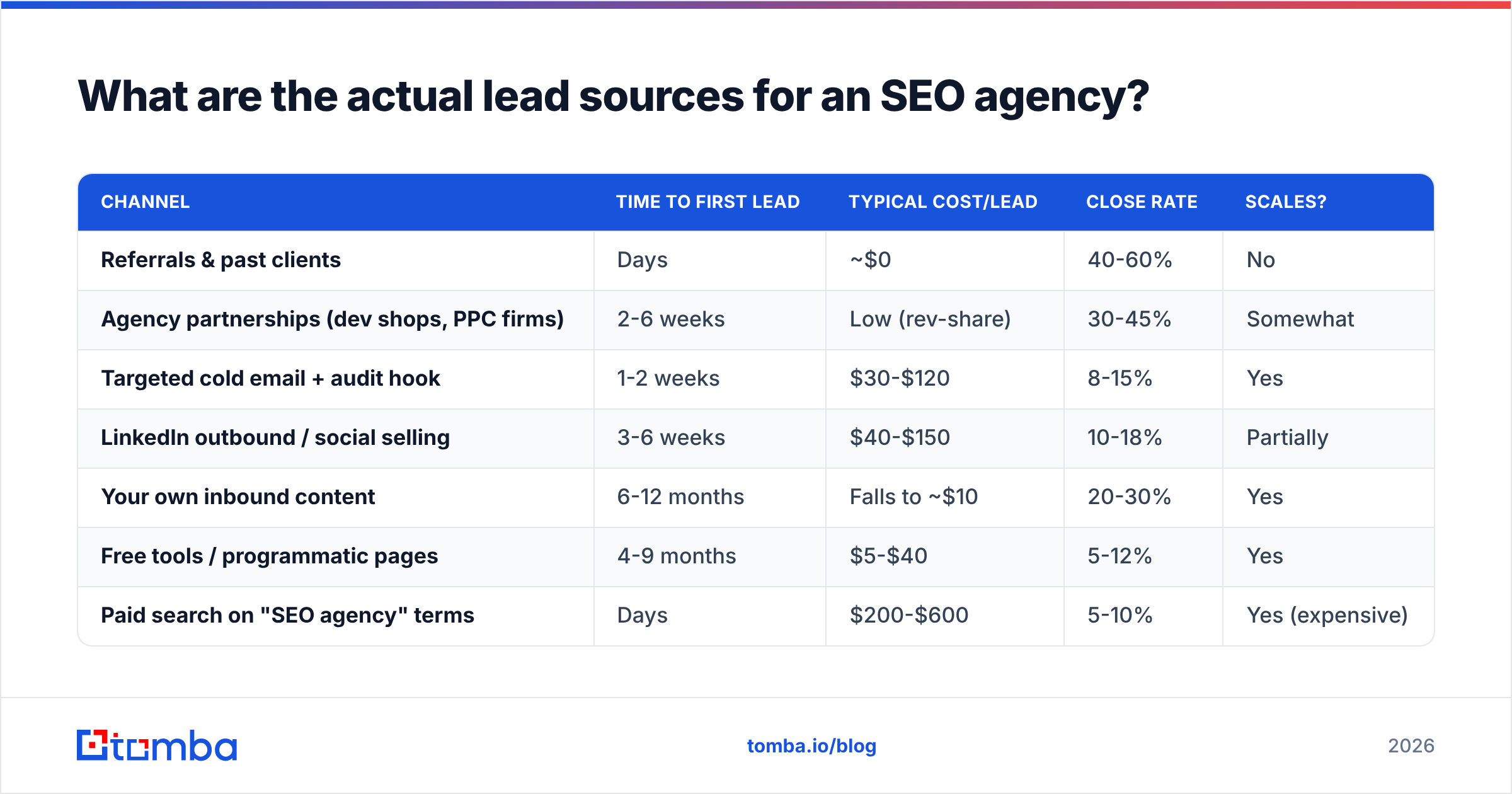
There are seven that consistently produce, and they trade off along three axes: cost per lead, time to first lead, and close rate. Here's the honest ranking.
| Channel | Time to first lead | Typical cost/lead | Close rate | Scales? |
|---|---|---|---|---|
| Referrals & past clients | Days | ~$0 | 40-60% | No |
| Agency partnerships (dev shops, PPC firms) | 2-6 weeks | Low (rev-share) | 30-45% | Somewhat |
| Targeted cold email + audit hook | 1-2 weeks | $30-$120 | 8-15% | Yes |
| LinkedIn outbound / social selling | 3-6 weeks | $40-$150 | 10-18% | Partially |
| Your own inbound content | 6-12 months | Falls to ~$10 | 20-30% | Yes |
| Free tools / programmatic pages | 4-9 months | $5-$40 | 5-12% | Yes |
| Paid search on "SEO agency" terms | Days | $200-$600 | 5-10% | Yes (expensive) |
Two notes on reading that table. Close rate is from qualified conversation to signed contract, not from email sent. And "cost per lead" for inbound looks absurdly cheap only after you amortize a year of content spend — early on it's the most expensive channel you have.
Most agencies under $2M in revenue should be running exactly three of these: referrals (because they're free), targeted outbound (because it's controllable), and one long-horizon inbound bet. Trying to run all seven is how small agencies end up doing none of them well.
How do you build a targeted prospect list that isn't garbage?#
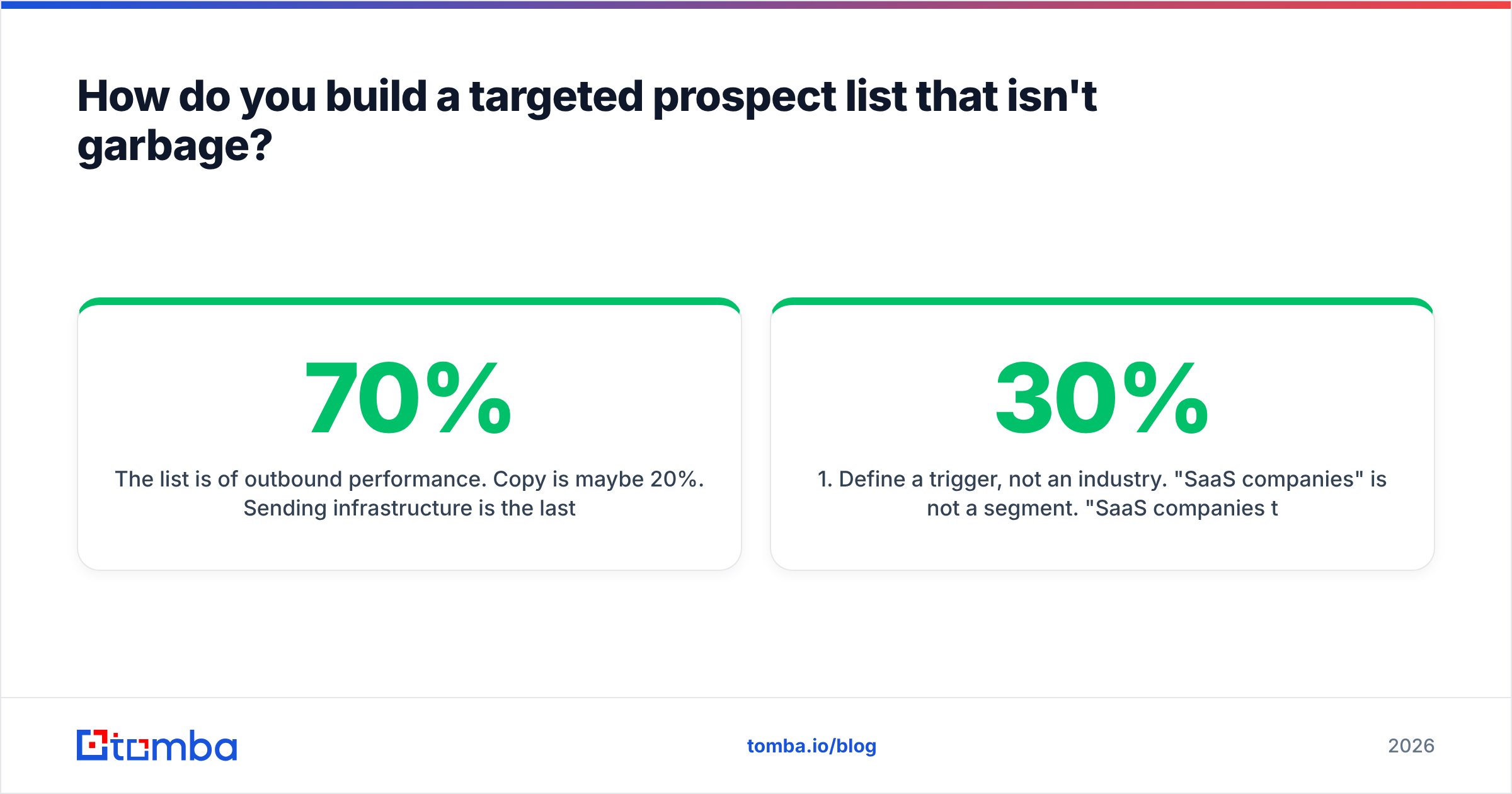
The list is 70% of outbound performance. Copy is maybe 20%. Sending infrastructure is the last 10%. Most agencies invert that and wonder why their sequences flatline.
Build the list in this order:
- Define a trigger, not an industry. "SaaS companies" is not a segment. "SaaS companies that just hired a Head of Growth," "sites that recently migrated to a new CMS," "companies running Google Ads on keywords they don't rank for organically," "sites that lost 30%+ of visibility in the last core update" — those are segments. A trigger gives you a reason to be in the inbox today.
- Source the domains. Ahrefs/Semrush visibility drops, BuiltWith tech-stack filters, job boards, funding announcements, and G2 category pages all produce domain lists. Export to a spreadsheet with one column:
domain. - Find the right human. For companies under 200 employees, target the marketing lead or founder. Over 200, target the SEO manager or Head of Content — the founder will never reply and the CMO will forward it to someone who resents you. Use a domain search to pull every known email at the company plus the pattern the company uses, then match against the named decision-maker.
- Verify before you send. Run every address through an email verifier and drop anything that isn't a confirmed deliverable. Catch-all domains need a separate treatment — see the next section.
- Enrich for personalization fields. You need at minimum: first name, company name, and one specific observable fact about their site. That third field is what makes the email work, and it cannot be automated into meaninglessness.
- Cap the list. 250 deeply-researched prospects beat 5,000 shallow ones. If you cannot write a specific first line for a prospect, delete the row.
For teams doing this at volume, a bulk email finder processes a domain list in one pass instead of one-by-one lookups, and the Tomba API drops the same lookups directly into whatever internal tool or CRM you've built.
Does contact data accuracy actually change your close rate?#
Yes, and the mechanism is indirect enough that people miss it.
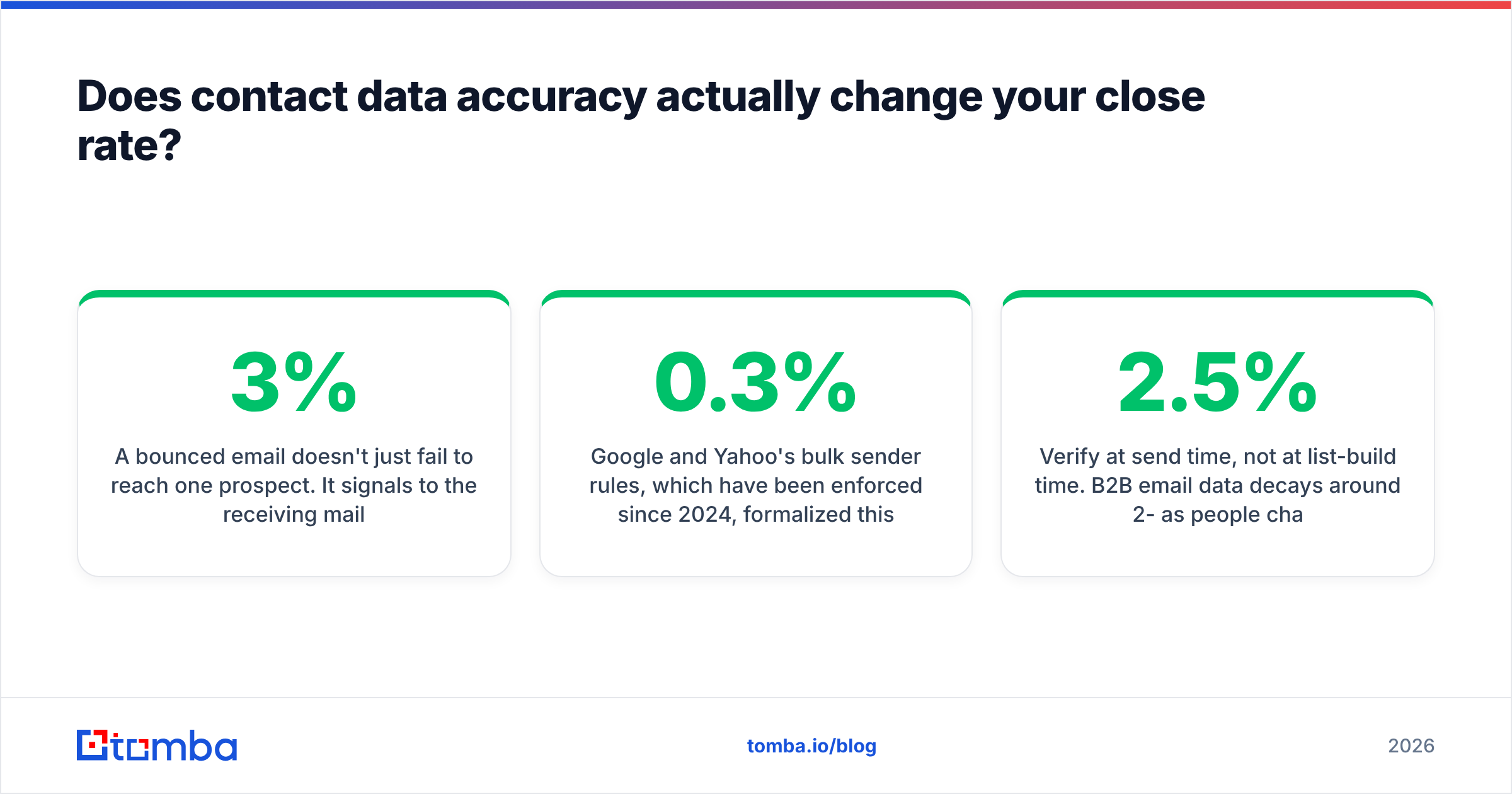
A bounced email doesn't just fail to reach one prospect. It signals to the receiving mail provider that you're sending to addresses you don't have a relationship with, which is the defining behavior of a spammer. Push your bounce rate above roughly 3% and inbox placement for the entire campaign starts degrading — including the messages going to perfectly valid addresses. You lose the 97% because of the 3%.
Google and Yahoo's bulk sender rules, which have been enforced since 2024, formalized this: keep spam complaints under 0.3% and authenticate properly or your mail gets filtered. The Google Workspace sender guidelines are the authoritative version if you want the specifics. On the reputation side, email deliverability and sender reputation are the two metrics to watch weekly, not quarterly.
Practical rules that keep the data clean:
- Verify at send time, not at list-build time. B2B email data decays around 2-2.5% per month as people change jobs. A list you verified in March is meaningfully worse in September.
- Handle catch-all domains separately. Roughly a quarter of B2B domains accept everything, so standard SMTP verification returns "unknown." A catch-all verifier uses secondary signals to sort these instead of forcing you to guess. Send catch-alls in a separate, smaller batch on a separate domain.
- Deduplicate across sequences. Nothing burns a prospect faster than getting the same pitch from two of your SDRs in the same week.
- Warm the domain before volume. A brand-new sending domain doing 300/day on day one will land in spam regardless of list quality.
What outreach message actually books an SEO call?#
The structure that works is boringly consistent: one specific observation, one implication, one low-friction ask. Under 90 words.
What that looks like in practice:
Subject: your /pricing page and Google
Hi Dana — your pricing page is indexed but canonicalized to the homepage, so none of the "[category] pricing" searches can reach it. That's a couple hundred high-intent visits a month for a page you already built.
I found three more like it. Want the list? No pitch, it's a two-minute read.
— Sam
Note what it doesn't do. No credentials paragraph. No "we've worked with brands like." No mention of a 30-minute discovery call. The ask is for permission to send a document, which is a much smaller commitment than a meeting, and it self-qualifies — anyone who says yes has admitted they care about organic traffic.
Then follow up. Data across most cold email benchmarks puts roughly half of all replies after the first message. Four follow-ups spread over 18 days, each adding one new piece of value rather than "just bumping this," is the standard that still works. If you're building these from scratch, the cold email templates library and a subject line tester will save you a few cycles of guessing.

How should you compare the tools in the stack?#
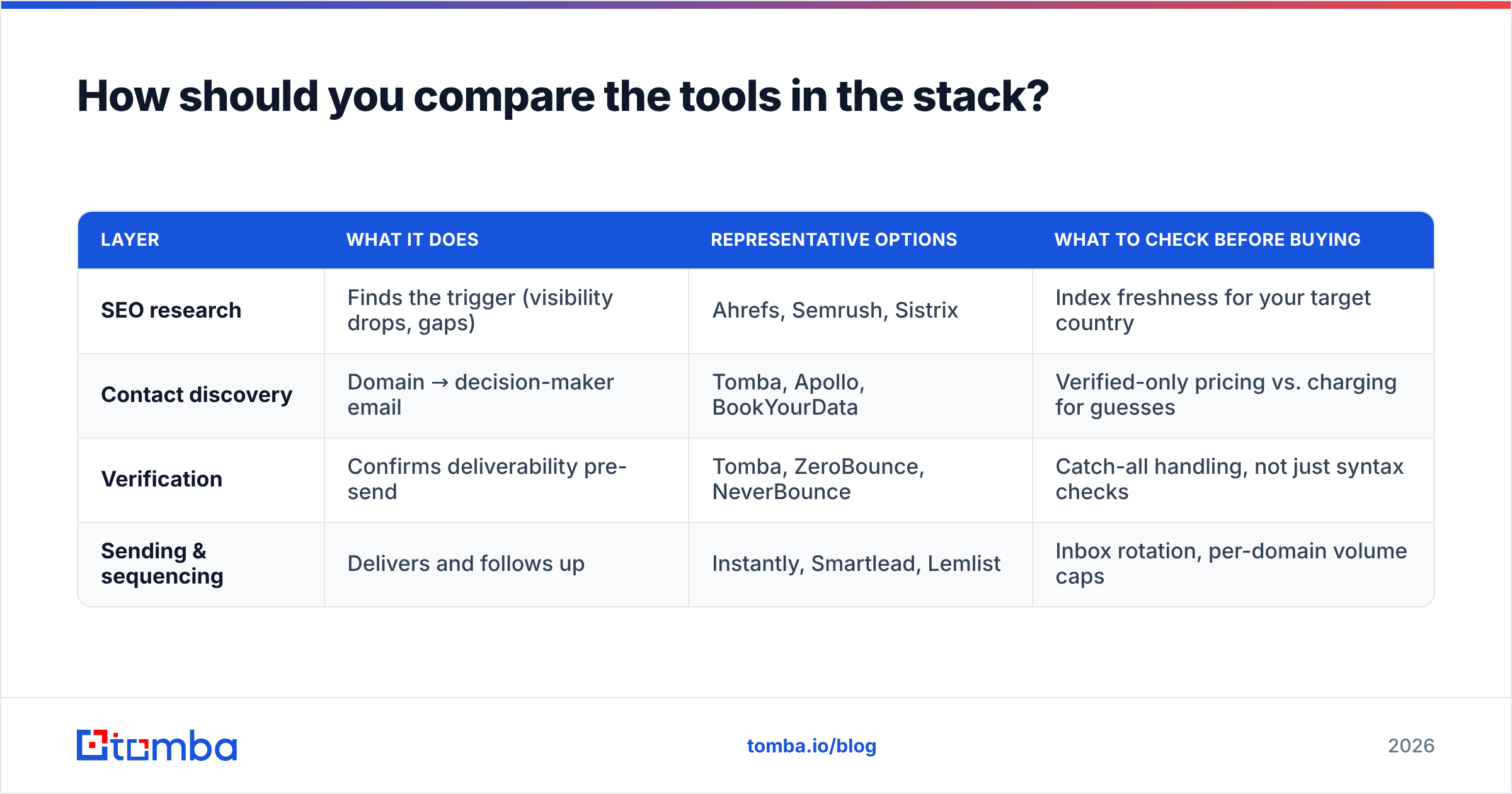
You need four categories of tool, and there's meaningful overlap between vendors — which is why agencies routinely pay for three products that do the same job.
| Layer | What it does | Representative options | What to check before buying |
|---|---|---|---|
| SEO research | Finds the trigger (visibility drops, gaps) | Ahrefs, Semrush, Sistrix | Index freshness for your target country |
| Contact discovery | Domain → decision-maker email | Tomba, Apollo, BookYourData | Verified-only pricing vs. charging for guesses |
| Verification | Confirms deliverability pre-send | Tomba, ZeroBounce, NeverBounce | Catch-all handling, not just syntax checks |
| Sending & sequencing | Delivers and follows up | Instantly, Smartlead, Lemlist | Inbox rotation, per-domain volume caps |
On the contact-discovery layer specifically, the pricing models differ more than the feature lists. Tomba pricing starts with a free tier at 25 searches/month, then Starter at $49/mo, Growth at $99/mo, and Pro at $249/mo, with an enterprise tier for teams that need volume commitments and SLAs. All-in-one platforms like Apollo bundle sequencing into the same subscription, which is convenient until you want to swap one component. Database-first providers such as BookYourData sell pre-built, verified lists by industry and title, which suits agencies that want a list handed over rather than assembled — a genuinely different buying motion, and a reasonable one if your team is small and your ICP is stable.
The honest guidance: if you already have a sending tool you like, buy discovery and verification separately and keep the sending layer independent. If you're starting from zero and want one bill, an all-in-one is defensible — just know you're trading data quality for convenience, because bundled databases are usually shallower than dedicated ones.
Real reviews are worth reading before committing. G2's lead intelligence category is the least-bad public source for how these tools perform in practice, though weight the reviews from companies your size.
What does a repeatable weekly system look like?#
Lead generation fails when it's a project instead of a routine. Here's a cadence that a two-person agency can actually sustain:
- Monday (60 min): Pull the trigger list. Visibility losers from last week's core-update chatter, new funding rounds in your vertical, job posts mentioning "SEO" or "content marketing." Target: 50 new domains.
- Tuesday (90 min): Find and verify contacts for those 50 domains. Anything unresolvable after one pass gets dropped, not researched further — the time is better spent on the next batch.
- Wednesday (2 hrs): Write the specific observation for each. This is the only step you cannot automate. Two minutes per prospect in Search Console-adjacent tools or a quick crawl gets you a real finding.
- Thursday: Launch the sequence. Five touches over 18 days.
- Friday (30 min): Review last week's replies, book calls, and log what triggered the positive responses so the next Monday's list gets sharper.
That's roughly five hours a week producing 200 prospects a month. At a 10% reply rate and a 30% reply-to-call rate, that's six qualified conversations monthly — enough to add one to two retainers, which for most agencies is the growth target anyway.
Track four numbers and ignore the rest: bounce rate (under 3%), reply rate (target 8%+), reply-to-call rate (target 25%+), and win rate from call to contract. If bounce rate is high, your data is the problem. If reply rate is low, your first line is the problem. If reply-to-call is low, your ask is too big. If win rate is low, you're targeting the wrong companies.
Where do inbound and outbound meet?#
The best-performing agencies run outbound into an inbound asset. Instead of pitching a service, they pitch a resource — a teardown, a benchmark study, a free tool — and let the resource do the selling.
Concrete version: publish a genuinely useful piece of research about your niche's organic performance ("we crawled 400 DTC skincare sites; 61% have indexable faceted navigation eating their crawl budget"). Then use outbound to send it to the 400 companies you crawled, each with their own row highlighted. You're not selling; you're delivering something they're in. Reply rates on that pattern run several times higher than standard cold email, and every reply arrives pre-warmed by your credibility.
The same asset then ranks, gets cited, and produces inbound for years. One piece of work, two channels. That's the leverage most agencies never build because they treat content and outbound as separate departments with separate budgets.
Ready to build the list?#
The bottleneck in every SEO lead gen system is the same: you know which companies you want, and you don't have a verified way to reach the person who signs. Start with the Tomba Email Finder — paste a domain and a name, get a verified professional email with a confidence score, and skip the guess-and-bounce cycle entirely. The free tier gives you 25 searches a month to test the workflow against your real target list before you commit to a plan.
Related guides#
// get started
Find, verify and enrich your first contacts today
Start on the free plan with 25 searches a month, then scale when your team is ready.
Free plan · No credit card required · GDPR & CCPA
// about the author