How to Generate Prospect Leads: A 2026 Playbook That Works
Most lead gen advice stops at "build a list." This playbook shows the full pipeline — ICP, sourcing, enrichment, verification, and outreach — with real tools, real prices, and the numbers you need to hit quota.
TL;DR
- Lead generation is four jobs, not one: define the ICP, source accounts, find and verify contact data, then run outreach. Skipping the verification step is what kills most campaigns.
- Buying a static list is the fastest path to a 12%+ bounce rate. Sourcing accounts first and enriching contacts on demand keeps bounces under 2%.
- The cheapest reliable stack in 2026 runs about $150–$300/month for a two-person team: a data source, a verifier, and a sending tool.
- Manual prospecting caps out around 30–50 verified contacts per rep per day. API-driven enrichment moves that to thousands without adding headcount.
- Your first 100 leads should come from a niche you can name in one sentence. Volume before focus is how pipelines rot.
What does "generate prospect leads" actually mean in 2026?#
It means producing a contactable, qualified, permission-tolerant list of people who plausibly need what you sell — and doing it repeatably.
That definition has three load-bearing words. Contactable means a deliverable email or a valid phone number, not a guess. Qualified means the account matches your ideal customer profile on firmographics and, ideally, a trigger event. Repeatably means the process survives when your best SDR leaves.
Most "lead generation" content collapses this into "scrape LinkedIn." That's one sourcing tactic inside a much larger pipeline, and on its own it produces the exact kind of list that gets your domain blacklisted.
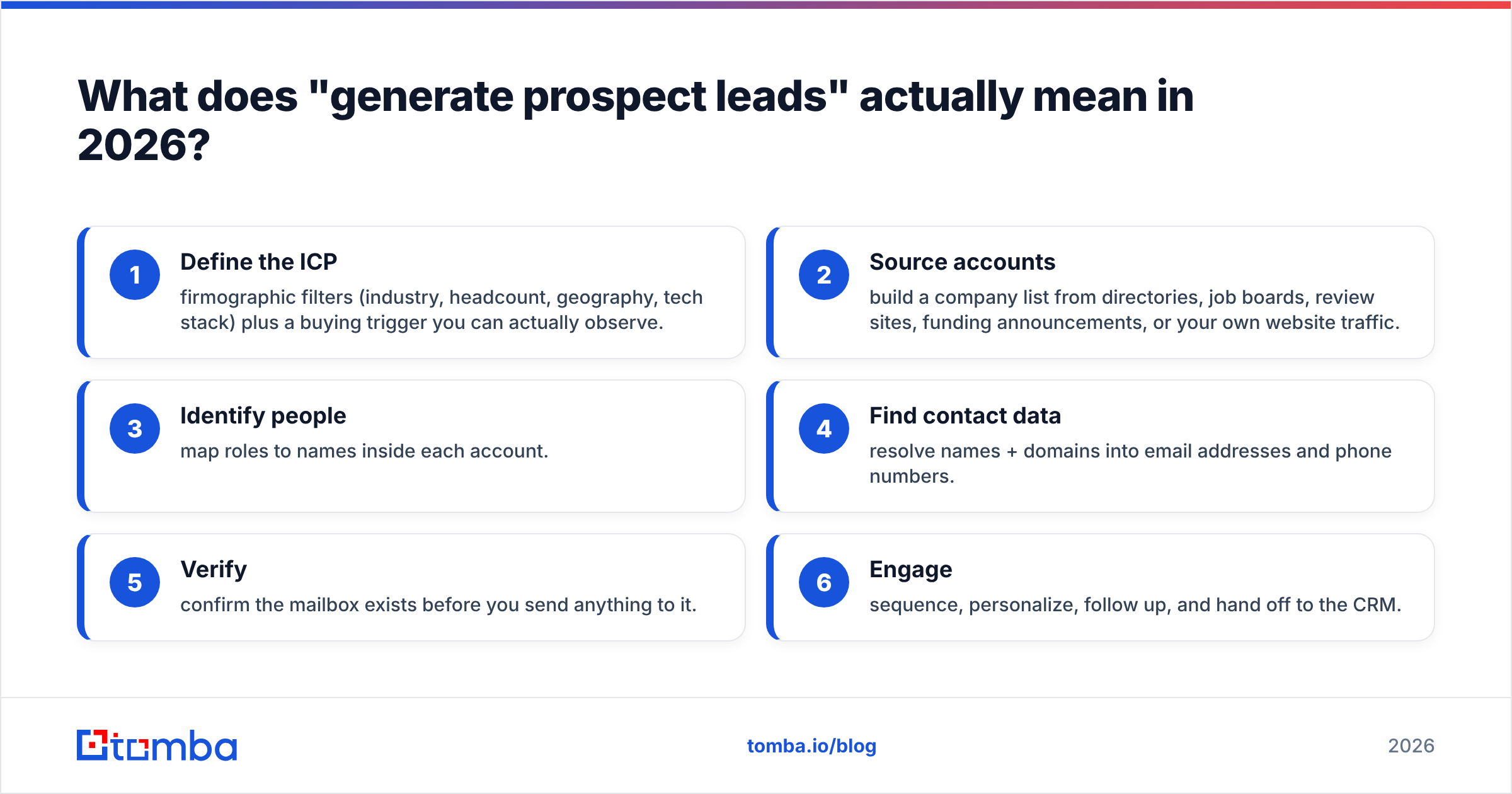
Here's the pipeline in order:
- Define the ICP — firmographic filters (industry, headcount, geography, tech stack) plus a buying trigger you can actually observe.
- Source accounts — build a company list from directories, job boards, review sites, funding announcements, or your own website traffic.
- Identify people — map roles to names inside each account.
- Find contact data — resolve names + domains into email addresses and phone numbers.
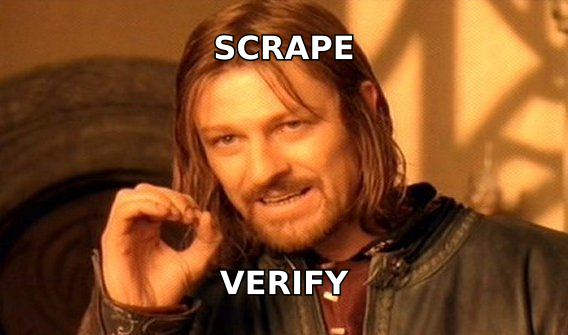
- Verify — confirm the mailbox exists before you send anything to it.
- Engage — sequence, personalize, follow up, and hand off to the CRM.
Steps 4 and 5 are where most teams either overpay or cut corners. That's the part this guide spends the most time on.
How do you define an ICP that produces real leads?#
Start narrower than feels comfortable. A list of 400 companies you understand deeply outperforms 40,000 you don't.
Build your ICP from evidence, not aspiration. Pull your last 20 closed-won deals and look for what they share: headcount band, funding stage, tools they already use, the job title of the person who signed. Then look at your last 20 closed-lost and find the disqualifier that showed up early.
A workable ICP definition has five fields:
- Firmographics — industry (NAICS or a plain-English category), employee count range, revenue band, HQ region.
- Technographics — what they already run. A company using Shopify Plus is a different buyer than one on a custom stack. A website tech stack check turns this into a filterable field.
- Trigger events — hiring for a role you serve, new funding, a leadership change, a competitor announcement.
- Buying committee — the economic buyer, the champion, and the blocker. Name the titles, not just "decision maker."
- Disqualifiers — the two or three attributes that reliably predict a dead deal. Write them down so you can filter for them.
If you can't fill in all five, you don't have an ICP yet — you have a preference. Fix that before you spend a dollar on data.
Where do you actually source prospect accounts?#
Six sources, ranked by signal quality rather than volume.
1. Your own website traffic. Anonymous visitors from target-fit companies are the warmest cold leads that exist. Website visitor reveal turns those sessions into named accounts you can prospect the same week.
2. Job boards. A company hiring three SDRs is a company about to buy sales tooling. Hiring signals are the highest-intent public data available for free.
3. Review platforms. G2 and Capterra category pages tell you who uses your competitor. Reviewers often list their company and role directly.
4. Funding databases. Series A and B announcements mean new budget and new hires. Crunchbase and press releases both work.
5. Industry directories and associations. Boring, underused, and often exhaustive for a vertical. Chamber of commerce lists, trade association member pages, conference exhibitor lists.
6. LinkedIn Sales Navigator. Best-in-class filtering, no contact data. You'll need to pair it with an enrichment layer — which is the next section.
Note what's not on this list: purchased static lists. They're a decay problem dressed up as a shortcut. B2B contact data goes stale at roughly 22–30% per year as people change jobs, so a list built 18 months ago is already a third wrong on the day you buy it.
How do you turn account names into verified contact data?#
This is the step that separates a list from a pipeline. You have three options, and they are not equally good.
Manual lookup. A rep opens LinkedIn, finds the VP of Ops, guesses first.last@company.com, and sends. Free, slow, and roughly 60–70% accurate depending on how consistent the company's email format is. Fine for 20 dream accounts. Useless past that.
Pattern generation. Determine a company's email format once, then apply it to every name at that domain. A company email pattern check gets you the format; an email permutator generates the candidates. Faster than manual, but you still need to verify each guess.
API-driven finding and verification. You send a name and a domain, you get back a scored email address. This is the only option that scales past a few hundred contacts a week, and it's what every serious outbound team runs.
What does the tooling actually cost?#
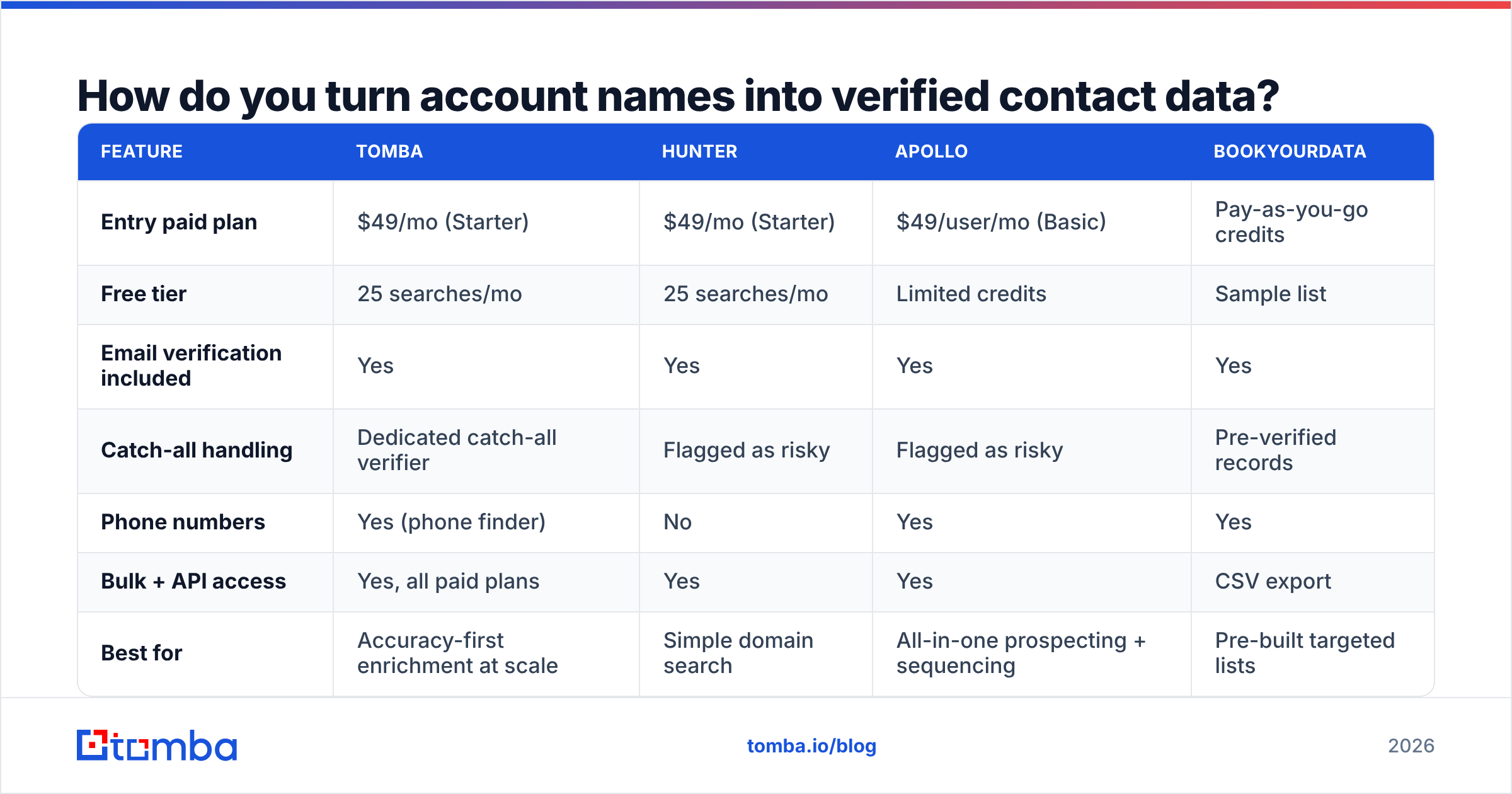
| Feature | Tomba | Hunter | Apollo | BookYourData |
|---|---|---|---|---|
| Entry paid plan | $49/mo (Starter) | $49/mo (Starter) | $49/user/mo (Basic) | Pay-as-you-go credits |
| Free tier | 25 searches/mo | 25 searches/mo | Limited credits | Sample list |
| Email verification included | Yes | Yes | Yes | Yes |
| Catch-all handling | Dedicated catch-all verifier | Flagged as risky | Flagged as risky | Pre-verified records |
| Phone numbers | Yes (phone finder) | No | Yes | Yes |
| Bulk + API access | Yes, all paid plans | Yes | Yes | CSV export |
| Best for | Accuracy-first enrichment at scale | Simple domain search | All-in-one prospecting + sequencing | Pre-built targeted lists |
Tomba, Hunter, and BookYourData all solve different shapes of the same problem. BookYourData is genuinely strong when you want a curated, pre-verified list handed to you rather than a pipeline you operate yourself — worth a look if your team is small and your ICP is stable. Apollo bundles sequencing, which is convenient but means you're renting your data and your sending from the same vendor. Tomba's advantage is the depth of the verification layer: a separate catch-all verifier matters more than most buyers realize, because catch-all domains are where "verified" lists quietly hide their bounces.

Accuracy claims in this category are self-reported and rarely audited. Test any tool against a control list of 100 addresses you already know are good before you commit budget. If a vendor won't give you a trial large enough to run that test, that tells you something.
Why does verification matter more than volume?#
Because your sender reputation is the actual asset, and bounces are the fastest way to destroy it.
Mailbox providers treat hard bounces as a spam signal. Google and Microsoft both tightened bulk-sender requirements in 2024, and the practical enforcement has only gotten stricter since. The working threshold most deliverability practitioners use is a spam complaint rate under 0.3% and a bounce rate under 2%. Cross those and your domain starts landing in spam — not just for the bad addresses, but for every prospect you email afterward.
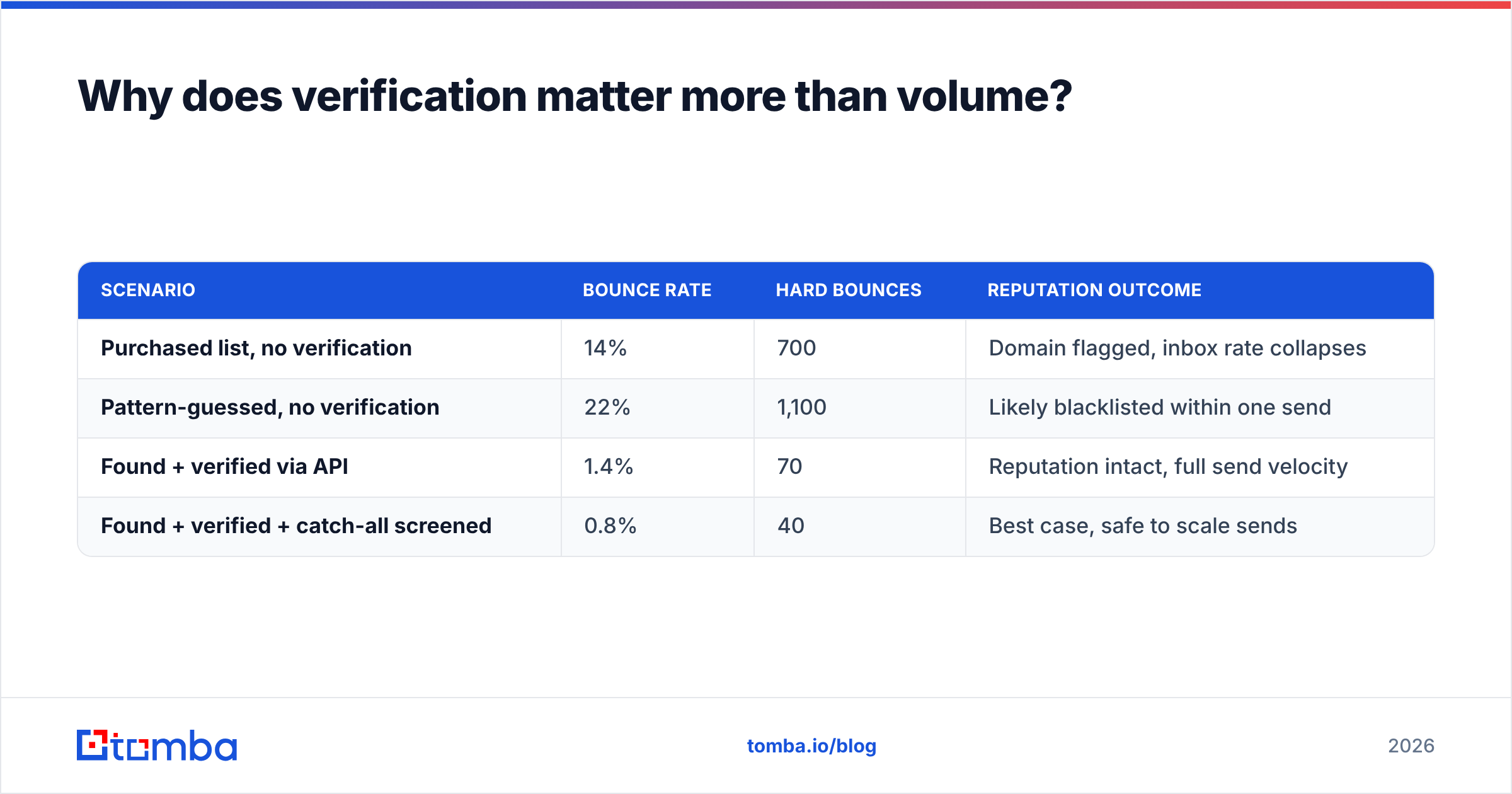
Run the math on a 5,000-contact campaign:
| Scenario | Bounce rate | Hard bounces | Reputation outcome |
|---|---|---|---|
| Purchased list, no verification | 14% | 700 | Domain flagged, inbox rate collapses |
| Pattern-guessed, no verification | 22% | 1,100 | Likely blacklisted within one send |
| Found + verified via API | 1.4% | 70 | Reputation intact, full send velocity |
| Found + verified + catch-all screened | 0.8% | 40 | Best case, safe to scale sends |
The verified path costs you a few cents per contact. The unverified path costs you the domain. That's the whole argument.
Run every list through an email verifier before it touches your sending tool, and check your SPF record and DMARC setup before the first send. Domain authentication is table stakes now, not an optimization.

What does a working outreach sequence look like?#
Verified data gets you delivered. Sequencing gets you replies.
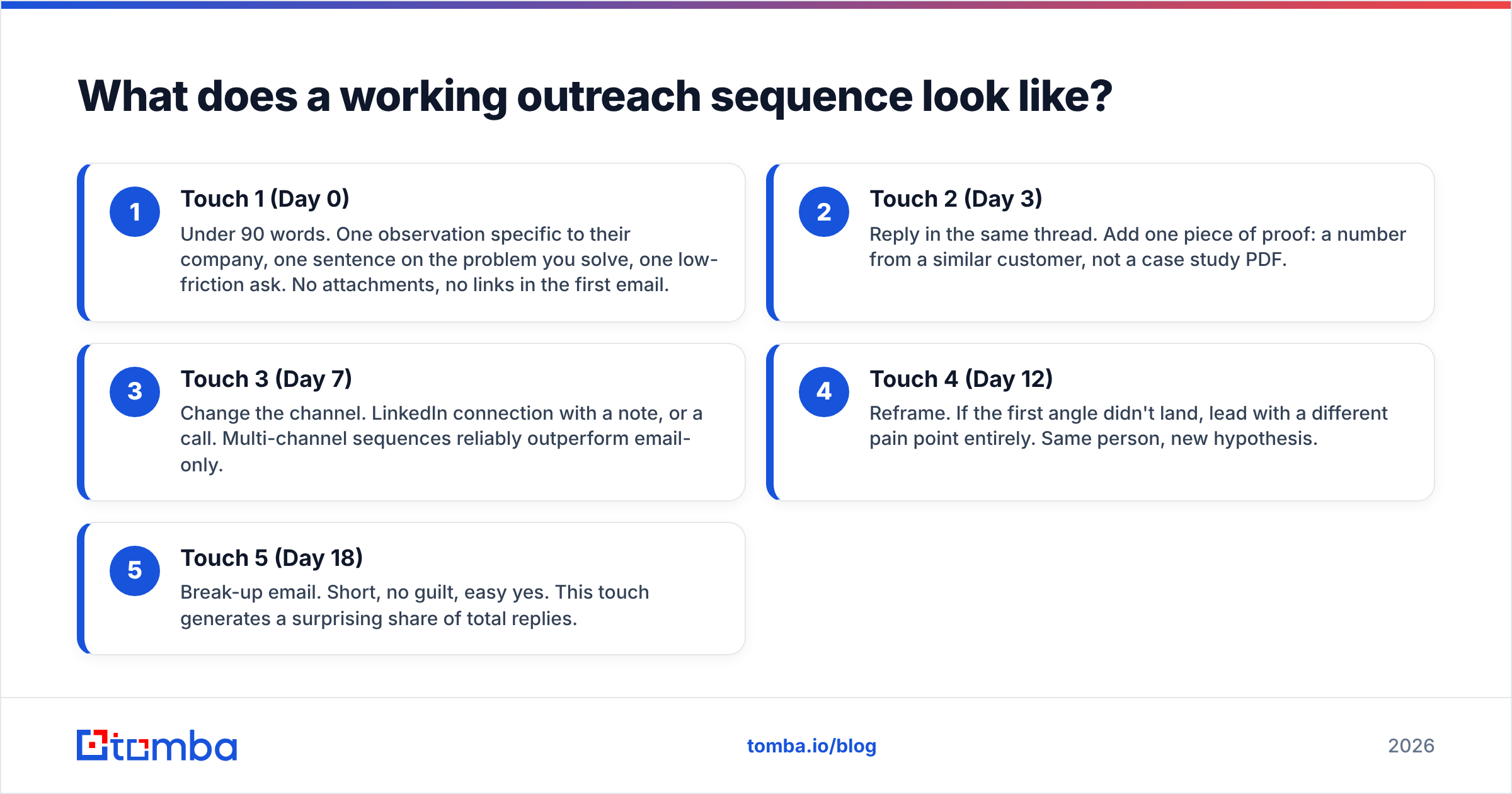
The structure that consistently performs in 2026 outbound is short, spaced, and asymmetric — meaning each touch does a different job rather than repeating the last one.
- Touch 1 (Day 0) — Under 90 words. One observation specific to their company, one sentence on the problem you solve, one low-friction ask. No attachments, no links in the first email.
- Touch 2 (Day 3) — Reply in the same thread. Add one piece of proof: a number from a similar customer, not a case study PDF.
- Touch 3 (Day 7) — Change the channel. LinkedIn connection with a note, or a call. Multi-channel sequences reliably outperform email-only.
- Touch 4 (Day 12) — Reframe. If the first angle didn't land, lead with a different pain point entirely. Same person, new hypothesis.
- Touch 5 (Day 18) — Break-up email. Short, no guilt, easy yes. This touch generates a surprising share of total replies.
Two rules that matter more than the sequence itself. First, personalize the first line, template the rest — full personalization doesn't scale and full templating doesn't convert. Second, cap your daily volume per mailbox at 30–50 sends during the first six weeks of a new domain, then ramp. HubSpot's sales research consistently shows that follow-up count, not first-email brilliance, is what separates the top quartile of reps.
Track response rate per sequence and per segment, not just in aggregate. Aggregate reply rate hides the fact that one ICP segment is carrying your entire number.
How do you scale this without hiring more SDRs?#
Automate the mechanical steps and keep humans on judgment.
The three steps worth automating first, in order of payoff:
- Enrichment on list import. Every new account that enters your CRM gets contacts found and verified automatically. The Tomba API handles this in a single call per contact, and there are native paths into HubSpot and Salesforce if you'd rather not write code.
- Bulk processing for existing data. Most CRMs are sitting on thousands of records with missing or dead emails. A bulk email finder pass over your existing database usually recovers more contactable leads than a month of new sourcing — at a fraction of the cost.
- Re-verification on a schedule. Contact data decays continuously. Re-verify any list older than 90 days before you mail it again. This one habit prevents most deliverability incidents.
What stays manual: ICP refinement, first-line personalization on tier-one accounts, and the decision about which segment to double down on. Those are judgment calls, and automating them is how teams end up with 50,000 leads and no meetings.
For spreadsheet-native teams, the Google Sheets add-on and Excel add-in put finding and verification directly in the workflow you already use — no new tool to learn, no CSV round-trips.
What mistakes kill lead generation programs?#
Five, in rough order of frequency.
Volume before focus. Sending 10,000 emails to a vague ICP produces worse results than 500 to a sharp one, and it burns your domain doing it.
Treating verification as optional. Covered above, but it bears repeating: this is the single highest-ROI step in the pipeline and the one most often skipped to save $50/month.
One-channel dependency. Email-only sequences are fragile. When deliverability dips — and it will — a program with phone and LinkedIn touches keeps producing. Layer in a phone finder pass on your top accounts.
No feedback loop from sales to data. If reps aren't reporting which leads were mis-qualified, your ICP never improves. Build a two-field disqualification reason into your CRM and actually read it monthly.
Measuring activity instead of outcomes. Emails sent is not a metric. Meetings booked per 100 verified contacts is. Track the latter by source, and you'll know within a month which of the six sourcing channels above deserves your budget.
Where should you start this week?#
Pick one ICP segment. Source 200 accounts from a single channel — job boards are the fastest to start with. Identify two contacts per account. Find and verify all 400 addresses. Run the five-touch sequence. Measure meetings booked.
That's a two-week cycle that produces a real number instead of a theory. Once you have the number, you know whether to scale the channel or change the segment. Everything else in this guide is refinement on top of that loop.
If you're setting up the data layer, start with the Tomba Email Finder. The free tier gives you 25 searches a month to test accuracy against contacts you already know, and the Starter plan at $49/mo covers a two-person outbound team comfortably. Verification, catch-all screening, and bulk processing are included rather than sold as add-ons — check Tomba pricing for the full breakdown. Test it against your own control list before you commit to anything, including this recommendation.
Related guides#
// get started
Find, verify and enrich your first contacts today
Start on the free plan with 25 searches a month, then scale when your team is ready.
Free plan · No credit card required · GDPR & CCPA
// about the author