How to Generate Sales Leads Without Cold Calling in 2026
Cold calling still works for some teams, but it is no longer the only way to fill a pipeline. Here are seven repeatable channels that generate sales leads without a single dial, plus what each one actually costs.
TL;DR
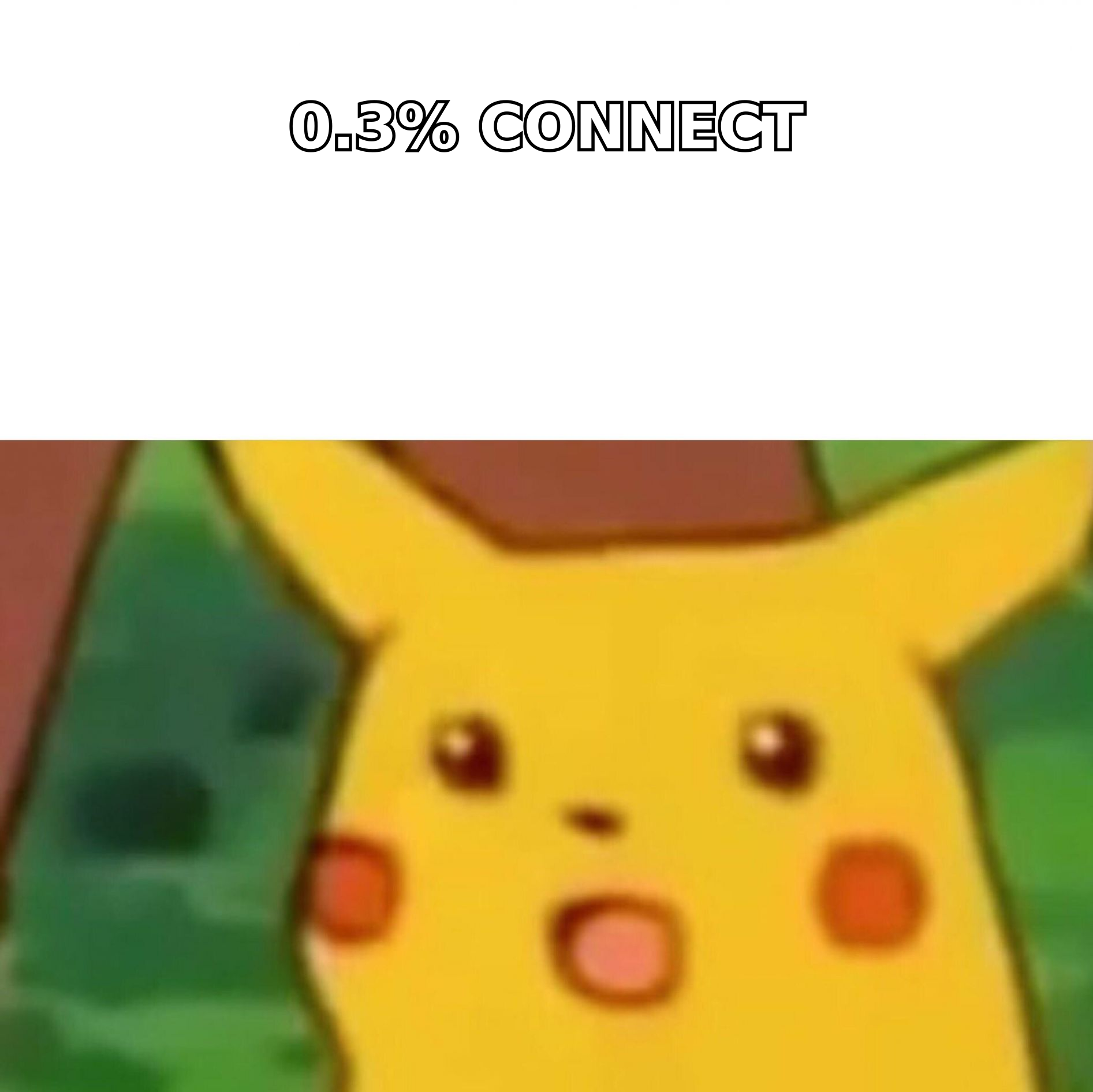
- Cold calling is not dead, but the connect rate math has gotten brutal: most B2B teams now burn 150-250 dials to book a single meeting. You can hit the same number with cheaper channels.
- The seven channels that actually replace dials: signal-based email, LinkedIn conversation, website visitor identification, content-triggered inbound, community presence, partner referrals, and event follow-up.
- Every one of them depends on the same input — accurate contact data. A great sequence sent to a 40%-bounce list still fails.
- Build a "trigger list" before you build a message list. Who changed jobs, raised money, hired a role, or visited your pricing page this week?
- Budget roughly $150-$400/month per rep in tooling to run a no-call motion properly. That is less than the phone system most teams already pay for.
Why are teams trying to generate sales leads without cold calling?#
Because the unit economics stopped working. A rep making 60 dials a day at a 3-5% connect rate has roughly two or three real conversations per day, and most of those are with people who never asked to be interrupted. Mobile carriers now label unknown business numbers as "Spam Likely" by default, and voicemail-to-text means your carefully rehearsed 20-second pitch gets skimmed in three.
None of that means the phone is worthless. Warm calls to people who already downloaded something, replied to an email, or attended your webinar still convert well. What has broken is the cold part — dialing a list of names you bought and hoping someone picks up.
The replacement is not a single silver-bullet channel. It is a stack of small, compounding motions that each produce a handful of conversations per week. Run five of them and you have more pipeline than a full-time dialer, without the burnout that drives SDR churn past 30% a year.
What are the seven channels that replace cold calling?#
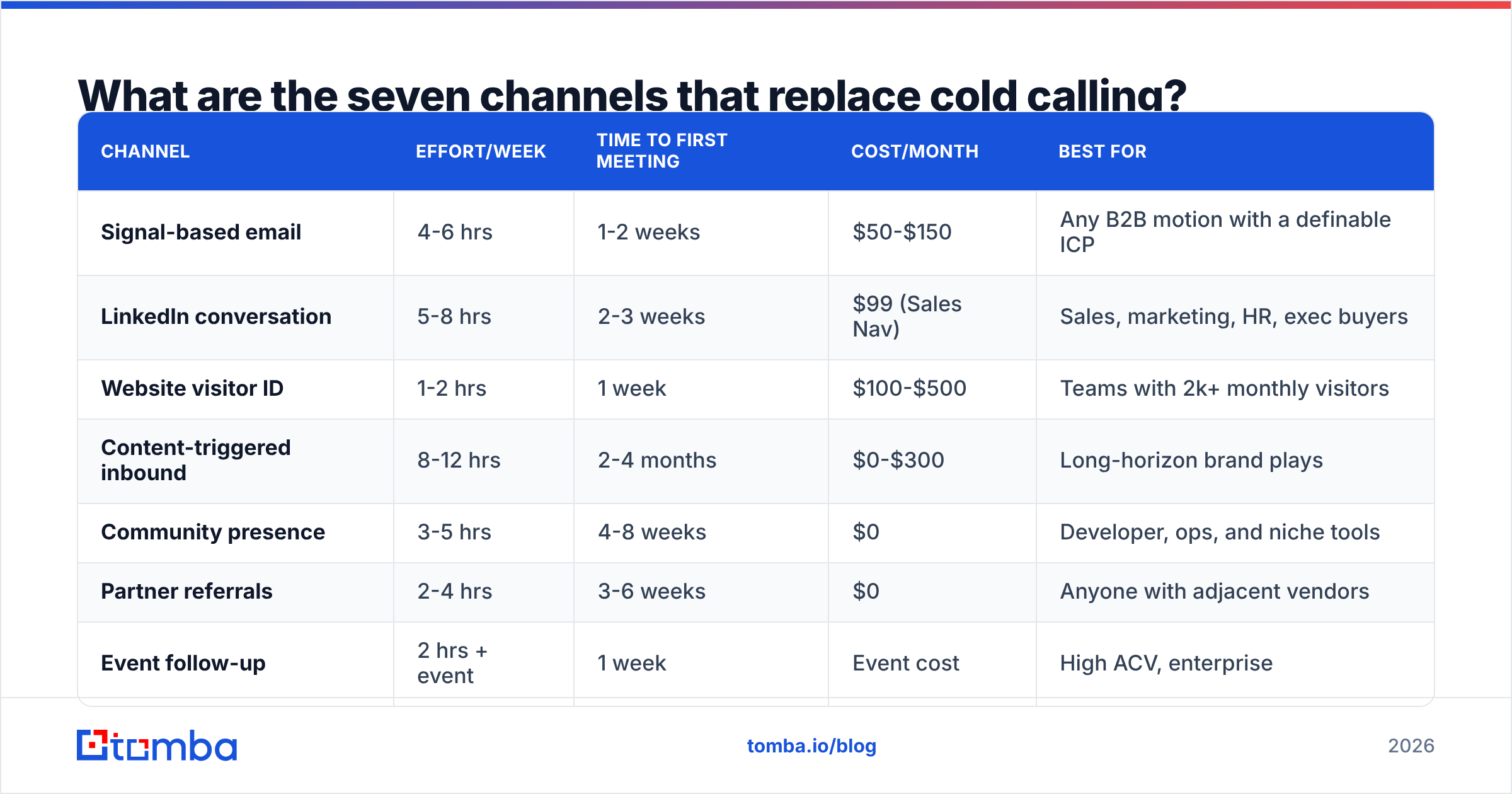
Here is the honest comparison. "Effort" means hours per week for one rep to run the channel properly; "time to first meeting" is how long before the channel produces anything.
| Channel | Effort/week | Time to first meeting | Cost/month | Best for |
|---|---|---|---|---|
| Signal-based email | 4-6 hrs | 1-2 weeks | $50-$150 | Any B2B motion with a definable ICP |
| LinkedIn conversation | 5-8 hrs | 2-3 weeks | $99 (Sales Nav) | Sales, marketing, HR, exec buyers |
| Website visitor ID | 1-2 hrs | 1 week | $100-$500 | Teams with 2k+ monthly visitors |
| Content-triggered inbound | 8-12 hrs | 2-4 months | $0-$300 | Long-horizon brand plays |
| Community presence | 3-5 hrs | 4-8 weeks | $0 | Developer, ops, and niche tools |
| Partner referrals | 2-4 hrs | 3-6 weeks | $0 | Anyone with adjacent vendors |
| Event follow-up | 2 hrs + event | 1 week | Event cost | High ACV, enterprise |
Notice that nothing here is instant except visitor identification and event follow-up. That is the real trade-off with dropping cold calls — you swap immediate (bad) volume for delayed (good) volume. Plan a 6-8 week ramp before you judge the results.
The four inputs every no-call channel needs#
- A trigger — something that happened recently that makes contact relevant. Funding, a job change, a hiring post, a tech-stack switch, a pricing-page visit.
- A verified contact record — a real email or mobile number that will not bounce. This is where most no-call programs quietly die.
- A message tied to the trigger — not "I saw you're in SaaS," but "I saw you posted a RevOps role three days ago."
- A follow-up cadence — three to five touches across at least two channels, spaced 3-4 days apart.
Miss any one of the four and the channel underperforms. Miss number two and it produces nothing at all.
How do you build a signal-based email list that actually lands?#
Start with the signal, not the list. Pull a set of companies that did something this month, then find people at those companies — never the reverse.
Practical signal sources that cost nothing:
- Job postings. A company hiring three SDRs is buying sales tooling in the next 90 days. Scrape their careers page weekly.
- Funding announcements. Crunchbase and TechCrunch feeds. New capital means new budget, usually spent within two quarters.
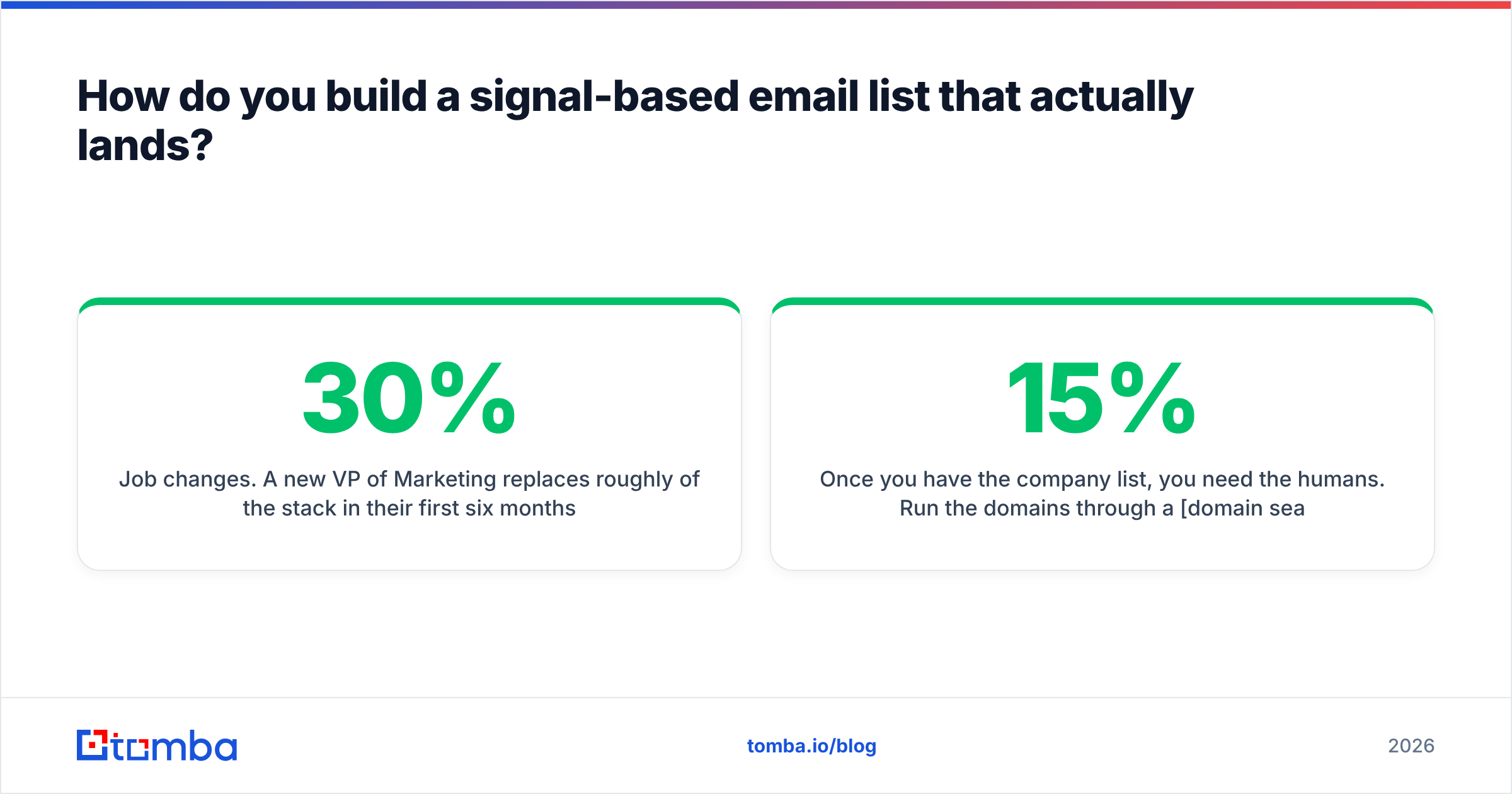
- Job changes. A new VP of Marketing replaces roughly 30% of the stack in their first six months. LinkedIn shows you this for free.
- Tech-stack changes. If a prospect just installed a competitor's script, they are in-market by definition.
- Content engagement. Anyone who commented on a relevant LinkedIn post is warm enough to email.
Once you have the company list, you need the humans. Run the domains through a domain search to pull every public contact at the org, filter by department and seniority, then push the shortlist through an email verifier before a single send. Teams that skip verification typically see 8-15% bounce rates; teams that verify land under 2%. That difference is the gap between a warming domain and a blacklisted one.
For volume work, a bulk email finder run against a CSV of company domains turns a Monday-morning signal list into a send-ready list before lunch. If you prefer to stay in a spreadsheet, the Google Sheets add-on does the same job inline.
What does a signal-based email actually look like?#
Keep it under 90 words. Three parts: the trigger, the relevance, the ask.
Subject: your RevOps req
Saw the RevOps opening you posted Tuesday. Usually that means routing and attribution have gotten messy enough to need a full-time owner.
We fixed the same thing for [Company] without a new hire — cut their lead-to-owner time from 4 hours to 6 minutes.
Worth 15 minutes next week, or should I send the teardown instead?
No "hope this finds you well." No three-paragraph company history. The trigger does the work that a cold caller's opener used to do — it earns the next eight seconds.
Is LinkedIn better than cold calling for outbound?#
For most B2B segments, yes — but only if you treat it as a conversation channel rather than a second email inbox. Connection-request-plus-immediate-pitch performs about as badly as cold calling and damages your profile in the process.
The sequence that works:
- Week 1 — Follow the prospect, engage with two of their posts with a substantive comment (not "Great post!").
- Week 2 — Send a connection request with no note, or a one-line note referencing their post.
- Week 3 — After acceptance, send a message that asks a question rather than pitching.
- Week 4 — If no reply, move to email using the same thread of context.
That last step is why you still need contact data even in a "LinkedIn-first" motion. A LinkedIn finder resolves a profile to a verified work email so the handoff between channels is seamless instead of a dead end. According to LinkedIn's own Sales Solutions research, multi-channel sellers consistently outperform single-channel ones — the point is not to pick LinkedIn over email, but to run both against the same person with the same context.

How does website visitor identification work?#
This is the fastest-payback channel on the list and the most underused. Roughly 97-98% of B2B website visitors never fill out a form. Visitor identification resolves a slice of that anonymous traffic to a company — and sometimes to a person — using reverse IP and identity graph matching.
The workflow is simple:
- Install the tracking script on your site.
- Filter to visitors who hit high-intent pages (pricing, comparison, integration docs).
- Exclude existing customers and current opportunities.
- Find the right contact at that company — usually not the person who visited.
- Send a message that references the problem, never the visit itself. "I noticed you visited our pricing page" is creepy and kills the reply rate.
Website visitor reveal plus data enrichment turns a company-level hit into a named, emailable contact. Match rates vary a lot by geography and company size — expect 20-40% for North American mid-market traffic, much lower for consumer-heavy or European traffic where privacy tooling is more common. Anyone quoting you 80% match rates is measuring something different from what you need.
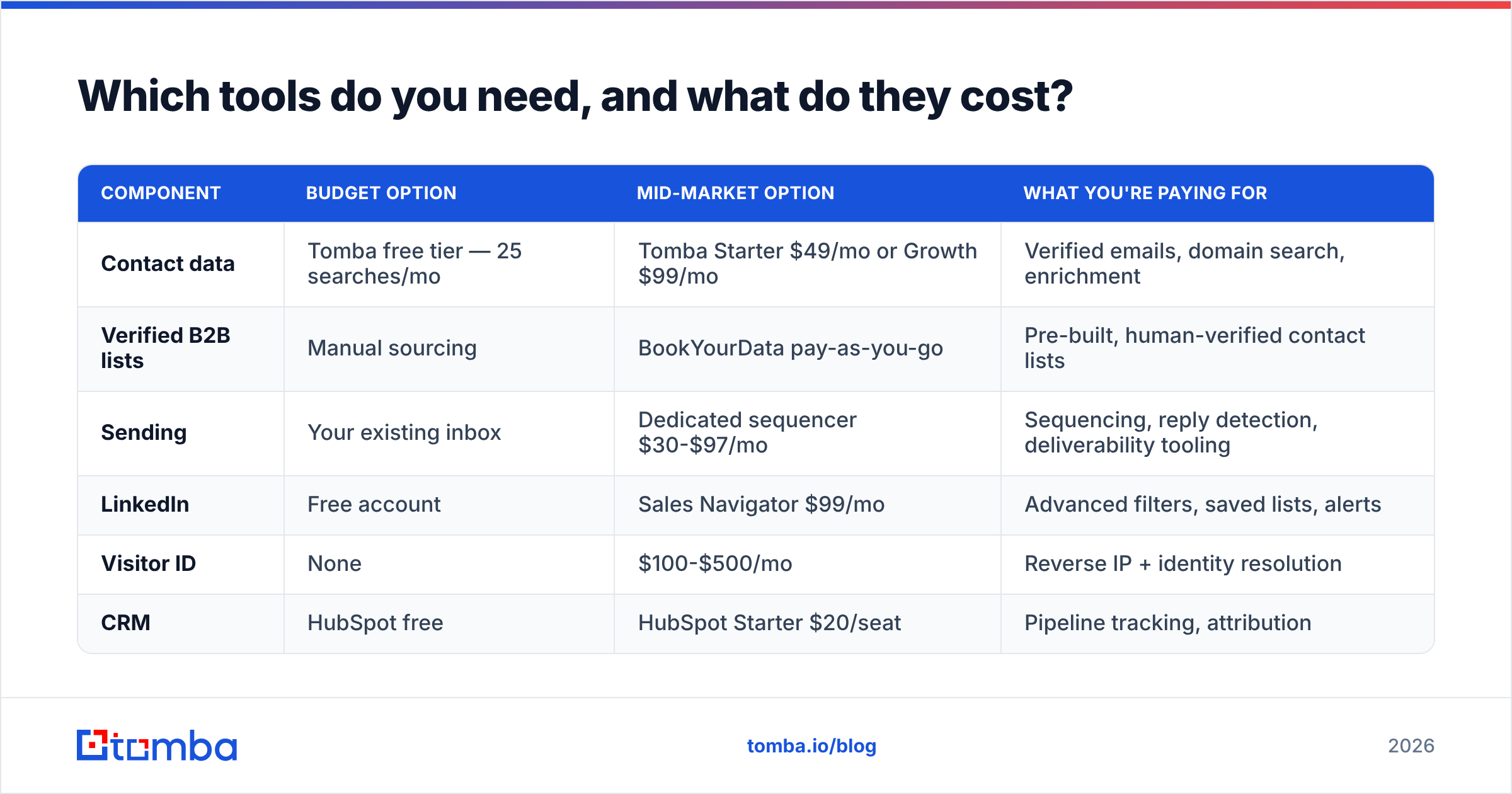
Which tools do you need, and what do they cost?#
You do not need the whole category. You need one data source, one sending tool, and one place to track it. Here is how the common starting stacks compare:
| Component | Budget option | Mid-market option | What you're paying for |
|---|---|---|---|
| Contact data | Tomba free tier — 25 searches/mo | Tomba Starter $49/mo or Growth $99/mo | Verified emails, domain search, enrichment |
| Verified B2B lists | Manual sourcing | BookYourData pay-as-you-go | Pre-built, human-verified contact lists |
| Sending | Your existing inbox | Dedicated sequencer $30-$97/mo | Sequencing, reply detection, deliverability tooling |
| Free account | Sales Navigator $99/mo | Advanced filters, saved lists, alerts | |
| Visitor ID | None | $100-$500/mo | Reverse IP + identity resolution |
| CRM | HubSpot free | HubSpot Starter $20/seat | Pipeline tracking, attribution |
A solo founder can run channels one, two, five, and six for under $60 a month. A five-rep team running all seven lands somewhere around $800-$1,500 a month total — still less than the fully loaded cost of one dialer-focused SDR.
Two notes on tool selection. First, do not buy a database and a verifier from two vendors if one covers both; the reconciliation work eats the savings. Second, check whether the vendor sells you credits or results — some tools charge for every lookup attempt including the misses, which quietly doubles your effective cost. Tomba's pricing runs on searches, and the free tier is real, so you can measure your own match rate on your own ICP before committing.
How do you know if it's working?#
Track four numbers weekly, per channel:
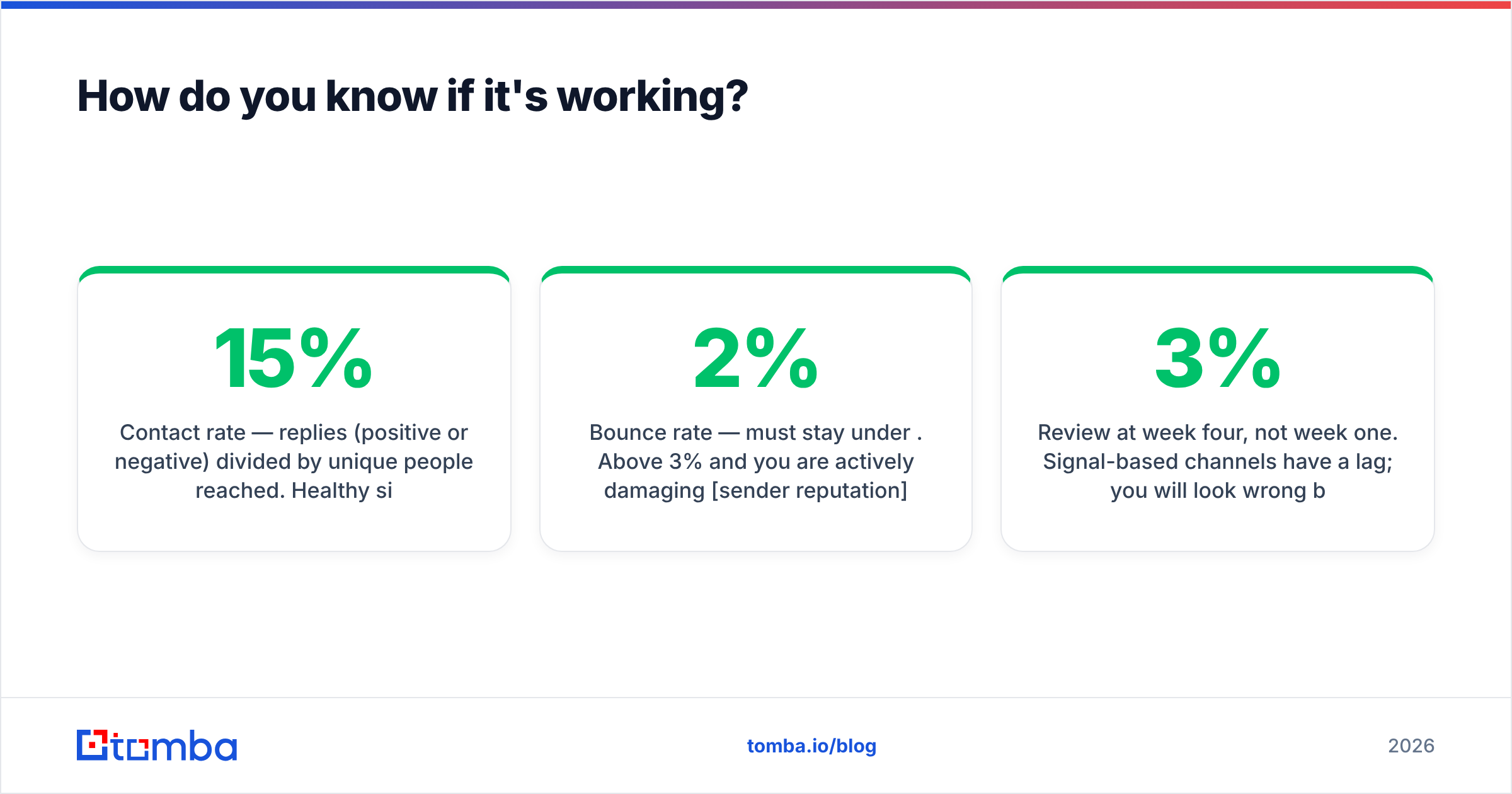
- Contact rate — replies (positive or negative) divided by unique people reached. Healthy signal-based email sits at 8-15%. Below 4% means your trigger is weak or your list is dirty.
- Bounce rate — must stay under 2%. Above 3% and you are actively damaging sender reputation, which will eventually take the whole channel down.
- Meetings per 100 contacts — 2-5 is normal for a well-triggered list. Cold calling at 200 dials per meeting is roughly 0.5 per 100 attempts.
- Cost per meeting — total channel cost divided by meetings booked. This is the number that tells you which of the seven to double down on.
Review at week four, not week one. Signal-based channels have a lag; you will look wrong before you look right. If response rate is still under 3% at week six with a clean list, the problem is the message, not the channel.
One more discipline: keep a suppression list and honor it aggressively. Every unsubscribe, every "not interested," every bounced address goes in and never comes out. This is both a legal requirement in most jurisdictions and the single cheapest way to protect deliverability across all your no-call channels.
What should you do first?#
Pick two channels, not seven. The most common failure is launching everything at once, doing all of it at 40% quality, and concluding that "outbound doesn't work anymore."
Week one: build a 100-company trigger list from job postings or funding news. Week two: find and verify contacts at those companies, and write one message template per trigger type. Week three: send in batches of 25 and start the LinkedIn engagement layer on the same list. Week four: measure, cut the trigger that underperformed, and double the one that worked.
By week six you should have a repeatable motion that produces meetings without a single dial — and a data foundation you can point any future channel at.
The whole thing rests on knowing you can reach the people on your list. Start with the Tomba Email Finder — the free tier gives you 25 searches a month to test match rates against your own ICP before you spend anything, and Starter at $49/mo covers a solo rep's full monthly volume. Build the verified list first; the channels are easy once the data is right.
Related guides#
// get started
Find, verify and enrich your first contacts today
Start on the free plan with 25 searches a month, then scale when your team is ready.
Free plan · No credit card required · GDPR & CCPA
// about the author