How to Get Email Addresses for Email Marketing in 2026
Seven legitimate ways to build an email marketing list in 2026 — from opt-in forms to verified B2B lookup — with the compliance rules, costs, and deliverability trade-offs of each.
TL;DR
- There are only three legitimate answers to how to get email addresses for email marketing: people who opted in, addresses from public professional data, and addresses a partner shared with consent.
- Everything else is a scraped or purchased list, and it will hurt you.
- Opt-in collection (forms, lead magnets, events) is the best-quality source but the slowest. Expect 0.5–3% of site visitors to sign up.
- For B2B outbound, verified lookup by domain or name is faster. It is legal in most places under legitimate-interest rules, as long as you verify before you send.
- Never buy a bulk list. Purchased lists bounce at 20–40%. That is enough to get your sending domain throttled in one campaign.
- Verify every address before the first send. A 2% bounce rate is the practical ceiling before mailbox providers start filtering you.
What Does "Getting Email Addresses" Actually Mean in 2026?#
When people ask how to get email addresses for email marketing, they mean one of two jobs. Most of them conflate the two.
Job one: building a marketing list. These are people who asked to hear from you — newsletter subscribers, trial signups, webinar attendees. They consented, so you can send campaigns, promotions, and nurture sequences. This list lives in your ESP (Mailchimp, Klaviyo, HubSpot).
Job two: building a prospect list. These are business contacts you want to reach cold — a VP of Engineering at a company that just raised a Series B. They have not consented. In the EU and UK, B2B cold email to a business address is usually allowed under legitimate interest with a working opt-out. In the US, CAN-SPAM allows it with accurate headers and an unsubscribe link. But do not dump these into your marketing ESP and blast them alongside your newsletter. That is how you burn a sending domain.
The methods below are labeled for which job they serve. Mixing them is the single most common mistake.

How to Get Email Addresses for Email Marketing: 7 Legitimate Methods#
Seven methods, ordered from highest quality to fastest volume. The first four build a consented marketing list:
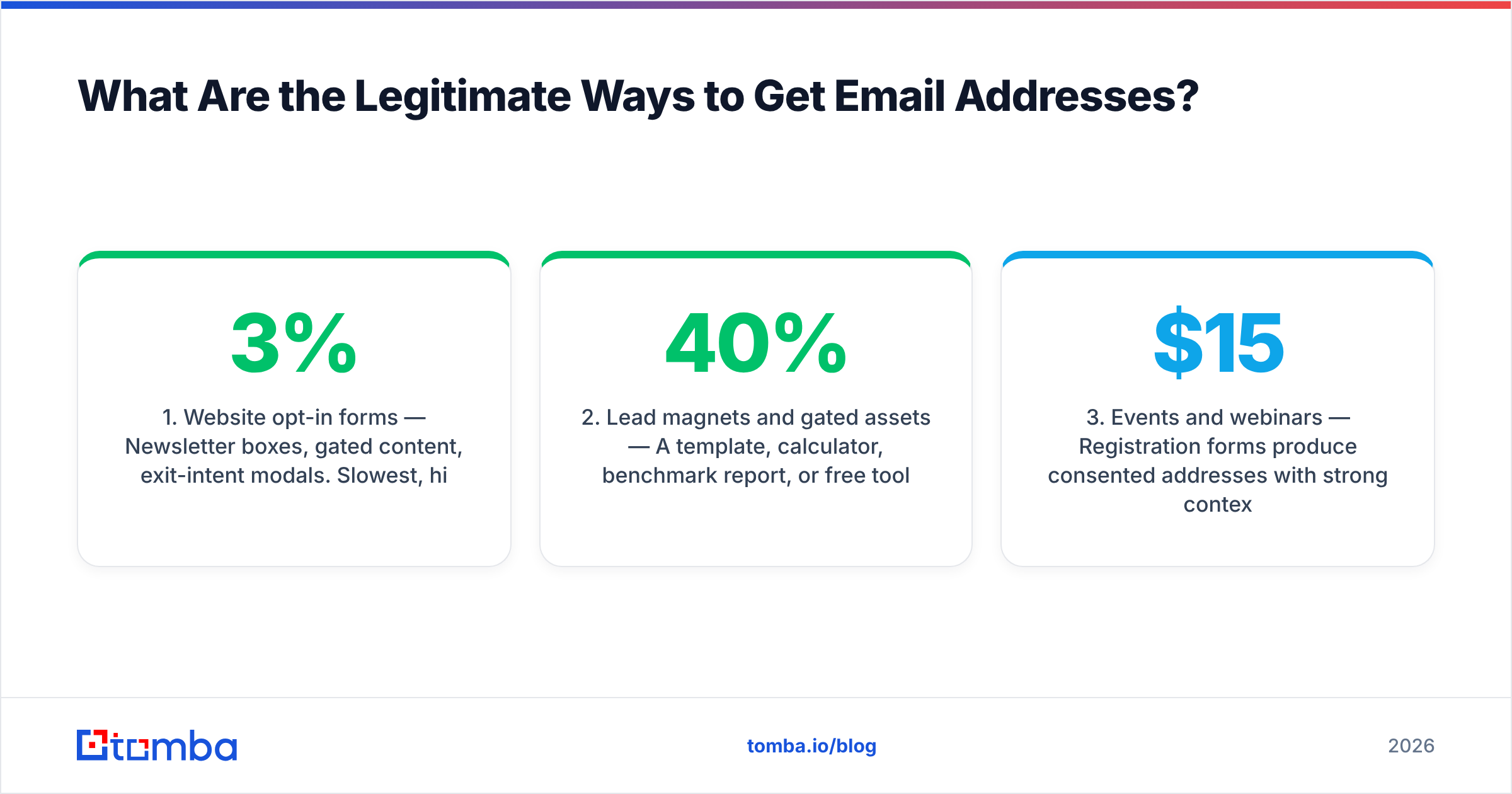
- Website opt-in forms — Newsletter boxes, gated content, exit-intent modals. Slowest, highest intent, fully consented. Typical conversion: 1–3% of visitors with a real incentive, 0.2–0.5% for a generic "subscribe" box.
- Lead magnets and gated assets — A template, calculator, benchmark report, or free tool in exchange for an address. Converts 15–40% of landing-page traffic when the asset solves a specific problem. The trade-off: you attract people who want the asset, not your product.
- Events and webinars — Registration forms produce consented addresses with strong context. Cost per address runs $15–$80 depending on paid promotion.
- Product-led signups — Free tier or trial. The highest-intent addresses you will ever get, and the only ones where you already know the person's use case.
The last three build a prospect list for outbound:
- Email finder tools (B2B) — Look up a professional address by name + company domain, or pull a whole company's contacts by domain. This is the fastest path to a targeted prospect list. Accuracy varies a lot by vendor.
- Verified B2B databases — Prebuilt contact records filtered by firmographic criteria. Faster than one-by-one lookup. You trade some freshness for coverage.
- Partner and co-marketing swaps — Joint webinars or co-authored reports where both parties disclose the data sharing at signup. Legal only when the disclosure is explicit.
Notice what is not on this list: buying a CSV from a broker, scraping LinkedIn connections, or harvesting addresses from public web pages en masse. All three produce lists that look big and perform terribly.
Which Method Should You Use? A Direct Comparison#
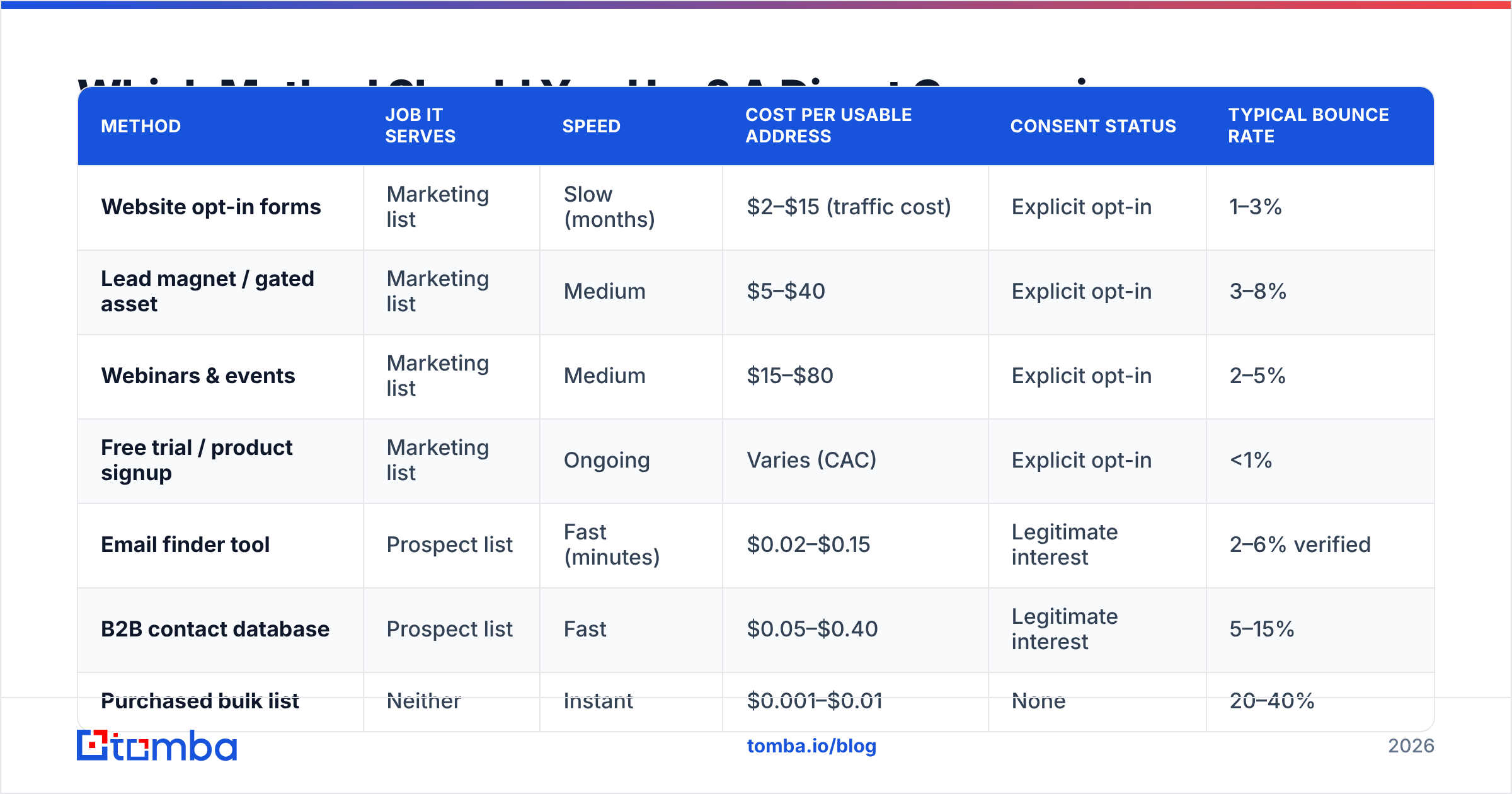
| Method | Job it serves | Speed | Cost per usable address | Consent status | Typical bounce rate |
|---|---|---|---|---|---|
| Website opt-in forms | Marketing list | Slow (months) | $2–$15 (traffic cost) | Explicit opt-in | 1–3% |
| Lead magnet / gated asset | Marketing list | Medium | $5–$40 | Explicit opt-in | 3–8% |
| Webinars & events | Marketing list | Medium | $15–$80 | Explicit opt-in | 2–5% |
| Free trial / product signup | Marketing list | Ongoing | Varies (CAC) | Explicit opt-in | <1% |
| Email finder tool | Prospect list | Fast (minutes) | $0.02–$0.15 | Legitimate interest | 2–6% verified |
| B2B contact database | Prospect list | Fast | $0.05–$0.40 | Legitimate interest | 5–15% |
| Purchased bulk list | Neither | Instant | $0.001–$0.01 | None | 20–40% |
The bottom row is the point of the table. A purchased list is cheap per address and worthless per outcome. Send 10,000 emails, let 3,000 bounce, and Google and Microsoft start routing your mail to spam — including the mail to subscribers who did opt in.
How Do You Build an Opt-In List From Scratch?#
Start with the asset, not the form. A form asking people to "join our newsletter" converts at a fraction of a form offering something concrete.
Step 1 — Pick one high-intent asset. Not an ebook. A calculator, a template pack, a benchmark dataset, a checklist your prospects would otherwise build themselves. If you sell to sales teams, a set of cold email templates beats a 30-page PDF nobody opens.
Step 2 — Put it behind a two-field form. Email plus one qualifying field (company or role). Every extra field costs roughly 5–10% of conversions. Ask for the phone number later.
Step 3 — Use a double opt-in for the newsletter path. It costs you 20–30% of raw signups and buys back far more in deliverability. Confirmed subscribers open at roughly twice the rate of unconfirmed ones, and your complaint rate drops sharply.
Step 4 — Place forms where intent already exists. Bottom of high-traffic blog posts, pricing page exit intent, docs pages. A sitewide footer form is decoration.
Step 5 — Send the first email within five minutes. Engagement decays fast. HubSpot's research on lead response timing has been consistent on this for years: speed beats polish.
Step 6 — Suppress and re-permission quarterly. Anyone who has not opened in 180 days drags your sender reputation down. Run a re-engagement sequence, then remove.
How Do You Find B2B Email Addresses for Outbound?#
Different job, different toolkit. You are not waiting for people to raise their hands. You pick accounts that fit your ICP and find the right person inside them.
The workflow that actually holds up:
- Define the account list first. Firmographics, tech stack, hiring signals, funding. A list of 200 correct accounts beats 5,000 random ones.
- Find the person, then the address. Identify the specific role by name (LinkedIn, company site, conference speaker lists), then resolve the email. Guessing
firstname@company.comand hoping is how you build a bounce problem. - Use domain search for breadth. When you want every reachable contact at a target company, a domain search returns the addresses tied to that domain plus the company's dominant email pattern.
- Use name-based lookup for precision. When you already know who you want, an email finder turns name + domain into a specific address with a confidence score.
Then clean the results before they reach a sequence:
- Verify before you send. Always. Even good sources return stale records. An email verifier checks syntax, domain, MX records, and mailbox existence.
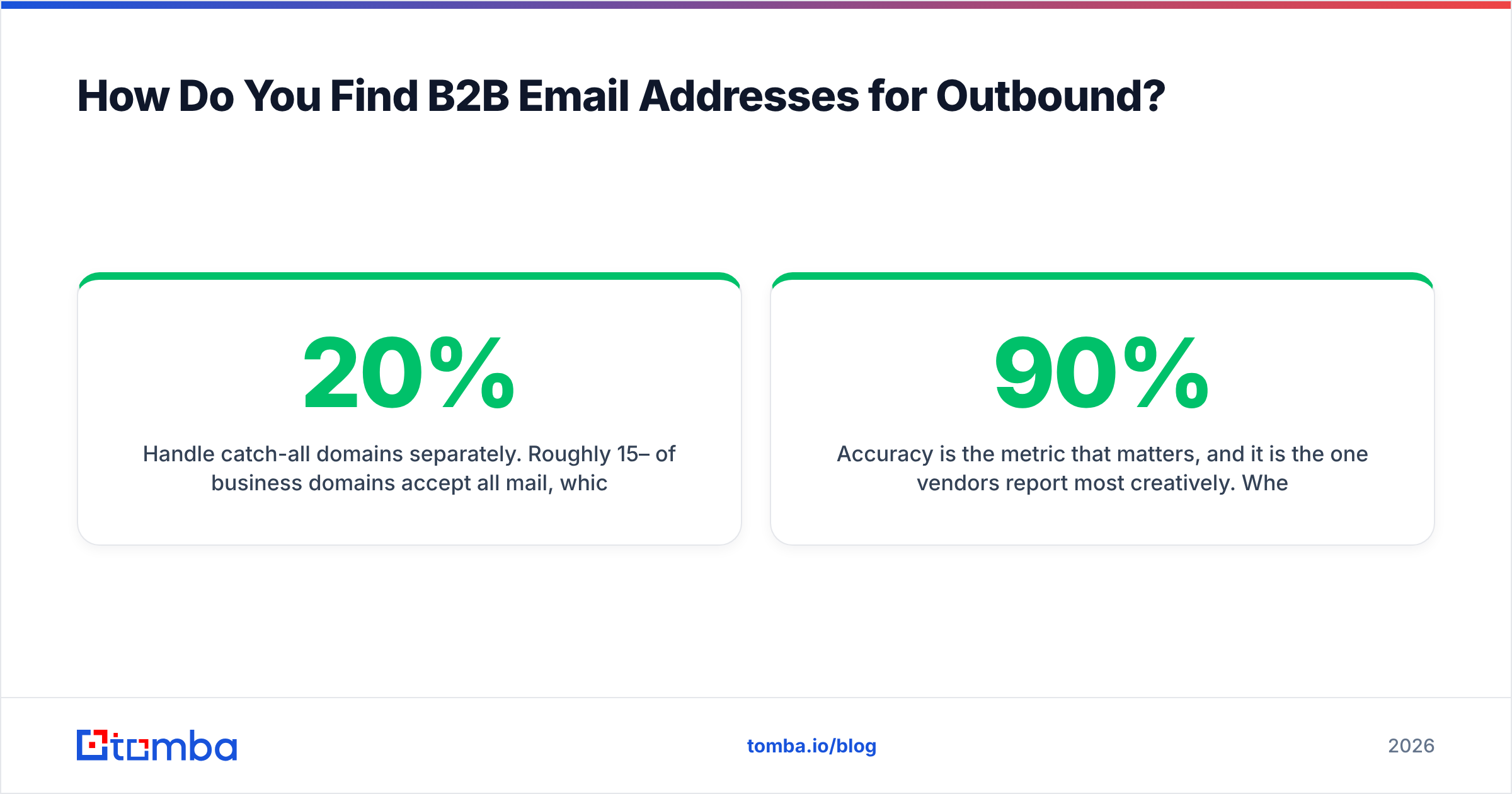
- Handle catch-all domains separately. Roughly 15–20% of business domains accept all mail, which makes standard SMTP verification useless. A dedicated catch-all verifier uses pattern confidence and secondary signals instead of a binary accept/reject.

Accuracy is the metric that matters, and it is the one vendors report most creatively. Ignore the marketing number and run your own test. Take 100 contacts you can confirm independently, run them through the tool, and measure two things: hit rate (how many addresses came back) and precision (how many were right). A tool that returns 90% of addresses at 70% precision is worse than one that returns 65% at 96% precision. The bounces from the first one cost you inbox placement.
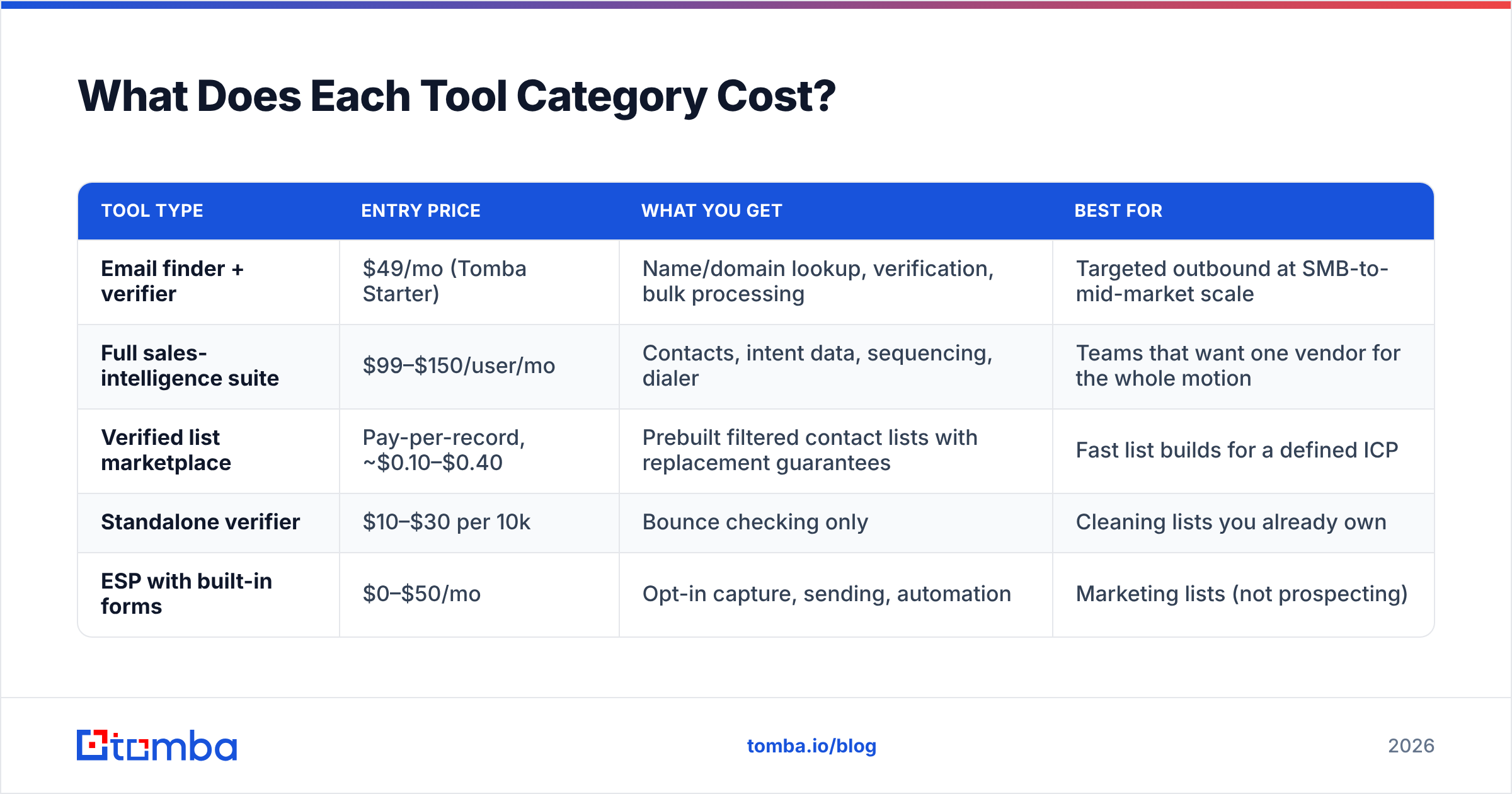
What Does Each Tool Category Cost?#
| Tool type | Entry price | What you get | Best for |
|---|---|---|---|
| Email finder + verifier | $49/mo (Tomba Starter) | Name/domain lookup, verification, bulk processing | Targeted outbound at SMB-to-mid-market scale |
| Full sales-intelligence suite | $99–$150/user/mo | Contacts, intent data, sequencing, dialer | Teams that want one vendor for the whole motion |
| Verified list marketplace | Pay-per-record, ~$0.10–$0.40 | Prebuilt filtered contact lists with replacement guarantees | Fast list builds for a defined ICP |
| Standalone verifier | $10–$30 per 10k | Bounce checking only | Cleaning lists you already own |
| ESP with built-in forms | $0–$50/mo | Opt-in capture, sending, automation | Marketing lists (not prospecting) |
For context on the finder tier: Tomba pricing starts with a free plan at 25 searches per month, Starter at $49/mo, Growth at $99/mo, and Pro at $249/mo. On the list-marketplace side, BookYourData works well when you want prebuilt, filtered records with a bounce guarantee instead of running lookups yourself. It is a different shape of the same problem, and worth pricing against per-lookup tooling if your ICP is broad and well defined.
Is It Legal to Email People Who Didn't Opt In?#
It depends on the jurisdiction, and the honest answer is "sometimes, with conditions."
United States (CAN-SPAM). Cold email to business addresses is legal. You need accurate From/Reply-To headers, a non-deceptive subject line, a physical postal address, and a working unsubscribe honored within 10 business days. No prior consent required.
EU and UK (GDPR + PECR). B2B email to a corporate address can rely on legitimate interest. You must document the balancing test, name your data source in the first contact, and offer an opt-out in every message. Role addresses (info@, sales@) get more latitude than named individuals. Sole traders and partnerships in the UK count as individuals, so you need consent.
Canada (CASL). The strictest of the three. You generally need express or implied consent. Implied consent covers business addresses published in the open when the message relates to the person's role. Penalties are real.
Two practical rules keep you out of trouble everywhere. Honor every opt-out within 24 hours, and never send marketing newsletters to prospect-list addresses. Cold outreach and marketing broadcast are legally distinct activities. Blur them and you inherit the strictest rules of both.
The ICO's guidance on direct marketing is the clearest free reference if you sell into the UK or EU.
How Do You Keep the Addresses You Collect From Going Stale?#
B2B contact data decays at roughly 22–30% per year. People change jobs, companies get acquired, domains consolidate. A list you built in January is meaningfully wrong by December.
Maintenance that works:
- Verify at the point of capture. Real-time validation on your signup form kills typos (
gmial.com) before they reach the database. A free email checker handles one-off checks; the API handles form-level validation. - Re-verify prospect lists before every campaign. Not monthly — before each send. Re-run any record older than 90 days.
- Track bounce type, not just bounce rate. Hard bounces mean the address is dead, so remove it at once. Soft bounces (full mailbox, temporary server issue) can be retried twice, then suppressed.
Two more that most teams skip:
- Enrich rather than re-source. When someone changes companies, you often already have their name and new employer from LinkedIn. Data enrichment fills the gap without rebuilding the record from zero.
- Segment by engagement, and mean it. Split into active (opened in 90 days), dormant (90–180), and cold (180+). Send your main campaigns to active only. Your open rates will jump and your reputation will recover.
Keep hard bounces under 2% and complaints under 0.1%. Cross either threshold for long and Gmail's Postmaster Tools will show your domain reputation dropping. At that point even your consented subscribers stop seeing your mail.
What's the Fastest Path From Zero to a Usable List?#
If your real question is how to get email addresses for email marketing this week rather than this quarter, run both tracks in parallel:
Track 1 (compounding, start today). Put one real lead magnet behind a two-field form on your three highest-traffic pages. Set up double opt-in. This will produce nothing in week one and everything in month twelve.
Track 2 (immediate). Build a 200-account target list from the shared traits of your best existing customers. Pick one to three named contacts per account. Resolve addresses with a finder, verify every one, and route them into a cold sequence — separate sending domain, separate tooling, no overlap with your marketing ESP.
Track 2 pays this month's pipeline. Track 1 pays next year's. Teams that only run Track 2 stay dependent on outbound volume. Teams that only run Track 1 starve while they wait.
Start with the addresses you can verify. The Tomba Email Finder resolves professional addresses from a name and company domain, returns a confidence score with the sources behind it, and runs verification in the same call. What lands in your sequence is already checked. The free tier covers 25 searches a month, so you can test accuracy against contacts you can confirm yourself before you pay. Run that test on any vendor you are considering, including this one. The tool that survives your own 100-contact audit is the one worth paying for.
Related guides#
// get started
Find, verify and enrich your first contacts today
Start on the free plan with 25 searches a month, then scale when your team is ready.
Free plan · No credit card required · GDPR & CCPA
// about the author