How To Implement Sales Pipeline Analytics in 7 Steps
Most pipeline dashboards report activity, not outcomes. Here is a 7-step build for sales pipeline analytics that actually predicts revenue — data model, metrics, tooling, and the traps.
TL;DR
- Sales pipeline analytics only works when stage definitions are exit-criteria based. Fuzzy stages produce confident dashboards that are wrong.
- Five metrics carry most of the signal: stage conversion, stage aging, slipped-deal rate, pipeline coverage, and win-rate-by-source. Everything else is decoration.
- You need three data layers — CRM opportunity history, activity data, and contact/account data. Weak contact data silently corrupts source attribution.
- Start in your CRM's native reporting. Only move to a BI tool once you can name the specific question the CRM cannot answer.
- Budget two weeks for hygiene and definitions before you build a single chart. Skipping this is why 80% of pipeline dashboards get abandoned in a quarter.
What is sales pipeline analytics, actually?#
Sales pipeline analytics is the practice of measuring how deals move — not how many deals exist. That distinction is the whole game.
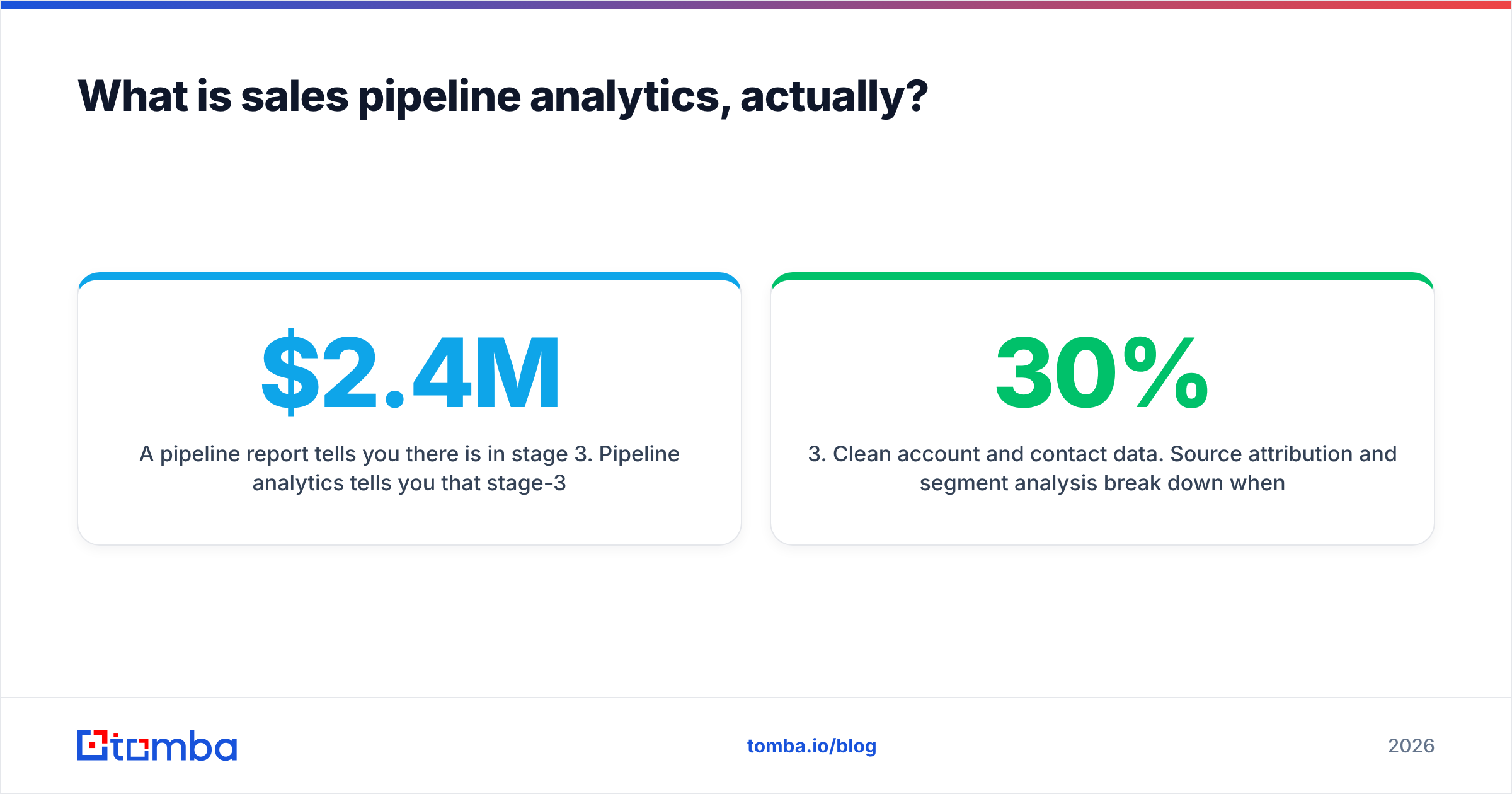
A pipeline report tells you there is $2.4M in stage 3. Pipeline analytics tells you that stage-3 deals sourced from outbound convert at 14% and sit an average of 31 days, while stage-3 deals from inbound demo requests convert at 39% in 12 days — so your $2.4M is worth roughly $520K, not $840K at your blended win rate.
Think of it like a factory line versus a warehouse inventory count. Counting boxes tells you what you have. Measuring throughput at each station tells you where product is jamming and what will actually ship this quarter.
Three ingredients are non-negotiable:
- Stage history, not stage state. You need a record of every stage transition with timestamps. Most CRMs store this (Salesforce
OpportunityHistory, HubSpot deal stage properties), but many teams never query it. - Consistent stage definitions. A stage must have an exit criterion any two reps would score identically.
- Clean account and contact data. Source attribution and segment analysis break down when 30% of your contact records are stale or duplicated.
Why do most pipeline dashboards get abandoned?#
Because they answer questions nobody asked. The common failure pattern looks like this: RevOps builds 14 charts, presents them at a QBR, and by week six only the forecast rollup gets opened.
The specific causes, in order of frequency:
- Vanity metrics dominate. Total pipeline value, calls logged, emails sent. These move without meaning anything.
- Stages are opinion-based. "Qualified" means whatever the rep felt that Tuesday. Conversion rates built on subjective stages are noise.
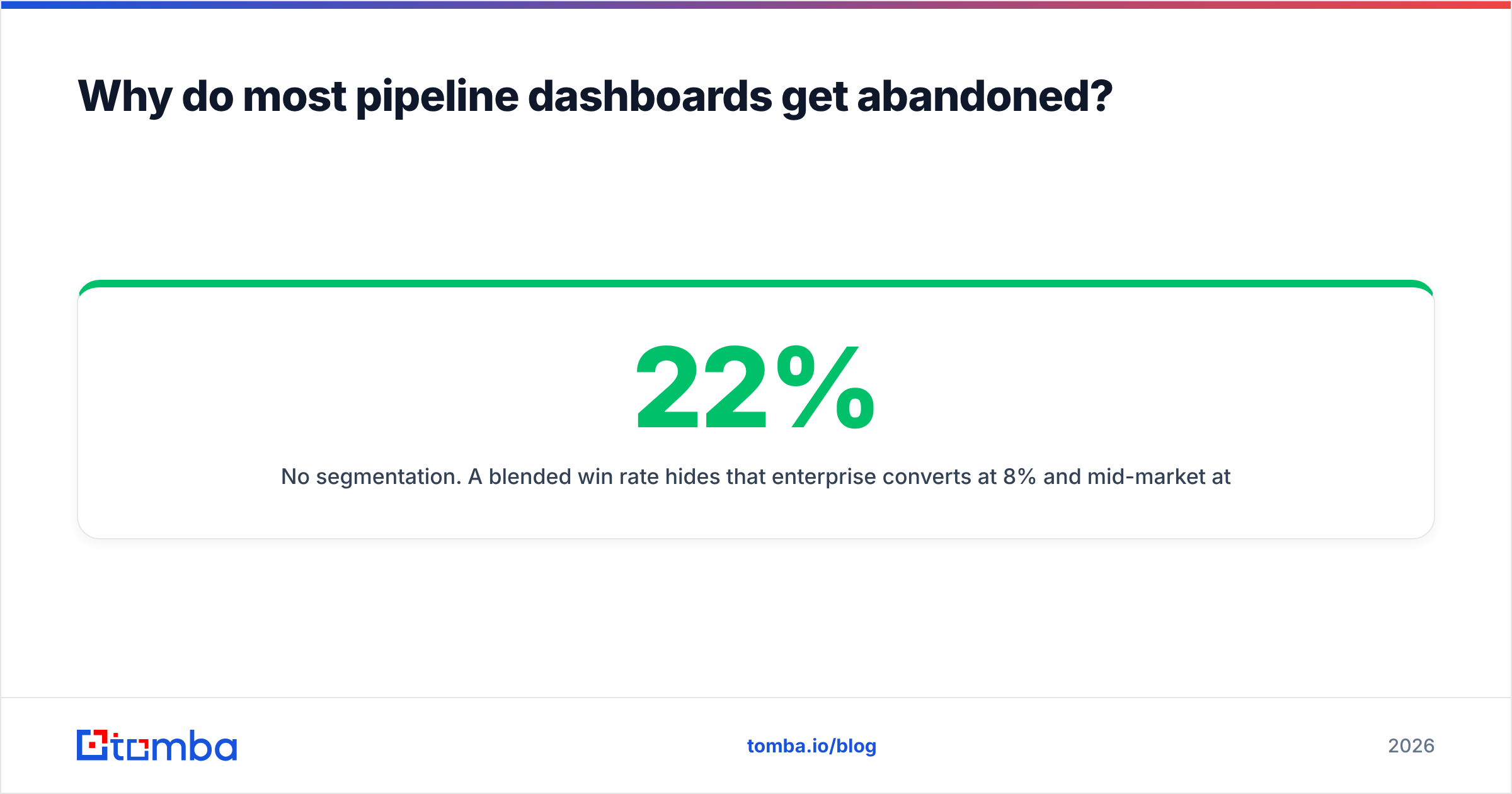
- No segmentation. A blended 22% win rate hides that enterprise converts at 8% and mid-market at 34%. The blended number is useless for decisions.
- Dashboards without owners. Nobody is accountable for acting on a specific chart, so nobody looks.
- Dirty upstream data. Deals attributed to "Unknown" source, duplicate accounts inflating counts, contacts that bounced months ago still counted as "engaged".

That last point deserves attention. If your lead capture relies on scraped or manually entered contacts, source attribution degrades fast. Running your inbound and outbound lists through an email verifier before they hit the CRM keeps the "engaged contact" count honest, which keeps every downstream conversion metric honest.
Which pipeline metrics actually predict revenue?#
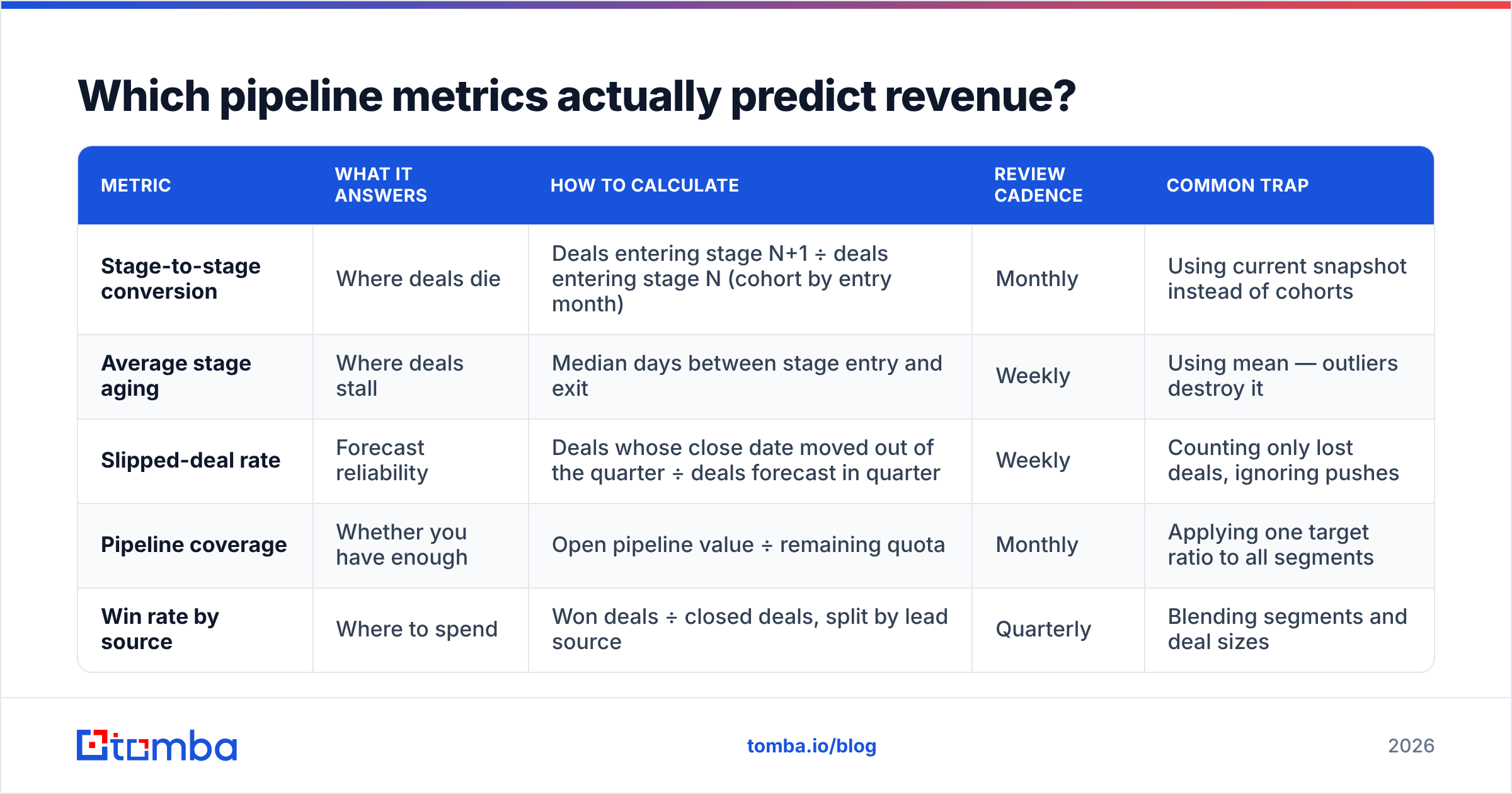
Cut your list to five. Each one answers a decision, not a curiosity.
| Metric | What it answers | How to calculate | Review cadence | Common trap |
|---|---|---|---|---|
| Stage-to-stage conversion | Where deals die | Deals entering stage N+1 ÷ deals entering stage N (cohort by entry month) | Monthly | Using current snapshot instead of cohorts |
| Average stage aging | Where deals stall | Median days between stage entry and exit | Weekly | Using mean — outliers destroy it |
| Slipped-deal rate | Forecast reliability | Deals whose close date moved out of the quarter ÷ deals forecast in quarter | Weekly | Counting only lost deals, ignoring pushes |
| Pipeline coverage | Whether you have enough | Open pipeline value ÷ remaining quota | Monthly | Applying one target ratio to all segments |
| Win rate by source | Where to spend | Won deals ÷ closed deals, split by lead source | Quarterly | Blending segments and deal sizes |
Two more worth adding once the core five are stable: new pipeline created per week (leading indicator of next quarter) and average deal cycle by segment (input to your coverage target).
Notice what is missing. Activity counts. Emails sent, calls made, meetings booked as raw volume. These belong in coaching conversations, not in a revenue analytics layer — they measure effort, and effort correlates with outcome only until reps learn the metric is being watched.
How do you implement sales pipeline analytics step by step?#
Seven steps. Steps 1 through 3 are the ones teams skip and the ones that determine whether the rest works.
1. Rewrite your stage definitions with exit criteria. Each stage gets a single sentence: what must be objectively true for a deal to leave this stage. "Champion confirmed budget and named the approval process" is testable. "Interested" is not. Cap yourself at 5-6 stages; more stages means more transition noise and slower agreement.
2. Audit and fix CRM hygiene. Pull every open deal. Flag deals with no activity in 30 days, no next step, missing close date, or a close date in the past. This audit typically surfaces that 25-40% of "open pipeline" is dead. Close it out before you measure anything, or your baselines will be garbage.
3. Fix the contact and account layer. Deduplicate accounts. Verify contact emails. Fill in missing firmographics — company size, industry, region — because these are your segmentation dimensions. If you are working from a partial list, a domain search run against your account list rebuilds the contact layer faster than manual research, and data enrichment fills the firmographic fields your segmentation depends on.
4. Turn on stage history capture. In Salesforce this exists by default via OpportunityHistory. In HubSpot, deal stage timestamps are stored as properties — confirm they are populated and exportable. In Pipedrive, use the deal flow endpoint. Without this table, every aging and cohort-conversion metric is impossible to compute retroactively.
5. Build the core five in native CRM reporting first. Do not start with a BI tool. Salesforce reports, HubSpot custom report builder, or Pipedrive insights will carry the core five for most teams under 50 reps. You will learn which questions the CRM genuinely cannot answer, which is the only good reason to add BI.
6. Set thresholds and owners per metric. Every chart gets a threshold ("stage 3 aging above 21 days") and a named owner who acts when it trips. A dashboard without a triggered action is a screensaver.
7. Run a weekly 20-minute pipeline review against the dashboard. Same five metrics, same order, every week. Consistency is what turns analytics into behavior change. The dashboard exists to structure this meeting — nothing else.

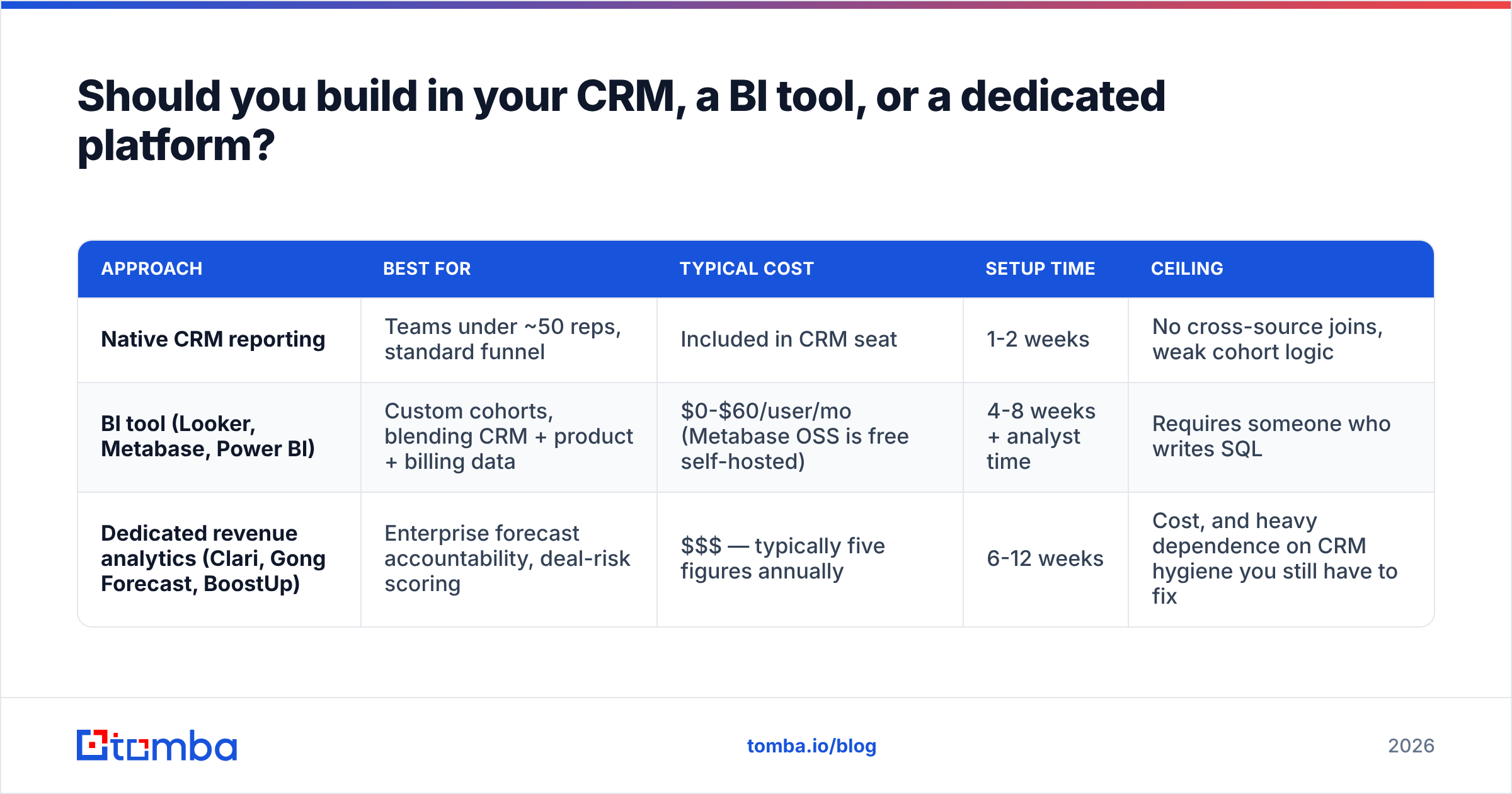
Should you build in your CRM, a BI tool, or a dedicated platform?#
Three real options, and the honest answer is that most teams overspend here.
| Approach | Best for | Typical cost | Setup time | Ceiling |
|---|---|---|---|---|
| Native CRM reporting | Teams under ~50 reps, standard funnel | Included in CRM seat | 1-2 weeks | No cross-source joins, weak cohort logic |
| BI tool (Looker, Metabase, Power BI) | Custom cohorts, blending CRM + product + billing data | $0-$60/user/mo (Metabase OSS is free self-hosted) | 4-8 weeks + analyst time | Requires someone who writes SQL |
| Dedicated revenue analytics (Clari, Gong Forecast, BoostUp) | Enterprise forecast accountability, deal-risk scoring | $$$ — typically five figures annually | 6-12 weeks | Cost, and heavy dependence on CRM hygiene you still have to fix |
The pattern that works: run native CRM reporting for at least one full quarter. Write down every question you asked that the CRM could not answer. If that list has fewer than four items, you do not need BI yet. Gartner's sales technology research consistently finds that tool consolidation beats tool addition for mid-market revenue teams — and G2's revenue operations category shows the same tools rated highly by enterprises rated poorly on time-to-value by smaller teams.
One caution on dedicated platforms: they score deal risk using your CRM data. If your stage definitions are subjective and your contact data is stale, you are paying a premium to have a model confidently misread bad inputs.
How do you keep the data clean enough to trust?#
Analytics quality is a data-hygiene problem wearing a dashboard costume.
Set these four guardrails:
- Required fields at stage gates. Deals cannot advance past stage 2 without a verified primary contact, a next step, and a close date. Enforce in the CRM, not in a Slack reminder.
- Weekly stale-deal sweep. Any open deal with no activity in 21 days gets flagged to the owner. Two weeks flagged, it auto-closes as no-decision. This alone keeps coverage ratios meaningful.
- Monthly contact verification. Bounced and role-based addresses should be quarantined, not left inflating your "contacted" counts. Bulk-running your active-deal contacts through a bulk verify pass monthly takes minutes and protects both deliverability and attribution accuracy.
- Quarterly source audit. Sample 30 closed-won deals and manually confirm the recorded lead source. If more than 15% are wrong, your win-rate-by-source metric is not decision-grade.
On the contact layer specifically: more than half of B2B contact records decay annually as people change roles and companies. That decay does not just hurt outreach — it corrupts your account coverage metrics, your engagement scoring, and your multithreading analysis. HubSpot's research on CRM data decay is worth reading before you build anything on top of a contact table you have not touched in a year.
What does a working pipeline analytics review look like?#
Twenty minutes, weekly, same structure. Here is the agenda that survives contact with a real sales team:
- Coverage check (2 min) — Is open pipeline ÷ remaining quota above target for each segment? Not blended.
- Aging outliers (5 min) — Which deals exceeded the stage-aging threshold this week? Owner states the next step or closes it.
- Slipped deals (5 min) — Which forecast deals pushed? Root cause named out loud, one sentence each.
- New pipeline created (3 min) — Against weekly target. Trend over four weeks, not this week alone.
- One conversion drill-down (5 min) — Rotate through stage transitions. This quarter, focus on whichever transition has the lowest conversion.
What does not belong in this meeting: individual activity counts, deal-by-deal happy talk, and any chart nobody has an action for.
The output should be a short list of specific deals with specific next steps, plus at most one process change. If a review generates zero decisions three weeks running, your metrics are wrong or your thresholds are set too loose.
What are the most common implementation mistakes?#
- Building 14 dashboards in week one. Ship five metrics. Add the sixth only when someone asks the same question three times.
- Measuring snapshots instead of cohorts. "Current stage 3 conversion" mixes deals that entered in January with deals that entered last week. Cohort by entry month or your trend lines are meaningless.
- Using mean instead of median for cycle times. One 400-day enterprise deal will move your average enough to make a healthy funnel look broken.
- Ignoring lost-reason data. If you are not capturing structured loss reasons, you have conversion rates without explanations. Add a required picklist with 6-8 options, not a free-text field.
- Treating pipeline coverage as one number. Enterprise needs 4-5x coverage at a 90-day cycle. SMB might need 2.5x. One target for both guarantees one segment is always "failing".
- Automating before defining. Automation multiplies whatever process you have. Multiplying a subjective stage model gives you subjective data at scale.
Get the contact layer right first#
Every metric described here — conversion by source, coverage by segment, aging by account tier — sits on top of contact and account data. If that layer is stale, duplicated, or incomplete, your dashboards will be precise and wrong, which is worse than being obviously broken.
Start there. Verify the contacts on every open deal, fill the firmographic gaps that power your segmentation, and enforce a verified primary contact as a stage gate. Tomba's Email Finder handles the discovery and verification side — domain-level contact search, deliverability verification, and enrichment that writes back into your CRM through native integrations. The free tier covers 25 searches a month if you want to test the data quality against a sample of your accounts first; paid plans start at $49/mo, with full Tomba pricing published up front.
Fix the inputs, then build the dashboard. The order matters more than the tooling.
Related guides#
// get started
Find, verify and enrich your first contacts today
Start on the free plan with 25 searches a month, then scale when your team is ready.
Free plan · No credit card required · GDPR & CCPA
// about the author