How To Improve Email Click Through Rate: 12 Proven Fixes
Your open rate looks fine but nobody clicks. Here are 12 tested fixes — from list hygiene to CTA placement — that move email click-through rate from 1% to 4%+ without rewriting your whole program.
TL;DR
- Click-through rate is a downstream metric. Most CTR problems are actually list quality, relevance, or offer problems — not button-color problems.
- The median B2B email CTR sits around 2–3%. If you're under 1%, you have a targeting issue. If you're at 2% and want 4%, you have a copy and CTA issue.
- One clear call to action beats three competing ones almost every time. Multiple links dilute attention and confuse click attribution.
- Clean data lifts CTR mechanically: fewer bounces means better inbox placement, which means more real humans seeing the email at all.
- Plain-text-style emails with a single contextual link consistently outperform heavily designed HTML templates in B2B outbound.
What is email click-through rate, and how is it actually calculated?#
Email click-through rate is the percentage of delivered emails that produced at least one click on a link. The standard formula:
CTR = (unique clicks ÷ delivered emails) × 100
Two things trip people up here.
First, unique clicks vs total clicks. If one person clicks your link four times, that's one unique click and four total clicks. Total-click CTR inflates your numbers and hides how few individuals actually engaged. Always report unique.
Second, delivered vs sent. If you sent 10,000 and 800 bounced, your denominator is 9,200. Using "sent" makes CTR look worse than it is and masks a deliverability problem you should be fixing separately.
There's a third metric worth tracking: click-to-open rate (CTOR), which is unique clicks divided by unique opens. CTOR isolates the quality of your email body from the quality of your subject line. If your open rate is healthy but CTOR is under 8%, the problem is inside the email. If open rate is the bottleneck, fix the subject line first — clicks can't happen on an unopened email.
One caveat for 2026: Apple Mail Privacy Protection and similar filters pre-fetch images, which inflates opens and makes CTOR unreliable in consumer-heavy lists. In B2B, where most recipients read in Outlook or Gmail on a work account, CTOR is still directionally useful — just don't treat it as precise.
What is a good email click-through rate in 2026?#
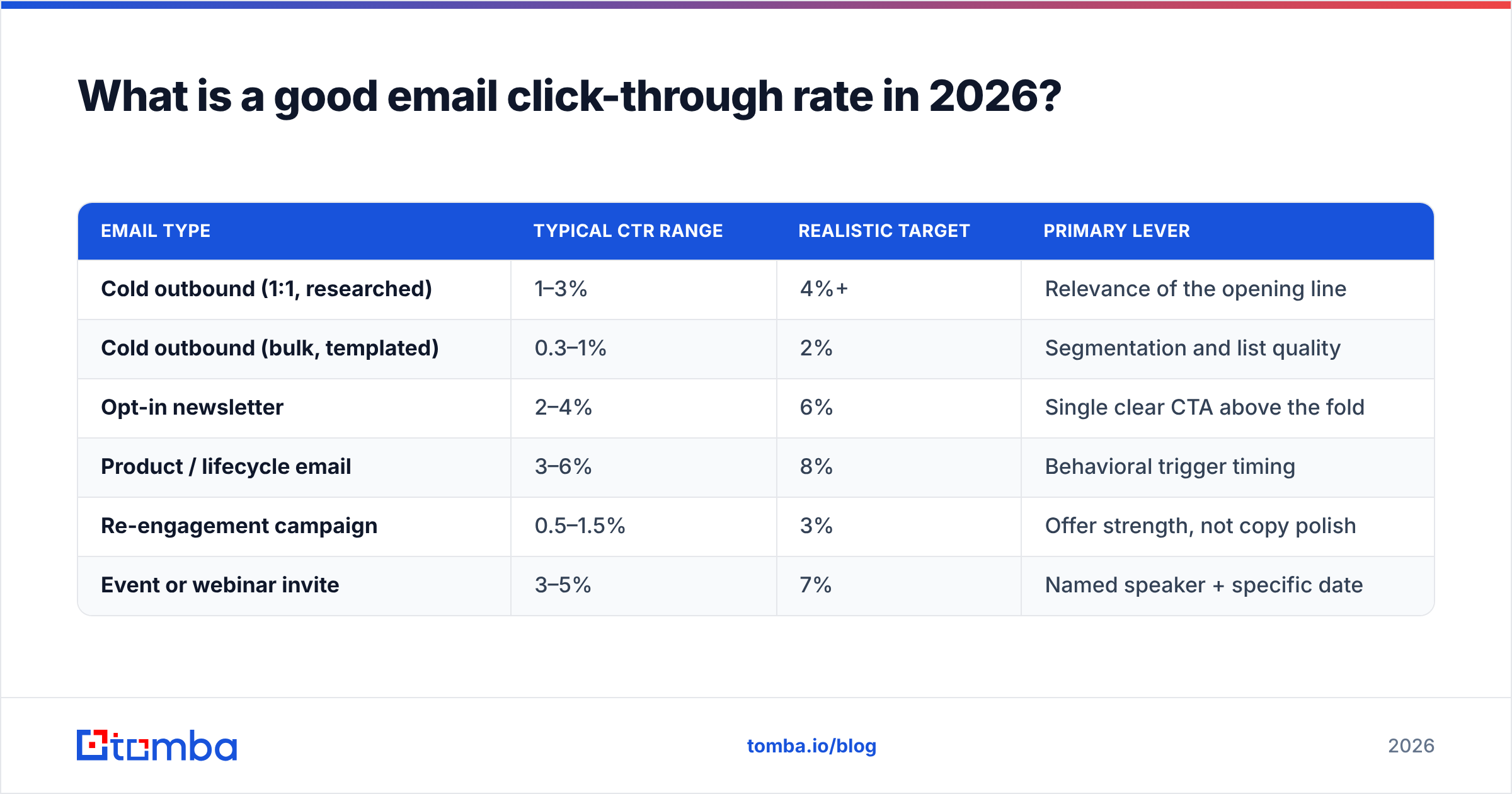
Benchmarks vary wildly by list type, so anchor to your own segment rather than an industry average. Rough working ranges for B2B:
| Email type | Typical CTR range | Realistic target | Primary lever |
|---|---|---|---|
| Cold outbound (1:1, researched) | 1–3% | 4%+ | Relevance of the opening line |
| Cold outbound (bulk, templated) | 0.3–1% | 2% | Segmentation and list quality |
| Opt-in newsletter | 2–4% | 6% | Single clear CTA above the fold |
| Product / lifecycle email | 3–6% | 8% | Behavioral trigger timing |
| Re-engagement campaign | 0.5–1.5% | 3% | Offer strength, not copy polish |
| Event or webinar invite | 3–5% | 7% | Named speaker + specific date |
HubSpot's marketing benchmark data and vendor reports from G2-reviewed platforms both land in similar territory: a 2–3% overall CTR is average, and anything sustained above 5% means you're doing something genuinely right.
The trap is chasing a number without context. A 1% CTR on a list of 50,000 unqualified contacts is worse business than a 6% CTR on 400 hand-picked accounts — the second one produces more pipeline from fewer sends and lower domain risk.
How do you improve email click-through rate? The 12 fixes that matter#
Ordered by impact-per-hour-of-effort. Start at the top.
Cut to one call to action. Every additional link splits attention. If you need a secondary action, make it a text link in the signature, not a second button. Campaigns that go from three CTAs to one routinely see CTR climb 20–40% because the decision gets easier, not because the copy got better.
Move the CTA above the scroll. On mobile — where 55–65% of B2B email is first opened — anything below roughly 300 pixels is invisible without a swipe. Your ask should appear before the reader has to work for it.
Verify the list before you send. Bounces poison sender reputation, and a damaged reputation pushes you into Promotions or spam, where clicks approach zero. Running a list through an email verifier before every campaign is the cheapest CTR gain available. It costs cents per thousand and protects the metric that governs everything downstream.
Write the CTA as an outcome, not an action. "Download the report" describes what you want. "See the 14 benchmarks" describes what they get. Outcome-framed CTAs consistently beat verb-framed ones.
Segment by behavior, not by firmographics alone. Company size tells you who they are. Page visits, past clicks, and product usage tell you what they want right now. A segment of 200 people who viewed pricing last week will outperform 5,000 matching your ICP filter.
Kill the image-heavy template. In B2B, plain-text-style emails with one inline hyperlink beat designed HTML more often than not. Images get blocked, look like marketing, and add weight. A styled button in a newsletter is fine; in cold outbound it signals "bulk send" and drops both deliverability and trust.
Match the CTA to the stage. Asking a cold prospect for a 30-minute demo is a large commitment from someone who has never heard of you. Asking them to reply "yes" or view a 90-second Loom is small. Reduce the size of the ask until the click stops feeling expensive.
Personalize the line immediately before the CTA. Personalization at the top gets skimmed. A specific detail placed right before the ask — their recent funding round, a job posting, a tool in their stack — reframes the click as relevant rather than generic.
Send when your reader decides, not when a study says. Tuesday 10 a.m. is the most crowded slot in B2B email because everyone read the same blog post. Test Tuesday 7:15 a.m. and Thursday 4 p.m. against it. Off-peak windows often win purely by having less competition in the inbox.
Test one variable at a time. Changing the subject line, the CTA, and the send time simultaneously produces a result you cannot attribute. Test CTA copy first — it's usually the highest-variance element.
Fix your links. Aggressive link tracking, URL shorteners, and bare redirect domains all raise spam-filter suspicion. Use a branded tracking domain, and never use a public shortener like bit.ly in a cold email.
Follow up on non-clickers with a different angle. Don't resend the same email with "just bumping this." Send a genuinely different value proposition. Roughly a third of total campaign clicks arrive on emails two and three.
Why does list quality affect click-through rate more than copy?#
Because a click requires three things to happen in sequence: the email is delivered, it lands in the primary inbox, and a real human with a real need opens it. Copy only influences the third step. Data quality influences all three.
Here's the mechanical chain. A stale list has dead addresses. Dead addresses bounce. High bounce rates tell mailbox providers you're not maintaining hygiene. Sender reputation drops. More of your good emails land in Promotions or spam. Fewer humans see them. CTR falls — even though the copy never changed.
The reverse is also true and often overlooked: cleaning a list raises CTR arithmetically even before deliverability improves. Removing 1,500 dead addresses from a 10,000-person list doesn't change how many clicks you get, but it shrinks the denominator by 15%.
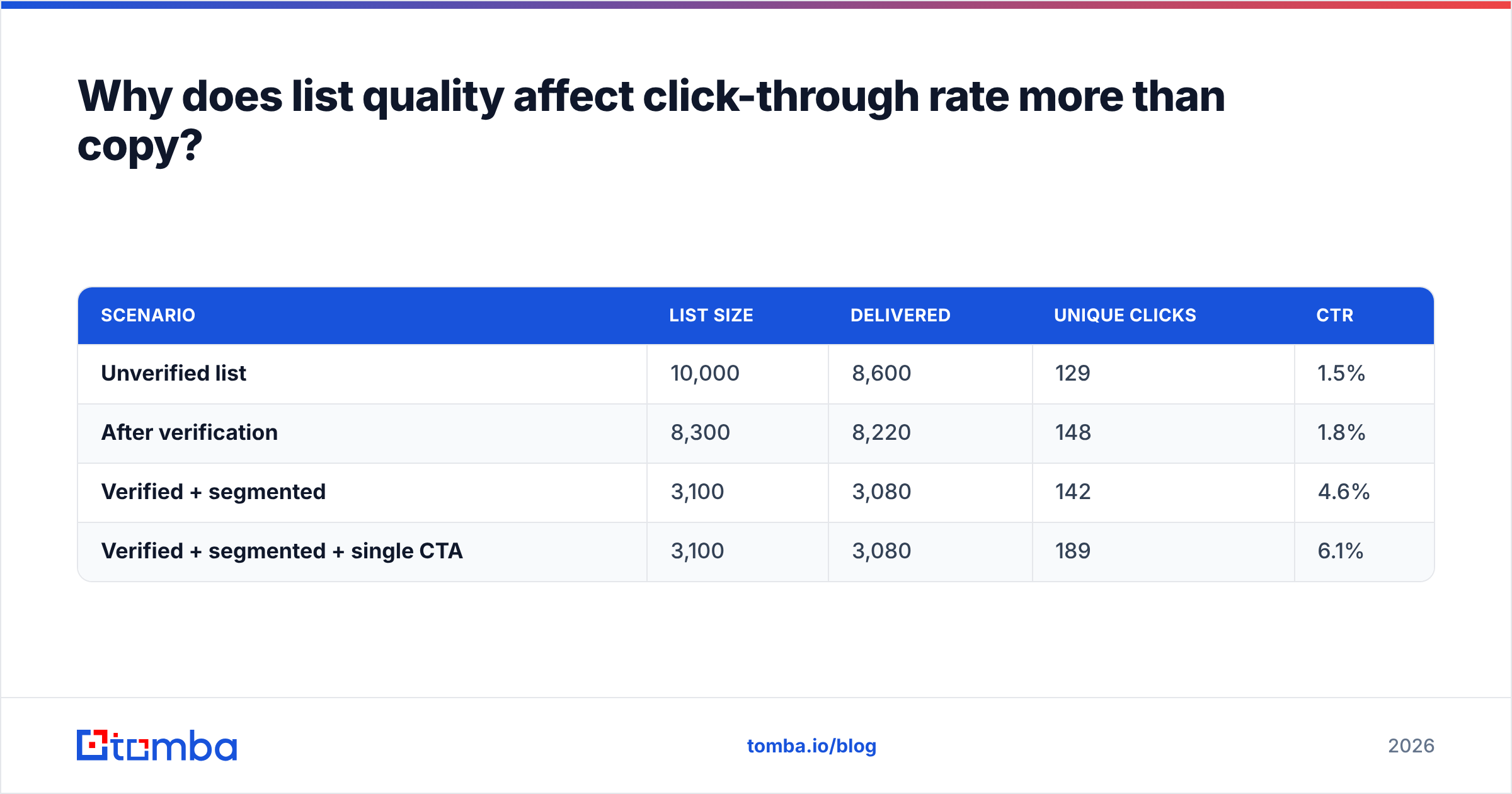
| Scenario | List size | Delivered | Unique clicks | CTR |
|---|---|---|---|---|
| Unverified list | 10,000 | 8,600 | 129 | 1.5% |
| After verification | 8,300 | 8,220 | 148 | 1.8% |
| Verified + segmented | 3,100 | 3,080 | 142 | 4.6% |
| Verified + segmented + single CTA | 3,100 | 3,080 | 189 | 6.1% |
Note the third row. Total clicks barely moved when the list shrank by two-thirds, but CTR tripled — and the sending volume, cost, and domain risk all fell sharply. This is the fundamental tradeoff most teams get backwards: they optimize for reach when they should be optimizing for fit.
Building smaller, better-fitting lists is a sourcing problem. Pulling verified contacts by company with domain search and enriching them with role and seniority data through contact enrichment gets you a 300-person list that outperforms a 10,000-person scrape — and keeps your domain out of trouble.
Which CTA formats get the most clicks?#
CTA format matters less than CTA clarity, but there are consistent patterns worth knowing.
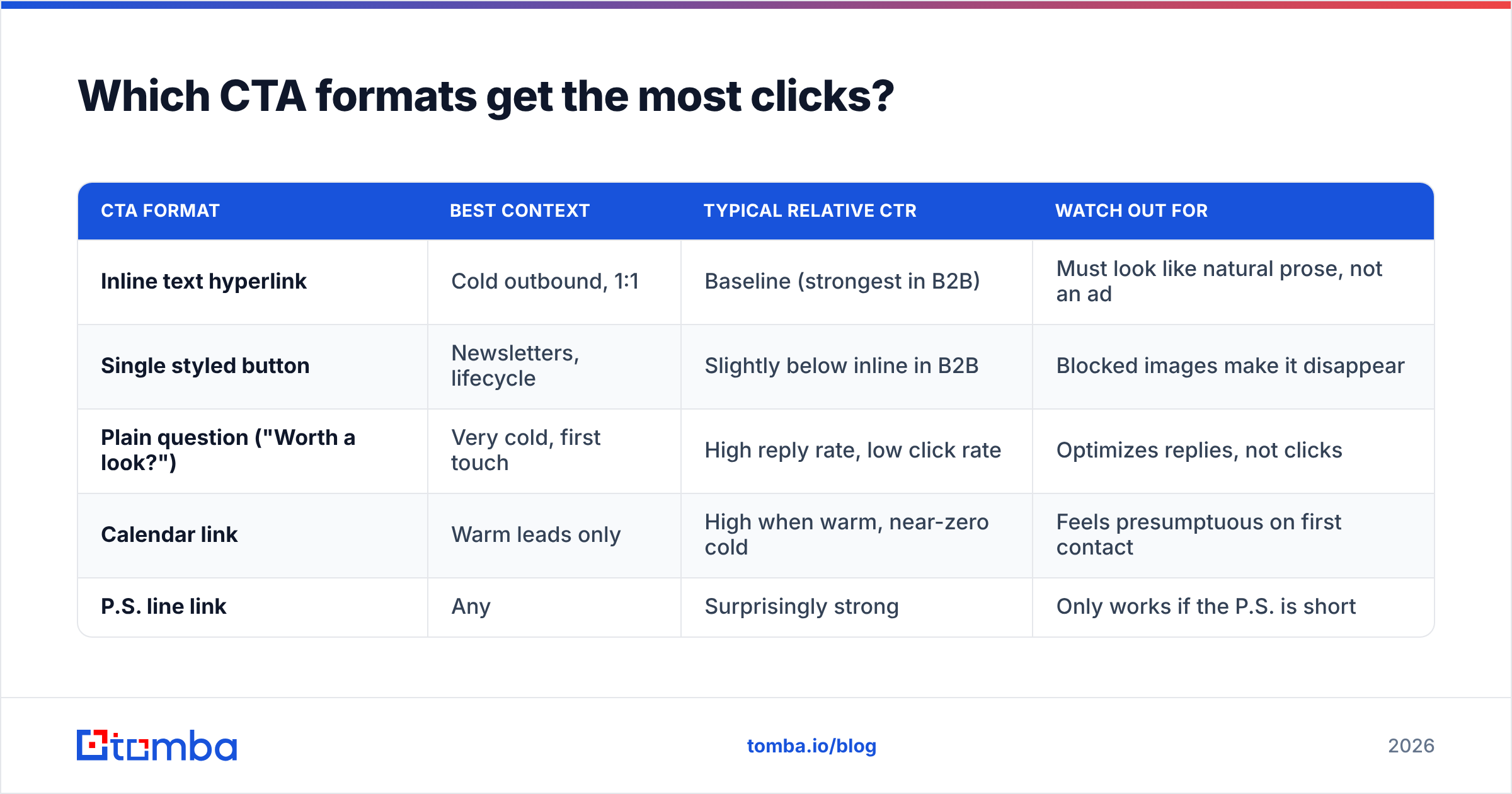
| CTA format | Best context | Typical relative CTR | Watch out for |
|---|---|---|---|
| Inline text hyperlink | Cold outbound, 1:1 | Baseline (strongest in B2B) | Must look like natural prose, not an ad |
| Single styled button | Newsletters, lifecycle | Slightly below inline in B2B | Blocked images make it disappear |
| Plain question ("Worth a look?") | Very cold, first touch | High reply rate, low click rate | Optimizes replies, not clicks |
| Calendar link | Warm leads only | High when warm, near-zero cold | Feels presumptuous on first contact |
| P.S. line link | Any | Surprisingly strong | Only works if the P.S. is short |
Two rules cut across all of them.
Rule one: the link text should describe the destination. "Click here" and "learn more" tell the reader nothing about what happens next, so the click carries unknown risk. "See the 2026 benchmark table" is specific, and specificity lowers perceived risk.
Rule two: never place two competing CTAs at the same visual weight. If you must include a secondary option, it goes in the signature or a P.S., visually subordinate to the primary ask.
A note on the P.S. line: it gets read at an outsized rate because skimmers jump to the bottom. A short P.S. containing your single link is one of the highest-yield placements available, and it's underused in B2B.
How do you diagnose a low click-through rate?#
Work backwards through the funnel. Each stage has a different fix, and treating a delivery problem as a copy problem wastes weeks.
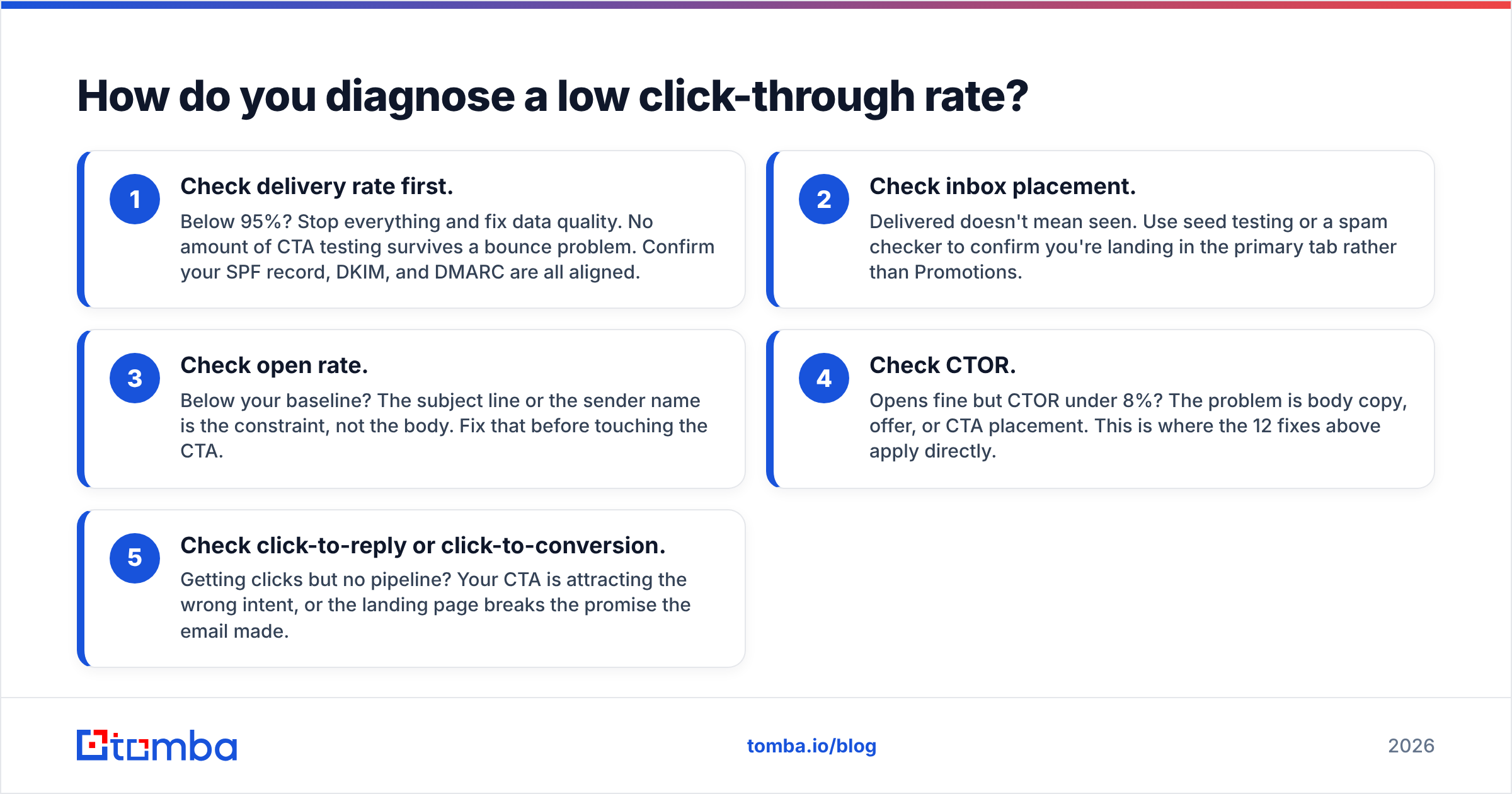
Check delivery rate first. Below 95%? Stop everything and fix data quality. No amount of CTA testing survives a bounce problem. Confirm your SPF record, DKIM, and DMARC are all aligned.
Check inbox placement. Delivered doesn't mean seen. Use seed testing or a spam checker to confirm you're landing in the primary tab rather than Promotions.
Check open rate. Below your baseline? The subject line or the sender name is the constraint, not the body. Fix that before touching the CTA.
Check CTOR. Opens fine but CTOR under 8%? The problem is body copy, offer, or CTA placement. This is where the 12 fixes above apply directly.
Check click-to-reply or click-to-conversion. Getting clicks but no pipeline? Your CTA is attracting the wrong intent, or the landing page breaks the promise the email made.
Most teams skip straight to step four because copy is the fun part to change. Steps one and two are where the biggest, dullest, most reliable gains live. Google's guidelines for bulk senders spell out the authentication and complaint-rate thresholds that now determine whether you get a shot at a click at all.
Does send volume hurt click-through rate?#
Yes, and more directly than most teams expect.
Sending volume affects CTR through three mechanisms. Higher volume usually means lower average relevance, because you've expanded past your best-fit segment. Higher volume against an unwarmed domain triggers throttling and filtering. And higher frequency to the same list produces fatigue — the same person who clicked in week one stops opening by week five.
The practical guidance: cap sends per mailbox at a level your email deliverability can sustain, warm new domains gradually, and treat frequency as a per-recipient budget rather than a per-campaign one. If someone has received four emails from you this month without engaging, the fifth won't be the one that lands. Pull them into a quarterly cadence instead.
Worth noting: providers like BookYourData built their model around pay-as-you-go verified lists precisely because volume-first sending stopped working. Buying fewer, better-verified records and sending less is the direction the whole category has moved since the 2024 sender-requirement changes at Google and Yahoo.
What should you test first?#
If you only run three tests this quarter, run these:
- CTA copy. Outcome-framed vs action-framed. Highest variance, fastest to implement, zero infrastructure cost.
- Number of links. One vs three. Usually a decisive result within two campaigns.
- List tightness. Your full ICP list vs the top 20% by fit score. This one changes how you think about the whole program.
Give each test enough volume for the result to mean something — roughly 1,000 delivered per variant for a 2% baseline CTR, or you're reading noise. And run tests sequentially rather than stacking them, so you can actually attribute the change.
Keep a simple log: date, variable changed, sample size, result. Six months of that log is worth more than any benchmark article, including this one, because it's calibrated to your list and your buyers.
Where should you start?#
Start with your data, then your CTA, then your timing — in that order.
The reason is leverage. Fixing your list improves delivery, placement, and CTR arithmetic simultaneously. Fixing your CTA improves one stage. Fixing your send time improves a fraction of one stage. Teams that reverse the order spend months A/B testing button copy on emails that were never going to reach the inbox.
If you want the cleanest starting point: build one tightly-scoped list of 200–300 accounts that genuinely match your best closed-won customers, verify every address, and send them a single email with one specific ask. Measure that against your last bulk campaign. The comparison usually settles the strategy argument on its own.
Ready to build that list? Tomba's Email Finder sources verified professional email addresses by name, company, or domain, with verification built into the same workflow — so the addresses you send to are real before you spend a click on them. The free tier gives you 25 searches a month to test the approach, and paid plans start at $49/mo; full Tomba pricing covers the Growth and Pro tiers if you need bulk volume and API access.
Related guides#
// get started
Find, verify and enrich your first contacts today
Start on the free plan with 25 searches a month, then scale when your team is ready.
Free plan · No credit card required · GDPR & CCPA
// about the author