How To Introduce Yourself Over Email: A 2026 Playbook
Most introduction emails die because they lead with the sender, not the reader. Here are the six-part structure, four proven templates, and the verification step that keeps your intro out of spam.
TL;DR
- An introduction email has six parts: a subject line that names the reason, a first line about the recipient, one credibility sentence, one relevance sentence, one specific ask, and a signature that answers "who is this?"
- Put your name and title in the signature, not the opening line. The opening line belongs to the reader.
- Keep it between 75 and 125 words. Anything longer gets skimmed for the ask and closed.
- Ask for one thing, and make it smaller than what you actually want. "Worth a 12-minute call?" outperforms "Let's schedule a demo."
- Verify the address before you hit send. A bounced intro doesn't just fail — it damages the domain reputation that carries every future email you send.
What actually counts as an introduction email?#
An introduction email is any first-contact message where the recipient doesn't know who you are and has no prior reason to reply. That covers more ground than most people assume:
- Cold outbound — you found a prospect and want a conversation.
- Warm referral — a mutual contact suggested you reach out, but you've never spoken.
- New-role announcement — you just took over an account, a territory, or a team.
- Networking / community — you read someone's post, paper, or podcast and want to connect.
- Job or partnership inquiry — you're pitching yourself rather than a product.
- Reintroduction — you spoke 14 months ago, the deal stalled, and you're back.
The structure is the same across all six. What changes is the proof of relevance — the single sentence explaining why this email landed in this inbox and not 4,000 others. Cold outbound has to manufacture that sentence from research. A warm referral gets it for free by naming the mutual contact in the first six words.
Treat that distinction as your effort budget. If you can't write a relevance sentence that would be false for anyone else on your list, you're not writing an introduction — you're writing a broadcast.
What is the six-part structure of a good intro email?#
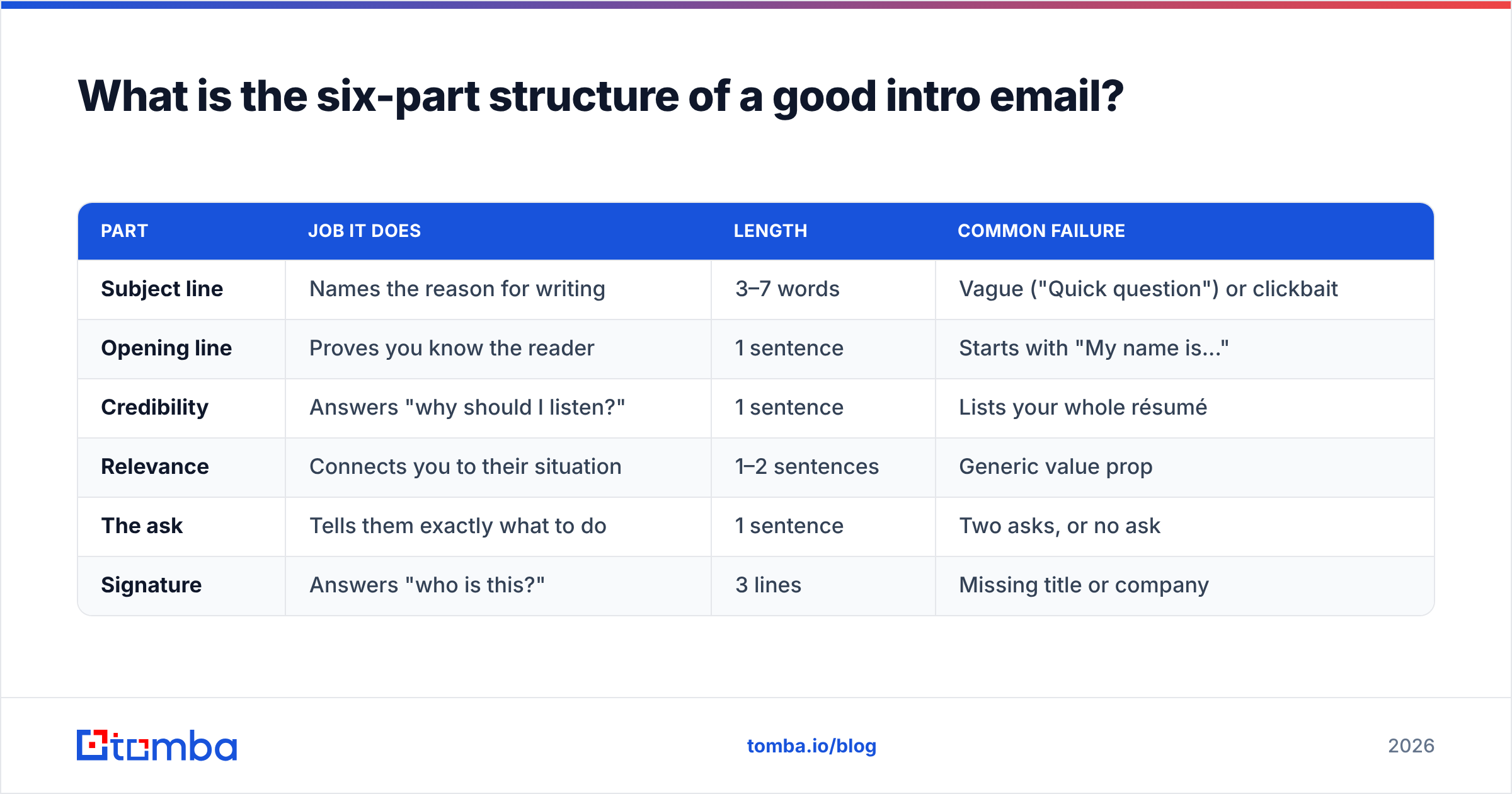
Here's the skeleton. Every strong introduction email you've received maps onto it, whether the sender knew it or not.
| Part | Job it does | Length | Common failure |
|---|---|---|---|
| Subject line | Names the reason for writing | 3–7 words | Vague ("Quick question") or clickbait |
| Opening line | Proves you know the reader | 1 sentence | Starts with "My name is..." |
| Credibility | Answers "why should I listen?" | 1 sentence | Lists your whole résumé |
| Relevance | Connects you to their situation | 1–2 sentences | Generic value prop |
| The ask | Tells them exactly what to do | 1 sentence | Two asks, or no ask |
| Signature | Answers "who is this?" | 3 lines | Missing title or company |
The counterintuitive part is the ordering. Almost everyone opens with "My name is Sarah and I'm the VP of Partnerships at Acme." That sentence is not wrong — it's just in the wrong place. The reader hasn't earned a reason to care about your name yet, and your email client already shows it in the From field. Move it to the signature and give the first line to the recipient.
Compare:
Weak: "Hi Marcus, my name is Sarah Chen and I'm the VP of Partnerships at Acme Analytics. We help mid-market SaaS companies improve retention."
Strong: "Hi Marcus — your Q3 post on churn-first onboarding matched something we saw across 40 mid-market accounts, and one detail contradicted it."
The second version does three things at once: proves the email is specific, establishes credibility through data rather than title, and opens a curiosity gap. It's also shorter.
How long should an introduction email be?#
Between 75 and 125 words for cold outbound. Warm referrals can stretch to 150 because the referral name buys attention.
The data on this is fairly consistent across vendors: Boomerang's analysis of 40 million emails found messages in the 50–125 word range hit the highest response rates, and reply rates decline steadily past 200 words. HubSpot's sales benchmarks land in a similar band. Nothing about that has changed in 2026 — if anything, the flood of AI-generated outbound has made short, specific emails stand out more, not less.
Practical constraints that follow from the word count:
- One paragraph before the ask. Not three.
- No bullet lists in a cold intro. Bullets signal a pitch deck. Save them for reply two.
- No attachments on first contact. They trigger spam filters and get ignored.
- One link, maximum. Zero links is often better; multiple links measurably hurt deliverability on cold domains.
- Mobile check. Roughly six in ten B2B emails are opened on a phone first. If your intro needs a scroll before the ask appears, it's too long.
What are four introduction email templates that work?#
Copy these, then replace every bracketed field with something you actually researched. If you can't fill a bracket, don't send the email.
1. Cold outbound (research-led)
Subject: your [specific thing] setup
Hi [First], I noticed [company] is [specific observation — hiring three SDRs, migrating to X, launched in DACH]. When teams do that, the usual bottleneck is [specific problem], not [assumed problem].
We handled that for [comparable company] and cut [metric] by [number] in [timeframe].
Worth 12 minutes next week to compare notes? Happy to send the teardown instead if that's easier.
[Signature]
2. Warm referral
Subject: [Mutual contact] suggested I reach out
Hi [First] — [Mutual] mentioned you're rebuilding [function] this quarter and thought we should talk.
I run [role] at [company]; we do [one-line description] for teams in the same spot.
Is [day] or [day] better for a short call? If the timing is wrong, just say "later" and I'll follow up in Q[N].
[Signature]
3. New account owner
Subject: taking over your account from [Predecessor]
Hi [First], [Predecessor] moved to [new role] and I've picked up [company]. I've read through your history with us — including the [specific issue] from [month].
No pitch here. I'd like 15 minutes to hear what's working and what isn't so I don't repeat anything you've already told us twice.
[Signature]
4. Networking / author outreach
Subject: your piece on [topic]
Hi [First], your [article/talk] on [topic] changed how we're approaching [thing] — specifically the point about [detail].
I'm [role] at [company] and we run into that constraint weekly. I wrote up what we found; happy to share it whether or not it's useful to you.
Would you be open to a short exchange on it?
[Signature]
The fourth one pairs well with an author finder, which pulls the email address of the person who actually wrote the piece rather than the generic press@ inbox that never replies.
What should you never do in an introduction email?#
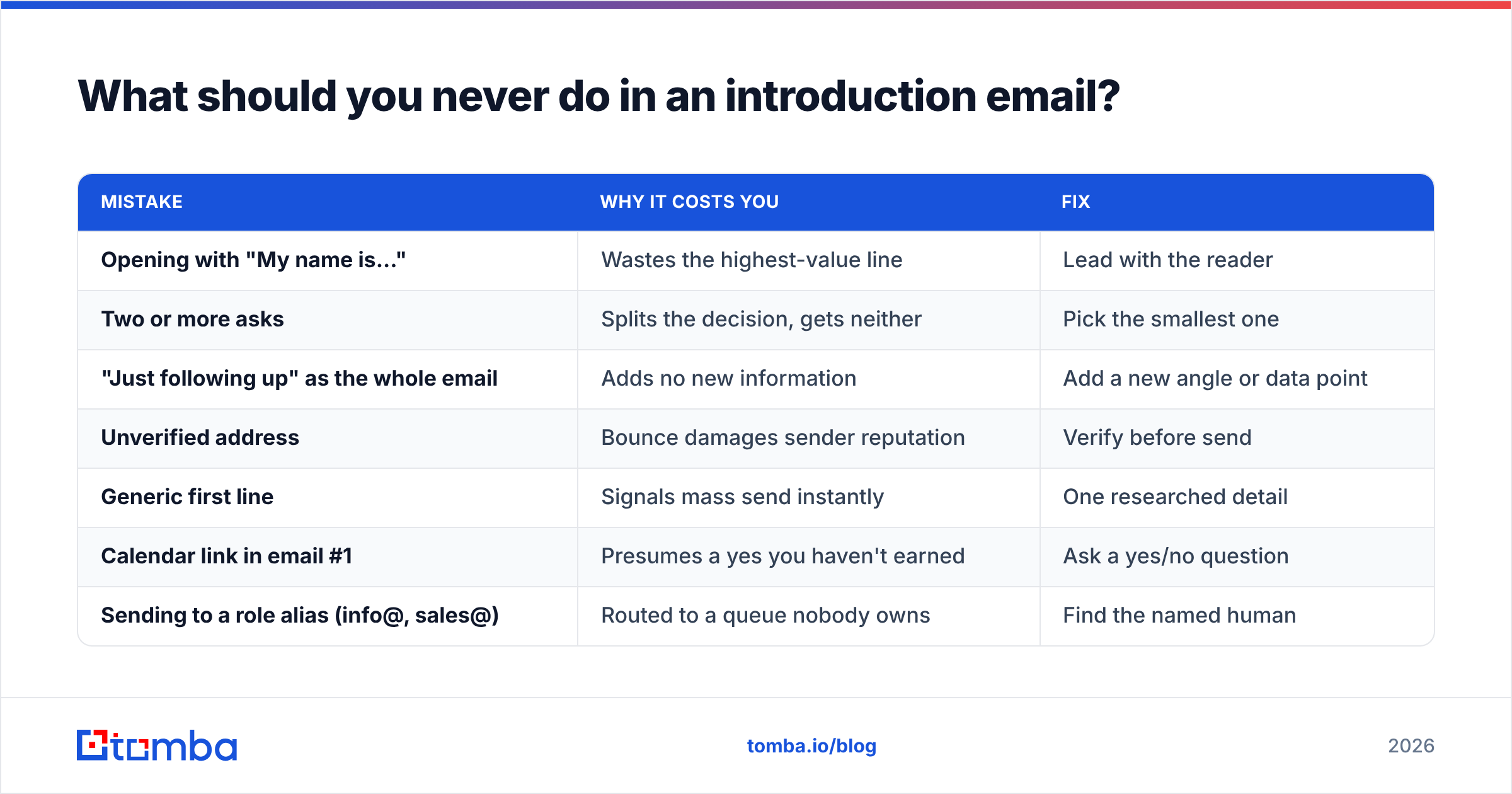
| Mistake | Why it costs you | Fix |
|---|---|---|
| Opening with "My name is..." | Wastes the highest-value line | Lead with the reader |
| Two or more asks | Splits the decision, gets neither | Pick the smallest one |
| "Just following up" as the whole email | Adds no new information | Add a new angle or data point |
| Unverified address | Bounce damages sender reputation | Verify before send |
| Generic first line | Signals mass send instantly | One researched detail |
| Calendar link in email #1 | Presumes a yes you haven't earned | Ask a yes/no question |
| Sending to a role alias (info@, sales@) | Routed to a queue nobody owns | Find the named human |
The bounce item deserves more than a table row. When you send to an address that doesn't exist, the receiving server records a hard bounce against your sending domain. Cross roughly 2% bounce rate and mailbox providers start throttling; cross 5% and your email deliverability collapses for every message from that domain — including the ones to customers who do want to hear from you.
This is the part people discover after the damage is done.
Running addresses through an email verifier before a send takes seconds and removes the entire failure mode. For lists where you're not sure the domain even accepts unknown recipients, a catch-all verifier tells you whether the server is accepting everything indiscriminately — which is a different risk profile than a clean bounce.
How do you find the right person to introduce yourself to?#
The best-written introduction email is worthless in the wrong inbox. Two decisions come before the copy.
Decision one: pick the human, not the department. A named individual with a title that owns the problem you solve. If you're selling onboarding software, that's the VP of Customer Success, not "the CS team." Role aliases have near-zero reply rates because no single person is accountable for answering them.
Decision two: get an address you trust. Your options, roughly in order of effort:
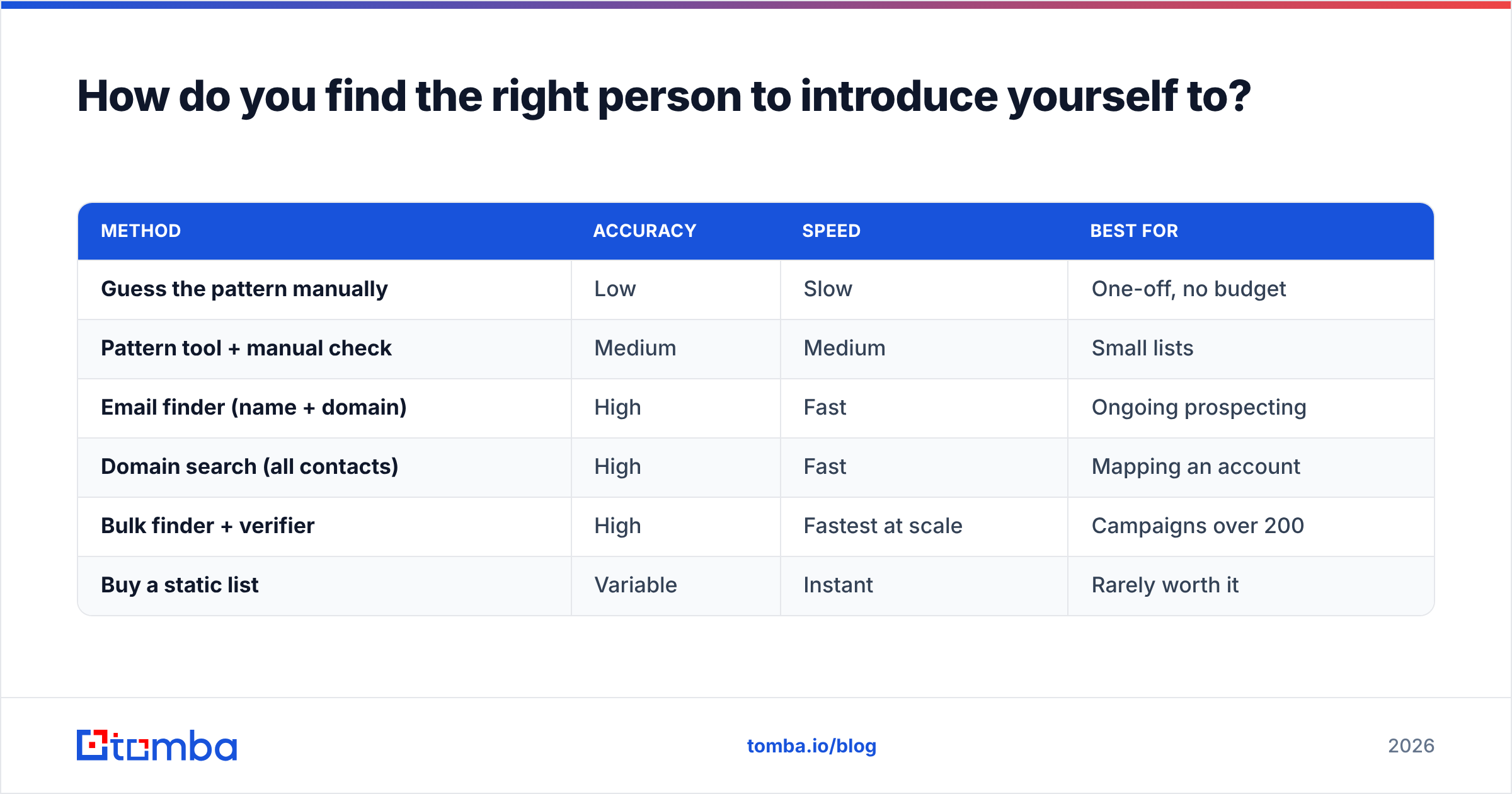
| Method | Accuracy | Speed | Best for |
|---|---|---|---|
| Guess the pattern manually | Low | Slow | One-off, no budget |
| Pattern tool + manual check | Medium | Medium | Small lists |
| Email finder (name + domain) | High | Fast | Ongoing prospecting |
| Domain search (all contacts) | High | Fast | Mapping an account |
| Bulk finder + verifier | High | Fastest at scale | Campaigns over 200 |
| Buy a static list | Variable | Instant | Rarely worth it |
A domain search is usually the right first move when you know the company but not the person — it returns the contacts at that domain with their titles and the company's email pattern, so you can pick the right target and derive addresses for anyone the database hasn't indexed yet.
For head-to-head evaluation of the tools in this space, G2's lead intelligence category is a reasonable neutral starting point, and vendors like BookYourData are worth a look if you'd rather buy pre-verified contacts than build lists yourself. Different model, same end goal: a deliverable address attached to a real decision-maker.
How do you follow up without being annoying?#
Assume no reply is the default, not a rejection. Roughly 80% of replies to cold sequences come after the first message, and most senders quit at one.
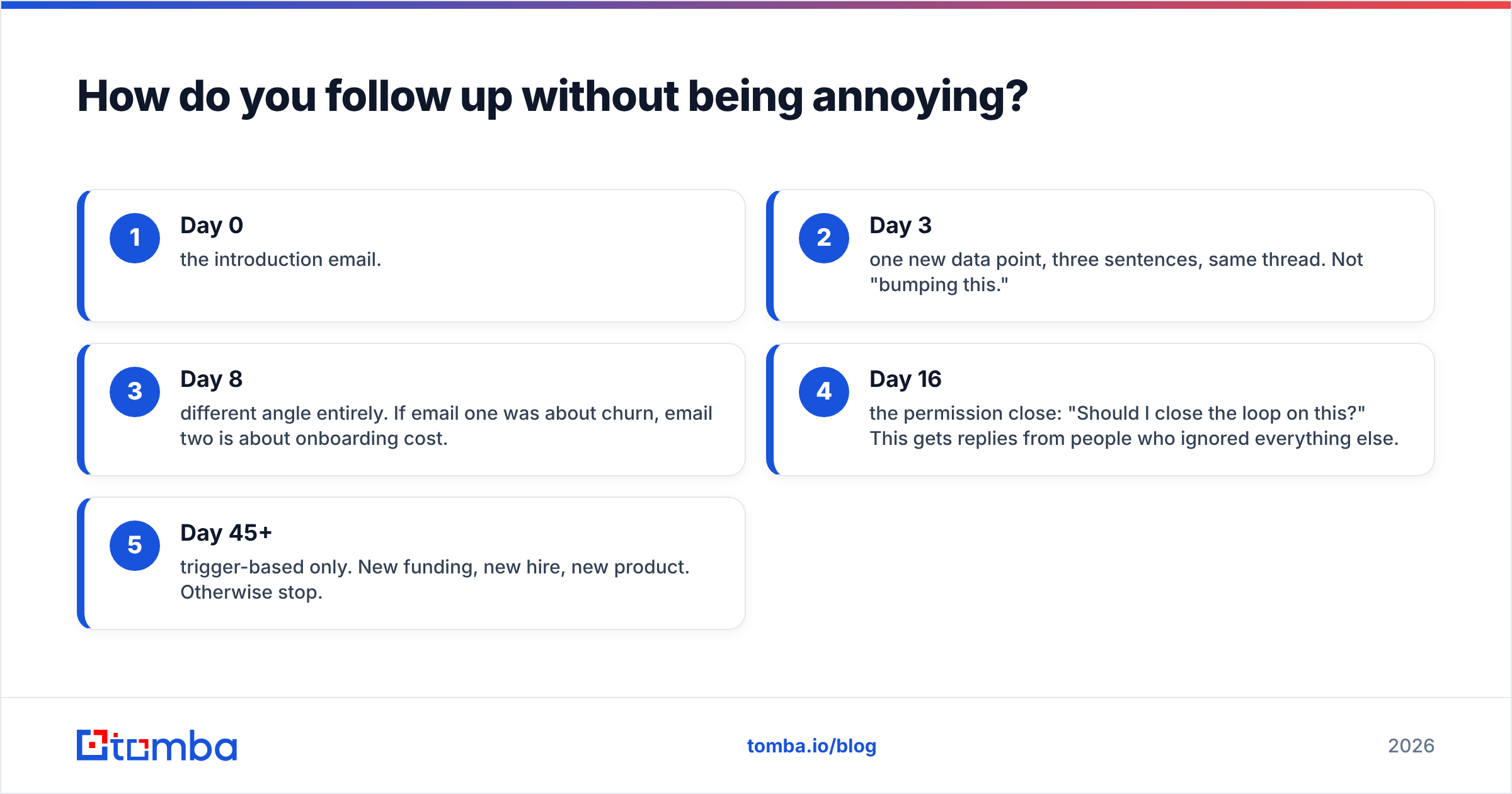
A sane cadence for an introduction:
- Day 0 — the introduction email.
- Day 3 — one new data point, three sentences, same thread. Not "bumping this."
- Day 8 — different angle entirely. If email one was about churn, email two is about onboarding cost.
- Day 16 — the permission close: "Should I close the loop on this?" This gets replies from people who ignored everything else.
- Day 45+ — trigger-based only. New funding, new hire, new product. Otherwise stop.
Four to five touches, then out. Sending eleven follow-ups doesn't increase your reply rate; it increases your spam-complaint rate, and complaints are weighted far more heavily than bounces by Gmail and Outlook. Google's Postmaster Tools will show you the complaint rate on your domain — check it monthly if you're sending cold volume.
One more habit worth building: match the medium to the signal. If someone opens four times and never replies, email isn't the blocker — attention is. That's the moment to switch channels, whether that's LinkedIn outreach or a call to a verified number from a phone finder.
What does a complete introduction email look like end to end?#
Putting the six parts together, under 110 words:
Subject: your DACH launch + support routing
Hi Priya — saw the Berlin office announcement last week. Teams expanding into DACH usually hit a support-routing wall around month three, well before the hiring plan catches up.
We ran that migration with Northbeam and cut first-response time from 9 hours to 90 minutes without adding headcount.
Worth 12 minutes to compare notes? If not, I'll send the one-page teardown and leave you alone.
Sarah Chen
VP Partnerships, Acme Analytics
acme.com | +1 555 0134
Read it against the table in section two. Subject names the reason. Opening line is about Priya. Credibility is a number, not a title. Relevance is specific to a DACH launch. One ask, sized small, with a graceful exit. Signature answers who's writing.
That's the whole method. The copy is the easy half.
Where should you start?#
Write the relevance sentence first. If it's true for anyone on your list, delete it and research harder. Then build the other five parts around it, cap the whole thing at 125 words, and verify the address before sending.
For the last step — the one most senders skip until a bounce rate teaches them — start with the Tomba Email Finder. Enter a name and a company domain, get a verified professional address with a confidence score and the sources it was found in. The free tier covers 25 searches a month, which is enough to test the workflow on a real prospect list; paid plans start at $49/mo on Starter and scale to $99/mo on Growth if you're running volume. Full Tomba pricing is public, and the Tomba API covers it if you'd rather wire finding and verification directly into your sequencing tool.
Good introductions get replies. Verified ones get delivered first.
Related guides#
// get started
Find, verify and enrich your first contacts today
Start on the free plan with 25 searches a month, then scale when your team is ready.
Free plan · No credit card required · GDPR & CCPA
// about the author