How to Know Who Visited My Website: 5 Methods That Work
Google Analytics shows you sessions, not people. Here are five practical ways to identify the companies and buyers browsing your site, what each method can legally reveal, and what it costs.

TL;DR
- Google Analytics will never tell you who visited. It was built to count sessions, not name people, and it strips the identifiers you would need.
- The realistic ceiling for anonymous traffic is company-level identification (reverse IP plus a firmographic database), not person-level. Anyone promising named individuals from cold traffic is either using first-party data you already collected or selling you something legally risky.
- The five workable methods are: reverse-IP/company reveal, form and gated-content capture, email-link parameter matching, CRM de-anonymization, and manual server-log analysis.
- Identification is only half the job. A company name is not a lead until you attach a decision-maker and a verified email address.
- Budget reality: usable company-level reveal starts around $50–$100/month for low traffic and climbs fast with pageview volume.
What Does "Knowing Who Visited My Website" Actually Mean?#
Start by separating two very different questions, because vendors deliberately blur them.
Question one: which companies are browsing? Perfectly answerable. When someone loads your site from a corporate network or a recognizable business ISP, their IP address can often be mapped back to an organization. Match that organization against a firmographic database and you get a name, industry, headcount, and domain. This is the product almost every "website visitor identification" tool actually sells.
Question two: which named human is browsing? Mostly not answerable for cold traffic, and where it is, it usually depends on data the visitor handed over somewhere else. If a tool claims to give you first name, last name, and personal email for anonymous visitors, ask exactly which consent chain produced that record. In the EU and UK, an IP address is personal data under GDPR, and person-level de-anonymization without a lawful basis is the fastest way to turn a marketing experiment into a legal one.
So the honest framing of "how to know who visited my website" is: identify the account, then find the person yourself through legitimate B2B contact discovery. That two-step is the whole playbook, and everything below serves it.

Why Can't Google Analytics Tell You Who Visited?#
Because it was never designed to, and three separate layers of the modern web actively prevent it.
- GA4 discards the IP address. Google Analytics 4 collects the IP for geolocation, then drops it before storage. There is no report, no export, no BigQuery field that hands it back. The official Analytics documentation is explicit that IP addresses are not logged. Whatever "company" dimension you think you remember from Universal Analytics died with it.
- Consent banners gate the tag. In consent-mode setups, a large share of European sessions fire no analytics tag at all, or only a cookieless ping. You cannot identify a visitor your script never observed.
- Residential and mobile traffic is anonymous by design. A prospect reading your pricing page from a phone on a carrier network resolves to the carrier, not their employer. Depending on your audience, that can be 40–70% of sessions that are structurally un-identifiable.
GA4 is still the right tool for the job it does: telling you which pages drive intent, so you know which identified accounts matter. It just cannot put a name on the door. If you want a broader primer on what these systems measure, web analytics covers the underlying model.
How Does Website Visitor Identification Actually Work?#
Five mechanisms, in descending order of how much of your traffic each one can cover.
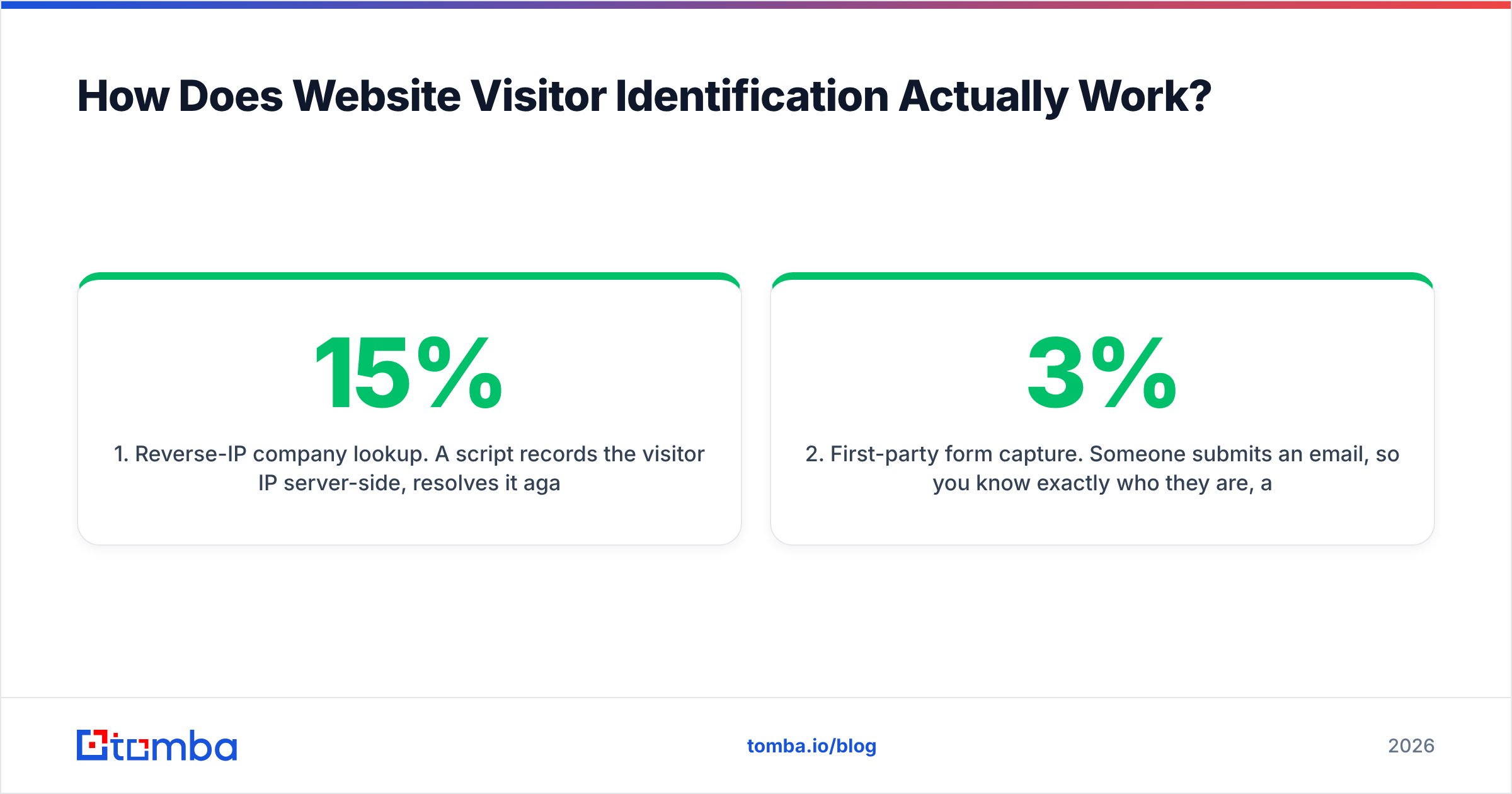
- Reverse-IP company lookup. A script records the visitor IP server-side, resolves it against an IP-to-company graph, and returns the organization. Coverage on B2B traffic typically lands between 15% and 40% of sessions. Accuracy is highest for mid-market and enterprise visitors with owned IP ranges, weakest for remote workers and SMBs on consumer broadband.
- First-party form capture. Someone submits an email, so you know exactly who they are, and every subsequent session from that browser can be tied back to them via a first-party cookie. Coverage is small (1–3% of traffic) but accuracy is effectively 100%. This is the only person-level method that is unambiguously clean.
- Email-parameter matching. You append a unique identifier to links in your newsletter or outbound sequences. When that link is clicked, you match the parameter to the recipient record. Covers only traffic you sent yourself, but it turns every campaign click into a named, page-level intent signal.
- CRM and MAP de-anonymization. HubSpot, Salesforce Pardot, and similar platforms tie known contacts to sessions using their own tracking cookie. Same principle as method two, applied across an existing database. Powerful if your CRM is large and your cookie lifetime survives browser restrictions.
- Raw server-log analysis. Your web server already writes every IP to an access log. Parse it, resolve the IPs yourself, and you have a rough visitor-identification system for the cost of a cron job. Crude, no page-level session stitching out of the box, but free and fully under your control.
Most teams end up running one, two, and three together. That combination gives you named contacts where they exist and account-level signal everywhere else.
Which Method Should You Choose for Your Site?#
Pick based on traffic volume and what you plan to do with the output. Identifying 800 companies a month is worthless if nobody works the list.
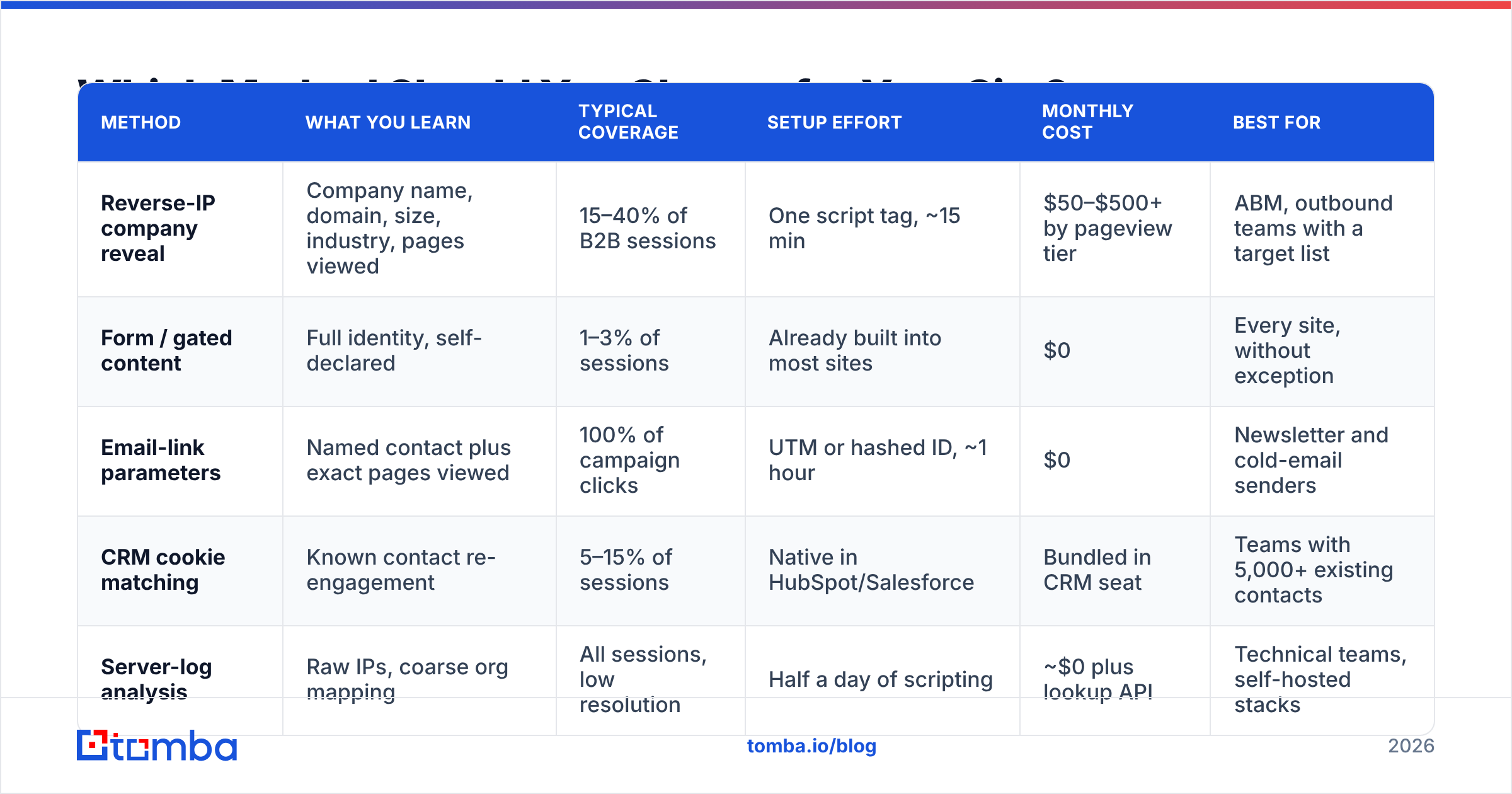
| Method | What you learn | Typical coverage | Setup effort | Monthly cost | Best for |
|---|---|---|---|---|---|
| Reverse-IP company reveal | Company name, domain, size, industry, pages viewed | 15–40% of B2B sessions | One script tag, ~15 min | $50–$500+ by pageview tier | ABM, outbound teams with a target list |
| Form / gated content | Full identity, self-declared | 1–3% of sessions | Already built into most sites | $0 | Every site, without exception |
| Email-link parameters | Named contact plus exact pages viewed | 100% of campaign clicks | UTM or hashed ID, ~1 hour | $0 | Newsletter and cold-email senders |
| CRM cookie matching | Known contact re-engagement | 5–15% of sessions | Native in HubSpot/Salesforce | Bundled in CRM seat | Teams with 5,000+ existing contacts |
| Server-log analysis | Raw IPs, coarse org mapping | All sessions, low resolution | Half a day of scripting | ~$0 plus lookup API | Technical teams, self-hosted stacks |
The pattern that shows up over and over: reverse-IP produces the volume, first-party capture produces the quality, and the gap between them is where your sales team actually earns its money.
How Do You Set This Up in Under an Hour?#
A concrete sequence you can run today.
Step 1: Install a company-reveal script. Whatever vendor you choose, this is a single snippet in your <head> or a server-side tag. Tomba's website visitor reveal works this way, as do the alternatives. Give it 48 hours before judging coverage; the first day always looks thin while the IP cache warms.
Step 2: Define your intent pages. Not every visit deserves a follow-up. Tag pricing, integrations, comparison pages, and any doc that only a buyer would open. A company that reads three blog posts is browsing. A company that opens your pricing page twice in four days is evaluating.
Step 3: Add link identifiers to every email you send. Append a stable, hashed recipient ID to outbound links. When ?rid=8f2c... shows up on your pricing page, you know precisely which prospect is warming up. This costs nothing and is the highest-signal data in the entire stack.
Step 4: Route alerts where reps already live. A weekly CSV export gets ignored. A Slack message that fires when a target account hits pricing gets acted on within the hour. Wire it through your existing integrations rather than building a new dashboard nobody opens.
Step 5: Close the loop with contact discovery. This is the step teams skip, and it is the reason most visitor-ID tools get cancelled at renewal. Covered below.
What Do You Do With a Company Name?#
You turn it into a person, or you wasted the money.
Say your reveal tool reports that Northwind Logistics opened your pricing page four times this week. You now know the account is in-market. You still have no idea who to email, and "info@northwind.com" is a black hole.
The bridge is contact discovery on the identified domain:
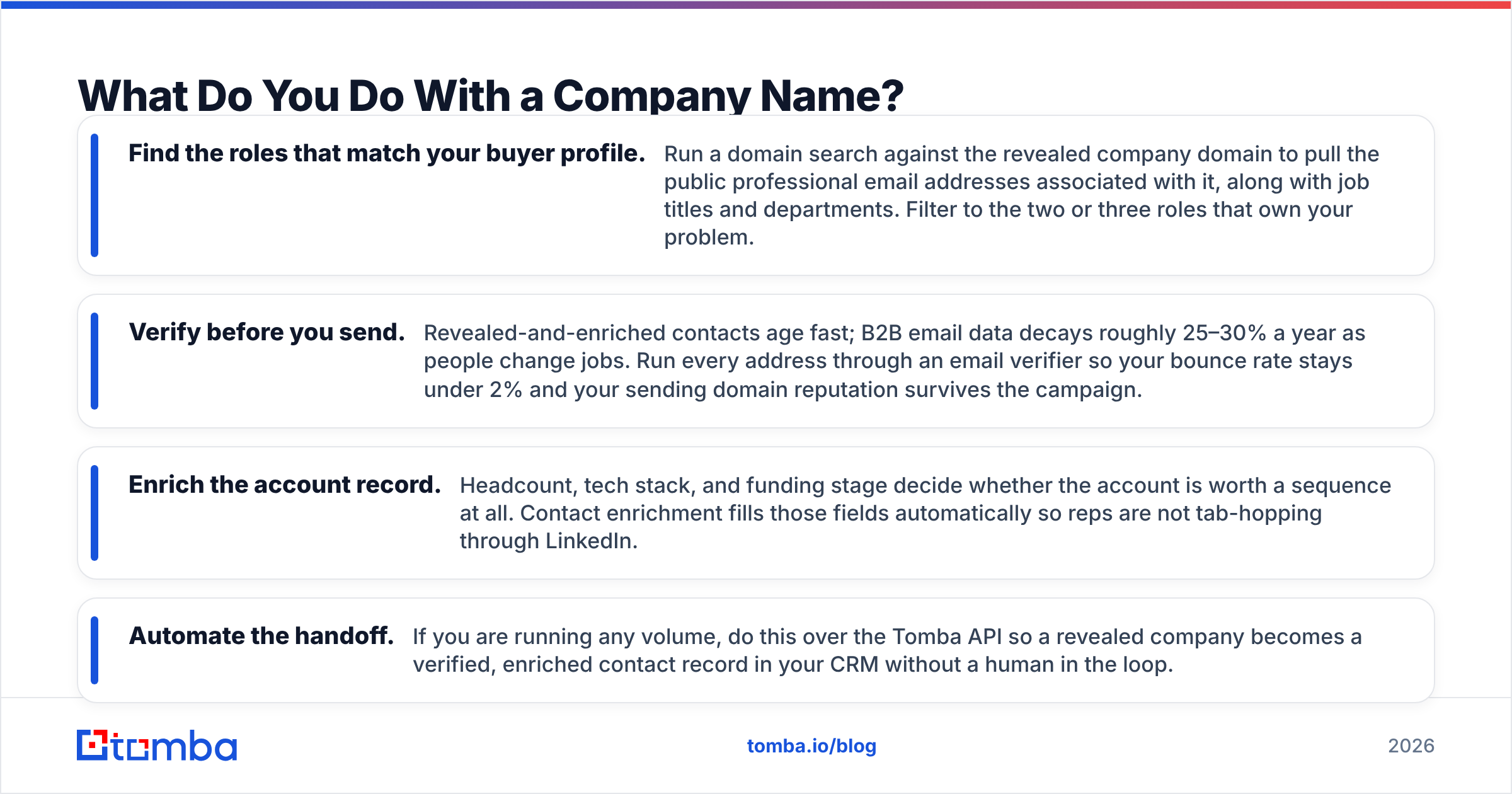
- Find the roles that match your buyer profile. Run a domain search against the revealed company domain to pull the public professional email addresses associated with it, along with job titles and departments. Filter to the two or three roles that own your problem.
- Verify before you send. Revealed-and-enriched contacts age fast; B2B email data decays roughly 25–30% a year as people change jobs. Run every address through an email verifier so your bounce rate stays under 2% and your sending domain reputation survives the campaign.
- Enrich the account record. Headcount, tech stack, and funding stage decide whether the account is worth a sequence at all. Contact enrichment fills those fields automatically so reps are not tab-hopping through LinkedIn.
- Automate the handoff. If you are running any volume, do this over the Tomba API so a revealed company becomes a verified, enriched contact record in your CRM without a human in the loop.
Done properly, the sequence is: anonymous session → identified company → matched decision-maker → verified email → sequence. Break any link and the chain produces nothing.
What Are the Legal Limits on Identifying Visitors?#
Short version: company-level identification is broadly defensible in B2B. Person-level identification of anonymous visitors is not, unless you have consent or another lawful basis.
Practical guardrails:
- Disclose it in your privacy policy. State plainly that you use IP-based analytics to identify visiting organizations, name the processor, and explain the purpose. This takes one paragraph and removes most of the risk.
- Honor consent signals. If a visitor rejects tracking, do not fire the reveal script. Server-side implementations make this easy to get wrong; check that your consent platform actually gates the server call, not just the client tag.
- Keep retention short. There is no business reason to hold raw IP logs for a year. Thirty to ninety days covers any realistic sales cycle.
- Do not buy "person-level" reveal for cold traffic. Vendors offering named individuals with home addresses for anonymous US visitors are operating in a grey zone that is narrowing every legislative session. The reputational downside outstrips the pipeline upside.
- Be careful with sensitive verticals. Health, finance, and legal traffic carries extra obligations in most jurisdictions. When in doubt, restrict identification to non-sensitive page paths.
None of this requires a lawyer on retainer. It requires a privacy policy paragraph and a consent check that actually works.
What Does Visitor Identification Cost in 2026?#
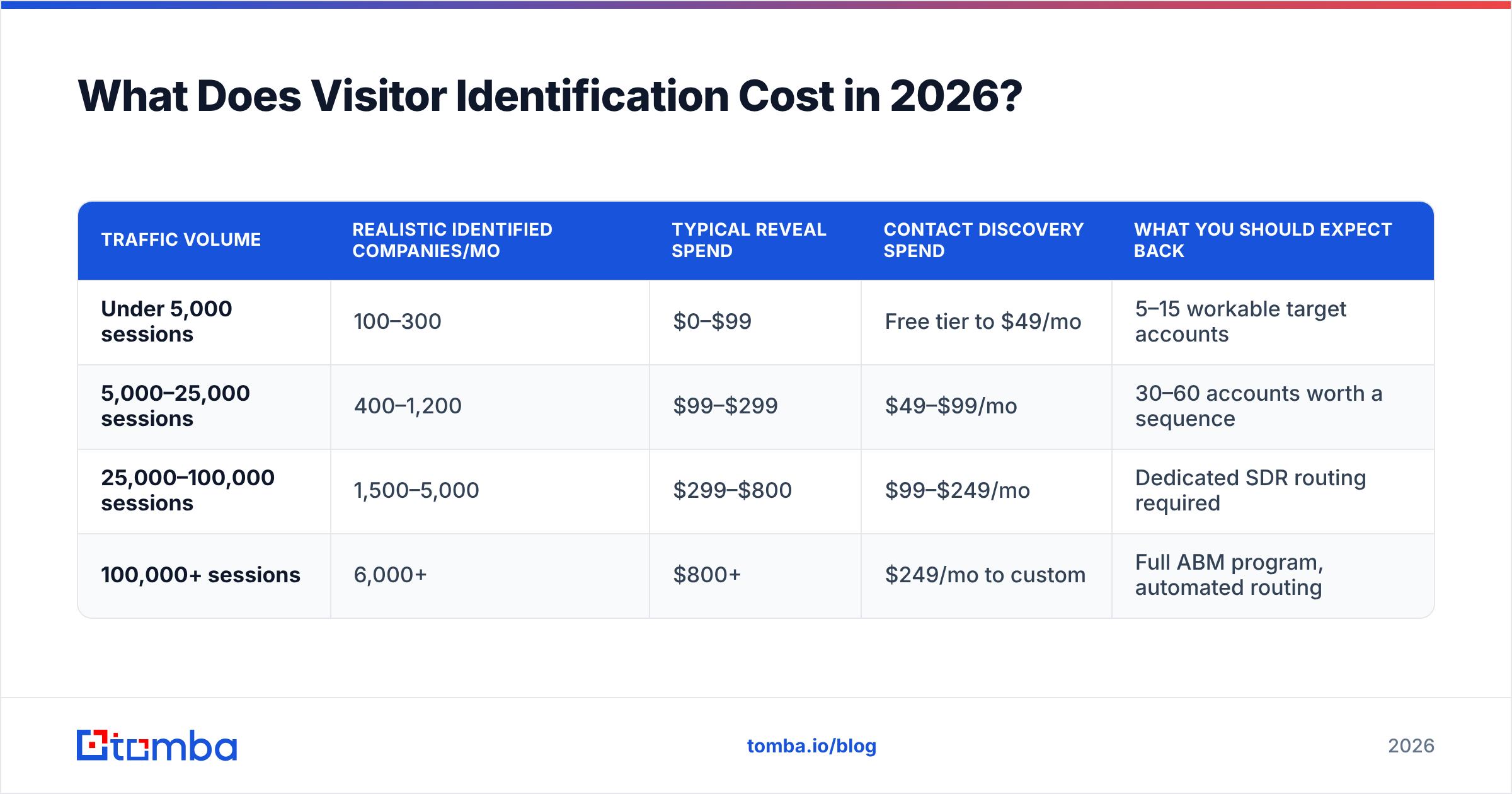
Pricing in this category is almost always metered on monthly pageviews or identified companies, which means your bill scales with marketing success. Budget for that.
| Traffic volume | Realistic identified companies/mo | Typical reveal spend | Contact discovery spend | What you should expect back |
|---|---|---|---|---|
| Under 5,000 sessions | 100–300 | $0–$99 | Free tier to $49/mo | 5–15 workable target accounts |
| 5,000–25,000 sessions | 400–1,200 | $99–$299 | $49–$99/mo | 30–60 accounts worth a sequence |
| 25,000–100,000 sessions | 1,500–5,000 | $299–$800 | $99–$249/mo | Dedicated SDR routing required |
| 100,000+ sessions | 6,000+ | $800+ | $249/mo to custom | Full ABM program, automated routing |
On the contact-discovery side of that table, Tomba's pricing runs a free tier at 25 searches per month, Starter at $49/mo, Growth at $99/mo, and Pro at $249/mo, with Enterprise custom. The useful framing: reveal tools tell you where to spend attention, and discovery tools convert that attention into contactable people. Paying for the first without the second is the most common way this budget gets wasted.
One more cost nobody quotes: rep time. A list of 1,200 identified companies with no prioritization is a burden, not an asset. Filter hard on ICP fit and intent-page depth before anything reaches a human.
What Usually Goes Wrong?#
- Treating every identified company as a lead. Your own team, your agency, competitors doing research, and bots make up a meaningful share of reveals. Exclude your internal IP ranges on day one.
- Chasing ISP noise. "Comcast Business" is not an account. Suppress consumer and carrier ASNs or your list fills with garbage.
- Waiting for perfect coverage. Nobody hits 100%. If you identify a third of B2B sessions and act on the best 10% of those, you are ahead of almost everyone.
- Skipping verification. Sending unverified addresses to a freshly warmed domain is how a promising channel dies in week two.
- Never closing the loop. If no rep ever sends an email off the back of a reveal alert, cancel the tool. Seriously. The signal only has value when someone acts on it.
Where Should You Start?#
If you have never done this: install a reveal script, exclude your own IPs, tag your three highest-intent pages, and give it two weeks. If fewer than 50 identifiable target-fit companies show up, your traffic problem outranks your identification problem, and no tool will fix that.
If you already have reveal running and it feels useless, the missing piece is almost certainly step five. Company names do not reply to emails. People do.
That is where Tomba Email Finder fits: feed it the domains your reveal tool surfaces, get back the professional email addresses of the people who actually own the buying decision, verified before you send. Start on the free tier at 25 searches a month to test the workflow on your top accounts, then scale to Starter at $49/mo once your reps are working the list daily. Identification tells you who knocked. Finding the right contact is how you answer.
Related guides#
// get started
Find, verify and enrich your first contacts today
Start on the free plan with 25 searches a month, then scale when your team is ready.
Free plan · No credit card required · GDPR & CCPA
// about the author