How To Make An Email List That Actually Converts in 2026
Building an email list is not about buying 50,000 contacts. Here is the seven-step process for making a clean, permission-based B2B email list that gets replies instead of spam complaints.
TL;DR
An email list is only worth what its bounce rate allows. A 5,000-contact verified list outperforms a 50,000-contact scraped one every single time.
There are two distinct builds: an opt-in list (newsletter, lead magnet, product signups) and an outbound prospect list (targeted B2B contacts you source yourself). They need different tools and different legal footing.
The seven-step process: define the ICP, pick your sourcing method, capture or find the addresses, verify every one, segment, warm the sending domain, then maintain on a schedule.
Never buy a list. Sourcing addresses one company at a time through a domain search or email finder is legal, accurate, and roughly the same cost per usable contact.
Budget 15-30% of your list for decay each year. Lists are not assets you build once; they are gardens you weed quarterly.
What is an email list, and why do most of them fail?#
An email list is a structured set of contact records — address, name, company, role, and a source note explaining how you got it. That last field is the one everybody skips and the one that decides whether your list is an asset or a liability.
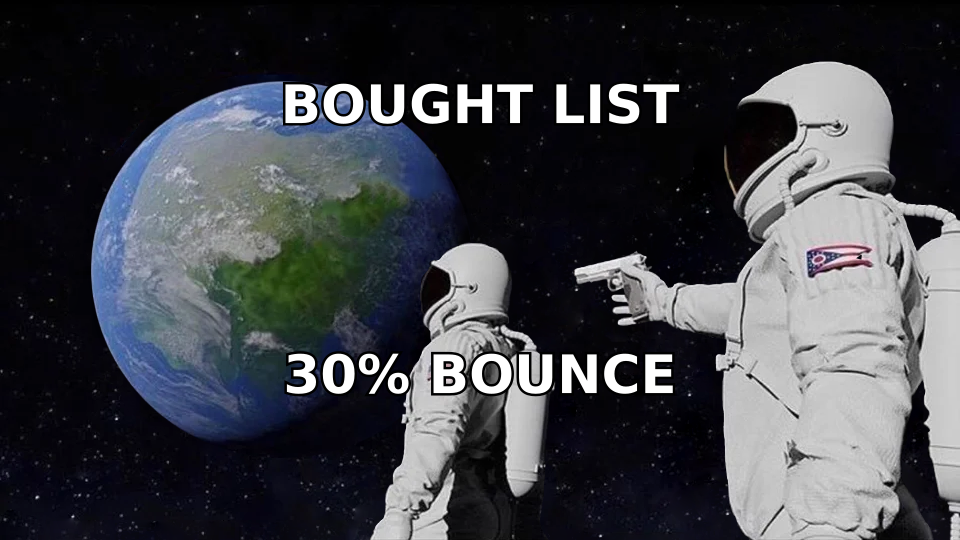
Most lists fail for a boring reason: they were assembled for volume. Someone exported 40,000 rows from a data vendor, dumped them into a sending tool, and hit send. Mailbox providers noticed a cold domain suddenly blasting a list with a 22% bounce rate, and the domain's sender reputation never recovered.
Think of it like a restaurant's reservation book. A book with 500 names and 200 no-shows is worse than a book with 80 names who all arrive. Gmail and Outlook grade you on the same logic — engagement per send, not sends.
Two builds, two rulebooks:
Opt-in list — people gave you their address through a form, a lead magnet, a webinar, or a product signup. You own the consent trail. This list can receive marketing broadcasts.
Outbound prospect list — business contacts you researched and sourced yourself, targeted to a specific role at a specific company. This list can receive one-to-one relevant business email under most jurisdictions, but not newsletter blasts.
Mixing them is the single most common mistake. A prospect who never asked for your weekly roundup will mark it as spam, and that complaint costs you far more than the one contact.
How do you make an email list step by step?#
Seven steps, in order. Skipping any one of them shows up in your bounce rate within a week.
Define the ICP before you collect anything. Write down the job titles, company size band, industry, and geography. "Heads of RevOps at 50-500 person B2B SaaS in North America" is a list you can build. "Decision makers in tech" is not — it produces noise you will pay to verify and then delete.
Choose the sourcing method that matches the build. Opt-in lists come from forms and lead magnets. Outbound lists come from targeted discovery — company lists, LinkedIn searches, conference attendee pages, review-site categories, then an address lookup per contact.
Capture or find the addresses. For opt-in, this means a form with two fields max. For outbound, a domain search returns every public address pattern at a company, which is far faster than guessing formats one name at a time.
Verify every address before it enters the list. Non-negotiable. Verification is an SMTP-level check that the mailbox actually accepts mail. Run the whole list through an email verifier and delete anything not marked deliverable.
Segment at import, not later. Tag by source, role, industry, and entry date. Retrofitting segments onto 20,000 untagged rows is a weekend you will not get back.
Warm the sending domain and mailbox. A brand-new domain sending 500 emails on day one goes straight to spam. Ramp from 20/day over four to six weeks.
Maintain on a calendar. Quarterly re-verification, suppression of non-openers after 90 days, and removal of anyone who has not engaged in six months.
Where should you actually get the email addresses?#
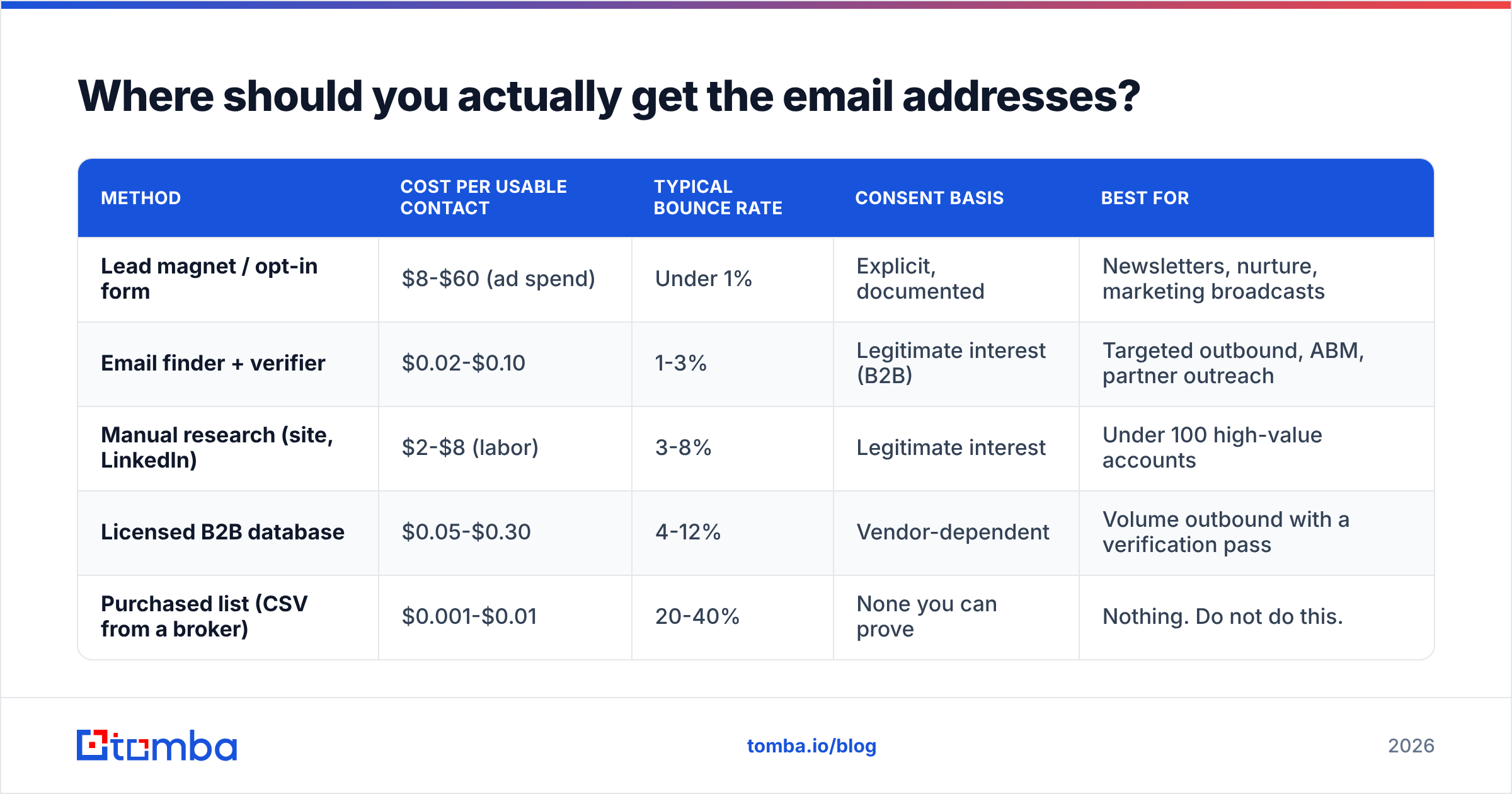
Sourcing method is where cost, legality, and accuracy all collide. Here is the honest comparison of the five routes people take.
Method
Cost per usable contact
Typical bounce rate
Consent basis
Best for
Lead magnet / opt-in form
$8-$60 (ad spend)
Under 1%
Explicit, documented
Newsletters, nurture, marketing broadcasts
Email finder + verifier
$0.02-$0.10
1-3%
Legitimate interest (B2B)
Targeted outbound, ABM, partner outreach
Manual research (site, LinkedIn)
$2-$8 (labor)
3-8%
Legitimate interest
Under 100 high-value accounts
Licensed B2B database
$0.05-$0.30
4-12%
Vendor-dependent
Volume outbound with a verification pass
Purchased list (CSV from a broker)
$0.001-$0.01
20-40%
None you can prove
Nothing. Do not do this.
The gap between an email finder and a purchased list is not the price — it is that one returns a source URL for each address and the other returns a row you cannot defend. When a recipient asks where you got their address, "we sourced it from your company's published team page" is an answer. "We bought it" is a GDPR problem.
For opt-in lists, the honest math is that a well-targeted lead magnet costs $8-$60 per subscriber once you count ad spend and design time. That is expensive per row and worth it, because those people asked to hear from you and will open at 30-45%.
For outbound, the workflow that actually scales looks like this: build a target account list, pull the decision-maker names from LinkedIn or the company site, then resolve addresses in bulk. A bulk email finder run against 500 name-plus-domain pairs takes minutes and returns confidence scores per result, which lets you drop anything under a threshold before it costs you a bounce.
Is buying an email list ever worth it?#
No, and the reasoning is arithmetic rather than moral.
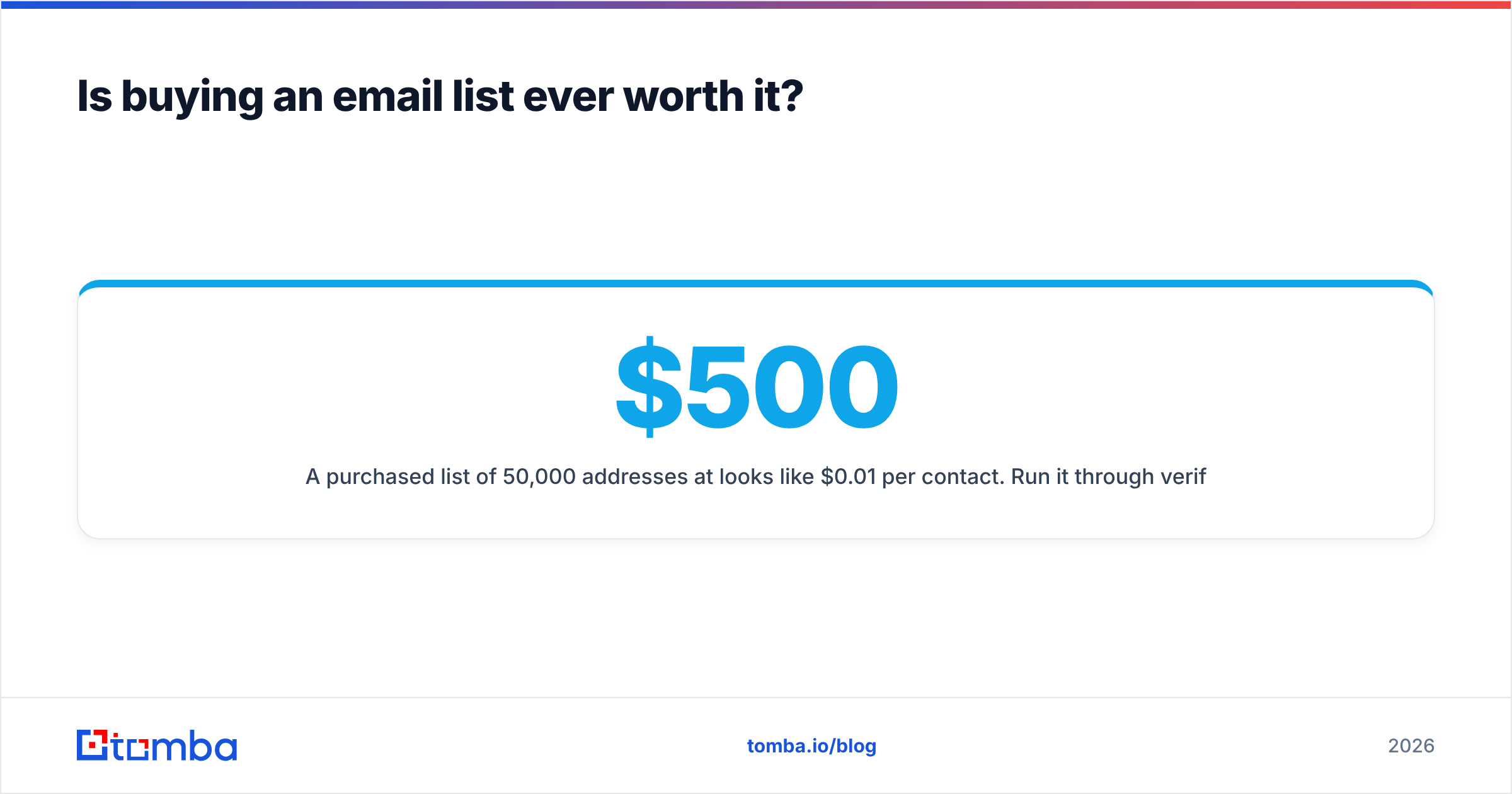
A purchased list of 50,000 addresses at $500 looks like $0.01 per contact. Run it through verification and 20-40% fail outright. Another chunk are role addresses (info@, sales@, support@) that never reach a human. Another chunk are spam traps — recycled addresses mailbox providers use specifically to catch people who bought lists. Hitting two or three traps can get your domain blacklisted for months.
What you actually bought: maybe 15,000 valid addresses, of which perhaps 6,000 match your ICP, of which zero know who you are, sent from a domain that is now flagged. The real cost per usable contact is higher than sourcing them yourself, and you carry a compliance liability on top.
The legal side matters too. GDPR requires a lawful basis for processing personal data, and "a broker sold it to us" is not one. CAN-SPAM in the US is more permissive about cold B2B mail, but it still requires accurate headers, a physical address, and a working unsubscribe. Neither framework is satisfied by a CSV of unknown provenance.
The defensible alternative is targeted, documented sourcing. Tools like Tomba, Hunter, Apollo, and BookYourData all approach this differently — Tomba and Hunter lean on public-web sourcing with per-result source citations, Apollo bundles a contact database with a sequencer, and BookYourData sells verified, pay-as-you-go B2B records with a bounce guarantee, which suits teams who want a finished list rather than a research workflow. All four are defensible in a way a broker CSV is not.

How do you verify an email list before sending?#
Verification runs in layers, and each one catches something the previous layer missed.
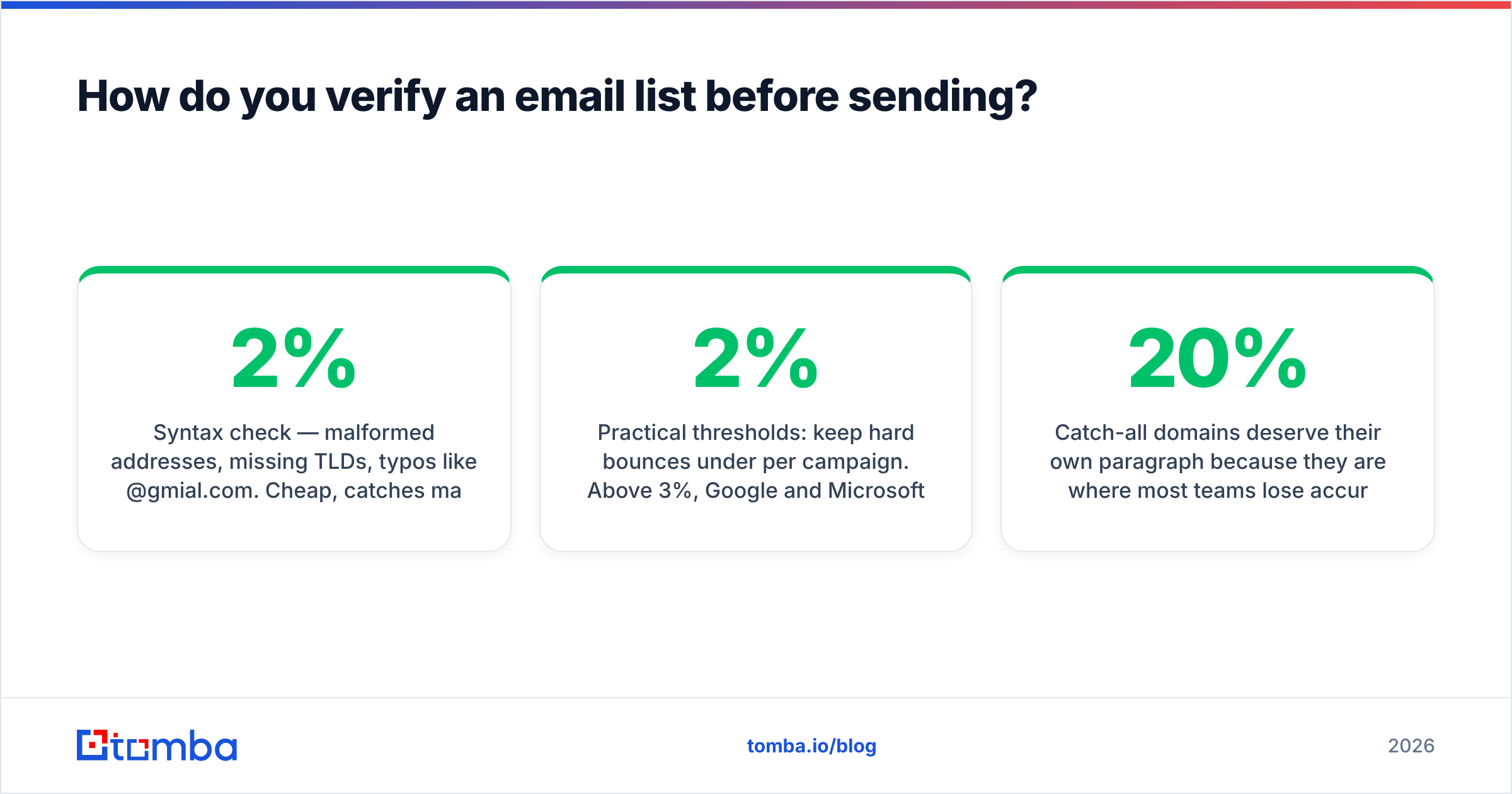
Syntax check — malformed addresses, missing TLDs, typos like
@gmial.com. Cheap, catches maybe 2%.Domain and MX check — does the domain exist and does it have mail servers? Catches dead companies and typo-domains.
SMTP handshake — the mail server is asked whether the mailbox exists, without sending anything. This is the layer that matters.
Catch-all detection — some domains accept mail to any address, so the SMTP check always returns "valid." These need separate handling with a catch-all verifier rather than being trusted blindly.
Risk flags — disposable domains, known spam traps, role-based addresses. Suppress these regardless of validity.
Practical thresholds: keep hard bounces under 2% per campaign. Above 3%, Google and Microsoft start throttling. Above 5%, expect your sending tool to pause the campaign for you.
Catch-all domains deserve their own paragraph because they are where most teams lose accuracy. Roughly 15-20% of business domains are catch-all. You cannot SMTP-verify them, so you have three options: exclude them entirely (safest, costs you real contacts), send to them in a separate low-volume segment to protect your main reputation (best balance), or use a pattern-confidence signal from your finder to decide case by case.

What does an email list cost to build and maintain?#
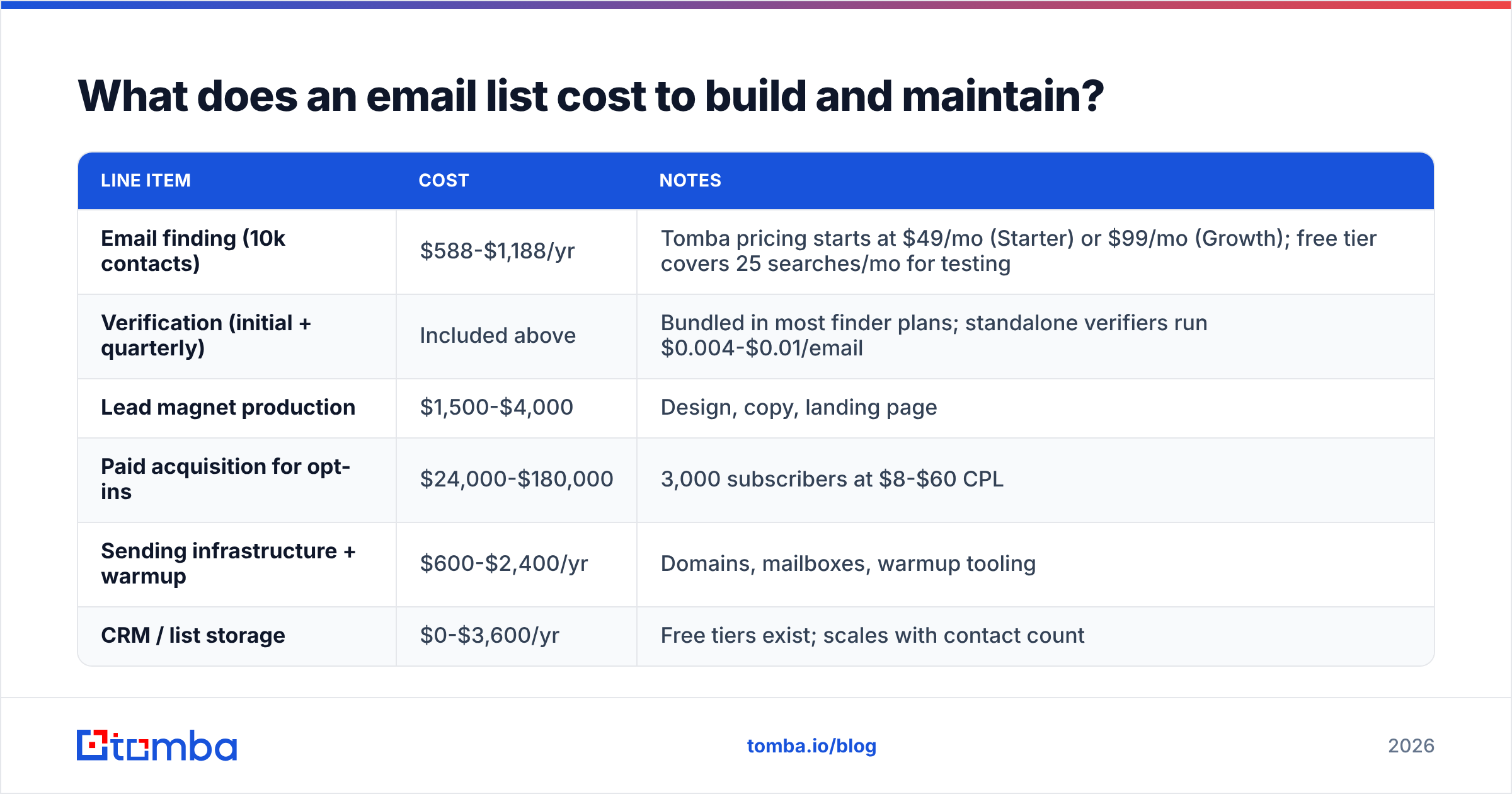
Here is a realistic 12-month budget for a team building a 10,000-contact outbound list plus a 3,000-subscriber opt-in list.
Line item
Cost
Notes
Email finding (10k contacts)
$588-$1,188/yr
Tomba pricing starts at $49/mo (Starter) or $99/mo (Growth); free tier covers 25 searches/mo for testing
Verification (initial + quarterly)
Included above
Bundled in most finder plans; standalone verifiers run $0.004-$0.01/email
Lead magnet production
$1,500-$4,000
Design, copy, landing page
Paid acquisition for opt-ins
$24,000-$180,000
3,000 subscribers at $8-$60 CPL
Sending infrastructure + warmup
$600-$2,400/yr
Domains, mailboxes, warmup tooling
CRM / list storage
$0-$3,600/yr
Free tiers exist; scales with contact count
The line that surprises people is the acquisition cost for opt-ins versus the near-zero cost of sourcing outbound contacts. That asymmetry is exactly why both lists exist: the opt-in list is expensive and high-intent, the outbound list is cheap and requires the relevance to come from your targeting instead of their consent.
Decay is the hidden recurring cost. HubSpot's research has long pegged B2B list decay at roughly 22% per year — people change jobs, companies fold, addresses get retired. On a 10,000-row list that is 2,200 dead contacts annually. Quarterly re-verification and enrichment keeps that from compounding. Running your existing rows through data enrichment also recovers contacts who moved companies rather than just deleting them.
How do you grow an opt-in list without paying for every subscriber?#
Paid acquisition works but it is not the only lever. The cheapest subscribers come from surfaces you already own.
Content upgrades over generic lead magnets. A checklist specific to the post someone is reading converts at 3-8x a sitewide ebook offer. Ten post-specific upgrades beat one big whitepaper.
Exit-intent on high-traffic pages only. Blanket popups annoy everyone and depress the pages that were already converting. Restrict to your top 10 traffic pages.
Product-led capture. If you have a free tool, the signup is the list build. Free calculators, checkers, and generators pull qualified subscribers at near-zero marginal cost.
Partner swaps and co-marketing. A joint webinar with an adjacent (non-competing) vendor splits the acquisition cost and doubles reach.
Community and social CTAs. LinkedIn posts that end with a specific, useful offer convert better than a link in bio. Track them with a unique UTM so you know what is actually working.
Offline-to-list. Conference badge scans, workshop signups, and podcast mentions all convert, though they need explicit confirmation before you add them to a marketing send.
Whatever the source, use double opt-in for marketing lists. It costs you 20-30% of raw signups and buys you a list that opens. A confirmed subscriber is worth roughly three unconfirmed ones on every metric that matters.
How do you keep an email list healthy over time?#
Maintenance is a calendar, not a project. Put these on repeat:
Monthly — remove hard bounces immediately (most sending tools do this automatically; verify yours does). Review complaint rate; anything over 0.1% needs investigation this month, not next quarter.
Quarterly — re-verify the full list. Suppress contacts with zero opens in 90 days into a re-engagement segment rather than deleting them outright. Check your SPF record, DKIM, and DMARC alignment, since providers tightened enforcement significantly in 2024 and have kept tightening.
Twice yearly — enrich stale rows. Job changes are your biggest source of decay and also your biggest opportunity, because a champion who moved to a new company is a warm lead at a new account.
Annually — run a full sunset. Anyone with no engagement in 12 months goes to a final re-engagement sequence, then off the list. Keeping them inflates your list size and deflates every metric providers actually grade.
One number to watch above all others: engagement rate per send, segmented by list source. If your opt-in segment opens at 38% and your outbound segment opens at 9%, that is normal and fine. If a specific acquisition source opens at 3%, that source is poisoning your domain and should be cut regardless of how many rows it contributed.
Start with clean data, not more data#
The teams with the best email results are almost never the teams with the biggest lists. They are the ones who defined a narrow ICP, sourced addresses they can trace, verified before sending, and maintained on a schedule most people find boring.
If you are building the outbound half of that system, start with the sourcing layer. The Tomba Email Finder resolves professional addresses by name and domain, returns a confidence score and source citation for every result, and runs verification in the same call — so contacts arrive already checked instead of needing a second pass. The free tier gives you 25 searches a month to test the accuracy on your own target accounts before you commit to a plan, and Starter is $49/mo when you are ready to scale the list build.
Build it clean the first time. Cleaning it later costs more than building it right.
Related guides#
// get started
Find, verify and enrich your first contacts today
Start on the free plan with 25 searches a month, then scale when your team is ready.
Free plan · No credit card required · GDPR & CCPA
// about the author