How To Make Sure An Email Address Is Valid in 2026
Syntax checks catch typos. They do not catch a mailbox that was deleted last quarter. Here are the five layers that actually prove an email address is valid before you press send.
Knowing how to make sure an email address is valid takes five checks, not one. Syntax alone proves almost nothing. Here is what each layer catches, what it misses, and what it costs.
TL;DR
- A valid-looking email address and a deliverable email address are two different things. Syntax checks (
name@domain.com) prove almost nothing about whether mail will land. - Real validation is five layers: syntax → domain/MX → mailbox (SMTP) → risk classification (role, disposable, spam trap) → catch-all handling.
- Free single-address checkers are fine for one-off verification. Anything over ~50 addresses needs a bulk API. Manual SMTP probing from your own IP damages your sender reputation.
- Catch-all domains are the hard case. Roughly 15-20% of B2B domains accept every address at the SMTP layer, so a "valid" verdict there is a guess unless the tool uses pattern and source evidence.
- Verify at capture time and again 24-48 hours before a send. B2B email data decays about 2-3% per month as people change jobs.
What does "valid email address" actually mean?#
Three separate questions hide behind that one word. Mixing them up is why people still get 8% bounce rates after they "verify" a list.
- Is it syntactically valid? Does it conform to the RFC 5322 grammar — a local part, an
@, a domain with a valid TLD?j.smith@acme.compasses.j.smith@@acmedoes not. - Is it routable? Does the domain exist in DNS and publish MX records that point at a mail server willing to accept mail?
- Is it deliverable? Does that specific mailbox exist right now, is it accepting mail, and will it land in an inbox rather than a spam folder or a trap?
Only the third one matters commercially. A syntactically perfect address at a dead domain is worthless. So how to make sure an email address is valid, in practice, means answering question 3 with evidence. Most free "email validators" on page one of Google answer question 1. Then they quietly imply they answered question 3.
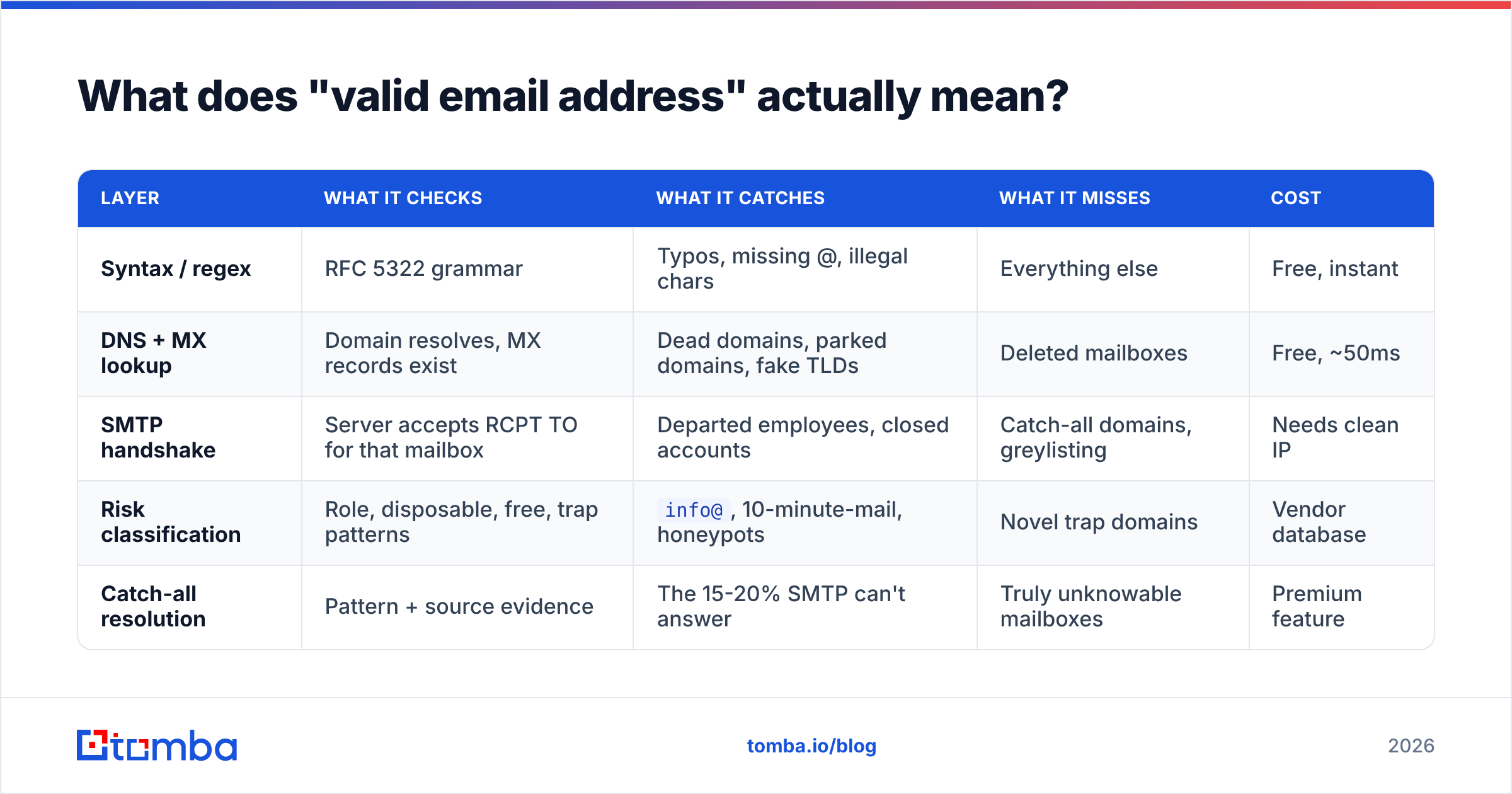
Here is the practical distinction, laid out by layer:
| Layer | What it checks | What it catches | What it misses | Cost |
|---|---|---|---|---|
| Syntax / regex | RFC 5322 grammar | Typos, missing @, illegal chars | Everything else | Free, instant |
| DNS + MX lookup | Domain resolves, MX records exist | Dead domains, parked domains, fake TLDs | Deleted mailboxes | Free, ~50ms |
| SMTP handshake | Server accepts RCPT TO for that mailbox | Departed employees, closed accounts | Catch-all domains, greylisting | Needs clean IP |
| Risk classification | Role, disposable, free, trap patterns | info@, 10-minute-mail, honeypots |
Novel trap domains | Vendor database |
| Catch-all resolution | Pattern + source evidence | The 15-20% SMTP can't answer | Truly unknowable mailboxes | Premium feature |

How do you validate the syntax of an email address correctly?#
Use a library, not a hand-rolled regex. The full RFC 5322 regular expression runs about 6,300 characters. It still allows addresses no real mail server will accept: quoted local parts, comments in parentheses, and IP-literal domains like user@[192.168.1.1].
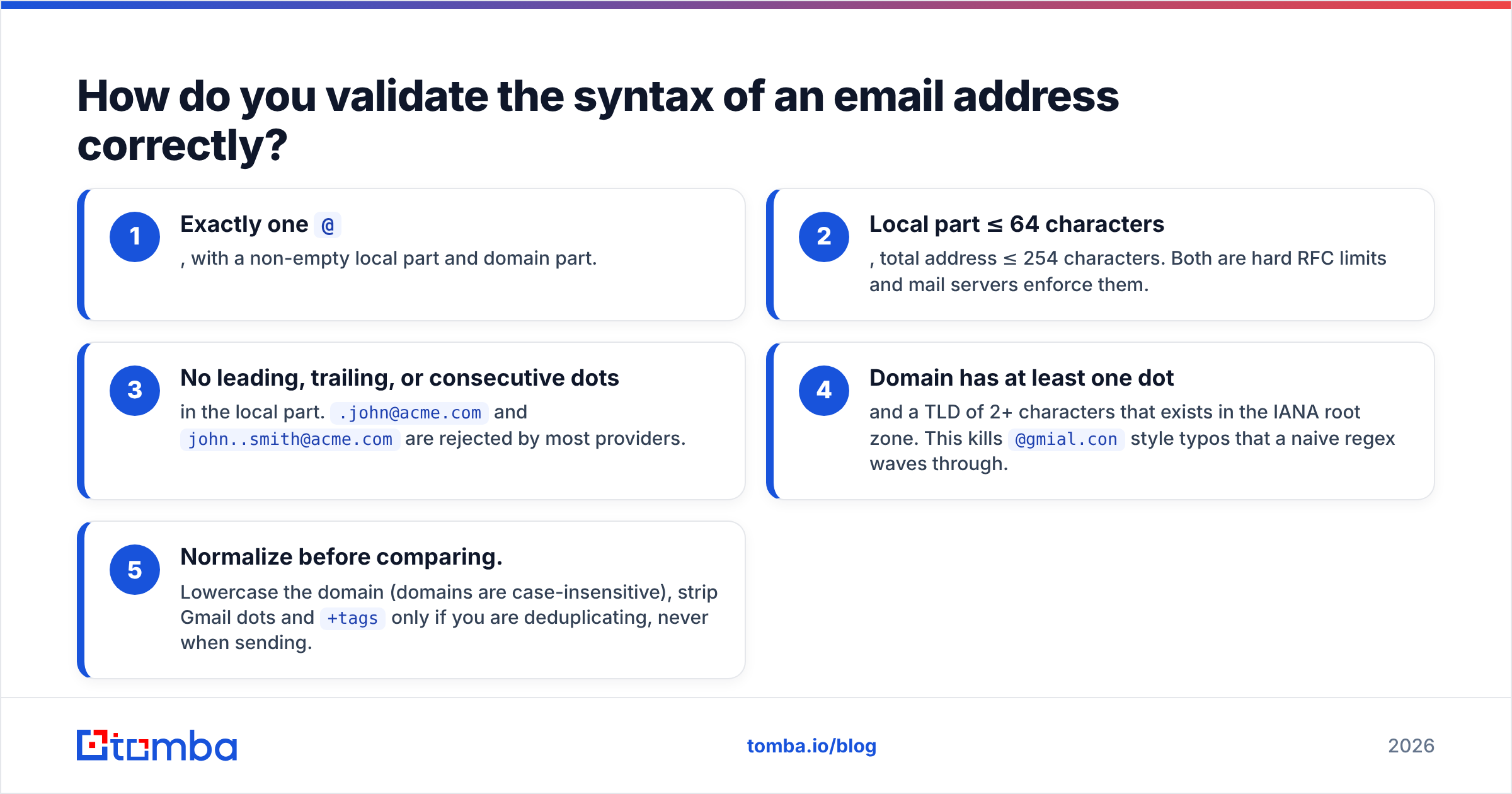
What you actually want is a pragmatic subset:
- Exactly one
@, with a non-empty local part and domain part. - Local part ≤ 64 characters, total address ≤ 254 characters. Both are hard RFC limits and mail servers enforce them.
- No leading, trailing, or consecutive dots in the local part.
.john@acme.comandjohn..smith@acme.comare rejected by most providers. - Domain has at least one dot and a TLD of 2+ characters that exists in the IANA root zone. This kills
@gmial.constyle typos that a naive regex waves through. - Normalize before comparing. Lowercase the domain (domains are case-insensitive), strip Gmail dots and
+tagsonly if you are deduplicating, never when sending.
Need to sanity-check one address you typed into a CRM? A free email checker does that in a second, with no signup. The point of syntax validation is to fail fast and cheap, before you spend an SMTP call on garbage.
One more trap: typo correction is not validation. Suggesting gmail.com when someone types gmai.com is a nice touch on a signup form. It is still a guess. Never auto-correct silently on an outbound list. You will invent addresses that belong to strangers.
How do MX record and domain checks work?#
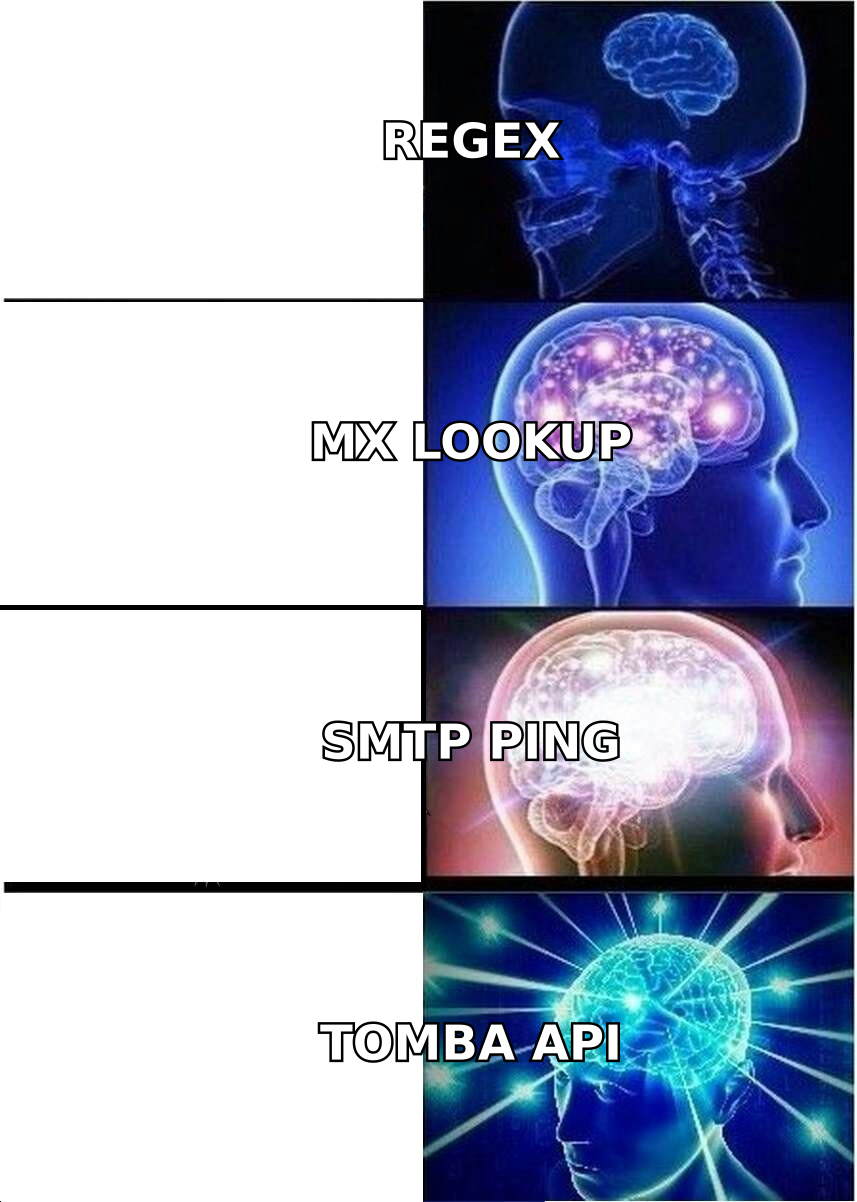
Once syntax passes, query DNS for the domain's MX records. This is the cheapest high-value check you can run. It also removes a surprising share of bad data.
An MX lookup tells you three things:
- Does the domain exist at all?
NXDOMAINmeans the company folded, the domain lapsed, or someone fat-fingered it. - Does it accept mail? A domain with an A record but no MX record is usually a parked page or a website-only domain. Mail to it will bounce.
- Who runs the mailbox? MX pointing at
google.comoroutlook.comtells you the provider, which changes how you should verify. Google and Microsoft both throttle and hide SMTP responses, so a tool that treats them as special cases will beat one that does not.
You can do this yourself from a terminal: dig MX acme.com +short. In bulk, it belongs in your pipeline as an automated step. While you are in DNS, check the domain's SPF and DMARC records too. They hint at how strict that organization is about inbound mail, which is useful context before you send.
Domain-level checks also catch the disposable-domain problem. Services like Mailinator or 10minutemail rotate thousands of throwaway domains. Any decent verifier keeps a maintained blocklist. A homegrown check will always be a step behind.
How do you verify a mailbox actually exists?#
SMTP verification is the closest thing to ground truth. The mechanics are simple:
- Connect to the domain's highest-priority MX server on port 25.
- Send
HELO/EHLOwith a legitimate hostname. - Send
MAIL FROM:<probe@yourdomain.com>. - Send
RCPT TO:<target@theirdomain.com>. - Read the response code —
250means the server will accept mail for that mailbox,550means no such user. - Send
QUIT. Never sendDATA. You are checking, not delivering.
This works, and it is also where amateurs destroy their sending infrastructure. Three reasons not to do this from your own mail server or office IP:
- Rate limiting and blocklisting. Hammering
RCPT TOprobes from one IP looks exactly like a directory-harvest attack. Spamhaus and provider-level filters will notice. Recovering a blocklisted IP takes days to weeks. - Greylisting. Many servers return a temporary
4xxon first contact from an unknown IP, deliberately. A single-attempt probe reads that as "unknown" and you learn nothing. - Provider-specific behavior. Microsoft 365 tenants often return
250for every recipient, whether or not the mailbox exists. Yahoo throttles hard. Reading these answers correctly takes per-provider logic and a rotating pool of warmed IPs.
That is the whole reason commercial verification exists. A service like Tomba's email verifier runs the same handshake from a distributed, reputation-managed IP pool, with retry logic and provider-specific parsing. It returns a structured verdict instead of a raw SMTP code.

What about catch-all domains?#
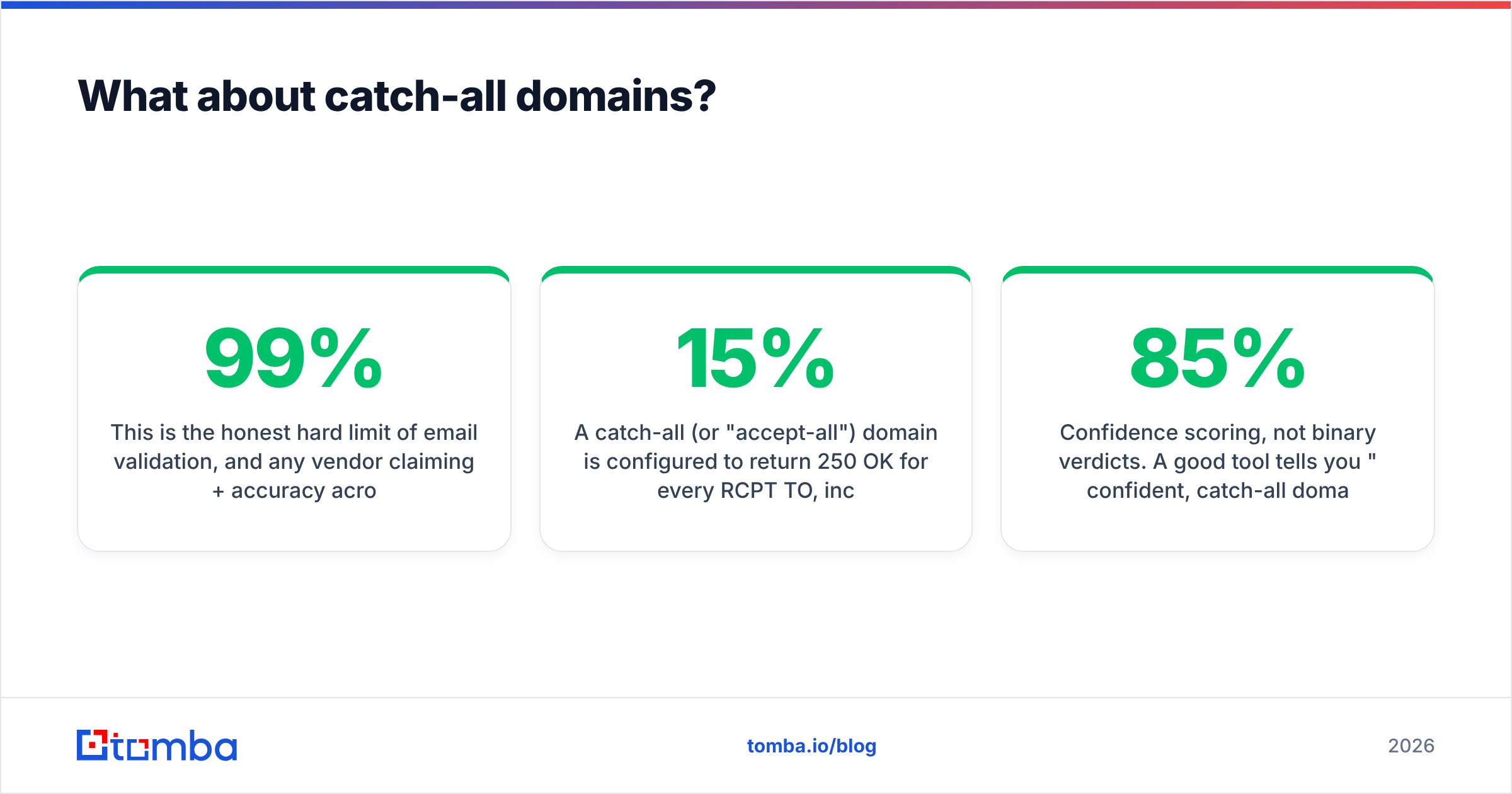
This is the honest limit of email validation. Any vendor claiming 99%+ accuracy across all domains is glossing over it.
A catch-all (or "accept-all") domain returns 250 OK for every RCPT TO, including asdkjh123@company.com. The mail server accepts everything at the door and sorts it out inside. Unknown recipients land in a shared inbox or get dropped in silence. Estimates put catch-all setups at 15% to 20% of business domains, mostly enterprises and agencies.
SMTP alone cannot resolve these. What can help:
- Pattern inference. If 340 known-good addresses at
acme.comall followfirst.last@, thensarah.chen@acme.comis a high-confidence guess for a Sarah Chen you've confirmed works there. - Source evidence. Was the address found on a public page, a press release, a GitHub commit, or a conference speaker list? A real observed address beats any inference.
- Engagement signal. Did the address ever open, click, or reply historically? That is proof of life no SMTP probe can offer.
- Confidence scoring, not binary verdicts. A good tool tells you "85% confident, catch-all domain, pattern-matched, 3 sources" rather than a flat "valid." That lets you decide whether to risk a send.
Tools that specialize here, such as Tomba's catch-all verifier, combine those signals instead of pretending SMTP answered the question. The practical rule is simple. Send to a catch-all address only if it scores above your confidence threshold. Then keep those addresses in a separate campaign, so a bad batch does not drag down your main sending domain.
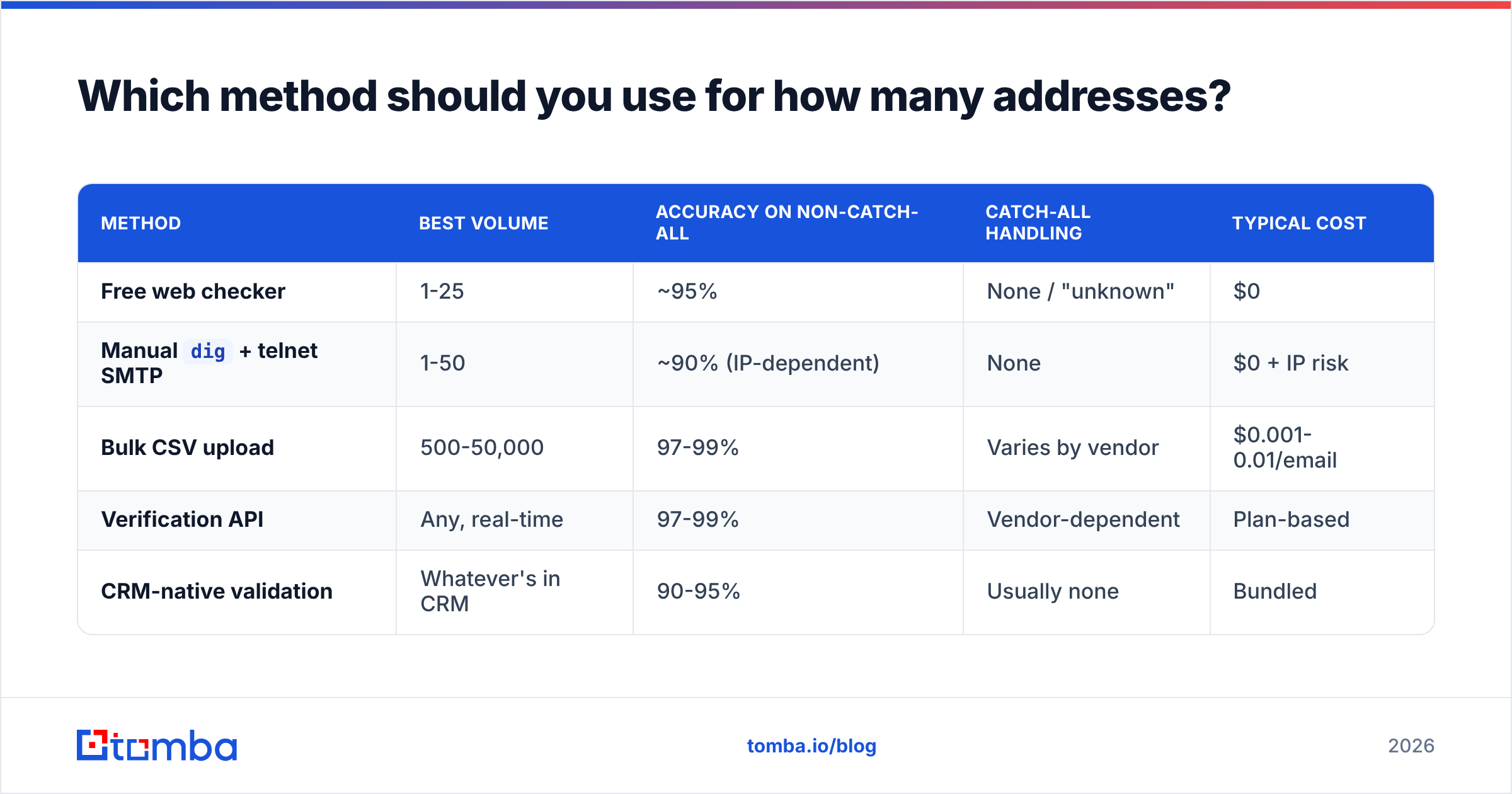
Which method should you use for how many addresses?#
Match the tool to the volume. Doing 5,000 addresses by hand is a waste of a week; paying for an enterprise API to check one address is a waste of money.
| Method | Best volume | Accuracy on non-catch-all | Catch-all handling | Typical cost |
|---|---|---|---|---|
| Free web checker | 1-25 | ~95% | None / "unknown" | $0 |
Manual dig + telnet SMTP |
1-50 | ~90% (IP-dependent) | None | $0 + IP risk |
| Bulk CSV upload | 500-50,000 | 97-99% | Varies by vendor | $0.001-0.01/email |
| Verification API | Any, real-time | 97-99% | Vendor-dependent | Plan-based |
| CRM-native validation | Whatever's in CRM | 90-95% | Usually none | Bundled |
For anything over a few dozen, a bulk verify upload or an API call is the sane path. Tomba's pricing starts with a free tier at 25 searches per month, enough to sanity-check a handful of addresses. Paid plans run from Starter at $49/mo to Growth at $99/mo and Pro at $249/mo as volume grows. Compare that against what one blocklisting event costs you in downtime.
If you are wiring validation into a signup form or a CRM workflow, the email verification API is the right shape: one call, a sub-second response, and a status field you can branch on. Do it at the point of capture, not three months later when the lead has gone cold.
How do you keep a verified list valid over time?#
Validation is not a one-time event. B2B contact data decays by roughly 22-30% per year, and job changes drive most of it. G2's software review data on verification tools shows where the value of the category really sits: ongoing re-checks, not one-shot cleaning.
A workable cadence:
- At capture. Validate every address at form submission, import, or scrape. Reject syntax failures inline; flag risky ones for review.
- Before every campaign. Re-verify anything older than 90 days, 24-48 hours before the send. Fresh verification is worth more than deep verification.
- On bounce. Hard bounce means immediate suppression, permanently. Soft bounce means retry twice, then suppress. Never re-mail a hard bounce, ever.
- Quarterly full sweep. Run the whole active database through bulk verification once a quarter and archive anything that flips to invalid.
- On engagement decay. Anyone with zero opens across six months is a deliverability liability regardless of technical validity. Segment them out.
Suppression list hygiene matters as much as validation. HubSpot's deliverability documentation is clear on the risk. Repeated sends to bouncing addresses are the fastest route to inbox-placement problems, because mailbox providers read unknown-user bounces as a spam signal, not an accident.
What are the common mistakes that make "valid" lists bounce anyway?#
Six failure modes account for most of the surprise bounces after a verification pass. The first three are list hygiene:
- Trusting a stale verification. A file verified in January and mailed in June is unverified data. The verdict has a shelf life.
- Ignoring role accounts.
info@,sales@,support@,admin@are technically valid and commercially useless. They route to shared inboxes with aggressive filtering and low reply rates. Most verifiers flag them; most people ignore the flag. - Blasting catch-all addresses as if they were confirmed. They are guesses with a good hit rate, not confirmations. Segment them.
The other three sit on the sending and sourcing side:
- Skipping the sending-side checks. A perfectly valid recipient list still bounces if your own SPF record, DKIM, and DMARC are misconfigured. Validation fixes the "to" side only; deliverability needs both.
- Verifying but not deduplicating. The same person at three addresses, or the same address in three casings, inflates your list and multiplies complaints. Normalize and dedupe before you count.
- Guessing patterns without confirming employment.
first.last@acme.comis a correct pattern for a person who left 14 months ago. Pattern validity is not employment validity. Confirm the person is still there.
That last one is the strongest argument for combining finding and verification in one step, rather than buying them separately. When the source that found the address also saw it in the wild recently, the verdict carries evidence instead of inference.
Do free email validators actually work?#
They work for what they are. A free single-address checker runs syntax, MX, and usually an SMTP probe. For the ~80% of domains that answer honestly, it gives you a correct verdict. That is genuinely useful when you are about to email one prospect and want to confirm the address first.
Where free tools break down:
- No bulk. Pasting 2,000 addresses one at a time is not a workflow.
- Rate limits and captchas kick in fast, by design.
- No catch-all intelligence. You get "unknown" or, worse, an optimistic "valid."
- No API. You cannot wire them into a form or a CRM.
- Unclear data handling. Free tools that ask you to upload a list are being paid somehow. Read the terms before you hand over customer emails.
The honest recommendation: use free tools for one-off checks, and paid verification for anything that touches a campaign. The free email checker covers the first case. The API and bulk tools cover the second. Reputable paid vendors here — Tomba, ZeroBounce, BookYourData, and others — all publish accuracy claims. Test those claims against a sample of known-good and known-dead addresses from your own data before you commit. Any vendor confident in their numbers will give you enough free credits to run that test.
How to make sure an email address is valid: the fastest workflow#
Here is the short version of how to make sure an email address is valid across a whole list, and it works for most B2B teams:
- Run syntax + MX as a free pre-filter on import. Drop the obvious failures.
- Push the survivors through a bulk verification pass.
- Split the results into three buckets: safe (SMTP-confirmed, non-role), risky (catch-all, high-confidence pattern), and suppressed (invalid, disposable, trap).
- Mail the safe bucket from your primary domain. Mail the risky bucket from a secondary domain, in small batches, and watch the bounce rate.
- Re-verify anything older than 90 days before the next send.
That is it. No exotic tooling, no manual telnet sessions, no gambling with your sender reputation.
If you are validating addresses you already have, start with the email verifier and a bulk upload. If you are still building the list, use the Tomba Email Finder instead. Most of the bounce problem starts there, with guessed or scraped addresses that nobody ever confirmed. The finder returns addresses that have already passed source verification, so you validate findings rather than salvage guesses. The free tier gives you 25 searches a month, which is enough to test the accuracy against contacts you can confirm yourself. That is how you should judge any vendor in this space.
Related guides#
// get started
Find, verify and enrich your first contacts today
Start on the free plan with 25 searches a month, then scale when your team is ready.
Free plan · No credit card required · GDPR & CCPA
// about the author