How To Obtain Email Addresses: 7 Methods That Work in 2026
Seven tested ways to obtain email addresses in 2026 — from free manual lookups to bulk API enrichment — with honest accuracy numbers, real costs, and the verification step most people skip.
Wondering how to obtain email addresses without guessing? It comes down to one question: what turns a name or a domain into an inbox that accepts mail? Below are seven methods, ranked by accuracy, cost, and how far each one scales.
TL;DR
Seven methods work in practice. Only three of them scale past a few hundred contacts a month.
Manual lookup (WHOIS, site footers, pattern guessing) is free and fine under ~50 contacts. Past that, your time costs more than any tool subscription.
Guessing without verification is the top cause of bounce-driven domain damage. Guess if you must, but never send to a guess.
Expect 90-97% accuracy on well-indexed B2B domains. Expect 40-70% on small businesses, agencies, and non-English domains.
The workflow that holds up: source → find → verify → enrich → send. Skip the verify step and a clean domain turns into a spam-foldered one.
What does "obtaining email addresses" actually mean?#
It means turning something you already know into an inbox that accepts mail. That input might be a name, a company domain, a LinkedIn profile, a phone number, or a website visit. That's the whole job.
The rest is just a question of which input you start from. Have a domain and want everyone at it? That's domain search. Have a first name, last name, and domain? That's an email finder. Have a byline on a blog post? That's author lookup. Have an anonymous website session? That's visitor identification.
The confusion usually comes from mixing up two very different activities:
Discovery — locating a candidate address that probably exists. Cheap, fast, and often wrong.
Validation — proving that address accepts mail. Slower, costs a fraction of a credit, and it decides whether your campaign lands or burns.
Most people who say email finders don't work stop after step one. The finders work. The workflow doesn't.
How to obtain email addresses: the 7 methods that work in 2026#
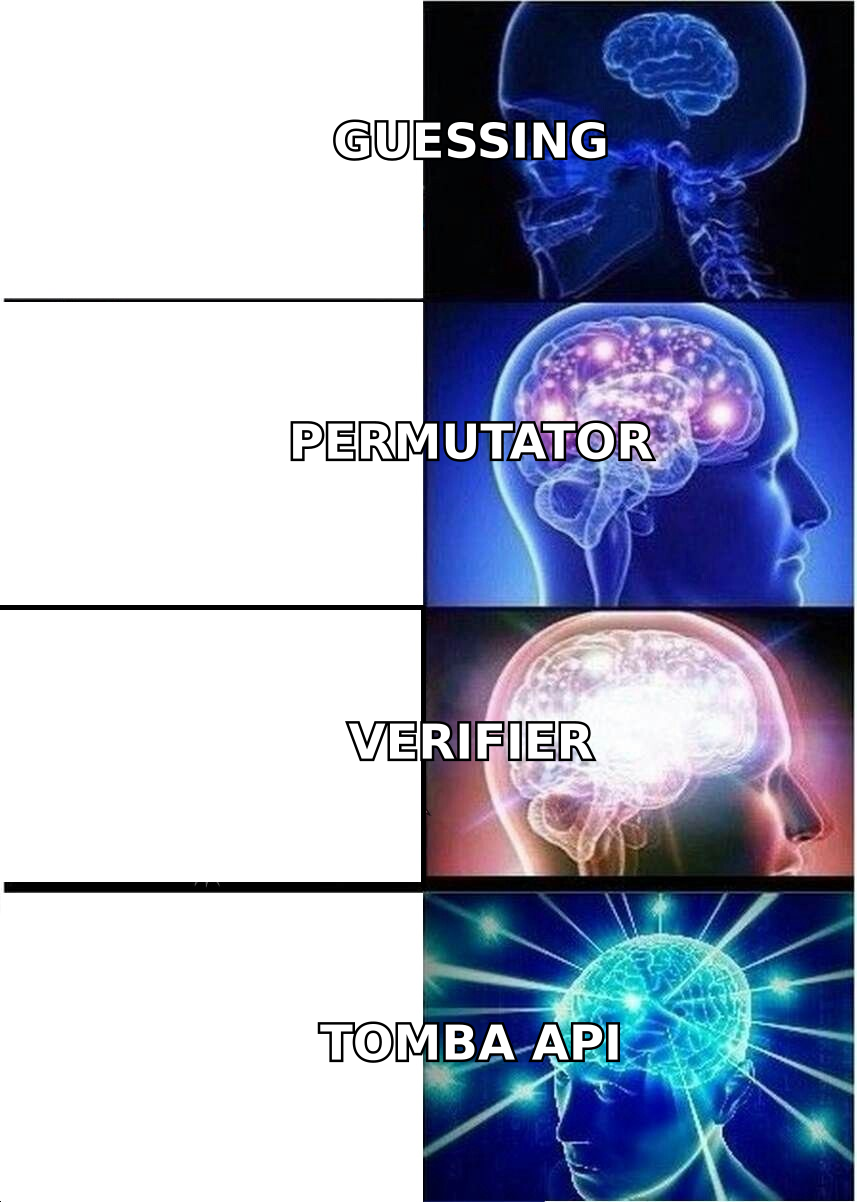
Here are the seven approaches worth your time, ordered roughly from lowest to highest scale:
Manual site scraping — Check the company's
/contact,/about,/team, and press pages. Press releases almost always carry a real, monitored address. Free, about 5 minutes per company. The address is usually a role account, not the person you want.WHOIS and DNS records — Domain registration data still exposes technical and admin contacts on plenty of smaller domains. Privacy proxies killed this for large companies. It is alive and well for SMBs and self-hosted shops.
Social and community footprints — GitHub commit metadata, conference speaker pages, podcast show notes, Substack author pages, and Stack Overflow profiles. High effort, but the intent signal is excellent.
Pattern derivation — Work out a company's format (
first.last@,flast@,first@), then apply it to your target's name. An email permutator builds every plausible variant in seconds. Free, instant, and useless without verification.Email finder tools — A database, a live SMTP check, and a pattern engine in one. This is the default past 50 lookups a month.
Purchased or licensed lists — Prebuilt, human-verified datasets you filter by title, geography, industry, and headcount. Good when you need volume now and have no seed list.
Inbound and enrichment — Reverse lookup on a phone or social handle, form-fill enrichment, and website visitor reveal. Fewer addresses, but they convert far better than cold-sourced data.
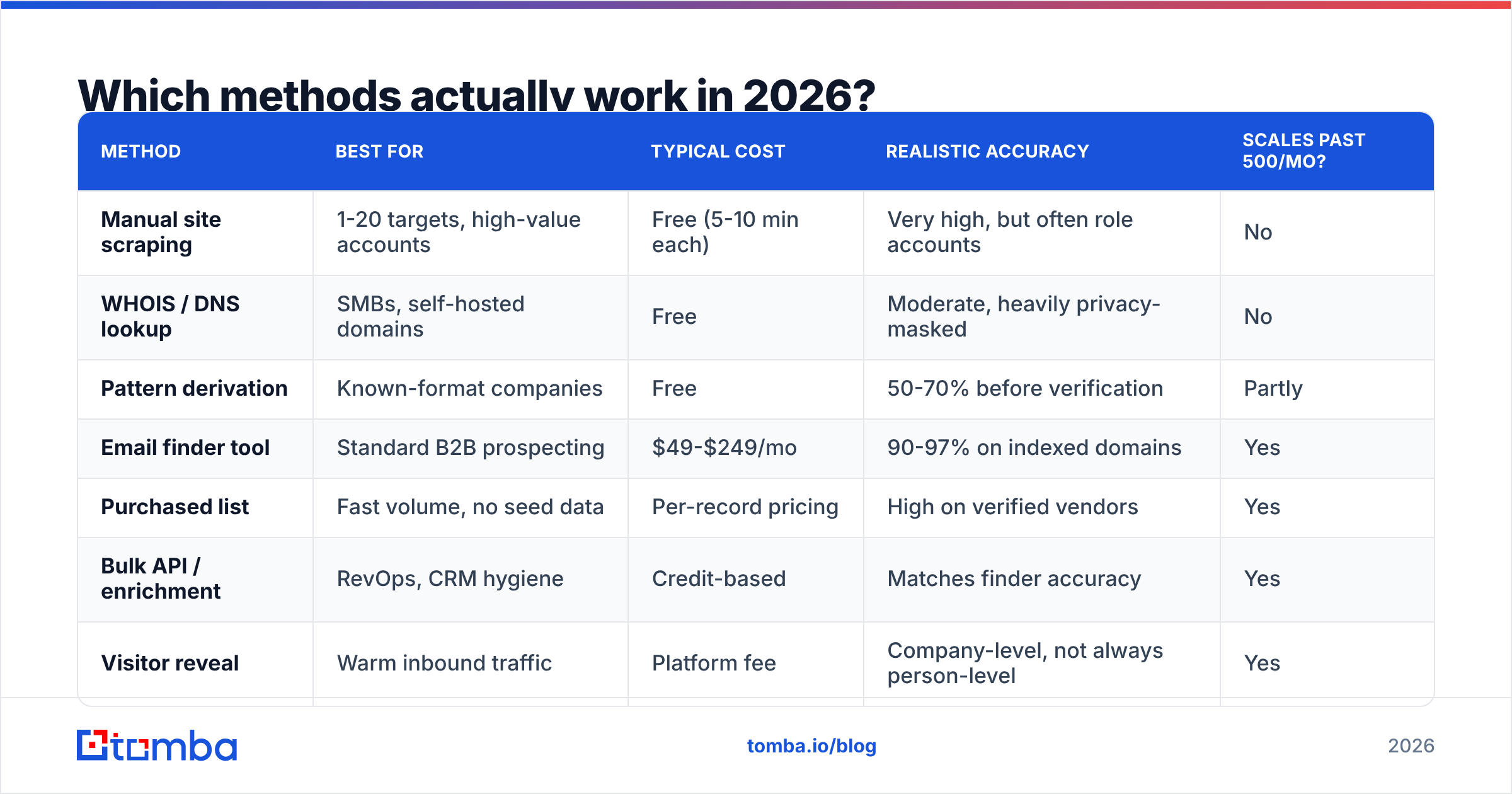
| Method | Best for | Typical cost | Realistic accuracy | Scales past 500/mo? |
|---|---|---|---|---|
| Manual site scraping | 1-20 targets, high-value accounts | Free (5-10 min each) | Very high, but often role accounts | No |
| WHOIS / DNS lookup | SMBs, self-hosted domains | Free | Moderate, heavily privacy-masked | No |
| Pattern derivation | Known-format companies | Free | 50-70% before verification | Partly |
| Email finder tool | Standard B2B prospecting | $49-$249/mo | 90-97% on indexed domains | Yes |
| Purchased list | Fast volume, no seed data | Per-record pricing | High on verified vendors | Yes |
| Bulk API / enrichment | RevOps, CRM hygiene | Credit-based | Matches finder accuracy | Yes |
| Visitor reveal | Warm inbound traffic | Platform fee | Company-level, not always person-level | Yes |
How do you obtain an email address manually, for free?#
Do this when the account is worth 10 minutes of your time. Run it in order and stop as soon as you have a hit.
Step 1 — Establish the company's format. Search site:companydomain.com "@companydomain.com" on Google. Press pages, PDF case studies, and job listings leak formats constantly. One confirmed address gives you the pattern for the whole building.
Step 2 — Check the obvious pages. /contact, /team, /about, /press, /legal, and the privacy policy. GDPR pushed many European companies into publishing a DPO address. It confirms the format even when it isn't the person you want.
Step 3 — Mine adjacent sources. GitHub (git log on any public repo exposes committer emails), SEC or Companies House filings, conference speaker bios, and podcast episode pages.
Step 4 — Derive and permute. With the format known, generate the candidate. Without it, generate all eight to twelve plausible variants.
Step 5 — Verify before you send. Run every candidate through a email verifier or a free email checker. An unverified permutation is a bounce with extra steps.
This flow finds a valid address for roughly 60-75% of targets. Each one costs five to fifteen minutes. At 200 prospects a month, that's 25-50 hours of work. It's why nobody past their first quarter of outbound still does it this way.
How accurate are email finder tools, really?#
Accuracy is the whole ballgame. It varies far more by target than by vendor.

What actually drives the number:
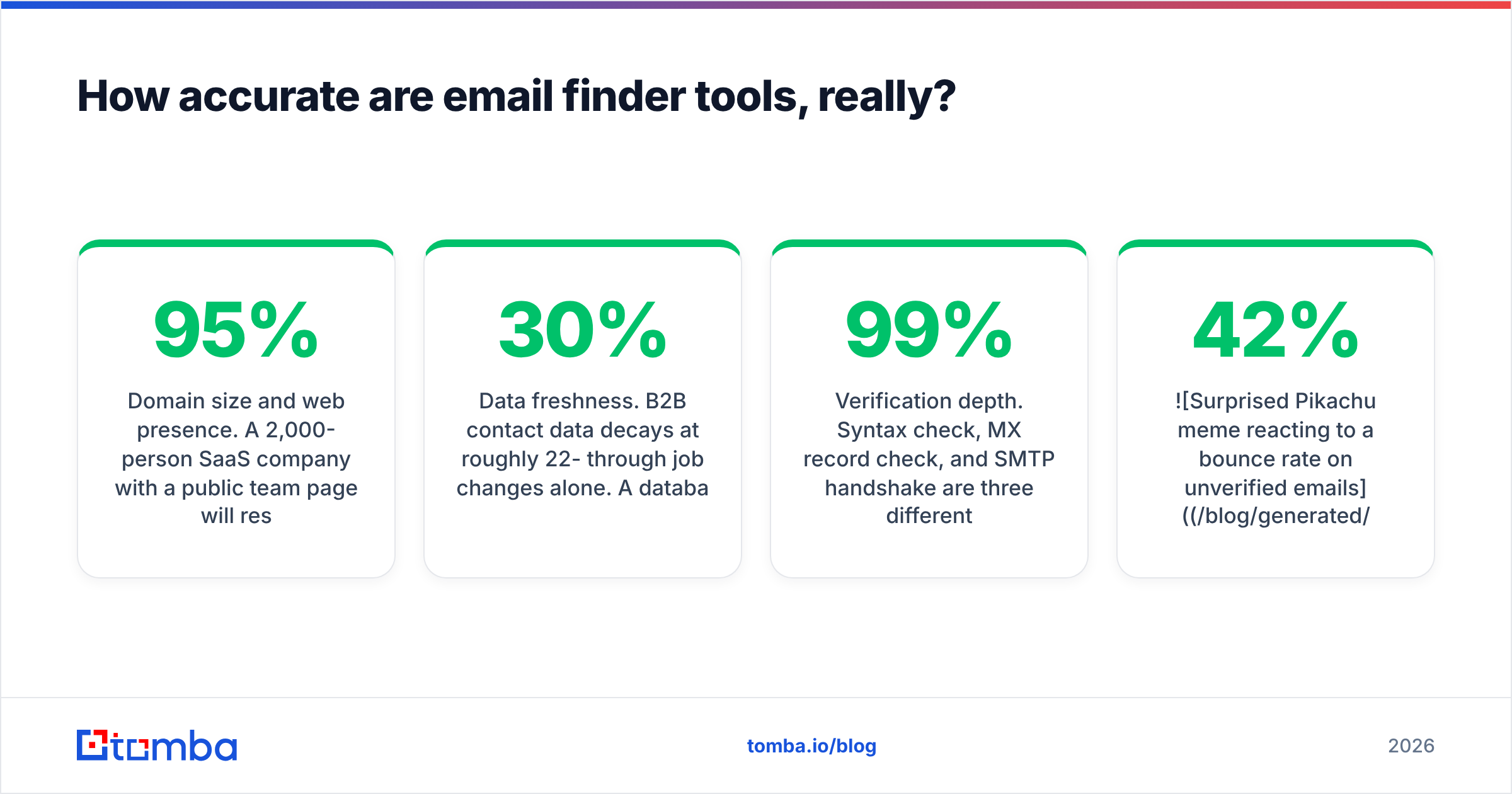
Domain size and web presence. A 2,000-person SaaS company with a public team page resolves at 95%+ on nearly every tool. A twelve-person agency in Lyon with no team page resolves at 40-60%, no matter what you pay.
Catch-all configuration. About a third of business domains accept mail to any address. That makes an SMTP check return "unknown" instead of valid or invalid. Tools that count catch-alls as valid are padding their accuracy claims. Use a dedicated catch-all verifier and treat those addresses as a separate, higher-risk segment.
Data freshness. B2B contact data decays 22-30% a year through job changes alone. A database refreshed quarterly is much worse than one refreshed continuously, and the gap widens over a campaign.
Verification depth. A syntax check, an MX record check, and an SMTP handshake are three different levels of proof. Vendors quoting 99% accuracy are usually measuring syntax, not delivery.
Hold vendors to two numbers. Coverage: what share of your list did they return an address for? Precision: what share of those actually delivered? Coverage without precision is a bounce factory. Precision without coverage is an expensive rolodex.

Which tool should you use to obtain email addresses?#
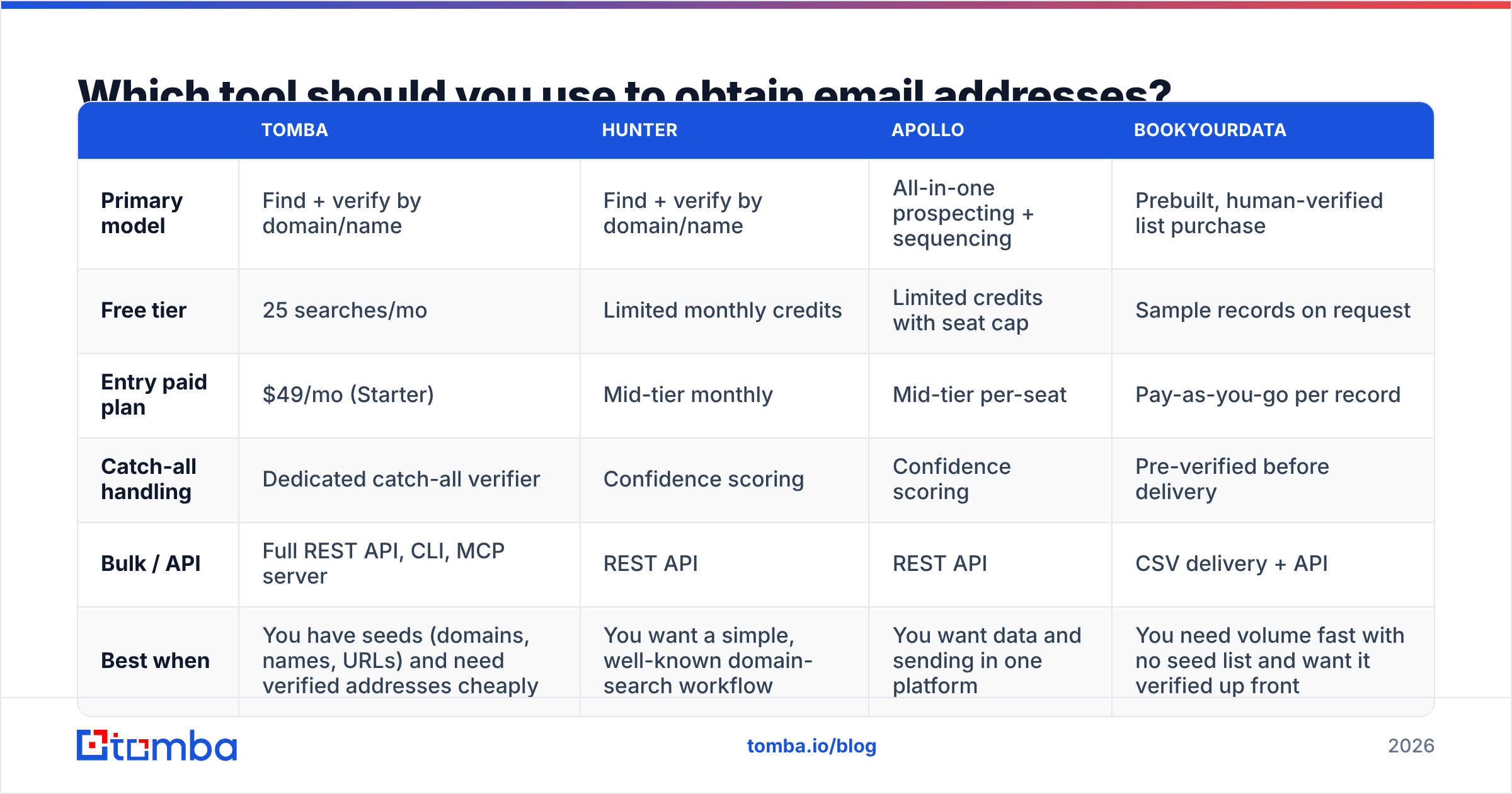
There is no universal answer. These tools solve genuinely different problems. Here's the honest split:
| Tomba | Hunter | Apollo | BookYourData | |
|---|---|---|---|---|
| Primary model | Find + verify by domain/name | Find + verify by domain/name | All-in-one prospecting + sequencing | Prebuilt, human-verified list purchase |
| Free tier | 25 searches/mo | Limited monthly credits | Limited credits with seat cap | Sample records on request |
| Entry paid plan | $49/mo (Starter) | Mid-tier monthly | Mid-tier per-seat | Pay-as-you-go per record |
| Catch-all handling | Dedicated catch-all verifier | Confidence scoring | Confidence scoring | Pre-verified before delivery |
| Bulk / API | Full REST API, CLI, MCP server | REST API | REST API | CSV delivery + API |
| Best when | You have seeds (domains, names, URLs) and need verified addresses cheaply | You want a simple, well-known domain-search workflow | You want data and sending in one platform | You need volume fast with no seed list and want it verified up front |
A few things that table doesn't capture:
Apollo bundles sequencing. If you don't already own a sending tool, its real cost is lower than it looks. If you do, you're paying twice.
BookYourData solves the cold-start problem better than the finder tools do. With no seed domains and no ICP list, a filtered, pre-verified dataset gets you sending this week instead of next month. That's a different purchase from a per-lookup finder. Comparing them on price per credit misses the point.
Tomba sits at the seed-in, verified-address-out end. You bring domains, names, LinkedIn URLs, or article bylines. It returns addresses plus a verification verdict. The Tomba pricing ladder runs Free (25 searches/mo), Starter $49/mo, Growth $99/mo, Pro $249/mo, and custom Enterprise. The API, CLI, Sheets add-on, and Chrome extension come with every paid plan.

Before you commit, read recent reviews on G2 filtered to your company size. Enterprise reviews describe a completely different product than SMB reviews do.
How to obtain email addresses at scale without wrecking deliverability#
Scale changes the failure mode. At 50 addresses a month, a bad one costs you a bounce. At 5,000, bad ones cost you your sending domain.
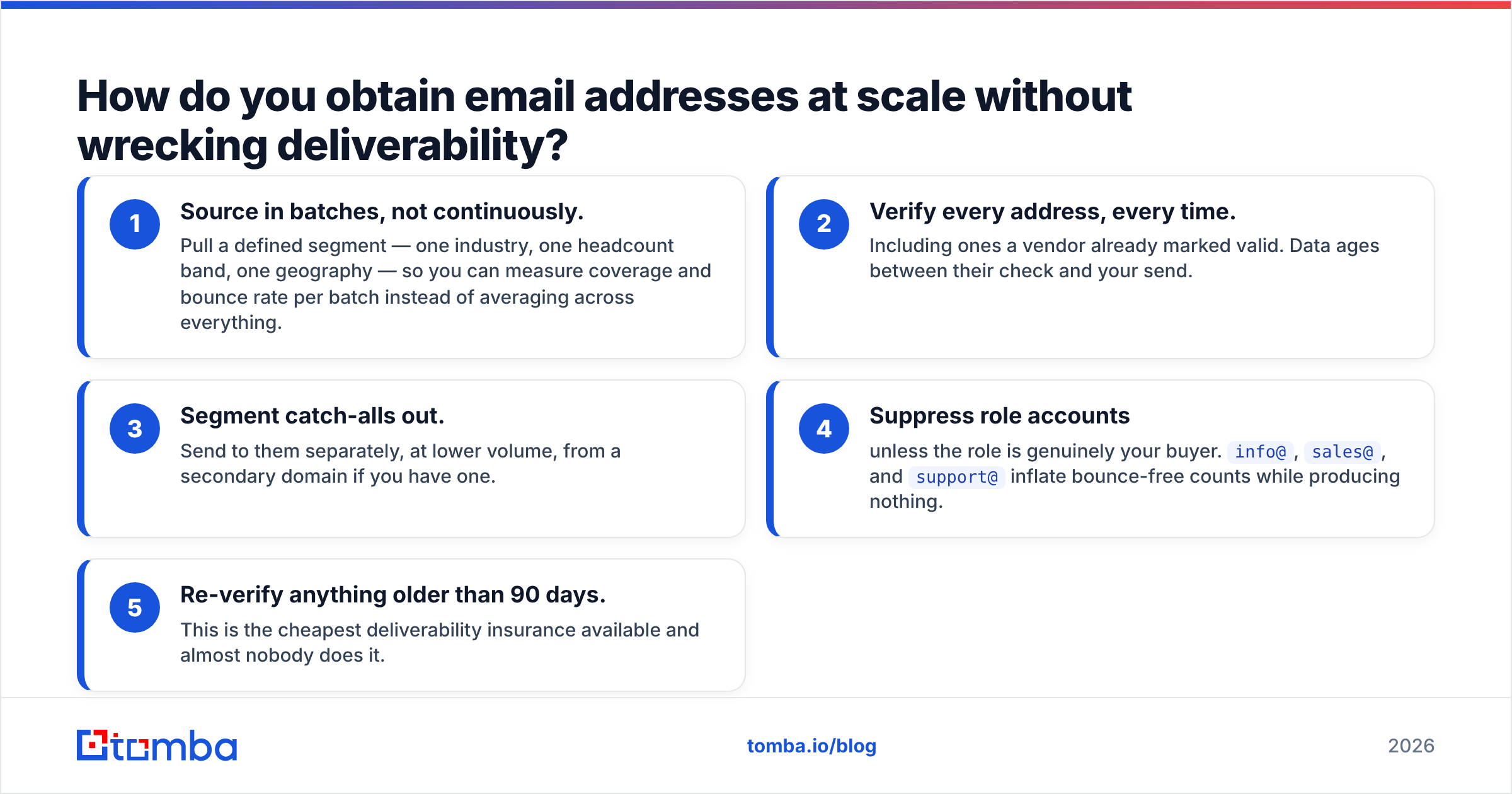
The pipeline that survives contact with reality:
Source in batches, not continuously. Pull one defined segment at a time — one industry, one headcount band, one region. Then you can measure coverage and bounce rate per batch.
Verify every address, every time. Including ones a vendor already marked valid. Data ages between their check and your send.
Segment catch-alls out. Send to them separately, at lower volume, from a secondary domain if you have one.
Suppress role accounts unless the role is genuinely your buyer.
info@,sales@, andsupport@inflate bounce-free counts and produce nothing.Re-verify anything older than 90 days. It's the cheapest deliverability insurance there is, and almost nobody does it.
Automate the middle three steps. A bulk workflow through bulk verify or a scheduled API job handles the whole chain. The cost per address is a fraction of a cent, far less than one blocklisting incident. HubSpot's email deliverability guidance makes the same point from the sender-reputation side: list hygiene beats clever copy every time.
Is it legal to obtain email addresses this way?#
Broadly yes for B2B, with real conditions. None of this is legal advice.
Under GDPR, you can process business contact data under legitimate interest. In return you owe the recipient three things: transparency about where you got the data, an easy opt-out, and honest records. Germany and Italy read the rules on unsolicited commercial email more strictly than most member states.
In the US, the CAN-SPAM Act doesn't require prior consent for commercial email. It does require accurate headers, a non-deceptive subject line, a physical postal address, and a working unsubscribe honoured within ten business days.
Four rules keep you clear in both regimes:
Target business addresses at business domains.
Never send to personal Gmail or Outlook accounts you obtained without consent.
Keep a suppression list and honour it permanently.
Be ready to name your source for any given record.
A vendor that publishes its data sources makes that last rule easy to answer instead of awkward.
What's the fastest workflow if you're starting today?#
Pick based on what you have:
Target company domains. Run domain search on each, filter by department and seniority, verify, export. Ten minutes for a few hundred contacts.
Names and companies, but no domains. Resolve the domains first, then run the finder on name plus domain.
LinkedIn profile URLs. Feed them straight into a LinkedIn-based finder. It's the most precise seed input there is, because the name-company pair is already confirmed.
Nothing but an ICP definition. Either buy a filtered verified list, or build the domain list from a directory and work backwards.
Whatever route you pick, the answer to how to obtain email addresses ends the same way: verify, then segment, then send. There is no version of this where skipping verification saves you time.
Ready to stop guessing? Tomba Email Finder turns a name and a domain into a verified, deliverable address in under a second. You get catch-all detection, a full REST API, and 25 free searches a month to test it on your own list. Run twenty of your hardest targets through it and compare the bounce rate against whatever you use now. That's the only benchmark that matters.
Related guides#
// get started
Find, verify and enrich your first contacts today
Start on the free plan with 25 searches a month, then scale when your team is ready.
Free plan · No credit card required · GDPR & CCPA
// about the author