How to Personalize Cold Emails at Scale in 2026
Most cold email personalization is a first-name merge tag and a compliment about a LinkedIn post. Here are the research layers, tiering rules, and data checks that actually move reply rates.
TL;DR
- Personalization is not a compliment. It is proof you understand the prospect's job, and the strongest proof comes from observable business events, not their last LinkedIn post.
- Use five research layers — account, role, trigger, stack, and person — and pull one, not all five. Stacking layers reads like surveillance.
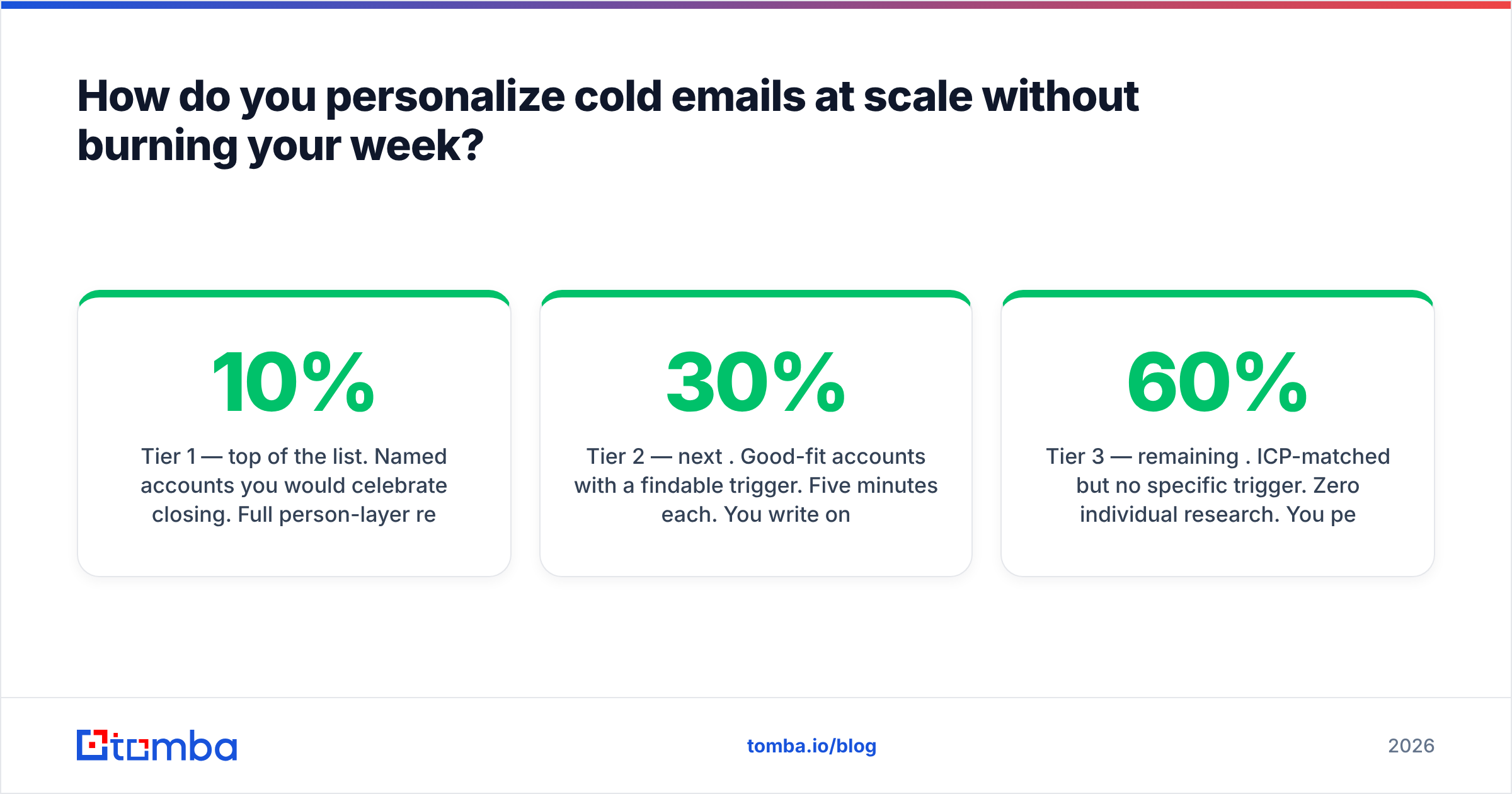
- Tier your list: 10% gets deep manual research, 30% gets a semi-custom trigger line, 60% gets segment-level personalization. Trying to deep-research everyone kills volume.
- Bad data destroys personalization faster than bad copy. A perfectly written line sent to a stale address or the wrong job title scores zero.
- Cut these four lines from every draft: "I came across your profile," "I loved your recent post," "I hope this finds you well," and any sentence that could survive a find-and-replace of the company name.
Why does most cold email personalization fail?#
Because it personalizes the greeting instead of the argument.
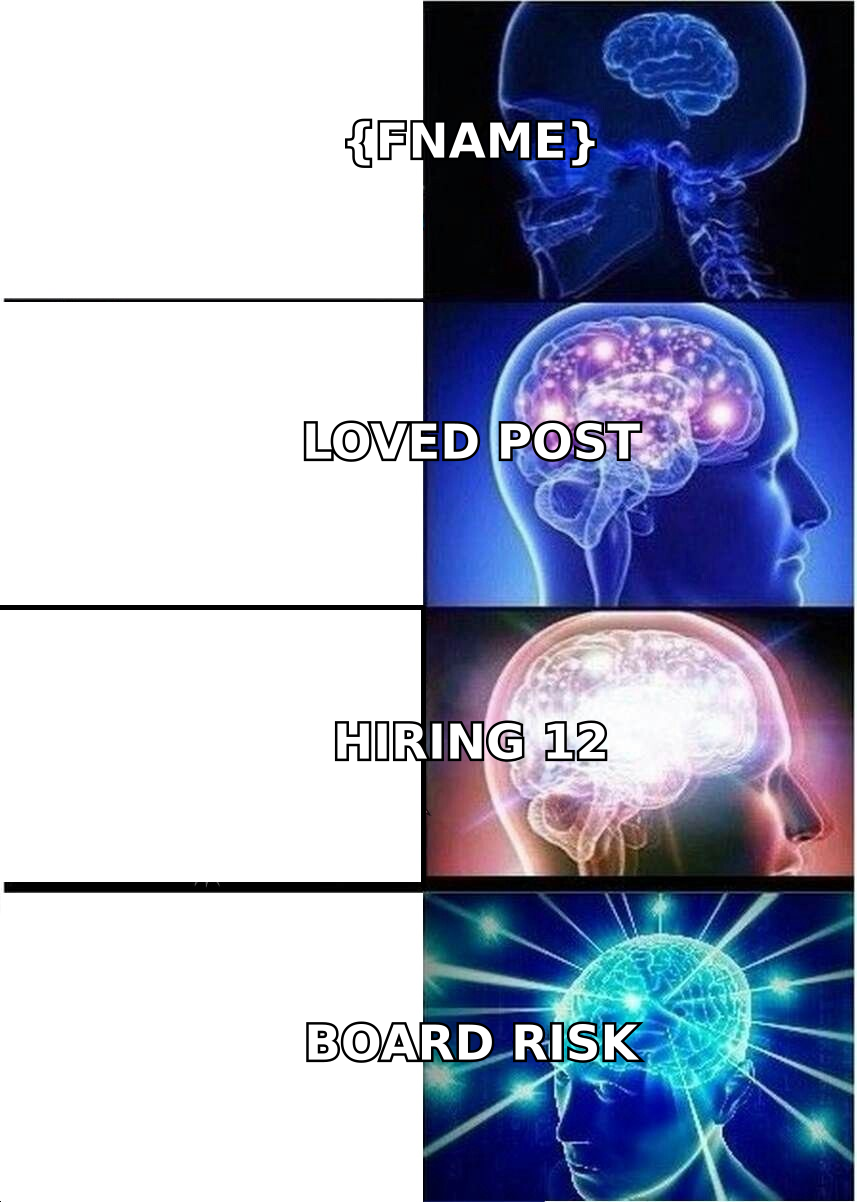
Here is the test: take your email, swap the company name and first name for a competitor's, and reread it. If it still makes sense, you did not personalize anything. You added a merge tag to a template. Prospects have been receiving that exact shape of email since 2018, and they pattern-match it in under two seconds.
The second failure mode is what you might call compliment inflation. "Loved your post on AI in fintech" was novel in 2021. By 2026 every AI SDR tool on the market scrapes the same LinkedIn feed and generates the same sentence, which means the compliment now actively signals automation. When 40 vendors flatter the same post in the same week, the flattery becomes a fingerprint.
The third failure is volume math. Teams read a case study about 20-minute-per-prospect research, try it, send 15 emails a day, and quit after two weeks. Personalization has to survive contact with your quota. If your process cannot produce 200 useful emails a week, it is a hobby.
What actually counts as personalization?#
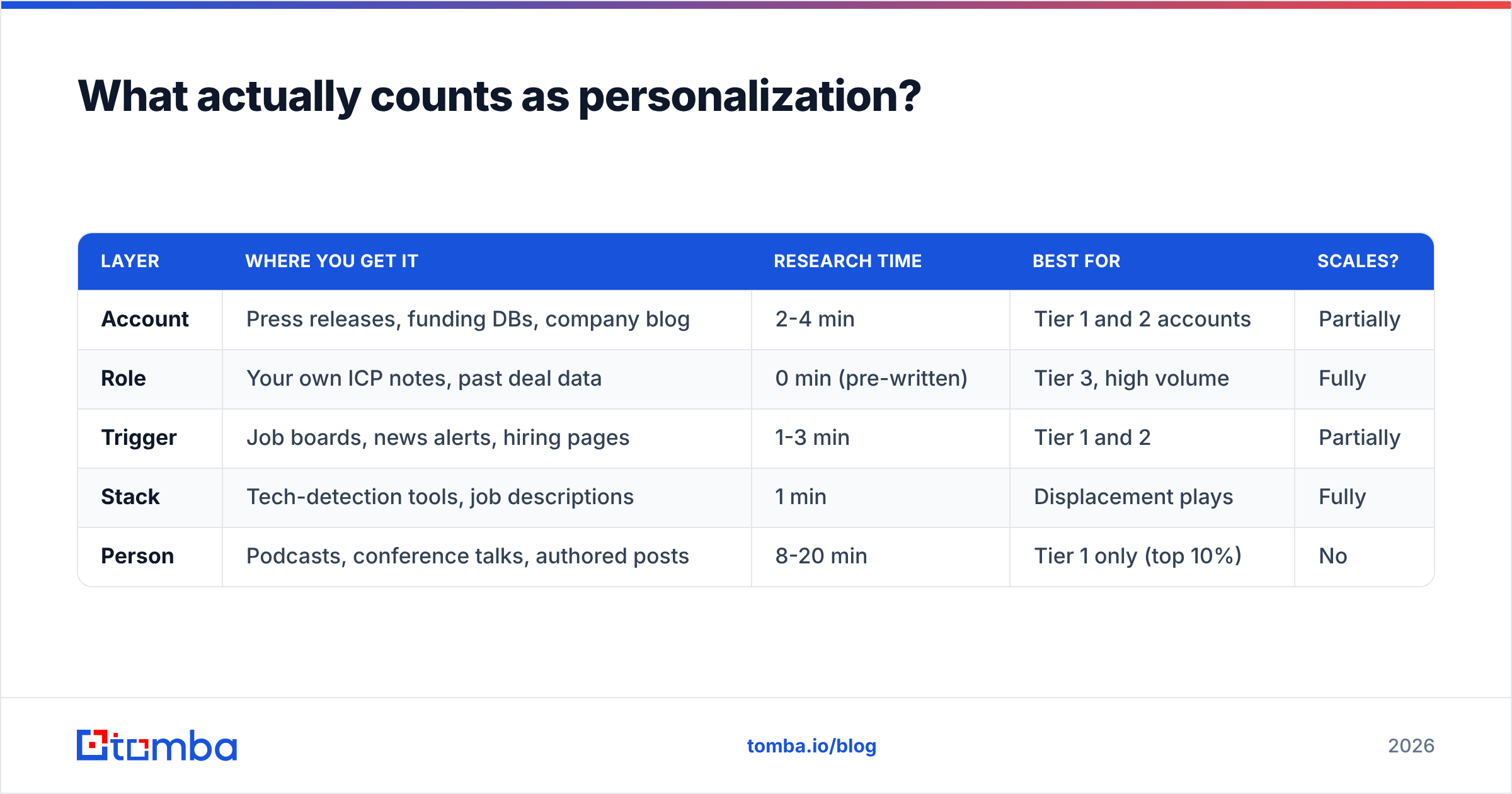
Relevance the prospect could not have gotten from a template. Concretely, five layers:
- Account layer — something true about the company: funding round, new market entry, pricing page change, a product launch, a public earnings comment, a hiring surge in one function.
- Role layer — something true about the job title in that company at that size. A VP of Sales at a 40-person Series A company has different problems than one at a 4,000-person public company, and naming the right problem is personalization even with zero individual research.
- Trigger layer — a timed event: a new hire in the buying role, a job posting mentioning a tool you replace, an office opening, a compliance deadline in their industry.
- Stack layer — technologies they run. "You're on HubSpot and Outreach" narrows the pitch and proves you looked.
- Person layer — genuinely individual: a talk they gave, a podcast, a specific engineering blog post they authored, a previous company overlap.
Pull one layer per email. Two if they connect naturally. The moment you stack three, the email reads like a dossier and triggers the creepiness reflex — a real and measurable effect that a 2024 Gartner research note on buyer trust frames as personalization overshoot.
| Layer | Where you get it | Research time | Best for | Scales? |
|---|---|---|---|---|
| Account | Press releases, funding DBs, company blog | 2-4 min | Tier 1 and 2 accounts | Partially |
| Role | Your own ICP notes, past deal data | 0 min (pre-written) | Tier 3, high volume | Fully |
| Trigger | Job boards, news alerts, hiring pages | 1-3 min | Tier 1 and 2 | Partially |
| Stack | Tech-detection tools, job descriptions | 1 min | Displacement plays | Fully |
| Person | Podcasts, conference talks, authored posts | 8-20 min | Tier 1 only (top 10%) | No |
The table is the actual strategy. Most teams only ever use the person layer, discover it does not scale, and conclude personalization does not work. The account, role, and stack layers do 80% of the work at a fraction of the cost.
How do you personalize cold emails at scale without burning your week?#
Tier the list before you write a single line.
Tier 1 — top 10% of the list. Named accounts you would celebrate closing. Full person-layer research: 10 to 20 minutes each, hand-written, no template. Twenty to thirty of these a week, maximum.
Tier 2 — next 30%. Good-fit accounts with a findable trigger. Five minutes each. You write one custom opening sentence tied to the trigger, then a fixed body. The custom sentence is what earns the read; the body does the selling.
Tier 3 — remaining 60%. ICP-matched but no specific trigger. Zero individual research. You personalize by segment: industry, headcount band, role, and stack. You write one strong email per segment and send it to everyone in it. If your segments are tight enough, a Tier 3 email can outperform a lazy Tier 1 email, because segment-level relevance beats a hollow compliment.
The trap here is treating tiers as quality grades. They are research-budget grades. A Tier 3 email should still be specific — it is just specific about a group rather than a person.
Where the time actually goes matters too. If you spend eight minutes researching a prospect and two minutes confirming their email exists, you have the ratio backwards. Verification is cheap and prevents the whole eight minutes from evaporating on a bounce. Run addresses through an email verifier before the research step, not after — you should never research a contact you cannot reach.
What does a personalized cold email actually look like?#
Structure that works consistently:
- Opening line: the observation. One sentence. What you noticed and why it made you write. No compliments, no "I hope this finds you well."
- Bridge: the implication. One sentence connecting the observation to a problem they plausibly have. This is the sentence most people skip, and it is the one that makes the observation feel purposeful rather than nosy.
- Proof: the relevant evidence. One or two sentences. A comparable customer, a number, a mechanism. Keep it specific to their segment.
- Ask: one low-friction question. Not "do you have 15 minutes Tuesday." Something they can answer in a sentence.
A Tier 2 example, hiring-trigger flavored:
Saw you posted three RevOps roles in Berlin last month — all mentioning Salesforce and Marketo migration work.
When teams staff up mid-migration, the SDRs usually end up sitting on lead lists nobody has verified in six months. That's where most of the pipeline leaks.
We handle the data layer for two other Series B companies mid-migration; their bounce rate went from double digits to under 2% without adding headcount.
Is data hygiene something your new hires are inheriting, or is it already owned?
Notice what is missing: no "I came across your profile," no adjectives about how impressive the company is, no three-paragraph company description. The observation is checkable, the implication is arguable, and the ask is answerable while walking to a meeting.
Compare it to the generic version most tools generate:
Hi {{FirstName}}, I came across {{CompanyName}} and was really impressed by your growth. I loved your recent post about scaling teams! We help companies like yours improve sales efficiency. Do you have 15 minutes this week?
Every sentence in that draft could be sent to any company on earth. That is the definition of unpersonalized, regardless of how many merge tags it contains.
Which data do you need before you can personalize anything?#
Contact data quality is the invisible input. You can write the best trigger line of your career and it does nothing if the address bounces or the person left eight months ago.
Four checks before send:
- Address validity. Syntax, MX records, mailbox existence. Catch-all domains need their own handling — a plain SMTP check returns "unknown," which is not the same as valid. A dedicated catch-all verifier resolves a meaningful share of those.
- Role currency. Job changes run roughly 20-25% annually in sales and marketing. A list built 10 months ago is a quarter wrong before you touch it.
- Company facts. Headcount, funding stage, and tech stack drive your segment-level personalization. Wrong headcount means wrong pain point.
- Deduplication. Two emails from your team to the same person in one week is worse than no email.
If you are building lists from scratch, a domain search gives you the full contact map of an account plus the email pattern, which is often faster than hunting people individually. For enrichment on contacts you already have — filling in titles, company size, and social profiles — data enrichment closes the gaps that make segment personalization possible.

Should you use AI to personalize cold emails?#
Yes, for research. Carefully, for writing.
AI is excellent at the compression step: read a company's last four blog posts, their careers page, and their pricing page, then summarize what changed in the last quarter. That is a 12-minute human task done in 20 seconds, and the output is raw material you turn into a line.
AI is bad at the judgment step. It cannot tell whether an observation is interesting to the recipient or merely true. Ask a model to write a personalized opener from a LinkedIn profile and you get the compliment-inflation problem at industrial scale — grammatically fine, strategically identical to every competitor's output.
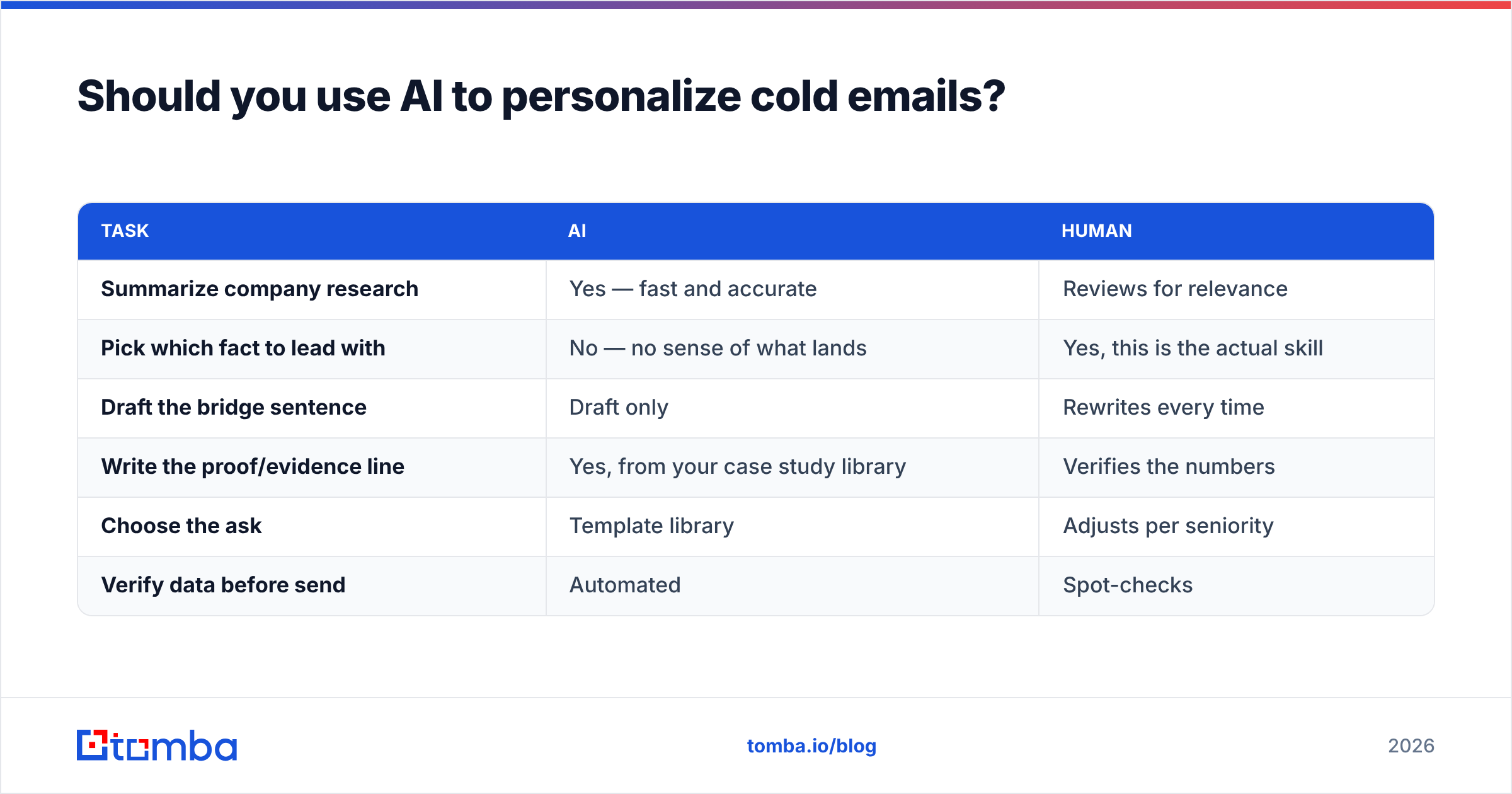
A practical division of labor:
| Task | AI | Human |
|---|---|---|
| Summarize company research | Yes — fast and accurate | Reviews for relevance |
| Pick which fact to lead with | No — no sense of what lands | Yes, this is the actual skill |
| Draft the bridge sentence | Draft only | Rewrites every time |
| Write the proof/evidence line | Yes, from your case study library | Verifies the numbers |
| Choose the ask | Template library | Adjusts per seniority |
| Verify data before send | Automated | Spot-checks |
The teams getting real lift from AI in 2026 use it to expand how many prospects they can research, not how many emails they can write. Those are different bets and they produce very different reply rates. If you want a starting draft to edit rather than a finished email to send, a cold email AI assist is a reasonable input — just never ship the first output.
How do you know if your personalization is working?#
Measure at the right layer. Reply rate alone hides the story, because a bad list and a bad email produce the same flat number.
Track four things:
- Bounce rate — should be under 2%. Above that, your data is the problem and no copy change will help.
- Open rate by segment — tells you whether your subject lines and sender reputation are healthy. Compare segments, not absolute numbers.
- Positive reply rate — not total replies. "Not interested" is a reply. Track meaningful responses separately or you will optimize toward annoyance.
- Reply rate delta between tiers — the number that actually settles the personalization debate for your business. If Tier 1's positive reply rate is not at least 2-3x Tier 3's, your deep research is not earning its cost and you should reallocate that time to volume.
That last metric is the one almost nobody runs, and it is the only honest way to decide how much personalization your market rewards. Some markets — small, senior, high-ACV — pay enormously for the person layer. Others barely notice it. Run the test on your own list rather than trusting a case study from a company selling personalization software.
Also watch your sending infrastructure. Personalization improves engagement, which improves sender reputation, which improves inbox placement, which improves reply rate. The loop compounds in both directions. Google's own bulk sender guidelines spell out the authentication and complaint-rate thresholds that now gate whether your carefully personalized email reaches the inbox at all. Great copy in the spam folder is still zero.
What should you stop doing immediately?#
A short kill list, ranked by how much damage each does:
- "I hope this email finds you well." Signals template. Costs you the second sentence.
- "I came across your profile/website." Everyone came across everyone's profile. It conveys nothing.
- Complimenting a LinkedIn post you did not read. The prospect knows which posts got traction. If you praise a throwaway repost, you are caught.
- Personalizing the subject line with the company name.
{{Company}} + {{YourCompany}}is the most recognizable automation pattern in B2B. Write a subject line about the problem instead. - Mentioning something too personal. Their kids, their marathon time, their hometown. Business observation only.
- Three research facts in one email. One is confident. Three is a background check.
Replace all of it with a single checkable observation and a defensible implication. That combination is rare enough in 2026 to be its own differentiator.
Where do you get the contact data to make this work?#
Personalization is downstream of data. You need the right person, a working address, and enough firmographic detail to pick a segment — before any of the writing advice above matters.
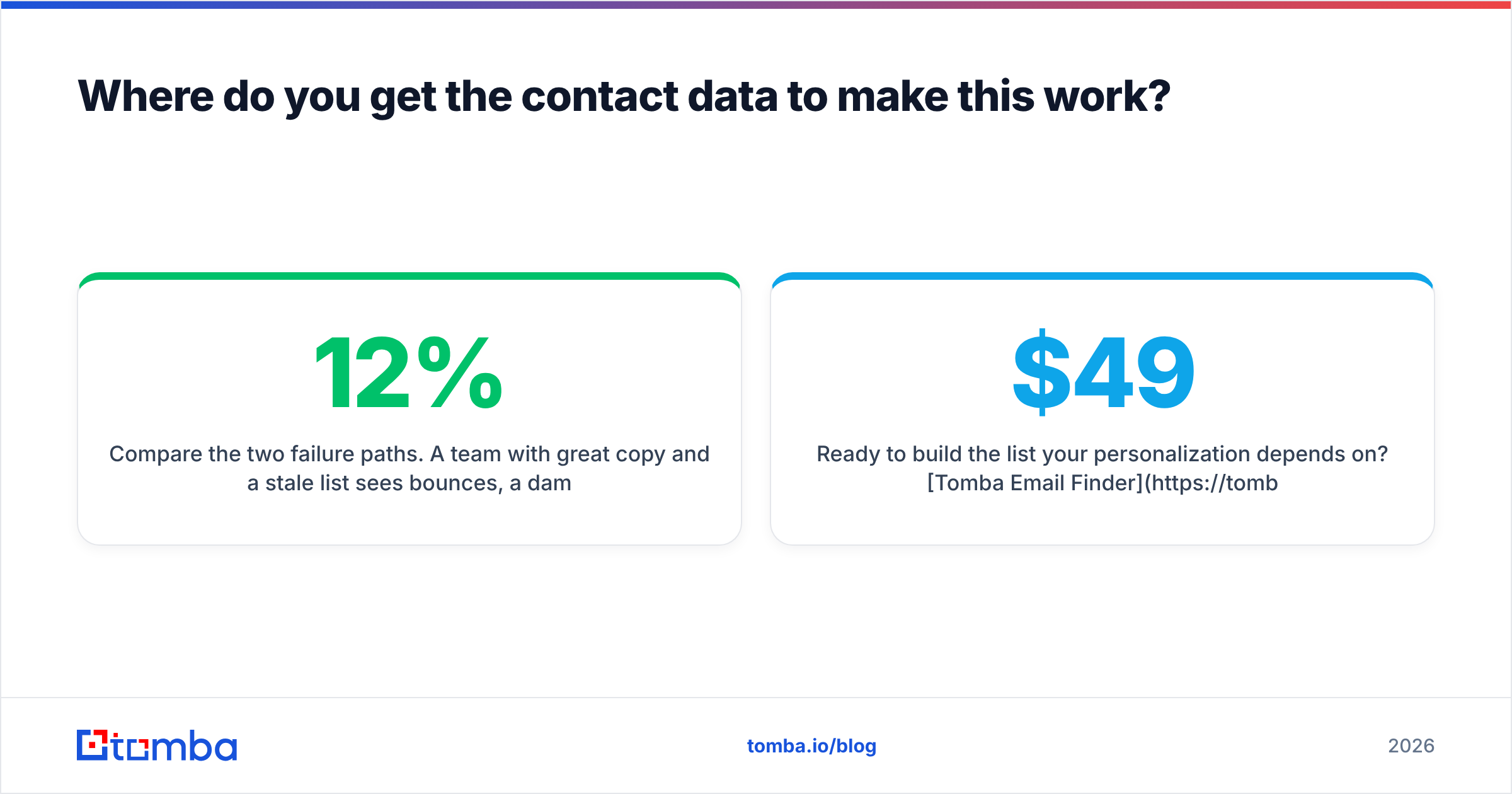
Compare the two failure paths. A team with great copy and a stale list sees 12% bounces, a damaged domain, and blames the copy. A team with average copy and clean, enriched data sees 1% bounces, steady inbox placement, and gets to iterate on messaging with signal instead of noise. The second team wins, and it is not close.
If you want a comparison of how the market's data providers stack up on coverage and price, G2's lead intelligence category is a reasonable neutral starting point, and vendors like BookYourData have carved out a solid position for teams that prefer buying verified lists outright rather than searching contact by contact. Match the model to how your team works: list-buying suits fixed, well-defined territories; search-and-verify suits accounts you discover as you go.
Start with the smallest possible test. Pick 50 accounts, tier them 5/15/30, write to each tier differently, verify every address, and compare positive reply rates after two weeks. That single experiment will teach you more about your market's personalization threshold than any blog post — including this one.
Ready to build the list your personalization depends on? Tomba Email Finder locates verified professional addresses by name, domain, or company, with a free tier of 25 searches a month so you can pressure-test accuracy before paying. Paid plans start at $49/mo for Starter, $99/mo for Growth, and $249/mo for Pro — full Tomba pricing is public. Find the right people, verify them, then spend your research time where it actually earns a reply.
Related guides#
// get started
Find, verify and enrich your first contacts today
Start on the free plan with 25 searches a month, then scale when your team is ready.
Free plan · No credit card required · GDPR & CCPA
// about the author