How to Reduce No-Shows in Sales: A 2026 Playbook
No-shows quietly kill 20-40% of booked sales meetings. Here are the confirmation sequences, data hygiene fixes, and qualification filters that actually get prospects to show up.
TL;DR
- Most no-shows are not rudeness — they are a symptom of weak qualification, stale contact data, and a booking-to-meeting gap with no touchpoints in it.
- A 3-touch confirmation sequence (instant, T-24h, T-1h) is the single highest-ROI fix. Teams running it typically move show rates from the 55-65% range into the 80s.
- Bad contact data is an invisible cause: if your calendar invite lands in a dead mailbox or a catch-all black hole, the prospect never saw the meeting at all.
- Reschedule links beat reminder nags. Make it one click to move the meeting and you convert a no-show into a delayed win instead of a lost lead.
- Track show rate as a first-class pipeline metric per rep, per source, and per booking-to-meeting gap — you cannot fix what you do not segment.
What counts as a no-show, and why is your rate worse than you think?#
A no-show is any confirmed meeting where the prospect does not attend and does not cancel in advance. That last clause matters. Teams that lump cancellations in with no-shows flatter their numbers, because a cancellation at least gives you the slot back and often a reason.
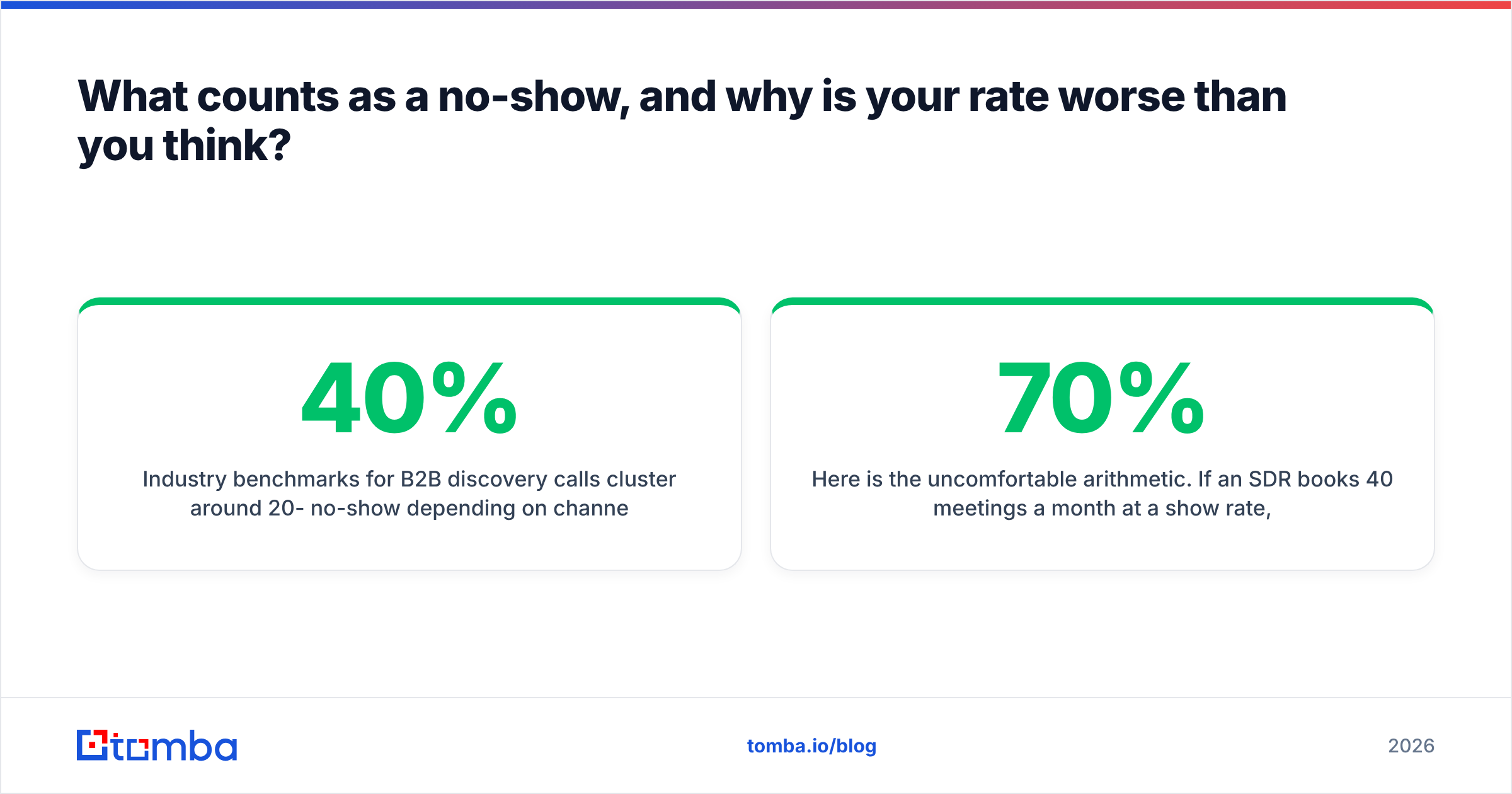
Industry benchmarks for B2B discovery calls cluster around 20-40% no-show depending on channel. Inbound demo requests show up more reliably than cold-outbound-booked meetings. Paid-lead-magnet meetings are the worst offenders — someone who traded an email for a PDF has near-zero switching cost on ghosting you.
Here is the uncomfortable arithmetic. If an SDR books 40 meetings a month at a 70% show rate, that is 12 wasted AE hours plus 12 wasted prep hours. At a loaded cost of $120/hour, one SDR's no-shows burn roughly $2,880 a month. Across a team of six, you are looking at a six-figure annual leak that never appears on a single dashboard.
Three root causes drive nearly all of it:
- Interest without intent. The prospect said yes to be polite, or to end the call. There was never a real problem to solve.
- The gap. Meetings booked 8+ days out no-show at roughly double the rate of meetings booked within 48 hours. Priorities shift, budget freezes, the champion gets reorged.
- The invite never landed. Wrong email, role change, spam filter, or a catch-all domain that accepted the message and then dropped it. The prospect is not ghosting you; they genuinely have no idea a meeting exists.
How do you build a confirmation sequence that actually works?#
Stop thinking "reminder" and start thinking "re-sell." Every touchpoint between booking and meeting is a chance to re-establish why this call is worth 30 minutes.
The sequence that works across most B2B teams:
- Instant confirmation (within 60 seconds). Calendar invite plus a plain-text email from the rep's real address. Include the agenda in three bullets and one line about what the prospect should bring or think about. Auto-generated Calendly boilerplate alone is not enough.
- T-24 hours: value re-frame. Not "just confirming." Send one specific, relevant artifact — a benchmark from their industry, a two-line teardown of something on their site, a customer example from their segment. This is the touch that converts polite-yes into real-yes.
- T-1 hour: friction removal. Short, mobile-readable, one-tap join link and one-tap reschedule link. "See you at 2 — here's the link. If something came up, grab a new slot here."
- T+5 minutes (no-show recovery). If they miss it, do not wait until tomorrow. A message within five minutes while the calendar block is still hot recovers a meaningful share of meetings on the spot.
- T+24 hours: the graceful out. One email offering two specific alternative slots plus an explicit permission-to-decline line. Explicit outs raise reply rates because they lower the social cost of answering.
Two rules govern all five. First, vary the channel — email for touches 1 and 2, SMS or LinkedIn for 3 and 4 if you have consent. Second, every touch comes from a human name, never from no-reply@. HubSpot's research on meeting and sequence performance consistently shows personalized sender identity outperforming system-generated notifications.
Which no-show tactics deliver the biggest lift?#
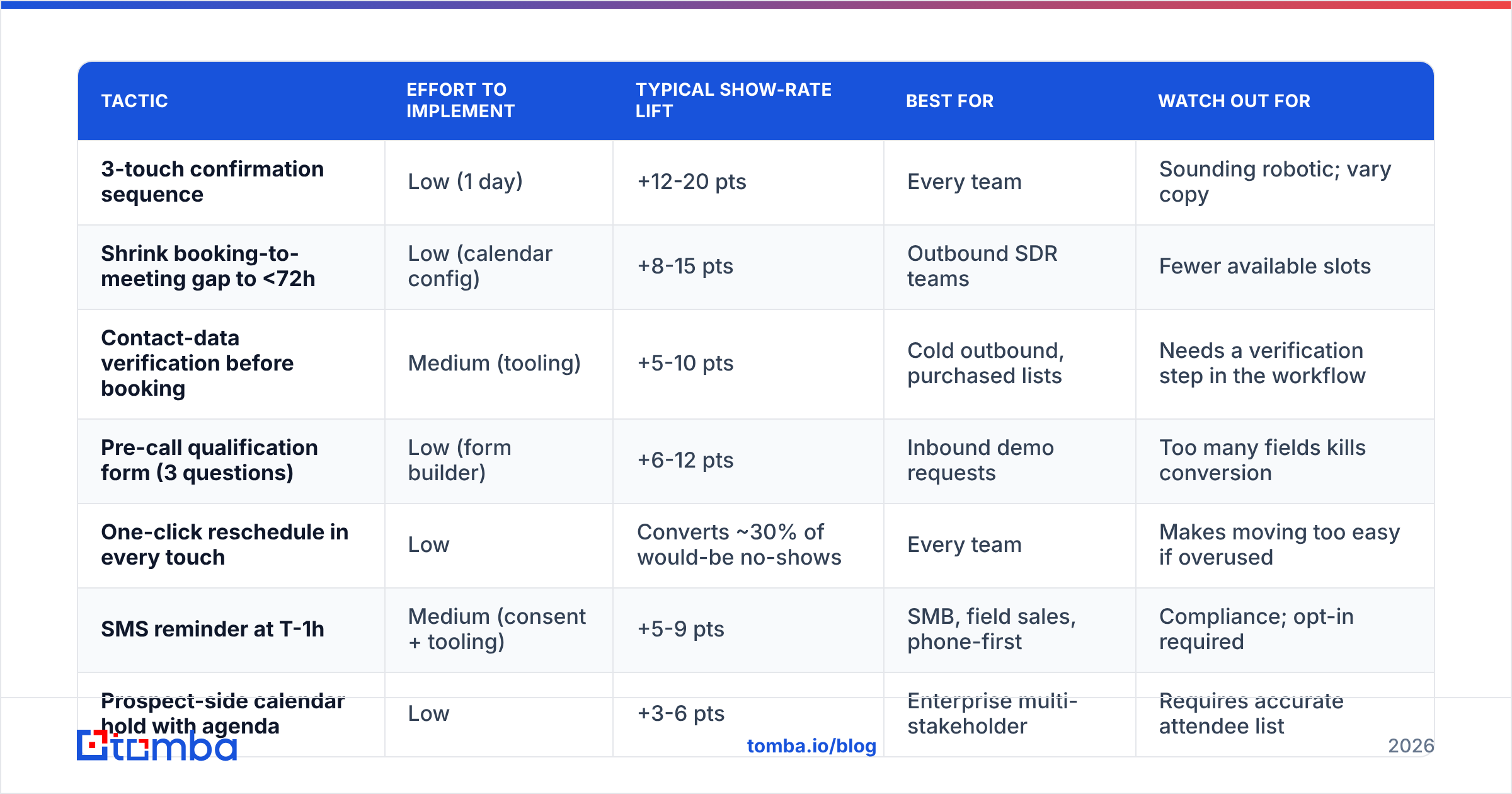
Not all fixes are equal. Here is the honest ranking based on effort versus impact for a typical 5-15 rep B2B team.
| Tactic | Effort to implement | Typical show-rate lift | Best for | Watch out for |
|---|---|---|---|---|
| 3-touch confirmation sequence | Low (1 day) | +12-20 pts | Every team | Sounding robotic; vary copy |
| Shrink booking-to-meeting gap to <72h | Low (calendar config) | +8-15 pts | Outbound SDR teams | Fewer available slots |
| Contact-data verification before booking | Medium (tooling) | +5-10 pts | Cold outbound, purchased lists | Needs a verification step in the workflow |
| Pre-call qualification form (3 questions) | Low (form builder) | +6-12 pts | Inbound demo requests | Too many fields kills conversion |
| One-click reschedule in every touch | Low | Converts ~30% of would-be no-shows | Every team | Makes moving too easy if overused |
| SMS reminder at T-1h | Medium (consent + tooling) | +5-9 pts | SMB, field sales, phone-first | Compliance; opt-in required |
| Prospect-side calendar hold with agenda | Low | +3-6 pts | Enterprise multi-stakeholder | Requires accurate attendee list |
| Deposit or paid consult | High | +25-40 pts | High-ticket consulting only | Slashes booking volume |
The top three rows cover most of the gap. Start there before you build anything elaborate.
Is bad contact data secretly causing your no-shows?#
Yes, more often than most teams believe — and it is the cause nobody investigates because a bounced invite looks identical to a rude prospect from the CRM's point of view.
Run this diagnostic on your last 50 no-shows. For each one, check whether the confirmation email was actually delivered and opened. If more than 15% show zero opens across the entire sequence, you do not have a no-show problem. You have a data problem wearing a no-show costume.
The specific failure modes:
- Role changes. B2B contact data decays at roughly 22-30% per year. The VP of Ops who booked in March may not be at the company in June.
- Catch-all domains. The server accepts everything, so your verification tool says "deliverable," but internal routing silently drops mail to non-existent mailboxes. A dedicated catch-all verifier is the only way to separate real mailboxes from accept-all noise.
- Personal vs. work addresses. A prospect who booked from a Gmail address will not see a work-calendar invite, and vice versa.
- Typos from manual entry. Every hand-typed email in your CRM is a coin flip.
The fix is process, not heroics: verify the address at the moment of booking, not at the start of the quarter. Push the booking form email through an email verifier before the invite goes out, and enrich the record so you have a second reachable channel — a mobile number from a phone finder, a LinkedIn profile — for the T-1h touch. When one channel fails silently, the second one saves the meeting.
If you are booking meetings off cold outbound at all, the upstream fix matters even more. Sourcing verified contacts with an email finder rather than scraping and guessing patterns removes an entire class of no-show before it is created.
How does qualification prevent no-shows before they happen?#
The cheapest no-show is the meeting you never booked. Qualification is not gatekeeping — it is refusing to spend an AE hour on someone who was never going to buy.
Three lightweight filters, none of which meaningfully hurt booking volume:
The specificity test. Before confirming, ask: "What made you want to look at this now?" A vague answer ("just researching options") predicts a no-show far better than any firmographic signal. A specific answer ("our current contract renews in November and pricing doubled") predicts attendance.
The micro-commitment. Ask the prospect to do one small thing before the call — send over their current process doc, add a colleague to the invite, answer three questions in the booking form. Anyone who completes it shows up at a dramatically higher rate. Anyone who does not was telling you something useful.
The stakeholder check. If the person booking cannot bring the decision-maker or the budget holder, the meeting is research, not a sales call. Book it anyway if you want, but forecast it as such and give it less prep. Understanding your true win rate by meeting type stops you from over-investing in the wrong ones.
One caution on qualification: over-filtering inbound is a real risk. A demo request from a warm, high-intent visitor should hit the calendar in as few clicks as possible. Save the friction for cold-booked and lead-magnet meetings where no-show rates are structurally worse.
What tooling stack supports a high show rate?#
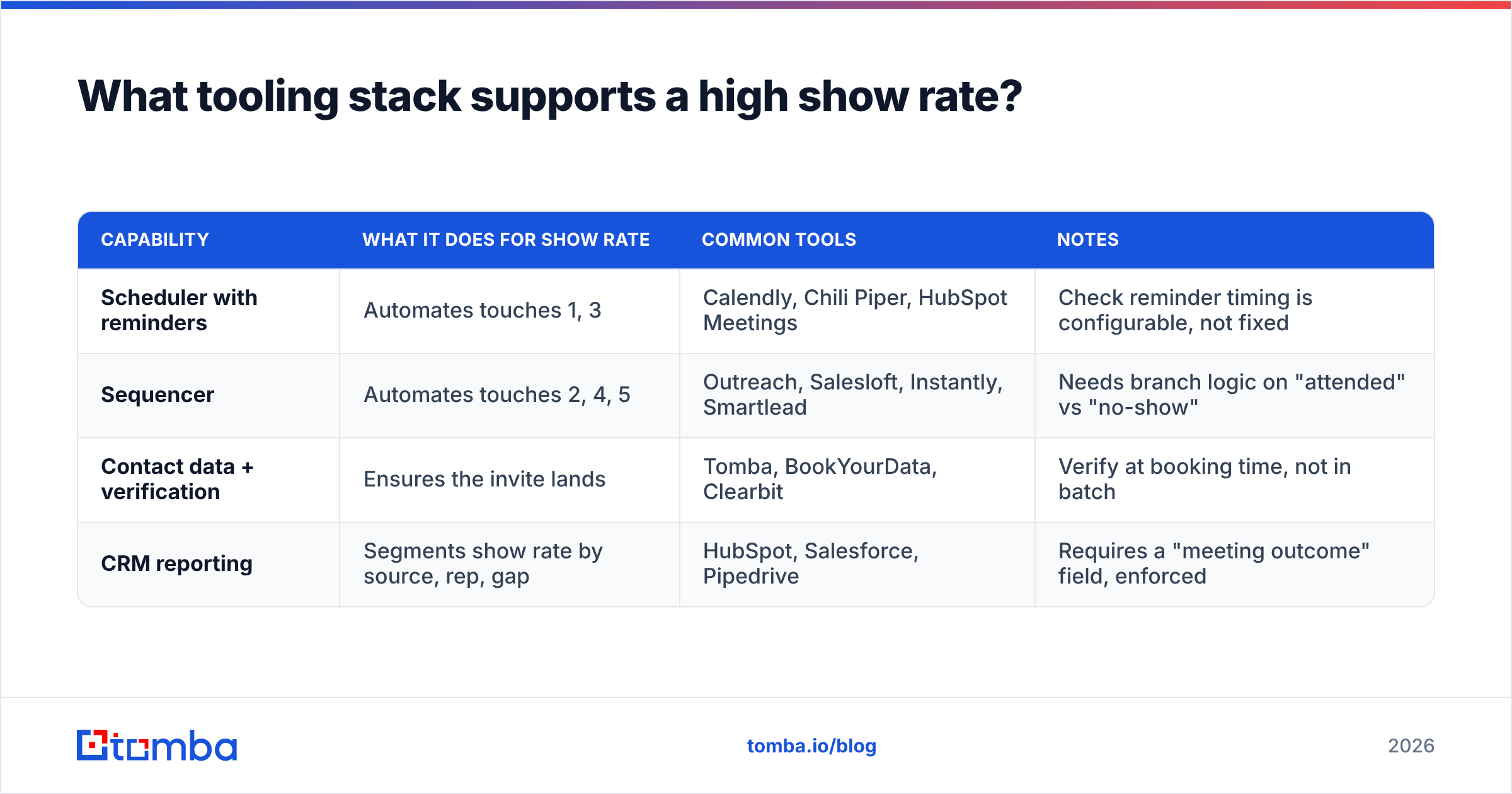
You do not need a new category of software. You need four capabilities wired together, and most teams already own three of them.
| Capability | What it does for show rate | Common tools | Notes |
|---|---|---|---|
| Scheduler with reminders | Automates touches 1, 3 | Calendly, Chili Piper, HubSpot Meetings | Check reminder timing is configurable, not fixed |
| Sequencer | Automates touches 2, 4, 5 | Outreach, Salesloft, Instantly, Smartlead | Needs branch logic on "attended" vs "no-show" |
| Contact data + verification | Ensures the invite lands | Tomba, BookYourData, Clearbit | Verify at booking time, not in batch |
| CRM reporting | Segments show rate by source, rep, gap | HubSpot, Salesforce, Pipedrive | Requires a "meeting outcome" field, enforced |
Two notes on the data row. BookYourData is a solid choice when you want pay-as-you-go verified B2B lists without a subscription commitment — useful for teams that book in bursts around campaigns. Tomba is the better fit when verification needs to sit inline in your booking workflow via API: the free tier gives you 25 searches a month to test, Starter is $49/mo, Growth $99/mo, and Pro $249/mo, with full Tomba pricing published rather than quote-gated. Both approaches work; the difference is batch versus real-time.
The CRM row is the one teams skip and then regret. If "meeting outcome" is an optional free-text field, your show-rate data is fiction. Make it a required picklist — Attended / No-Show / Rescheduled / Cancelled — that blocks the record from advancing. Salesforce's guidance on sales pipeline hygiene makes the same point: unenforced fields produce unusable reports.
How do you measure and improve show rate over time?#
Track one headline number and four segments.
Headline: Show rate = meetings attended ÷ meetings confirmed. Exclude reps' own cancellations. Review weekly, not monthly — monthly is too slow to catch a broken sequence.
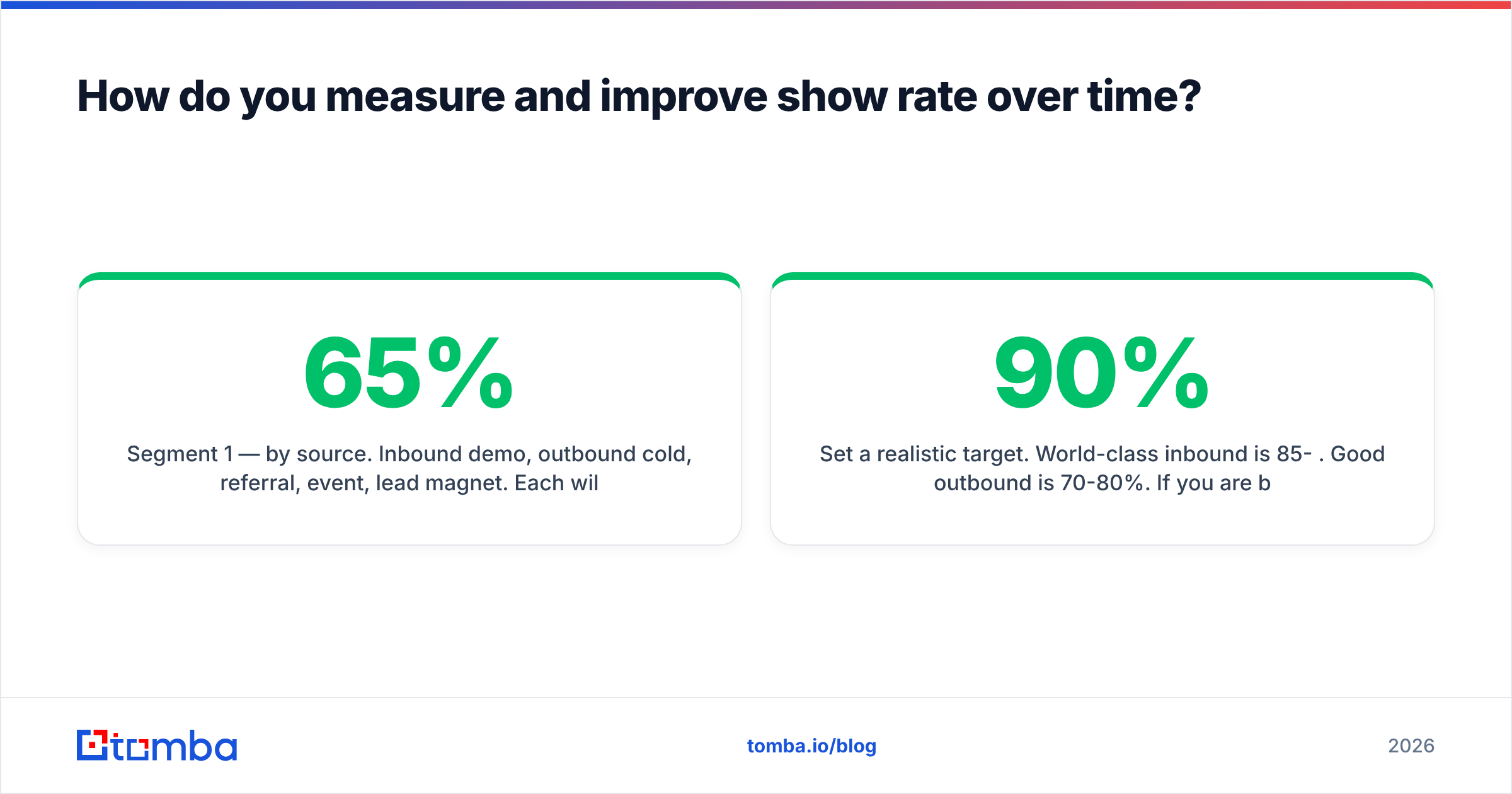
Segment 1 — by source. Inbound demo, outbound cold, referral, event, lead magnet. Each will have a wildly different baseline. A 65% show rate on cold outbound is fine; 65% on inbound demo requests means something is broken.
Segment 2 — by booking-to-meeting gap. Bucket into <24h, 24-72h, 3-7 days, 7+ days. This chart alone usually reveals where to focus. If your 7+ day bucket is 30 points below your <72h bucket, your fix is calendar configuration, not copywriting.
Segment 3 — by rep. Big variance between reps booking from the same source means it is a behavior problem, and behavior problems are coachable. Listen to the calls of your highest-show-rate SDR and codify what they say at the close.
Segment 4 — by sequence completion. Did the prospect receive and open all three confirmation touches? Correlate opens to attendance. This is where data-quality problems surface as a hard number instead of a hunch.
Set a realistic target. World-class inbound is 85-90%. Good outbound is 70-80%. If you are below 60% on any segment, you have a systems problem, not a market problem. G2's sales engagement category reviews are a reasonable place to sanity-check what tooling other teams in your segment use to hit those numbers.
Finally, run a quarterly no-show post-mortem. Pull 20 no-shows at random, and for each one answer three questions: Did the invite deliver? Was there a specific reason-now on the booking call? What was the booking-to-meeting gap? Twenty records will tell you more than any benchmark report.
What should you do first?#
If you do only three things this quarter, do these:
- Ship the 3-touch confirmation sequence this week. It is a day of work and it is the biggest single lever.
- Cap your booking window at 5 business days. Configure it in the scheduler; you do not need anyone's permission.
- Verify every prospect email at the moment of booking. Not in a quarterly cleanup — inline, before the invite sends.
Then instrument the reporting so you can prove which of the three moved the number. Most teams discover the third one mattered more than they expected, because a meeting the prospect never knew about is not a no-show — it is a delivery failure that has been mislabeled for years.
Fix the invisible half of your no-show problem. If your confirmation emails are landing on stale, mistyped, or catch-all addresses, no amount of reminder copy will help. Tomba Email Finder returns verified, source-backed professional email addresses so the invite reaches an inbox a human actually reads — with a free tier of 25 searches a month to test it against your last 50 no-shows before you commit to a paid plan. Run that audit, and you will know within an hour whether you have a prospect problem or a data problem.
Related guides#
// get started
Find, verify and enrich your first contacts today
Start on the free plan with 25 searches a month, then scale when your team is ready.
Free plan · No credit card required · GDPR & CCPA
// about the author