How to Research a Company for Sales: A 2026 Playbook
Most reps spend 20 minutes researching an account and still open with a generic line. Here is a 12-minute framework that pulls signals, people, and verified contact data into one usable brief.
TL;DR
- Good account research is not "read the About page." It is a 12-minute pass across five layers: company facts, money, tech, people, and trigger events.
- The output should be a one-screen brief with three things: a reason to call now, a person to call, and a verified way to reach them.
- Free sources (10-K filings, job boards, G2 reviews, LinkedIn, press releases) cover most of what you need. Paid tools mainly save time and add contact data.
- Research without contact data is a hobby. Pair the brief with a verified email and direct dial before you touch a sequence.
- Timebox it. Deep research on a bad-fit account is the most expensive thing a rep can do.
Why does most company research produce nothing usable?#
Because reps collect facts instead of hypotheses.
You open the prospect's website, learn they are "a leading provider of workflow automation for mid-market manufacturers," note the CEO's name, then write an email that says "I saw you're doing great things in workflow automation." That is a summary, not research. It changes nothing about your pitch, and the buyer can tell you learned it in eleven seconds.
Usable research answers three questions in order:
- Should I work this account at all? Fit, size, budget signal, buying pattern.
- Why would they buy now? A change in the business that makes the status quo expensive.
- Who owns the pain and how do I reach them? Name, role, and a verified channel.
If a fact does not move one of those three, drop it. The 40-minute research session that ends with "they're in logistics and they raised a Series B" failed because it never got to question three.
What are the five layers of company research for sales?#
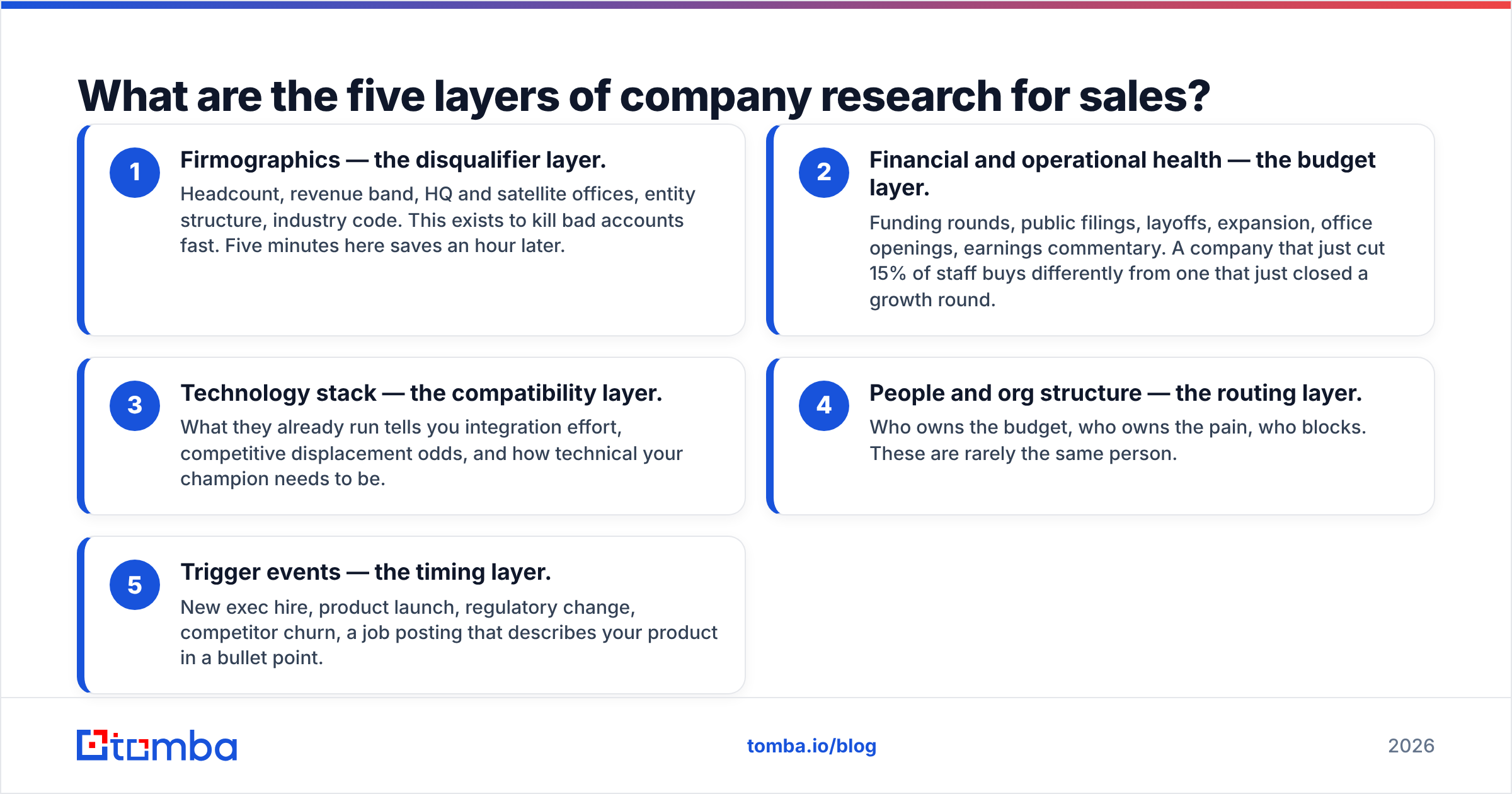
Work them in this order. Each layer is a filter — if the account fails an early layer, you stop and save the time.
- Firmographics — the disqualifier layer. Headcount, revenue band, HQ and satellite offices, entity structure, industry code. This exists to kill bad accounts fast. Five minutes here saves an hour later.
- Financial and operational health — the budget layer. Funding rounds, public filings, layoffs, expansion, office openings, earnings commentary. A company that just cut 15% of staff buys differently from one that just closed a growth round.
- Technology stack — the compatibility layer. What they already run tells you integration effort, competitive displacement odds, and how technical your champion needs to be.
- People and org structure — the routing layer. Who owns the budget, who owns the pain, who blocks. These are rarely the same person.
- Trigger events — the timing layer. New exec hire, product launch, regulatory change, competitor churn, a job posting that describes your product in a bullet point.
That fifth layer is where most deals actually start. Everything above it is context.
How do you research a company for sales in 12 minutes?#
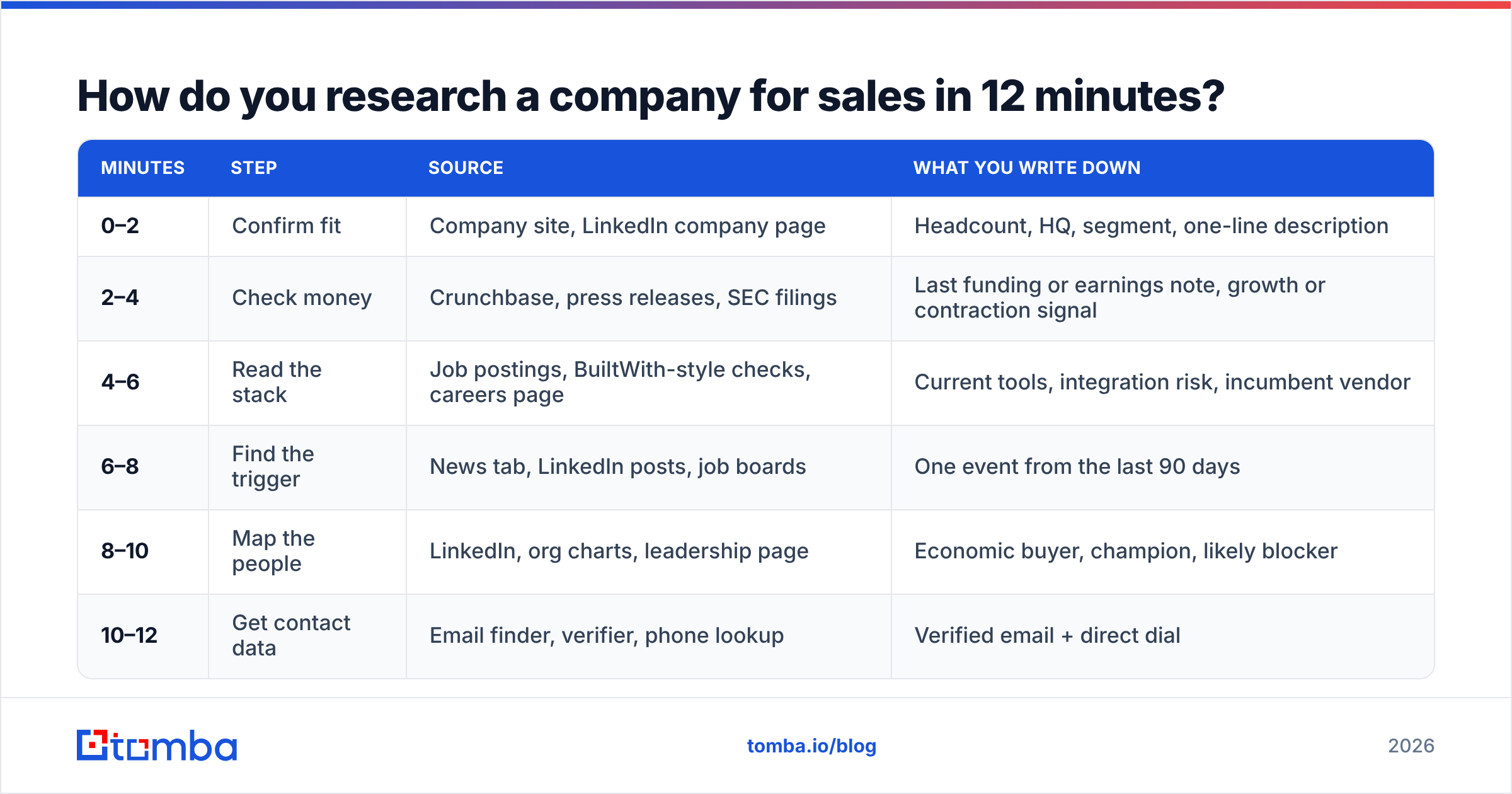
Here is the timeboxed version. Run it the same way every time so it becomes muscle memory rather than a browsing session.
| Minutes | Step | Source | What you write down |
|---|---|---|---|
| 0–2 | Confirm fit | Company site, LinkedIn company page | Headcount, HQ, segment, one-line description |
| 2–4 | Check money | Crunchbase, press releases, SEC filings | Last funding or earnings note, growth or contraction signal |
| 4–6 | Read the stack | Job postings, BuiltWith-style checks, careers page | Current tools, integration risk, incumbent vendor |
| 6–8 | Find the trigger | News tab, LinkedIn posts, job boards | One event from the last 90 days |
| 8–10 | Map the people | LinkedIn, org charts, leadership page | Economic buyer, champion, likely blocker |
| 10–12 | Get contact data | Email finder, verifier, phone lookup | Verified email + direct dial |
Two rules make this work. First, you write while you research — no "I'll remember it." Second, you stop at 12 minutes even if a layer is incomplete. An 80% brief that exists beats a 100% brief you never finished.
For step three, a quick website tech stack check tells you in seconds whether they run the CRM, marketing automation, or analytics platform your product plugs into — which is usually a stronger qualifier than headcount.
Which free sources are actually worth your time?#
Most "research tool" lists skip the sources that carry the highest signal-to-noise ratio.
- Job postings. The single most underrated source in B2B. A posting for a "Revenue Operations Manager, Salesforce + Outreach experience required" tells you the stack, the team's maturity, the budget, and the pain — in one document the company wrote voluntarily.
- 10-K and 10-Q risk factors (public companies). Legal teams are required to write down what scares them. That is a pre-written pain section for your pitch. Search the filing for "we may be unable to."
- G2 and Capterra reviews of their current vendor. If your prospect reviewed a competitor two quarters ago and complained about onboarding, you now have your opening line. G2 surfaces these by company on many profiles.
- Earnings call transcripts. Executives state priorities out loud, quarterly, with numbers attached. The Q&A section is more honest than the prepared remarks.
- LinkedIn headcount-by-function charts. A sales team that grew from 12 to 34 in nine months has an enablement, data, and process problem whether they admit it or not.
- The company's own changelog and status page. Shipping velocity and incident frequency tell you about engineering capacity, which matters if you sell to engineering.
Two sources people over-rely on: the About page (marketing copy, zero signal) and generic industry reports (true of everyone, specific to no one).
What does a good account brief look like?#
One screen. If it scrolls, it is a research paper, not a brief.
| Field | Example entry |
|---|---|
| Account | Northwind Logistics, 340 employees, Chicago |
| Fit score | Strong — mid-market, multi-warehouse, Salesforce shop |
| Money signal | $22M Series B, March 2026, hiring 40 roles |
| Stack | Salesforce, Outreach, custom WMS, no dedicated data vendor |
| Trigger | Posted "Manager, Sales Data Operations" 11 days ago |
| Champion | VP RevOps — owns the data-quality problem |
| Economic buyer | CRO — hired 4 months ago, publicly targeting pipeline coverage |
| Contact path | Verified work email + direct dial, LinkedIn as backup |
| Opening hypothesis | New CRO + new data ops hire = they know their CRM data is decaying |
The "opening hypothesis" row is the only one that matters at send time. Everything above it is evidence for it. If you cannot write a one-sentence hypothesis, your research is not done — and a 40-page dossier will not fix that.
Note how the contact path is a field, not an afterthought. Reps routinely build beautiful briefs on accounts they cannot actually reach, then bounce 30% of their sends and damage sender reputation in the process.
How do you turn research into a contactable person?#
This is the step where most research workflows leak.
You have identified that the VP of Revenue Operations is your champion. You have their name and title from LinkedIn. You do not have their email, and guessing first.last@company.com fails often enough to be dangerous — not just because the message does not land, but because repeated hard bounces degrade your domain.
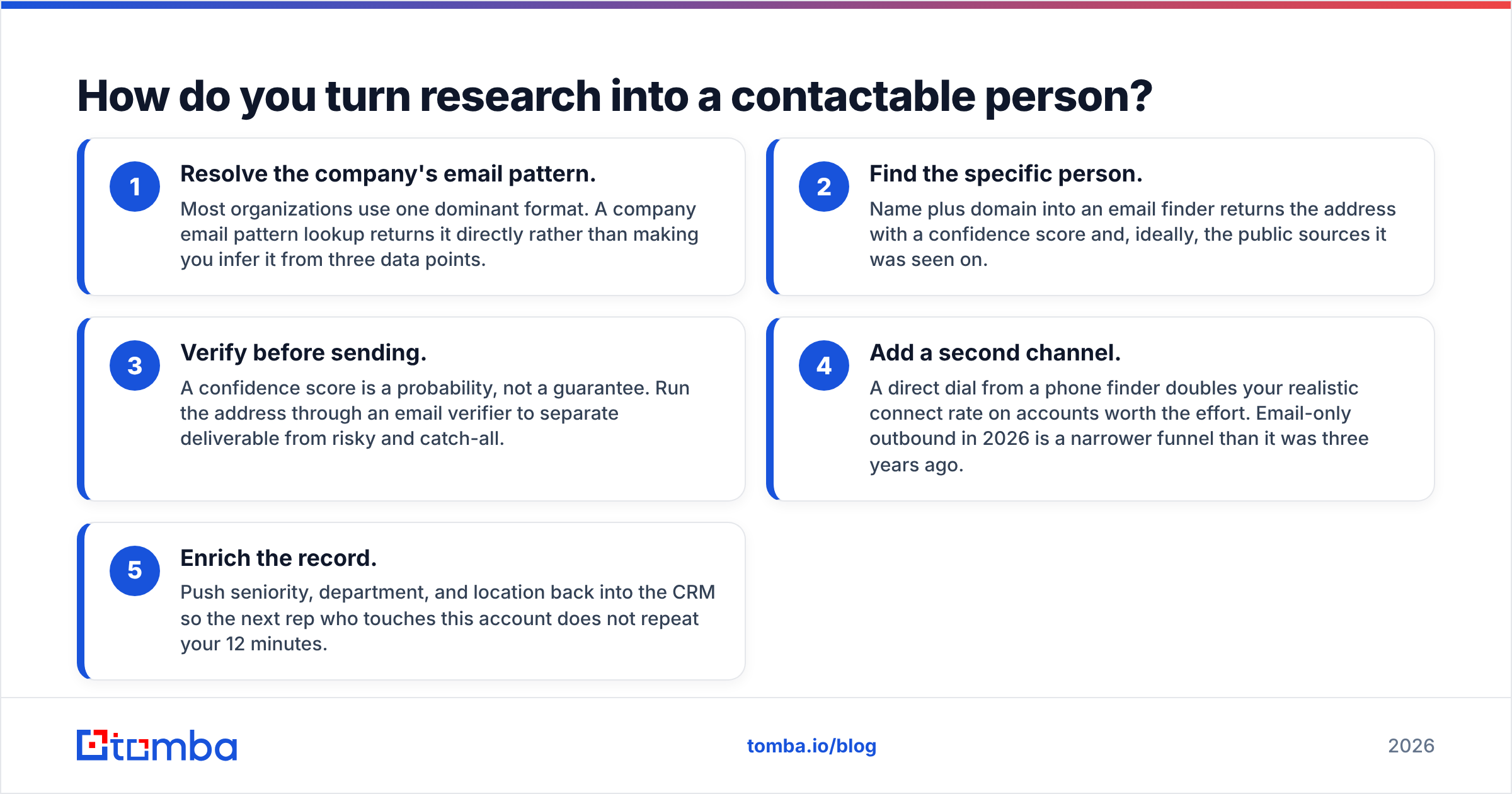
The reliable sequence:
- Resolve the company's email pattern. Most organizations use one dominant format. A company email pattern lookup returns it directly rather than making you infer it from three data points.
- Find the specific person. Name plus domain into an email finder returns the address with a confidence score and, ideally, the public sources it was seen on.
- Verify before sending. A confidence score is a probability, not a guarantee. Run the address through an email verifier to separate deliverable from risky and catch-all.
- Add a second channel. A direct dial from a phone finder doubles your realistic connect rate on accounts worth the effort. Email-only outbound in 2026 is a narrower funnel than it was three years ago.
- Enrich the record. Push seniority, department, and location back into the CRM so the next rep who touches this account does not repeat your 12 minutes.
If you are researching an entire target list rather than one account, domain search inverts the workflow: give it a domain, get back the departmental contacts, then filter by role instead of hunting person by person.

Should you use free research or a paid data platform?#
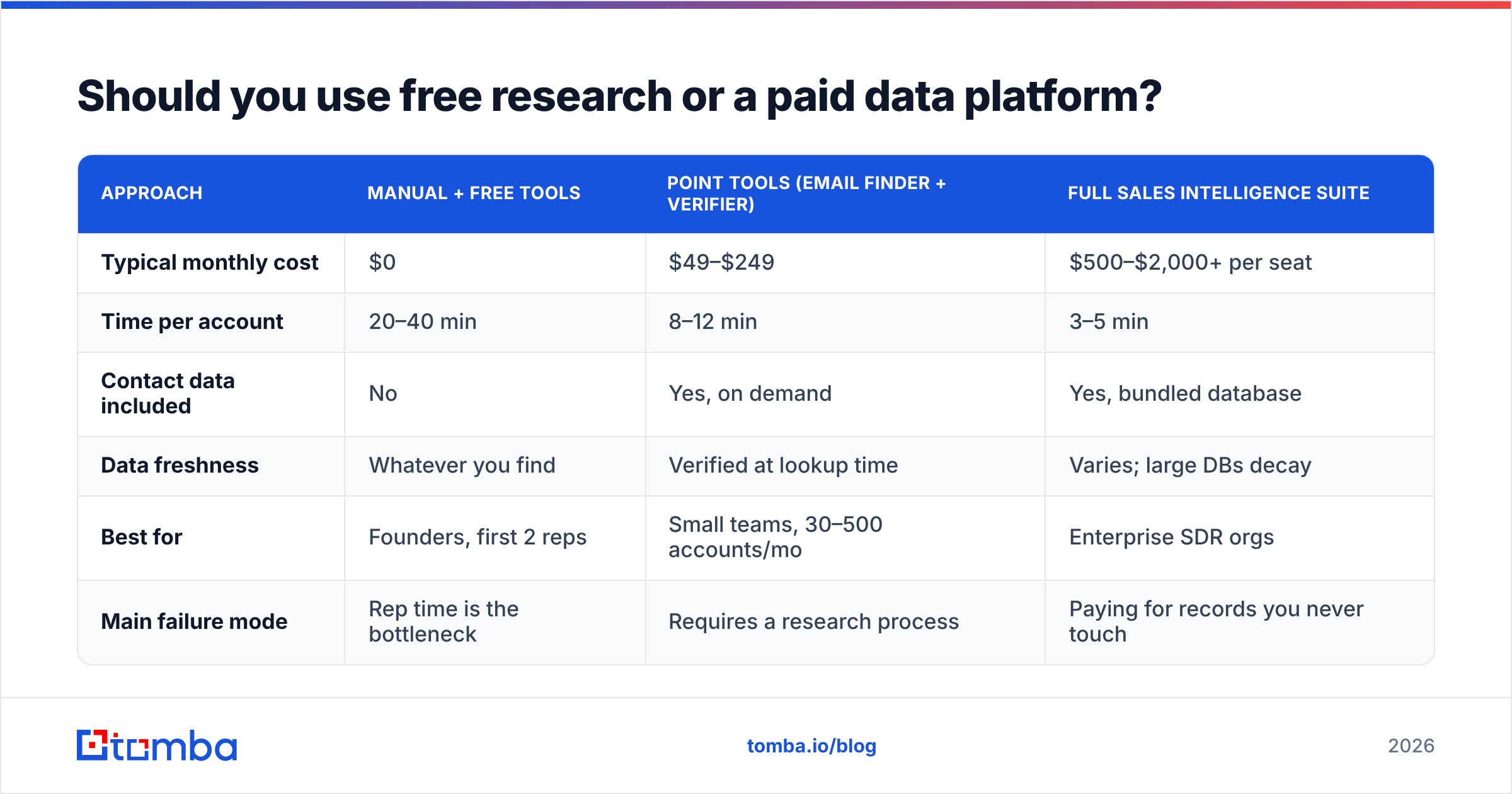
Depends entirely on volume. Below roughly 30 accounts a month, manual research plus free tools is genuinely competitive. Above that, the math flips fast.
| Approach | Manual + free tools | Point tools (email finder + verifier) | Full sales intelligence suite |
|---|---|---|---|
| Typical monthly cost | $0 | $49–$249 | $500–$2,000+ per seat |
| Time per account | 20–40 min | 8–12 min | 3–5 min |
| Contact data included | No | Yes, on demand | Yes, bundled database |
| Data freshness | Whatever you find | Verified at lookup time | Varies; large DBs decay |
| Best for | Founders, first 2 reps | Small teams, 30–500 accounts/mo | Enterprise SDR orgs |
| Main failure mode | Rep time is the bottleneck | Requires a research process | Paying for records you never touch |
The middle column is where most teams under 20 reps should sit. Tomba pricing starts with a free tier at 25 searches per month, then Starter at $49/mo, Growth at $99/mo, and Pro at $249/mo — which covers a two-to-five person outbound team comfortably. The suite tier only pays for itself when you have enough reps to consume the database you rented.
One honest caveat about the big platforms: a database of 200 million contacts is only useful if the slice you care about is fresh. Contact data decays at roughly 25–30% a year as people change jobs, so a large stale record set can be worse than a smaller verified one. Vendors like BookYourData address this with pay-as-you-go credits and verification at purchase, which suits teams that buy in bursts rather than subscribing. Match the buying model to your actual cadence.
What research mistakes cost reps the most deals?#
Researching before qualifying. The most expensive research is thorough work on an account that was never going to buy. Run the two-minute fit check first, every time.
Confusing personalization with flattery. "Congrats on the funding round" is not research — it is a signal you read a headline, and the prospect got 40 of those emails the same week. Use the round to infer what it funds, then reference the consequence: "Series B usually means the CRM data problem gets three times worse in about six months."
Ignoring the org chart. Selling to the person who feels the pain, when a different person owns the budget, is how deals stall at week six. Map both before you write.
Skipping verification. Research quality is irrelevant if the email bounces. High bounce rates hurt email deliverability for every future send from that domain, not just this one. Salesforce's own sales prospecting guidance makes the same point about list hygiene preceding outreach volume.
Letting research live in a doc. If your brief is in a Google Doc that nobody else opens, the next rep repeats the work. Push it into the CRM as structured fields. HubSpot's prospecting resources are useful on the field-structure side.
Researching at send time. Batch it. Research 20 accounts in one 4-hour block, sequence them the next day. Context-switching between research mode and writing mode is why "personalized" outbound takes three times longer than it should.
How do you scale this across a team?#
Standardize the brief template, then automate the mechanical layers.
The fit check, the stack check, and the contact-data step are all deterministic — they should be scripted or API-driven, not done by hand. The Tomba API handles the find-and-verify portion inside your own enrichment job, so a rep opens an account that already has a verified email attached and spends their 12 minutes on the parts that require judgment: the trigger and the hypothesis.
For teams that live in spreadsheets, running the same lookups through Google Sheets keeps the workflow where reps already are. For CRM-native teams, pushing enriched records straight into HubSpot or Salesforce avoids the copy-paste tax entirely.
Then measure it. Track research-to-reply rate by rep. If one rep's briefs convert at twice the rate, read their last ten briefs and find out what they are noticing that the template does not ask for. That is how the template improves.
Where should you start tomorrow?#
Pick ten accounts from your current list. Run the 12-minute pass on each — timer on, brief template open, no exceptions. Then compare the opening hypotheses. You will find that three of the ten have a genuine trigger, four are worth a nurture touch, and three should never have been on the list. That distribution is normal, and finding it early is the entire point.
Once you have the hypothesis, you still need the person's actual inbox. That is the step where good research quietly dies. Run the name and domain through the Tomba Email Finder, verify the result before it enters a sequence, and start on the free tier's 25 monthly searches to test the workflow on your own list before you commit to a plan. Research earns the right to send — verified data is what makes the send land.
Related guides#
// get started
Find, verify and enrich your first contacts today
Start on the free plan with 25 searches a month, then scale when your team is ready.
Free plan · No credit card required · GDPR & CCPA
// about the author