How to Suggest a Time for a Meeting: Sample Emails That Work
Vague meeting requests die in the inbox. Here are the exact scheduling lines, sample emails, and follow-up sequences that turn interest into a booked calendar slot.
TL;DR
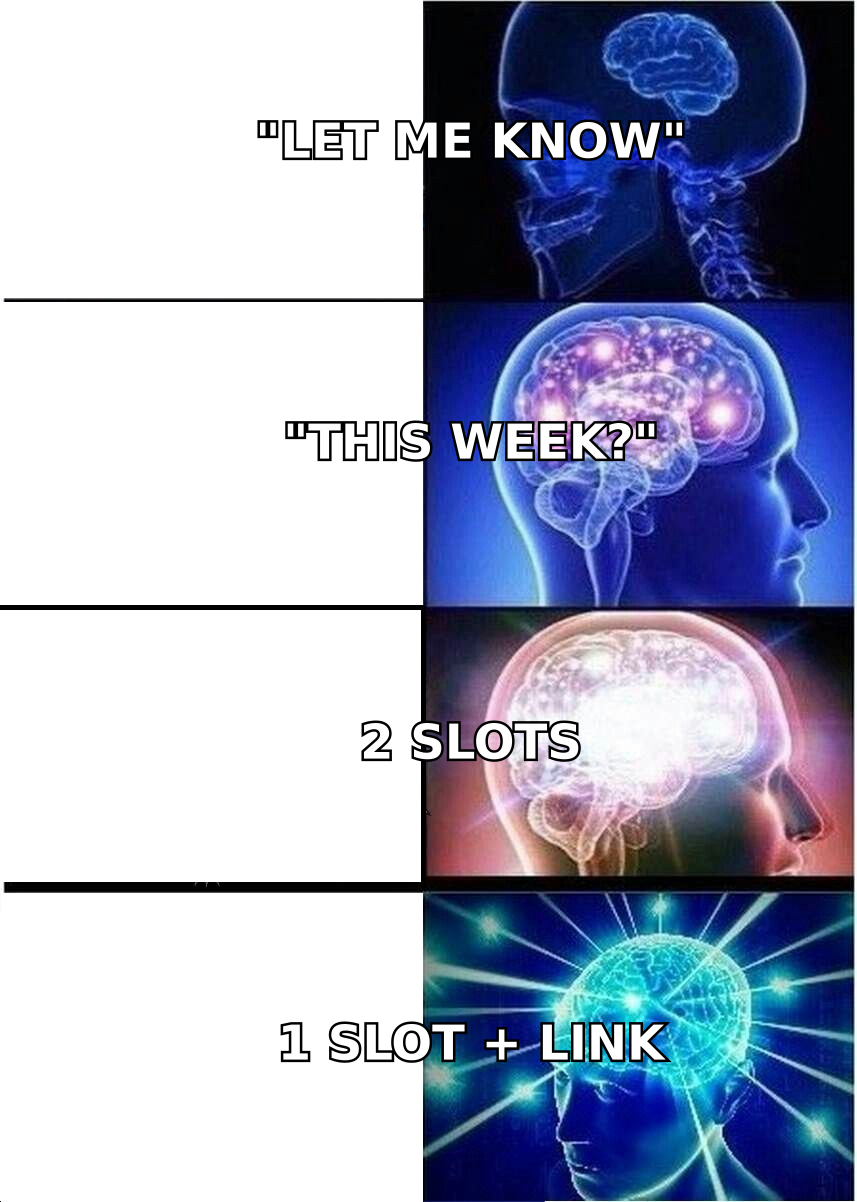
- The single biggest scheduling mistake is asking an open question ("when works for you?") instead of proposing a specific slot. Specific beats flexible almost every time.
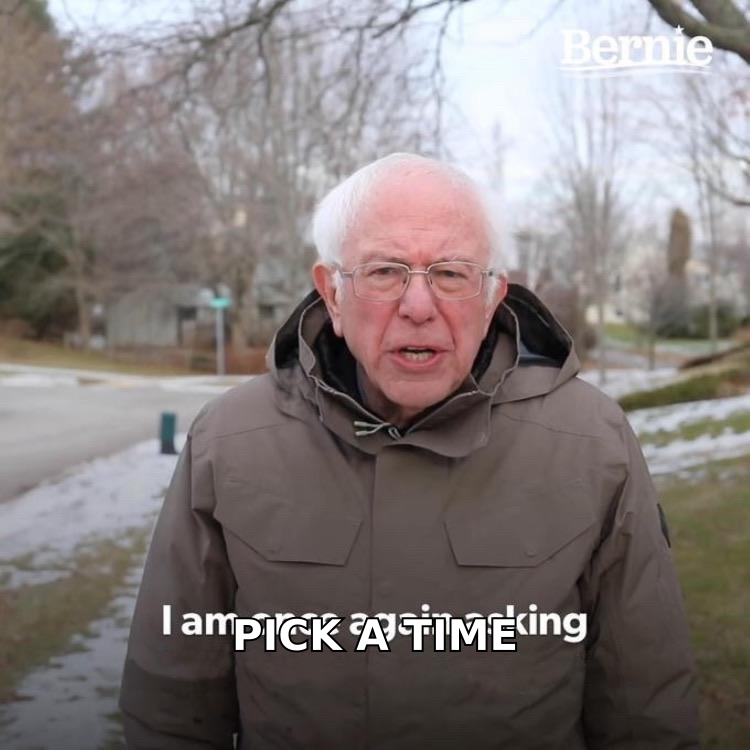
- Offer two concrete options, not five. Three or more choices creates decision friction and slows the reply.
- Always include the time zone, the duration, and what the meeting is for. Missing any one of those three invites a clarifying email instead of an accept.
- A calendar link is a fallback, not an opener — lead with a human proposal, then attach the link for convenience.
- None of this matters if the email lands in spam or hits a dead address. Verify the contact before you write the perfect scheduling line.
You wrote a good cold email. Someone replied "sure, happy to chat." Then you sent "let me know what works for you" and the thread went quiet for eleven days.
That's not a relationship problem. That's a scheduling-copy problem, and it's the most fixable part of the whole outbound sequence. This post gives you the sample language for every scheduling scenario — first proposal, follow-up, reschedule, cross-time-zone, and executive-assistant handoff — plus the structural rules that make those samples work when you swap in your own details.
Why do most meeting-time requests get ignored?#
Because they hand work to the recipient instead of taking it away.
"When are you free this week?" asks the other person to open their calendar, scan five days, mentally filter out the blocks they don't want to give you, guess your time zone, and compose a reply. That's roughly ninety seconds of cognitive labor for a meeting they're only mildly interested in. Compare it to "Does Tuesday 2pm ET work? If not, Thursday 10am ET is also open." That's a two-second yes/no.
The pattern shows up in the data. HubSpot's research on meeting scheduling and sales follow-up consistently finds that reply rates drop as the number of required decisions rises. Every open-ended question is a decision you've outsourced.
There are four failure modes that account for nearly every dead scheduling thread:
- The open invitation — "Let me know when you're free." No anchor, no urgency, no default action. The email becomes a task, and tasks get deferred.
- The buffet — "I'm free Mon 9/10/11, Tue 1/2/3, Wed all day." Too many options reads as too much availability, which reads as low demand. It also takes longer to parse than a calendar.
- The naked time zone — "How about 3pm?" Three pm where? If your prospect is in London and you're in Denver, you've just created a follow-up email.
- The agenda-free ask — "Got 30 minutes?" For what? A meeting without a stated outcome is a meeting worth declining.
What does the anatomy of a good scheduling email look like?#
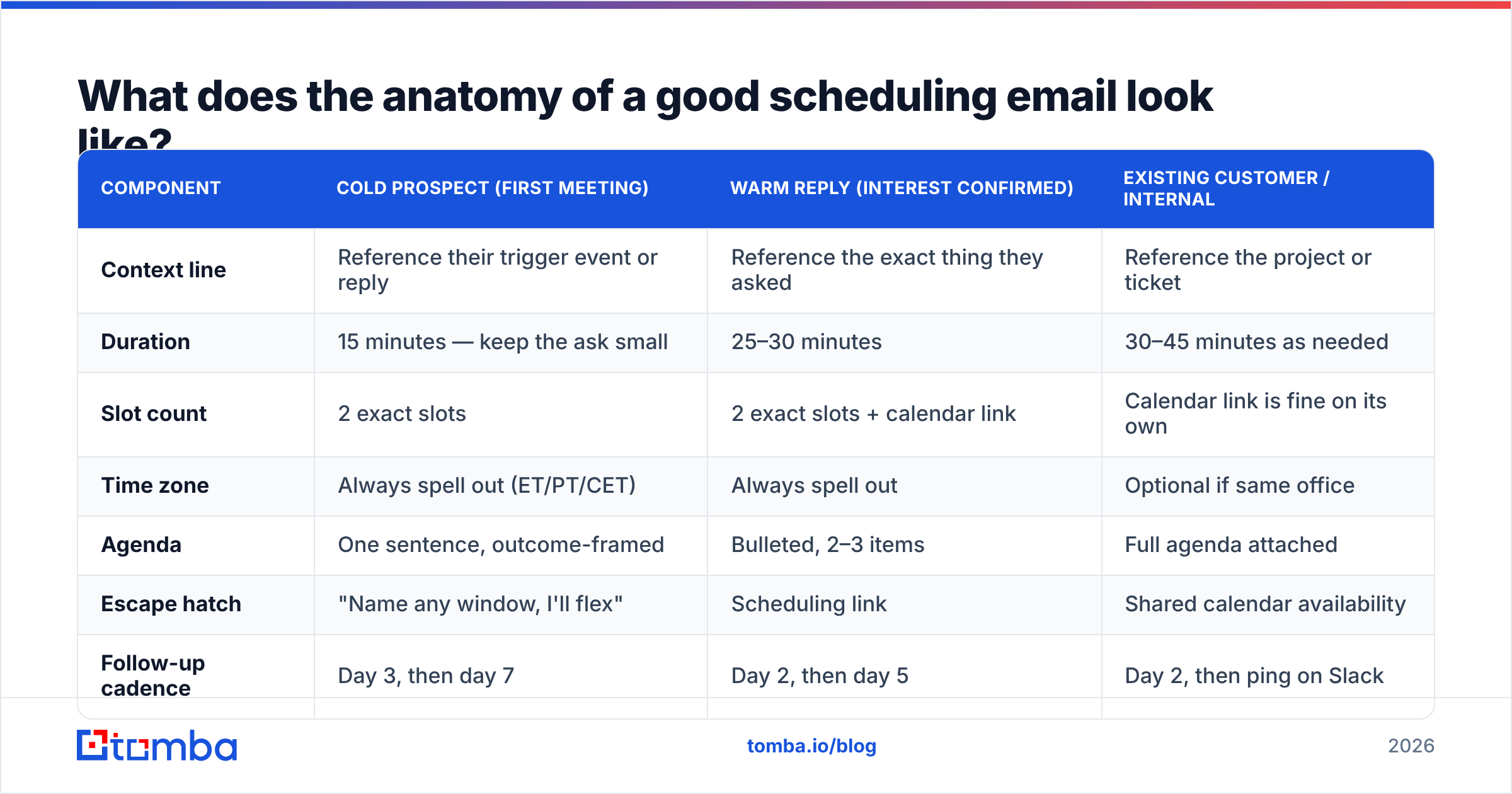
Five components, in this order. Miss one and you add a round trip.
- The context line — one sentence tying back to why you're meeting. "Following up on your question about routing inbound leads to the right rep."
- The duration — state it up front. "20 minutes" gets accepted more often than an unspecified block, because it caps the risk.
- Two specific slots with time zone — "Tuesday Feb 10, 2pm ET" and "Thursday Feb 12, 10am ET." Never more than two in the first ask.
- The escape hatch — "If neither works, here's my calendar: [link]" or "just name a window and I'll make it work."
- The one-line outcome — "You'll leave with a routing map you can apply whether or not we work together."
Here's how those components map across the three most common scheduling contexts:
| Component | Cold prospect (first meeting) | Warm reply (interest confirmed) | Existing customer / internal |
|---|---|---|---|
| Context line | Reference their trigger event or reply | Reference the exact thing they asked | Reference the project or ticket |
| Duration | 15 minutes — keep the ask small | 25–30 minutes | 30–45 minutes as needed |
| Slot count | 2 exact slots | 2 exact slots + calendar link | Calendar link is fine on its own |
| Time zone | Always spell out (ET/PT/CET) | Always spell out | Optional if same office |
| Agenda | One sentence, outcome-framed | Bulleted, 2–3 items | Full agenda attached |
| Escape hatch | "Name any window, I'll flex" | Scheduling link | Shared calendar availability |
| Follow-up cadence | Day 3, then day 7 | Day 2, then day 5 | Day 2, then ping on Slack |
What are the best sample emails for suggesting a meeting time?#
Below are nine samples you can lift directly. Replace the bracketed fields. Keep the structure.
Sample 1 — Cold prospect, first meeting proposal#
Subject: 15 min on [specific problem]?
Hi [Name],
You mentioned on the [podcast/panel/LinkedIn post] that [specific detail] is the current bottleneck. We solved that same thing for [comparable company] last quarter.
Worth 15 minutes? Two options:
- Tuesday, Feb 10 — 2:00pm ET
- Thursday, Feb 12 — 10:00am ET
If neither fits, name any window next week and I'll work around it.
[Your name]
Sample 2 — Warm reply, they said "sure, let's chat"#
Subject: Re: [their subject line]
Great — let's put 25 minutes on the calendar.
Does Wednesday, Feb 11 at 11:00am ET work? Thursday same time is my backup.
I'll come with: (1) how [peer company] handled [problem], (2) a rough sizing for your team, (3) what it would take to pilot. Nothing to prepare on your end.
Calendar link if it's easier: [link]
Sample 3 — Cross-time-zone proposal#
Subject: Finding a workable time — [City] / [City]
Hi [Name],
I'm in [your city, UTC-5] and you're in [their city, UTC+1], so let's aim at the overlap.
- Tuesday 9:00am your time / 3:00am my time — I'll take the early one
- Wednesday 4:00pm your time / 10:00am my time
Either is fine by me. Whichever you prefer, I'll send the invite with both time zones on it.
Sample 4 — Nudge after no response (day 3)#
Subject: Re: 15 min on [problem]?
Bumping this in case it slid past.
Still holding Thursday 10:00am ET. If that's dead, is the topic dead too, or just the timing? A one-word answer is genuinely fine.
Sample 5 — Second nudge / graceful close (day 7)#
Subject: Closing the loop
No luck landing a time, so I'll stop filling your inbox. If [problem] moves up the list in Q2, reply to this thread and I'll clear a slot.
Either way, here's the [teardown/benchmark/checklist] I mentioned — useful whether or not we talk.
Sample 6 — Rescheduling after you cancelled#
Subject: My fault — rebooking
Sorry for dropping our Tuesday. Entirely on me.
Rebooking options, your pick:
- Thursday, Feb 12 — 2:00pm ET
- Monday, Feb 16 — 9:30am ET
Same 25 minutes, same agenda. I'll send the invite the moment you pick one.
Sample 7 — Rescheduling after they cancelled#
Subject: No problem — grabbing a new slot
Things come up. Want to try next week instead?
Thursday 11:00am ET or Friday 2:00pm ET are both open on my side. If your week is genuinely full, tell me the week that isn't and I'll hold time then.
Sample 8 — Going through an executive assistant#
Subject: Scheduling 20 min with [Exec name] — [topic]
Hi [EA name],
[Exec] asked me to reach out about [topic] — copying the original thread below.
I need 20 minutes and I'm flexible: any morning ET the week of Feb 9 works, and I can move earlier or later if that helps you fit it in. Happy to take a 7:30am slot.
Whatever's easiest for you — I'll adapt.
Sample 9 — Multi-stakeholder / group meeting#
Subject: 30 min with [Name], [Name], and [Name] — [topic]
Hi all,
Pulling everyone into one 30-minute session instead of three separate calls.
Two options that clear everyone's public calendar:
- Wednesday, Feb 11 — 1:00pm ET
- Friday, Feb 13 — 11:00am ET
[Name], you're the hard constraint here — whichever you pick, I'll build around it. Agenda in the invite.
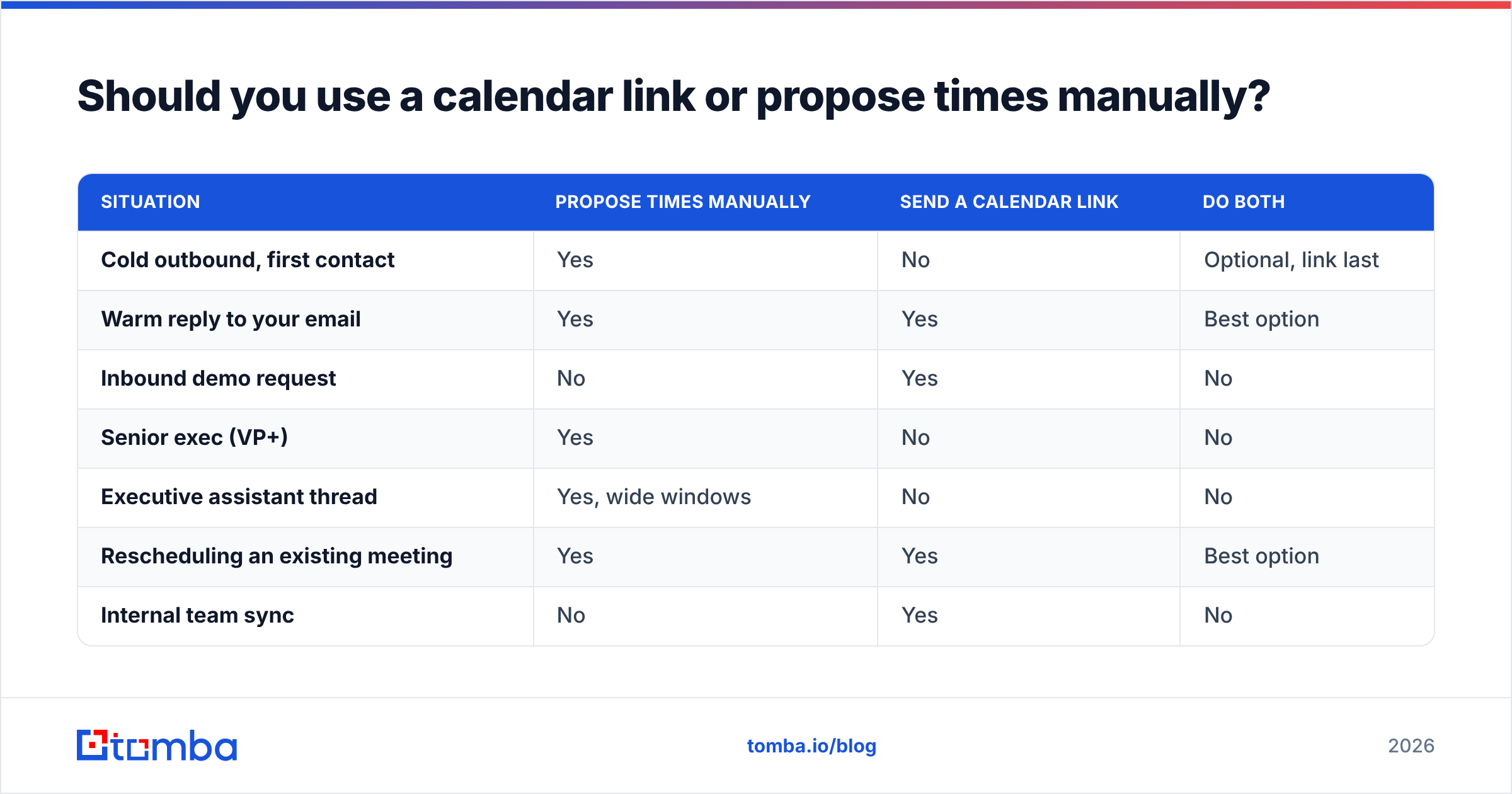
Should you use a calendar link or propose times manually?#
Use both — in the right order. Lead with a proposed slot, offer the link as the fallback.
A calendar link opener ("grab a time here") reads as automated and status-asymmetric: it says my time is scheduled, yours is available. For a cold prospect who owes you nothing, that's a bad first impression. For a warm inbound lead who already wants to talk, it's efficient and welcome.
| Situation | Propose times manually | Send a calendar link | Do both |
|---|---|---|---|
| Cold outbound, first contact | Yes | No | Optional, link last |
| Warm reply to your email | Yes | Yes | Best option |
| Inbound demo request | No | Yes | No |
| Senior exec (VP+) | Yes | No | No |
| Executive assistant thread | Yes, wide windows | No | No |
| Rescheduling an existing meeting | Yes | Yes | Best option |
| Internal team sync | No | Yes | No |
| Multi-stakeholder group call | Yes | No | No |
The rule underneath the table: the less the other person owes you, the more work you should do. Manual proposals cost you thirty seconds and signal effort. Links cost you nothing and signal it.
How do you write the follow-up when nobody replies?#
Change something every time. A follow-up that just repeats the ask trains people to ignore the thread.
- Follow-up 1 (day 3) — change the slot. "Tuesday's gone, but Thursday 10am ET is still open." Scarcity is real and honest here.
- Follow-up 2 (day 7) — change the question. Stop asking for a time; ask for a signal. "Is this a timing problem or a priority problem?" People answer diagnostic questions they'd ignore as scheduling requests.
- Follow-up 3 (day 12) — change the ask entirely. Offer async: "If a call is too much, I'll send a three-minute Loom instead. Yes or no?"
- Follow-up 4 (day 18) — close the loop and leave the door open. No guilt, no "just circling back," no fifth attempt.
Four touches is the practical ceiling for a scheduling thread. Past that you're not persistent, you're background noise — and you're increasing your spam-complaint risk, which quietly degrades email deliverability across every other campaign you're running from that domain.
If your response rate on scheduling emails is under 20% for warm replies, the problem is almost never the follow-up count. It's the first proposal — go back and check whether you actually named a slot.
What details do people forget to include?#
The small stuff that generates round trips:
- The time zone, spelled out. "2pm ET," not "2pm." And write ET/PT/CET rather than EST/EDT unless you're certain which side of the DST switch you're on.
- The date, not just the day. "Tuesday" is ambiguous if the email lands Friday afternoon. "Tuesday, Feb 10" isn't.
- The platform. Zoom, Google Meet, Teams, or a phone call — say which, and if it's a phone call, say who dials whom.
- The duration in the subject line. "15 min on lead routing" outperforms "Quick chat" because it prices the ask before they open it.
- Who else is joining. Nobody enjoys discovering a second attendee at the top of the call.
- What happens if they're late. "I'll hold the room for 10 minutes" removes the awkwardness of a no-show becoming a dead relationship.
Google Calendar's own scheduling documentation is worth skimming if you send invites at volume — the working-hours and time-zone-display settings prevent a surprising share of mis-booked meetings before they happen.
How does contact data quality affect meeting acceptance?#
More than the copy does, honestly — because a perfect scheduling email sent to a stale address books zero meetings.
Two failure points sit upstream of everything in this post:
The address is wrong. B2B contact data decays fast; people change roles, companies rebrand domains, and catch-all servers accept everything and deliver nothing. If you're building lists by guessing patterns, run them through an email verifier before the first send. For domains that accept all mail, a dedicated catch-all verifier is the only way to separate real mailboxes from black holes.
You're emailing the wrong person. The scheduling copy in this post assumes you've reached someone with the authority to take the meeting. If you're proposing times to an individual contributor when the decision sits two levels up, no amount of slot specificity fixes it. A domain search across the target company surfaces the org's email pattern and the people attached to it, so you can pick the right recipient before you write the ask.
For teams working from a list of target accounts rather than named individuals, the bulk email finder turns a company list into verified contacts in one pass — which is the difference between a scheduling sequence that runs at 30% reply rate and one that quietly bounces at 12%.
There's a broader industry view on this too: reviews aggregated on G2's sales intelligence category repeatedly flag data freshness — not feature count — as the variable that separates tools teams renew from tools they churn out of.
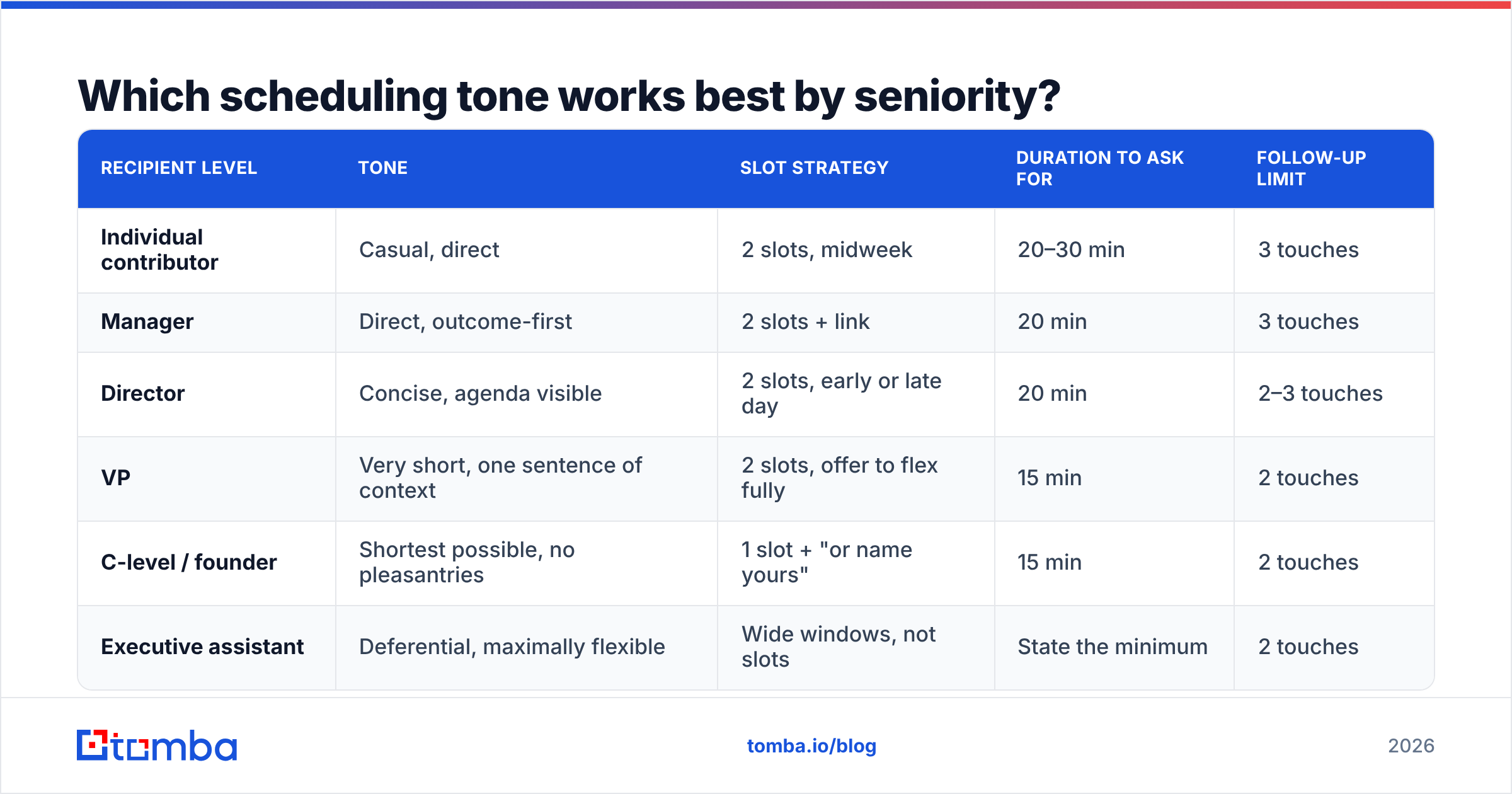
Which scheduling tone works best by seniority?#
Match the register to the seat.
| Recipient level | Tone | Slot strategy | Duration to ask for | Follow-up limit |
|---|---|---|---|---|
| Individual contributor | Casual, direct | 2 slots, midweek | 20–30 min | 3 touches |
| Manager | Direct, outcome-first | 2 slots + link | 20 min | 3 touches |
| Director | Concise, agenda visible | 2 slots, early or late day | 20 min | 2–3 touches |
| VP | Very short, one sentence of context | 2 slots, offer to flex fully | 15 min | 2 touches |
| C-level / founder | Shortest possible, no pleasantries | 1 slot + "or name yours" | 15 min | 2 touches |
| Executive assistant | Deferential, maximally flexible | Wide windows, not slots | State the minimum | 2 touches |
The pattern: as seniority rises, your email gets shorter, your flexibility gets larger, and your requested duration gets smaller. A founder will take a 15-minute call they'd never take at 45.
What should you do before you send the next one?#
Run this checklist against your draft. It takes twenty seconds and it removes most round trips.
- Named a specific date and time? Not "next week," not "sometime Tuesday." An exact slot.
- Included the time zone? Spelled out, abbreviated consistently, ideally with both parties' local times if you're crossing continents.
- Stated the duration? In the subject line if you can fit it.
- Gave exactly two options? One is presumptuous, three-plus is friction.
- Named the outcome? One sentence on what they walk away with.
- Verified the address? If this is the first send to this contact, confirm it resolves before you invest in the copy.
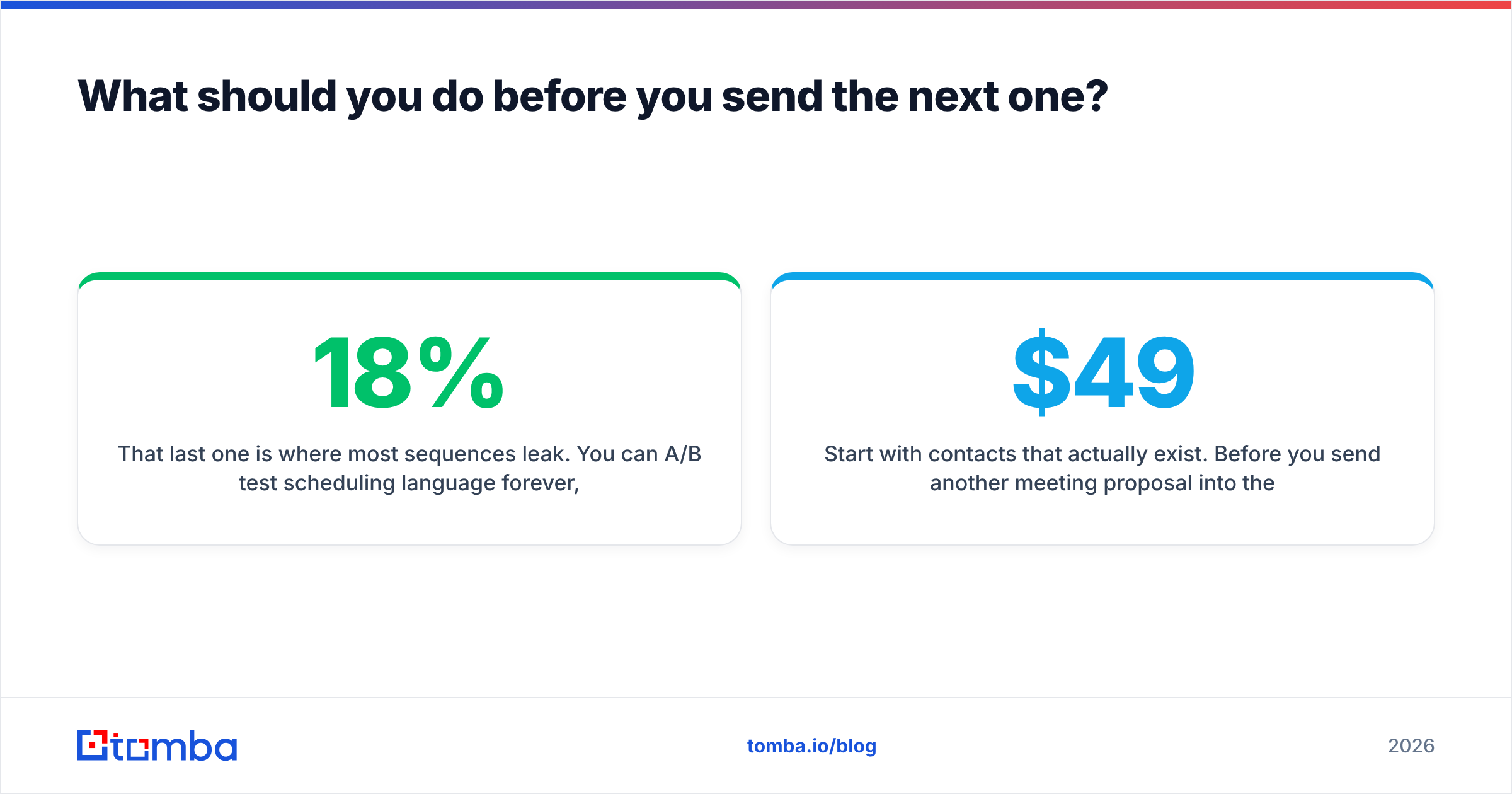
That last one is where most sequences leak. You can A/B test scheduling language forever, but if 18% of your list is dead addresses, you're optimizing the wrong half of the funnel.
Start with contacts that actually exist. Before you send another meeting proposal into the void, run your target list through the Tomba Email Finder — search by domain, name, or company and get verified professional addresses back with a confidence score attached. The free tier includes 25 searches a month so you can test it against a list you already have; paid plans start at $49/mo on Starter and scale to $99/mo on Growth, with full details on the Tomba pricing page. Fix the data first, then the scheduling copy in this post starts doing its job.
Related guides#
// get started
Find, verify and enrich your first contacts today
Start on the free plan with 25 searches a month, then scale when your team is ready.
Free plan · No credit card required · GDPR & CCPA
// about the author