How to Track Emails in 2026: Methods, Tools, and Limits
Open tracking is noisier than it was three years ago. Here's how email tracking actually works in 2026, which methods still return usable signal, and how to set it up without wrecking deliverability.
TL;DR
- Email tracking works by embedding a 1x1 pixel or rewriting links; the pixel tells you when a message is rendered, the link tells you when someone acted.
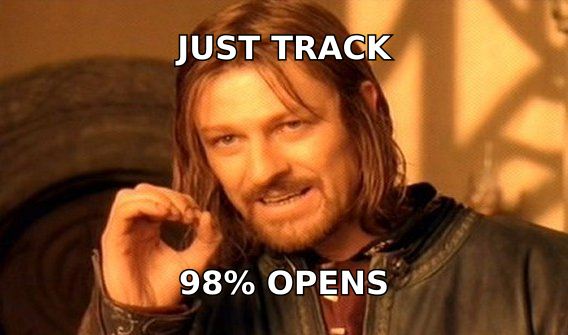
- Apple Mail Privacy Protection and Gmail's image proxy pre-fetch images, so raw open rates are inflated by roughly 30-60% depending on your audience mix. Treat opens as a directional signal, not a fact.
- Click tracking, reply tracking, and website-visit tracking survive privacy proxies. Build your reporting on those three.
- Link rewriting on a shared tracking domain is one of the fastest ways to land in spam. Use a custom subdomain, keep it CNAMEd properly, and don't track links on the first touch of a cold sequence.
- Tracking is worthless if the address is wrong. Verify before you send — bounces destroy the sender reputation that makes any tracking data meaningful.
Email tracking has quietly become one of the most misunderstood parts of outbound. Sales teams still screenshot 71% open rates in Slack, and half of those opens are a machine in Cupertino loading an image nobody saw. Meanwhile the signals that actually predict a reply — link clicks on a pricing page, a second open from a different IP, a form fill three days later — get buried under noise.
This guide covers what still works, how to set it up, and where each method breaks.
What is email tracking and how does it actually work?#
Email tracking is the practice of attaching invisible instrumentation to an outgoing message so you can tell what happened after you hit send. There are two mechanisms doing almost all the work.
Pixel tracking. Your sending tool appends a transparent 1x1 image to the HTML body, hosted at a unique URL like track.yourdomain.com/o/abc123.png. When the recipient's mail client renders the message, it requests that image. The request hits your server, which logs a timestamp, an IP-derived location, and a user agent. That log entry becomes an "open."
Link rewriting. Every hyperlink in your email gets swapped for a redirect: https://yoursite.com/pricing becomes https://track.yourdomain.com/c/xyz789, which 302s to the real destination. The intermediate hop logs the click before passing the visitor through.
Everything else in your dashboard — reply detection, bounce classification, unsubscribe attribution — is derived from your mail server logs and inbound parsing, not from anything embedded in the message.
The mechanism matters because it explains the failure modes. A pixel can't fire if images are blocked. It fires falsely if images are pre-fetched. A rewritten link inherits the reputation of whatever domain hosts the redirect. None of this is a bug in your tool; it's the physics of the medium.
Which email tracking methods still work in 2026?#
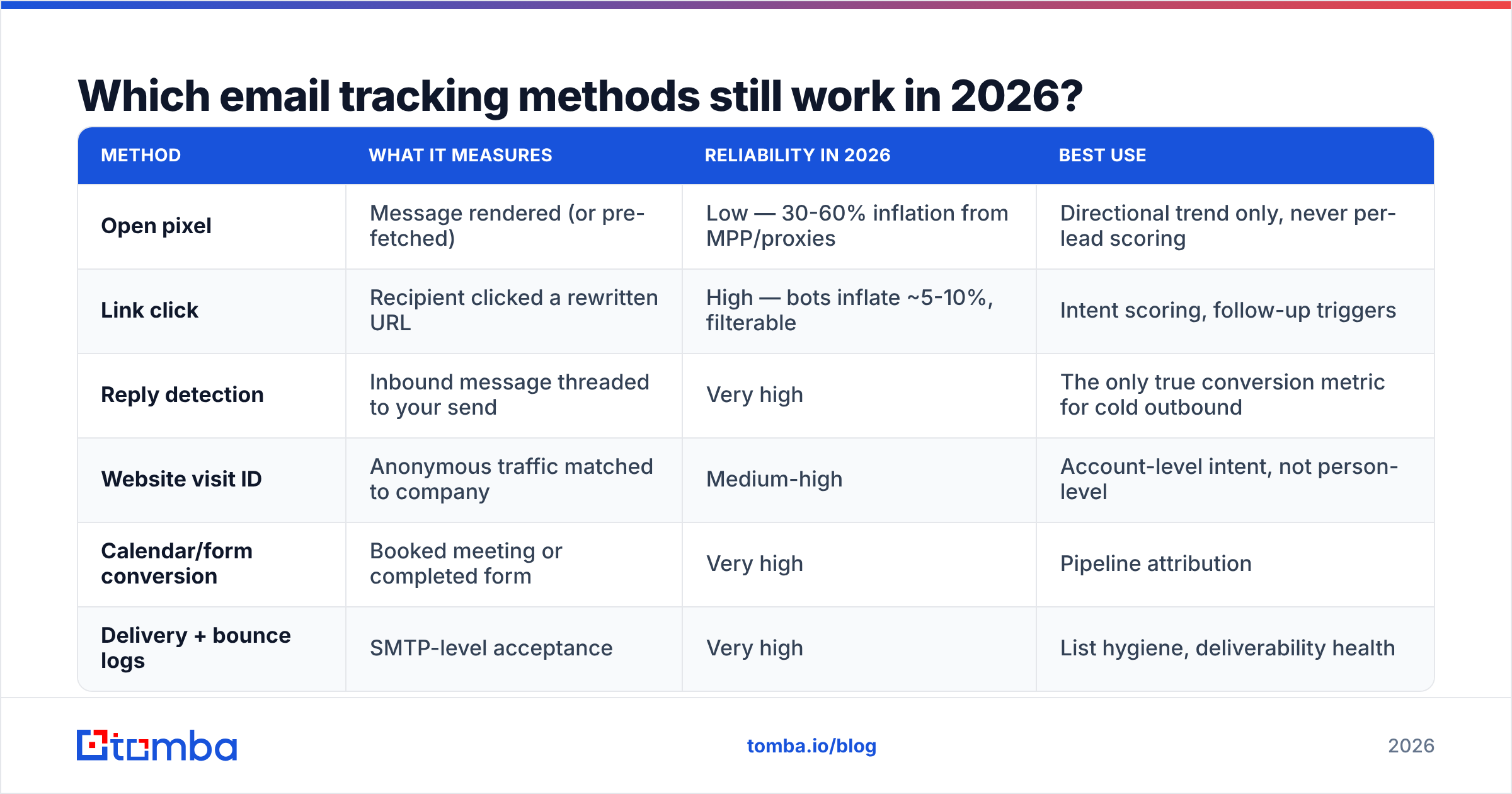
Not all signals degraded equally. Here's the honest ranking.
| Method | What it measures | Reliability in 2026 | Best use |
|---|---|---|---|
| Open pixel | Message rendered (or pre-fetched) | Low — 30-60% inflation from MPP/proxies | Directional trend only, never per-lead scoring |
| Link click | Recipient clicked a rewritten URL | High — bots inflate ~5-10%, filterable | Intent scoring, follow-up triggers |
| Reply detection | Inbound message threaded to your send | Very high | The only true conversion metric for cold outbound |
| Website visit ID | Anonymous traffic matched to company | Medium-high | Account-level intent, not person-level |
| Calendar/form conversion | Booked meeting or completed form | Very high | Pipeline attribution |
| Delivery + bounce logs | SMTP-level acceptance | Very high | List hygiene, deliverability health |
The pattern: anything that requires the recipient's client to do something automatically is now unreliable. Anything that requires a human decision — a click, a reply, a booking — still tells you the truth.
Apple's Mail Privacy Protection pre-loads remote content through a proxy regardless of whether the user opened the message. Gmail has proxied images through googleusercontent.com since 2013, which strips IP and rough geolocation but doesn't fake the open outright. Outlook's Safe Links pre-scans URLs, which generates phantom clicks. Each of these is a different distortion, and they stack differently depending on your ICP's device mix.
How do you set up email tracking without hurting deliverability?#
This is where most teams lose more than they gain. Link rewriting means every URL in your email points at a domain that isn't the domain in your signature — the exact pattern spam filters were built to catch.
Follow these five steps in order:
- Register a dedicated tracking subdomain. Use
track.yourdomain.comorgo.yourdomain.com, CNAMEd to your sending platform. Never use the platform's shared default (track.sendtool.io) — you inherit every other customer's reputation, including the ones sending garbage. - Align it with your sending domain. If you send from
mail.acme.com, the tracking domain should sit underacme.comtoo. Filters look at organizational-domain alignment across the From header, the links, and the SPF record. Mismatch is a scored penalty. - Turn off open tracking on cold first-touch emails. The pixel adds an image request to a message that otherwise has none, and image-only HTML in a plain-looking message is a known heuristic. The data you'd get back is inflated anyway. Turn it on for warm sequences and nurture where the numbers mean something.
- Keep link count low. One tracked link per cold email. Two maximum. Every rewritten URL is another redirect for a filter to evaluate.
- Warm the tracking domain alongside the sending domain. A brand-new redirect domain suddenly appearing in 400 emails a day looks exactly like a compromised host. Ramp it with your volume.
- Verify addresses before the first send. A 6% bounce rate will tank your sender reputation faster than any tracking configuration will help it. Run your list through an email verifier and drop the unknowns.
That last point is the one people skip. Tracking data from a list with a 10% bounce rate is not tracking data — it's a report on how quickly you got throttled.
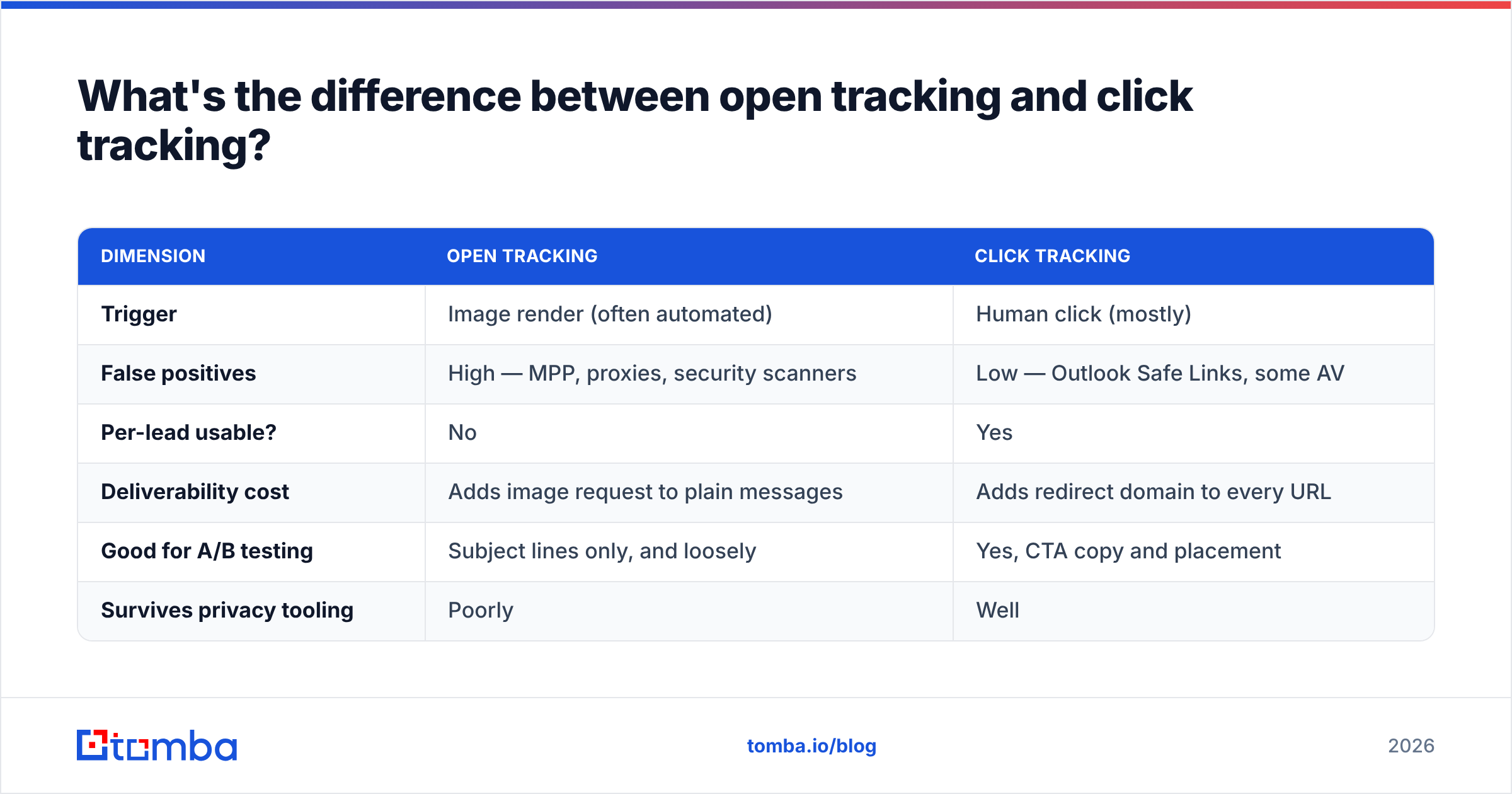
What's the difference between open tracking and click tracking?#
Both live in the same dashboard column, but they answer completely different questions.
| Dimension | Open tracking | Click tracking |
|---|---|---|
| Trigger | Image render (often automated) | Human click (mostly) |
| False positives | High — MPP, proxies, security scanners | Low — Outlook Safe Links, some AV |
| Per-lead usable? | No | Yes |
| Deliverability cost | Adds image request to plain messages | Adds redirect domain to every URL |
| Good for A/B testing | Subject lines only, and loosely | Yes, CTA copy and placement |
| Survives privacy tooling | Poorly | Well |
Practical rule: use open rate to compare two subject lines against each other across a large sample, where the inflation applies to both variants equally and cancels out. Never use it to decide whether to call a specific prospect. "Sarah opened your email four times" is, more often than not, four Apple proxy fetches spaced by cache expiry.
Click rate is the opposite. If someone clicked your pricing link, something real happened. Filter out clicks that arrive within two seconds of delivery (that's a security scanner) and clicks from datacenter IP ranges, and what's left is close to genuine intent.
For a deeper reference on how these signals interact with inbox placement, HubSpot's email marketing benchmarks publish updated open and click baselines by industry — useful for sanity-checking whether your numbers are plausible or inflated.
Which email tracking tools should you compare?#
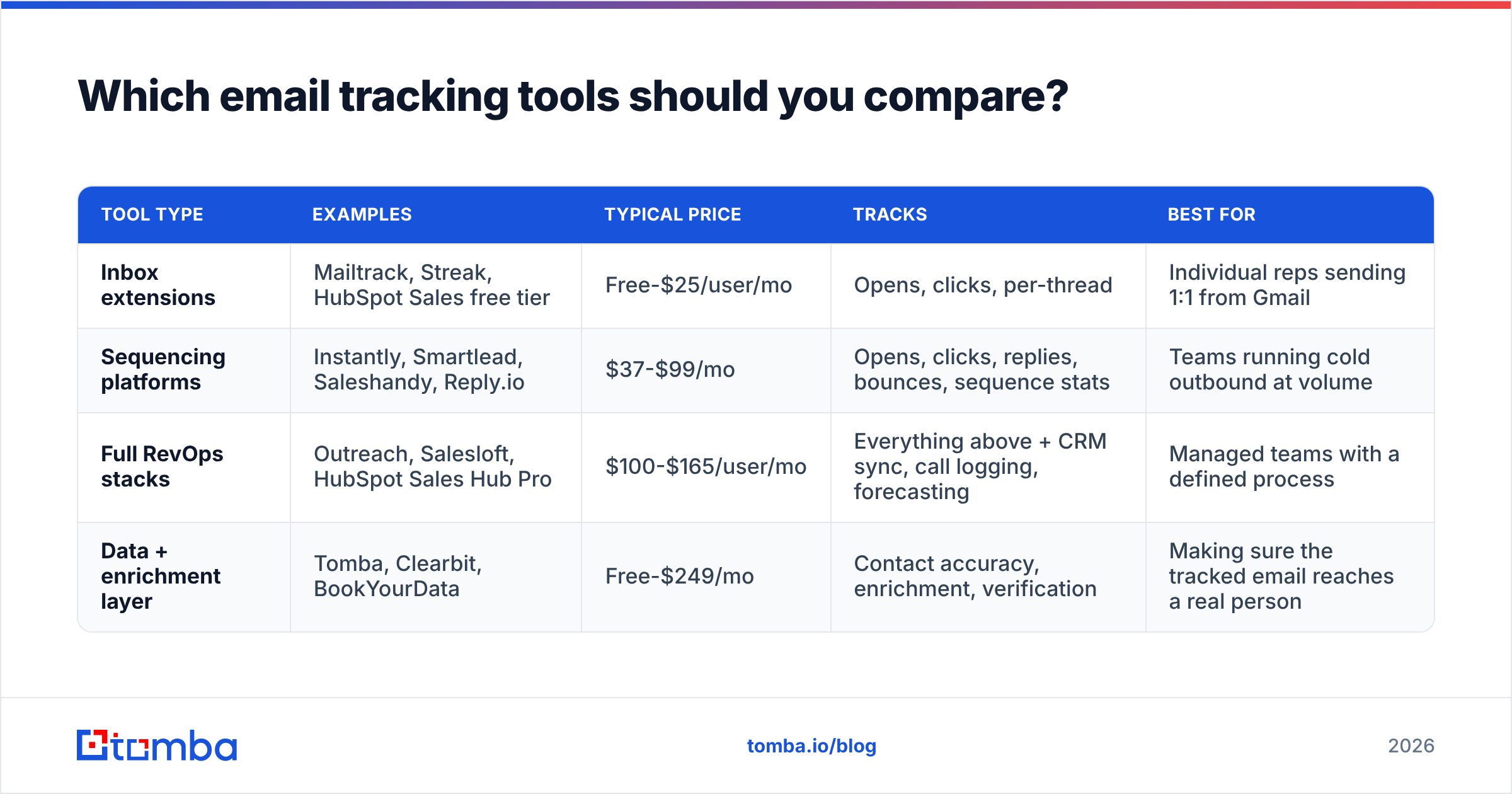
The market splits into three categories, and most teams overbuy by picking a category-three tool when they need category one.
| Tool type | Examples | Typical price | Tracks | Best for |
|---|---|---|---|---|
| Inbox extensions | Mailtrack, Streak, HubSpot Sales free tier | Free-$25/user/mo | Opens, clicks, per-thread | Individual reps sending 1:1 from Gmail |
| Sequencing platforms | Instantly, Smartlead, Saleshandy, Reply.io | $37-$99/mo | Opens, clicks, replies, bounces, sequence stats | Teams running cold outbound at volume |
| Full RevOps stacks | Outreach, Salesloft, HubSpot Sales Hub Pro | $100-$165/user/mo | Everything above + CRM sync, call logging, forecasting | Managed teams with a defined process |
| Data + enrichment layer | Tomba, Clearbit, BookYourData | Free-$249/mo | Contact accuracy, enrichment, verification | Making sure the tracked email reaches a real person |
That last row is not a tracking tool, and it's deliberately in the table. Tracking tells you what happened to the emails that landed. It says nothing about the 20% of your list that never had a valid address in the first place. Those show up as "not opened," indistinguishable from a real person who ignored you, and they silently poison every metric above them.
If you're evaluating sequencers specifically, G2's sales engagement category has enough verified reviews to filter out the marketing copy. Compare on tracking-domain support and reply-detection accuracy, not on the size of the feature grid.
How do you turn tracking data into follow-up that works?#
Data you don't act on is a dashboard, not a process. Three plays convert tracking signal into pipeline.
The click-triggered call. A prospect clicks your pricing link. That's your window. Call within 30 minutes — not the next day. If you don't have a number, a phone finder fills that gap from the email you already have. The click is the intent signal; the speed is the differentiator.
The multi-signal threshold. One click means curiosity. A click plus a return visit to your site plus a second thread reply means an active evaluation. Score on combinations, not single events. Most CRMs let you build this with a simple points model — 1 point for an open, 5 for a click, 15 for a reply, 20 for a pricing-page visit — and route anything above 25 to a rep immediately.
The silence diagnostic. Zero opens and zero clicks and a soft bounce means the address is probably wrong or the domain is a catch-all swallowing everything. That's not a "they're not interested" signal — it's a data problem. Route those contacts back through verification rather than through three more follow-up steps that nobody will ever see. A catch-all verifier resolves the specific case where a domain accepts every address, which is the single biggest source of phantom "delivered but never opened" rows.
Worth stating plainly: if your reply rate is under 2% and your open rate reads 60%, the problem is almost never the copy. It's the list.
What are the privacy and legal limits on tracking emails?#
Tracking sits inside consent law, and the rules tightened again over the last two years.
Under GDPR, an open pixel processes personal data (IP address, timestamp, device). For marketing email to EU recipients, you need a lawful basis — consent for most B2C, legitimate interest for narrowly scoped B2B, documented either way. Several EU DPAs have issued guidance that pixel tracking specifically requires the same consent standard as cookies, which means a pre-checked box won't survive.
CAN-SPAM (US) doesn't regulate tracking directly, but it requires a functioning unsubscribe and accurate header information. Rewriting links through a domain that obscures the real sender edges toward the "misleading header" line.
CASL (Canada) is stricter on consent generally, and tracking falls under the same express-or-implied consent framework as the message itself.
Practical compliance posture: disclose tracking in your privacy policy, honor unsubscribes within 48 hours (the law says 10 days; 48 hours protects your reputation), don't track opens for recipients who've opted out of analytics, and keep tracking data on a defined retention clock rather than forever. The ICO's direct marketing guidance is the clearest public reference on where the line sits for UK and EU-adjacent sending.
What should your tracking stack actually look like?#
Strip it to the parts that produce decisions:
- Verified contact data at the top. Nothing downstream is real without it.
- A custom tracking subdomain, aligned to your sending domain, warmed with your volume.
- Click and reply tracking on, open tracking on for warm sequences only.
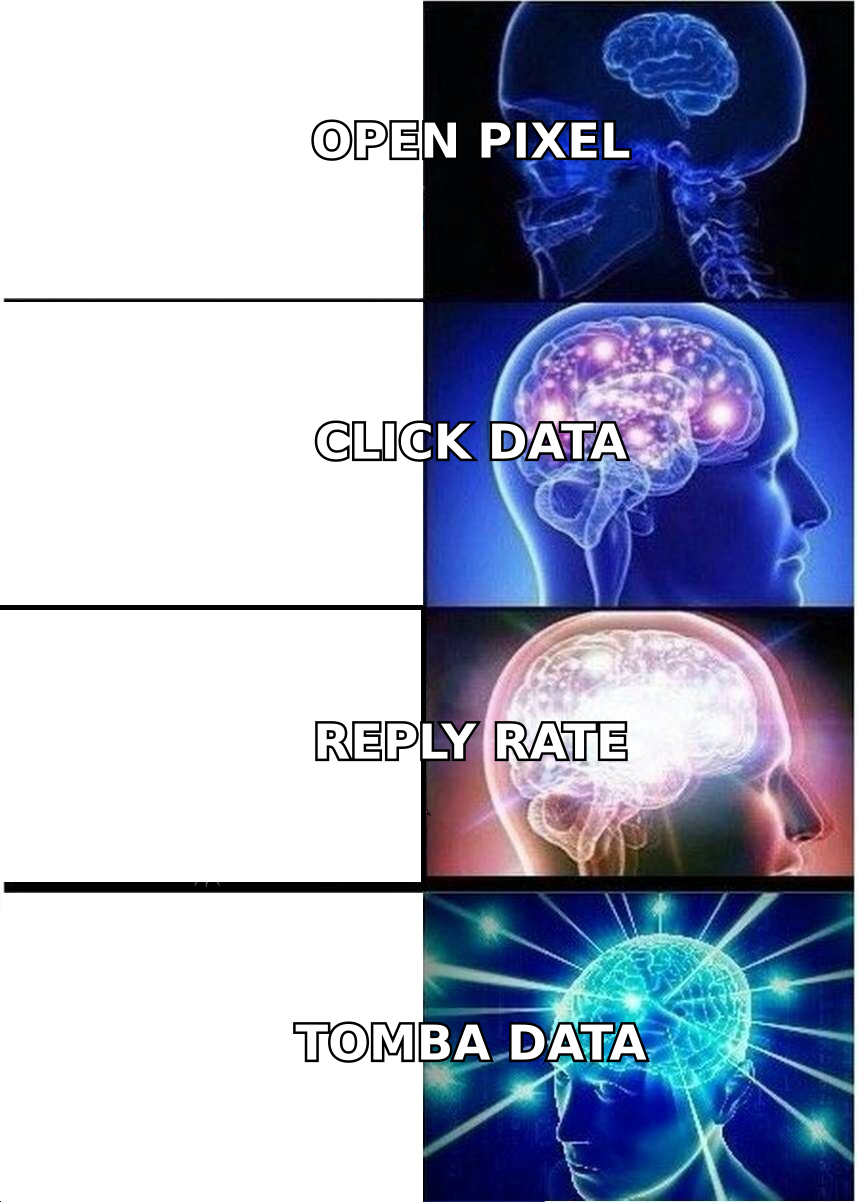
- A scoring rule that weights replies and clicks 10x above opens.
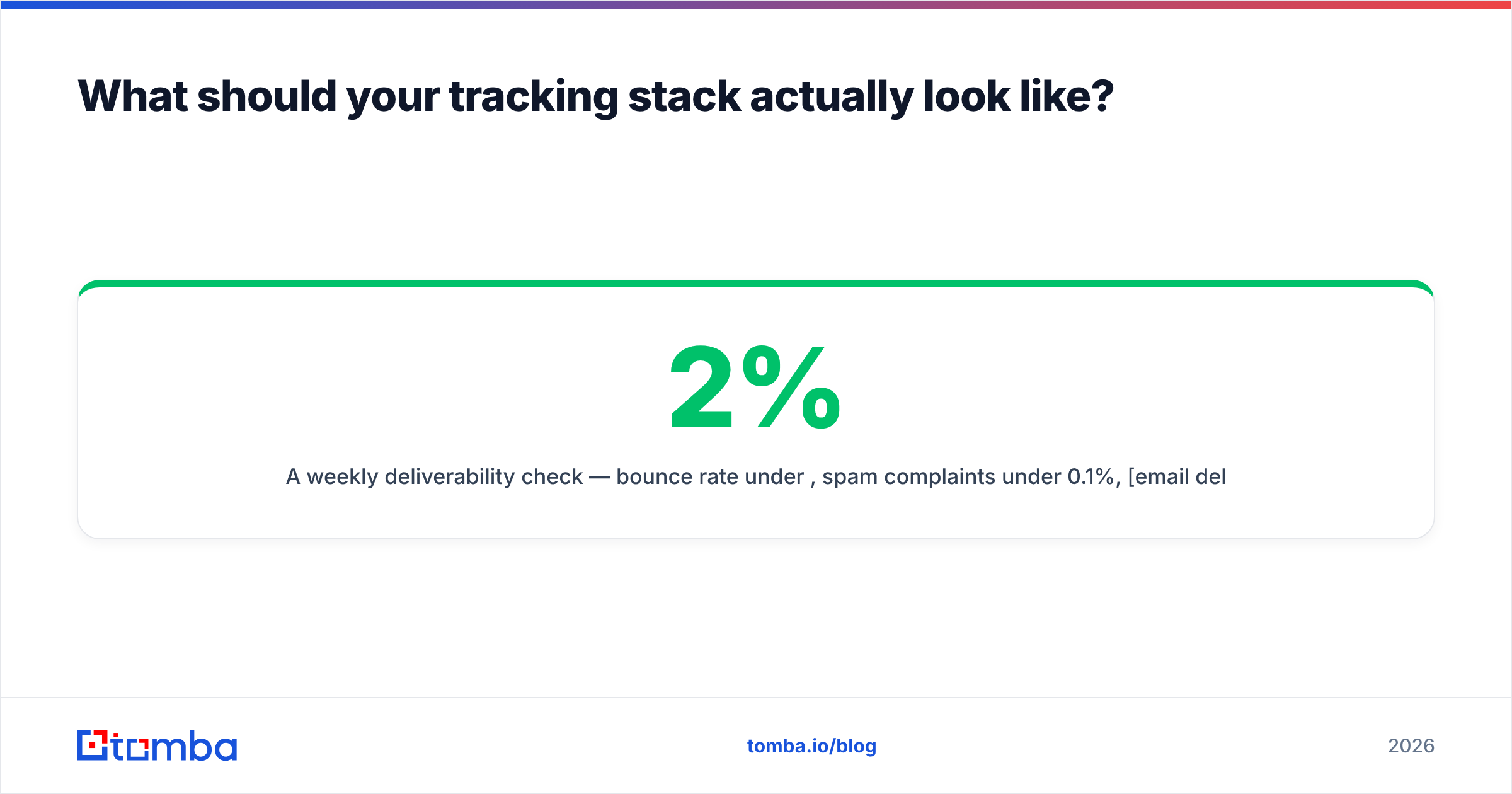
- A weekly deliverability check — bounce rate under 2%, spam complaints under 0.1%, email deliverability monitored across your main inbox providers.
That's five components. Everything else is reporting garnish. The teams that get the most out of tracking are usually the ones tracking the least — a narrow set of high-fidelity signals they actually act on, sitting on top of a list where every address was checked before it was ever emailed.
Start with data that's worth tracking#
Tracking instruments the send. It can't fix the list. If a meaningful share of your addresses are guesses, pattern-generated, or six months stale, your open rate is measuring your bounce rate in disguise and your reply rate is measuring nothing at all.
Run your prospect list through the Tomba Email Finder before you build any of the tracking infrastructure above. You get verified, source-attributed addresses with confidence scoring, so the contacts entering your sequence are real people at real companies. The free tier covers 25 searches a month, Starter runs $49/mo, and Growth is $99/mo — check Tomba pricing for the full breakdown, or hit the Tomba API if you want verification running inline in your own pipeline. Clean data first, then instrument it. That order is not optional.
Related guides#
// get started
Find, verify and enrich your first contacts today
Start on the free plan with 25 searches a month, then scale when your team is ready.
Free plan · No credit card required · GDPR & CCPA
// about the author