How to Use ChatGPT for Sales Prospecting in 2026
ChatGPT can cut prospecting research from 20 minutes a lead to under three — but only if you stop asking it for contact data. Here are the 7 workflows that actually hold up in 2026.
TL;DR
- ChatGPT is excellent at research synthesis, segmentation, and copy — and terrible at anything requiring a verified fact about a specific human, including email addresses.
- The highest-ROI prospecting uses are ICP definition, account research summaries, trigger-event detection from pasted text, personalization angles, and objection prep.
- Never ask ChatGPT for a contact's email. It will produce a plausible-looking guess with no source, and plausible-looking guesses are how you burn a sending domain.
- The working stack is: ChatGPT for who and why, a verified data provider for how to reach them, and a sequencer for delivery.
- Budget roughly 60 seconds of prompt engineering per repeatable workflow; the compounding return comes from saved prompt templates, not from one-off chats.
What can ChatGPT actually do in sales prospecting?#
Start with the honest boundary: ChatGPT is a language model, not a database. It predicts text. That makes it outstanding at reformatting, summarizing, classifying, and drafting — and structurally incapable of knowing whether sarah.chen@acme.com exists.
Once you accept that split, the workflow becomes obvious. Everything on the "reasoning about text you supply" side is fair game. Everything on the "retrieve a verified fact about a real person" side belongs to a data provider with an SMTP-verified pipeline behind it.
Here's the split in practice:
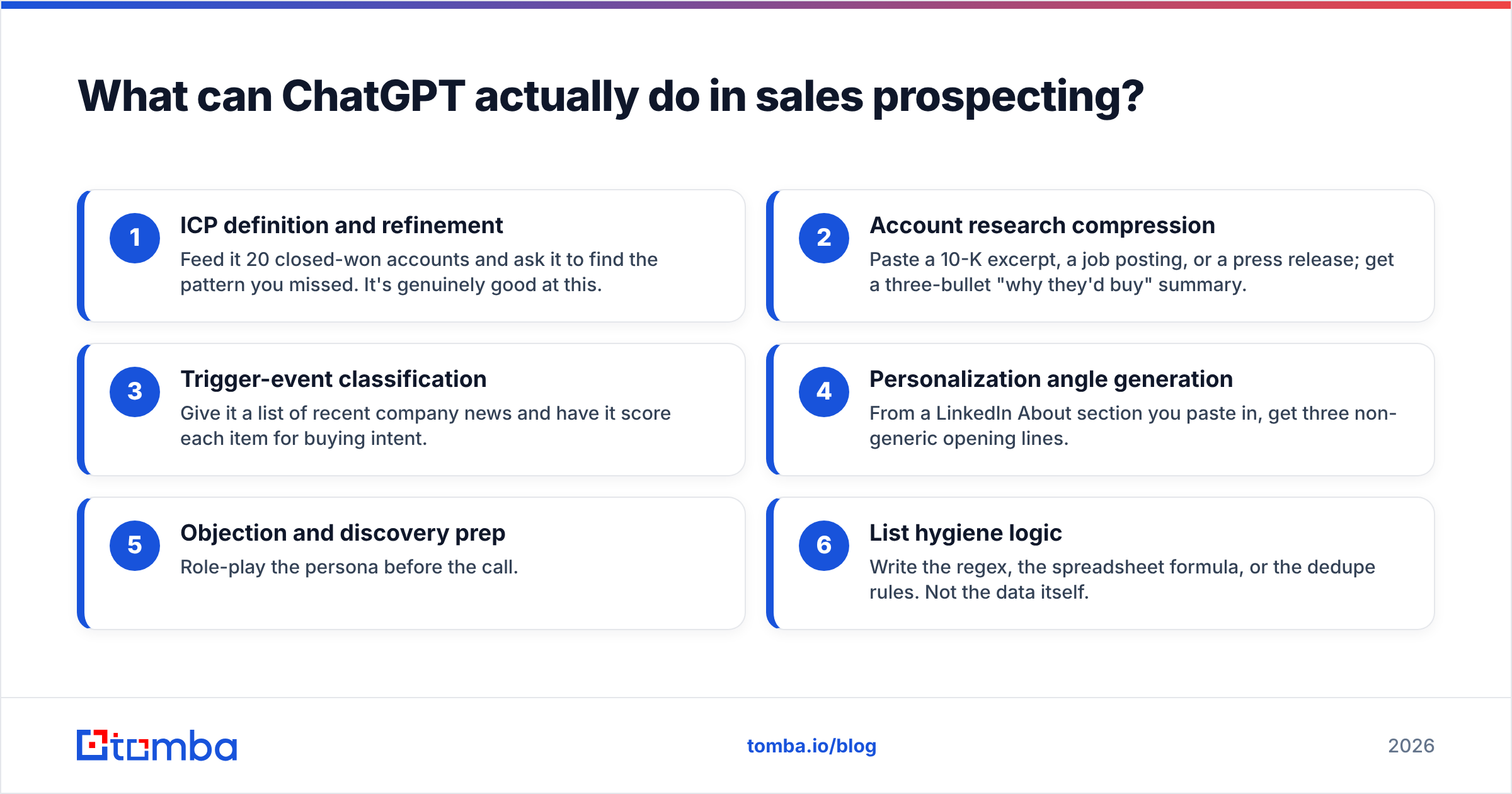
- ICP definition and refinement — Feed it 20 closed-won accounts and ask it to find the pattern you missed. It's genuinely good at this.
- Account research compression — Paste a 10-K excerpt, a job posting, or a press release; get a three-bullet "why they'd buy" summary.
- Trigger-event classification — Give it a list of recent company news and have it score each item for buying intent.
- Personalization angle generation — From a LinkedIn About section you paste in, get three non-generic opening lines.
- Objection and discovery prep — Role-play the persona before the call.
- List hygiene logic — Write the regex, the spreadsheet formula, or the dedupe rules. Not the data itself.
Notice what's absent: finding emails, verifying emails, pulling phone numbers, confirming job titles, checking whether a company still exists. Those are retrieval problems.
Why shouldn't you ask ChatGPT for email addresses?#
Because it doesn't fail loudly. That's the whole problem.
Ask a model for "the email of the VP of Marketing at Acme Corp" and you'll get something like j.smith@acme.com delivered with the same tone it uses for arithmetic. There is no confidence signal, no source citation, and no distinction between "I saw this in training data" and "firstname.lastname@ is a common pattern so I filled it in."
The downstream cost is measurable. A hard bounce rate above roughly 2–3% starts damaging your sender reputation, and both Google and Yahoo tightened bulk-sender requirements in 2024 in ways that punish sloppy lists harder than they used to. Google's own Email sender guidelines spell out the spam-rate thresholds. A 500-contact list built from model guesses can easily bounce at 30–40%. That's not a bad campaign; that's a domain you have to retire.
There is a legitimate middle path, though: pattern inference. Asking ChatGPT "what are the five most common corporate email formats?" is a reasoning question, and the answer is useful. Applying that pattern to a real person and verifying it is a different step, handled by a verification service. Tools like an email permutator generate the candidate list; an email verifier tells you which one actually accepts mail. ChatGPT sits upstream of both and touches neither.
How do you build an ICP with ChatGPT in 10 minutes?#
This is the workflow with the best return, and almost nobody runs it properly.
Most reps ask "what's a good ICP for a project management tool?" and get a generic paragraph about mid-market teams. Useless. Instead, give the model your actual data and ask it to find structure.
The prompt pattern:
Below are 25 of our closed-won accounts and 25 closed-lost accounts, with employee count, industry, tech stack, and deal size. Identify the three attributes that most strongly separate won from lost. For each, tell me what you'd need to see to be more confident. Do not speculate beyond the data.
That last sentence matters. Explicit anti-hallucination instructions measurably reduce confident nonsense.
Then a follow-up:
Turn those three attributes into a filter list I could apply in a B2B database — expressed as concrete, filterable criteria (headcount bands, SIC codes, technologies, funding stage), not adjectives.
Now you have something you can actually run against a B2B database or a domain search query. The model translated fuzzy pattern recognition into machine-executable filters. That's the job it's built for.
What does a full ChatGPT prospecting workflow look like end to end?#
Seven steps, roughly 12 minutes for a 50-account batch once your prompts are saved.
- Define the segment (ChatGPT) — Run the ICP prompt above against your CRM export.
- Build the account list (data provider) — Apply the filters. ChatGPT does not source companies; it has no live index and its account "lists" are a mix of memory and invention.
- Enrich the accounts (data provider) — Firmographics, tech stack, headcount, funding.
- Research each account (ChatGPT) — Paste job postings, recent news, or their pricing page. Ask for a three-bullet buying-signal summary.
- Find and verify contacts (data provider) — Names to verified addresses. Never the model.
- Draft personalized openers (ChatGPT) — One per account, seeded with step 4's output.
- Human edit and send (you + sequencer) — Rewrite at least one sentence per email. Always.
Step 7 isn't ceremony. Fully unedited AI copy has a recognizable cadence, and prospects have gotten fast at spotting it. The model gets you to 80% in seconds; the last 20% is where reply rate lives.
Which tool handles which job?#
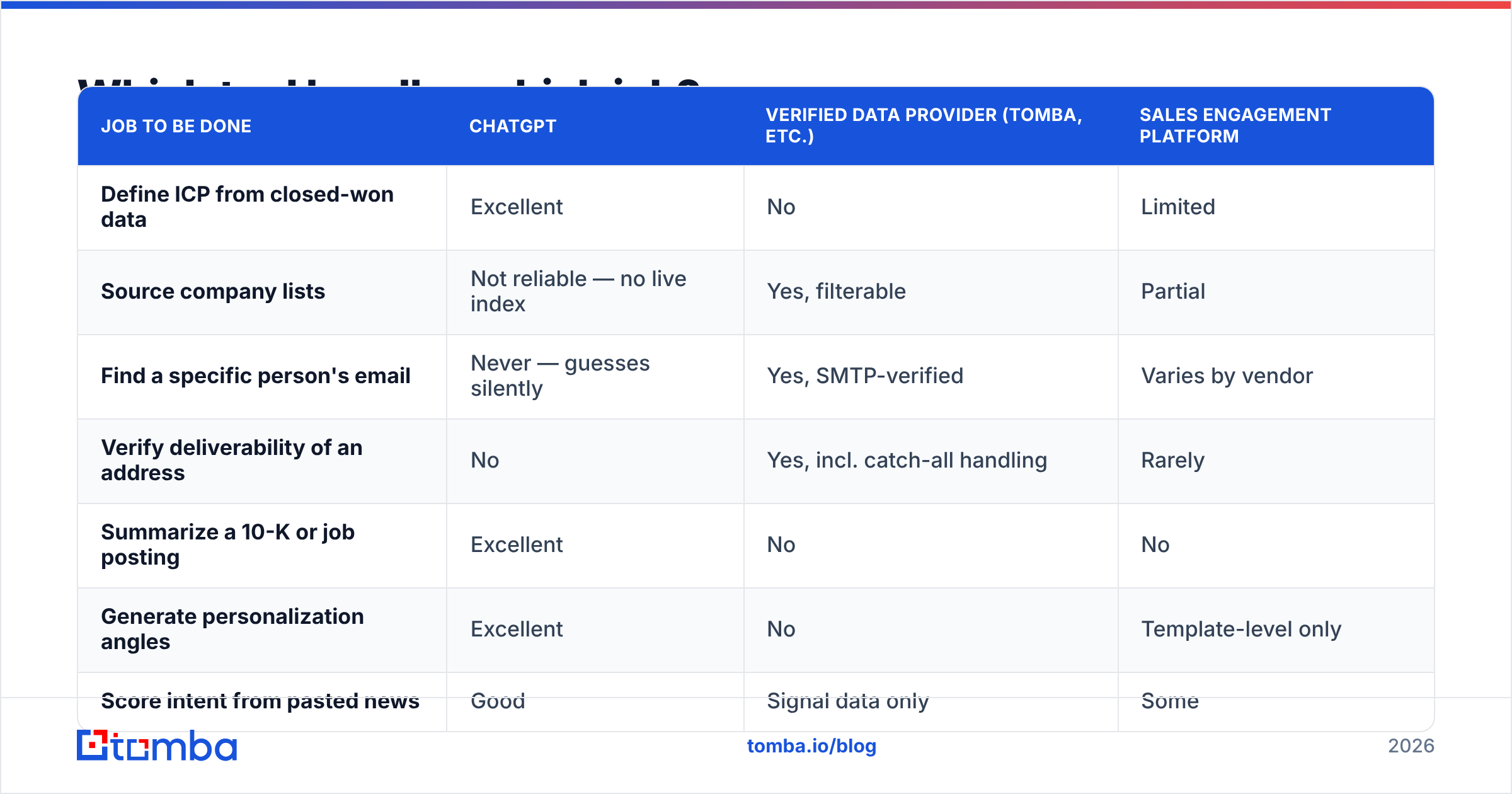
The single most common mistake is trying to make one tool do all three layers. Here's the honest division of labor:
| Job to be done | ChatGPT | Verified data provider (Tomba, etc.) | Sales engagement platform |
|---|---|---|---|
| Define ICP from closed-won data | Excellent | No | Limited |
| Source company lists | Not reliable — no live index | Yes, filterable | Partial |
| Find a specific person's email | Never — guesses silently | Yes, SMTP-verified | Varies by vendor |
| Verify deliverability of an address | No | Yes, incl. catch-all handling | Rarely |
| Summarize a 10-K or job posting | Excellent | No | No |
| Generate personalization angles | Excellent | No | Template-level only |
| Score intent from pasted news | Good | Signal data only | Some |
| Send and track sequences | No | No | Yes |
| Cost at 1,000 contacts/mo | ~$20/mo (Plus) | $49–$99/mo | $60–$150/seat |
The pricing column is where a lot of teams over-buy. A rep doing 1,000 contacts a month needs ChatGPT Plus, a mid-tier data plan, and a sequencer — call it $150–$250/month total. All-in-one platforms that bundle mediocre data with mediocre AI often cost more and give you less control over the piece that matters most: whether the address is real.
For the data layer specifically, price scales with credits, not features. Tomba pricing runs a free tier at 25 searches/month, Starter at $49/mo, Growth at $99/mo, and Pro at $249/mo — enough to cover a full SDR pod before you're negotiating enterprise terms. BookYourData takes a different, pay-as-you-go approach that suits teams with lumpy, campaign-driven volume rather than steady monthly usage. Both are reasonable; the deciding factor is whether your prospecting cadence is continuous or bursty.
What are the best ChatGPT prompts for prospecting research?#
Save these as templates. The value is in reuse, not cleverness.
Trigger-event scoring:
Here are 15 news items about companies on my target list. Score each 1–5 for likelihood it creates budget or urgency for [your category] in the next 90 days. Explain each score in one sentence. Flag any item where you're inferring rather than reading directly from the text.
Job-posting mining:
Below is a job description. Extract: (1) tools named or implied, (2) pain points the role is meant to solve, (3) who this person likely reports to, (4) one sentence I could open a cold email with that references a specific detail. Do not invent details not present in the posting.
Persona role-play:
You are a CFO at a 400-person logistics company. I'm going to pitch [product]. Push back the way a skeptical CFO would — focus on payback period and switching cost. Stay in character until I say "break."
Copy compression:
Rewrite this cold email to 65 words. Keep the specific detail about their [X]. Remove every adjective that could apply to any company. No greeting clichés.
That last constraint — "remove every adjective that could apply to any company" — is the single highest-leverage editing instruction I've found. It strips out "innovative," "leading," "fast-growing," and everything else that signals bulk send. Pair it with a subject line tester before the sequence goes live.
How do you connect ChatGPT to real contact data?#
Three levels, in order of setup effort.
Level 1 — Copy-paste. You research in ChatGPT, look up contacts separately, paste results back. Zero setup, fine for under 50 accounts a week. Most reps never need to go further.
Level 2 — Spreadsheet bridge. Run enrichment inside your sheet with a Google Sheets add-on or the Excel add-in, then feed the enriched rows into ChatGPT in batches. This is the sweet spot for most SDR teams: contact data stays verified and auditable, while the model handles the reasoning columns.
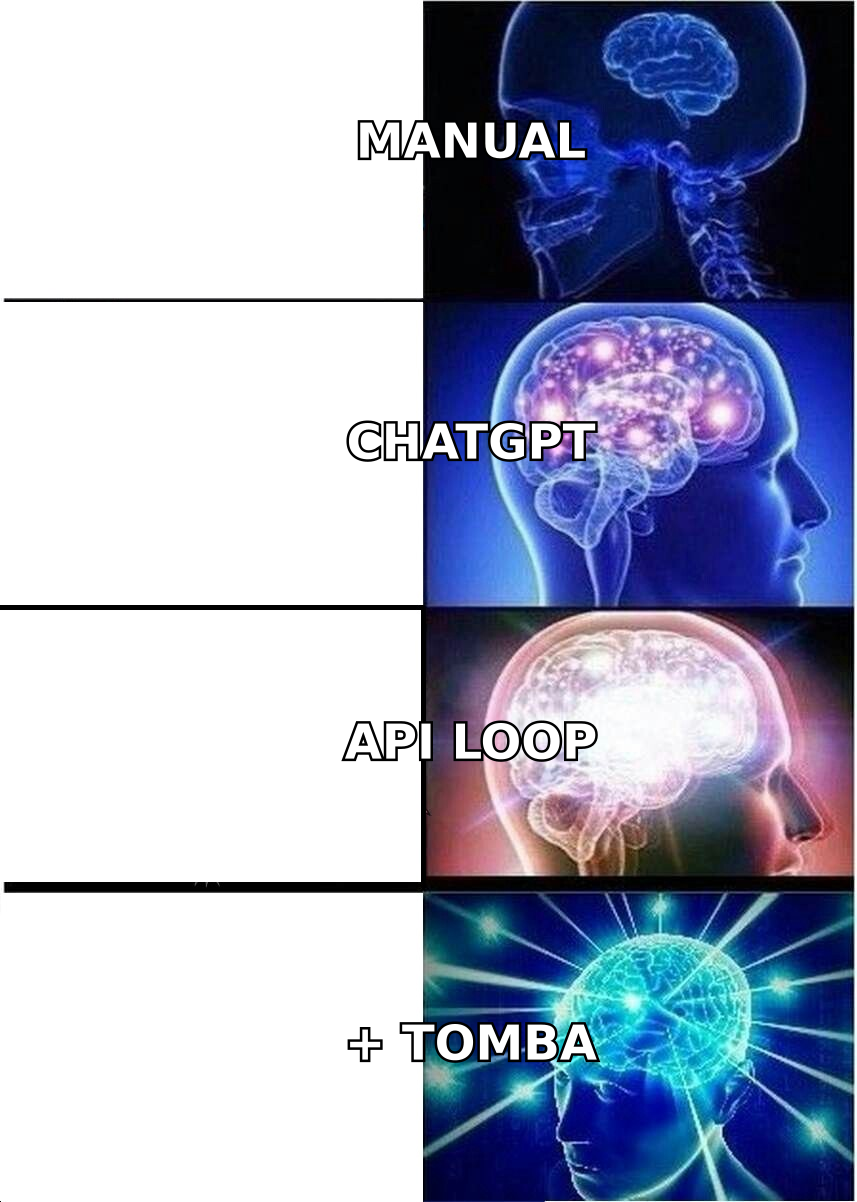
Level 3 — API orchestration. Wire the Tomba API into a script or an agent framework so lookup happens programmatically. If you're building an agent, the MCP server lets a model call verified lookups as a tool rather than hallucinating the answer — which is the architecturally correct fix to the whole hallucination problem. The model stops guessing because it now has a way to actually check.
Level 3 is where 2026 prospecting is heading, but don't skip to it. A badly-specified automation that enriches the wrong segment at scale is worse than manual work at small scale.
Does AI-assisted prospecting actually improve results?#
Cautiously yes, with an important caveat about which metric moves.
Research consistently points to gains in efficiency rather than raw conversion. McKinsey's work on AI in sales and marketing describes reps reclaiming meaningful time from research and admin tasks — time that gets redeployed into conversations. That's the realistic promise: the same rep touches more accounts at the same quality, not that AI copy magically outperforms a good human writer.
What doesn't improve — and often degrades — is response rate on fully-automated, unedited AI sequences. As generic AI copy floods inboxes, its baseline performance drops. The differentiator in 2026 isn't having AI; everyone has AI. It's having verified data plus AI plus a human edit pass, which is a harder combination to fake.
Measure it this way: track research-minutes-per-qualified-account before and after. That's where the win shows up first. Reply rate follows only if you keep the human in the loop.
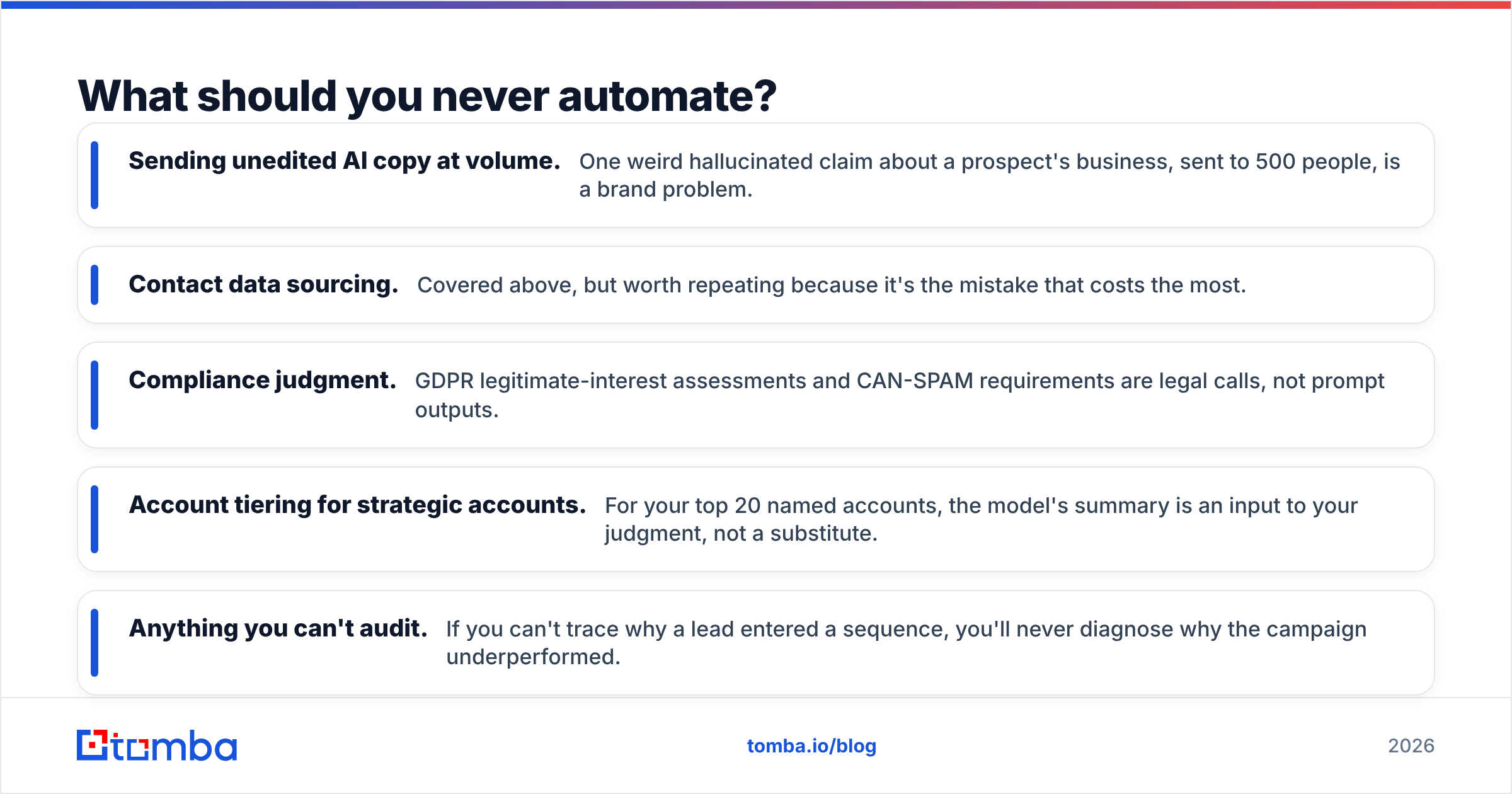
What should you never automate?#
A short list, learned expensively:
- Sending unedited AI copy at volume. One weird hallucinated claim about a prospect's business, sent to 500 people, is a brand problem.
- Contact data sourcing. Covered above, but worth repeating because it's the mistake that costs the most.
- Compliance judgment. GDPR legitimate-interest assessments and CAN-SPAM requirements are legal calls, not prompt outputs.
- Account tiering for strategic accounts. For your top 20 named accounts, the model's summary is an input to your judgment, not a substitute.
- Anything you can't audit. If you can't trace why a lead entered a sequence, you'll never diagnose why the campaign underperformed.
Where should you start this week?#
Pick one workflow, not seven. The ICP-from-closed-won prompt takes 10 minutes and usually surfaces something your team argued about for a quarter. Run that first, then layer in job-posting mining once the ICP filters are stable.
Then fix the data layer, because that's the constraint that caps everything above it. The best prompts in the world can't rescue a list where a third of the addresses bounce.
If you want the verified-data half of this stack without a procurement cycle, start with the Tomba Email Finder — free tier gives you 25 searches a month to test address quality against your own known-good contacts before you commit to a plan. Run 20 emails you already know are valid through it, check the hit rate, then decide. That's a five-minute test that tells you more than any vendor comparison chart, including this one.
Related guides#
// get started
Find, verify and enrich your first contacts today
Start on the free plan with 25 searches a month, then scale when your team is ready.
Free plan · No credit card required · GDPR & CCPA
// about the author