How to Write a Recruiting Email That Actually Gets Replies
Most recruiting emails get ignored because they read like job board spam. Here is the exact structure, subject-line data, and templates that pull 30%+ reply rates from passive candidates in 2026.
TL;DR
- Recruiting emails fail for three reasons: the wrong address, a generic subject line, and a first sentence about you instead of the candidate.
- The highest-performing structure is five blocks: proof-of-research hook, why-them, role in one sentence, honest compensation signal, low-friction ask.
- Subject lines that reference the candidate's actual work outperform "Exciting opportunity at [Company]" by a wide margin — specificity beats enthusiasm every time.
- Send to a verified personal-or-work email, not a scraped guess. A 12% bounce rate will torch your domain reputation before your copy ever gets a chance.
- Follow up twice, five and twelve days out, on the same thread. Roughly a third to a half of all replies to cold recruiting sequences arrive after message one.
Why do most recruiting emails get ignored?#
Because they are indistinguishable from every other recruiting email in the inbox.
A senior backend engineer with a public GitHub profile gets somewhere between five and twenty recruiter emails a week. Nearly all of them open the same way: "Hi [First Name], I came across your profile and was impressed by your background." That sentence contains zero information. It could have been sent to a data scientist, a nurse, or a golden retriever with a LinkedIn account.
The candidate's brain does the same thing yours does with a "Your extended warranty is expiring" email — pattern-match, archive, move on. You are not competing against other jobs. You are competing against the archive button.
Three failure modes account for almost all of it:
- Deliverability failure. The message never reached a human. Bad address, spam folder, or a sending domain already burned by a previous blast.
- Relevance failure. It reached them, but nothing in the first two lines proved you knew who they were.
- Friction failure. It was relevant, but the ask was "can you hop on a 45-minute intro call this week?" — a big commitment to a stranger.
Fix all three and a recruiting email stops being spam and starts being a genuinely interesting message from a stranger. That is the whole game.
What does a recruiting email that works actually look like?#
Five blocks, in order, under 150 words total. Longer than that and you are asking for reading time you have not earned yet.
- Proof-of-research hook (1 sentence). Reference something specific and verifiable: a repo, a conference talk, a shipped feature, a post they wrote. Not "your impressive background."
- Why them, specifically (1–2 sentences). Connect that specific thing to the role. "You spent three years on payment reconciliation at scale — that is the exact problem this team owns."
- The role in one sentence. Company, stage, team, the actual problem. Not a job description dump.
- An honest compensation or scope signal (1 sentence). A range, an equity band, or "meaningfully above your current band" if you genuinely know. Candidates who see no number assume you are hiding a bad one.
- A low-friction ask (1 sentence). "Worth 10 minutes?" or "Want the full brief?" or "Reply 'no' and I'll never write again" — anything cheaper than a calendar invite.
Here is the difference in practice:
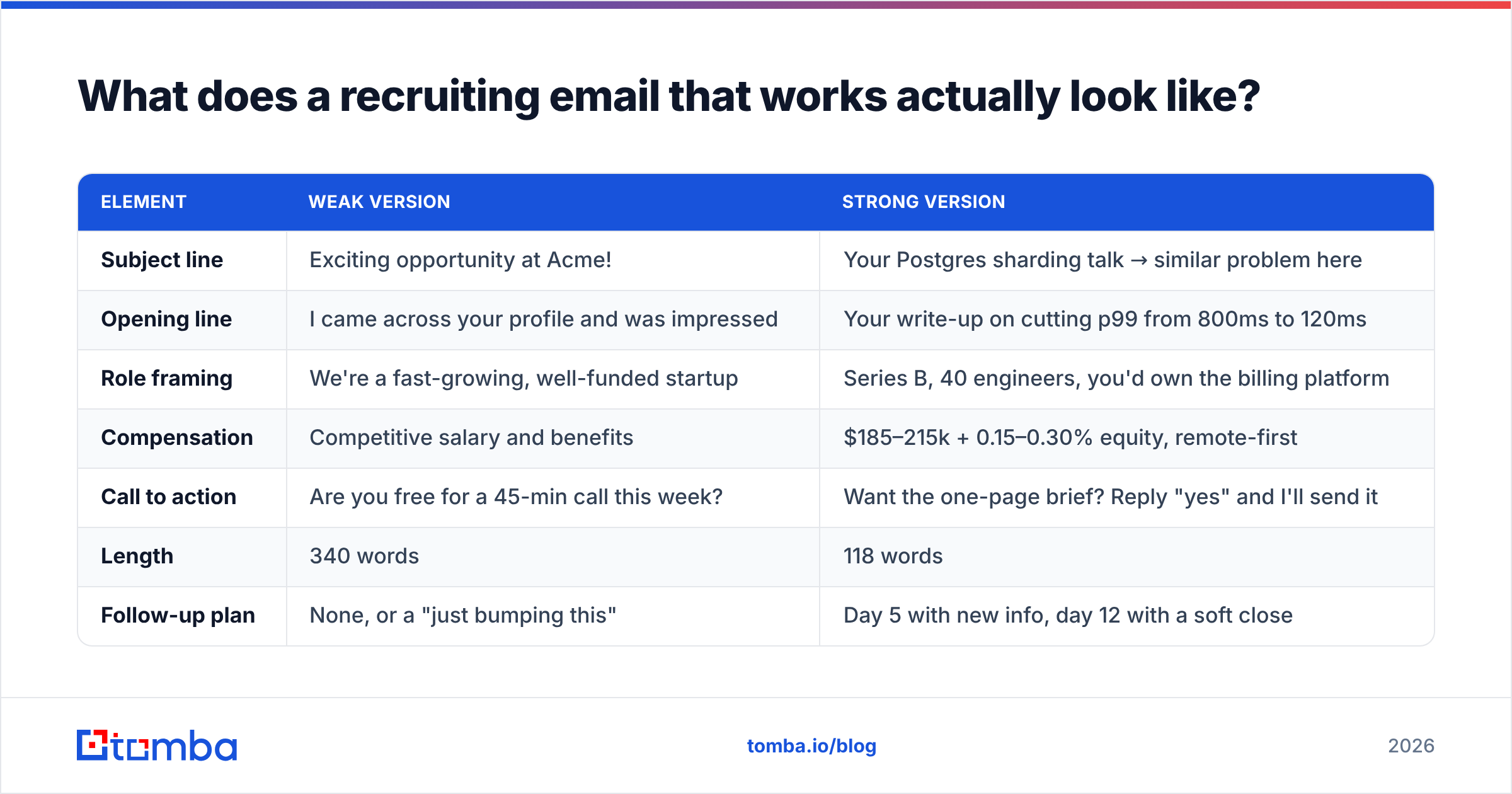
| Element | Weak version | Strong version |
|---|---|---|
| Subject line | Exciting opportunity at Acme! | Your Postgres sharding talk → similar problem here |
| Opening line | I came across your profile and was impressed | Your write-up on cutting p99 from 800ms to 120ms |
| Role framing | We're a fast-growing, well-funded startup | Series B, 40 engineers, you'd own the billing platform |
| Compensation | Competitive salary and benefits | $185–215k + 0.15–0.30% equity, remote-first |
| Call to action | Are you free for a 45-min call this week? | Want the one-page brief? Reply "yes" and I'll send it |
| Length | 340 words | 118 words |
| Follow-up plan | None, or a "just bumping this" | Day 5 with new info, day 12 with a soft close |
The weak column is not lazy — plenty of recruiters spend real time writing it. It fails because every sentence is about the company. The strong column is shorter and lands harder because every sentence is about the candidate.
How do you write a recruiting subject line people open?#
Make it look like a message from a colleague, not a broadcast.
Four patterns that consistently outperform generic openers:
- The specific-work reference. "Your Kafka migration post" — reads like someone who actually read it, because you did.
- The mutual connection. "[Name] suggested I reach out" — only if true, and only if you have their blessing.
- The direct question. "Open to a staff-level backend role?" — respects their time and filters instantly.
- The company-name-only. "Acme + you?" — works when the company brand carries weight on its own. It fails badly when it does not.
Things that reliably kill open rates: exclamation marks, the words "opportunity" and "amazing," ALL CAPS, and any subject line longer than about 50 characters (it truncates on mobile, where most candidates triage). If you want to pressure-test variants before you send, run them through a subject line tester and compare against a baseline you already have data on.
One more thing that matters more than the words: your sending reputation. A subject line cannot save an email that lands in Promotions. Check your sender reputation before you scale any recruiting sequence past a few dozen sends a day.
Does the email address you use matter more than the copy?#
Yes — and this is the part most recruiting teams skip entirely.
You can write the best recruiting email of your career and it does not matter if it goes to j.smith@company.com when the real pattern is jsmith@company.com. That is a hard bounce. Twenty of those in a week and your domain's email deliverability starts degrading for every message you send, including the ones to candidates who were about to say yes.
Mailbox providers treat bounce rate as a spam signal. Google's own Postmaster Tools documentation is explicit that senders should keep invalid-recipient rates low and maintain consistent volume. Recruiting outreach is especially exposed here because you are, by definition, emailing people who have never heard from you.
The practical fix is a two-step process before any send:
- Find the address properly. Use a domain-based lookup rather than a permutation guess. A domain search returns the actual pattern a company uses plus known contacts, which beats generating twelve variants and hoping.
- Verify before sending. Run every address through an email verifier so syntax errors, dead mailboxes, and role accounts (
hr@,careers@,info@) get stripped out. Role accounts in particular are a trap for recruiters — they are frequently spam traps and almost never reach the person you want.
For candidates at companies using catch-all domains — common at larger enterprises — a standard verification returns "unknown," not "valid." That is where a catch-all verifier earns its keep, because otherwise you are choosing between skipping the candidate entirely or gambling on a bounce.
Which channel should you use — email, LinkedIn, or phone?#
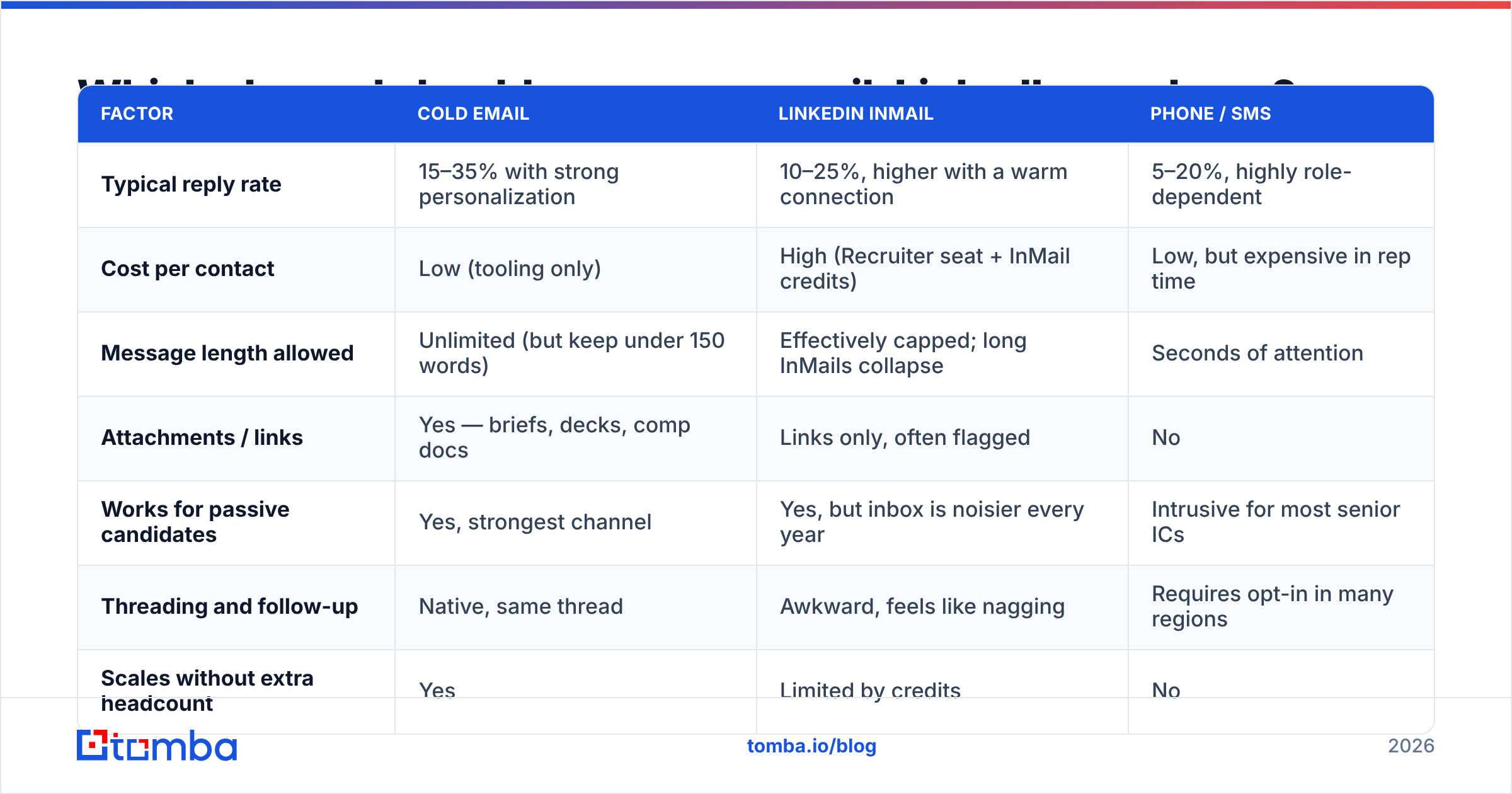
Depends on seniority and how contactable the person is. Here is how the three compare in practice for recruiting outreach:
| Factor | Cold email | LinkedIn InMail | Phone / SMS |
|---|---|---|---|
| Typical reply rate | 15–35% with strong personalization | 10–25%, higher with a warm connection | 5–20%, highly role-dependent |
| Cost per contact | Low (tooling only) | High (Recruiter seat + InMail credits) | Low, but expensive in rep time |
| Message length allowed | Unlimited (but keep under 150 words) | Effectively capped; long InMails collapse | Seconds of attention |
| Attachments / links | Yes — briefs, decks, comp docs | Links only, often flagged | No |
| Works for passive candidates | Yes, strongest channel | Yes, but inbox is noisier every year | Intrusive for most senior ICs |
| Threading and follow-up | Native, same thread | Awkward, feels like nagging | Requires opt-in in many regions |
| Scales without extra headcount | Yes | Limited by credits | No |
Email wins on cost, control, and follow-up mechanics. LinkedIn wins when you have a genuine mutual connection or the candidate is actively signalling openness. Phone works for sales, executive, and field roles where reachability is part of the job — for those, a phone finder gets you a direct dial rather than a switchboard.
The best-performing recruiting teams do not pick one. They lead with email, follow with a LinkedIn view or connection request two days later, and reserve the phone for candidates who have already engaged.
What should your follow-up sequence look like?#
Two follow-ups, both on the original thread, both carrying new information.
Day 0 — the initial email. Five blocks, under 150 words, one specific detail proving you did the work.
Day 5 — new information. Not "just bumping this to the top of your inbox." Add something they did not have: the team's tech stack, who they'd report to, a link to the engineering blog, the actual comp range if you held it back. The subtext is "here is more value," not "you ignored me."
Day 12 — the soft close. Two sentences. "Guessing the timing isn't right — I'll stop here. If that changes in six months, my door's open." This converts more than people expect, because it removes the pressure that was blocking the reply.
Then stop. A third and fourth follow-up damage your employer brand more than they generate replies. Candidates talk, and "that recruiter who emailed me six times" is a story that spreads.
Track your response rate per sequence step so you know which message is actually doing the work. Most teams discover their day-5 email outperforms their day-0 email — which is a signal to rewrite the opener, not to add more steps.
What are the templates worth stealing?#
Template 1 — Engineer with public work
Subject: your write-up on cutting p99 to 120ms
Hi Sam — read your post on the Postgres sharding migration last month. The part about read-replica lag during cutover is exactly the wall we hit in Q1.
I'm hiring a senior backend engineer at Acme (Series B, 40 engineers). You'd own the billing platform end to end — same class of problem, bigger blast radius.
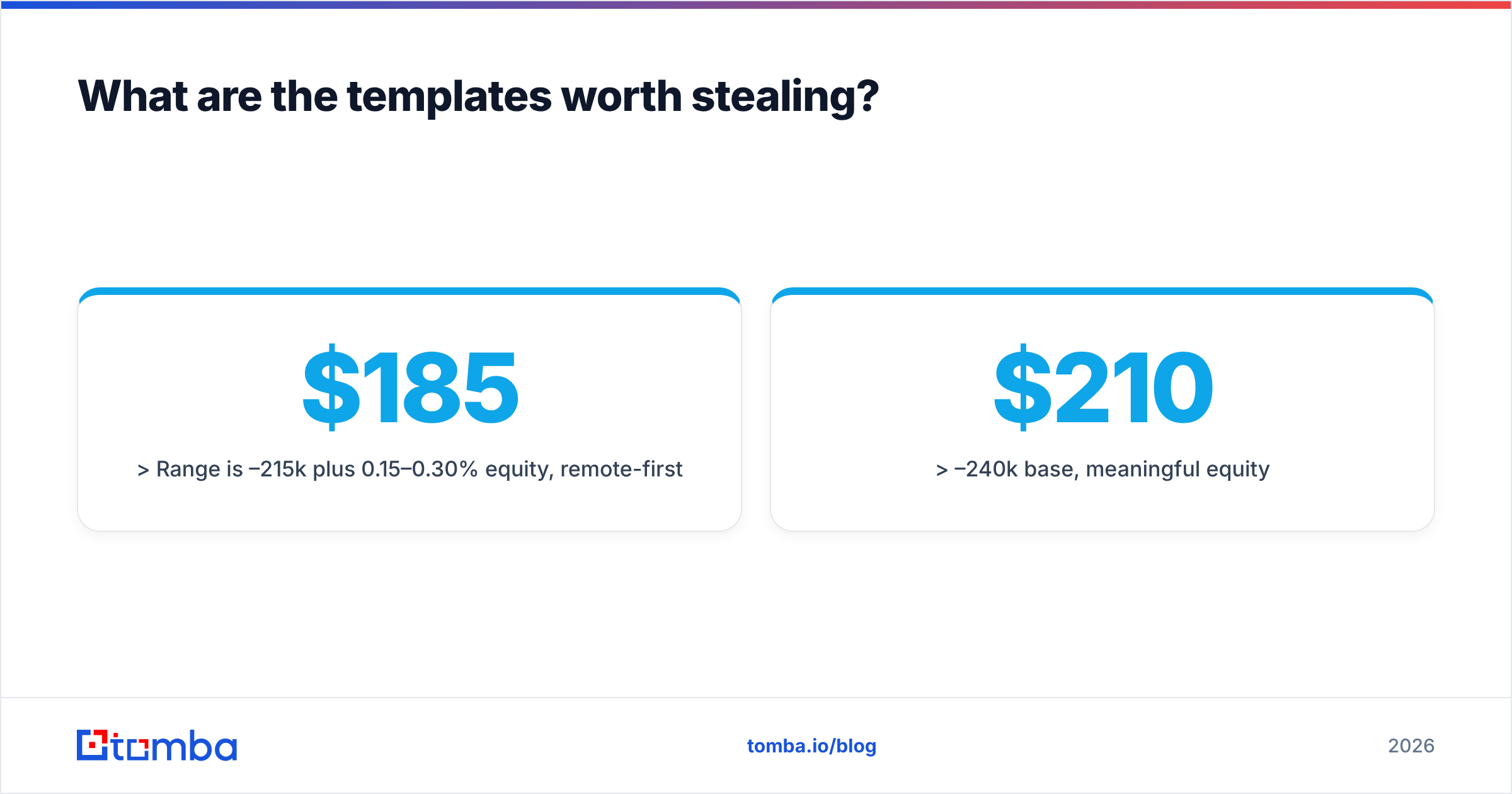
Range is $185–215k plus 0.15–0.30% equity, remote-first.
Want the one-page brief? Reply "yes" and it's in your inbox in five minutes.
Template 2 — Passive candidate, no public work
Subject: staff PM role — payments, not another CRUD app
Hi Priya — you've spent four years on payments infrastructure at Stripe-scale. That's a rare shape, and it's the exact shape we need.
Acme is hiring a staff PM to own our payments platform. Reporting to the VP Product, five engineers, roadmap is genuinely yours.
$210–240k base, meaningful equity.
Worth 10 minutes to hear the details, or should I check back in six months?
Template 3 — Referral-sourced
Subject: Dana suggested I reach out
Hi Marcus — Dana Lee mentioned you were the person who rebuilt their observability stack, and that you might be open to hearing about new things.
We're hiring an SRE lead. Small team, real ownership, no on-call theatre.
Happy to send the details, or Dana's offered to tell you what it's actually like here. Your call.
Notice what none of these do: describe the company's culture, list benefits, use the word "rockstar," or ask for a 45-minute call. If you need a starting library to adapt, the cold email templates collection covers adjacent structures you can rework for recruiting.
How do you measure whether your recruiting emails are working?#
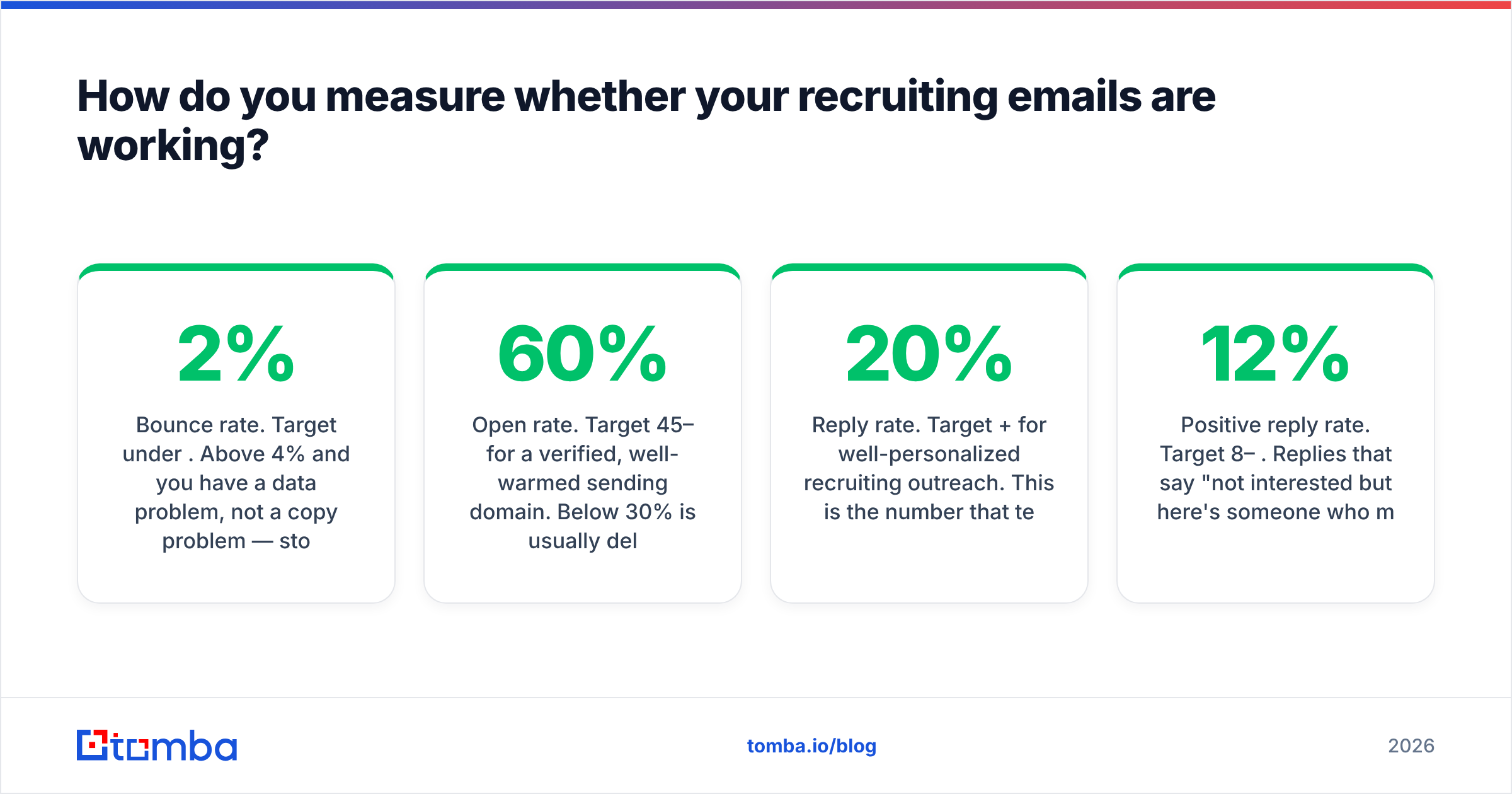
Four numbers, checked weekly:
- Bounce rate. Target under 2%. Above 4% and you have a data problem, not a copy problem — stop sending and fix the source.
- Open rate. Target 45–60% for a verified, well-warmed sending domain. Below 30% is usually deliverability, not subject lines.
- Reply rate. Target 20%+ for well-personalized recruiting outreach. This is the number that tells you whether your copy works.
- Positive reply rate. Target 8–12%. Replies that say "not interested but here's someone who might be" still count as a win — referrals are the cheapest source of hire you will ever get.
If opens are healthy and replies are not, the problem is your first two sentences. If replies are healthy and interviews are not, the problem is your role framing or your comp range. Diagnosing which layer is broken saves you from rewriting copy that was never the issue.
For benchmarking beyond your own data, G2's recruiting software category and vendor-published hiring reports give you a rough industry baseline — though treat any single-vendor benchmark with appropriate skepticism, since they are usually drawn from their own customer base.
Where should you start?#
Start with the list, not the copy.
The sequence that actually works: build a shortlist of 50 genuinely well-matched candidates, find and verify their email addresses, then spend real time writing 50 individualized first lines. That beats 500 templated sends every single time — on reply rate, on bounce rate, on how your employer brand looks six months from now.
The finding-and-verifying step is where most recruiting teams lose the plot, guessing addresses from name patterns and quietly poisoning their domain. Tomba Email Finder handles that layer: search by name and company domain, get a confidence score and the sources behind it, and verify before a single message leaves your outbox. The free tier covers 25 searches a month if you want to test the workflow on a small shortlist first; paid plans start at $49/mo — full Tomba pricing is public. Get the addresses right, and your writing finally gets a fair hearing.
Related guides#
// get started
Find, verify and enrich your first contacts today
Start on the free plan with 25 searches a month, then scale when your team is ready.
Free plan · No credit card required · GDPR & CCPA
// about the author