How to Write a Reschedule Email That Keeps the Deal Alive
Rescheduling a meeting is where deals quietly die. Here are the exact templates, timing rules, and subject lines that get the new slot booked instead of ghosted.
TL;DR
- A reschedule email has one job: get a new time on the calendar in the same message. Apologies do not book meetings — specific slots do.
- Send it the moment you know, not the morning of. Cancellations sent under two hours out are the ones that turn into ghosting.
- Use a three-part structure: brief reason (one clause), two or three concrete times with time zone, and a booking link as fallback.
- Never write "let me know what works for you." It shifts the work onto the prospect and drops your rebooking rate hard.
- Keep the original subject line and reply in-thread so the message lands in an existing conversation instead of a cold inbox.
Rescheduling is one of the highest-leverage emails in B2B sales, and almost nobody writes it well. A canceled discovery call is not a lost deal — it's a deal in limbo. What happens next depends almost entirely on the 80 words you send in the next ten minutes.
What is a reschedule email, and why does it decide the deal?#
A reschedule email is a short message that cancels an agreed meeting time and proposes a replacement in the same breath. That last part is what separates it from a cancellation email. A cancellation ends something. A reschedule moves it.
Think of it like a restaurant that has to give up your 7pm table. A bad host says "sorry, we're overbooked tonight" and lets you walk. A good host says "sorry, 7pm is gone — I can seat you at 7:45 tonight or hold 7pm tomorrow, which do you want?" Same bad news, completely different outcome. You booked the second one before you were even annoyed.
The stakes are higher than most reps assume. Once a meeting falls off the calendar, the prospect's internal urgency resets to whatever it was before they booked — usually low. Their calendar refills within 48 hours. Every day you spend in "let me check and get back to you" limbo, the chance of that meeting happening again drops.
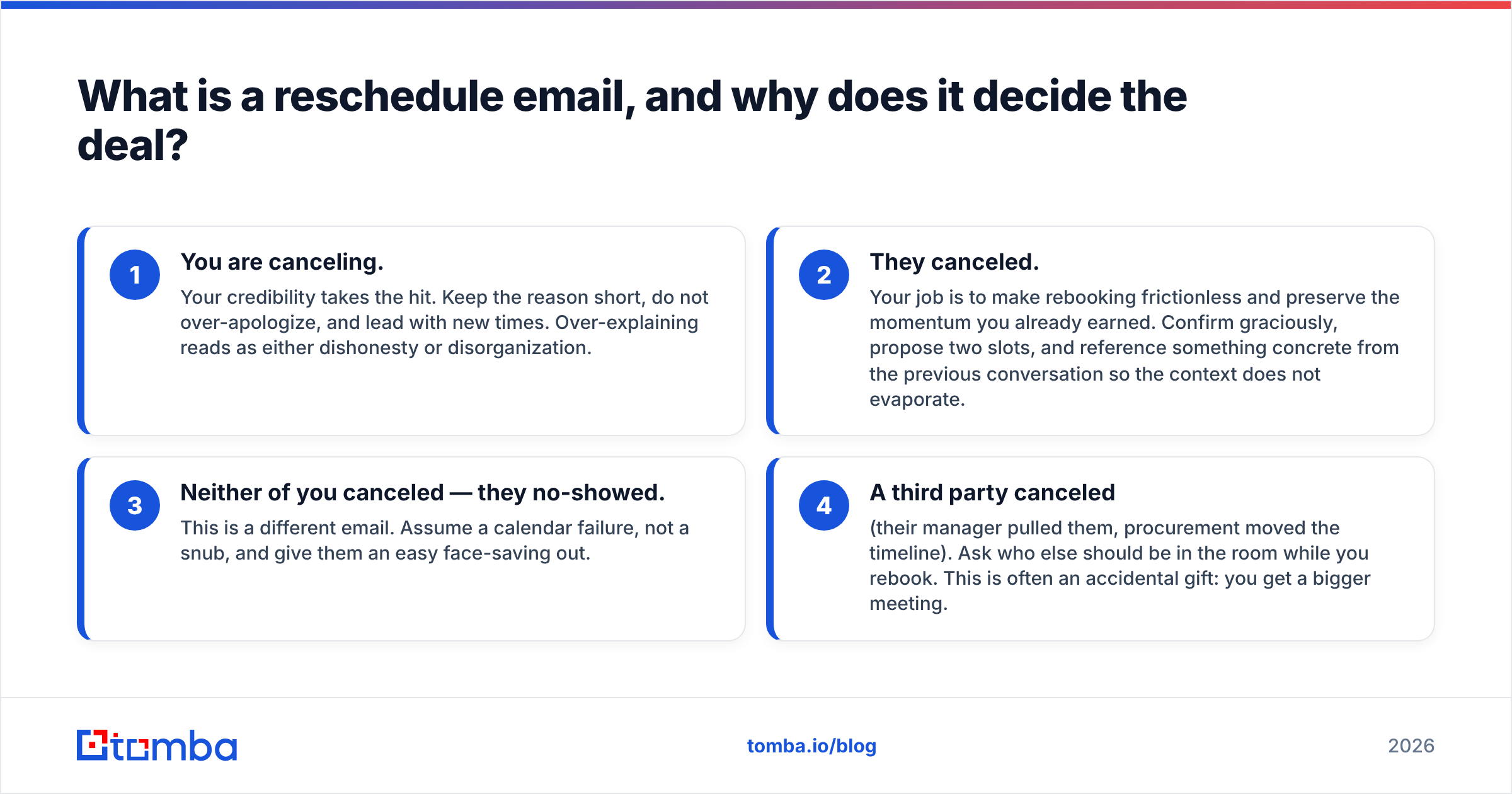
There are two audiences for this email and they need different handling:
- You are canceling. Your credibility takes the hit. Keep the reason short, do not over-apologize, and lead with new times. Over-explaining reads as either dishonesty or disorganization.
- They canceled. Your job is to make rebooking frictionless and preserve the momentum you already earned. Confirm graciously, propose two slots, and reference something concrete from the previous conversation so the context does not evaporate.
- Neither of you canceled — they no-showed. This is a different email. Assume a calendar failure, not a snub, and give them an easy face-saving out.
- A third party canceled (their manager pulled them, procurement moved the timeline). Ask who else should be in the room while you rebook. This is often an accidental gift: you get a bigger meeting.
How do you write a reschedule email in five steps?#
Here is the structure that works, in the order the reader processes it.
Step 1 — Subject line: stay in the thread. Do not start a new email. Hit reply on the calendar invite thread or the original booking confirmation. If you must write a fresh subject, use something operational: "Moving our Thursday call — two options inside." Never use "Quick question" or anything vague; this email needs to be identified in half a second.
Step 2 — Lead with the change, not the apology. Your first sentence states what is happening. "I need to move our 2pm Thursday call." Not "I hope this email finds you well, unfortunately I'm writing to let you know that..." The reader knows something is off the moment they see the subject; get to it.
Step 3 — One clause of reason, maximum. "A client escalation landed on that slot." "I'm traveling and the connection won't hold." That is the entire explanation. Details invite scrutiny and make the excuse sound manufactured. If the reason is genuinely serious — illness, family emergency — say so plainly and briefly; people respond well to it and badly to a paragraph about it.
Step 4 — Propose specific times with time zones. This is the part that actually books the meeting. Two or three concrete options, each with a date, a time, and a zone. "Thursday 10am ET, Thursday 3pm ET, or Friday 11am ET." Include a scheduling link as a backup, never as a replacement — a bare link makes the prospect do the work of picking, checking, and confirming.
Step 5 — Close with a low-friction confirmation ask. "Reply with a number and I'll send the invite." One word from them ends the exchange. Compare that to "let me know what works" which requires them to open their calendar, compose a sentence, and propose a time you might reject.
What should a reschedule email actually look like?#
Seven templates. Copy them, swap the brackets, and cut anything that does not carry weight.
1. You're canceling a discovery call (short notice)
Subject: Re: Discovery call — Thursday 2pm
Hi [Name] — I need to move our 2pm today. A production issue on my side pulled the slot.
Can we do Thursday 10am ET or Friday 11am ET instead? Either works on my end and I'll send the invite the moment you pick one.
Sorry for the shuffle — I still want to walk you through the [specific thing] we talked about.
2. You're canceling with more than 48 hours' notice
Subject: Re: [Original subject]
Hi [Name] — heads up that I need to move Thursday's call. I'm out for [reason, three words].
Two options that keep us on track: Tuesday 9am ET or Tuesday 2pm ET. If neither fits, here's my calendar: [link].
3. They canceled and you're responding
Subject: Re: [Original subject]
No problem at all, [Name] — things come up.
Want to lock in a replacement now so it doesn't drift? I have Wednesday 11am ET or Thursday 3pm ET open. I'll bring the [benchmark/example/teardown] I mentioned either way.
4. They no-showed
Subject: Re: [Original subject]
Hi [Name] — looks like we got crossed wires on the 2pm. My guess is the invite landed in the wrong calendar.
No worries either way. Does Thursday 10am ET or Friday 1pm ET work better? Takes 20 minutes.
5. Rescheduling with a senior stakeholder
Subject: Re: [Original subject]
[Name] — apologies, I need to move Thursday's session. I'd rather do it properly than rushed.
I've held Tuesday 8am ET and Wednesday 4pm ET on my side. Say the word and I'll confirm, or send a time that suits and I'll work around it.
6. Second reschedule (you've already moved it once)
Subject: Re: [Original subject]
[Name] — I owe you one here. I have to move Thursday again, and I know that's twice.
Rather than keep pushing, here's my full calendar for the next two weeks: [link]. Grab anything, and I'll treat it as fixed. If a call is the wrong format right now, I can send a five-minute Loom instead.
7. Rescheduling into a bigger meeting
Subject: Re: [Original subject] — worth adding [Role]?
Hi [Name] — since we're moving Thursday anyway, is it worth pulling [Role] in? Last time we spoke you mentioned they'd own the [decision/budget/rollout].
Wednesday 2pm ET or Friday 10am ET — either works, and I'll adjust the agenda if they join.
If you need help tightening the wording, our subject line generator and library of cold email templates cover the adjacent formats.
Which reschedule email approach performs best?#
The difference between rebooking and ghosting comes down to a handful of concrete choices. Here is how the common approaches stack up.
| Element | Weak version | Strong version | Why it matters |
|---|---|---|---|
| Subject line | New thread, "Quick question" | Reply in original thread, keeps subject | Lands in an existing conversation with context attached |
| Opening line | Three lines of apology | "I need to move our 2pm Thursday" | Reader gets the point in one second, not four |
| Reason given | Two-paragraph explanation | One clause, no details | Long excuses read as evasive; short ones read as honest |
| New times | "Let me know what works" | 2-3 slots with date + zone | Shifts the work from them to you |
| Booking link | Link only, no times | Times first, link as fallback | A bare link asks for effort before it earns trust |
| Timing of send | Morning of the meeting | Within minutes of knowing | Preserves credibility and their ability to refill the slot |
| Confirmation ask | "Does that work?" | "Reply with a number" | One-word replies get sent; composed replies get postponed |
| Follow-up if silent | Nothing, or same-day nudge | One nudge at 48 hours | Respects the reset without letting the thread die |
The pattern across every row is the same: reduce the cognitive cost of saying yes. A prospect who has to think for more than five seconds about your reschedule email will file it under "later," and later usually means never.
When should you send it, and how many times should you follow up?#
Send it the instant you know. Not when you have a clean gap in your day, not after you've drafted the perfect apology. The value of a reschedule email decays by the hour, because the prospect can still do something useful with a slot you free up 24 hours in advance and can do nothing with one you free up at 1:52pm for a 2pm call.
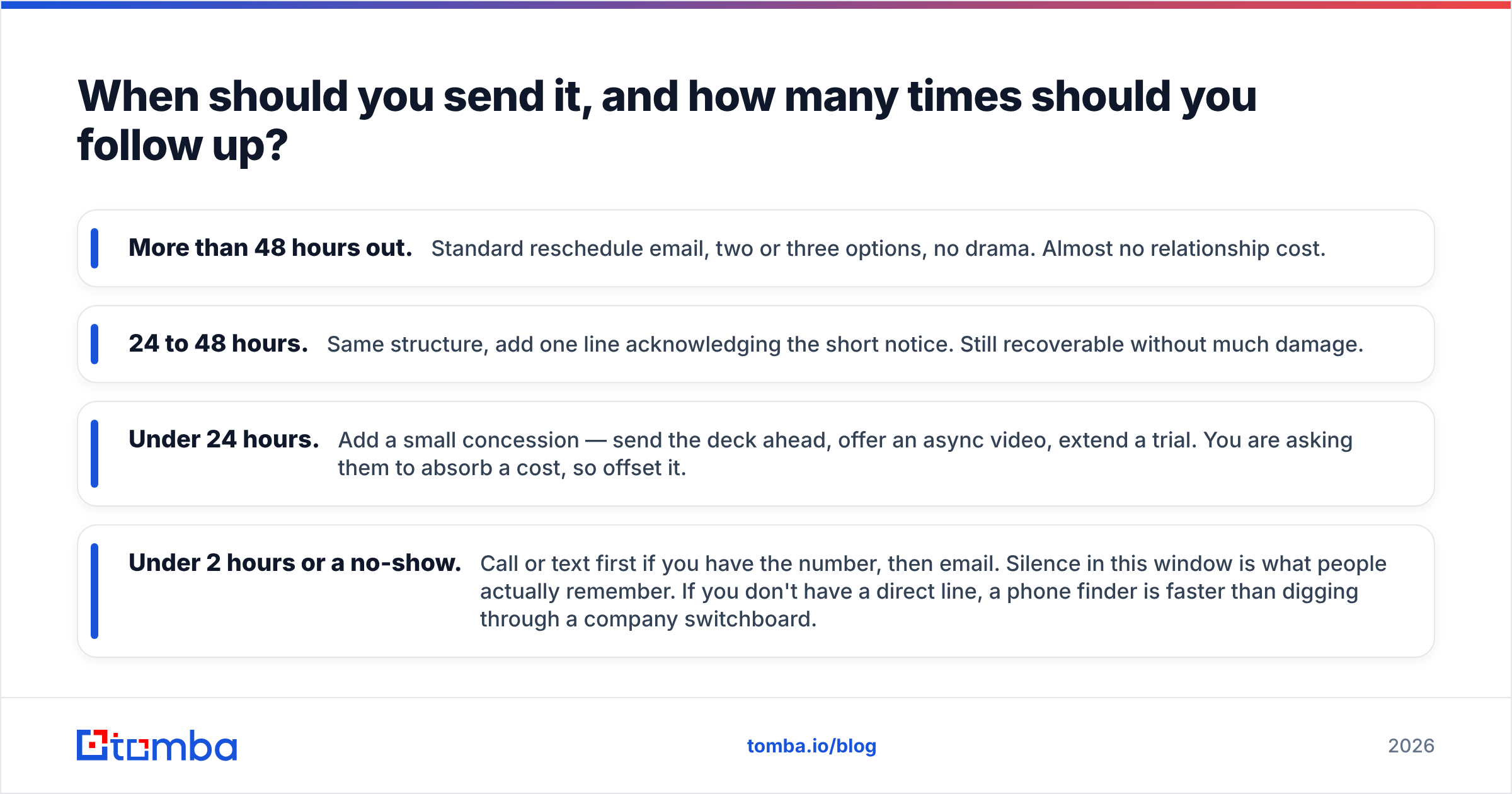
Rough guidance by lead time:
- More than 48 hours out. Standard reschedule email, two or three options, no drama. Almost no relationship cost.
- 24 to 48 hours. Same structure, add one line acknowledging the short notice. Still recoverable without much damage.
- Under 24 hours. Add a small concession — send the deck ahead, offer an async video, extend a trial. You are asking them to absorb a cost, so offset it.
- Under 2 hours or a no-show. Call or text first if you have the number, then email. Silence in this window is what people actually remember. If you don't have a direct line, a phone finder is faster than digging through a company switchboard.
On follow-ups: one nudge at roughly 48 hours if they haven't replied, then move to your normal cadence. Do not send three reschedule reminders in a week — the meeting has already been devalued once, and hammering it makes you look like the meeting matters more to you than to them. It does, but they should not be able to tell.
One operational thing worth checking: make sure your reschedule emails are actually arriving. Reply-in-thread messages inherit the original thread's engagement signals, which helps, but if your domain has email deliverability problems, your "sorry, moving our call" note can land in spam and turn a reschedule into a silent no-show on your end. Google's own Postmaster Tools documentation covers the sender requirements worth auditing quarterly.

What mistakes kill a reschedule email?#
Over-apologizing. Three sentences of contrition reads as anxiety and makes the cancellation feel bigger than it was. One apology, once. Professional communication research summarized by HubSpot consistently finds that brevity outperforms elaborate courtesy in transactional sales email.
Passive voice about the cause. "The meeting needs to be moved" hides who is doing what. "I need to move the meeting" owns it. Passive constructions in a cancellation read as blame-shifting even when you don't mean them that way.
No time zone. "Thursday at 10" is useless to anyone outside your city and mildly insulting to anyone who has to guess. Always write the zone.
Proposing times you haven't held. If you offer Thursday 10am and someone else books it before they reply, you now send a second reschedule email. Block your proposed slots as tentative holds until they answer.
Rescheduling by calendar invite alone. Dragging the event to a new time without an email is technically efficient and socially terrible. The invite update lands with no context and often gets declined on reflex.
Restarting the relationship from zero. Reference something specific from the last touch — a metric they gave you, a tool they're evaluating, a deadline they mentioned. It proves the meeting was worth having and reminds them why they booked it.
Emailing the wrong address entirely. More reschedule emails vanish into dead inboxes than most teams realize, especially when the contact came from an old list or a job change. If a thread that was live last week suddenly goes quiet, run the address through an email verifier before you assume you've been ghosted. People change companies; your CRM does not notice.
How do reschedule emails fit into your broader outbound process?#
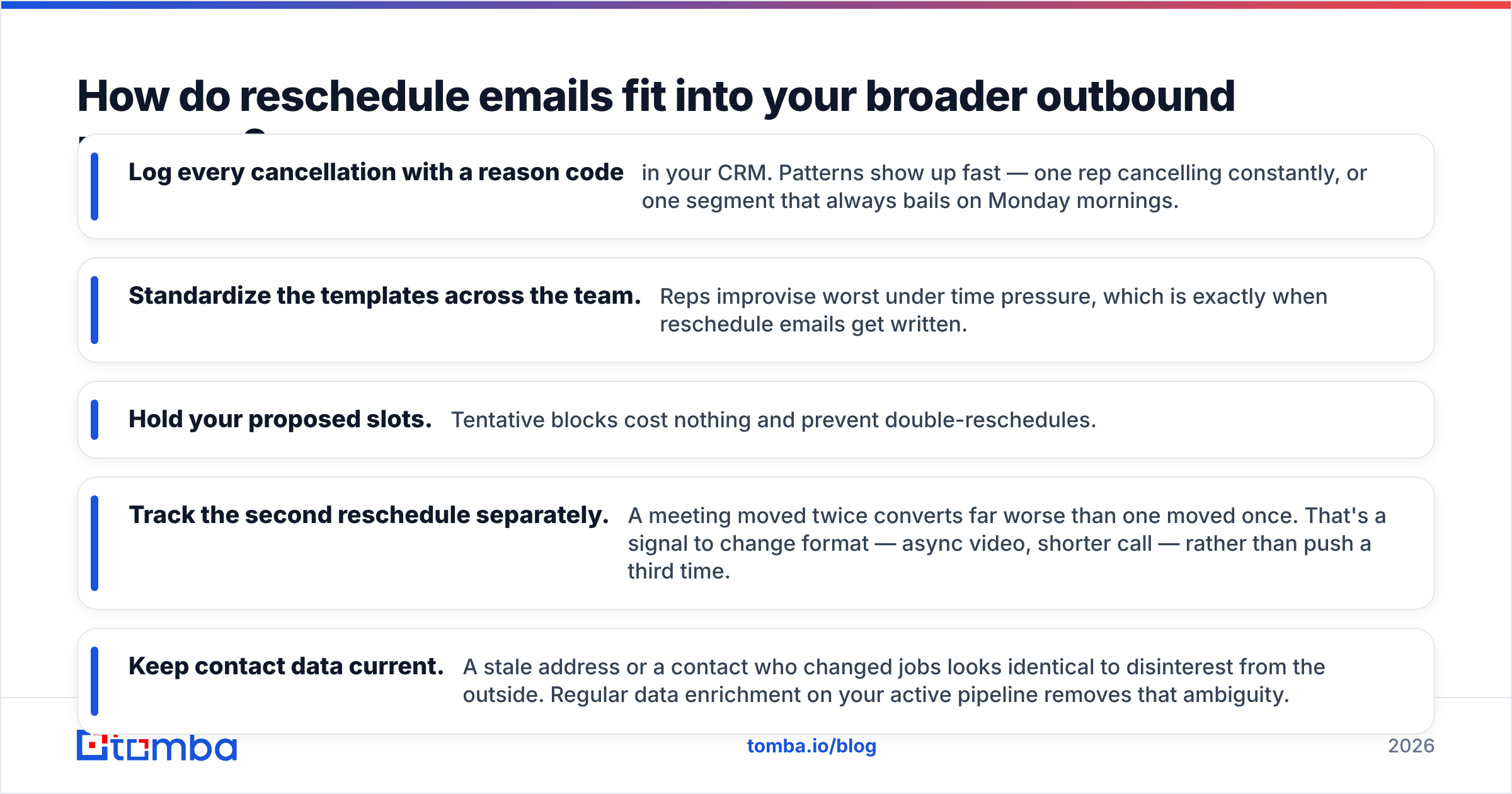
Treat rescheduling as a measurable step, not an accident. Two numbers matter: what percentage of canceled meetings get rebooked, and how many days pass between cancellation and the new slot. If your rebooking rate sits below 50%, the problem is almost always the template, not the prospects.
A few operational habits that move both numbers:
- Log every cancellation with a reason code in your CRM. Patterns show up fast — one rep cancelling constantly, or one segment that always bails on Monday mornings.
- Standardize the templates across the team. Reps improvise worst under time pressure, which is exactly when reschedule emails get written.
- Hold your proposed slots. Tentative blocks cost nothing and prevent double-reschedules.
- Track the second reschedule separately. A meeting moved twice converts far worse than one moved once. That's a signal to change format — async video, shorter call — rather than push a third time.
- Keep contact data current. A stale address or a contact who changed jobs looks identical to disinterest from the outside. Regular data enrichment on your active pipeline removes that ambiguity.
Peer benchmarks on sales email response behavior are worth reviewing on G2 if you want to sanity-check your own numbers against category norms rather than internal anecdote.
The uncomfortable truth is that most "unresponsive prospects" were reachable at some point and stopped being reachable because of a process gap — a canceled call with no replacement time, a contact who moved companies, an email that quietly bounced. Reschedule emails fix the first one. Good data hygiene fixes the other two.
Getting the new time booked#
Rescheduling well is a small discipline with an outsized effect on pipeline. Lead with the change, give one clause of reason, propose two or three specific times with the zone attached, and ask for a one-word reply. Send it the moment you know. Follow up once. Then let it go.
None of that matters if the email never reaches a real human. If your reschedule notes are landing in dead inboxes — contacts who changed roles, addresses that were guessed rather than verified, domains that quietly stopped accepting mail — you're diagnosing a copywriting problem that is actually a data problem. The Tomba Email Finder confirms you have a current, deliverable address before you spend another cycle rewriting subject lines. The free tier covers 25 searches a month, and paid plans start at $49/mo on the Starter tier; full Tomba pricing is on the site. Verify the address, then send the email that books the slot.
Related guides#
// get started
Find, verify and enrich your first contacts today
Start on the free plan with 25 searches a month, then scale when your team is ready.
Free plan · No credit card required · GDPR & CCPA
// about the author