How to Write an Introduction Email That Actually Gets Replies
An introduction email has about eight seconds to earn a reply. Here is the structure, the subject-line formula, five copy-paste templates, and the five lines that quietly kill your response rate.
TL;DR
- A good introduction email is 50–125 words, has one ask, and names a reason you picked this person — not a paragraph about your company.
- The structure that works: relevance hook → one-line credibility → specific ask → easy exit. Everything else is padding.
- Subject lines should look like internal mail, not marketing: 3–6 words, lowercase-ish, no brackets, no "Quick question about your Q3 growth strategy."
- Most intro emails fail before they're read. A wrong or unverified address means your best copy lands in a bounce log and drags your sender reputation down with it.
- Follow up twice, five and twelve days out, with new information each time. Then stop.
What is an introduction email, and when does it actually work?#
An introduction email is the first message you send to someone who has no idea who you are. It's the written version of walking up to a stranger at a conference: you get roughly one sentence to justify the interruption before they decide whether to keep listening.
That framing matters because it changes what you optimize for. You are not trying to close, demo, or explain your product. You are trying to earn a two-line reply. Everything in the email should serve that single outcome.
Introduction emails show up in four common situations, and the rules shift slightly for each:
- Cold outbound to a prospect — hardest mode. No shared context, no permission, high skepticism. Relevance has to do all the work.
- Warm intro after a referral — easiest mode. Lead with the referrer's name in the first four words or you waste the advantage.
- Self-introduction to a new team or client — you already have permission. Optimize for clarity and tone, not persuasion.
- Networking or partnership outreach — the ask should cost the recipient under fifteen minutes, or it reads as a demand.
- Author, journalist, or creator outreach — reference the specific piece they published, not "your recent content."
The failure mode is identical across all five: writing about yourself when the reader only cares about themselves. Gartner's research on the B2B buying journey has consistently found that buyers spend a small fraction of their process talking to any single vendor. Your intro email is competing for a sliver of attention that's already spoken for.
What does a strong introduction email look like structurally?#
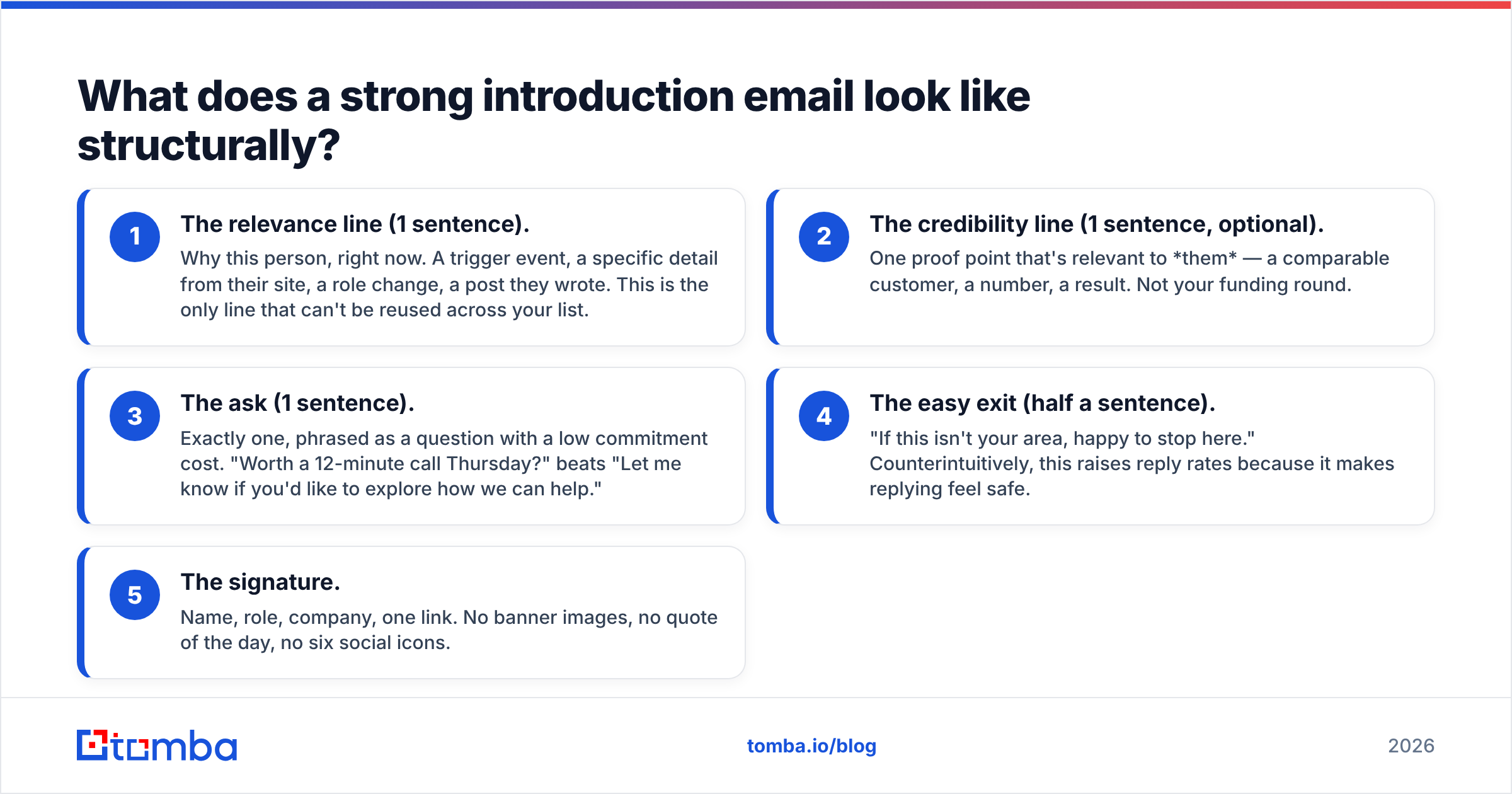
Every intro email that gets replies has the same five parts. If you can't point to each one in your draft, the draft isn't finished.
- The relevance line (1 sentence). Why this person, right now. A trigger event, a specific detail from their site, a role change, a post they wrote. This is the only line that can't be reused across your list.
- The credibility line (1 sentence, optional). One proof point that's relevant to them — a comparable customer, a number, a result. Not your funding round.
- The ask (1 sentence). Exactly one, phrased as a question with a low commitment cost. "Worth a 12-minute call Thursday?" beats "Let me know if you'd like to explore how we can help."
- The easy exit (half a sentence). "If this isn't your area, happy to stop here." Counterintuitively, this raises reply rates because it makes replying feel safe.
- The signature. Name, role, company, one link. No banner images, no quote of the day, no six social icons.
Notice what isn't on the list: a greeting paragraph, a company boilerplate sentence, a bulleted feature list, or the phrase "I hope this email finds you well." Cut all four permanently.

Word count discipline is the easiest lever most people ignore. Aim for 50–125 words in the body. Anything past 150 words on a first touch gets skimmed, and skimming means the reader sees your longest paragraph and archives the message. If you need a reference point for what tight cold copy looks like at scale, HubSpot's sales blog publishes teardown after teardown of short-form outreach.
How do different types of introduction emails compare?#
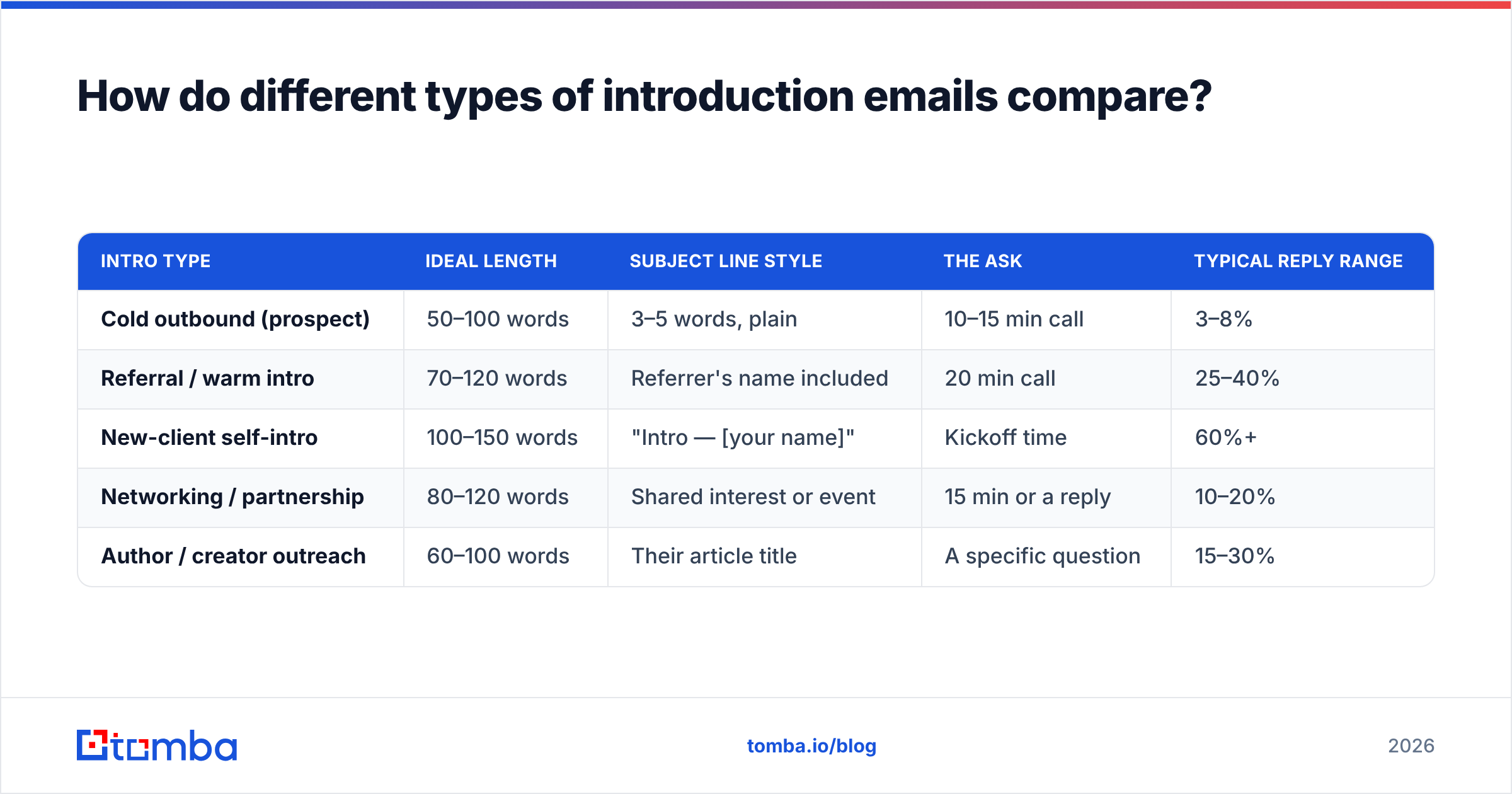
Not every intro email should look the same. The length, tone, and ask all shift depending on how much permission you have.
| Intro type | Ideal length | Subject line style | The ask | Typical reply range |
|---|---|---|---|---|
| Cold outbound (prospect) | 50–100 words | 3–5 words, plain | 10–15 min call | 3–8% |
| Referral / warm intro | 70–120 words | Referrer's name included | 20 min call | 25–40% |
| New-client self-intro | 100–150 words | "Intro — [your name]" | Kickoff time | 60%+ |
| Networking / partnership | 80–120 words | Shared interest or event | 15 min or a reply | 10–20% |
| Author / creator outreach | 60–100 words | Their article title | A specific question | 15–30% |
Two things fall out of that table. First, the more permission you have, the more words you're allowed — but you still gain nothing by using them. Second, reply rate is driven far more by list quality and relevance than by clever phrasing. A mediocre email to the right person outperforms a brilliant email to the wrong one, every time.
What should the subject line say?#
Make it look like mail from a colleague, not a campaign.
The pattern that survives testing: 3–6 words, no punctuation gimmicks, describing the content honestly. Examples that work:
quick question re: onboardingSarah Chen suggested I reach outyour post on RevOps hiringpricing page question
Patterns that get ignored or filtered:
- Anything in
[Brackets] - Title Case Everything Because It Looks Professional
- Numbers and percentages ("Cut CAC by 43%")
- Questions with a "yes" answer baked in ("Want more pipeline?")
- Emoji of any kind in B2B
If you're testing variants, run them one variable at a time and give each version at least 200 sends before you draw a conclusion. A subject line generator is useful for breaking a blank-page block, but treat the output as raw material — the version you send should still sound like a human typed it in a hurry.
Personalizing the subject line with a company name works. Personalizing it with a first name is now so common that it reads as automation. Skip it.
What are five introduction email templates you can adapt?#
Use these as skeletons, not scripts. The bracketed parts are where the work happens.
1. Cold outbound, trigger-based
Subject: [Company]'s new [role] hire
Hi [First],
Saw you brought on three SDRs last month — usually that means someone inherits the job of keeping the contact data clean.
We handle that part for [comparable company], which cut their bounce rate to under 2% without adding headcount.
Worth 12 minutes Thursday to see if it maps to your setup? If data isn't your lane, happy to stop here.
[Name]
2. Referral intro
Subject: [Referrer] suggested I reach out
Hi [First],
[Referrer] mentioned you're rebuilding the outbound motion at [Company] and said the data layer was the messy part.
That's most of what I do. Two quick things that might be useful either way — happy to send them over, or grab 20 minutes next week.
Which is easier?
[Name]
3. Self-introduction to a new client
Subject: Intro — [Name], your point of contact
Hi [First],
I'm taking over as your main contact starting Monday. Short version of how I work: I answer within a business day, I flag problems before they become invoices, and I'd rather over-communicate.
Before we start, one question — what's the thing the last team got wrong that you don't want repeated?
[Name]
4. Networking / partnership
Subject: your talk at [Event]
Hi [First],
Your point about attribution being a data-hygiene problem rather than a modeling problem stuck with me — we've been fighting the same thing on the outbound side.
We serve overlapping audiences without competing. Open to a 15-minute call to see if there's a co-marketing angle?
[Name]
5. Author / creator outreach
Subject: your piece on [topic]
Hi [First],
Read your [article title] piece this morning — the section on [specific detail] is the clearest explanation of it I've found.
One question I couldn't answer from the article: [genuinely specific question].
If you've written about it elsewhere, a link is plenty.
[Name]
For that last one, finding the writer's real address is usually the bottleneck, not the copy. An author finder pulls the byline's email straight from the article URL, which beats guessing at firstname@publication.com and hoping.
Which mistakes quietly kill introduction emails?#
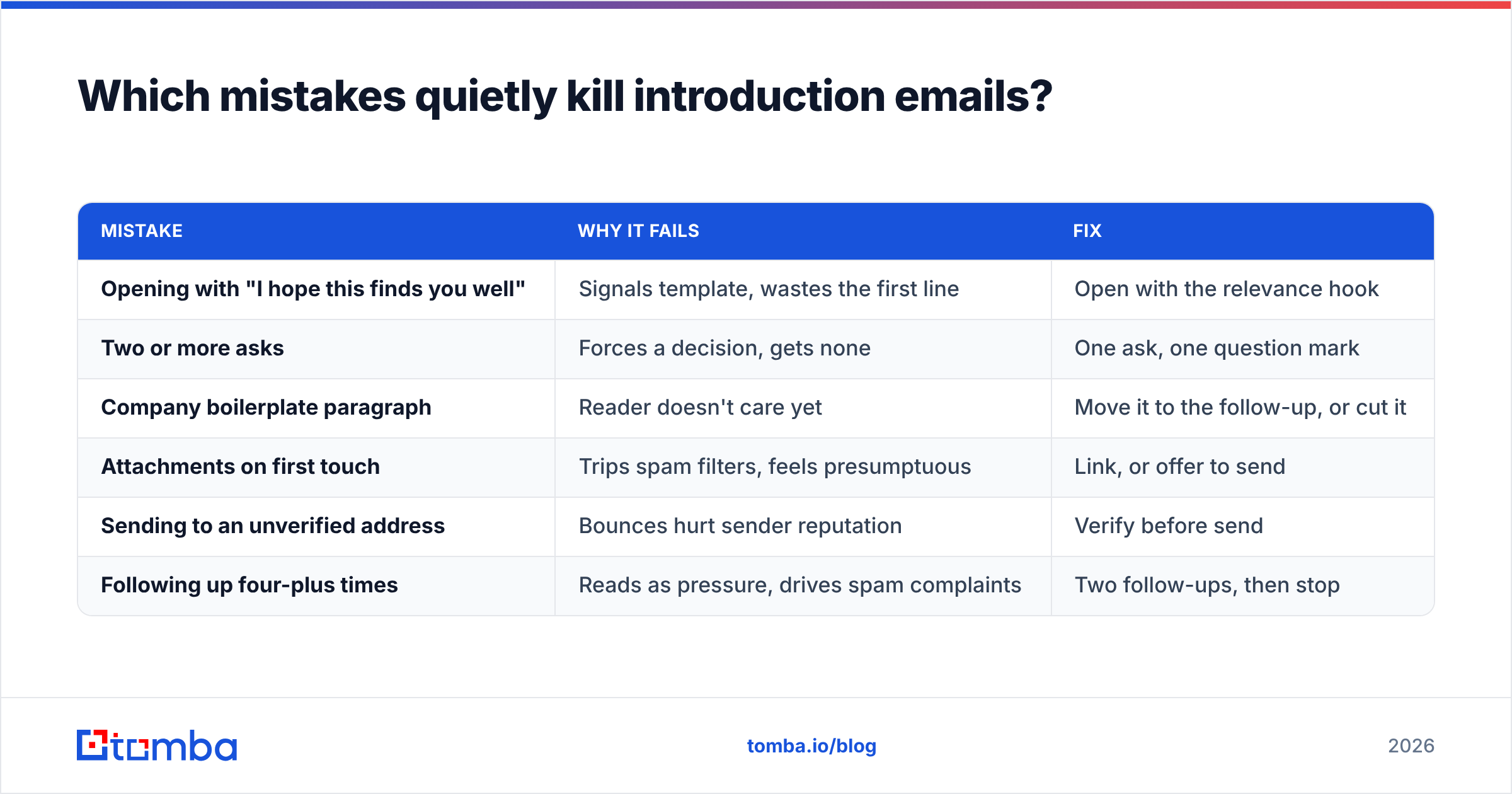
These are the ones that show up in almost every underperforming sequence I've audited.
| Mistake | Why it fails | Fix |
|---|---|---|
| Opening with "I hope this finds you well" | Signals template, wastes the first line | Open with the relevance hook |
| Two or more asks | Forces a decision, gets none | One ask, one question mark |
| Company boilerplate paragraph | Reader doesn't care yet | Move it to the follow-up, or cut it |
| Attachments on first touch | Trips spam filters, feels presumptuous | Link, or offer to send |
| Sending to an unverified address | Bounces hurt sender reputation | Verify before send |
| Following up four-plus times | Reads as pressure, drives spam complaints | Two follow-ups, then stop |
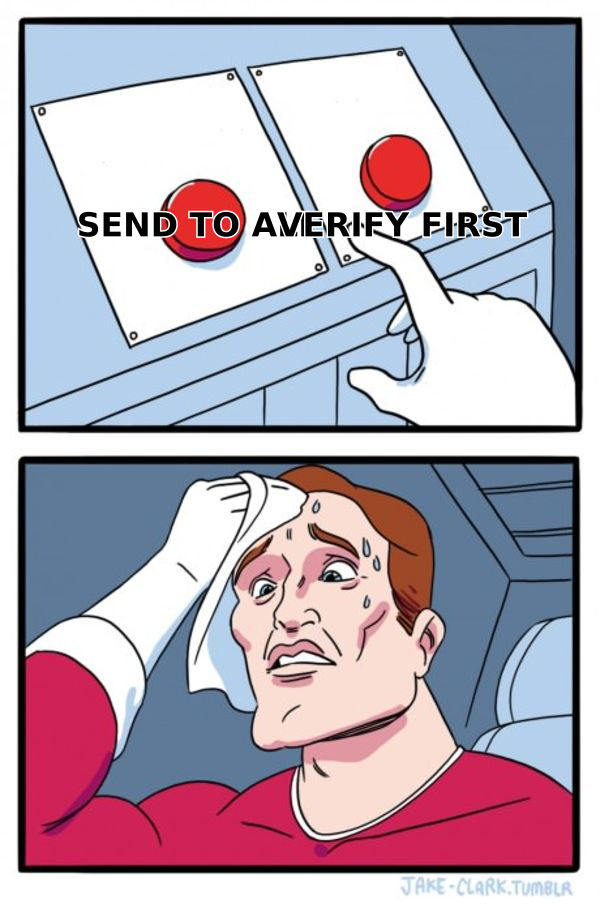
The bounce issue deserves its own paragraph because it's the one people underestimate. Mailbox providers treat hard bounces as a signal that you don't know who you're mailing. Push your bounce rate above roughly 3% and inbox placement degrades for every message you send, including the ones to people who genuinely want to hear from you. Running your list through an email verifier before a campaign is a ten-minute step that protects months of sender reputation.
Catch-all domains are the messy middle. They accept everything at the SMTP layer, so a standard verifier returns "unknown" rather than valid or invalid. Treat those as a separate, lower-priority segment instead of either blindly mailing them or discarding them.
How do you find the right person to introduce yourself to?#
Copy quality has a ceiling set by targeting quality. Before you write a word, answer three questions: who owns this problem, what recently changed at their company, and how will I reach them.
For the third question, the practical sequence is:
- Identify the company and the role, not the individual, first. Roles are stable; people churn.
- Find the person currently in that role via LinkedIn or the company site.
- Resolve the email, either by looking up the company's pattern with a domain search or by finding the individual address directly with an email finder.
- Verify before sending, especially for anything going out in bulk.
- Log the source and date, so you know how stale a contact is six months from now.
That last step is the one teams skip and regret. Contact data decays somewhere around 20–30% per year as people change jobs. An address that verified clean in January is a coin flip by December.
If you want the elevator-pitch discipline behind the relevance line, the elevator pitch concept is the right mental model: one sentence, one benefit, no jargon, delivered before the listener decides you're not worth the time.
How should you follow up without being annoying?#
Two follow-ups. That's the honest number for a cold introduction.
- Follow-up 1, day 5. Add something new — a relevant case, a one-line stat, a link to something they'd find useful. Never "just bumping this to the top of your inbox."
- Follow-up 2, day 12. Shorter than the first. Offer the exit explicitly: "If the timing's wrong, tell me when to check back and I'll disappear until then."
- Then stop. Move the contact to a 90-day nurture and let a trigger event bring them back.
Thread your follow-ups under the original message so the recipient has context, and keep each one under 60 words. If your first email needed 100 words, your second needs 40.
Track response rate as your primary metric, not open rate. Open tracking has been unreliable since mail privacy protection started prefetching images, and optimizing for a number you can't measure accurately is how teams end up with clever subject lines and empty pipelines.
What does "good" look like in numbers?#
Set expectations honestly so you know when to iterate and when to leave a working sequence alone.
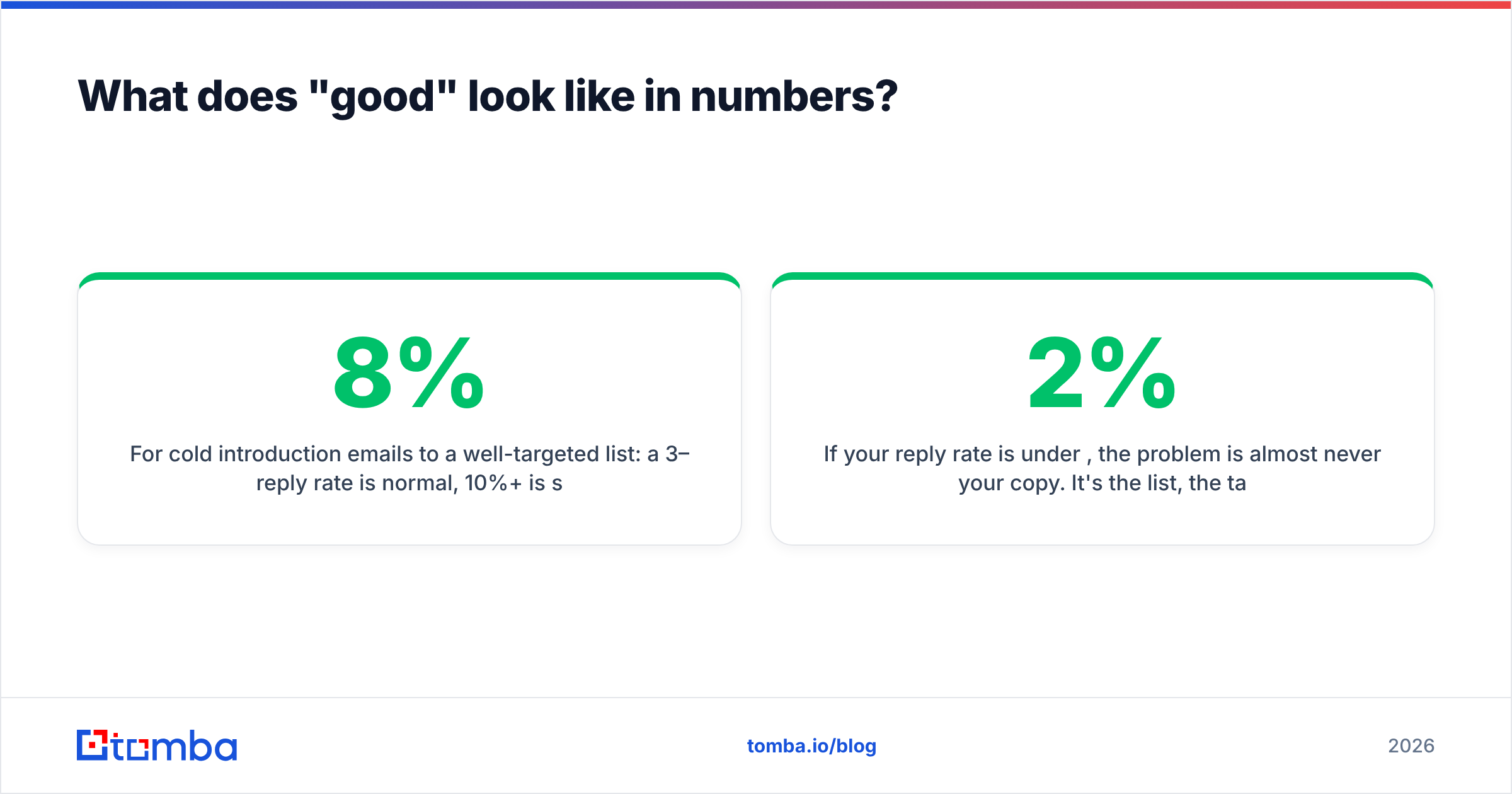
For cold introduction emails to a well-targeted list: a 3–8% reply rate is normal, 10%+ is strong, and anything above 15% usually means your list is small and extremely well-researched. Bounce rate should sit under 2%. Positive-reply rate — replies that aren't "no thanks" — typically runs between a third and half of total replies.
If your reply rate is under 2%, the problem is almost never your copy. It's the list, the targeting, or the deliverability. Fix those in that order before you rewrite a single sentence.
Where should you start?#
Write one email. Not a sequence, not a template library — one email to one person you genuinely want to talk to. Give it a relevance line you couldn't send to anyone else, one ask, and an easy exit. Send it. Then do it nine more times and read the replies before you scale anything.
When you're ready to move from ten emails to a thousand, the bottleneck stops being copy and starts being data. That's where Tomba's Email Finder fits: find the address by name and domain, verify it before it costs you a bounce, and push it into your sequencer with the source and confidence score attached. The free tier covers 25 searches a month if you want to test it against a list you already trust, and paid plans start at $49/month when you outgrow it. Good copy deserves an inbox that actually receives it.
Related guides#
// get started
Find, verify and enrich your first contacts today
Start on the free plan with 25 searches a month, then scale when your team is ready.
Free plan · No credit card required · GDPR & CCPA
// about the author