HubSpot Email Verification: How to Keep Your CRM Clean
HubSpot does not verify email addresses on import. Here is what it actually does, where bad data slips in, and how to build a verification layer that protects your sending reputation.

TL;DR
- HubSpot does not run real email verification on import. It checks syntax, deduplicates by email, and marks addresses as invalid only after a hard bounce — which is already too late.
- HubSpot's own "Marketing Contacts" model means every unverified contact you import can cost you money before it ever proves deliverable.
- The fix is a verification layer that runs before the record enters HubSpot, plus a scheduled re-verification pass on contacts older than 6 months.
- Catch-all domains are the hardest category: roughly 15-20% of B2B domains accept everything at SMTP, so a plain "valid" verdict from a cheap verifier is meaningless there.
- Budget realistically: verification runs $0.001-$0.008 per email depending on volume and vendor. Cleaning 50,000 contacts costs less than one month of a mid-tier HubSpot seat.
What does HubSpot email verification actually do?#
Almost nothing, and that surprises most teams.
Think of HubSpot as a very good filing cabinet. It will refuse a folder with no label, and it will not let you file the same folder twice. But it never opens the folder to check whether the address inside is a real house. That is the whole story of HubSpot email verification: it validates format, enforces uniqueness, and then waits for the postal service to return the letter.
Concretely, here is what HubSpot does on its own:
- Syntax validation on forms and imports. HubSpot rejects
john@@acmeandsarah@acme(no TLD). It acceptsjohn.doe@acme.comwhether or not that mailbox has ever existed. - Blocked domain lists on forms. You can block free providers (gmail.com, yahoo.com) or specific competitor domains on a per-form basis. This is a filter, not verification.
- Bounce handling after the fact. When a send hard-bounces, HubSpot sets the contact's email address to a bounced state and excludes it from future marketing email. Useful, but the damage to your sender reputation is already done.
- Deduplication by email address. Two records with the same primary email merge. Two records for the same human with different emails do not.
- Optional double opt-in. Available on Marketing Hub, and it is a real verification signal — but only for people who subscribe themselves. It does nothing for imported lists or sales-prospected contacts.
Notice what is missing. There is no MX record lookup, no SMTP handshake, no role-account detection, no disposable-domain screening, no catch-all handling. If your list came from a scraper, a conference badge scan, or a five-year-old spreadsheet, HubSpot will happily ingest all of it and let you find out the hard way.
Why does unverified data cost more inside HubSpot than elsewhere?#
Because HubSpot bills by contact, and bad contacts bill the same as good ones.
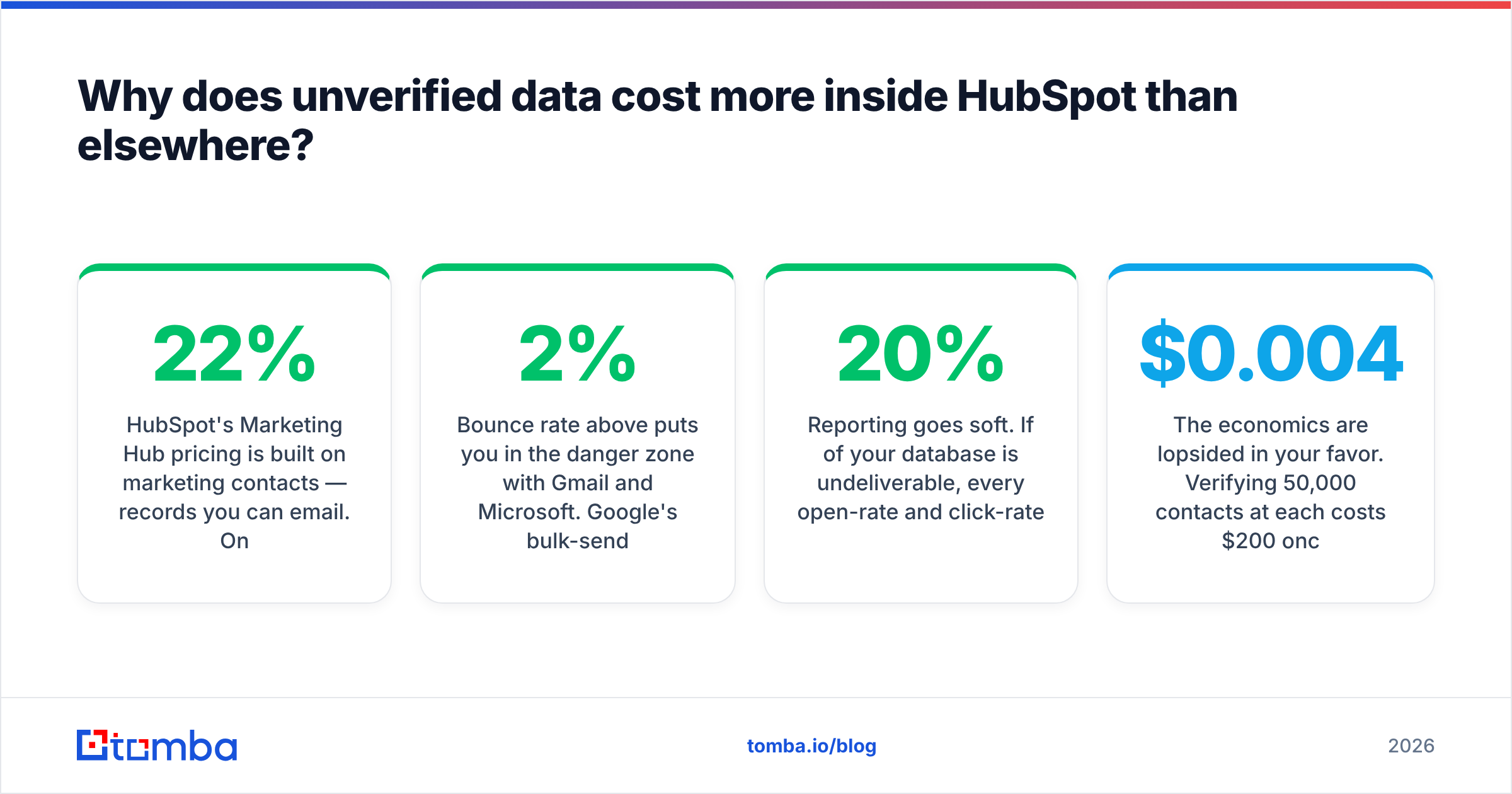
HubSpot's Marketing Hub pricing is built on marketing contacts — records you can email. On Professional tiers the base package includes a fixed block of marketing contacts, and overage is charged in blocks beyond that. A 40,000-row import with 22% dead addresses does not just hurt deliverability; it moves you into a higher billing block for contacts that will never open anything.
Then there is the compounding damage:
- Bounce rate above 2% puts you in the danger zone with Gmail and Microsoft. Google's bulk-sender requirements formalized a spam-complaint threshold of 0.3%, and bounces feed the same reputational signal.
- HubSpot suppresses your sending domain internally if bounce rates stay elevated. Their deliverability team can and does throttle accounts.
- Sales sequences inherit the mess. A rep burning 30 minutes a day on emails that never land is a real payroll line item, not an abstraction.
- Reporting goes soft. If 20% of your database is undeliverable, every open-rate and click-rate benchmark you calculate is inflated against a phantom denominator.
The economics are lopsided in your favor. Verifying 50,000 contacts at $0.004 each costs $200 once. A single month of Marketing Hub Professional with a contact-tier overage costs several times that, every month, forever.
How do the verification approaches compare?#
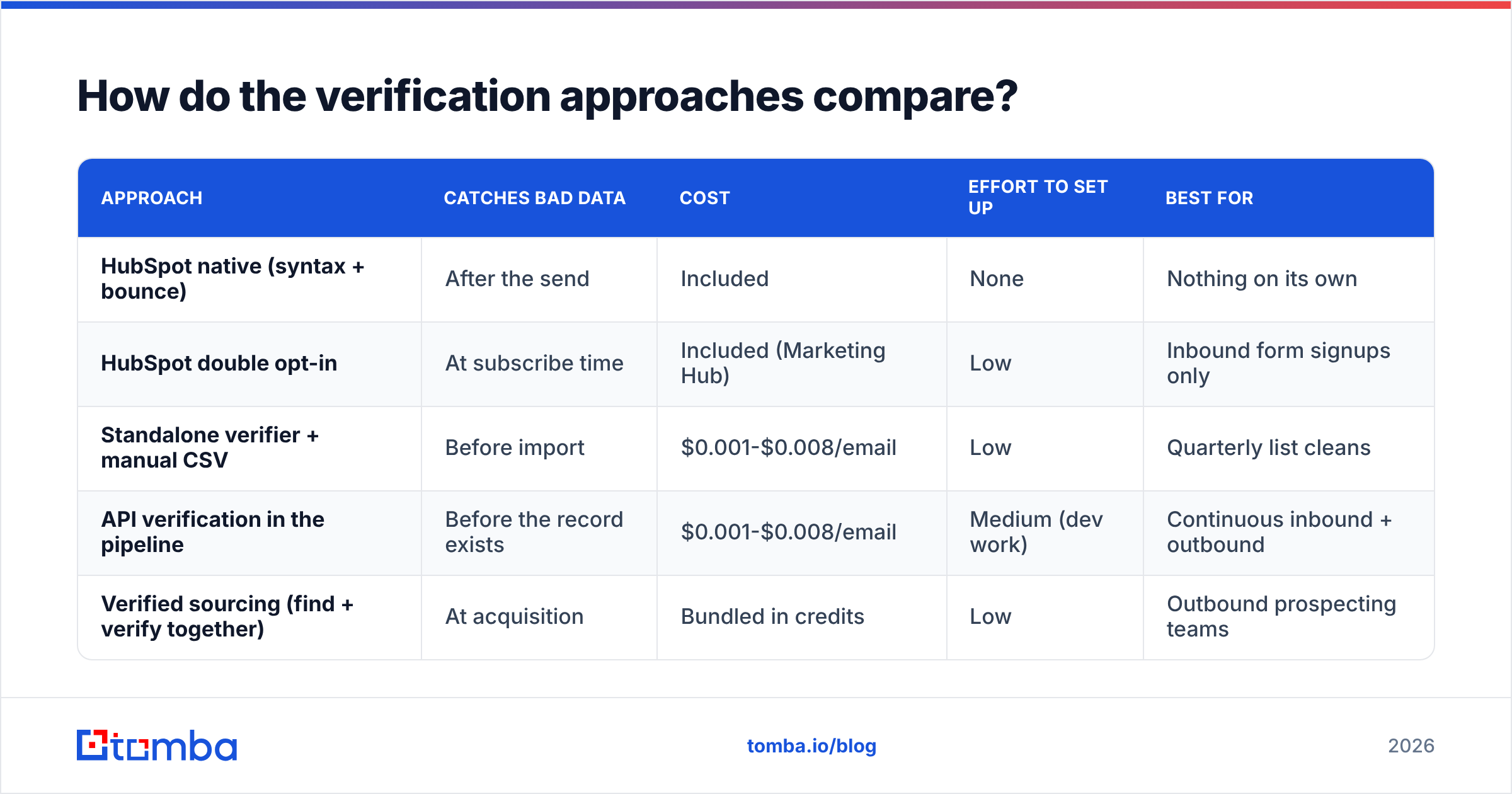
There are four realistic ways to handle email hygiene around HubSpot. They are not mutually exclusive, and most mature teams run two or three.
| Approach | Catches bad data | Cost | Effort to set up | Best for |
|---|---|---|---|---|
| HubSpot native (syntax + bounce) | After the send | Included | None | Nothing on its own |
| HubSpot double opt-in | At subscribe time | Included (Marketing Hub) | Low | Inbound form signups only |
| Standalone verifier + manual CSV | Before import | $0.001-$0.008/email | Low | Quarterly list cleans |
| API verification in the pipeline | Before the record exists | $0.001-$0.008/email | Medium (dev work) | Continuous inbound + outbound |
| Verified sourcing (find + verify together) | At acquisition | Bundled in credits | Low | Outbound prospecting teams |
The last row is the one teams miss. If you are finding contact data in the first place — scraping a domain, enriching a LinkedIn list, building an ABM target account list — the verification should happen at the moment of discovery, not as a cleanup chore three weeks later. A tool like the Tomba Email Finder returns a confidence score with the address, so the record that lands in HubSpot was never unverified to begin with.
What are the actual verification layers, and which ones matter?#
Verification is not a single yes/no. It is a stack of increasingly expensive checks, and vendors differ mostly in how deep they go.
- Syntax check. RFC 5322 compliance. Free, instant, catches typos like
john@acme..com. HubSpot does this. - Domain and MX record check. Does
acme.comresolve, and does it have mail exchange records? Catches dead companies and typo'd domains (gmial.com). Cheap, fast, and it eliminates a surprising share of old lists. - Disposable and role detection. Flags
mailinator.comaddresses and role accounts (info@,sales@,support@). Role accounts are not invalid — they are just terrible for personalized outreach and often trigger spam complaints from whoever is on rotation. - SMTP handshake. The verifier opens a connection to the receiving mail server and asks whether the mailbox exists, without sending anything. This is where real verification happens and where the cost sits.
- Catch-all resolution. Many corporate domains reply "yes" to every mailbox at SMTP. A verifier that stops at step 4 returns "valid" for
asdfgh@acme.com. Only vendors with a dedicated catch-all verifier apply pattern analysis and historical observation to give you a usable probability instead of a false green light.
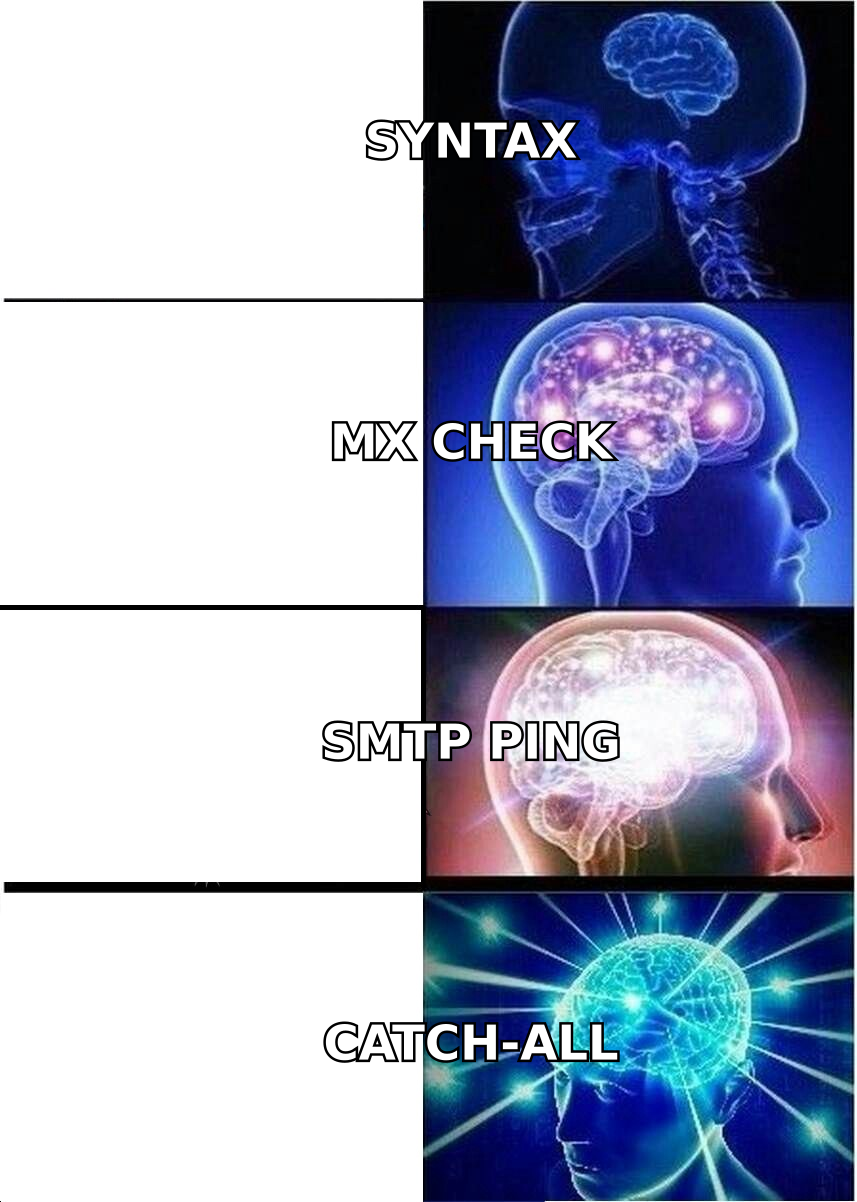
Steps 1-3 are commodity. Any vendor does them well. Step 4 separates the serious tools from the toy ones. Step 5 separates the tools that work on B2B data from the tools that work on consumer newsletters. If your ICP is enterprise software, finance, or healthcare, catch-all handling is not an edge case — it is a third of your list.
How do you build a verification workflow around HubSpot?#
Here is the practical sequence. It takes an afternoon to set up and then runs itself.
Step 1 — Clean what you already have. Export your marketing contacts to CSV. Run the whole file through a bulk verifier. HubSpot's export includes the contact ID, so re-import is a straight update, not a merge nightmare. Use bulk verify for anything over a few thousand rows rather than hammering an API endpoint one record at a time.
Step 2 — Create a Verification Status custom property. Single-select, with values: Verified, Risky, Catch-All, Invalid, Unverified. Populate it on import. This is the single highest-leverage thing you can do, because every downstream list, workflow, and sequence can now filter on it.
Step 3 — Build an active list of sendable contacts. Filter: Verification Status is any of Verified, Catch-All AND Email hard bounce is false AND Unsubscribed is false. Every marketing email goes to this list or a subset of it. Never to a raw imported list.
Step 4 — Gate new records at the API. If contacts enter through your own forms, an enrichment job, or a scraper, verify before the HubSpot create call. The Tomba API returns a verdict in a few hundred milliseconds; wire it into whatever creates the contact. If you would rather not write code, the HubSpot integration handles the sync directionally, and Zapier or Make can do the same with a two-step scenario.
Step 5 — Re-verify on a schedule. B2B email decay runs roughly 22-30% per year as people change jobs. A contact verified in January is a guess by December. Run a quarterly pass on any record whose Last Verified date is older than six months. This is the step everyone skips and everyone regrets.
Step 6 — Segment risky contacts into a warm-up track. Do not delete Risky and Catch-All records. Send them low-volume, high-relevance messages from a secondary domain. If they engage, promote them. If they bounce, you learned it without staining your primary sending reputation.
Which verification tools work best with HubSpot?#
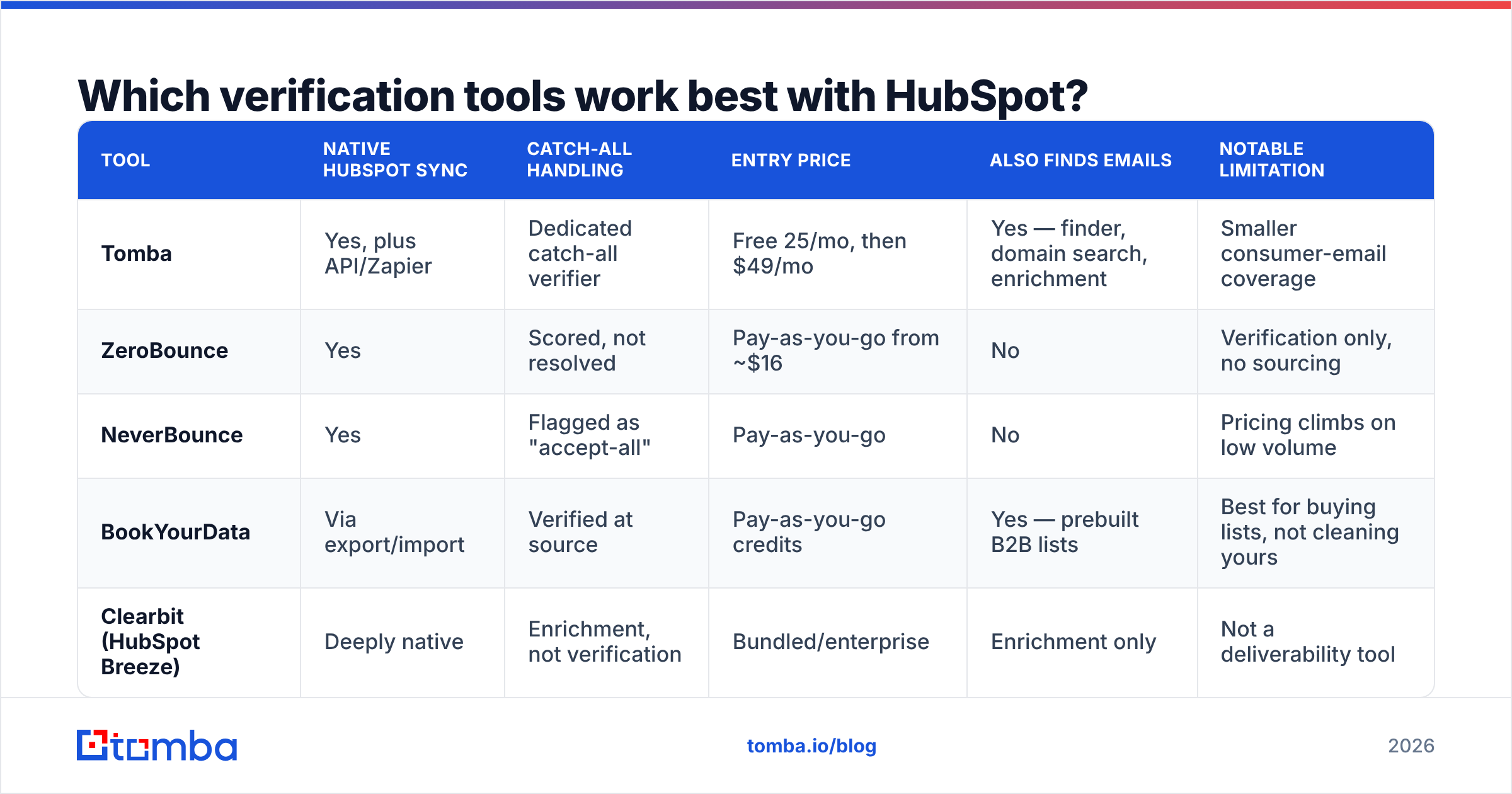
The honest answer depends on whether you need to verify a list you already have or build a list that is verified from the start. Those are different products and the market prices them differently.
| Tool | Native HubSpot sync | Catch-all handling | Entry price | Also finds emails | Notable limitation |
|---|---|---|---|---|---|
| Tomba | Yes, plus API/Zapier | Dedicated catch-all verifier | Free 25/mo, then $49/mo | Yes — finder, domain search, enrichment | Smaller consumer-email coverage |
| ZeroBounce | Yes | Scored, not resolved | Pay-as-you-go from ~$16 | No | Verification only, no sourcing |
| NeverBounce | Yes | Flagged as "accept-all" | Pay-as-you-go | No | Pricing climbs on low volume |
| BookYourData | Via export/import | Verified at source | Pay-as-you-go credits | Yes — prebuilt B2B lists | Best for buying lists, not cleaning yours |
| Clearbit (HubSpot Breeze) | Deeply native | Enrichment, not verification | Bundled/enterprise | Enrichment only | Not a deliverability tool |
Two notes on that table. First, Clearbit — now folded into HubSpot's own data layer — is frequently mistaken for verification. It enriches firmographics and job titles beautifully. It does not tell you whether a mailbox accepts mail. If you are relying on it for hygiene, you have a gap. See our Clearbit alternative breakdown for where the lines actually fall.
Second, BookYourData is a genuinely different model worth understanding: rather than cleaning your list, it sells verified B2B contacts with an accuracy guarantee attached. If your problem is "I do not have enough contacts" rather than "my contacts are stale," that is a legitimate and often faster path. The two approaches stack fine — buy verified, then re-verify on your own schedule.
For teams already paying for HubSpot, the deciding factor is usually whether the tool also does sourcing. Paying for a verifier and a finder and an enrichment tool is three line items where one will do. Check Tomba pricing against your combined current spend before you renew anything.
What does good look like after cleanup?#
Set the benchmarks before you start, so you know whether the work paid off.
- Hard bounce rate under 1%. Under 0.5% is achievable on a properly verified list. Above 2% and you have an active problem.
- Unverified contacts under 5% of your marketing contact count. Anything higher means your intake gate is leaking.
- Catch-all segment tracked separately. You should be able to state what percentage of your database is catch-all. If you cannot, you are not measuring the right thing.
- Median contact age under 12 months since last verification. Not since creation — since verification.
- Marketing contact count trending flat or down while pipeline trends up. This is the real signal. A shrinking, cleaner database that produces more meetings is the outcome you are paying for.
One caution: expect your open rate to drop immediately after a clean, and do not panic. You removed addresses that were never opening anything, but some of them were also silently inflating your delivered count in ways that flattered certain metrics. Reply rate and meeting rate are the numbers that should improve, and they are the ones that matter.
Is HubSpot's native handling ever enough?#
Yes, in exactly one scenario: a pure inbound business with double opt-in enabled, no imported lists, no purchased data, and no outbound prospecting. If every contact in your CRM typed their own address into your form and clicked a confirmation link, HubSpot's syntax check plus bounce handling will hold up fine.
That describes almost nobody doing B2B sales. The moment you import a conference list, enrich from LinkedIn, or run a domain search to find a decision-maker's address, you are introducing unverified data at scale — and HubSpot has no opinion about it until the bounce report lands.
Treat verification as infrastructure, not as a cleanup project. The teams with the best deliverability are not the ones who clean hardest once a year. They are the ones for whom an unverified address structurally cannot enter the database.
Where should you start?#
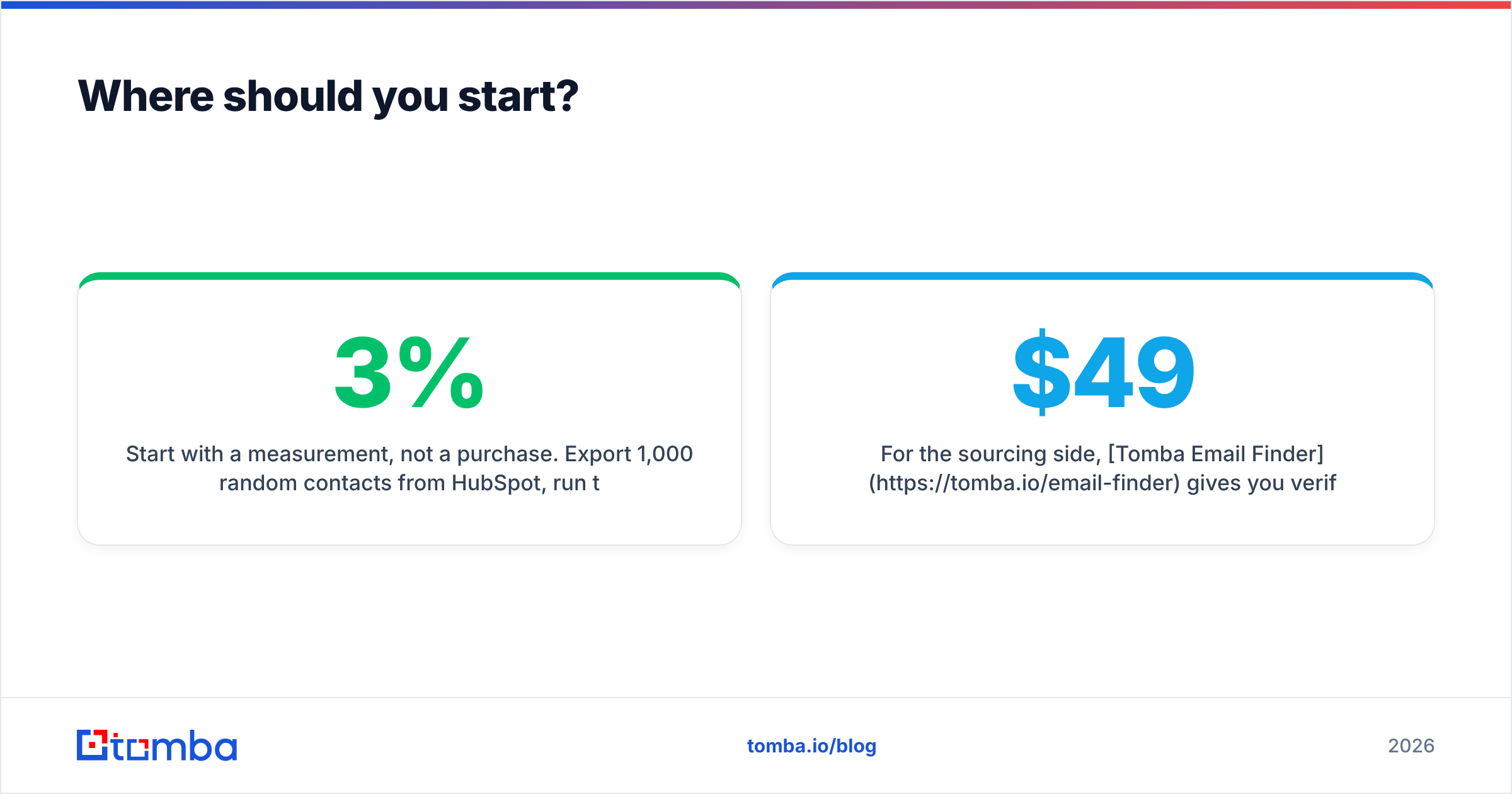
Start with a measurement, not a purchase. Export 1,000 random contacts from HubSpot, run them through a free verification tier, and look at the invalid percentage. If it comes back under 3%, your intake is healthier than most and you can move to a quarterly cadence. If it comes back at 15% or higher — which is typical for any database older than two years — you have found a problem worth fixing this week.
For the sourcing side, Tomba Email Finder gives you verified professional addresses at the moment you find them, with a confidence score attached and a catch-all verdict that means something. The free tier covers 25 searches a month, which is enough to audit a sample and see the difference before you commit. Paid plans start at $49/mo, and the HubSpot integration means the verified record lands in your CRM with the status property already populated — no CSV round-trip, no cleanup queue, no bounce report telling you something you could have known three weeks earlier.
Sources and further reading: HubSpot Knowledge Base, Google bulk sender guidelines, G2 email verification category.
Related guides#
// get started
Find, verify and enrich your first contacts today
Start on the free plan with 25 searches a month, then scale when your team is ready.
Free plan · No credit card required · GDPR & CCPA
// about the author