HubSpot Pricing Reviews Pros and Cons: 2026 Buyer Guide
HubSpot's list price is the easy part. Seat minimums, onboarding fees, and contact-tier jumps are where budgets break. Here's an honest breakdown of the pros, cons, and real costs.
HubSpot pricing reviews pros and cons split along one clear line. Buyers like the product. They argue about the bill. This guide covers both sides: what the list price buys, what it leaves out, and what teams pay in 2026.
TL;DR
- HubSpot's advertised entry prices ($20/seat Starter, $100/seat Professional for Sales Hub) are real, but the invoice most teams actually sign is 3–8x higher once seat minimums, onboarding fees, and Marketing Hub contact tiers land.
- The biggest pro is consolidation: CRM, email, sequences, reporting, and CMS in one place with a genuinely usable free tier.
- The biggest con is cost escalation you cannot easily reverse — annual commitments, mid-term upgrades that reprice the whole contract, and no downgrade until renewal.
- Marketing Hub Professional's mandatory $3,000 onboarding fee is the single most complained-about line item in HubSpot pricing reviews.
- If you only need contact data and email discovery, you are massively overpaying for HubSpot's data credits — a dedicated email finder costs a fraction and plugs straight into HubSpot.
What does HubSpot pricing actually look like in 2026?#
HubSpot sells five "Hubs" (Marketing, Sales, Service, Content, Operations) plus a bundled Customer Platform. Each Hub has four tiers: Free, Starter, Professional, Enterprise. You can buy Hubs one at a time or as a bundle. Sales and Service bill per seat. Marketing bills per contact.
That two-axis model is why HubSpot pricing reviews swing so wildly. A three-person sales team pays about $60/month. A ten-person team with 20,000 marketing contacts and Professional-tier automation pays north of $2,500/month before onboarding.
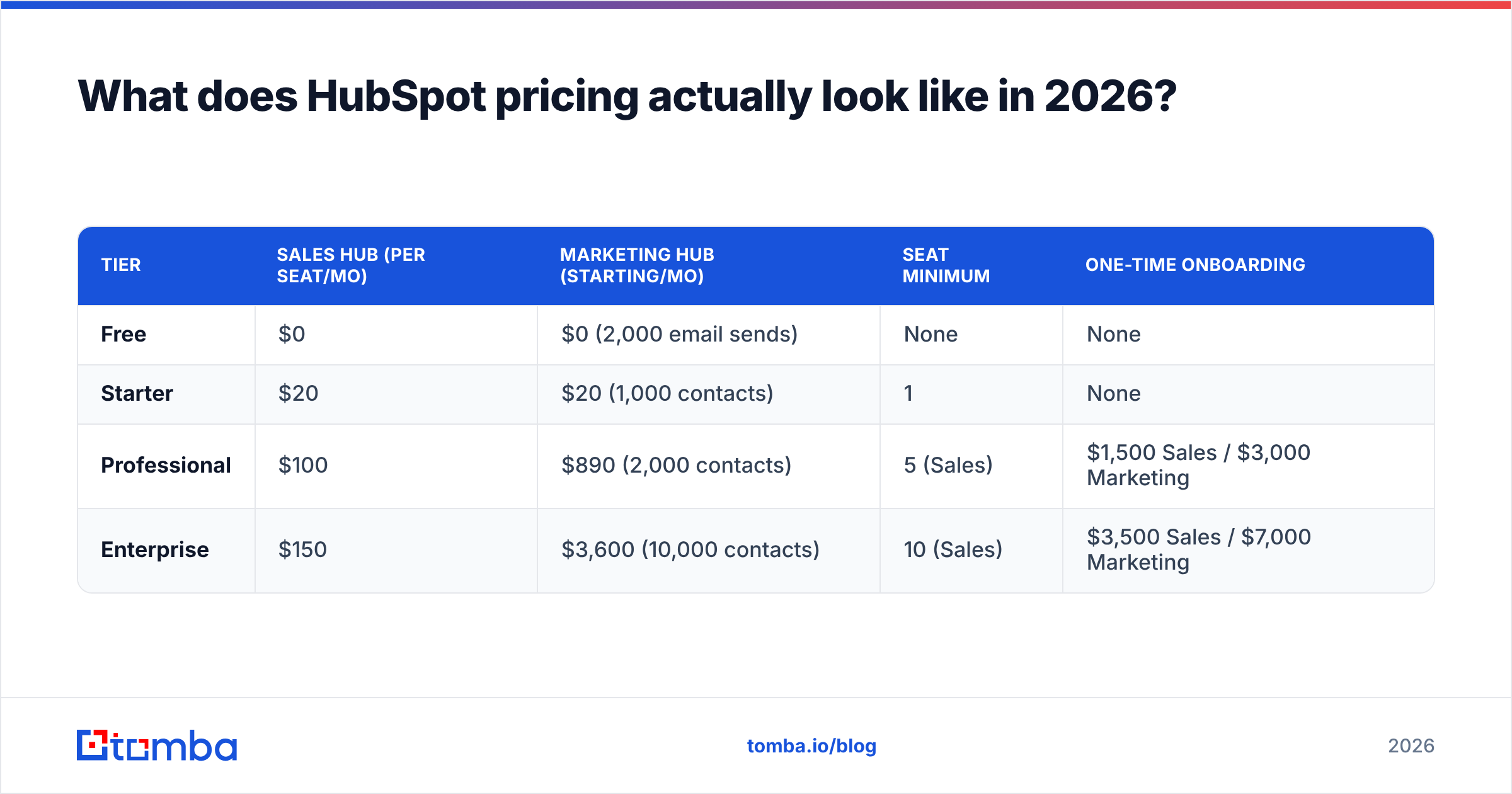
Here is the honest shape of it, based on HubSpot's published pricing as of 2026:
| Tier | Sales Hub (per seat/mo) | Marketing Hub (starting/mo) | Seat minimum | One-time onboarding |
|---|---|---|---|---|
| Free | $0 | $0 (2,000 email sends) | None | None |
| Starter | $20 | $20 (1,000 contacts) | 1 | None |
| Professional | $100 | $890 (2,000 contacts) | 5 (Sales) | $1,500 Sales / $3,000 Marketing |
| Enterprise | $150 | $3,600 (10,000 contacts) | 10 (Sales) | $3,500 Sales / $7,000 Marketing |
Two details in that table drive most of the sticker shock:
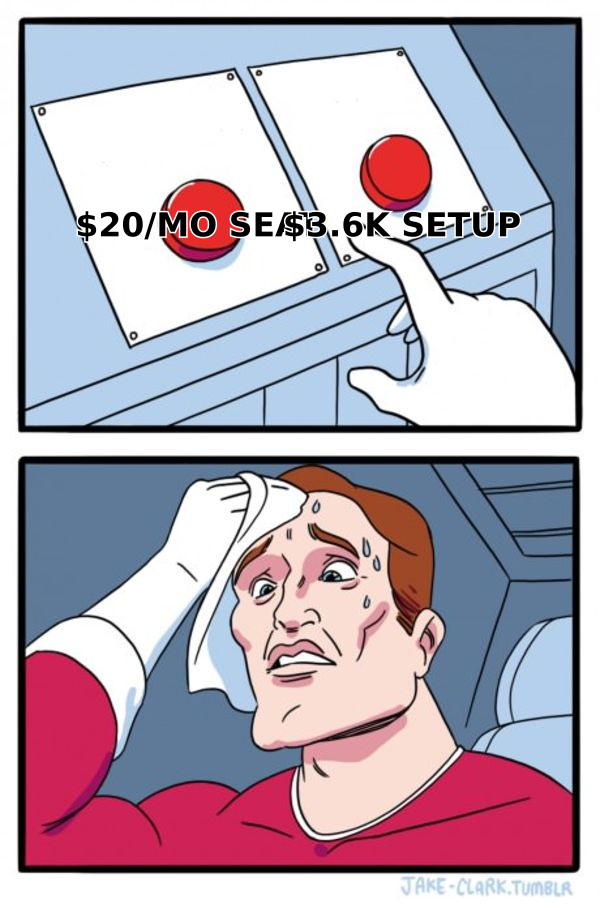
- Professional requires 5 seats minimum on Sales Hub. So "$100/seat" is really "$500/month floor" even if only two people will log in.
- Onboarding is mandatory, not optional, at Professional and above. Marketing Hub Professional's $3,000 fee is charged before you send a single email.
Why do HubSpot pricing reviews complain about the same three things?#
Scan HubSpot's G2 reviews and a pattern repeats across thousands of entries. The product itself scores well. The billing model does not.
1. Contact-tier cliffs. Marketing Hub charges on marketing contacts — anyone you email or target. Cross 2,000 and you buy the next 1,000 block. Teams that import a big list, then run a single campaign, discover the tier jump after the fact. HubSpot lets you mark contacts as "non-marketing." But that change only takes effect at the start of your next billing month, so the overage bill still lands.
2. Mid-term upgrades reprice everything. Add a Professional seat in month four of a twelve-month contract and HubSpot prorates the new seat and often resets the contract term. Several reviewers describe going from a $500/month plan to a $1,400/month plan because one feature they needed sat one tier up. Custom reporting, sequences at volume, and lead scoring are the usual triggers.
3. No downgrades until renewal. This is the one that stings. HubSpot contracts are annual by default. If you upgrade in Q1 and your headcount shrinks in Q2, you keep paying. Downgrade requests must be submitted before the renewal window — miss it and you auto-renew at the current tier.
None of this is hidden. It is all in the terms. But it is not on the pricing page in bold either, so "hidden costs" dominates the review discourse.
Is HubSpot worth it? The honest pros#
Being fair to HubSpot: it wins deals for real reasons, not just marketing spend.
- The free CRM is genuinely free and genuinely good. Unlimited users, unlimited contacts for CRM purposes, deal pipelines, meeting links, and basic email tracking. No credit card. Most competitors' free tiers are demos; HubSpot's is a working product.
- One data model across marketing, sales, and service. Attribution actually works because the contact record is shared. Stitching Mailchimp + Pipedrive + Zendesk to get the same view costs engineering time you will never recover.
- Onboarding quality is high for non-technical teams. The $3,000 fee buys real implementation hours, not a PDF. Teams without a RevOps hire often get more value from this than they expect.
Two more pros show up as the team grows:
- Ecosystem depth. 1,500+ apps in the marketplace, a stable API, and near-universal support from third-party tools. Whatever you use, there is a HubSpot integration for it.
- Reporting that non-analysts can drive. Custom report builder at Professional is the single most-cited reason teams upgrade — and it does deliver.
What are the real cons of HubSpot's pricing model?#
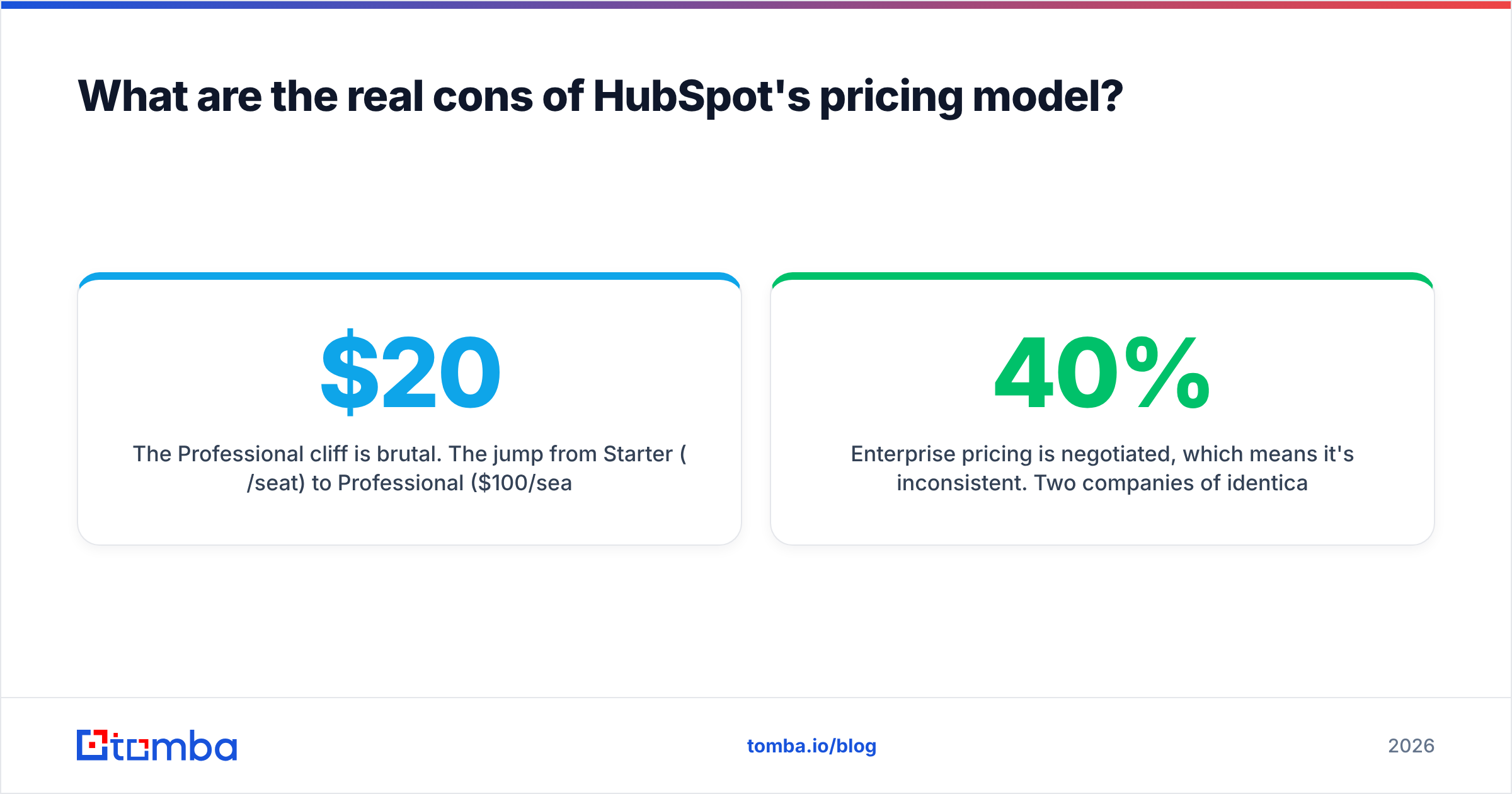
- The Professional cliff is brutal. The jump from Starter ($20/seat) to Professional ($100/seat, 5-seat minimum, $1,500 onboarding) is a 25x increase in monthly floor. There is nothing between them. Many teams need exactly one Professional feature and get forced into the whole tier.
- Marketing contacts are the wrong billing unit for outbound teams. If your motion is cold outbound, you're constantly adding contacts you may email once. HubSpot bills you as if every contact is a nurtured subscriber.
- Data credits are expensive. HubSpot's Breeze Intelligence (formerly Clearbit) enrichment runs on credits, and per-record cost is well above the market. If your primary need is finding and verifying contact data, this is where the overpay is worst.
Two more cons only surface later:
- Enterprise pricing is negotiated, which means it's inconsistent. Two companies of identical size routinely pay 40% different amounts. Your leverage is the renewal date and a competitive quote — nothing else.
- Sandbox and advanced permissions are Enterprise-only. Teams that need change control before pushing workflow edits to production have to jump two tiers.
How does HubSpot compare to focused alternatives on cost?#
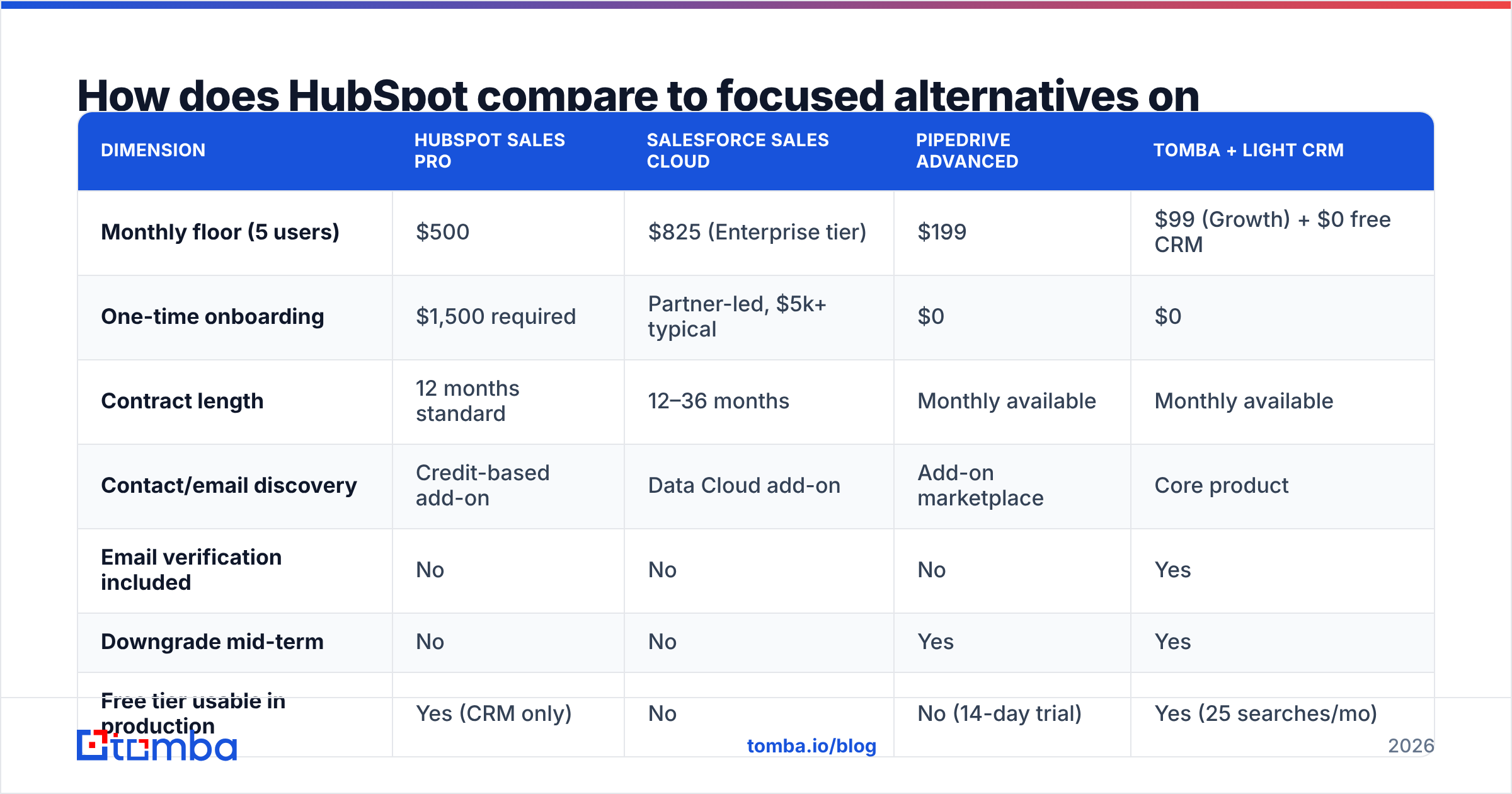
The real question isn't "is HubSpot expensive." It's "am I buying a platform when I need a tool." Here is the cost profile for a 5-person outbound team that needs a CRM plus contact data:
| Dimension | HubSpot Sales Pro | Salesforce Sales Cloud | Pipedrive Advanced | Tomba + light CRM |
|---|---|---|---|---|
| Monthly floor (5 users) | $500 | $825 (Enterprise tier) | $199 | $99 (Growth) + $0 free CRM |
| One-time onboarding | $1,500 required | Partner-led, $5k+ typical | $0 | $0 |
| Contract length | 12 months standard | 12–36 months | Monthly available | Monthly available |
| Contact/email discovery | Credit-based add-on | Data Cloud add-on | Add-on marketplace | Core product |
| Email verification included | No | No | No | Yes |
| Downgrade mid-term | No | No | Yes | Yes |
| Free tier usable in production | Yes (CRM only) | No | No (14-day trial) | Yes (25 searches/mo) |
Two takeaways. First, Pipedrive and other focused CRMs undercut HubSpot badly if you don't need the marketing side. Second, the contact-data layer is separable. Most buyers miss that. You do not need to buy prospect data from the same vendor that stores it.
Where does the money actually leak?#
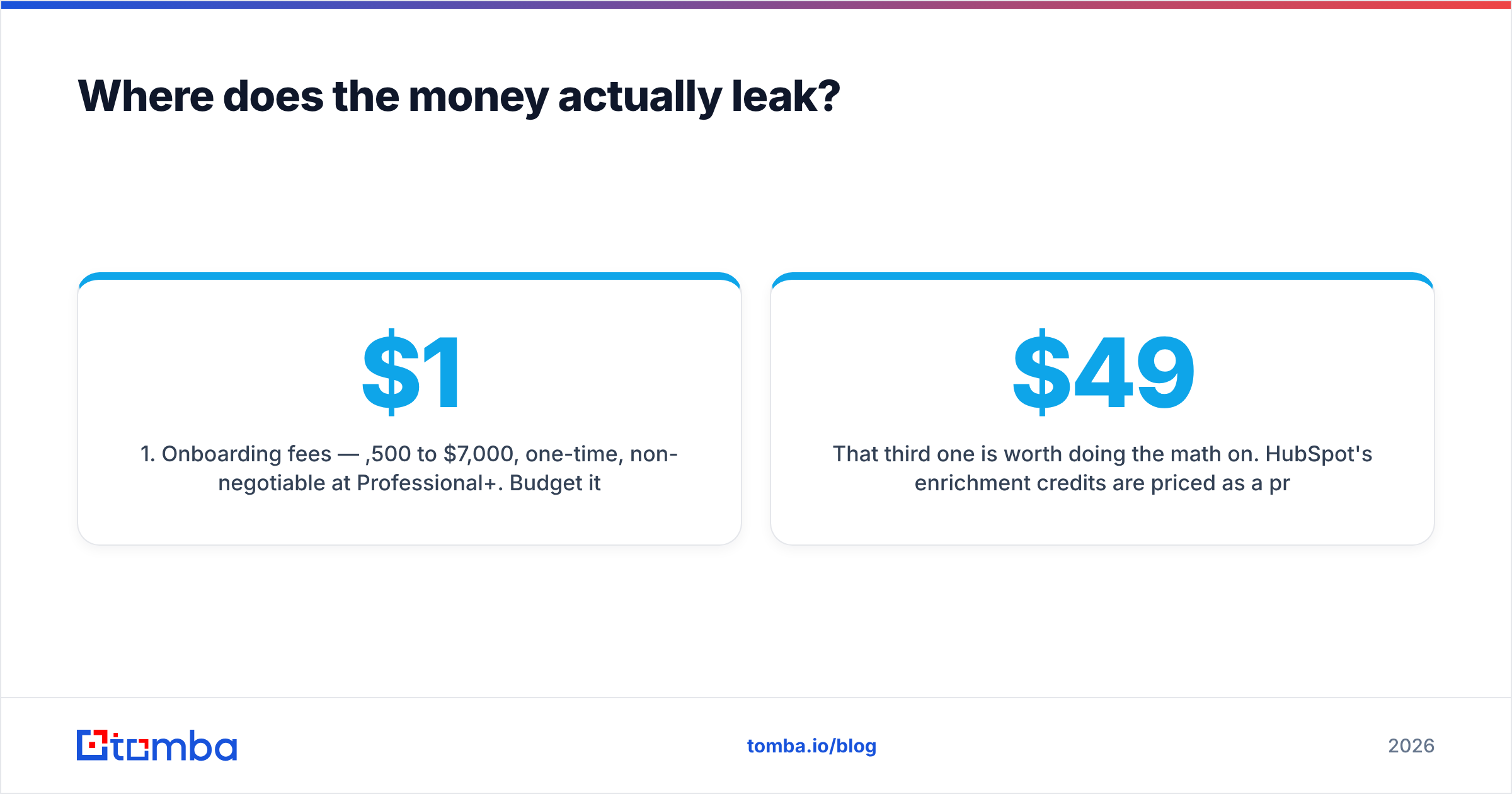
Across the HubSpot pricing reviews pros and cons we weighed, three line items explain most of the gap between expected and actual spend:
- Onboarding fees — $1,500 to $7,000, one-time, non-negotiable at Professional+. Budget it in month one, not month twelve.
- Marketing contact overages — the most common surprise. Audit your marketing-contact count monthly, not quarterly.
- Enrichment and data credits — the easiest to eliminate. A dedicated provider does the same job at a fraction of the per-record cost.
That third one is worth doing the math on. HubSpot's enrichment credits are priced as a premium add-on to a premium platform. A specialist stack costs far less. Use domain search to map a company's contacts, then email verifier to clean the list before import. That runs $49–$99/month for volumes that would cost several hundred in credits. See Tomba pricing for the actual per-tier numbers.

Who should buy HubSpot, and who should not?#
Buy HubSpot if:
- You run marketing and sales from one team and need shared attribution
- You have 10+ users and no in-house RevOps engineer
- Your motion is inbound-heavy, so contact-based billing matches actual value
- You want one vendor, one support contract, one invoice
Skip HubSpot (or start with the free CRM only) if:
- You're under 5 people and only need pipeline tracking — Pipedrive or the free HubSpot CRM is enough
- Your motion is cold outbound at volume — contact-based billing punishes you
- Your main spend driver is finding and verifying contact data — buy that separately
- You cannot commit to 12 months, or you expect headcount to fluctuate
- You need a sandbox before Enterprise budget exists
One pattern works well. Run HubSpot's free CRM (or Starter at $20/seat) as the system of record, and layer a specialist data tool on top for prospecting. You get HubSpot's ecosystem without its Professional-tier floor. Your contact data costs then scale with usage instead of with contract tier.
How do you negotiate HubSpot pricing down?#
HubSpot's list price is a starting point, not a fixed number. What actually moves it:
- Time your ask to their quarter-end. HubSpot's fiscal quarters end in March, June, September, and December. Discounts of 15–25% are common in the final two weeks.
- Bring a competing quote. A written Salesforce, Pipedrive, or Zoho quote is the only leverage that reliably works on onboarding fees.
- Ask for onboarding to be waived, not discounted. Reps have more latitude on services fees than on license price.
- Commit to multi-year for a rate lock, but negotiate a headcount-down clause. Without it, multi-year is a trap.
- Buy Hubs à la carte first. Bundle discounts look good but often include a Hub you won't use. Prove the need, then bundle at renewal.
- Strip enrichment credits out of the quote. Source that data elsewhere, then trade the removed line item for a lower license rate.
For a broader view of how buyers evaluate CRM total cost, Gartner's CRM research is a useful neutral reference, and Capterra's HubSpot listing aggregates cost complaints by company size.
HubSpot pricing reviews pros and cons: the final verdict#
HubSpot is fairly priced for what it is, a consolidated go-to-market platform. It is badly priced for what many buyers actually want, which is a CRM plus contact data. The pros are real: the free tier, the shared data model, the ecosystem. The cons are structural: the Starter-to-Professional cliff, contact-based billing that penalizes outbound, annual lock-in with no downgrade path, and enrichment credits priced far above market.
The practical move is to unbundle. Keep HubSpot where it's strong and stop paying platform rates for commodity data.
If contact discovery is what's inflating your HubSpot bill, start with the Tomba Email Finder. The free tier gives you 25 searches per month, so you can test accuracy against your own target accounts. Starter is $49/month. Verified results sync straight into HubSpot through the native integration, so you keep your CRM and cut the credit line item entirely.
Related guides#
Ready to find emails that actually work?
Join 150,000+ professionals who stopped guessing and started sending. Free credits on signup — no credit card required.
Get the Tomba newsletter
Practical outbound tactics and product updates — once every two weeks.
About the author