HubSpot vs Keap 2026: Which CRM Actually Fits Your Team?
HubSpot and Keap both promise one CRM to run your whole business. They fail at very different things. Here is the pricing, automation, and data reality behind both in 2026.
TL;DR
- HubSpot wins on scale and ecosystem. If you expect a marketing team, a sales team, and a support team to share one record, HubSpot is the safer 5-year bet — and the more expensive one.
- Keap wins on small-team automation-per-dollar. Solo operators, agencies, and 2-10 person service businesses get campaign automation, invoicing, and a native phone line for a fraction of HubSpot's Professional tier.
- The pricing gap is real but not where you think. HubSpot's list price looks competitive until seat minimums and the mandatory onboarding fee land. Keap's list price looks cheap until you hit contact-tier jumps.
- Neither one finds you contacts. Both are systems of record, not systems of discovery. You still need a separate data layer to fill them.
- Pick by team shape, not feature count. Under 10 people with a service offer? Keap. Multi-department with a content engine? HubSpot.
What Are HubSpot and Keap, Really?#
Think of it like buying a vehicle. HubSpot is a modular truck — you buy the chassis (free CRM) and bolt on Marketing Hub, Sales Hub, Service Hub, Content Hub, and Operations Hub as you grow. Keap is a fully-loaded delivery van: one product, everything already inside, built specifically for small businesses that sell services and need to invoice at the end.
That difference explains almost every downstream trade-off between them.
HubSpot started as an inbound-marketing platform in 2006 and grew into a full customer platform. Its center of gravity is content, forms, lifecycle stages, and reporting. It assumes you have — or will have — separate people doing marketing and sales.
Keap (formerly Infusionsoft, rebranded in 2019) started as small-business marketing automation and never left. Its center of gravity is the campaign builder, appointment booking, quotes, invoices, and payments. It assumes one person is doing all of it.
Here's the practical split:
- Buyer profile — HubSpot targets 10-500+ employee companies with departmental structure. Keap targets 1-25 employee service businesses.
- Automation model — HubSpot uses workflows tied to lifecycle stages and deal pipelines. Keap uses a visual campaign canvas that mixes email, tasks, tags, and internal notifications in one sequence.
- Money handling — Keap has native quotes, invoices, and payment collection. HubSpot requires Commerce Hub or a Stripe/QuickBooks integration.
- Reporting — HubSpot's custom report builder is genuinely best-in-class at Professional and above. Keap's reporting is functional and shallow.
- Ecosystem — HubSpot's marketplace has 1,900+ apps. Keap's has roughly 100.
- Learning curve — Keap gets you live in a week. HubSpot Professional realistically takes 4-8 weeks with a partner.
How Do HubSpot and Keap Compare on Price in 2026?#
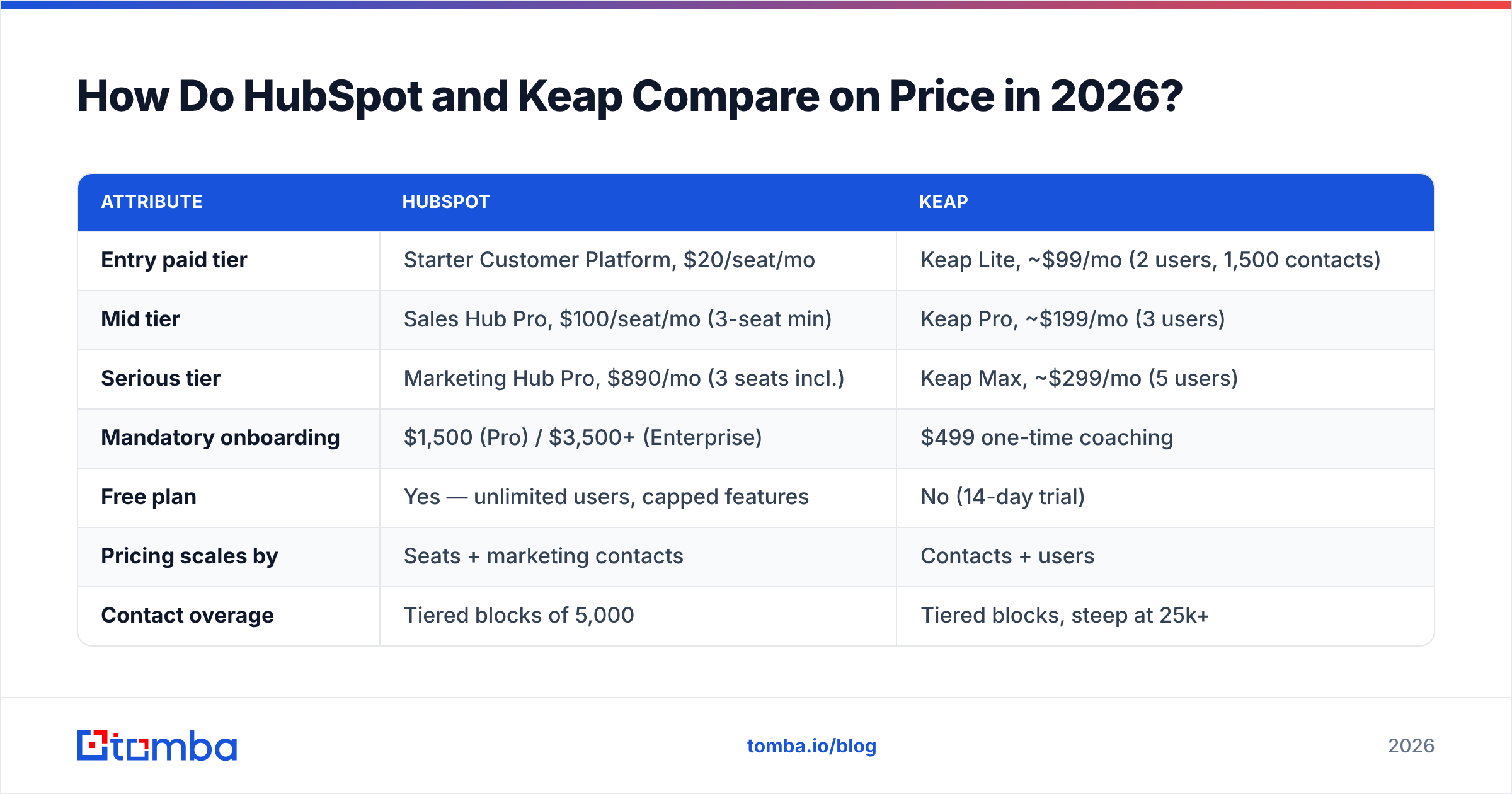
This is where most comparison posts get lazy. Both vendors publish per-seat or per-contact list prices that don't survive contact with a real quote.
| Attribute | HubSpot | Keap |
|---|---|---|
| Entry paid tier | Starter Customer Platform, $20/seat/mo | Keap Lite, ~$99/mo (2 users, 1,500 contacts) |
| Mid tier | Sales Hub Pro, $100/seat/mo (3-seat min) | Keap Pro, ~$199/mo (3 users) |
| Serious tier | Marketing Hub Pro, $890/mo (3 seats incl.) | Keap Max, ~$299/mo (5 users) |
| Mandatory onboarding | $1,500 (Pro) / $3,500+ (Enterprise) | $499 one-time coaching |
| Free plan | Yes — unlimited users, capped features | No (14-day trial) |
| Pricing scales by | Seats + marketing contacts | Contacts + users |
| Contact overage | Tiered blocks of 5,000 | Tiered blocks, steep at 25k+ |
| Native invoicing | Commerce Hub add-on | Included from Pro |
| Contract term | Annual typical, monthly at premium | Monthly available |
Run the math on a realistic 5-person team that does both marketing and sales.
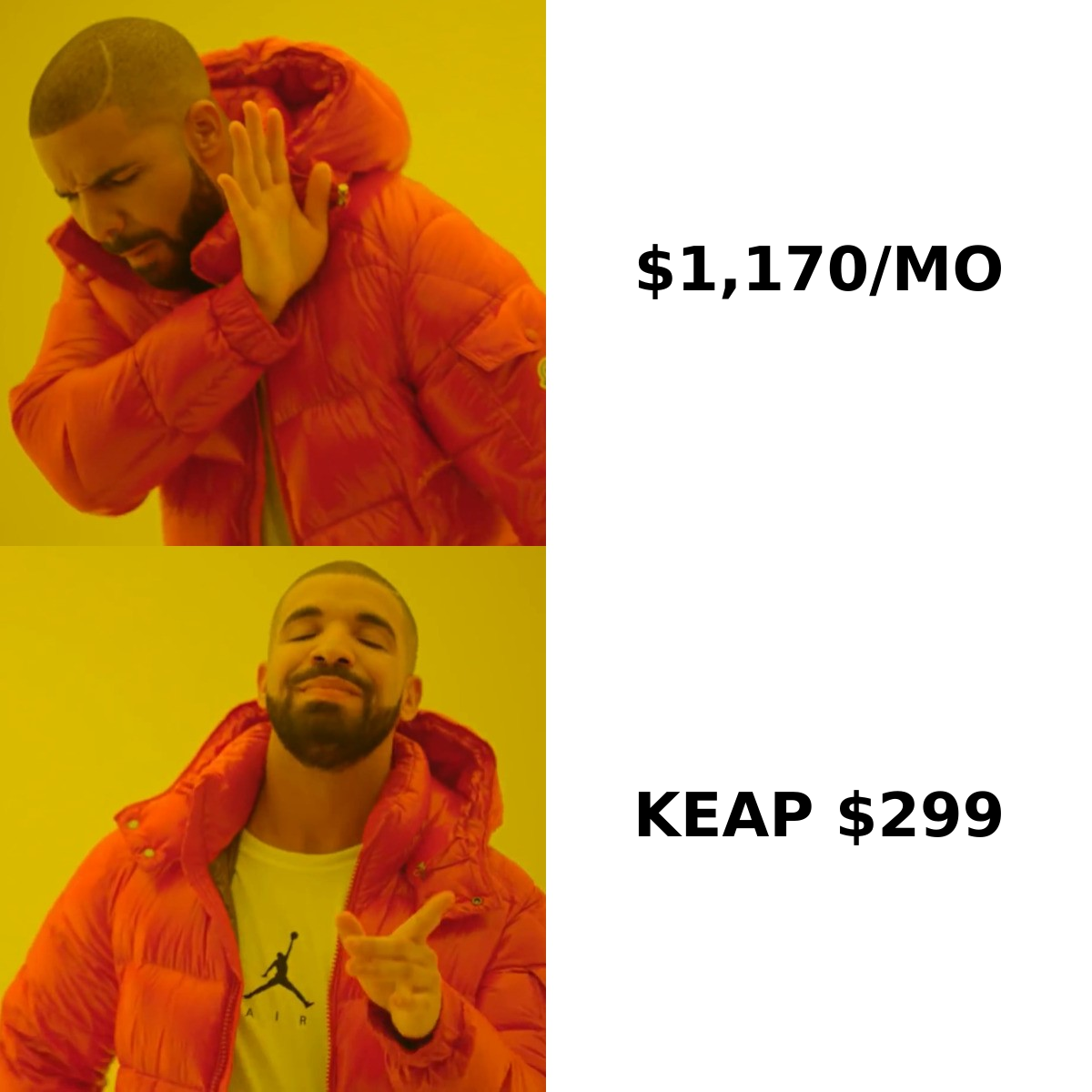
HubSpot: Marketing Hub Professional ($890/mo, 3 seats) + 2 extra Sales Hub Pro seats ($200/mo) + first-year onboarding ($3,000 amortized at $250/mo) = roughly $1,340/mo in year one.
Keap: Keap Max at $299/mo for 5 users, plus $499 onboarding amortized = roughly $340/mo in year one.
That is close to a 4x gap. HubSpot defenders will say you're getting a content management system, a report builder, and an attribution model that Keap simply doesn't have. That's true. The question is whether a 5-person services business will ever open the attribution report.
Where the gap narrows: once you exceed roughly 25,000 contacts, Keap's contact-tier pricing climbs fast, and HubSpot's marketing-contact model (you only pay for contacts you actively market to) starts looking rational. Check current HubSpot pricing directly before budgeting — both vendors repackage tiers roughly annually.
Which One Has Better Automation?#
Different shapes of good.
Keap's campaign builder is a single canvas where you drag a goal, a sequence, a tag application, and an internal task onto one map. A new lead fills a form, gets tagged, enters a 6-email sequence, books an appointment, the appointment triggers a quote, the quote triggers a follow-up, and the salesperson gets a task if nothing closes in 7 days. That entire chain lives on one screen. For a solo operator, this is the single strongest argument for Keap.
HubSpot's workflows are more atomic — separate workflows for lead nurture, deal-stage automation, ticket routing, and data hygiene, all linked through properties and lifecycle stages. Individually simpler, collectively more powerful. HubSpot also has branching logic, custom-coded actions in JavaScript or Python, and webhooks at Professional tier, plus programmable automation at Enterprise.
The honest breakdown:
- Simple funnel, one owner → Keap. Faster to build, easier to visualize, fewer moving parts.
- Multiple pipelines and handoffs → HubSpot. Its property model and permissioning scale where Keap's tagging model gets messy past a few hundred tags.
- Sales sequences specifically → HubSpot Sales Hub is stronger, with sequence enrollment, meeting links, and native call recording.
- Transactional follow-up (invoice sent → reminder → receipt) → Keap, easily. This is native there and bolt-on in HubSpot.
One caveat that trips up buyers: HubSpot's most-advertised automation features are Professional-tier or higher. If you're pricing against Keap Pro at $199, you should be comparing to HubSpot Starter, not Professional — and HubSpot Starter's workflow capabilities are deliberately thin.
Is HubSpot or Keap Better for Managing Contact Data?#
Both are decent containers. Neither is a source.
HubSpot's data model is the better one: custom objects at Enterprise, custom properties everywhere, association labels between records, and a genuinely usable deduplication tool. Keap's model is flatter — contacts, companies, tags, and custom fields — which is fine at 5,000 records and painful at 80,000.
But the more important point for outbound teams: your CRM is only as useful as the contact data you put into it. Neither HubSpot nor Keap will tell you the VP of Operations at a target account exists, what her work email is, or whether that address still routes to a live mailbox. Both will happily store a bad record forever and count it against your contact tier.
That's the gap where a dedicated data layer earns its keep. Running a domain search against a target account list surfaces the actual people and email patterns at each company before anything hits your CRM. Running an email verifier pass before import keeps bounced addresses out of your billing tier and off your sending domain. On Keap especially, where you pay per contact, importing 10,000 unverified records is literally paying to store garbage.
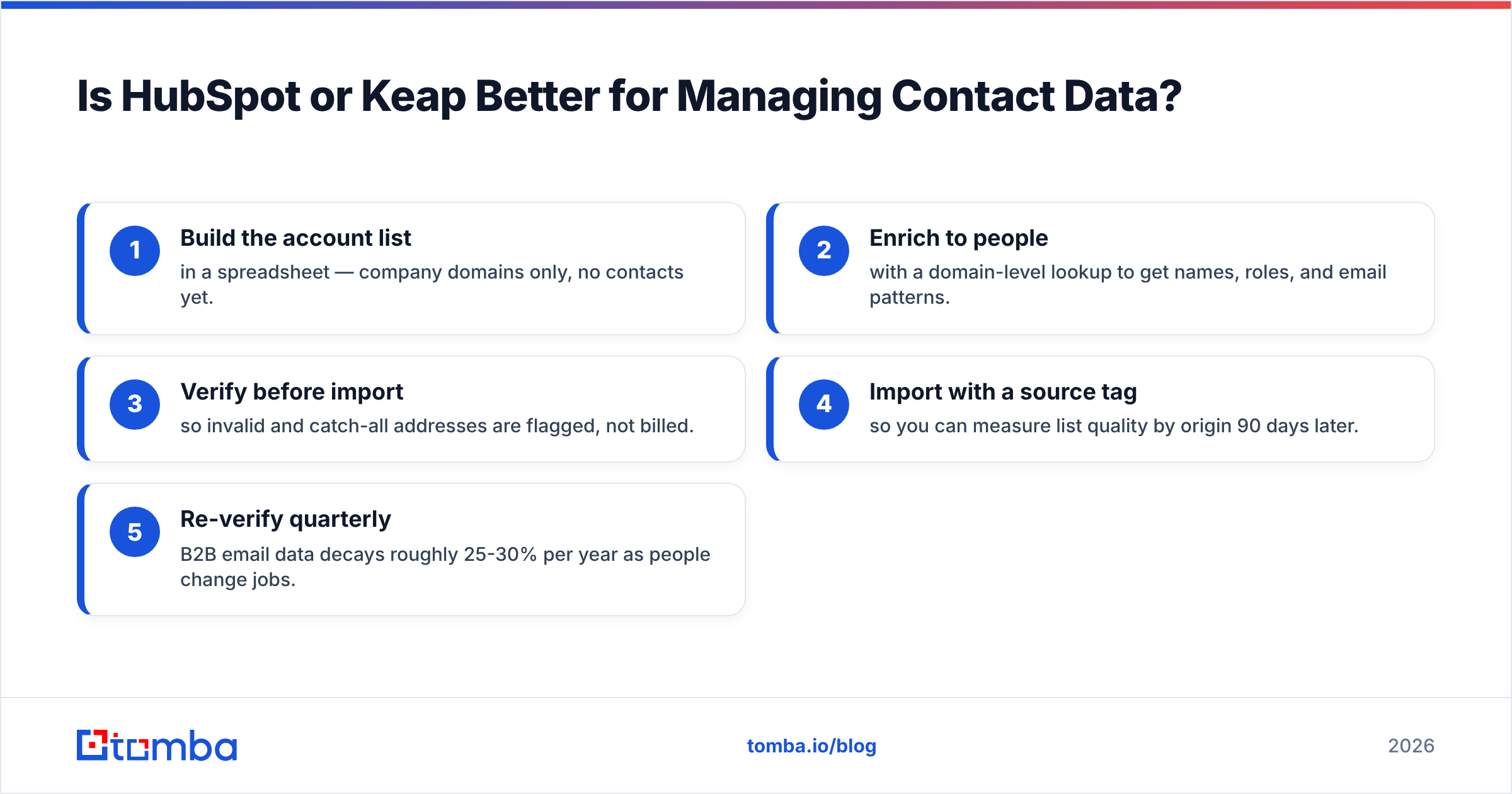
A practical hygiene sequence that works with either CRM:
- Build the account list in a spreadsheet — company domains only, no contacts yet.
- Enrich to people with a domain-level lookup to get names, roles, and email patterns.
- Verify before import so invalid and catch-all addresses are flagged, not billed.
- Import with a source tag so you can measure list quality by origin 90 days later.
- Re-verify quarterly — B2B email data decays roughly 25-30% per year as people change jobs.
Skipping step 3 is the most common and most expensive mistake teams make on either platform. G2's CRM category reviews for both products are full of complaints that trace back to bad data, not bad software.
What Do Real Users Complain About?#
Neutral read of the recurring themes on review sites and communities:
HubSpot complaints:
- Price escalation at renewal, particularly the jump from Starter to Professional.
- Mandatory onboarding fees that feel punitive on smaller deals.
- Marketing-contact counting confuses people; unmarketed contacts are free but the UI doesn't always make the distinction obvious.
- Feature gating — capabilities demoed in sales calls often live one tier above what you bought.
Keap complaints:
- Dated interface in some areas; the campaign builder is powerful but visually aged.
- Email deliverability sensitivity — Keap enforces strict sending policies and will throttle accounts with poor list hygiene (arguably the right call, but it surprises people).
- Reporting depth; teams outgrow it and end up exporting to Sheets.
- Limited native integrations compared to HubSpot, pushing you toward Zapier for anything unusual.
The deliverability point deserves emphasis for both. Neither CRM protects you from a bad sending setup. Confirm your SPF record and DKIM alignment before you send a single campaign from either platform, and understand that email deliverability problems on a shared CRM sending domain can take weeks to unwind.
Should You Switch From One to the Other?#
Migration is the most underestimated cost in this comparison.
Keap → HubSpot is the more common direction, usually triggered by hiring a marketing person or crossing ~25 employees. The hard part isn't contacts — it's translating Keap's tag-based logic into HubSpot's property-and-lifecycle model. Expect 3-6 weeks and a partner if you have more than ~50 active tags.
HubSpot → Keap happens when a company downsizes or realizes it's paying Professional prices for Starter usage. Simpler technically, but you lose reporting history and any custom objects outright.
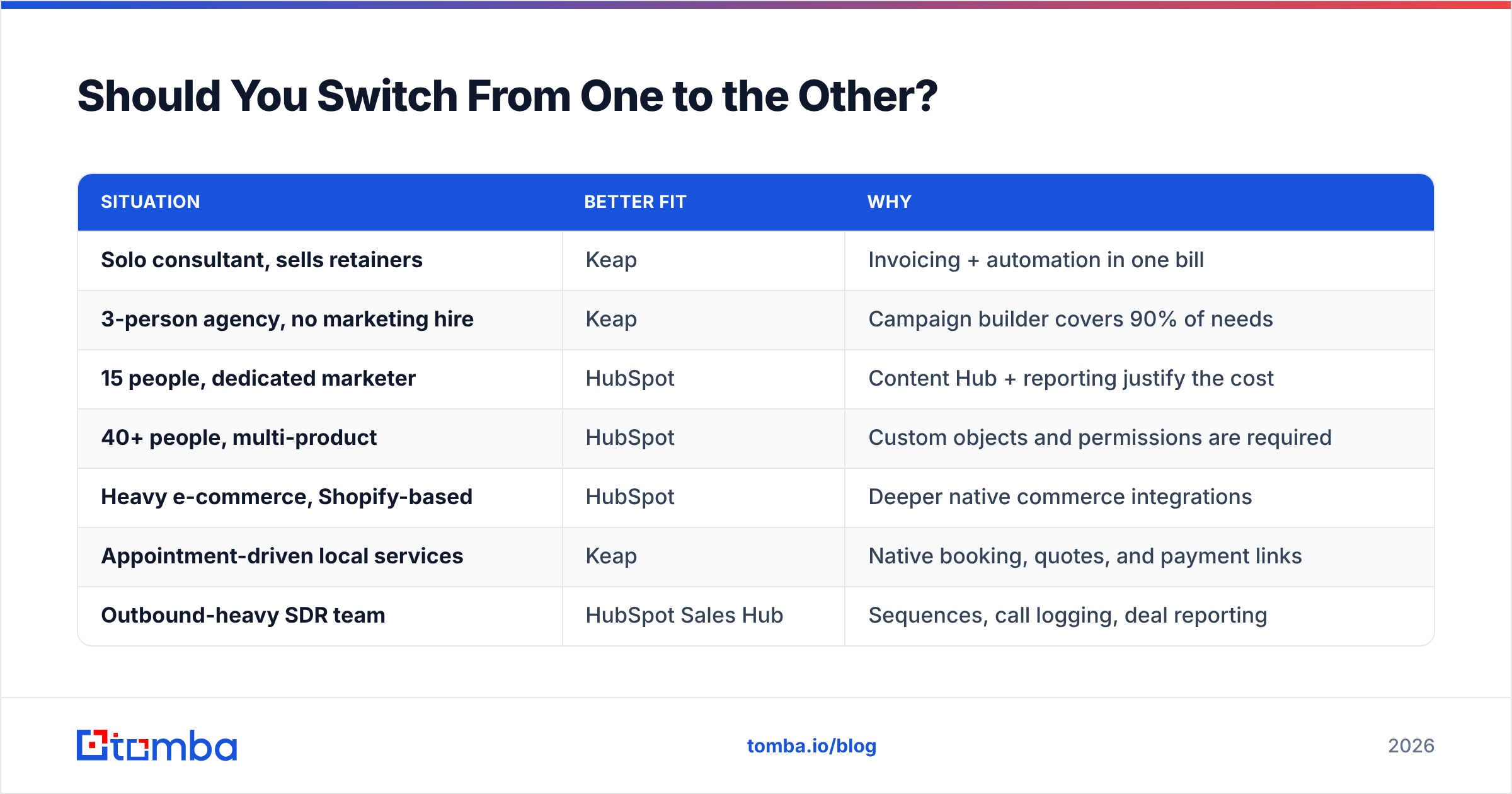
Rules of thumb before you commit either way:
| Situation | Better fit | Why |
|---|---|---|
| Solo consultant, sells retainers | Keap | Invoicing + automation in one bill |
| 3-person agency, no marketing hire | Keap | Campaign builder covers 90% of needs |
| 15 people, dedicated marketer | HubSpot | Content Hub + reporting justify the cost |
| 40+ people, multi-product | HubSpot | Custom objects and permissions are required |
| Heavy e-commerce, Shopify-based | HubSpot | Deeper native commerce integrations |
| Appointment-driven local services | Keap | Native booking, quotes, and payment links |
| Outbound-heavy SDR team | HubSpot Sales Hub | Sequences, call logging, deal reporting |
| Tight budget, needs automation now | Keap | Live in a week at a third of the price |
One thing that stays constant across every row: whichever system you land on becomes a very expensive place to store contacts you never validated. Build the data enrichment and verification step into your process before migration, not after — cleaning 40,000 records inside a live CRM is significantly harder than cleaning a CSV.
What About Alternatives to Both?#
Worth naming honestly, because "HubSpot vs Keap" is often the wrong framing:
- Pipedrive — if you only want a sales pipeline and no marketing automation, it's cheaper and simpler than both.
- ActiveCampaign — closest direct competitor to Keap on automation depth, often stronger on email, weaker on invoicing.
- Zoho CRM — the value play; feature-broad, UX-inconsistent, cheapest of the group at scale.
- Close — built for high-volume calling teams; better than either for phone-first outbound.
- Salesforce Starter — worth a look if you know you'll be enterprise within three years and want to avoid two migrations.
If your primary problem is "I don't have enough qualified contacts to put in a CRM," none of these tools solve it. That's a data-sourcing problem, and it sits upstream of the CRM decision entirely.
Final Verdict: Which Should You Buy?#
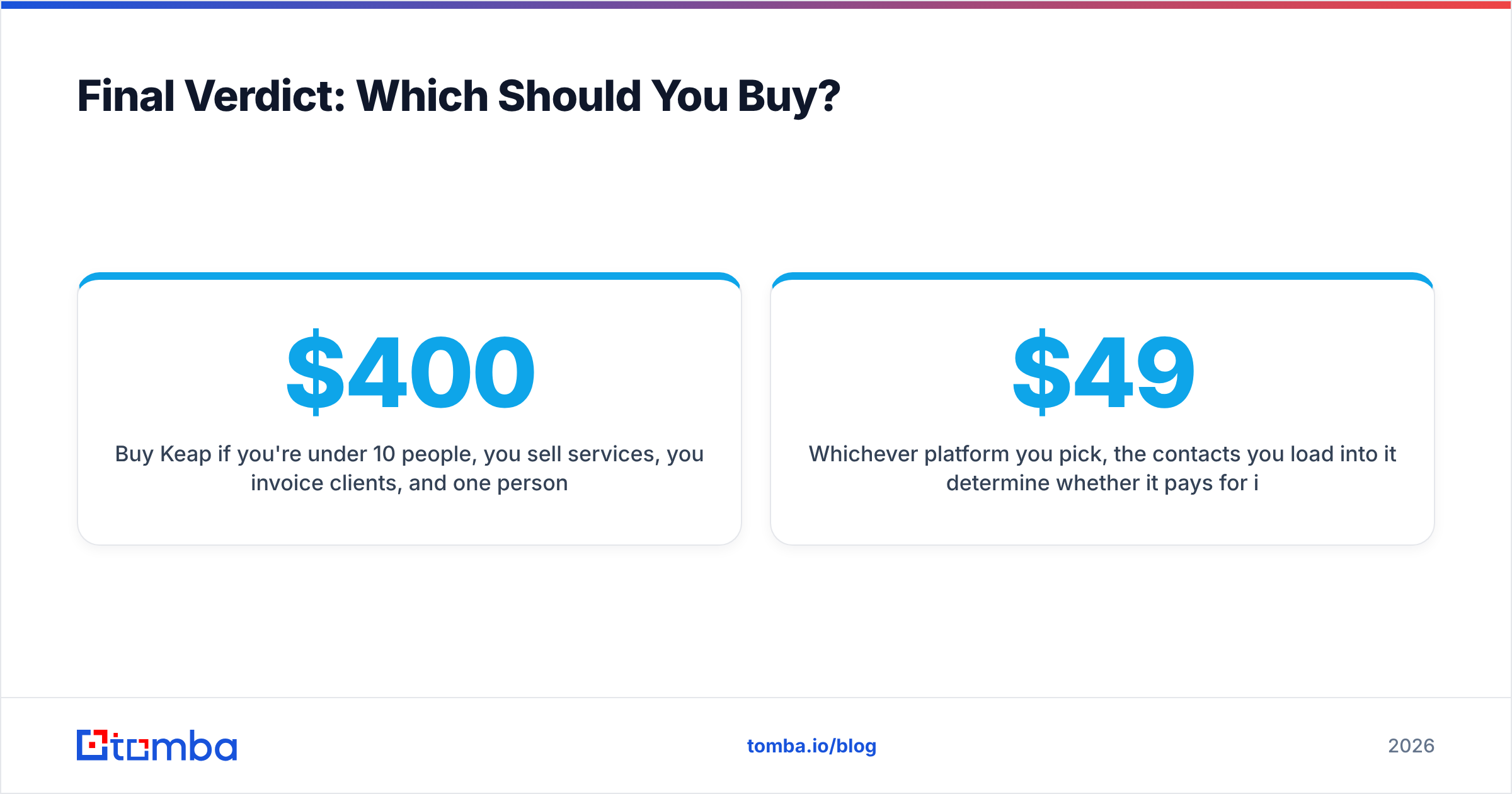
Buy Keap if you're under 10 people, you sell services, you invoice clients, and one person owns marketing and sales. You'll be live in a week, your total cost will be under $400/mo, and the campaign builder will cover the automation you actually run.
Buy HubSpot if you have — or will have within 12 months — separate marketing and sales functions, you publish content, and you need reporting a CFO will accept. Budget for Professional tier and the onboarding fee from day one; buying Starter and upgrading later means paying migration costs twice.
Buy neither yet if your pipeline problem is empty, not disorganized. A CRM organizes demand; it doesn't create it.
Whichever platform you pick, the contacts you load into it determine whether it pays for itself. Tomba's Email Finder finds verified professional email addresses by domain, name, or company — so your HubSpot marketing-contact count or Keap contact tier fills with people who actually exist and actually reply. Start free with 25 searches a month, or check Tomba pricing — plans run from $49/mo Starter to $249/mo Pro, with a full API if you want enrichment running automatically on every new CRM record.
Related guides#
// get started
Find, verify and enrich your first contacts today
Start on the free plan with 25 searches a month, then scale when your team is ready.
Free plan · No credit card required · GDPR & CCPA
// about the author