HubSpot vs LeadSquared: Which CRM Wins in 2026?
HubSpot and LeadSquared solve different problems under the same CRM label. One is a full GTM platform, the other a high-velocity lead-distribution engine. Here is where each one actually wins.
HubSpot vs LeadSquared looks like a straight CRM bake-off. It is really a fork in the road. One tool runs your whole go-to-market motion. The other moves inbound leads to reps in seconds. This guide covers pricing, routing, and the data gap that both leave open.
TL;DR
- HubSpot is a full go-to-market platform: marketing, sales, service, CMS, and ops on one object model. It wins when you need content, automation, and reporting in one place.
- LeadSquared is a lead-management and distribution engine. It is built for industries that run on inbound call volume: education, healthcare, lending, real estate, insurance.
- Price shape differs more than price level. HubSpot charges per seat plus a marketing-contact tier that grows with your database. LeadSquared charges per user, with far less database creep.
- Neither tool finds contact data. Both assume the leads already exist. Sourcing and verifying emails is a separate layer you buy or build.
- Pick HubSpot if marketing owns demand gen and you need one source of truth. Pick LeadSquared if 50+ reps work a firehose of inbound leads and routing speed decides the deal.
What is HubSpot and who actually uses it?#
HubSpot started as an inbound-marketing tool. It now ships five hubs: Marketing, Sales, Service, Content, and Operations. All of them sit on one CRM object model of contacts, companies, deals, and tickets. So a form fill on a blog post can trigger a workflow, score the contact, assign an owner, and open a deal. None of that needs a second tool.
The typical buyer is a B2B SaaS firm, an agency, or a professional-services team of 10 to 500 people. Marketing there drives a real share of pipeline. The pull is consolidation. Instead of paying for Marketo, Salesforce, Zendesk, and a CMS, you pay one vendor. You also get reporting that ties a blog visit to closed revenue.
The friction shows up at scale. HubSpot's marketing contact pricing grows with your database, not just your headcount. Import a large list or run big webinars, and the invoice climbs while seat count stays flat. Custom objects, sandboxes, and fine-grained permissions are Enterprise features. That pushes serious ops teams toward the $3,600/month starting point for Marketing Hub Enterprise.
What is LeadSquared and what problem does it solve?#
LeadSquared is a sales-execution CRM built on one idea: whoever calls the lead first wins. It leads the market in India and is growing in North America. Adoption is heavy in education technology, healthcare, NBFC lending, insurance brokerages, and real estate.
Lead distribution is its center of gravity. It pulls leads from ad platforms, landing pages, call centers, WhatsApp, and marketplaces. Then it routes each one by rule: territory, product line, rep availability, language, or past performance. Most routes fire in under a minute. On top sit call-center telephony, a field-sales mobile app with GPS check-in, and rep dashboards a manager can run a daily standup from.
LeadSquared is not a content platform. Its marketing automation covers email campaigns, landing pages, and basic nurture. Nobody buys it to run a demand-gen content engine. You buy it when 200 counselors handle 8,000 inquiries a week and every one needs a touch within five minutes.
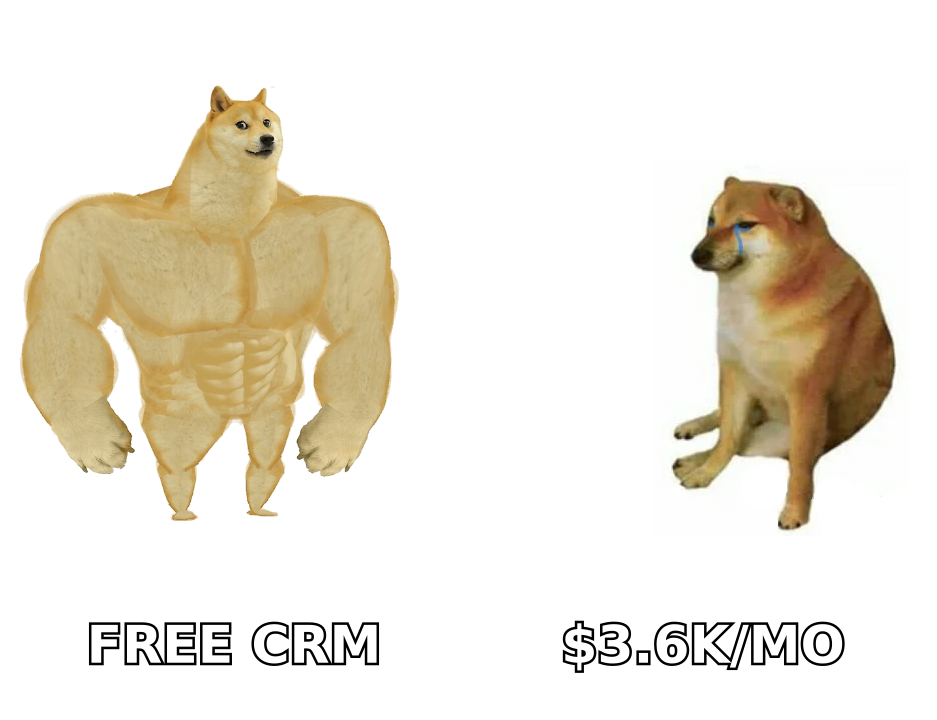
HubSpot vs LeadSquared: how do they compare head to head?#
| Dimension | HubSpot | LeadSquared |
|---|---|---|
| Core strength | Unified marketing + sales + service platform | High-velocity lead capture, routing, and rep execution |
| Entry price | Free CRM; Starter from ~$20/seat/mo | Lite tier from ~$25/user/mo |
| Mid tier | Professional ~$100/seat/mo (Sales Hub) | Pro ~$50/user/mo |
| Enterprise | Sales Hub Enterprise ~$150/seat/mo; Marketing Enterprise from ~$3,600/mo | Super tier, quoted; typically well below HubSpot Enterprise |
| Database cost creep | Yes — marketing contacts billed in tiers | Minimal — pricing tracks users, not contact volume |
| Lead routing | Rule-based, solid but not the focus | Best-in-class; sub-minute distribution at scale |
| Marketing automation | Deep — content, SEO tools, ads, attribution | Adequate — campaigns and nurture, no content engine |
| Field sales mobile | Basic mobile CRM app | Purpose-built with GPS check-in and beat plans |
| Telephony / call center | Via integrations (Aircall, Kixie, etc.) | Native call-center features, dialer integrations |
| App marketplace | 1,700+ integrations | Several hundred; strong in regional/vertical tools |
| Best-fit team size | 5–500 seats, marketing-led | 30–1,000+ reps, inbound-volume-led |
| Implementation | Self-serve to 6 weeks | 4–12 weeks, usually with vendor services |
Read that table as two products wearing one category label. HubSpot optimizes for breadth across the customer journey. LeadSquared optimizes for speed and throughput on a single stage of it.
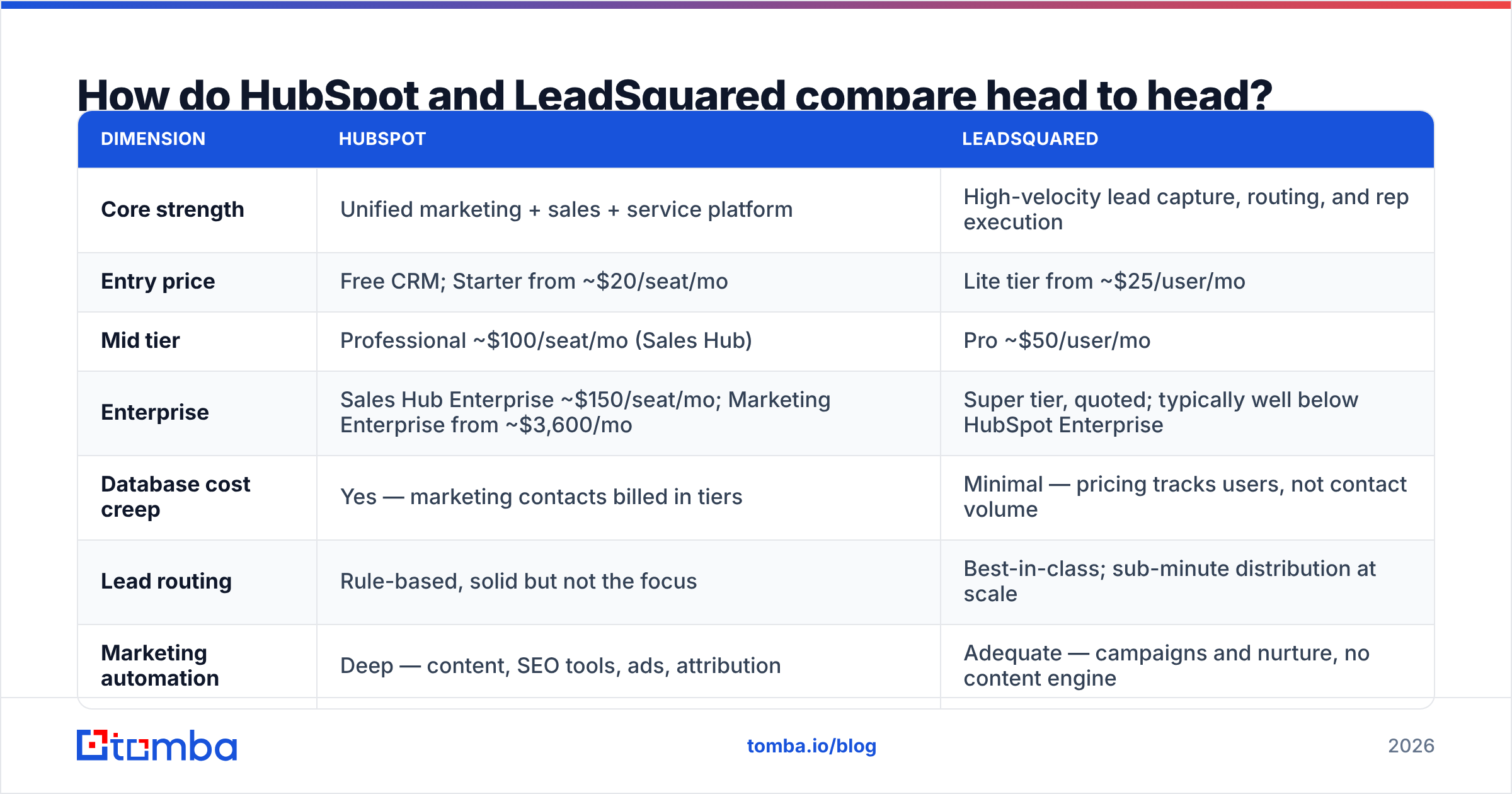
Which one is cheaper in a realistic scenario?#
Sticker price misleads on both sides. Model it with a concrete team instead.
Assume 25 sales reps, 3 marketing users, and a 60,000-contact database.
HubSpot path: Sales Hub Professional runs about $100 a seat, so 25 reps cost roughly $2,500 a month. Marketing Hub Professional starts near $800 a month for 2,000 marketing contacts. Scaling to 60,000 contacts adds several hundred to a couple thousand more, depending on tier. Onboarding is a one-time fee in the low thousands. Realistic year one: $45,000–$65,000.
LeadSquared path: 28 users on the Pro tier at about $50 each lands near $1,400 a month, or roughly $16,800 a year. Setup services usually run $3,000 to $10,000. The range depends on integrations and routing complexity. Realistic year one: $22,000–$28,000.
Three caveats before you take that as a verdict:
- HubSpot's free tier is genuinely free and genuinely useful. A five-person team can run a real sales process on $0 for a long time. LeadSquared has no match for it.
- LeadSquared's savings shrink if you also buy a marketing automation platform, a CMS, and an attribution tool. You probably will if marketing owns pipeline.
- Neither number covers data. Contact sourcing, enrichment, and verification are separate line items on both stacks.
Is HubSpot better than LeadSquared for outbound sales?#
For classic B2B outbound, HubSpot is the stronger platform. You build a target list, find contacts, sequence them, and book meetings. Two conditions apply. You need Sales Hub Professional or above to get sequences. You also need a real data layer next to it.
HubSpot's sequences, task queues, and deal-stage automation are mature. Reporting is the real edge. You can trace a closed deal back to the sequence, the rep, and the first source without exporting to a spreadsheet. Integration depth helps too. Your HubSpot integration with a data provider, a dialer, and a meeting scheduler can coexist without custom middleware.
LeadSquared handles outbound well enough, but it was not designed for it. It assumes leads arrive. Outbound assumes you go get them. The routing engine that makes it excellent at inbound sits idle in a cold motion.
Here is the bigger point in any HubSpot vs LeadSquared debate: neither platform sources contacts. HubSpot's Breeze Intelligence and LeadSquared's data features enrich records that already exist. They do not build lists from scratch at the accuracy outbound needs. That gap is where a dedicated email finder fits. It feeds verified contacts into whichever CRM you land on, so you skip CRM-priced enrichment credits.
What do reviewers actually say about each?#
Look for the pattern in public review sites, not the marketing pages.
HubSpot praise: usability, fast onboarding, reporting, and the ecosystem. Reps adopt it without a fight, which is rarer than it sounds. HubSpot complaints: price jumps at renewal, surprise marketing-contact bills, and Enterprise gates on features that feel basic. Check current sentiment on G2's HubSpot listing before you sign.
LeadSquared praise: routing reliability, a strong field-sales app, fast support, and value for money at scale. LeadSquared complaints: dated screens in places, reporting that needs more setup than HubSpot's, and a smaller marketplace that sometimes forces custom API work. Capterra's LeadSquared reviews show a steady split. Ops teams love it, marketers wish it did more.
The signal is clear. HubSpot buyers complain about money. LeadSquared buyers complain about polish. Pick the complaint you would rather live with.
How do you decide between them?#
Run through these in order. The first clear "yes" usually settles it.
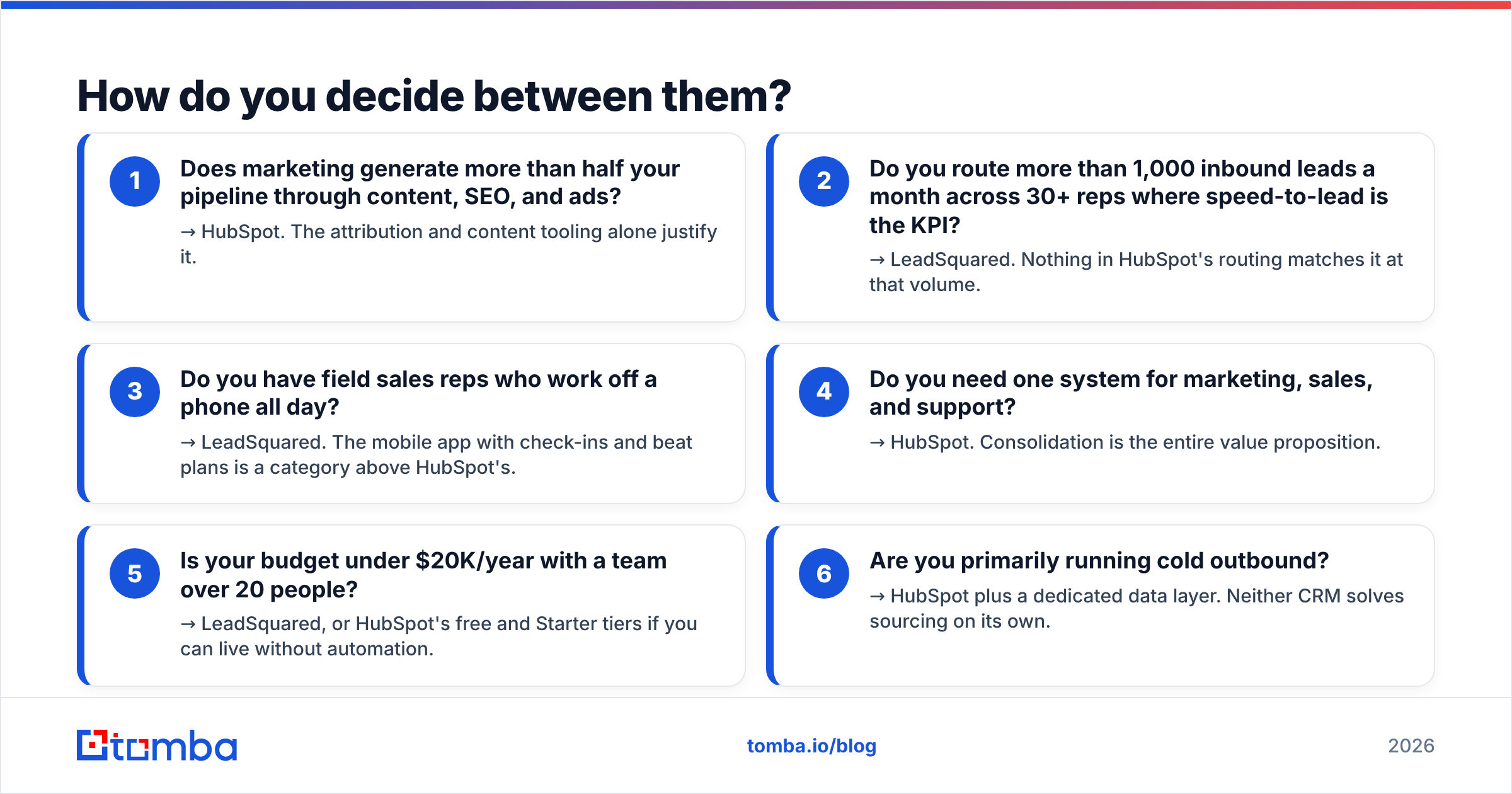
- Does marketing generate more than half your pipeline through content, SEO, and ads? → HubSpot. The attribution and content tooling alone justify it.
- Do you route more than 1,000 inbound leads a month across 30+ reps, where speed-to-lead is the KPI? → LeadSquared. Nothing in HubSpot's routing matches it at that volume.
- Do your field reps work off a phone all day? → LeadSquared. The mobile app with check-ins and beat plans is a class above HubSpot's.
- Do you need one system for marketing, sales, and support? → HubSpot. Consolidation is the whole value proposition.
- Is your budget under $20K a year with a team over 20 people? → LeadSquared. HubSpot's free and Starter tiers work too, if you can live without automation.
- Are you mostly running cold outbound? → HubSpot plus a dedicated data layer. Neither CRM solves sourcing on its own.
What about the data problem neither CRM solves?#
Here is the failure mode that kills CRM rollouts at any vendor: bad records.
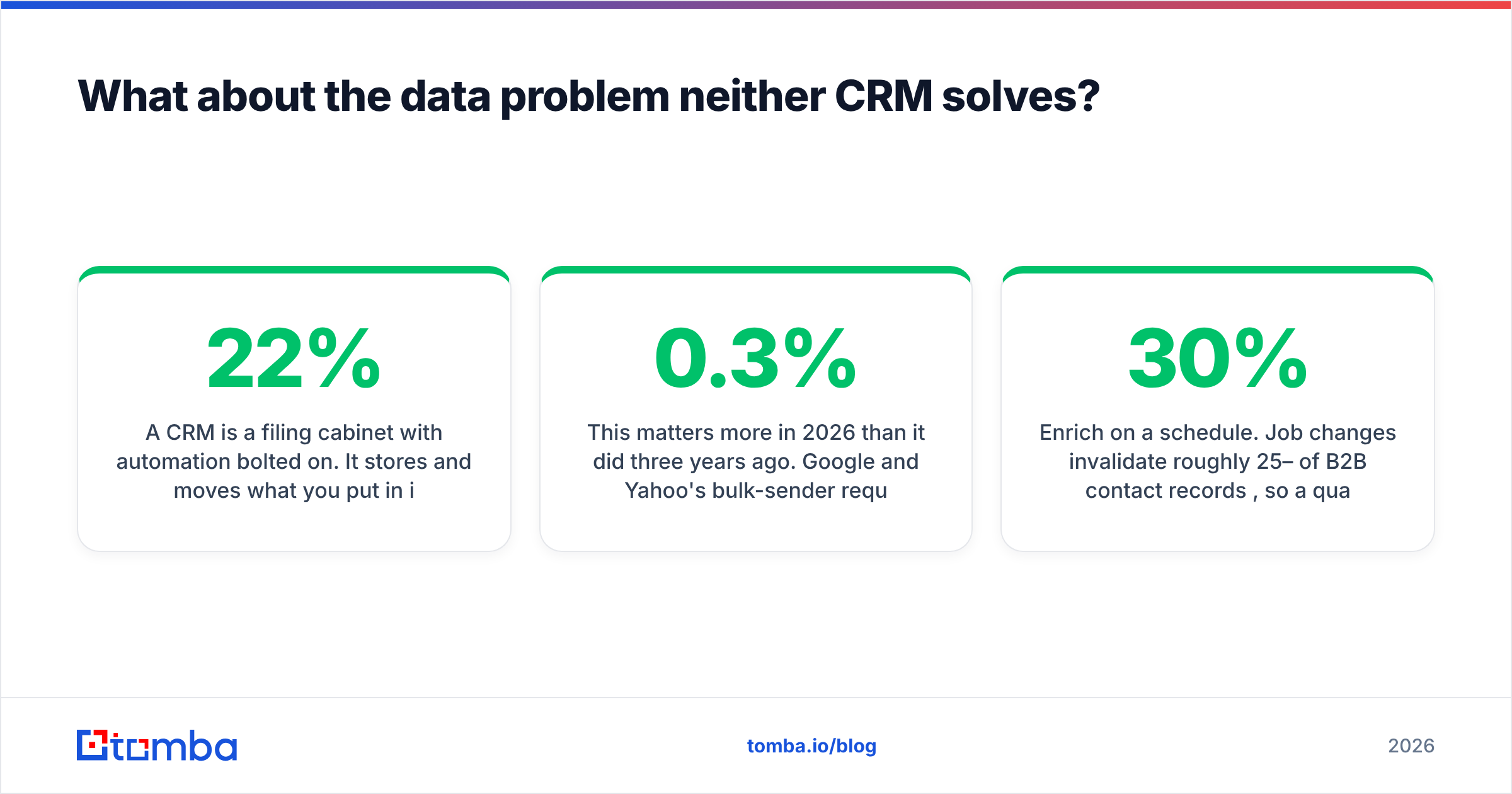
A CRM is a filing cabinet with automation bolted on. It stores and moves what you put in it. Say 22% of your imported email addresses bounce. HubSpot will log a 22% bounce rate. LeadSquared will route 22% of your leads to reps who waste a morning on dead addresses. The platform is not at fault. The input is.
This matters more in 2026 than it did three years ago. Google and Yahoo's bulk-sender rules turned bounce rate into a hard ceiling on email deliverability. Cross a 0.3% spam-complaint rate, or let bounces climb, and your sending domain degrades. That holds inside HubSpot's shared infrastructure and on your own.
Practical stack, whichever CRM you pick:
- Source contacts with a purpose-built finder instead of CRM-native credits. A domain search across target accounts returns patterns and named contacts faster than manual research.
- Verify before import, not after. Run an email verifier on the list pre-upload. That keeps bounces below the level that damages deliverability.
- Enrich on a schedule. Job changes break roughly 25–30% of B2B records each year, so a quarterly refresh is maintenance.
- Deduplicate at import. Both CRMs have merge tools. Neither prevents the mess as well as cleaning upstream.
Teams weighing data vendors alongside the CRM choice should ask how each one sources records. Vendors like BookYourData sell verified B2B lists with a bounce guarantee. That solves a different slice than a real-time finder API. A list purchase gives you volume up front. A finder API gives you freshness on demand. Plenty of teams run both.
Can you use both HubSpot and LeadSquared together?#
The HubSpot vs LeadSquared choice is not always either/or. A small number of companies run both, though it is usually a transition state rather than a design.
The pattern that works is simple. LeadSquared captures and distributes leads for a high-volume inbound channel, such as a call center or a regional sales floor. Qualified opportunities then sync into HubSpot, where marketing, deal management, and reporting live. LeadSquared handles the first five minutes. HubSpot handles the next ninety days.
The pattern that fails is running both as full CRMs with a two-way sync. You get duplicate records, conflicting owner fields, and two teams arguing over which dashboard is right. If you cannot state the handoff boundary in one sentence, do not run both.
For most companies the honest answer is to pick one. Spend the saved integration budget on data quality and rep enablement.
Final verdict: which should you buy?#
Buy HubSpot if marketing drives pipeline and you want one platform across the customer lifecycle. It fits 5–200 seats, as long as you can absorb a bill that grows with your contact database. Start free, move to Starter, and upgrade to Professional only when you can name the automation you are buying.
Buy LeadSquared if you run a high-velocity inbound motion with 30+ reps and speed-to-lead is your top metric. It suits education, healthcare, lending, insurance, and real estate. Per-user pricing means a large database does not punish you.
Buy neither yet if you have not solved contact data. A CRM makes a good process faster and a bad process faster. Fix the input first.
Whatever you pick, the contact layer underneath decides your results. Tomba's Email Finder returns verified professional emails by domain, name, or company. The Tomba API and native CRM integrations mean records land clean the first time. Start free with 25 searches a month, or see Tomba pricing. Starter runs $49 a month and Growth $99, a fraction of what either CRM charges for enrichment credits that go stale in a quarter.
Related guides#
// get started
Find, verify and enrich your first contacts today
Start on the free plan with 25 searches a month, then scale when your team is ready.
Free plan · No credit card required · GDPR & CCPA
// about the author