Humanlinker Pros and Cons: An Honest 2026 Review
Humanlinker promises AI personalization at scale using DISC personality analysis. Here's what actually works, what breaks, and where the data gaps cost you replies.
Short version: the Humanlinker pros and cons split along one line. The AI copy is strong. The contact data is not. Below is the full breakdown, with real prices and the gaps that quietly cost you replies.
TL;DR
- Humanlinker is an AI sales-personalization layer. It reads a prospect's LinkedIn footprint, guesses a DISC personality type, and writes openers to match.
- The copy engine is good at 1-to-few outbound. Reps working 30-80 named accounts get openers that beat generic templates.
- Data is the weak spot. Email coverage and checks are thinner than in tools built for that job, so good copy lands in the wrong inbox.
- The paid entry tier runs about $50-$60 per seat each month. Credits burn faster than most teams plan for.
- Best setup: keep Humanlinker for copy. Pair it with a dedicated email finder and a verifier for the data layer.
What is Humanlinker and what does it do?#
Humanlinker is a Paris-based AI sales assistant. It sits between your prospect list and your outreach. Think of it as a wine sommelier for cold email. It does not grow the grapes or pour the glass. It tells you which bottle fits the person across the table. You feed it a LinkedIn profile or a company domain. It hands back a personality read plus copy to match.
Here is the technical version. Humanlinker scrapes public LinkedIn activity: posts, comments, headline changes, job history, and company news. It runs that through a DISC model (Dominance, Influence, Steadiness, Conscientiousness). The profile then shapes an LLM prompt. Out come icebreakers, full email sequences, and LinkedIn connection notes.
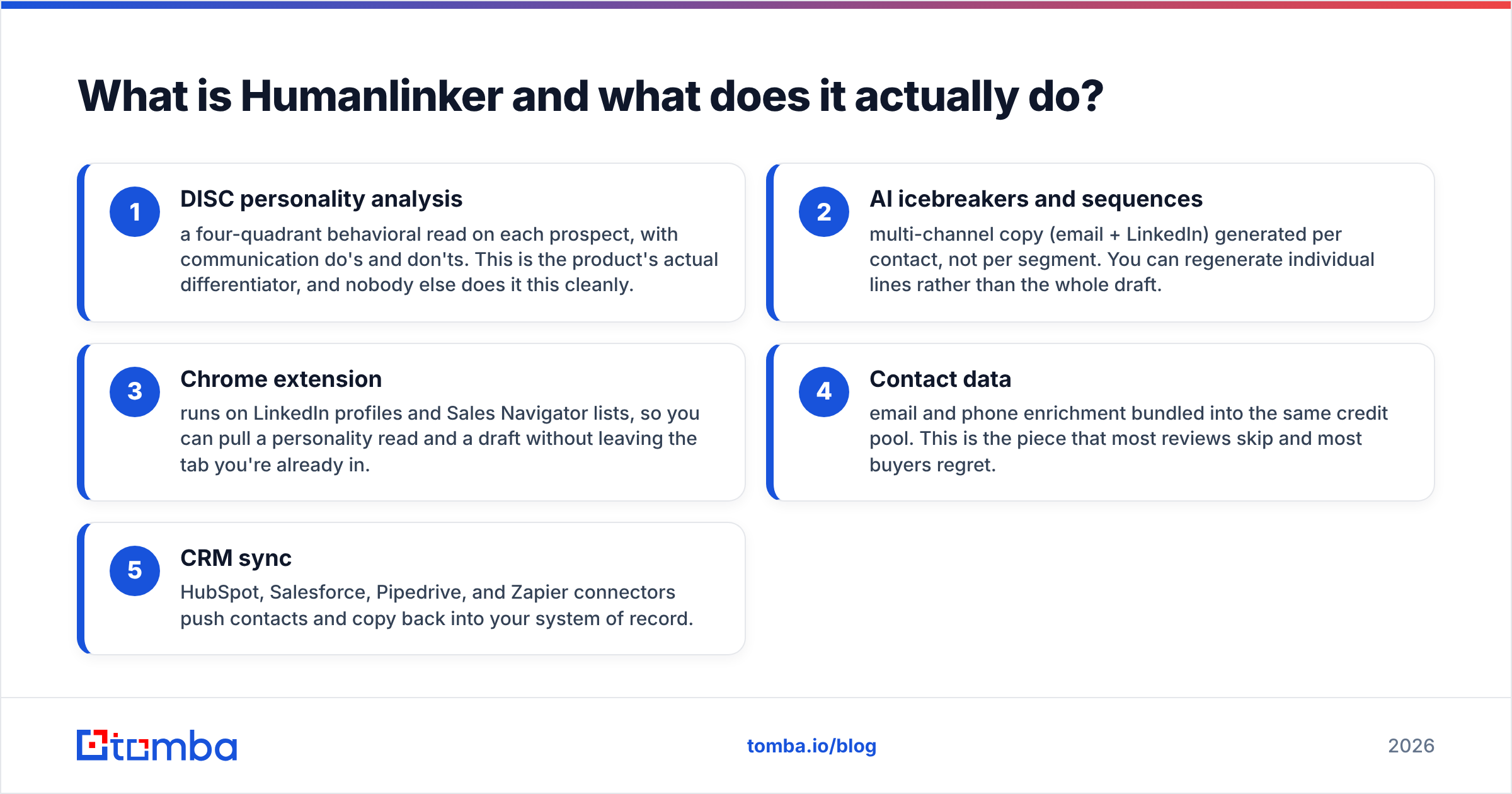
Its five core surfaces:
- DISC personality analysis — a four-quadrant read on each prospect, with do's and don'ts for tone. This is the real differentiator. Nobody else does it this cleanly.
- AI icebreakers and sequences — email and LinkedIn copy written per contact, not per segment. You can redo one line instead of the whole draft.
- Chrome extension — it runs on LinkedIn profiles and Sales Navigator lists. You get a read and a draft without leaving the tab you are in.
- Contact data — email and phone lookups share the same credit pool. Most reviews skip this part. Most buyers regret it.
- CRM sync — HubSpot, Salesforce, Pipedrive, and Zapier connectors push contacts and copy back into your system of record.
The pitch is that personal outreach at scale is a solved problem. It is not. But Humanlinker moves the line further than most. Keep that in mind as we walk through the Humanlinker pros and cons.

What are the real pros of Humanlinker?#
The DISC layer is not a gimmick. Most AI personalization tools run a mail merge. They drop a scraped post title into line two and call it custom. Humanlinker's output changes shape by profile. A high-D prospect gets three lines and a hard ask. A high-C prospect gets numbers, detail, and a soft close. On a small list, that shows up in reply rate.
Speed on named accounts. Proper research takes a rep 8-15 minutes per prospect. Humanlinker cuts the research half to under a minute. Work 40 accounts a week and you get back about six hours. That is the honest ROI case, and it holds up.
The Chrome extension is well built. It loads inside LinkedIn without breaking the page. It works on Sales Navigator results. You can queue contacts into a sequence from the profile view. Plenty of sales tools fumble here. This one does not.
Multi-channel by default. Email and LinkedIn steps live in one sequence builder. The tone shifts by channel too. The LinkedIn note is shorter and less formal, which is the correct call.
Fair entry price. Full sales automation platforms start at $99-$150 per seat. Humanlinker's entry tier is within reach for a two-person founding sales team.
What are the cons you should weigh before buying?#
Data coverage is the main problem. Humanlinker is a copy engine with data bolted on. It is not a data provider with copy bolted on. Coverage is solid for mid-size and large firms in North America and Western Europe. It thins out fast for SMBs, non-English markets, and any company with an odd email pattern. Great copy sent to a guessed address is worse than plain copy sent to a real one. It burns the same sender reputation and earns zero replies.
Verification is shallow. There is no real catch-all handling. If a domain accepts every address, you get a valid result that means nothing. Serious outbound needs a catch-all verifier between the finder and the sender. Humanlinker does not ship one.
A DISC read is a guess, not a fact. The model reads public activity. A prospect who posts twice a year gives it almost nothing. So it falls back on job-title priors, which is a stereotype in a nice suit. Read quality tracks posting volume. Heavy posters get useful reads. Lurkers get guesses. Treat the profile as a hint, not a briefing.
Credits vanish faster than the pricing page suggests. Personality reads, email lookups, phone lookups, and copy all draw from shared pools. Teams plan for 1,000 prospects a month. Then they find that a quarter of the budget went to redos and failed lookups.
It does not send. Humanlinker writes and sequences. You still need sending tools with warmup, domain rotation, and inbox rotation. Comparing it to Instantly or Smartlead compares two different layers of the stack. Budget for both.
Reporting is thin. You get sequence-level stats. You do not get cohort views, per-variant lift, or delivery diagnostics. Most buyers end up in a spreadsheet.
How does Humanlinker compare to the alternatives?#
Here is the layer-by-layer view. These tools are not swaps for each other. They overlap in part, which is why buyers get confused.
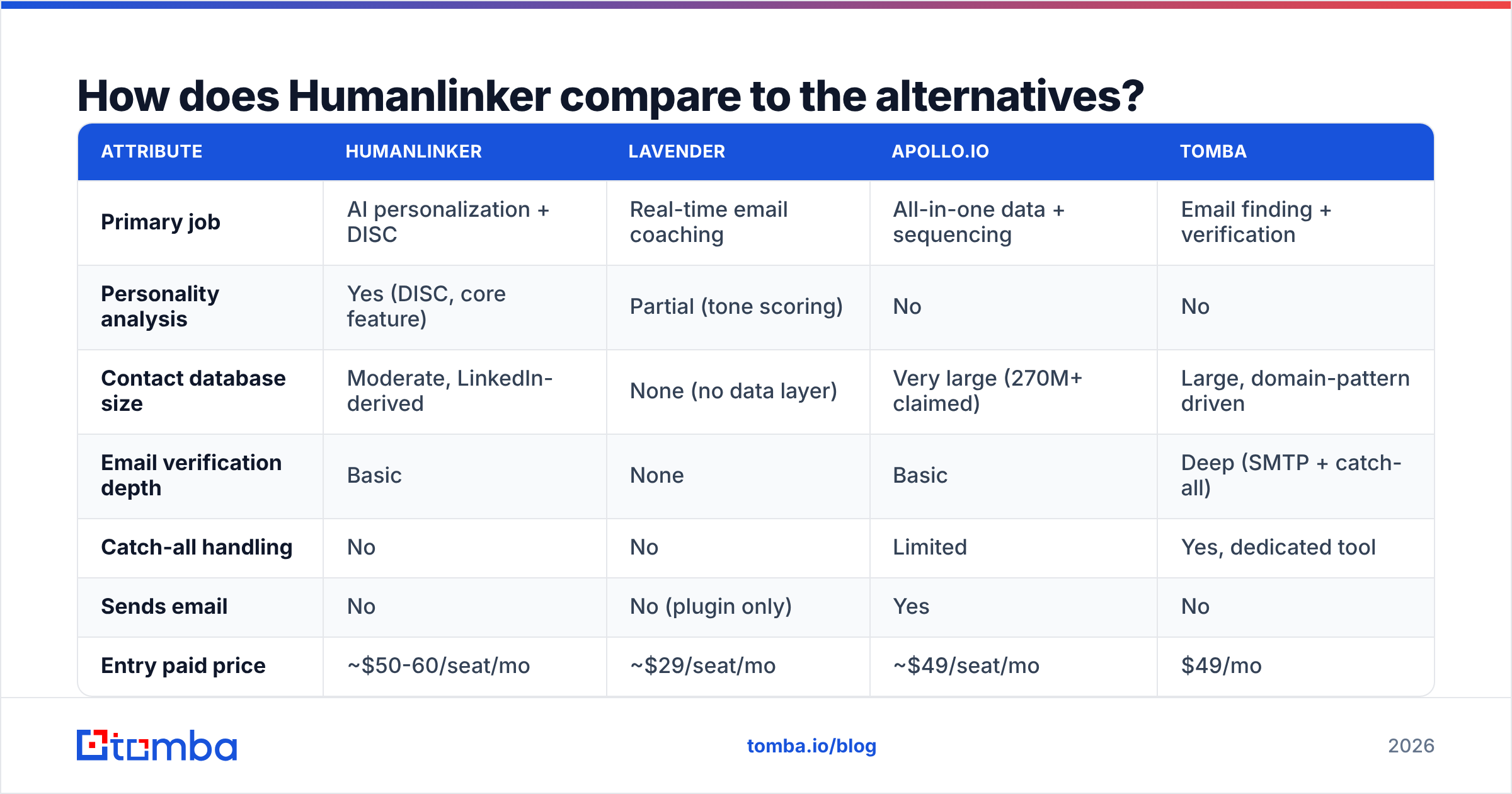
| Attribute | Humanlinker | Lavender | Apollo.io | Tomba |
|---|---|---|---|---|
| Primary job | AI personalization + DISC | Real-time email coaching | All-in-one data + sequencing | Email finding + verification |
| Personality analysis | Yes (DISC, core feature) | Partial (tone scoring) | No | No |
| Contact database size | Moderate, LinkedIn-derived | None (no data layer) | Very large (270M+ claimed) | Large, domain-pattern driven |
| Email verification depth | Basic | None | Basic | Deep (SMTP + catch-all) |
| Catch-all handling | No | No | Limited | Yes, dedicated tool |
| Sends email | No | No (plugin only) | Yes | No |
| Entry paid price | ~$50-60/seat/mo | ~$29/seat/mo | ~$49/seat/mo | $49/mo |
| Free tier | Limited trial credits | Limited | Yes, capped | 25 searches/mo |
| API access | Higher tiers | No | Yes | All paid tiers |
| Best for | 1-to-few personalized outbound | Improving rep writing quality | Teams wanting one bill | Accurate contact data at volume |
One pattern stands out. Humanlinker and a dedicated data tool work together. They do not compete. Humanlinker decides what to say. A finder plus a verifier decides where to send it. Apollo tries to do it all and is average at each part. That can still be a fair trade if you want one bill. Lavender coaches the writer instead of replacing them.
Want to weigh the data half on its own? Our breakdown of where Tomba gets data explains the method. Pattern-based discovery plus SMTP checks beats static database lookups at companies under 200 staff. That is where most B2B pipelines actually live.
G2's sales intelligence grid is a fair sanity check on where user reviews land. Just note that review recency skews toward whoever ran an incentive campaign that quarter.
What does Humanlinker actually cost in 2026?#
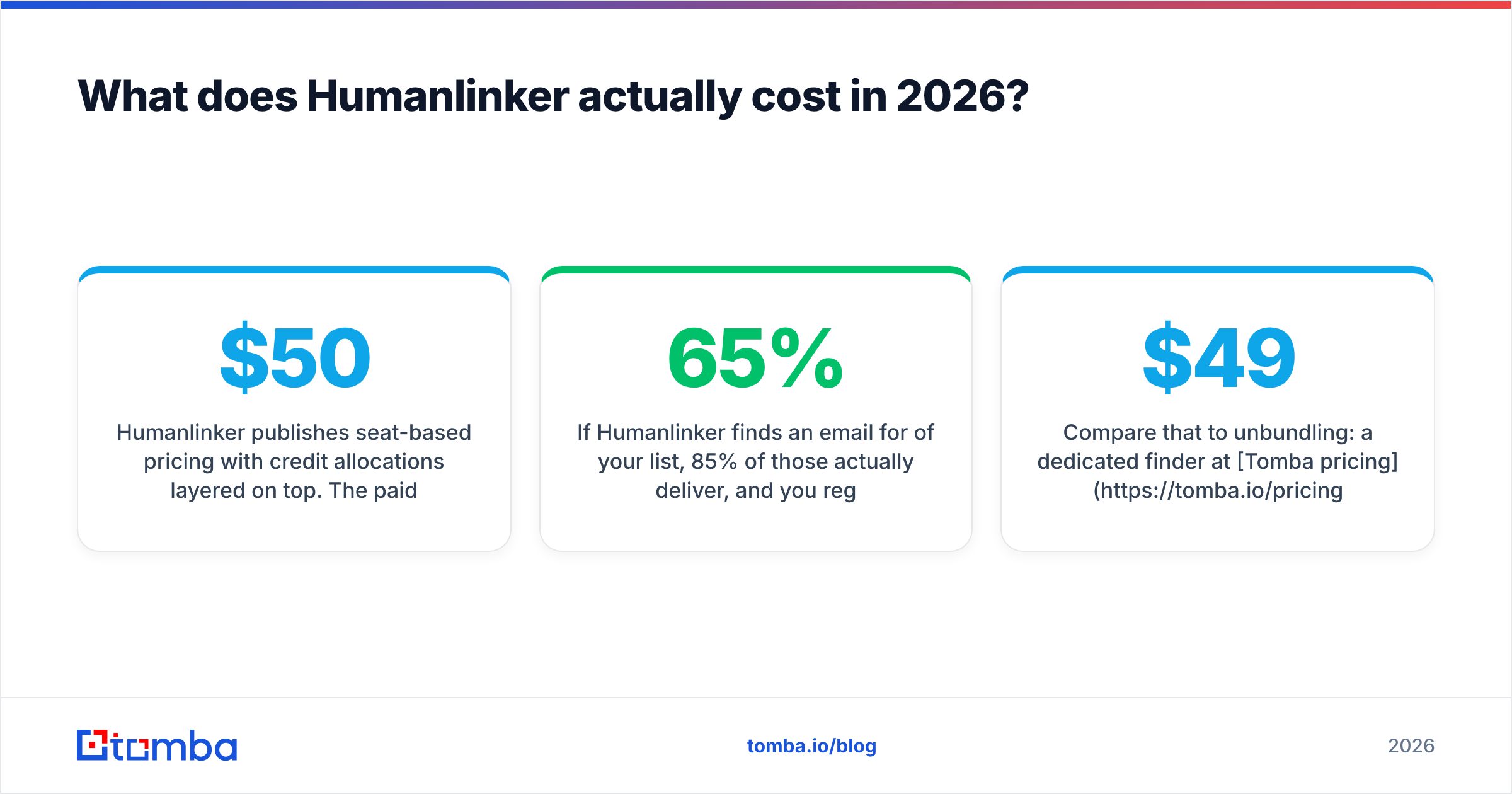
Humanlinker charges per seat and layers credits on top. The paid entry tier runs about $50-$60 per user per month on an annual plan. A business tier sits near $100-$150. That one adds API access, bigger credit pools, and team controls. Enterprise is quoted.
The seat price is not the number that matters. Cost per usable contact is. Run that math:
- Stated cost per prospect: seat price ÷ monthly credits. Looks cheap.
- Real cost per prospect: seat price ÷ (credits × find rate × delivery rate × redo overhead).
Say Humanlinker finds an email for 65% of your list. Say 85% of those deliver. Say you redo copy on 20% of drafts. Your real cost per contacted prospect is about 2.2x the sticker number. That is not a knock on Humanlinker. It is true of every bundled tool. Almost nobody runs the math before signing.
Now compare unbundling. Tomba pricing starts at $49 a month for Starter, $99 for Growth, and $249 for Pro. The free tier covers 25 searches. Running the data layer on its own usually costs less than credit overage on a bundled plan. You also get real verification instead of a format check.

Who should buy Humanlinker, and who should not?#
Buy it if:
- You run 1-to-few outbound — 30 to 150 accounts per rep each month, where a human reads every email before it ships.
- Your reps are junior and cold email writing is the bottleneck. DISC scaffolding builds good instincts faster than coaching does.
- You sell to roles with very different styles: founders, procurement, engineering leads. One template underperforms across all three.
- You already have a solid data source and sending tools, and copy is the actual gap.
Skip it if:
- You send at high volume (2,000+ a month). Credit costs scale badly, and the copy edge shrinks as list quality drops.
- Your buyers are SMB, outside the West, or quiet on LinkedIn. The DISC engine starves without signal.
- You do not have verified contact data yet. Fix that first. Custom copy to a dead address is just a pricier bounce.
- Your team already writes well and your real problem is targeting. No AI fixes a bad ICP.
In that last case, order matters. Build a clean list with domain search. Verify it. Then decide whether copy tooling is worth a line item. Flipping that order is the most common outbound spending mistake we see.
How do you get the most out of Humanlinker if you buy it?#
Assume you have signed. Start with the setup rules:
- Enrich outside, personalize inside. Pull emails and phone numbers from a dedicated source. Import them. Save Humanlinker credits for personality reads and copy. This one change often doubles credit efficiency.
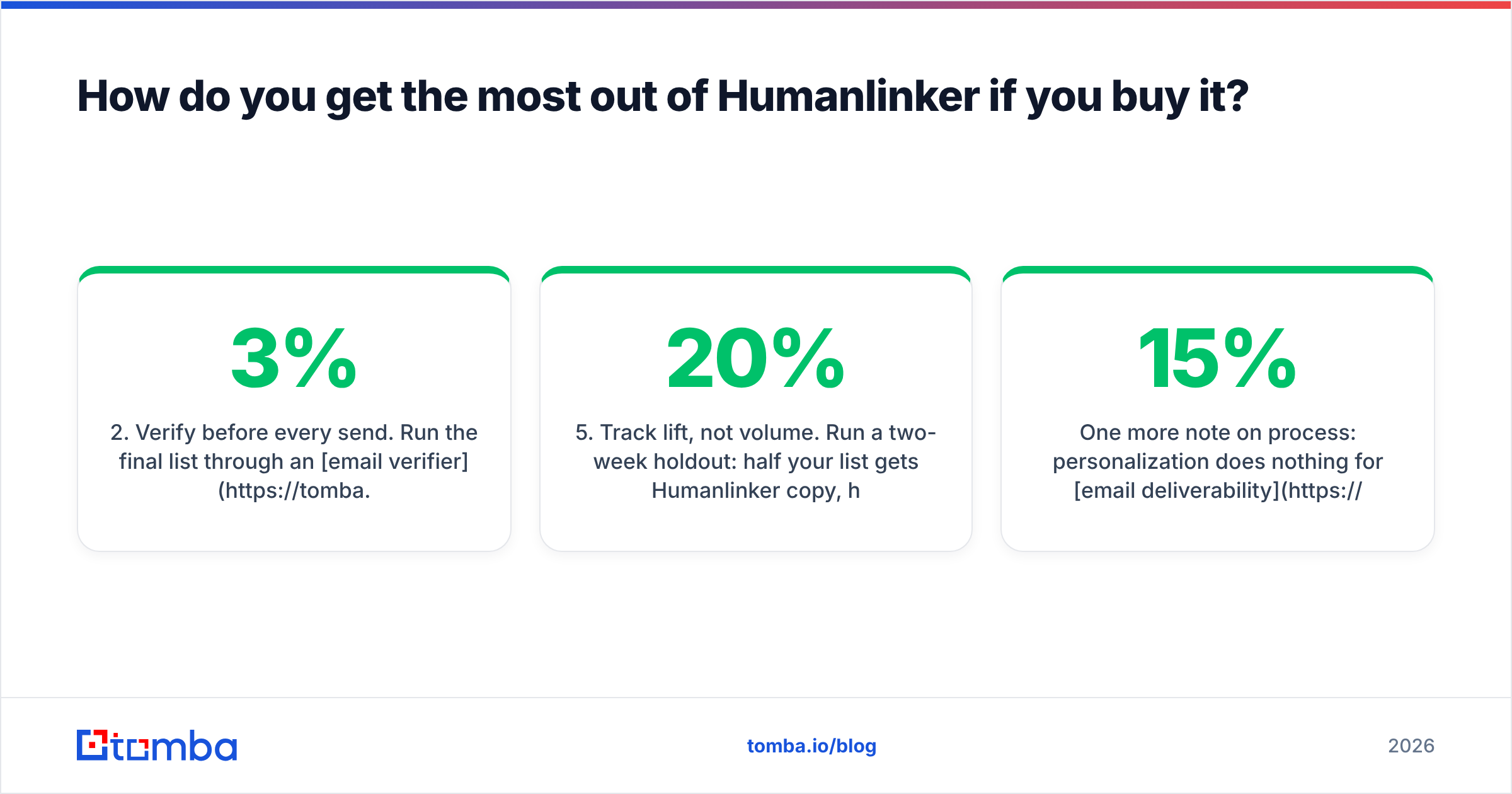
- Verify before every send. Run the final list through an email verifier, even if the source claims it is clean. Data decays 2-3% a month as people switch jobs.
- Edit every first line. The draft is a strong first pass, not a finished email. Reps who ship raw output see worse response rates than reps who spend 30 seconds editing.
Then keep three habits in place:
- Ignore weak DISC reads. Thin activity means the read is noise. Fall back on a role-based template instead of trusting a made-up profile.
- Track lift, not volume. Run a two-week holdout. Half the list gets Humanlinker copy. Half gets your best existing template. Under 20% lift means the tool is not paying for itself.
- Cap redos. Two per contact, as a team rule. Unlimited regeneration is where credit budgets quietly die.
One process note. Personalization does nothing for email deliverability. If your domain is cold, your SPF is broken, or 15% of your list is invalid, even the best email lands in spam. Fix the plumbing first. The SPF checker and warmup basics are free and take an afternoon.
Final verdict on the Humanlinker pros and cons#
Humanlinker is a good product with a clear job and an oversold scope. The DISC work is real. It produces copy that differs in structure, not just in the name field. If your outbound is deliberate and account-based, it earns its seat price.
The Humanlinker pros and cons fall into two neat piles. The copy is the pro. The data is the con. It wants to be your data provider, and it is not strong enough there to carry the load. Coverage gaps, shallow checks, and no catch-all handling wipe out the copy edge at the delivery step. Buy it for the job it does best. Source contact data from a tool built for that job.
Fair framing: Humanlinker versus a dedicated finder is not a fair fight. They solve neighboring problems. The mistake is buying one and expecting it to cover both.
Start with the data layer. Tomba Email Finder returns verified work emails by domain, name, or company. SMTP-level checks and catch-all detection are built in. That is the base any personalization tool needs to actually deliver. The free tier includes 25 searches a month, so you can test coverage on your own ICP before you spend anything. Paid plans start at $49 a month. Find the right inbox first. Then decide how clever the message needs to be.
Related guides#
// get started
Find, verify and enrich your first contacts today
Start on the free plan with 25 searches a month, then scale when your team is ready.
Free plan · No credit card required · GDPR & CCPA
// about the author