Hunter Email Finder Review 2026: Accuracy, Pricing, Limits
Hunter is the default email finder for most B2B teams — but defaults get expensive. Here is what Hunter actually finds, what it costs in 2026, where its confidence scores mislead you, and when a cheaper tool wins.
TL;DR
- The Hunter email finder is the most recognized tool in the category, and it earns that on UX and brand trust — not on being the cheapest or the most complete.
- Hunter's real strength is domain search: give it a company domain and it returns the email pattern plus known addresses, with sources cited. That sourcing transparency is still best-in-class.
- Its real weakness is cost per credit at scale and catch-all domains, where Hunter tends to return low-confidence guesses rather than a definitive answer.
- Free tier is 25 searches/month. Paid starts at $49/mo (about $34/mo billed annually) for 500 searches — fine for a solo founder, thin for a 3-person SDR team.
- If you mostly need volume finding plus verification in one bill, Tomba's Growth plan at $99/mo undercuts Hunter's equivalent tier by roughly a third. If you need Hunter's citation trail and integrations ecosystem, pay for Hunter.
What is the Hunter email finder?#
Hunter (hunter.io) is a B2B email discovery platform that maps public web data to company domains, then infers and verifies professional email addresses. You give it a name and a domain — "Sarah Chen" + "acme.com" — and it returns s.chen@acme.com with a confidence score and, usually, the public pages where that pattern was observed.
It is not a contact database in the Apollo or ZoomInfo sense. Hunter does not sell you a pre-built list of 200 million contacts with job titles and firmographics. It answers a narrower question extremely well: what is this specific person's work email, and how sure are we?
The product breaks into five parts you will actually use:
- Domain Search — enter a domain, get every email address Hunter has seen on that domain plus the detected pattern (
{first}.{last},{f}{last}, etc.). This is the flagship feature and the reason most people sign up. - Email Finder — name + domain in, single address out, with a 0–100 confidence score.
- Email Verifier — SMTP-level check on an address you already have, returning deliverable / risky / undeliverable.
- Bulk tasks — CSV upload for finding or verifying a few thousand rows at a time, processed asynchronously.
- Campaigns + integrations — a lightweight cold email sender, a Chrome extension, and native connections to HubSpot, Salesforce, Pipedrive and Zapier.
That last piece matters more than people expect. A large share of Hunter's stickiness is that it is already wired into the CRM your RevOps person set up two years ago.
How does Hunter's email finder actually work?#
Think of it like a detective who works two ways at once: first they check whether anyone has already published the answer, and only if that fails do they reason from the pattern of everything else on the street.
Hunter crawls public web sources — company sites, press pages, GitHub commits, PDFs, news articles, staff directories — and indexes every email address it encounters along with the URL where it appeared. When you search a domain, it surfaces those observed addresses directly. That is the high-confidence path, and it is why Hunter can show you a "sources" link next to a result.
When no address has ever been published for your target, Hunter falls back to pattern inference: it derives the company's dominant email format from the addresses it has seen, applies that format to your target's name, then runs an SMTP handshake against the mail server to see whether the address is accepted. The confidence score you see blends how consistent the pattern is, how many sources back it, and whether the SMTP check succeeded.
This matters for how you read the output. A 97% score backed by three cited sources is a fact. A 92% score with zero sources on a catch-all domain is a well-educated guess — and it will still bounce sometimes. Hunter's UI does not always make that distinction loud enough, and inexperienced users treat both numbers as equivalent.

How accurate is the Hunter email finder in 2026?#
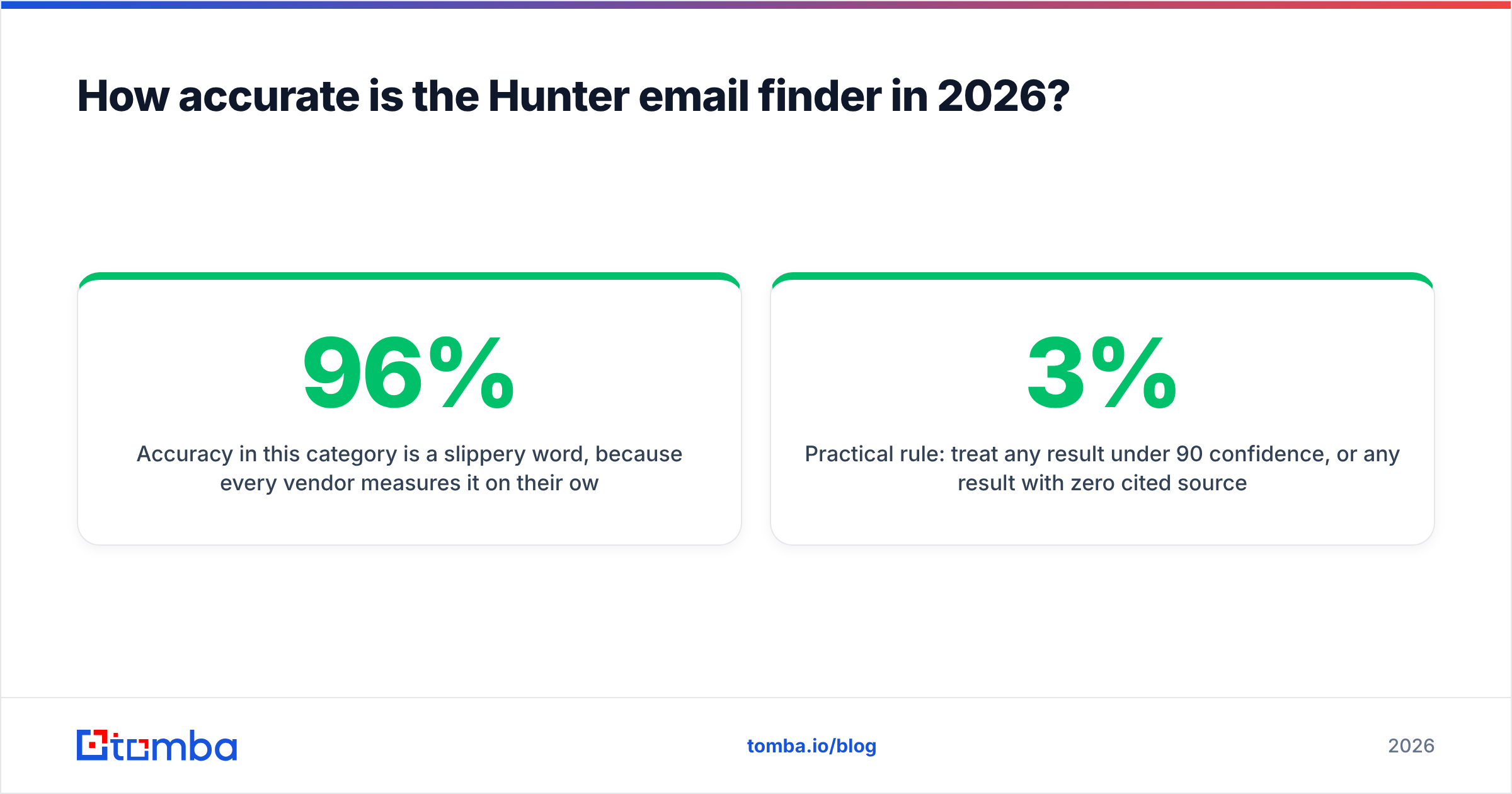
Accuracy in this category is a slippery word, because every vendor measures it on their own test list. The honest framing: on well-indexed domains — companies with a website, a team page, and any press footprint — the leading email finders including Hunter cluster in a tight band, typically 90–96% deliverable on verified results. The differences show up in the hard 20% of your list.

Three situations separate the tools:
- Catch-all domains. Roughly a fifth of B2B domains accept mail to any address at the server level, which makes SMTP verification useless. Hunter marks these "accept-all" and hands you a probability. Tools with dedicated catch-all logic — including Tomba's catch-all verifier — run additional signal checks before deciding, which meaningfully cuts your bounce rate on that slice.
- Coverage on small and non-English companies. Hunter's index skews toward companies with an English-language web presence. A 40-person manufacturer in Osaka or Lyon will often return "no results found" where a database-backed tool has a record.
- Freshness. Anyone who changed jobs in the last 90 days is the hardest case for every provider. Hunter's crawl-based model updates when the web updates, which is fast for public figures and slow for individual contributors.
Practical rule: treat any result under 90 confidence, or any result with zero cited sources, as unverified. Route those through a second email verifier before they enter a sending sequence. A 3% bounce rate is survivable; 8% starts damaging your sending domain.
What does the Hunter email finder cost in 2026?#
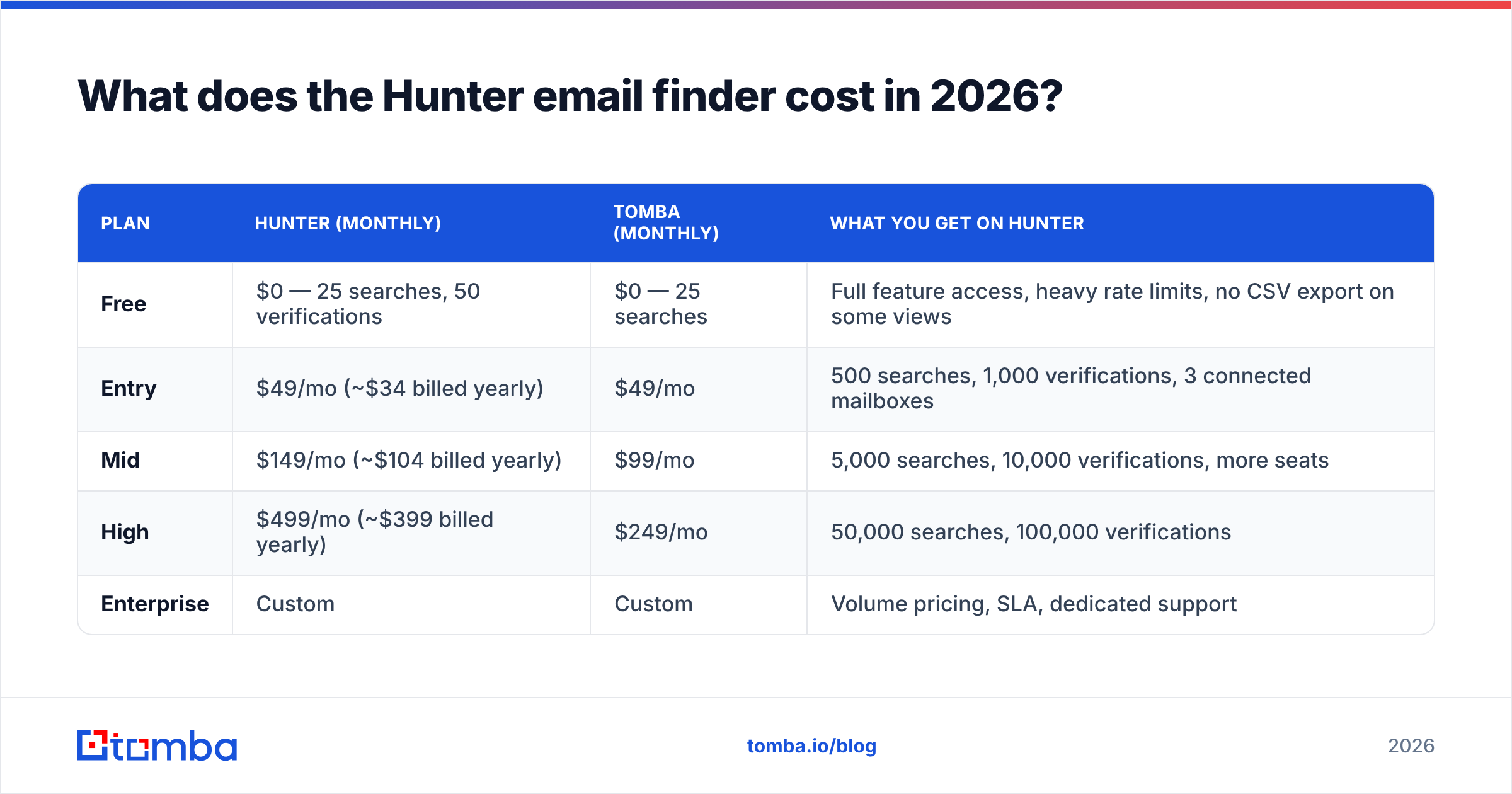
Hunter charges per search and per verification, with verifications costing less than searches. The free tier is genuinely usable for evaluation and useless for actual prospecting.
| Plan | Hunter (monthly) | Tomba (monthly) | What you get on Hunter |
|---|---|---|---|
| Free | $0 — 25 searches, 50 verifications | $0 — 25 searches | Full feature access, heavy rate limits, no CSV export on some views |
| Entry | $49/mo (~$34 billed yearly) | $49/mo | 500 searches, 1,000 verifications, 3 connected mailboxes |
| Mid | $149/mo (~$104 billed yearly) | $99/mo | 5,000 searches, 10,000 verifications, more seats |
| High | $499/mo (~$399 billed yearly) | $249/mo | 50,000 searches, 100,000 verifications |
| Enterprise | Custom | Custom | Volume pricing, SLA, dedicated support |
Two things stand out. First, the annual discount on Hunter is aggressive — roughly 30% — so the sticker price you see quoted in reviews ($34) is the yearly-commit number, not what you pay month to month. Second, the jump from entry to mid is a 3x price increase for 10x volume, which is great if you actually use 5,000 searches and terrible if you use 900. Many teams sit uncomfortably between tiers.
Compare the equivalent tier on Tomba pricing and the gap at the mid level is about $50/month, which is real money for a small team but not decisive on its own. Decide on capability fit first, then let price break the tie.
Where does the Hunter email finder fall short?#
No tool review is useful without the failure modes. Here are Hunter's, from teams who have run it at volume:
- Credit burn on failed searches. Depending on your plan and how the search resolves, unsuccessful lookups can still consume quota. Watch your usage dashboard during the first week rather than assuming a 1:1 relationship between credits and delivered emails.
- Catch-all ambiguity. As covered above, Hunter is honest that it cannot resolve accept-all domains — but honesty does not fill your pipeline. You will need a second tool or a manual process for that segment.
- No phone numbers. Hunter is email-only. If your motion is email-plus-call, you are buying a second vendor. Tools that bundle a phone finder consolidate that line item.
- Thin enrichment. You get an email and a confidence score, not company size, tech stack, funding stage, or seniority. If your sequencing depends on firmographic branching, Hunter alone will not feed it.
- Campaigns are a courtesy, not a product. Hunter Campaigns will send a three-step sequence. It will not replace Instantly, Smartlead, or Salesloft, and pretending otherwise leads to a painful migration six months in.
None of these are disqualifying. They are the predictable trade-offs of a focused tool that does one job cleanly instead of ten jobs adequately.
How does Hunter compare to other email finders?#
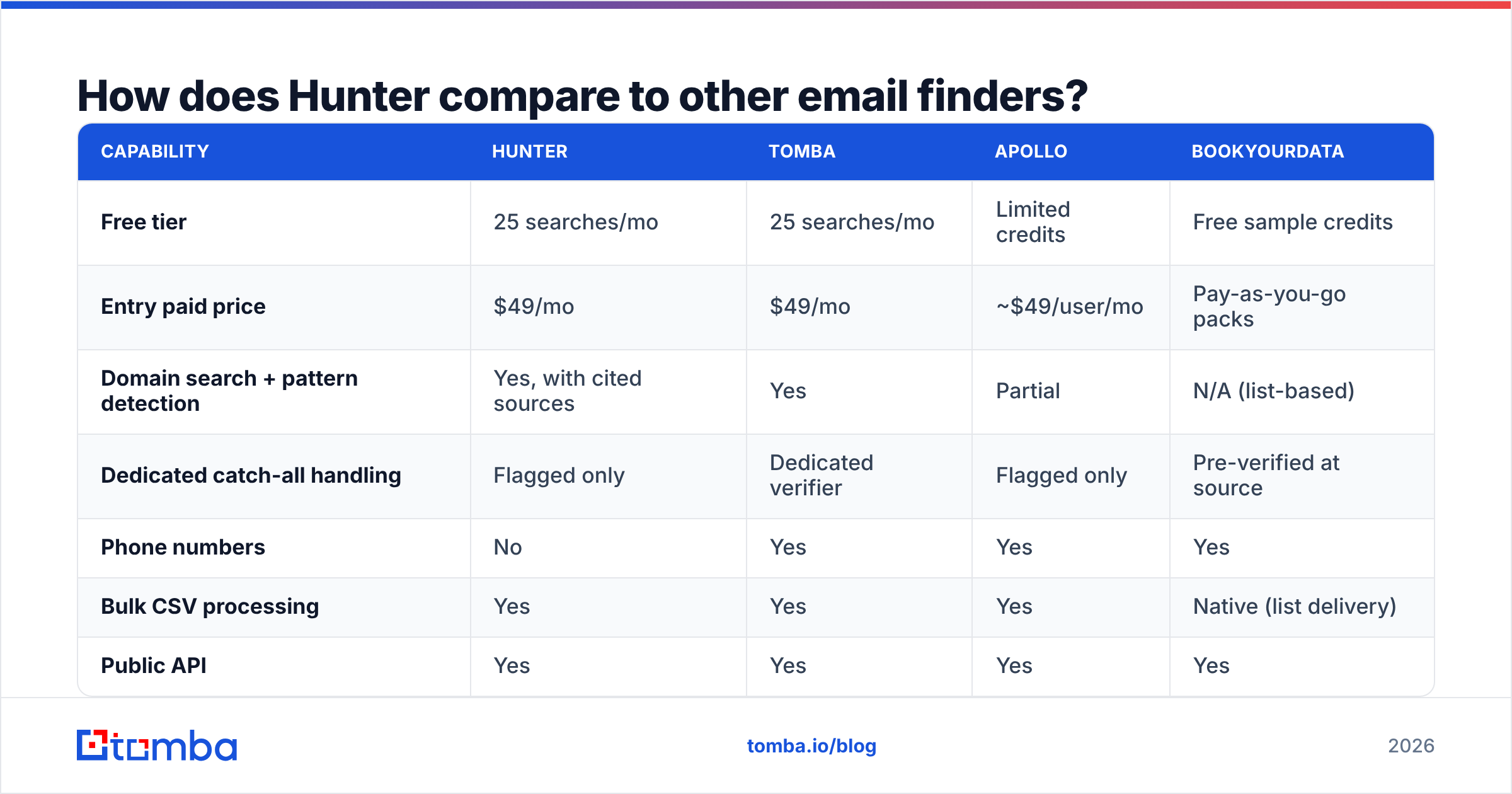
The category has fragmented into three shapes: crawl-first finders (Hunter, Tomba), database-first platforms (Apollo, ZoomInfo), and verified-list vendors (BookYourData). They solve different problems and the pricing models are not directly comparable.

| Capability | Hunter | Tomba | Apollo | BookYourData |
|---|---|---|---|---|
| Free tier | 25 searches/mo | 25 searches/mo | Limited credits | Free sample credits |
| Entry paid price | $49/mo | $49/mo | ~$49/user/mo | Pay-as-you-go packs |
| Domain search + pattern detection | Yes, with cited sources | Yes | Partial | N/A (list-based) |
| Dedicated catch-all handling | Flagged only | Dedicated verifier | Flagged only | Pre-verified at source |
| Phone numbers | No | Yes | Yes | Yes |
| Bulk CSV processing | Yes | Yes | Yes | Native (list delivery) |
| Public API | Yes | Yes | Yes | Yes |
| Best for | Precision lookups with an audit trail | Volume finding + verification in one bill | All-in-one prospecting + sequencing | Buying a clean, targeted list outright |
A few honest notes on that table. Apollo is a different purchase — you are buying a database and a sequencer, and you accept variable data quality as the cost. BookYourData is genuinely strong when you want a pre-verified list handed to you without running searches yourself, and its pay-as-you-go model avoids the subscription trap entirely; if your buying committee is stable and you need 5,000 contacts once, that is often the cleanest path. Hunter and Tomba are the closest head-to-head, because they solve the same problem with the same architecture.
If you are actively shopping, the G2 category listings are worth an hour — filter reviews by company size, because a 12-person agency and a 400-person enterprise report completely different experiences with the same tool.
Is Hunter or Tomba the better fit for your team?#
Conclusion first: pick Hunter if provenance and integrations matter most; pick Tomba if volume economics and catch-all coverage matter most.
Choose Hunter when:
- You need to show a compliance or legal reviewer where an address came from. The cited-sources trail is Hunter's genuine moat.
- Your CRM workflow already runs through Hunter's native HubSpot or Salesforce connector and nobody wants to rebuild it.
- You do 200–400 careful lookups a month and the entry tier covers you comfortably.
Choose Tomba when:
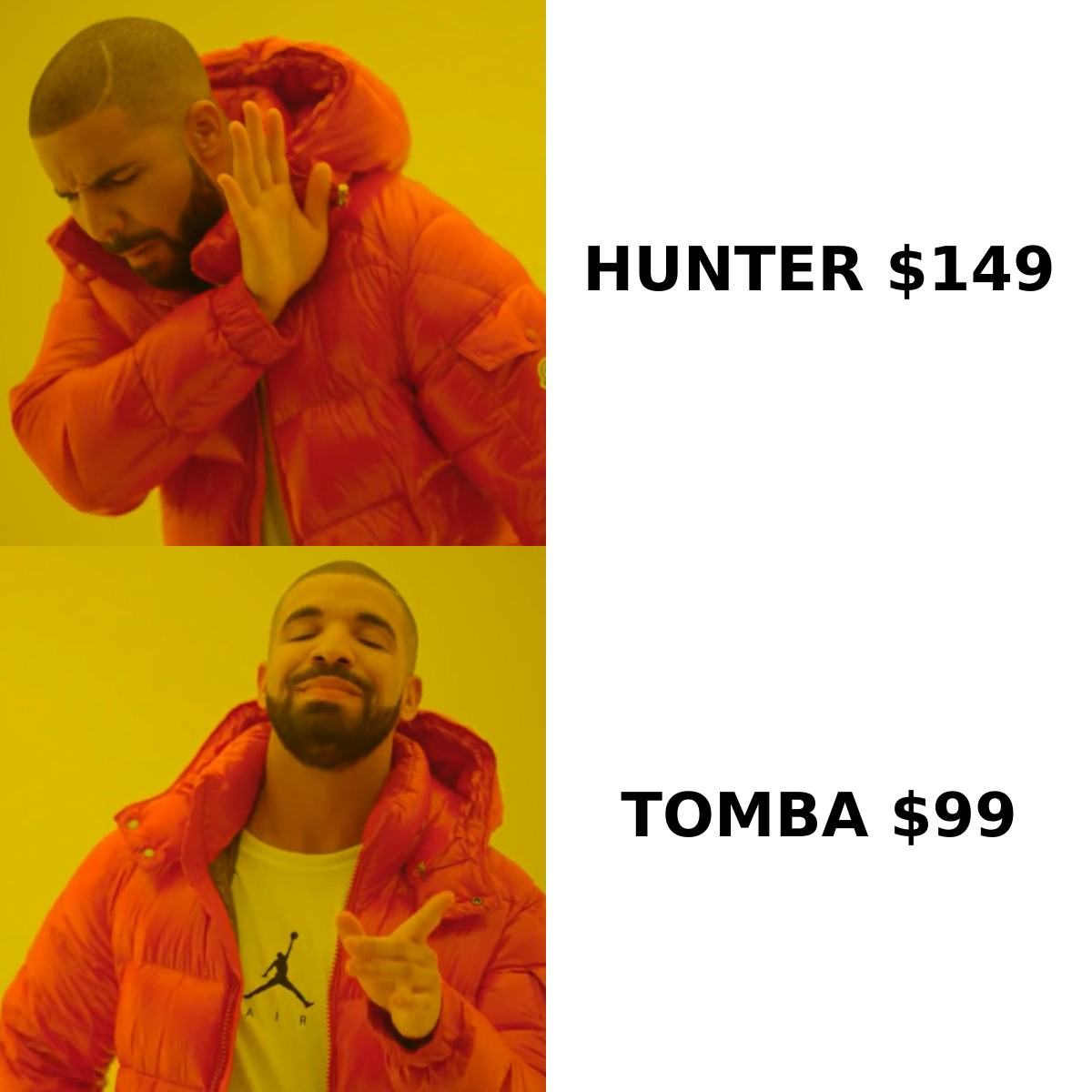
- You are running 3,000–10,000 lookups a month and the mid-tier gap ($99 vs $149) compounds across the year.
- A meaningful share of your target accounts are catch-all domains and you need a real verdict, not a flag.
- You want email plus phone plus enrichment on one invoice rather than three.
- You are building programmatically — the Tomba API and bulk endpoints are designed for pipeline use, not just dashboard use.
For a straight feature-by-feature breakdown of the crawl-based approach, see how the Tomba Email Finder handles the same domain-pattern problem.
How do you get the most out of any email finder?#
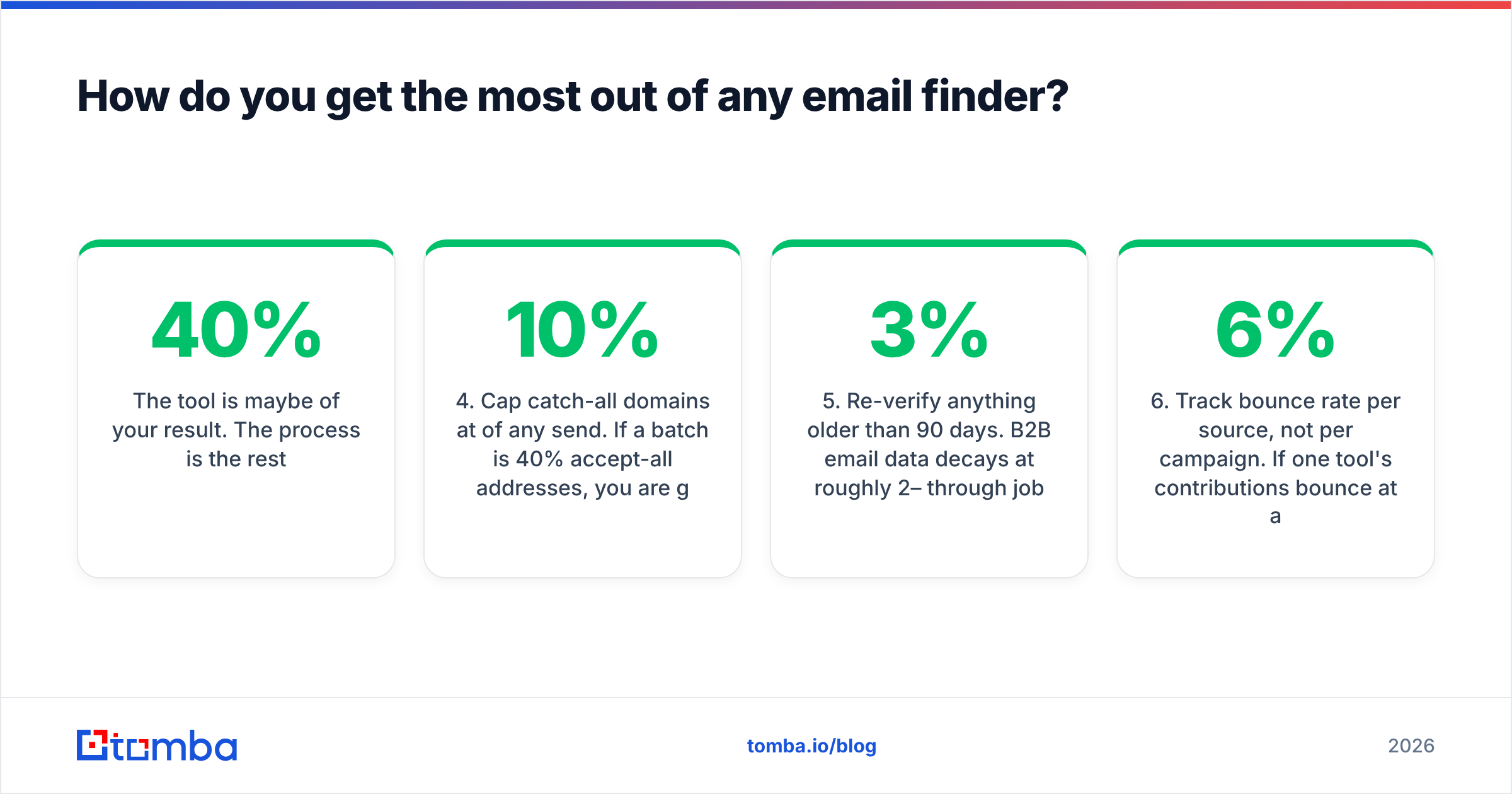
The tool is maybe 40% of your result. The process is the rest.
- Start from the domain, not the person. Run a domain search first to learn the company's email pattern, then apply it to your full target list at that account. One search teaches you 20 addresses.
- Never send to anything under 90 confidence. Park low-confidence results in a separate segment and either verify them elsewhere or reach those people on LinkedIn instead.
- Verify in a second pass, always. Finding and verifying are different operations with different failure modes. Even a same-vendor second pass catches stale records.
- Cap catch-all domains at 10% of any send. If a batch is 40% accept-all addresses, you are gambling with your sender reputation. Split them into their own low-volume sequence.
- Re-verify anything older than 90 days. B2B email data decays at roughly 2–3% per month through job changes alone. A list you built in January is measurably worse in April.
- Track bounce rate per source, not per campaign. If one tool's contributions bounce at 6% and another's at 2%, that is your renewal decision made for you.
What is the verdict on the Hunter email finder?#
Hunter is a good product that has quietly become an expensive default. It does precision lookups with a transparency no competitor matches, and its integration surface means it is often already installed before anyone evaluates alternatives. For low-volume, high-care prospecting — founders, agencies, recruiters chasing 50 named accounts — it is a defensible buy at $34–49/month.
At volume, the math changes. Once you cross a few thousand lookups a month, once catch-all domains become a real chunk of your ICP, or once you need phone numbers alongside email, the single-purpose tool starts costing more than the consolidated one. That is not a knock on Hunter. It is what happens to every focused product when your usage outgrows the shape it was built for.
Run both on the same 100-row test list before you renew anything. Same accounts, same names, same week. Compare found-rate, bounce-rate after sending, and cost per delivered email — not the marketing accuracy claims from either vendor, including ours.
Ready to benchmark it yourself? Start with the Tomba Email Finder free tier — 25 searches a month, no card — and run it against the same list you last gave Hunter. If the found-rate and bounce numbers come out even, stay where you are. If they do not, you just saved $600 a year and a chunk of your sender reputation.
Related guides#
// get started
Find, verify and enrich your first contacts today
Start on the free plan with 25 searches a month, then scale when your team is ready.
Free plan · No credit card required · GDPR & CCPA
// about the author