Hunter vs Kickbox: Email Finder vs Verifier Compared (2026)
Hunter finds email addresses. Kickbox verifies them. Comparing the two only makes sense once you know which half of the pipeline you are missing — here is the honest breakdown, with pricing, accuracy and stack-fit.
Hunter vs Kickbox comes down to one question: do you need to find email addresses, or check the ones you already have? Hunter finds. Kickbox checks. Here is how the two compare on price, accuracy, and stack fit.
TL;DR
- Hunter vs Kickbox is not a fair fight. Hunter is an email finder (domain search, name-to-email lookup, plus a verifier bolted on). Kickbox is a specialist verifier with no discovery layer.
- Got a list but no idea which addresses are real? Kickbox goes deeper. No list at all? Kickbox cannot help you, and Hunter is the relevant tool.
- The two price in different units. Hunter sells monthly seats and credit buckets. Kickbox sells volume, mostly pay-as-you-go, with the unit price dropping as you buy more. Sticker prices do not line up.
- Most teams pick one, then buy the other within a quarter. That means two contracts, two APIs, and two sets of credits to watch.
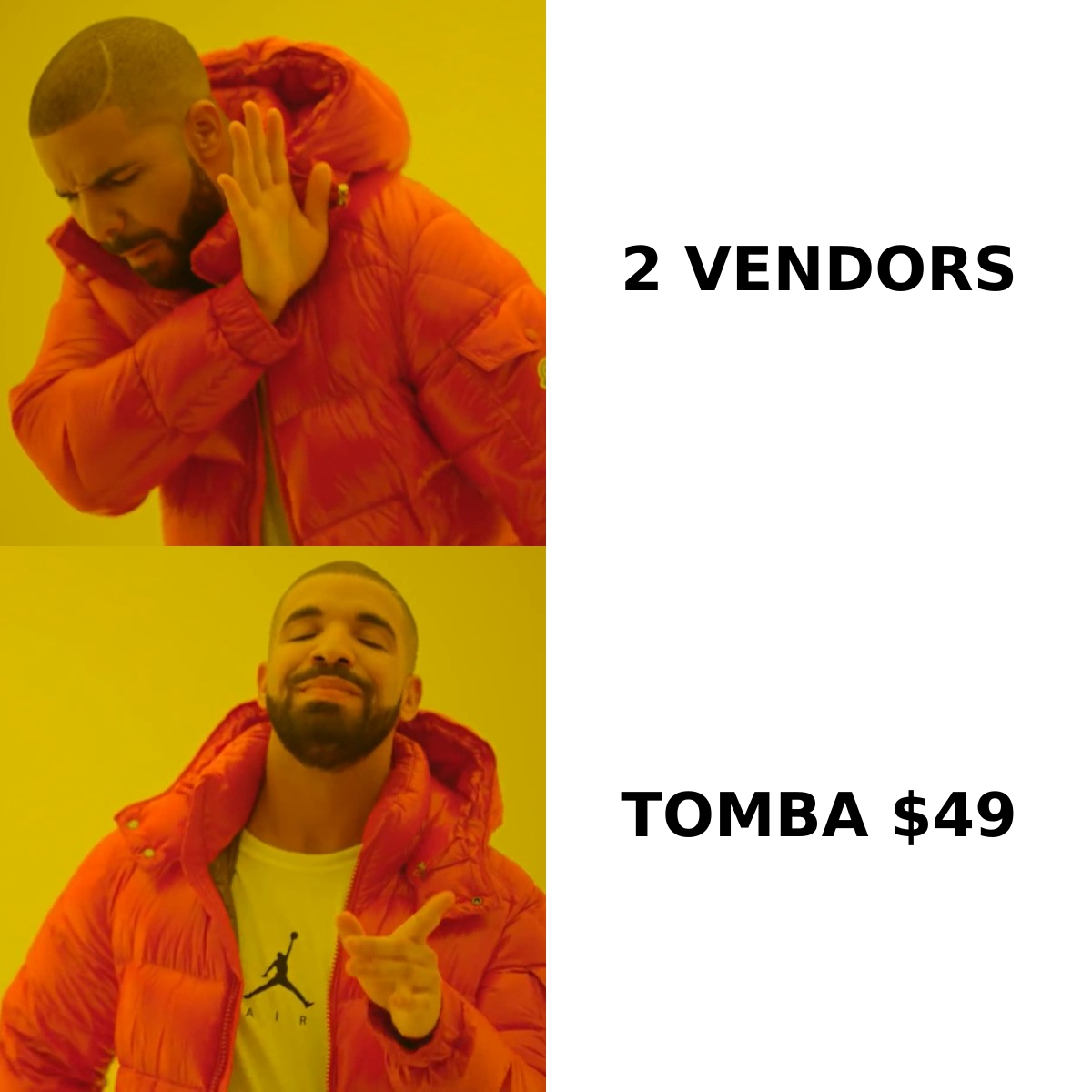
- One platform can do both jobs. Tomba finds and verifies from $49/mo. That is where the real cost math lives.
Hunter vs Kickbox: what is each tool, exactly?#
Think of prospecting as cooking. Hunter is the grocery run. It goes out and brings back ingredients — email addresses you did not have. Kickbox is the food inspector. It checks whether what sits in your fridge is still safe to eat. Both matter. Neither replaces the other.
Hunter began as a domain scraper and grew into a light outreach suite. Its core job is discovery. Give it stripe.com and it returns the addresses it has indexed for that domain. You also get the company's dominant email pattern and a confidence score per address. Hunter ships a verifier and a small cold-email sender too. Both are side features around the finder.
Kickbox went the other way. It never tries to find you addresses. It takes a list you already own and grades it: deliverable, undeliverable, risky, or unknown. A Sendex score adds nuance beyond a simple valid-or-invalid flag. Kickbox also sells inbox placement tools. Its buyers are email marketers and lifecycle teams guarding a sender score — not reps building lists from scratch.
That one split explains almost every difference below.
What does each tool actually do?#
| Capability | Hunter | Kickbox | Tomba |
|---|---|---|---|
| Find emails by domain | Yes (domain search) | No | Yes (domain search) |
| Find email by first/last name + company | Yes | No | Yes |
| Email verification | Yes (secondary feature) | Yes (core product) | Yes (email verifier) |
| Catch-all handling | Flags as "accept-all", limited resolution | Flags as risky, no resolution | Dedicated catch-all verifier |
| Bulk list processing | Yes | Yes (core strength) | Yes (bulk) |
| Deliverability / inbox placement tooling | No | Yes | Partial (reputation + SPF tools) |
| Phone numbers | No | No | Yes |
| Data enrichment | Limited | No | Yes |
| Free tier | 25 searches/mo | ~100 free verifications | 25 searches/mo |
The table makes the shape of each product clear. Kickbox is one column deep and very good in that column. Hunter is two columns wide, and one of them is thin. People who treat Hunter vs Kickbox as a head-to-head choice usually have not decided which half of the pipeline is broken.
Here is the practical way to decide, in order:
- Do you have a list? No list means checking is pointless. Start with a finder.
- Where did the list come from? Scraped, bought, or three years old? Verify it before you send.
- What is your bounce rate today? Under 2% and steady, verifying is hygiene. Over 5% and you have a live reputation problem. A verifier fixes that faster than anything else.
- How often does the list change? Constant prospecting favors a finder with verifying built in. One yearly cleanup favors pay-as-you-go credits.
- Who owns the workflow? Sales ops wants an API and a CRM sync. Email marketing wants a dashboard and a CSV round trip.
Hunter vs Kickbox pricing in 2026#
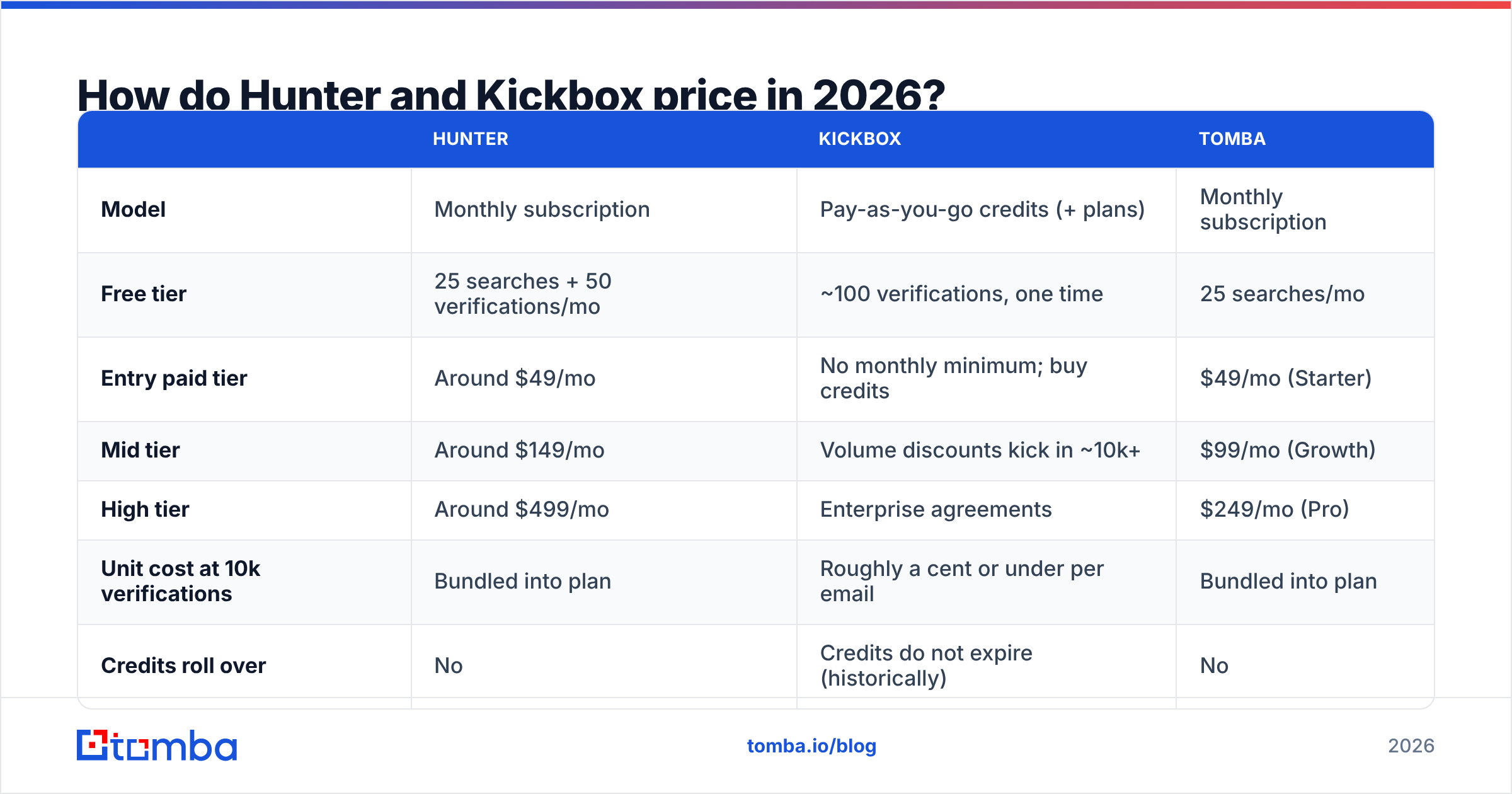
Pricing confuses people because the two vendors sell different units. Hunter sells monthly plans that bundle searches and verifications. Kickbox sells credits, usually pay-as-you-go, and the unit price falls as volume climbs. Check both vendor pricing pages before you budget. Tiers change.
| Hunter | Kickbox | Tomba | |
|---|---|---|---|
| Model | Monthly subscription | Pay-as-you-go credits (+ plans) | Monthly subscription |
| Free tier | 25 searches + 50 verifications/mo | ~100 verifications, one time | 25 searches/mo |
| Entry paid tier | Around $49/mo | No monthly minimum; buy credits | $49/mo (Starter) |
| Mid tier | Around $149/mo | Volume discounts kick in ~10k+ | $99/mo (Growth) |
| High tier | Around $499/mo | Enterprise agreements | $249/mo (Pro) |
| Unit cost at 10k verifications | Bundled into plan | Roughly a cent or under per email | Bundled into plan |
| Credits roll over | No | Credits do not expire (historically) | No |
| API access | All paid plans | All plans | All plans, including free |
Two things matter more than the headline numbers.
First: credit expiry. Subscriptions reset every month. If your outbound is seasonal — busy in Q1, quiet in August — you pay for capacity you never use. Kickbox credits do not expire, which suits spiky, occasional cleanups. That is a real edge and worth saying plainly.
Second: the double spend. Need discovery and checking? Hunter plus Kickbox means two invoices. At entry level that is about $49/mo plus whatever your verify volume costs. Neither tool has handed you a phone number or an enrichment field yet. Weigh Tomba pricing against that combined figure, not against either tool alone. The one-on-one view flatters both incumbents.
Hunter vs Kickbox: which one is more accurate?#
Accuracy means something different for each tool. So "more accurate" is the wrong question until you name the job.
For Kickbox, accuracy means one thing. Given an address, did the tool call the bounce correctly? Kickbox is strong here. Its Sendex score adds nuance most rivals skip. A valid free-mail address with no history is scored apart from a watched corporate mailbox. If you only care about fewer bounces on lists you own, Kickbox is a fair pick. Reviews on G2 back that up.
For Hunter, accuracy means something harder. Is the address it gave you the person's real, current inbox? Numbers across the industry vary a lot. Hunter's confidence scores help, but they play it safe. It will hand back a pattern-based guess with a middling score rather than say it has nothing. Those middling guesses are exactly where checking matters. A thin built-in verifier hurts you there.

Watch out for the catch-all domain. A catch-all server accepts mail sent to any address at that domain. So an SMTP check says "valid" for asdfgh@company.com as readily as for the CEO's real inbox.
Hunter labels these "accept-all" and moves on. Kickbox flags them as risky and hands you the call. Neither one solves them. Catch-all setups are common at mid-market and enterprise firms — the exact accounts most B2B teams chase. That gap can quietly eat a big slice of your list. A dedicated catch-all finder is the difference between dropping those contacts and mailing them safely.
Run this check before you commit to either vendor:
- Build a control list. Fifty addresses you know are live. Fifty you know are dead.
- Run both tools on it. Count false positives apart from false negatives. False positives cost you reputation. False negatives cost you pipeline.
- Include five catch-all domains. See how each tool labels them, and whether the label is honest.
- Check the "unknown" rate. A tool that returns 15% unknown is charging you for a shrug.
- Test the API, not just the UI. Bulk work breaks on response times and rate limits.
Do you need both Hunter and Kickbox?#
Run outbound and you need both jobs done. Whether that takes both vendors is a separate question.
Here is what the pair looks like day to day. Hunter finds addresses. You export a CSV. You upload it to Kickbox, wait for the batch, download the results, filter, then re-import to your sequencer. That is four tool boundaries and at least two manual steps per campaign. Teams patch it with Zapier or a script. It works until the schemas drift or someone's credits run out mid-batch.
The other option is one platform where finding and checking share a data layer. An address is validated the moment it is found. Nothing leaves the system unchecked. That is the design argument for putting both jobs in one place, and it beats any single feature.

One case where a single platform does not win: you are a B2C marketer with two million records and no prospecting needs. Buy Kickbox credits and skip the rest of this post. Specialist tools earn their keep at specialist scale.
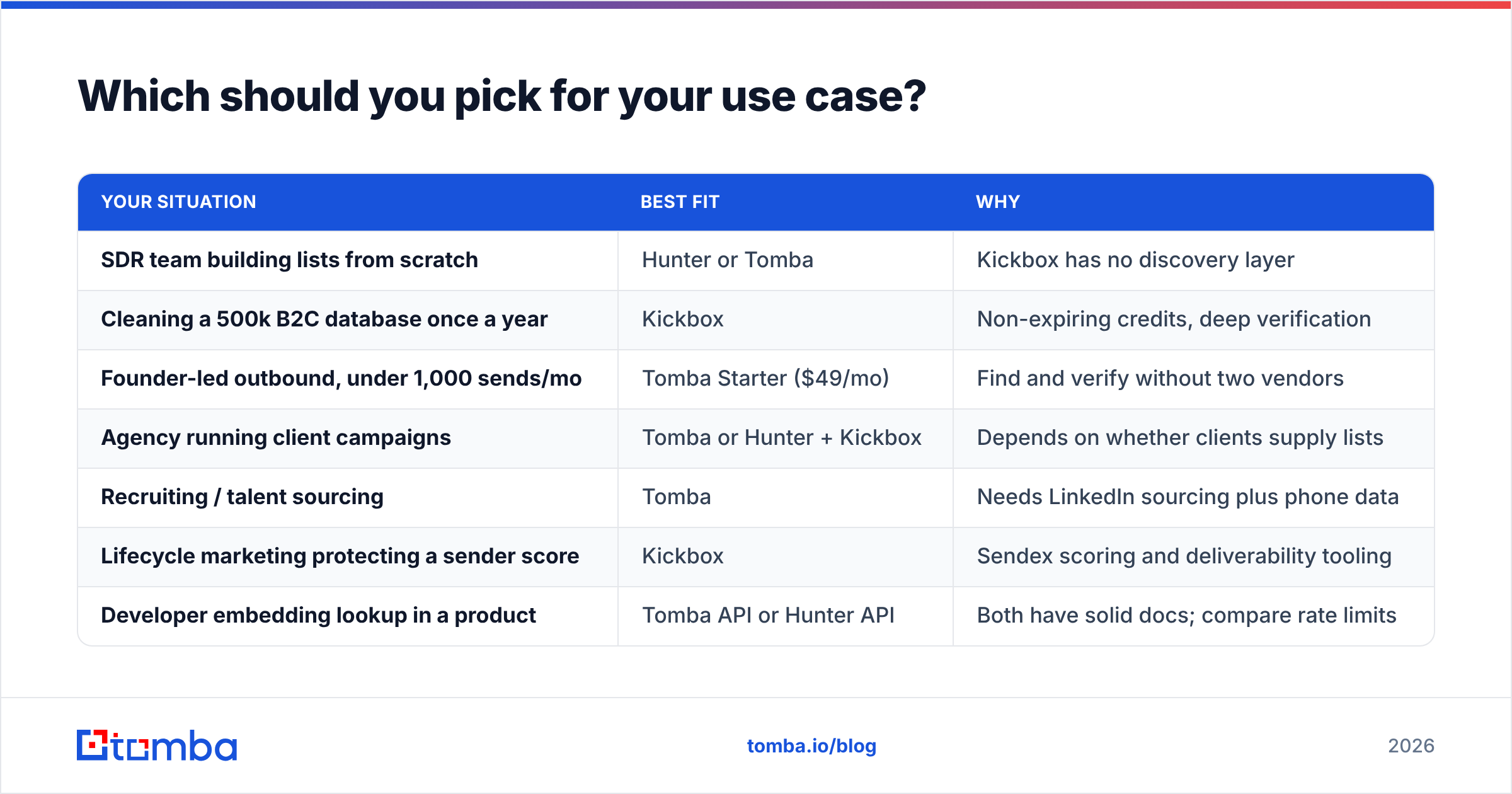
Which should you pick for your use case?#
| Your situation | Best fit | Why |
|---|---|---|
| SDR team building lists from scratch | Hunter or Tomba | Kickbox has no discovery layer |
| Cleaning a 500k B2C database once a year | Kickbox | Non-expiring credits, deep verification |
| Founder-led outbound, under 1,000 sends/mo | Tomba Starter ($49/mo) | Find and verify without two vendors |
| Agency running client campaigns | Tomba or Hunter + Kickbox | Depends on whether clients supply lists |
| Recruiting / talent sourcing | Tomba | Needs LinkedIn sourcing plus phone data |
| Lifecycle marketing protecting a sender score | Kickbox | Sendex scoring and deliverability tooling |
| Developer embedding lookup in a product | Tomba API or Hunter API | Both have solid docs; compare rate limits |
| Heavy enterprise targets (catch-all domains) | Tomba | Catch-all resolution neither rival offers |
Read that table as a routing guide, not a ranking. Kickbox shows up twice, and that is not a weakness. It is a specialist doing specialist work well.
What about the third option?#
Here is the honest framing. Hunter vs Kickbox is a false binary. Two vendors solve two halves of one workflow. The workflow is simple: find the person, get their address, confirm it is real, fill in the record, send.
Tomba was built for that whole sequence, not one slice. The email finder handles discovery by name or domain. The verifier runs on every result before it reaches your export. The catch-all verifier tackles the case both rivals punt on. Phone finder and enrichment fill the fields you would otherwise buy from a third vendor. The Tomba API puts all of it under one key, with free-tier access so you can test before you pay.
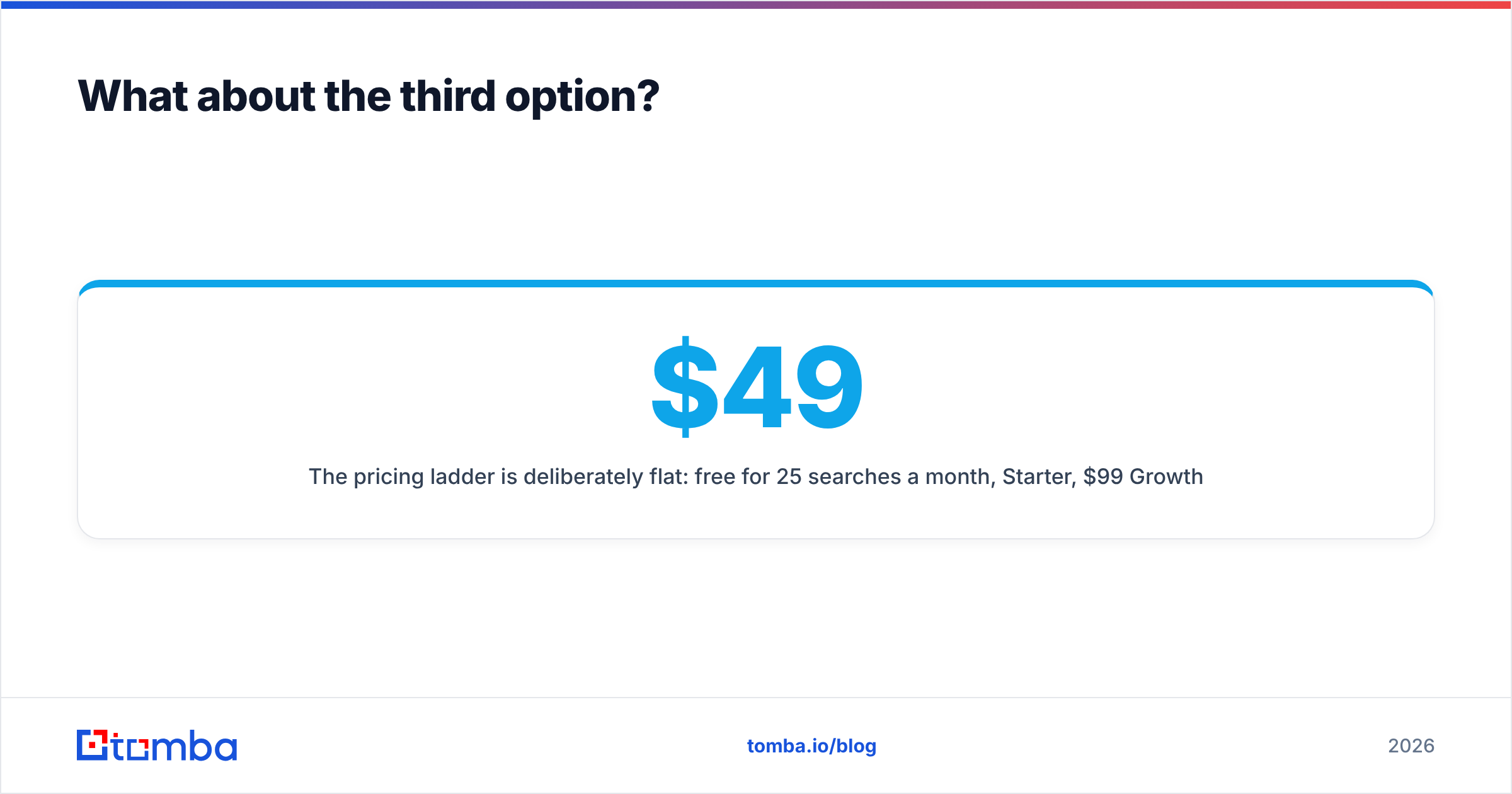
The pricing ladder is flat on purpose: free for 25 searches a month, $49/mo Starter, $99/mo Growth, $249/mo Pro, custom Enterprise. Set that against a Hunter plan plus a Kickbox credit balance. The math usually lands one way. Still, run your own control list first. Any vendor that talks you out of testing on your own data is telling you something.
How should you run the Hunter vs Kickbox test?#
Give yourself an afternoon:
- Pick 100 target contacts across five companies. At least two should have catch-all domains.
- Run discovery on Hunter's free tier and Tomba's free tier. Compare hit rate and confidence scores.
- Run the checks on Kickbox's free credits and Tomba's verifier. Compare the deliverable, risky, and unknown split.
- Send one small real campaign to the addresses both tools agree on. Measure the true bounce rate.
- Price the winner at your real monthly volume, not the vendor's example volume.
Want a zero-commitment start? The free email checker validates single addresses in the browser. No signup.
Ready to stop paying two vendors for one workflow?#
If your bottleneck is finding addresses that are right the first time, start with the Tomba Email Finder. It searches by domain, name, or company. It verifies every result before it lands in your export. It also resolves catch-all domains that finders and verifiers tend to skip. The free tier gives you 25 searches a month with full API access. That is enough to run the control-list test above and decide with data, not with a comparison post. Paid plans start at $49/mo and cover finding, verifying, enrichment, and phone data under one key.
Related guides#
// get started
Find, verify and enrich your first contacts today
Start on the free plan with 25 searches a month, then scale when your team is ready.
Free plan · No credit card required · GDPR & CCPA
// about the author